
Click on "Install Server".
Wait a few minutes for the server to deploy. Once ready, it will show a "Started" state.
In the chat, type
@followed by the MCP server name and your instructions, e.g., "@Xueqiu MCPshow me the current price of Tencent stock"
That's it! The server will respond to your query, and you can continue using it as needed.
Here is a step-by-step guide with screenshots.
Xueqiu MCP
基于雪球API的MCP服务,让您通过Claude或其他AI助手轻松获取股票数据。
项目简介
本项目基于pysnowball封装了雪球API,并通过MCP协议提供服务,使您能够在Claude等AI助手中直接查询股票数据。
Related MCP server: Claude AI Documentation Assistant
安装方法
本项目使用uv进行依赖管理。请按照以下步骤进行安装:
# 克隆仓库
git clone https://github.com/liqiongyu/xueqiu_mcp.git
cd xueqiu_mcp

# 使用uv安装依赖
uv venv && uv pip install -e .
配置
配置雪球Token
在项目根目录创建
.env文件添加以下内容:
XUEQIU_TOKEN=您的雪球token快捷方式:
echo 'XUEQIU_TOKEN="xq_a_token=xxxxx;u=xxxx"' > .env关于如何获取雪球token,请参考pysnowball文档。
运行服务
使用以下命令启动MCP服务:
uv --directory /path/to/xueqiu_mcp run main.py或者,如果您已经配置了Claude Desktop:
"xueqiu-mcp": {
  "args": [
    "--directory",
    "/path/to/xueqiu_mcp",
    "run",
    "main.py"
  ],
  "command": "uv"
}
功能特性
获取股票实时行情
查询指数收益
获取深港通/沪港通北向数据
基金相关数据查询
关键词搜索股票代码
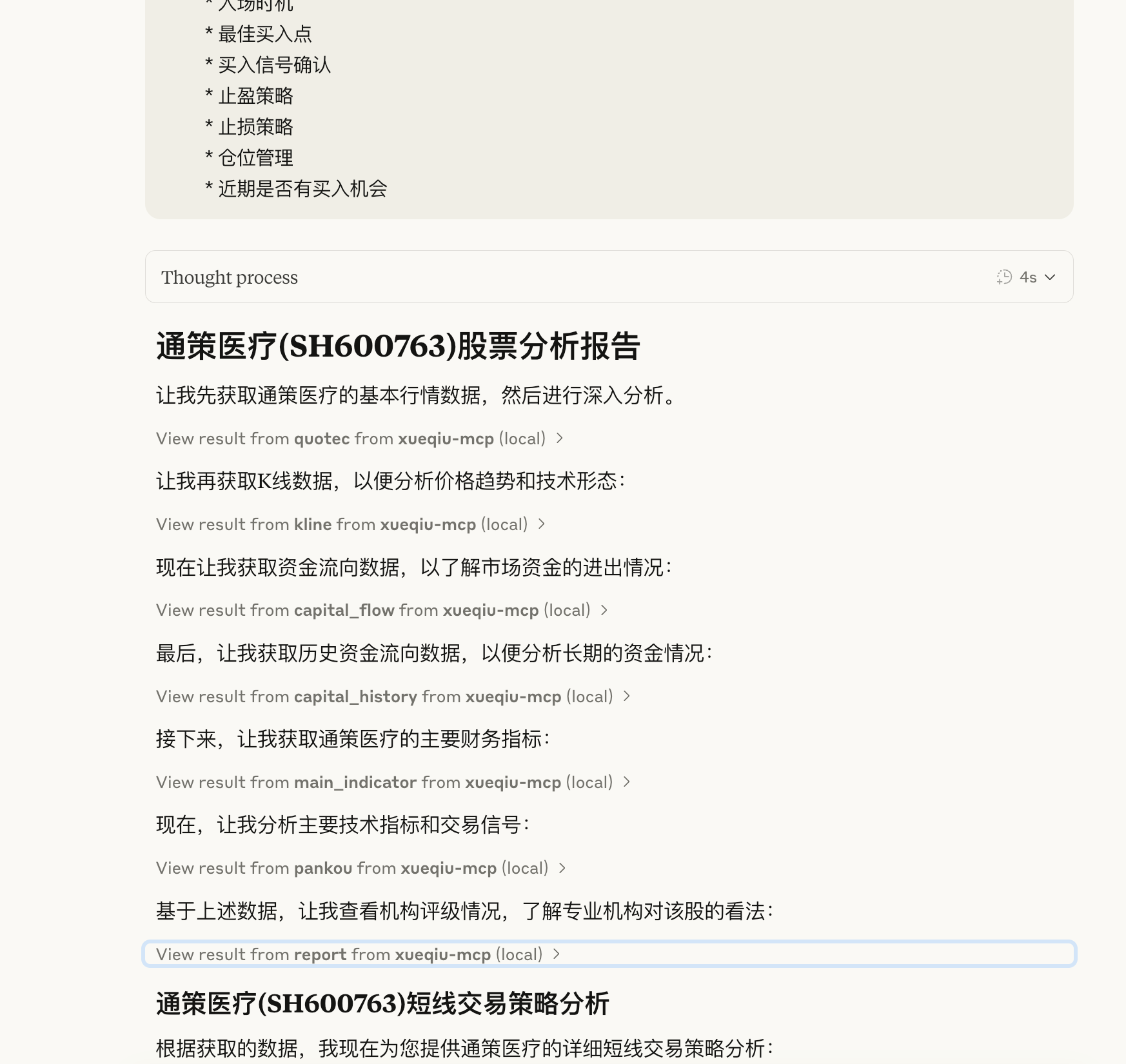
展示图

致谢
pysnowball - 雪球股票数据接口的Python版本
fastmcp - MCP服务框架
许可证
Resources
Unclaimed servers have limited discoverability.
Looking for Admin?
If you are the server author, to access and configure the admin panel.