
Hosts the plugin repository and provides issue tracking for feature requests and bug reports.
Click on "Install Server".
Wait a few minutes for the server to deploy. Once ready, it will show a "Started" state.
In the chat, type
@followed by the MCP server name and your instructions, e.g., "@MCP Serverconvert my Dify workflow app to an MCP server endpoint"
That's it! The server will respond to your query, and you can continue using it as needed.
Here is a step-by-step guide with screenshots.
MCP Server
Author: hjlarry
Version: 0.0.4
Type: extension
Repo: https://github.com/hjlarry/dify-plugin-mcp_server
Feature Request: issues
A Dify endpoint plugin that change a dify app to a mcp server.
To keep your data secure, use this plugin exclusively within your private network.
Get Started
1. create a simple workflow app in dify.
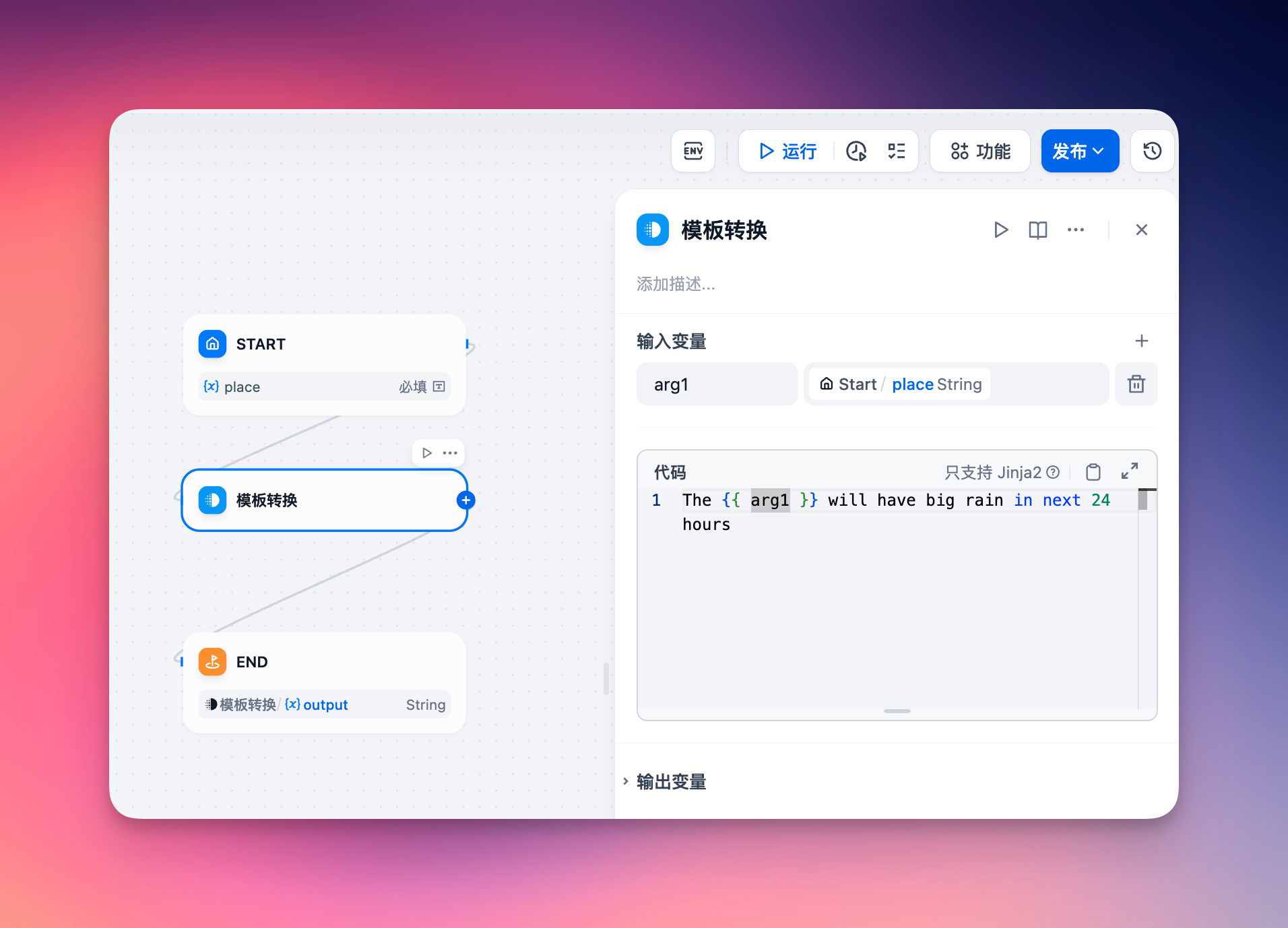
2. add a endpoint and select this app.
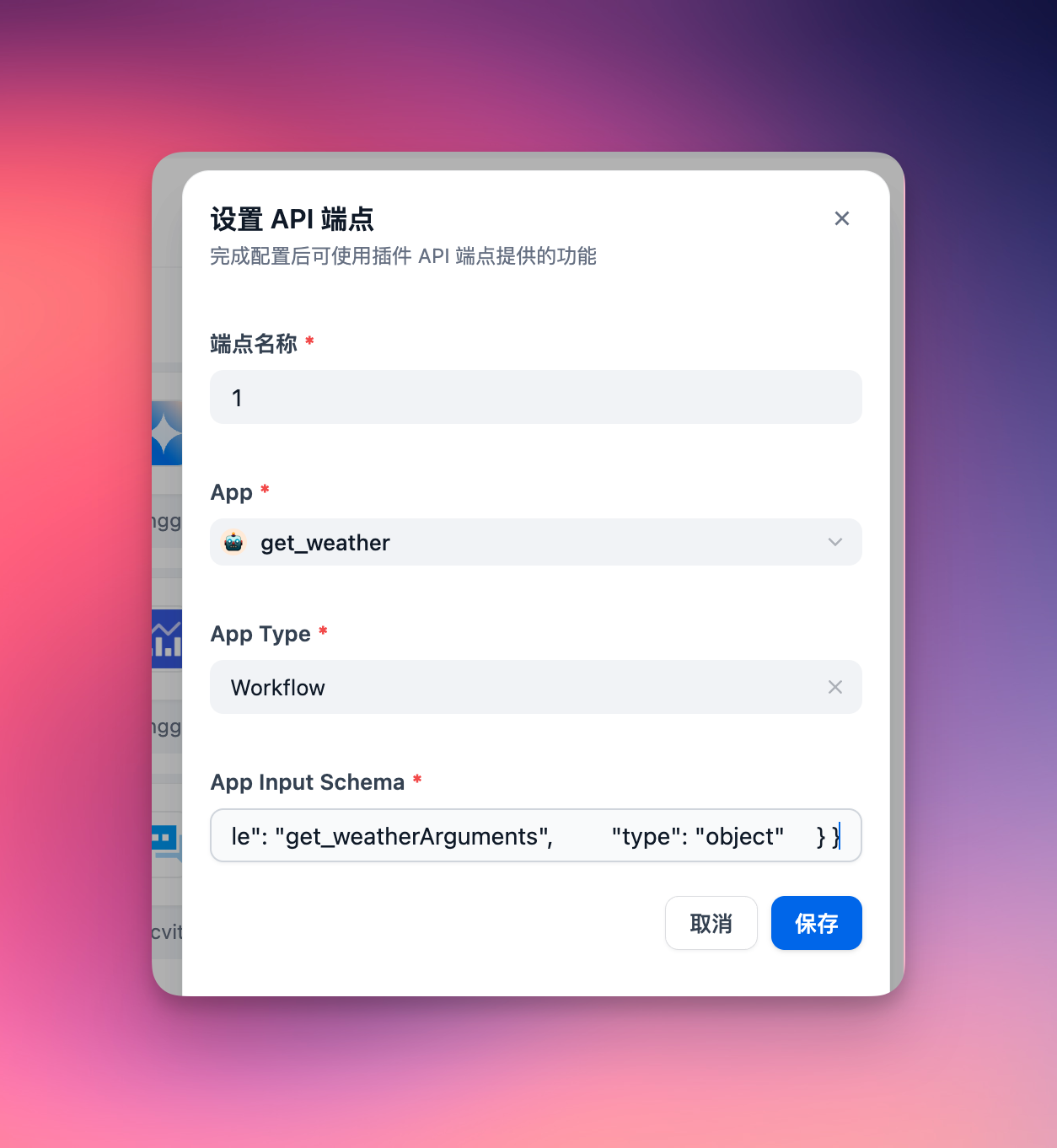
The app's input schema must define its input parameters. For a chat dify app, ensure to include a query field in the input schema, formatted as follows:
3. copy the endpoint url to your mcp client, like Cherry Studio
Option 1: Use the newest Streamable HTTP protocol (Recommended)
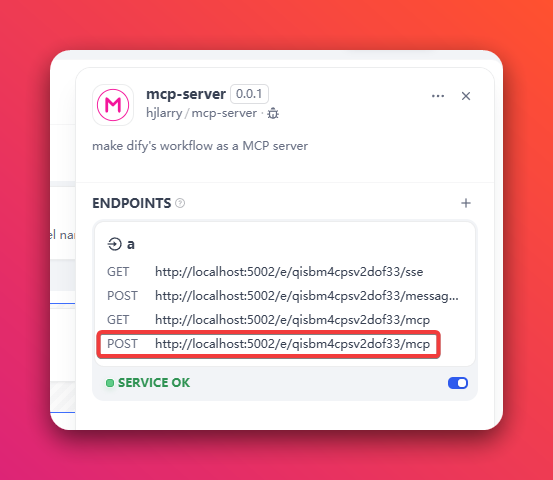
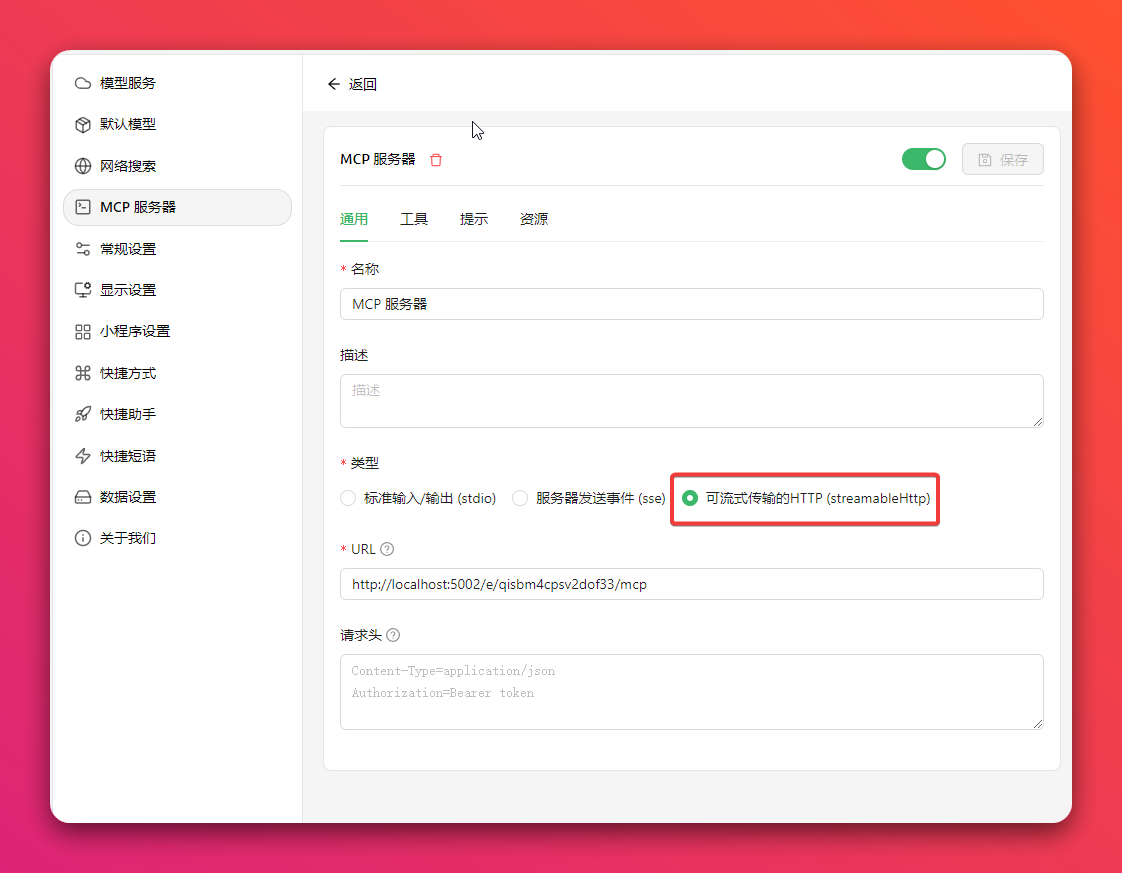
Option 2: Use the legacy SSE protocol
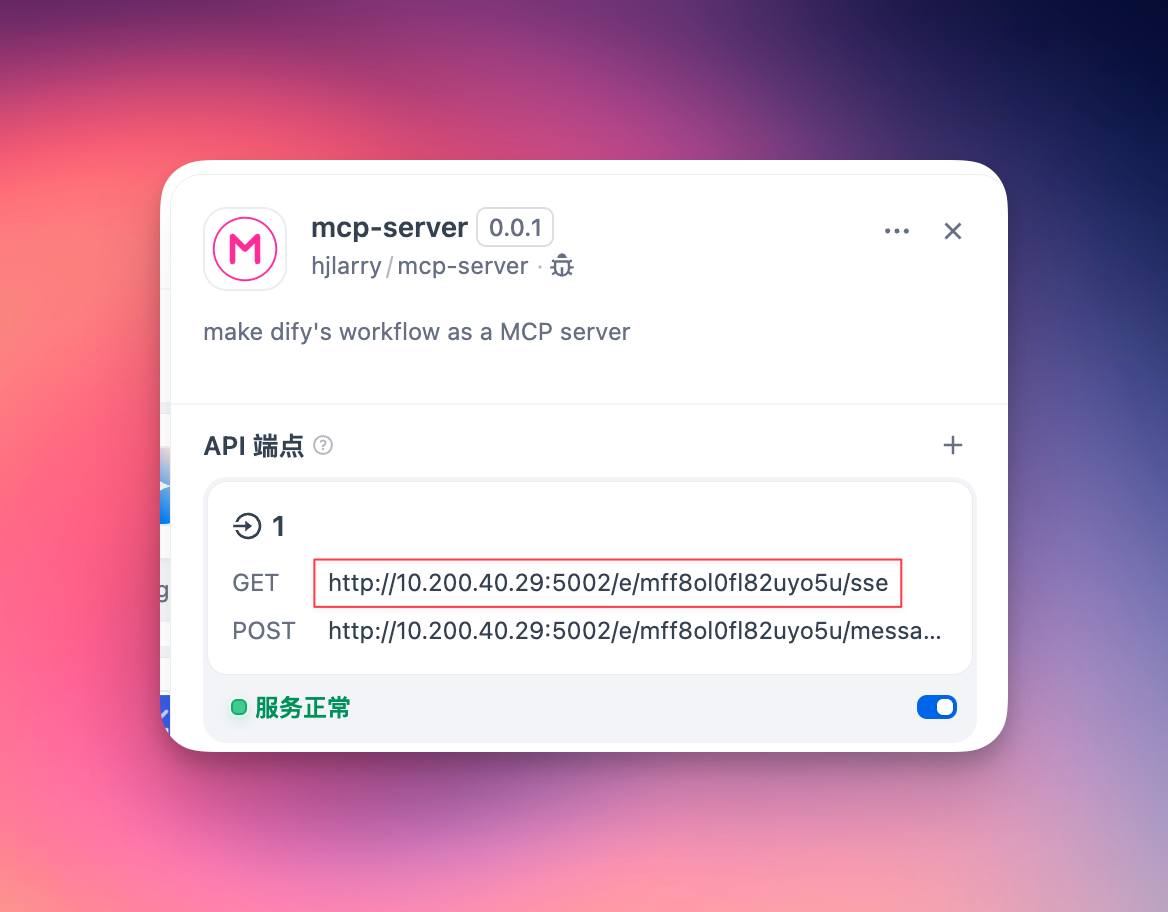
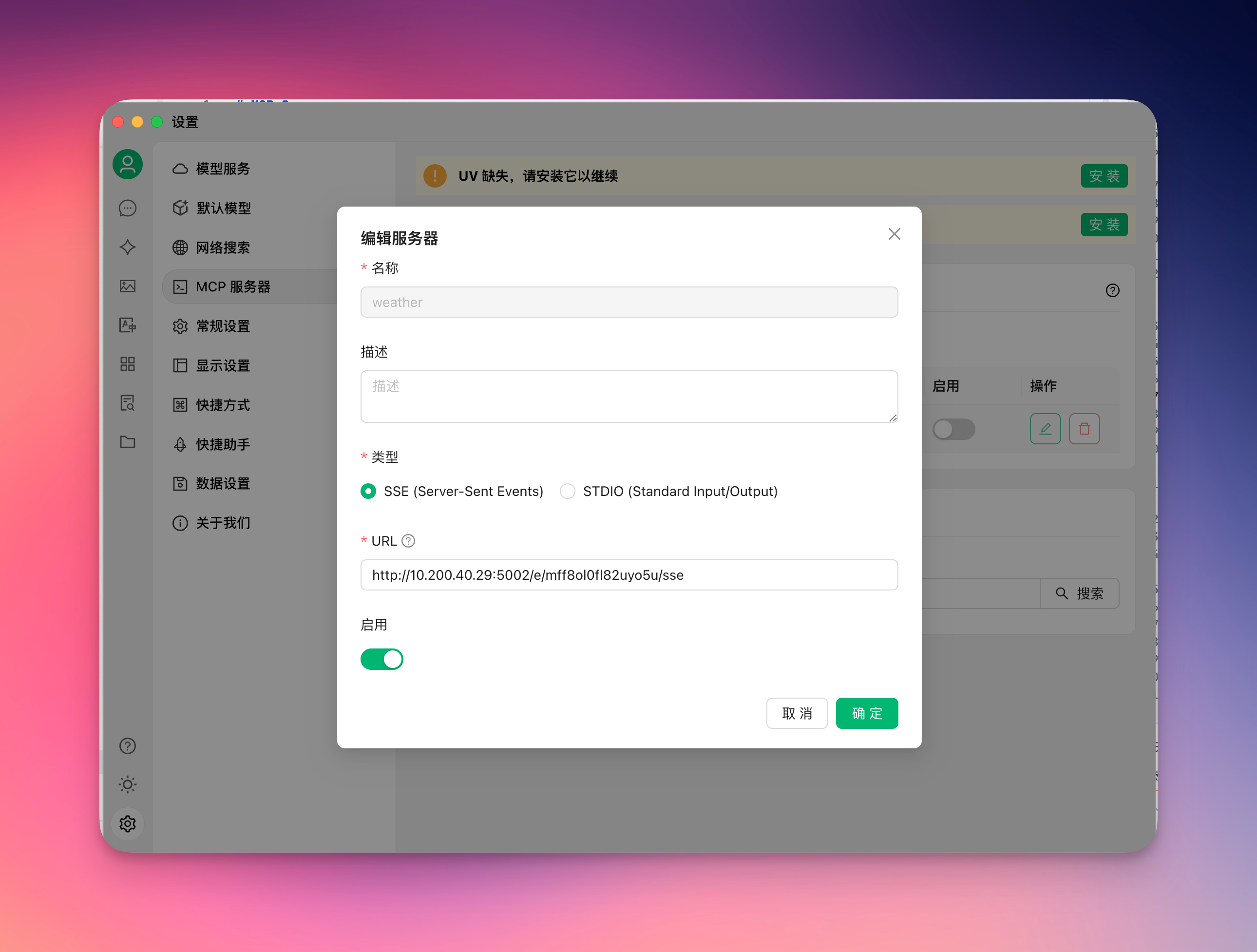
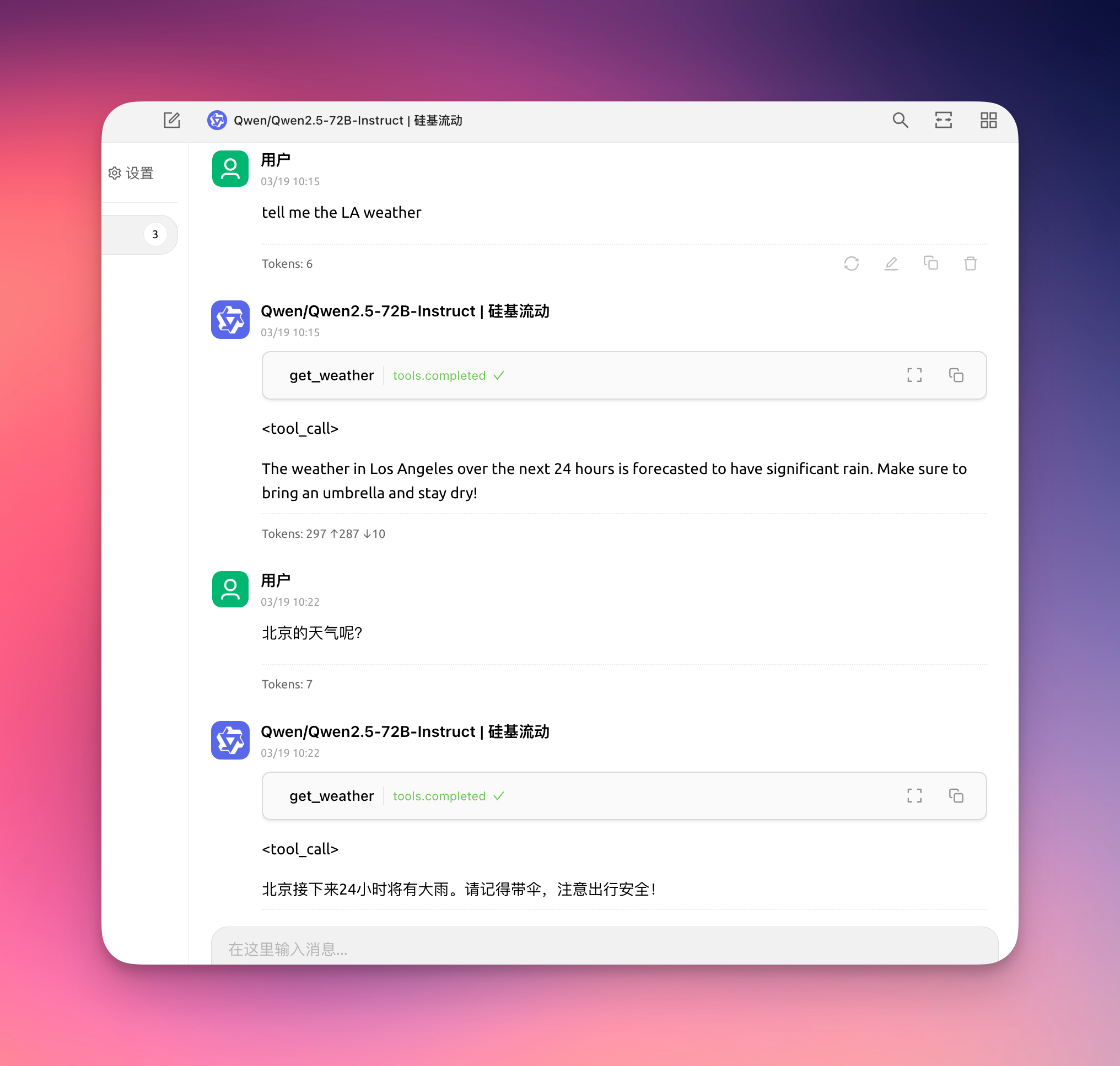
4. enjoy it!
5. To keep your data secure, you can add a Auth Bearer Token on the endpoint setting.
For example, if your Auth Bearer Token is setting to sk-abcdefgh, then the request header of MCP client must add Authorization: Bearer sk-abcdefgh
Related MCP server: Dify as MCP Server
Changelog
0.0.4
Add response to the
pingmethod of MCP client, some clients use this method to check server healthAdd
Authorization: Bearertoken validatorFix some log incorrect
0.0.3
To fix sse get non-exist key get lots error logs on the plugin daemon.
Add logs to help debug problems.
Streamable http support response object and array.
0.0.2
Add a new Streamable HTTP protocol.
Update dify-plugin-sdk version.