Directory structure:
└── outscraper-outscraper-python/
├── README.md
├── LICENSE
├── README.rst
├── setup.py
├── test.ipynb
├── examples/
│ ├── Emails And Contacts.md
│ ├── Enrichments.md
│ ├── Google Maps Reviews.md
│ ├── Google Maps.md
│ ├── Google SERP.md
│ ├── Phones Validator.md
│ ├── Run Async Requests.md
│ ├── Run Requests in Parallel.md
│ └── UI.md
├── outscraper/
│ ├── __init__.py
│ ├── api_client.py
│ └── utils.py
└── .github/
└── workflows/
└── python-publish.yml
================================================
FILE: README.md
================================================
# Outscraper Python Library
The library provides convenient access to the [Outscraper API](https://app.outscraper.com/api-docs) from applications written in the Python language. Allows using [Outscraper's services](https://outscraper.com/services/) from your code.
[API Docs](https://app.outscraper.com/api-docs)
## Installation
Python 3+
```bash
pip install outscraper
```
[Link to the python package page](https://pypi.org/project/outscraper/)
## Initialization
```python
from outscraper import ApiClient
client = ApiClient(api_key='SECRET_API_KEY')
```
[Link to the profile page to create the API key](https://app.outscraper.com/profile)
## Scrape Google Search
```python
# Googel Search
results = client.google_search('bitcoin')
# Googel Search News
results = client.google_search_news('election', language='en')
```
## Scrape Google Maps (Places)
```python
# Search for businesses in specific locations:
results = client.google_maps_search('restaurants brooklyn usa', limit=20, language='en')
# Get data of the specific place by id
results = client.google_maps_search('ChIJrc9T9fpYwokRdvjYRHT8nI4', language='en')
# Search with many queries (batching)
results = client.google_maps_search([
'restaurants brooklyn usa',
'bars brooklyn usa',
], language='en')
```
## Scrape Google Maps Reviews
```python
# Get reviews of the specific place by id
results = client.google_maps_reviews('ChIJrc9T9fpYwokRdvjYRHT8nI4', reviews_limit=20, language='en')
# Get reviews for places found by search query
results = client.google_maps_reviews('Memphis Seoul brooklyn usa', reviews_limit=20, limit=500, language='en')
# Get only new reviews during last 24 hours
from datetime import datetime, timedelta
yesterday_timestamp = int((datetime.now() - timedelta(1)).timestamp())
results = client.google_maps_reviews(
'ChIJrc9T9fpYwokRdvjYRHT8nI4', sort='newest', cutoff=yesterday_timestamp, reviews_limit=100, language='en')
```
## Scrape Google Maps Photos
```python
results = client.google_maps_photos(
'Trump Tower, NY, USA', photosLimit=20, language='en')
```
## Scrape Google Maps Directions
```python
results = client.google_maps_directions(['29.696596, 76.994928 30.7159662444353, 76.8053887016268', '29.696596, 76.994928 30.723065, 76.770169'])
```
## Scrape Google Play Reviews
```python
results = client.google_play_reviews(
'com.facebook.katana', reviews_limit=20, language='en')
```
## Emails And Contacts Scraper
```python
results = client.emails_and_contacts(['outscraper.com'])
```
[More examples](https://github.com/outscraper/outscraper-python/tree/master/examples)
## Responses examples
Google Maps (Places) response example:
```json
[
[
{
"name": "Colonie",
"full_address": "127 Atlantic Ave, Brooklyn, NY 11201",
"borough": "Brooklyn Heights",
"street": "127 Atlantic Ave",
"city": "Brooklyn",
"postal_code": "11201",
"country_code": "US",
"country": "United States of America",
"us_state": "New York",
"state": "New York",
"plus_code": null,
"latitude": 40.6908464,
"longitude": -73.9958422,
"time_zone": "America/New_York",
"popular_times": null,
"site": "http://www.colonienyc.com/",
"phone": "+1 718-855-7500",
"type": "American restaurant",
"category": "restaurants",
"subtypes": "American restaurant, Cocktail bar, Italian restaurant, Organic restaurant, Restaurant, Wine bar",
"posts": null,
"rating": 4.6,
"reviews": 666,
"reviews_data": null,
"photos_count": 486,
"google_id": "0x89c25a4590b8c863:0xc4a4271f166de1e2",
"place_id": "ChIJY8i4kEVawokR4uFtFh8npMQ",
"reviews_link": "https://search.google.com/local/reviews?placeid=ChIJY8i4kEVawokR4uFtFh8npMQ&q=restaurants+brooklyn+usa&authuser=0&hl=en&gl=US",
"reviews_id": "-4277250731621359134",
"photo": "https://lh5.googleusercontent.com/p/AF1QipN_Ani32z-7b9XD182oeXKgQ-DIhLcgL09gyMZf=w800-h500-k-no",
"street_view": "https://lh5.googleusercontent.com/p/AF1QipN_Ani32z-7b9XD182oeXKgQ-DIhLcgL09gyMZf=w1600-h1000-k-no",
"working_hours_old_format": "Monday: 5\\u20139:30PM | Tuesday: Closed | Wednesday: Closed | Thursday: 5\\u20139:30PM | Friday: 5\\u20139:30PM | Saturday: 11AM\\u20133PM,5\\u20139:30PM | Sunday: 11AM\\u20133PM,5\\u20139:30PM",
"working_hours": {
"Monday": "5\\u20139:30PM",
"Tuesday": "Closed",
"Wednesday": "Closed",
"Thursday": "5\\u20139:30PM",
"Friday": "5\\u20139:30PM",
"Saturday": "11AM\\u20133PM,5\\u20139:30PM",
"Sunday": "11AM\\u20133PM,5\\u20139:30PM"
},
"business_status": "OPERATIONAL",
"about": {
"Service options": {
"Dine-in": true,
"Delivery": false,
"Takeout": false
},
"Health & safety": {
"Mask required": true,
"Staff required to disinfect surfaces between visits": true
},
"Highlights": {
"Fast service": true,
"Great cocktails": true,
"Great coffee": true
},
"Popular for": {
"Lunch": true,
"Dinner": true,
"Solo dining": true
},
"Accessibility": {
"Wheelchair accessible entrance": true,
"Wheelchair accessible restroom": true,
"Wheelchair accessible seating": true
},
"Offerings": {
"Coffee": true,
"Comfort food": true,
"Healthy options": true,
"Organic dishes": true,
"Small plates": true,
"Vegetarian options": true,
"Wine": true
},
"Dining options": {
"Dessert": true
},
"Amenities": {
"High chairs": true
},
"Atmosphere": {
"Casual": true,
"Cozy": true,
"Romantic": true,
"Upscale": true
},
"Crowd": {
"Groups": true
},
"Planning": {
"Dinner reservations recommended": true,
"Accepts reservations": true,
"Usually a wait": true
},
"Payments": {
"Credit cards": true
}
},
"range": "$$$",
"reviews_per_score": {
"1": 9,
"2": 10,
"3": 47,
"4": 129,
"5": 471
},
"reserving_table_link": "https://resy.com/cities/ny/colonie",
"booking_appointment_link": "https://resy.com/cities/ny/colonie",
"owner_id": "114275131377272904229",
"verified": true,
"owner_title": "Colonie",
"owner_link": "https://www.google.com/maps/contrib/114275131377272904229",
"location_link": "https://www.google.com/maps/place/Colonie/@40.6908464,-73.9958422,14z/data=!4m8!1m2!2m1!1sColonie!3m4!1s0x89c25a4590b8c863:0xc4a4271f166de1e2!8m2!3d40.6908464!4d-73.9958422"
},
...
]
]
```
Google Maps Reviews response example:
```json
{
"name": "Memphis Seoul",
"address": "569 Lincoln Pl, Brooklyn, NY 11238, \\u0421\\u043f\\u043e\\u043b\\u0443\\u0447\\u0435\\u043d\\u0456 \\u0428\\u0442\\u0430\\u0442\\u0438",
"address_street": "569 Lincoln Pl",
"address_borough": "\\u041a\\u0440\\u0430\\u0443\\u043d-\\u0413\\u0430\\u0439\\u0442\\u0441",
"address_city": "Brooklyn",
"time_zone": "America/New_York",
"type": "\\u0420\\u0435\\u0441\\u0442\\u043e\\u0440\\u0430\\u043d",
"types": "\\u0420\\u0435\\u0441\\u0442\\u043e\\u0440\\u0430\\u043d",
"postal_code": "11238",
"latitude": 40.6717258,
"longitude": -73.9579098,
"phone": "+1 347-349-2561",
"rating": 3.9,
"reviews": 32,
"site": "http://www.getmemphisseoul.com/",
"photos_count": 77,
"google_id": "0x89c25bb5950fc305:0x330a88bf1482581d",
"reviews_link": "https://www.google.com/search?q=Memphis+Seoul,+569+Lincoln+Pl,+Brooklyn,+NY+11238,+%D0%A1%D0%BF%D0%BE%D0%BB%D1%83%D1%87%D0%B5%D0%BD%D1%96+%D0%A8%D1%82%D0%B0%D1%82%D0%B8&ludocid=3677902399965648925#lrd=0x89c25bb5950fc305:0x330a88bf1482581d,1",
"reviews_id": "3677902399965648925",
"photo": "https://lh5.googleusercontent.com/p/X_6-QqMphC_ctqs3bHSqFg",
"working_hours": "\\u0432\\u0456\\u0432\\u0442\\u043e\\u0440\\u043e\\u043a: 16:00\\u201322:00 | \\u0441\\u0435\\u0440\\u0435\\u0434\\u0430: 16:00\\u201322:00 | \\u0447\\u0435\\u0442\\u0432\\u0435\\u0440: 16:00\\u201322:00 | \\u043f\\u02bc\\u044f\\u0442\\u043d\\u0438\\u0446\\u044f: 16:00\\u201322:00 | \\u0441\\u0443\\u0431\\u043e\\u0442\\u0430: 16:00\\u201322:00 | \\u043d\\u0435\\u0434\\u0456\\u043b\\u044f: 16:00\\u201322:00 | \\u043f\\u043e\\u043d\\u0435\\u0434\\u0456\\u043b\\u043e\\u043a: 16:00\\u201322:00",
"reviews_per_score": "1: 6, 2: 0, 3: 4, 4: 3, 5: 19",
"verified": true,
"reserving_table_link": null,
"booking_appointment_link": null,
"owner_id": "100347822687163365487",
"owner_link": "https://www.google.com/maps/contrib/100347822687163365487",
"reviews_data": [
{
"google_id": "0x89c25bb5950fc305:0x330a88bf1482581d",
"autor_link": "https://www.google.com/maps/contrib/112314095435657473333?hl=en-US",
"autor_name": "Eliott Levy",
"autor_id": "112314095435657473333",
"review_text": "Very good local comfort fusion food ! \\nKimchi coleslaw !! Such an amazing idea !",
"review_link": "https://www.google.com/maps/reviews/data=!4m5!14m4!1m3!1m2!1s112314095435657473333!2s0x0:0x330a88bf1482581d?hl=en-US",
"review_rating": 5,
"review_timestamp": 1560692128,
"review_datetime_utc": "06/16/2019 13:35:28",
"review_likes": null
},
{
"google_id": "0x89c25bb5950fc305:0x330a88bf1482581d",
"autor_link": "https://www.google.com/maps/contrib/106144075337788507031?hl=en-US",
"autor_name": "fenwar1",
"autor_id": "106144075337788507031",
"review_text": "Great wings with several kinds of hot sauce. The mac and cheese ramen is excellent.\\nUPDATE:\\nReturned later to try the meatloaf slider, a thick meaty slice topped with slaw and a fantastic sauce- delicious. \\nConsider me a regular.\\ud83d\\udc4d",
"review_link": "https://www.google.com/maps/reviews/data=!4m5!14m4!1m3!1m2!1s106144075337788507031!2s0x0:0x330a88bf1482581d?hl=en-US",
"review_rating": 5,
"review_timestamp": 1571100055,
"review_datetime_utc": "10/15/2019 00:40:55",
"review_likes": null
},
...
]
}
```
Google Play Reviews response example:
```json
[
[
{
"autor_name": "candice petrancosta",
"autor_id": "113798143822975084287",
"autor_image": "https://play-lh.googleusercontent.com/a-/AOh14GiBRe-07Fmx8MyyVyrZP6TkSGenrs97e1_MG7Z-sWA",
"review_text": "I love FB but the app has been pissing me off lately. It keeps having problems. Now my public page for my business is not letting me see my notifications and it is very annoying. Also, it keeps saying that I have a message when I don\'t. That\'s been a probably for a very long time that comes and goes. I hate seeing the icon showing me that I have a message when I do not \\ud83d\\ude21",
"review_rating": 1,
"review_likes": 964,
"version": "328.1.0.28.119",
"review_timestamp": 1627360161,
"review_datetime_utc": "07/27/2021 04:29:21",
"owner_answer": null,
"owner_answer_timestamp": null,
"owner_answer_timestamp_datetime_utc": null
},
{
"autor_name": "Deren Nickerson",
"autor_id": "117741211939002621733",
"autor_image": "https://play-lh.googleusercontent.com/a/AATXAJwIXPpnodqFFvB9oQEsk8XYFqtkEcfDEmNr704=mo",
"review_text": "Technical support is non-existent whatsoever. Currently hiding behind the guise of a lack of reviewers being able to sit and stare at a computer screen due to a pandemic that forces people to stay at and work from home. Using auto-bots to destroy people\'s only methods of communicating with the outside world. I bet Facebook literally has blood on their hands from all the people who have killed themselves due to having their accounts needlessly disabled for months. Also you can\'t remove the app..",
"review_rating": 1,
"review_likes": 225,
"version": "328.1.0.28.119",
"review_timestamp": 1627304448,
"review_datetime_utc": "07/26/2021 13:00:48",
"owner_answer": null,
"owner_answer_timestamp": null,
"owner_answer_timestamp_datetime_utc": null
},
{
"autor_name": "Tj Symula",
"autor_id": "103540836420891624440",
"autor_image": "https://play-lh.googleusercontent.com/a/AATXAJxW4-DAYNCAgj2OQ41lQadAQtBxX4G_Aqn-Urvc=mo",
"review_text": "I have been logged into facebook for as long as I can remember, but I\'ve been booted somehow. I\'ve sent several emails with no response. All of my logins for multiple sites, I\'ve used the \\"login with facebook\\" option. I have no way to retrieve emails and passwords that I changed years ago, please help me fix this issue, its hindering my ability to use many online features on my phone.",
"review_rating": 1,
"review_likes": 181,
"version": "328.1.0.28.119",
"review_timestamp": 1627307359,
"review_datetime_utc": "07/26/2021 13:49:19",
"owner_answer": null,
"owner_answer_timestamp": null,
"owner_answer_timestamp_datetime_utc": null
},
...
]
]
```
Emails & Contacts Scraper response example:
```json
[
{
"query": "outscraper.com",
"domain": "outscraper.com",
"emails": [
{
"value": "service@outscraper.com",
"sources": [
{
"ref": "https://outscraper.com/",
"extracted_on": "2021-09-27T07:45:30.386000",
"updated_on": "2021-11-18T12:59:15.602000"
},
...
]
},
{
"value": "support@outscraper.com",
"sources": [
{
"ref": "https://outscraper.com/privacy-policy/",
"extracted_on": "2021-11-18T12:51:39.716000",
"updated_on": "2021-11-18T12:51:39.716000"
}
]
}
],
"phones": [
{
"value": "12812368208",
"sources": [
{
"ref": "https://outscraper.com/",
"extracted_on": "2021-11-18T12:59:15.602000",
"updated_on": "2021-11-18T12:59:15.602000"
},
...
]
}
],
"socials": {
"facebook": "https://www.facebook.com/outscraper/",
"github": "https://github.com/outscraper",
"linkedin": "https://www.linkedin.com/company/outscraper/",
"twitter": "https://twitter.com/outscraper",
"whatsapp": "https://wa.me/12812368208",
"youtube": "https://www.youtube.com/channel/UCDYOuXSEenLpt5tKNq-0l9Q"
},
"site_data": {
"description": "Scrape Google Maps Places, Business Reviews, Photos, Play Market Reviews, and more. Get any public data from the internet by applying cutting-edge technologies.",
"generator": "WordPress 5.8.2",
"title": "Outscraper - get any public data from the internet"
}
}
]
```
## Contributing
Bug reports and pull requests are welcome on GitHub at https://github.com/outscraper/outscraper-python.
================================================
FILE: LICENSE
================================================
MIT License
Copyright (c) 2020 Outscraper.
Permission is hereby granted, free of charge, to any person obtaining a copy
of this software and associated documentation files (the "Software"), to deal
in the Software without restriction, including without limitation the rights
to use, copy, modify, merge, publish, distribute, sublicense, and/or sell
copies of the Software, and to permit persons to whom the Software is
furnished to do so, subject to the following conditions:
The above copyright notice and this permission notice shall be included in all
copies or substantial portions of the Software.
THE SOFTWARE IS PROVIDED "AS IS", WITHOUT WARRANTY OF ANY KIND, EXPRESS OR
IMPLIED, INCLUDING BUT NOT LIMITED TO THE WARRANTIES OF MERCHANTABILITY,
FITNESS FOR A PARTICULAR PURPOSE AND NONINFRINGEMENT. IN NO EVENT SHALL THE
AUTHORS OR COPYRIGHT HOLDERS BE LIABLE FOR ANY CLAIM, DAMAGES OR OTHER
LIABILITY, WHETHER IN AN ACTION OF CONTRACT, TORT OR OTHERWISE, ARISING FROM,
OUT OF OR IN CONNECTION WITH THE SOFTWARE OR THE USE OR OTHER DEALINGS IN THE
SOFTWARE.
================================================
FILE: README.rst
================================================
Outscraper Python Library
=========================
The library provides convenient access to the `Outscraper
API <https://app.outscraper.com/api-docs>`__ from applications written
in the Python language. Allows using `Outscraper’s
services <https://outscraper.com/services/>`__ from your code.
`API Docs <https://app.outscraper.com/api-docs>`__
Installation
------------
Python 3+
.. code:: bash
pip install outscraper
`Link to the python package
page <https://pypi.org/project/outscraper/>`__
Initialization
--------------
.. code:: python
from outscraper import ApiClient
client = ApiClient(api_key='SECRET_API_KEY')
`Link to the profile page to create the API
key <https://app.outscraper.com/profile>`__
Scrape Google Search
--------------------
.. code:: python
# Googel Search
results = client.google_search('bitcoin')
# Googel Search News
results = client.google_search_news('election', language='en')
Scrape Google Maps (Places)
---------------------------
.. code:: python
# Search for businesses in specific locations:
results = client.google_maps_search('restaurants brooklyn usa', limit=20, language='en')
# Get data of the specific place by id
results = client.google_maps_search('ChIJrc9T9fpYwokRdvjYRHT8nI4', language='en')
# Search with many queries (batching)
results = client.google_maps_search([
'restaurants brooklyn usa',
'bars brooklyn usa',
], language='en')
Scrape Google Maps Reviews
--------------------------
.. code:: python
# Get reviews of the specific place by id
results = client.google_maps_reviews('ChIJrc9T9fpYwokRdvjYRHT8nI4', reviews_limit=20, language='en')
# Get reviews for places found by search query
results = client.google_maps_reviews('Memphis Seoul brooklyn usa', reviews_limit=20, limit=500, language='en')
# Get only new reviews during last 24 hours
from datetime import datetime, timedelta
yesterday_timestamp = int((datetime.now() - timedelta(1)).timestamp())
results = client.google_maps_reviews(
'ChIJrc9T9fpYwokRdvjYRHT8nI4', sort='newest', cutoff=yesterday_timestamp, reviews_limit=100, language='en')
Scrape Google Maps Photos
-------------------------
.. code:: python
results = client.google_maps_photos(
'Trump Tower, NY, USA', photosLimit=20, language='en')
Scrape Google Maps Directions
-----------------------------
.. code:: python
results = client.google_maps_directions(['29.696596, 76.994928 30.7159662444353, 76.8053887016268', '29.696596, 76.994928 30.723065, 76.770169'])
Scrape Google Play Reviews
--------------------------
.. code:: python
results = client.google_play_reviews(
'com.facebook.katana', reviews_limit=20, language='en')
Emails And Contacts Scraper
---------------------------
.. code:: python
results = client.emails_and_contacts(['outscraper.com'])
`More
examples <https://github.com/outscraper/outscraper-python/tree/master/examples>`__
Responses examples
------------------
Google Maps (Places) response example:
.. code:: json
[
[
{
"name": "Colonie",
"full_address": "127 Atlantic Ave, Brooklyn, NY 11201",
"borough": "Brooklyn Heights",
"street": "127 Atlantic Ave",
"city": "Brooklyn",
"postal_code": "11201",
"country_code": "US",
"country": "United States of America",
"us_state": "New York",
"state": "New York",
"plus_code": null,
"latitude": 40.6908464,
"longitude": -73.9958422,
"time_zone": "America/New_York",
"popular_times": null,
"site": "http://www.colonienyc.com/",
"phone": "+1 718-855-7500",
"type": "American restaurant",
"category": "restaurants",
"subtypes": "American restaurant, Cocktail bar, Italian restaurant, Organic restaurant, Restaurant, Wine bar",
"posts": null,
"rating": 4.6,
"reviews": 666,
"reviews_data": null,
"photos_count": 486,
"google_id": "0x89c25a4590b8c863:0xc4a4271f166de1e2",
"place_id": "ChIJY8i4kEVawokR4uFtFh8npMQ",
"reviews_link": "https://search.google.com/local/reviews?placeid=ChIJY8i4kEVawokR4uFtFh8npMQ&q=restaurants+brooklyn+usa&authuser=0&hl=en&gl=US",
"reviews_id": "-4277250731621359134",
"photo": "https://lh5.googleusercontent.com/p/AF1QipN_Ani32z-7b9XD182oeXKgQ-DIhLcgL09gyMZf=w800-h500-k-no",
"street_view": "https://lh5.googleusercontent.com/p/AF1QipN_Ani32z-7b9XD182oeXKgQ-DIhLcgL09gyMZf=w1600-h1000-k-no",
"working_hours_old_format": "Monday: 5\\u20139:30PM | Tuesday: Closed | Wednesday: Closed | Thursday: 5\\u20139:30PM | Friday: 5\\u20139:30PM | Saturday: 11AM\\u20133PM,5\\u20139:30PM | Sunday: 11AM\\u20133PM,5\\u20139:30PM",
"working_hours": {
"Monday": "5\\u20139:30PM",
"Tuesday": "Closed",
"Wednesday": "Closed",
"Thursday": "5\\u20139:30PM",
"Friday": "5\\u20139:30PM",
"Saturday": "11AM\\u20133PM,5\\u20139:30PM",
"Sunday": "11AM\\u20133PM,5\\u20139:30PM"
},
"business_status": "OPERATIONAL",
"about": {
"Service options": {
"Dine-in": true,
"Delivery": false,
"Takeout": false
},
"Health & safety": {
"Mask required": true,
"Staff required to disinfect surfaces between visits": true
},
"Highlights": {
"Fast service": true,
"Great cocktails": true,
"Great coffee": true
},
"Popular for": {
"Lunch": true,
"Dinner": true,
"Solo dining": true
},
"Accessibility": {
"Wheelchair accessible entrance": true,
"Wheelchair accessible restroom": true,
"Wheelchair accessible seating": true
},
"Offerings": {
"Coffee": true,
"Comfort food": true,
"Healthy options": true,
"Organic dishes": true,
"Small plates": true,
"Vegetarian options": true,
"Wine": true
},
"Dining options": {
"Dessert": true
},
"Amenities": {
"High chairs": true
},
"Atmosphere": {
"Casual": true,
"Cozy": true,
"Romantic": true,
"Upscale": true
},
"Crowd": {
"Groups": true
},
"Planning": {
"Dinner reservations recommended": true,
"Accepts reservations": true,
"Usually a wait": true
},
"Payments": {
"Credit cards": true
}
},
"range": "$$$",
"reviews_per_score": {
"1": 9,
"2": 10,
"3": 47,
"4": 129,
"5": 471
},
"reserving_table_link": "https://resy.com/cities/ny/colonie",
"booking_appointment_link": "https://resy.com/cities/ny/colonie",
"owner_id": "114275131377272904229",
"verified": true,
"owner_title": "Colonie",
"owner_link": "https://www.google.com/maps/contrib/114275131377272904229",
"location_link": "https://www.google.com/maps/place/Colonie/@40.6908464,-73.9958422,14z/data=!4m8!1m2!2m1!1sColonie!3m4!1s0x89c25a4590b8c863:0xc4a4271f166de1e2!8m2!3d40.6908464!4d-73.9958422"
},
...
]
]
Google Maps Reviews response example:
.. code:: json
{
"name": "Memphis Seoul",
"address": "569 Lincoln Pl, Brooklyn, NY 11238, \\u0421\\u043f\\u043e\\u043b\\u0443\\u0447\\u0435\\u043d\\u0456 \\u0428\\u0442\\u0430\\u0442\\u0438",
"address_street": "569 Lincoln Pl",
"address_borough": "\\u041a\\u0440\\u0430\\u0443\\u043d-\\u0413\\u0430\\u0439\\u0442\\u0441",
"address_city": "Brooklyn",
"time_zone": "America/New_York",
"type": "\\u0420\\u0435\\u0441\\u0442\\u043e\\u0440\\u0430\\u043d",
"types": "\\u0420\\u0435\\u0441\\u0442\\u043e\\u0440\\u0430\\u043d",
"postal_code": "11238",
"latitude": 40.6717258,
"longitude": -73.9579098,
"phone": "+1 347-349-2561",
"rating": 3.9,
"reviews": 32,
"site": "http://www.getmemphisseoul.com/",
"photos_count": 77,
"google_id": "0x89c25bb5950fc305:0x330a88bf1482581d",
"reviews_link": "https://www.google.com/search?q=Memphis+Seoul,+569+Lincoln+Pl,+Brooklyn,+NY+11238,+%D0%A1%D0%BF%D0%BE%D0%BB%D1%83%D1%87%D0%B5%D0%BD%D1%96+%D0%A8%D1%82%D0%B0%D1%82%D0%B8&ludocid=3677902399965648925#lrd=0x89c25bb5950fc305:0x330a88bf1482581d,1",
"reviews_id": "3677902399965648925",
"photo": "https://lh5.googleusercontent.com/p/X_6-QqMphC_ctqs3bHSqFg",
"working_hours": "\\u0432\\u0456\\u0432\\u0442\\u043e\\u0440\\u043e\\u043a: 16:00\\u201322:00 | \\u0441\\u0435\\u0440\\u0435\\u0434\\u0430: 16:00\\u201322:00 | \\u0447\\u0435\\u0442\\u0432\\u0435\\u0440: 16:00\\u201322:00 | \\u043f\\u02bc\\u044f\\u0442\\u043d\\u0438\\u0446\\u044f: 16:00\\u201322:00 | \\u0441\\u0443\\u0431\\u043e\\u0442\\u0430: 16:00\\u201322:00 | \\u043d\\u0435\\u0434\\u0456\\u043b\\u044f: 16:00\\u201322:00 | \\u043f\\u043e\\u043d\\u0435\\u0434\\u0456\\u043b\\u043e\\u043a: 16:00\\u201322:00",
"reviews_per_score": "1: 6, 2: 0, 3: 4, 4: 3, 5: 19",
"verified": true,
"reserving_table_link": null,
"booking_appointment_link": null,
"owner_id": "100347822687163365487",
"owner_link": "https://www.google.com/maps/contrib/100347822687163365487",
"reviews_data": [
{
"google_id": "0x89c25bb5950fc305:0x330a88bf1482581d",
"autor_link": "https://www.google.com/maps/contrib/112314095435657473333?hl=en-US",
"autor_name": "Eliott Levy",
"autor_id": "112314095435657473333",
"review_text": "Very good local comfort fusion food ! \\nKimchi coleslaw !! Such an amazing idea !",
"review_link": "https://www.google.com/maps/reviews/data=!4m5!14m4!1m3!1m2!1s112314095435657473333!2s0x0:0x330a88bf1482581d?hl=en-US",
"review_rating": 5,
"review_timestamp": 1560692128,
"review_datetime_utc": "06/16/2019 13:35:28",
"review_likes": null
},
{
"google_id": "0x89c25bb5950fc305:0x330a88bf1482581d",
"autor_link": "https://www.google.com/maps/contrib/106144075337788507031?hl=en-US",
"autor_name": "fenwar1",
"autor_id": "106144075337788507031",
"review_text": "Great wings with several kinds of hot sauce. The mac and cheese ramen is excellent.\\nUPDATE:\\nReturned later to try the meatloaf slider, a thick meaty slice topped with slaw and a fantastic sauce- delicious. \\nConsider me a regular.\\ud83d\\udc4d",
"review_link": "https://www.google.com/maps/reviews/data=!4m5!14m4!1m3!1m2!1s106144075337788507031!2s0x0:0x330a88bf1482581d?hl=en-US",
"review_rating": 5,
"review_timestamp": 1571100055,
"review_datetime_utc": "10/15/2019 00:40:55",
"review_likes": null
},
...
]
}
Google Play Reviews response example:
.. code:: json
[
[
{
"autor_name": "candice petrancosta",
"autor_id": "113798143822975084287",
"autor_image": "https://play-lh.googleusercontent.com/a-/AOh14GiBRe-07Fmx8MyyVyrZP6TkSGenrs97e1_MG7Z-sWA",
"review_text": "I love FB but the app has been pissing me off lately. It keeps having problems. Now my public page for my business is not letting me see my notifications and it is very annoying. Also, it keeps saying that I have a message when I don\'t. That\'s been a probably for a very long time that comes and goes. I hate seeing the icon showing me that I have a message when I do not \\ud83d\\ude21",
"review_rating": 1,
"review_likes": 964,
"version": "328.1.0.28.119",
"review_timestamp": 1627360161,
"review_datetime_utc": "07/27/2021 04:29:21",
"owner_answer": null,
"owner_answer_timestamp": null,
"owner_answer_timestamp_datetime_utc": null
},
{
"autor_name": "Deren Nickerson",
"autor_id": "117741211939002621733",
"autor_image": "https://play-lh.googleusercontent.com/a/AATXAJwIXPpnodqFFvB9oQEsk8XYFqtkEcfDEmNr704=mo",
"review_text": "Technical support is non-existent whatsoever. Currently hiding behind the guise of a lack of reviewers being able to sit and stare at a computer screen due to a pandemic that forces people to stay at and work from home. Using auto-bots to destroy people\'s only methods of communicating with the outside world. I bet Facebook literally has blood on their hands from all the people who have killed themselves due to having their accounts needlessly disabled for months. Also you can\'t remove the app..",
"review_rating": 1,
"review_likes": 225,
"version": "328.1.0.28.119",
"review_timestamp": 1627304448,
"review_datetime_utc": "07/26/2021 13:00:48",
"owner_answer": null,
"owner_answer_timestamp": null,
"owner_answer_timestamp_datetime_utc": null
},
{
"autor_name": "Tj Symula",
"autor_id": "103540836420891624440",
"autor_image": "https://play-lh.googleusercontent.com/a/AATXAJxW4-DAYNCAgj2OQ41lQadAQtBxX4G_Aqn-Urvc=mo",
"review_text": "I have been logged into facebook for as long as I can remember, but I\'ve been booted somehow. I\'ve sent several emails with no response. All of my logins for multiple sites, I\'ve used the \\"login with facebook\\" option. I have no way to retrieve emails and passwords that I changed years ago, please help me fix this issue, its hindering my ability to use many online features on my phone.",
"review_rating": 1,
"review_likes": 181,
"version": "328.1.0.28.119",
"review_timestamp": 1627307359,
"review_datetime_utc": "07/26/2021 13:49:19",
"owner_answer": null,
"owner_answer_timestamp": null,
"owner_answer_timestamp_datetime_utc": null
},
...
]
]
Emails & Contacts Scraper response example:
.. code:: json
[
{
"query": "outscraper.com",
"domain": "outscraper.com",
"emails": [
{
"value": "service@outscraper.com",
"sources": [
{
"ref": "https://outscraper.com/",
"extracted_on": "2021-09-27T07:45:30.386000",
"updated_on": "2021-11-18T12:59:15.602000"
},
...
]
},
{
"value": "support@outscraper.com",
"sources": [
{
"ref": "https://outscraper.com/privacy-policy/",
"extracted_on": "2021-11-18T12:51:39.716000",
"updated_on": "2021-11-18T12:51:39.716000"
}
]
}
],
"phones": [
{
"value": "12812368208",
"sources": [
{
"ref": "https://outscraper.com/",
"extracted_on": "2021-11-18T12:59:15.602000",
"updated_on": "2021-11-18T12:59:15.602000"
},
...
]
}
],
"socials": {
"facebook": "https://www.facebook.com/outscraper/",
"github": "https://github.com/outscraper",
"linkedin": "https://www.linkedin.com/company/outscraper/",
"twitter": "https://twitter.com/outscraper",
"whatsapp": "https://wa.me/12812368208",
"youtube": "https://www.youtube.com/channel/UCDYOuXSEenLpt5tKNq-0l9Q"
},
"site_data": {
"description": "Scrape Google Maps Places, Business Reviews, Photos, Play Market Reviews, and more. Get any public data from the internet by applying cutting-edge technologies.",
"generator": "WordPress 5.8.2",
"title": "Outscraper - get any public data from the internet"
}
}
]
Contributing
------------
Bug reports and pull requests are welcome on GitHub at
https://github.com/outscraper/outscraper-python.
================================================
FILE: setup.py
================================================
from setuptools import setup
def readme():
with open('README.rst') as f:
return f.read()
setup(
name='outscraper',
version='5.9.1',
description='Python bindings for the Outscraper API',
long_description=readme(),
classifiers = ['Programming Language :: Python',
'License :: OSI Approved :: MIT License',
'Operating System :: OS Independent',
'Intended Audience :: Developers',
'Topic :: Utilities',
],
keywords='outscraper webscraper extractor google api maps search json scrape parser reviews google play amazon',
url='https://github.com/outscraper/outscraper-python',
author='Outscraper',
author_email='support@outscraper.com',
license='MIT',
packages=['outscraper'],
install_requires=['requests'],
include_package_data=True,
zip_safe=False,
long_description_content_type='text/x-rst',
)
================================================
FILE: test.ipynb
================================================
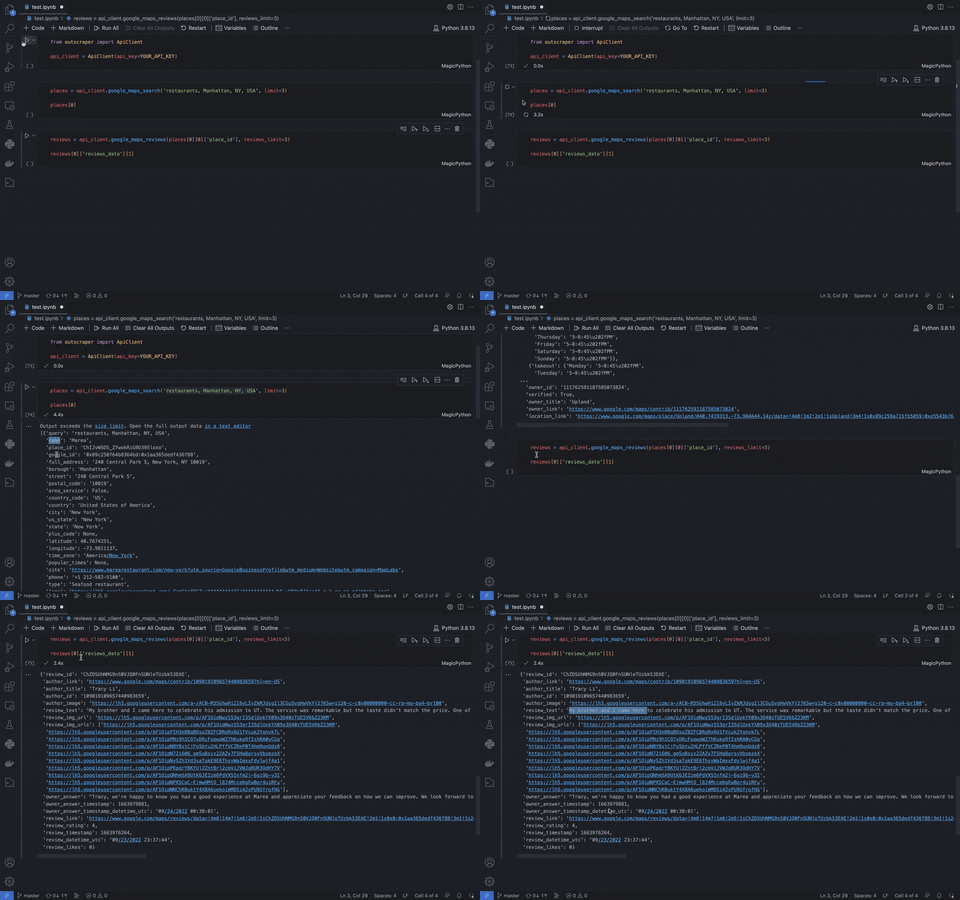
# Jupyter notebook converted to Python script.
YOUR_API_KEY = 'YXV0aDB8NjAyMDFmODYwOTQ5M2UwMDZhOGM4YjZhfDMxMjRjOTYyMGI'
from outscraper import ApiClient
api_client = ApiClient(api_key=YOUR_API_KEY)
places = api_client.google_maps_search('restaurants, Manhattan, NY, USA', limit=3)
places[0]
reviews = api_client.google_maps_reviews(places[0][0]['place_id'], reviews_limit=3)
reviews[0]['reviews_data'][1]
================================================
FILE: examples/Emails And Contacts.md
================================================
# Emails And Contacts Scraper With Python
Allows finding email addresses, social links, and phones from domains via [Outscraper API](https://app.outscraper.com/api-docs#tag/Emails-and-Contacts).
## Installation
Python 3+
```bash
pip install outscraper
```
[Link to the Python package page](https://pypi.org/project/outscraper/)
## Initialization
```python
from outscraper import ApiClient
client = ApiClient(api_key='SECRET_API_KEY')
```
[Link to the profile page to create the API key](https://app.outscraper.com/profile)
## Usage
```python
# Search contacts from website:
results = client.emails_and_contacts(['outscraper.com'])
```
================================================
FILE: examples/Enrichments.md
================================================
# Using Enrichments Python
Using enrichments with [Outscraper API](https://app.outscraper.com/api-docs).
## Installation
Python 3+
```bash
pip install outscraper
```
[Link to the Python package page](https://pypi.org/project/outscraper/)
## Initialization
```python
from outscraper import ApiClient
client = ApiClient(api_key='SECRET_API_KEY')
```
[Link to the profile page to create the API key](https://app.outscraper.com/profile)
## Usage
```python
# Enriching data from Google Maps with Emails & Contacts Scraper and validating emails:
results = client.google_maps_search('bars ny usa', enrichment=[
'domains_service', # Emails & Contacts Scraper
'emails_validator_service' # Email Validator
])
```
================================================
FILE: examples/Google Maps Reviews.md
================================================
# Google Maps Reviews Scraper With Python
The library provides real-time access to the reviews from Google Maps via [Outscraper API](https://app.outscraper.com/api-docs#tag/Google-Reviews).
It allows scraping all the reviews from any place on Google Maps within seconds.
- Not limited to the official Google API limit of 5 reviews per a place
- Real time data scraping with response time less than 3s
- Sort, skip, ignore, cutoff, and other advanced parameters

## Installation
Python 3+
```bash
pip install outscraper
```
[Link to the Python package page](https://pypi.org/project/outscraper/)
## Initialization
```python
from outscraper import ApiClient
client = ApiClient(api_key='SECRET_API_KEY')
```
[Link to the profile page to create the API key](https://app.outscraper.com/profile)
## Usage
```python
# Get reviews of the specific place by id
results = client.google_maps_reviews(['ChIJrc9T9fpYwokRdvjYRHT8nI4'], reviews_limit=20, language='en')
# Get reviews for places found by search query
results = client.google_maps_reviews(['Memphis Seoul brooklyn usa'], reviews_limit=20, limit=500, language='en')
# Get only new reviews during last 24 hours
yesterday_timestamp = 1657980986
results = client.google_maps_reviews(
['ChIJrc9T9fpYwokRdvjYRHT8nI4'], sort='newest', cutoff=yesterday_timestamp, reviews_limit=100, language='en')
# Scrap Places Reviews by Place Ids
results = client.google_maps_reviews(
["ChIJN5X_gWdZwokRck9rk2guJ1M", "ChIJxWLy8DlawokR1jvfXUPSTUE"],
reviews_limit=20, # limit of reviews per each place
limit=1, # limit of palces per each query
)
for place in results:
print('name:', place['name'])
for review in place.get('reviews_data', []):
print('review:', review['review_text'])
# Scrap Only New Reviews
results = client.google_maps_reviews(
["ChIJN5X_gWdZwokRck9rk2guJ1M", "ChIJxWLy8DlawokR1jvfXUPSTUE"],
reviews_limit=1000,
limit=1,
sort='newest',
cutoff=1654596109, # the maximum timestamp value for reviews (oldest review you want to extract). Can be used to scrape only the new reviews since your latest update
)
for place in results:
print('name:', place['name'])
new_reviews = place.get('reviews_data', []))
print('new reviews', len(new_reviews))
```
================================================
FILE: examples/Google Maps.md
================================================
# Google Maps Scraper With Python
The library provides real-time access to the places from Google Maps via [Outscraper API](https://app.outscraper.com/api-docs#tag/Google-Maps).
It allows easy scraping of [businesses information](https://outscraper.com/google-maps-scraper/#dictionary) from Google Maps.

## Installation
Python 3+
```bash
pip install outscraper
```
[Link to the Python package page](https://pypi.org/project/outscraper/)
## Initialization
```python
from outscraper import ApiClient
client = ApiClient(api_key='SECRET_API_KEY')
```
[Link to the profile page to create the API key](https://app.outscraper.com/profile)
## Usage
```python
# Search for businesses in specific locations:
results = client.google_maps_search(['restaurants brooklyn usa'], limit=20, language='en', region='us')
# Get data of the specific place by id
results = client.google_maps_search(['ChIJrc9T9fpYwokRdvjYRHT8nI4'], language='en')
# Scrap Places by Two Queries
results = client.google_maps_search(
['restaurants brooklyn usa', 'bars brooklyn usa'],
limit=50, # limit of palces per each query
language='en',
region='US',
)
for query_places in results:
for place in query_places:
print('query:', place['query'])
print('name:', place['name'])
print('phone:', place['phone'])
print('website:', place['site'])
# Scrap Places by Place Ids
results = client.google_maps_search(
["ChIJ8ccnM7dbwokRy-pTMsdgvS4", "ChIJN5X_gWdZwokRck9rk2guJ1M", "ChIJxWLy8DlawokR1jvfXUPSTUE"],
limit=1, # limit of palces per each query
)
for query_places in results:
for place in query_places:
print('name:', place['name'])
print('place_id:', place['place_id'])
```
================================================
FILE: examples/Google SERP.md
================================================
# Google Search Results Scraper With Python
The library returns search results from Google based on a given search query via [Outscraper API](https://app.outscraper.com/api-docs#tag/Google-Search).
## Installation
Python 3+
```bash
pip install outscraper
```
[Link to the Python package page](https://pypi.org/project/outscraper/)
## Initialization
```python
from outscraper import ApiClient
client = ApiClient(api_key='SECRET_API_KEY')
```
[Link to the profile page to create the API key](https://app.outscraper.com/profile)
## Usage
```python
# Search for SERP results:
results = client.google_search(['buy iphone 13 TX'], language='en', region='us')
```
================================================
FILE: examples/Phones Validator.md
================================================
# Phone Numbers Enricher/Validator With Python
Returns phones carrier data (name/type), validates phones, ensures messages deliverability via [Outscraper API](https://app.outscraper.com/api-docs#tag/Phones/paths/~1phones-enricher/get).
## Installation
Python 3+
```bash
pip install outscraper
```
[Link to the Python package page](https://pypi.org/project/outscraper/)
## Initialization
```python
from outscraper import ApiClient
client = ApiClient(api_key='SECRET_API_KEY')
```
[Link to the profile page to create the API key](https://app.outscraper.com/profile)
## Usage
```python
# Get information about the phone number:
results = client.phones_enricher(['12812368208'])
```
================================================
FILE: examples/Run Async Requests.md
================================================
# Run Async Requests to Outscraper API
The example shows how to send async requests to Outscraper API and retrieve the results later using request IDs (the requests are processed in parallel).
## Installation
Python 3+
```bash
pip install outscraper
```
[Link to the Python package page](https://pypi.org/project/outscraper/)
## Initialization
```python
from time import sleep
from outscraper import ApiClient
client = ApiClient(api_key='SECRET_API_KEY')
```
[Link to the profile page to create the API key](https://app.outscraper.com/profile)
## Usage
```python
results = []
running_request_ids = set()
place_ids = [
'ChIJNw4_-cWXyFYRF_4GTtujVsw',
'ChIJ39fGAcGXyFYRNdHIXy-W5BA',
'ChIJVVVl-cWXyFYRQYBCEkX0W5Y',
'ChIJScUP1R6XyFYR0sY1UwNzq-c',
'ChIJmeiNBMeXyFYRzQrnMMDV8Jc',
'ChIJifOTBMeXyFYRmu3EGp_QBuY',
'ChIJ1fwt-cWXyFYR2cjoDAGs9UI',
'ChIJ5zQrTzSXyFYRuiY31iE7M1s',
'ChIJQSyf4huXyFYRpP9W4rtBelA',
'ChIJRWK5W2-byFYRiaF9vVgzZA4'
]
for place_id in place_ids:
response = client.google_maps_search(place_id, limit=1, async_request=True)
running_request_ids.add(response['id'])
attempts = 5 # retry 5 times
while attempts and running_request_ids: # stop when no more attempts are left or when no more running request ids
attempts -= 1
sleep(60)
for request_id in list(running_request_ids): # we don't want to change the set while iterating, so cloning it to list
result = client.get_request_archive(request_id)
if result['status'] == 'Success':
results.append(result['data'])
running_request_ids.remove(request_id)
print(results)
```
================================================
FILE: examples/Run Requests in Parallel.md
================================================
# Run Requests to Outscraper API in Parallel
The example shows how to create multiple requests to Outscraper API in parallel to increase the execution time.
## Installation
Python 3+
```bash
pip install outscraper
```
[Link to the Python package page](https://pypi.org/project/outscraper/)
## Initialization
```python
from functools import partial
from multiprocessing.pool import ThreadPool
from outscraper import ApiClient
client = ApiClient(api_key='SECRET_API_KEY')
```
[Link to the profile page to create the API key](https://app.outscraper.com/profile)
## Usage
```python
place_ids = [
'ChIJNw4_-cWXyFYRF_4GTtujVsw',
'ChIJ39fGAcGXyFYRNdHIXy-W5BA',
'ChIJVVVl-cWXyFYRQYBCEkX0W5Y',
'ChIJScUP1R6XyFYR0sY1UwNzq-c',
'ChIJmeiNBMeXyFYRzQrnMMDV8Jc',
'ChIJifOTBMeXyFYRmu3EGp_QBuY',
'ChIJ1fwt-cWXyFYR2cjoDAGs9UI',
'ChIJ5zQrTzSXyFYRuiY31iE7M1s',
'ChIJQSyf4huXyFYRpP9W4rtBelA',
'ChIJRWK5W2-byFYRiaF9vVgzZA4'
]
pool = ThreadPool(4) # number of threads, use something between 2 and 40
results = pool.map(partial(client.google_maps_search, language='en', region='US'), place_ids)
```
================================================
FILE: examples/UI.md
================================================
# Outscraper Platform UI
Allows using Outscraper Platform via [Outscraper API](https://app.outscraper.com/api-docs#tag/Outscraper-Platform-UI
## Installation
Python 3+
```bash
pip install outscraper
```
[Link to the Python package page](https://pypi.org/project/outscraper/)
## Initialization
```python
from outscraper import ApiClient
client = ApiClient(api_key='SECRET_API_KEY')
```
[Link to the profile page to create the API key](https://app.outscraper.com/profile)
## Get all UI tasks
```python
all_tasks = []
has_more = True
last_id = None
while has_more:
tasks, has_more = api_client.get_tasks(last_id=last_id, page_size=20)
if not tasks:
break
last_id = tasks[-1]['id']
all_tasks.extend(tasks)
```
## Create UI Task for Google Maps Scraper
```python
import requests
json_data = {
'service_name': 'google_maps_service_v2', # service ID
'queries': [], # leave empty when using locations and enrichLocations
'settings': {
'output_extension': 'xlsx',
'output_columns': [], # leave empty to get all columns
},
'tags': ['my first huge API task'],
'enrichments': [
'domains_service',
'company_insights_service',
],
'categories': [
'restaurant',
'dentist',
],
'locations': [
'SE>Stockholm',
],
'language': 'en', # 2 letter language code
'region': 'SE', # 2 letter country code
'limit': 0, # total limit, 0 - unlimited
'organizationsPerQueryLimit': 500, # limit per each query (keep it as it is)
'useZipCodes': True, # required to use zip codes
'dropDuplicates': True,
'dropEmailDuplicates': False,
'ignoreWithoutEmails': False,
'enrichLocations': True, # reiqred when using locations
}
response = requests.post('https://api.app.outscraper.com/tasks', headers={'X-API-KEY': 'SECRET_API_KEY'}, json=json_data)
```
================================================
FILE: outscraper/__init__.py
================================================
from outscraper.api_client import *
================================================
FILE: outscraper/api_client.py
================================================
import requests
from time import sleep
from typing import Union, Tuple
from .utils import as_list, parse_fields
class ApiClient(object):
'''Outscraper ApiClient - Python SDK that allows using Outscraper's services and Outscraper's API.
```python
from outscraper import ApiClient
cliet = ApiClient(api_key='SECRET_API_KEY')
maps_results = cliet.google_maps_search('restaurants brooklyn usa')
search_results = cliet.google_search('bitcoin')
```
https://github.com/outscraper/outscraper-python
'''
_api_url = 'https://api.app.outscraper.com'
_api_headers = {}
_max_ttl = 60 * 60
_requests_pause = 5
def __init__(self, api_key: str, requests_pause: int = 5) -> None:
self._api_headers = {
'X-API-KEY': api_key,
'client': f'Python SDK'
}
self._requests_pause = requests_pause
def get_tasks(self, query: str = '', last_id: str = '', page_size: int = 10) -> Tuple[list, bool]:
'''
Fetch user UI tasks.
Parameters:
query (str): parameter specifies the search query (tag).
last_id (str): parameter specifies the last task ID. It's commonly used in pagination.
page_size (int): parameter specifies the number of items to return.
Returns:
list: requests history
See: https://app.outscraper.com/api-docs#tag/Outscraper-Platform-UI/paths/~1tasks/get
'''
response = requests.get(f'{self._api_url}/tasks?query={query}&lastId={last_id}&pageSize={page_size}', headers=self._api_headers)
if 199 < response.status_code < 300:
data = response.json()
if 'errorMessage' in data:
raise Exception(f'Error: {data["errorMessage"]}')
return data['tasks'], data['has_more']
raise Exception(f'Response status code: {response.status_code}')
def get_requests_history(self, type: str = 'running', skip: int = 0, page_size: int = 25) -> list:
'''
Fetch up to 100 of your last requests.
Parameters:
type (str): parameter allows you to filter requests by type (running/finished).
skip (int): skip first N records. It's commonly used in pagination.
page_size (int): parameter specifies the number of items to return.
Returns:
list: requests history
See: https://app.outscraper.com/api-docs#tag/Requests/paths/~1requests/get
'''
response = requests.get(f'{self._api_url}/requests?type={type}&skip={skip}&pageSize={page_size}', headers=self._api_headers)
if 199 < response.status_code < 300:
return response.json()
raise Exception(f'Response status code: {response.status_code}')
def get_request_archive(self, request_id: str) -> dict:
'''
Fetch request data from archive
Parameters:
request_id (int): unique id for the request provided by ['id']
Returns:
dict: result from the archive
See: https://app.outscraper.com/api-docs#tag/Requests/paths/~1requests~1{requestId}/get
'''
response = requests.get(f'{self._api_url}/requests/{request_id}')
if 199 < response.status_code < 300:
return response.json()
raise Exception(f'Response status code: {response.status_code}')
def _handle_response(self, response: requests.models.Response, wait_async: bool = False, async_request: bool = False) -> Union[list, dict]:
if 199 < response.status_code < 300:
if wait_async:
response_json = response.json()
if async_request:
return response_json
else:
return self._wait_request_archive(response_json['id']).get('data', [])
else:
return response.json().get('data', [])
raise Exception(f'Response status code: {response.status_code}')
def _wait_request_archive(self, request_id: str) -> dict:
ttl = self._max_ttl / self._requests_pause
while ttl > 0:
ttl -= 1
sleep(self._requests_pause)
try:
result = self.get_request_archive(request_id)
except:
sleep(self._requests_pause)
result = self.get_request_archive(request_id)
if result['status'] != 'Pending': return result
raise Exception('Timeout exceeded')
def google_search(self, query: Union[list, str], pages_per_query: int = 1, uule: str = None, language: str = 'en', region: str = None,
fields: Union[list, str] = None, async_request: bool = False, ui: bool = None, webhook: str = None
) -> Union[list, dict]:
'''
Get data from Google search
Parameters:
query (list | str): parameter defines the query or queries you want to search on Google. Using a lists allows multiple queries (up to 250) to be sent in one request and save on network latency time.
pages_per_query (int): parameter specifies the limit of pages to return from one query.
uule (str): Google UULE parameter is used to encode a place or an exact location (with latitude and longitude) into a code. By using it you can see a Google result page like someone located at the specified location.
language (str): parameter specifies the language to use for Google. Available values: "en", "de", "es", "es-419", "fr", "hr", "it", "nl", "pl", "pt-BR", "pt-PT", "vi", "tr", "ru", "ar", "th", "ko", "zh-CN", "zh-TW", "ja", "ach", "af", "ak", "ig", "az", "ban", "ceb", "xx-bork", "bs", "br", "ca", "cs", "sn", "co", "cy", "da", "yo", "et", "xx-elmer", "eo", "eu", "ee", "tl", "fil", "fo", "fy", "gaa", "ga", "gd", "gl", "gn", "xx-hacker", "ht", "ha", "haw", "bem", "rn", "id", "ia", "xh", "zu", "is", "jw", "rw", "sw", "tlh", "kg", "mfe", "kri", "la", "lv", "to", "lt", "ln", "loz", "lua", "lg", "hu", "mg", "mt", "mi", "ms", "pcm", "no", "nso", "ny", "nn", "uz", "oc", "om", "xx-pirate", "ro", "rm", "qu", "nyn", "crs", "sq", "sk", "sl", "so", "st", "sr-ME", "sr-Latn", "su", "fi", "sv", "tn", "tum", "tk", "tw", "wo", "el", "be", "bg", "ky", "kk", "mk", "mn", "sr", "tt", "tg", "uk", "ka", "hy", "yi", "iw", "ug", "ur", "ps", "sd", "fa", "ckb", "ti", "am", "ne", "mr", "hi", "bn", "pa", "gu", "or", "ta", "te", "kn", "ml", "si", "lo", "my", "km", "chr".
region (str): parameter specifies the region to use for Google. Available values: "AF", "AL", "DZ", "AS", "AD", "AO", "AI", "AG", "AR", "AM", "AU", "AT", "AZ", "BS", "BH", "BD", "BY", "BE", "BZ", "BJ", "BT", "BO", "BA", "BW", "BR", "VG", "BN", "BG", "BF", "BI", "KH", "CM", "CA", "CV", "CF", "TD", "CL", "CN", "CO", "CG", "CD", "CK", "CR", "CI", "HR", "CU", "CY", "CZ", "DK", "DJ", "DM", "DO", "EC", "EG", "SV", "EE", "ET", "FJ", "FI", "FR", "GA", "GM", "GE", "DE", "GH", "GI", "GR", "GL", "GT", "GG", "GY", "HT", "HN", "HK", "HU", "IS", "IN", "ID", "IQ", "IE", "IM", "IL", "IT", "JM", "JP", "JE", "JO", "KZ", "KE", "KI", "KW", "KG", "LA", "LV", "LB", "LS", "LY", "LI", "LT", "LU", "MG", "MW", "MY", "MV", "ML", "MT", "MU", "MX", "FM", "MD", "MN", "ME", "MS", "MA", "MZ", "MM", "NA", "NR", "NP", "NL", "NZ", "NI", "NE", "NG", "NU", "MK", "NO", "OM", "PK", "PS", "PA", "PG", "PY", "PE", "PH", "PN", "PL", "PT", "PR", "QA", "RO", "RU", "RW", "WS", "SM", "ST", "SA", "SN", "RS", "SC", "SL", "SG", "SK", "SI", "SB", "SO", "ZA", "KR", "ES", "LK", "SH", "VC", "SR", "SE", "CH", "TW", "TJ", "TZ", "TH", "TL", "TG", "TO", "TT", "TN", "TR", "TM", "VI", "UG", "UA", "AE", "GB", "US", "UY", "UZ", "VU", "VE", "VN", "ZM", "ZW".
fields (list | str): parameter defines which fields you want to include with each item returned in the response. By default, it returns all fields.
async_request (bool): parameter defines the way you want to submit your task to Outscraper. It can be set to `False` (default) to send a task and wait until you got your results, or `True` to submit your task and retrieve the results later using a request ID with `get_request_archive`. Each response is available for `2` hours after a request has been completed.
ui (bool): parameter defines whether a task will be executed as a UI task. This is commonly used when you want to create a regular platform task with API. Using this parameter overwrites the async_request parameter to `True`.
webhook (str): parameter defines the URL address (callback) to which Outscraper will create a POST request with a JSON body once a task/request is finished. Using this parameter overwrites the webhook from integrations.
Returns:
list|dict: JSON result
See: https://app.outscraper.com/api-docs#tag/Google/paths/~1google-search-v3/get
'''
queries = as_list(query)
wait_async = async_request or (len(queries) > 1 or pages_per_query > 1)
response = requests.get(f'{self._api_url}/google-search-v3', params={
'query': queries,
'pagesPerQuery': pages_per_query,
'uule': uule,
'language': language,
'region': region,
'async': async_request,
'fields': parse_fields(fields),
'ui': ui,
'webhook': webhook,
}, headers=self._api_headers)
return self._handle_response(response, wait_async, async_request)
def google_search_news(self, query: Union[list, str], pages_per_query: int = 1, uule: str = None, tbs: str = None, language: str = 'en',
region: str = None, fields: Union[list, str] = None, async_request: bool = False, ui: bool = None, webhook: str = None
) -> list:
'''
Returns search results from Google based on a given search query (or many queries).
Parameters:
query (list | str): parameter defines the query or queries you want to search news on Google. Using a lists allows multiple queries (up to 250) to be sent in one request and save on network latency time.
pages_per_query (int): parameter specifies the limit of pages to return from one query.
uule (str): Google UULE parameter is used to encode a place or an exact location (with latitude and longitude) into a code. By using it you can see a Google result page like someone located at the specified location.
tbs: parameter specifies the date range of the results (h - past hour, d - past 24 hours, w - past week, m - past month, 'y' - past year).
language (str): parameter specifies the language to use for Google. Available values: "en", "de", "es", "es-419", "fr", "hr", "it", "nl", "pl", "pt-BR", "pt-PT", "vi", "tr", "ru", "ar", "th", "ko", "zh-CN", "zh-TW", "ja", "ach", "af", "ak", "ig", "az", "ban", "ceb", "xx-bork", "bs", "br", "ca", "cs", "sn", "co", "cy", "da", "yo", "et", "xx-elmer", "eo", "eu", "ee", "tl", "fil", "fo", "fy", "gaa", "ga", "gd", "gl", "gn", "xx-hacker", "ht", "ha", "haw", "bem", "rn", "id", "ia", "xh", "zu", "is", "jw", "rw", "sw", "tlh", "kg", "mfe", "kri", "la", "lv", "to", "lt", "ln", "loz", "lua", "lg", "hu", "mg", "mt", "mi", "ms", "pcm", "no", "nso", "ny", "nn", "uz", "oc", "om", "xx-pirate", "ro", "rm", "qu", "nyn", "crs", "sq", "sk", "sl", "so", "st", "sr-ME", "sr-Latn", "su", "fi", "sv", "tn", "tum", "tk", "tw", "wo", "el", "be", "bg", "ky", "kk", "mk", "mn", "sr", "tt", "tg", "uk", "ka", "hy", "yi", "iw", "ug", "ur", "ps", "sd", "fa", "ckb", "ti", "am", "ne", "mr", "hi", "bn", "pa", "gu", "or", "ta", "te", "kn", "ml", "si", "lo", "my", "km", "chr".
region (str): parameter specifies the region to use for Google. Available values: "AF", "AL", "DZ", "AS", "AD", "AO", "AI", "AG", "AR", "AM", "AU", "AT", "AZ", "BS", "BH", "BD", "BY", "BE", "BZ", "BJ", "BT", "BO", "BA", "BW", "BR", "VG", "BN", "BG", "BF", "BI", "KH", "CM", "CA", "CV", "CF", "TD", "CL", "CN", "CO", "CG", "CD", "CK", "CR", "CI", "HR", "CU", "CY", "CZ", "DK", "DJ", "DM", "DO", "EC", "EG", "SV", "EE", "ET", "FJ", "FI", "FR", "GA", "GM", "GE", "DE", "GH", "GI", "GR", "GL", "GT", "GG", "GY", "HT", "HN", "HK", "HU", "IS", "IN", "ID", "IQ", "IE", "IM", "IL", "IT", "JM", "JP", "JE", "JO", "KZ", "KE", "KI", "KW", "KG", "LA", "LV", "LB", "LS", "LY", "LI", "LT", "LU", "MG", "MW", "MY", "MV", "ML", "MT", "MU", "MX", "FM", "MD", "MN", "ME", "MS", "MA", "MZ", "MM", "NA", "NR", "NP", "NL", "NZ", "NI", "NE", "NG", "NU", "MK", "NO", "OM", "PK", "PS", "PA", "PG", "PY", "PE", "PH", "PN", "PL", "PT", "PR", "QA", "RO", "RU", "RW", "WS", "SM", "ST", "SA", "SN", "RS", "SC", "SL", "SG", "SK", "SI", "SB", "SO", "ZA", "KR", "ES", "LK", "SH", "VC", "SR", "SE", "CH", "TW", "TJ", "TZ", "TH", "TL", "TG", "TO", "TT", "TN", "TR", "TM", "VI", "UG", "UA", "AE", "GB", "US", "UY", "UZ", "VU", "VE", "VN", "ZM", "ZW".
fields (list | str): parameter defines which fields you want to include with each item returned in the response. By default, it returns all fields.
Returns:
list|dict: JSON result
See: https://app.outscraper.com/api-docs#tag/Google/paths/~1google-search-news/get
'''
queries = as_list(query)
wait_async = async_request or (len(queries) > 1 or pages_per_query > 1)
response = requests.get(f'{self._api_url}/google-search-news', params={
'query': queries,
'pagesPerQuery': pages_per_query,
'uule': uule,
'tbs': tbs,
'language': language,
'region': region,
'async': async_request,
'fields': parse_fields(fields),
'ui': ui,
'webhook': webhook,
}, headers=self._api_headers)
return self._handle_response(response, wait_async, async_request)
def google_maps_search_v1(self, query: Union[list, str], limit: int = 500, extract_contacts: bool = False, drop_duplicates: bool = False,
coordinates: str = None, language: str = 'en', region: str = None, fields: Union[list, str] = None
) -> list:
'''
Get Google Maps Data (old verison)
Returns places from Google Maps based on a given search query (or many queries).
The results from searches are the same as you would see by visiting a regular Google Maps site. However, in most cases, it's recommended to use locations inside queries (e.g., bars, NY, USA) as the IP addresses of Outscraper's servers might be located in different countries.
Parameters:
query (list | str): parameter defines the query you want to search. You can use anything that you would use on a regular Google Maps site. Additionally, you can use google_id, place_id or urls to Google Maps places. Using a lists allows multiple queries (up to 250) to be sent in one request and save on network latency time.
limit (int): parameter specifies the limit of places to take from one query search. The same as on Google Maps site, there are no more than 400 organizations per one query search. Use more precise categories (e.g., Asian restaurant, Italian restaurant) and/or locations (e.g., restaurants, Brooklyn 11211, restaurants, Brooklyn 11215) to overcome this limitation.
extract_contacts (bool): parameter specifies whether the bot will scrape additional data (emails, social links, site keywords…) from companies’ websites. It increases the time of the extraction.
drop_duplicates (bool): parameter specifies whether the bot will drop the same organizations from different queries. Using the parameter combines results from each query inside one big array.
coordinates (str): parameter defines the coordinates to use along with the query. Example: "@41.3954381,2.1628662,15.1z".
language (str): parameter specifies the language to use for Google. Available values: "en", "de", "es", "es-419", "fr", "hr", "it", "nl", "pl", "pt-BR", "pt-PT", "vi", "tr", "ru", "ar", "th", "ko", "zh-CN", "zh-TW", "ja", "ach", "af", "ak", "ig", "az", "ban", "ceb", "xx-bork", "bs", "br", "ca", "cs", "sn", "co", "cy", "da", "yo", "et", "xx-elmer", "eo", "eu", "ee", "tl", "fil", "fo", "fy", "gaa", "ga", "gd", "gl", "gn", "xx-hacker", "ht", "ha", "haw", "bem", "rn", "id", "ia", "xh", "zu", "is", "jw", "rw", "sw", "tlh", "kg", "mfe", "kri", "la", "lv", "to", "lt", "ln", "loz", "lua", "lg", "hu", "mg", "mt", "mi", "ms", "pcm", "no", "nso", "ny", "nn", "uz", "oc", "om", "xx-pirate", "ro", "rm", "qu", "nyn", "crs", "sq", "sk", "sl", "so", "st", "sr-ME", "sr-Latn", "su", "fi", "sv", "tn", "tum", "tk", "tw", "wo", "el", "be", "bg", "ky", "kk", "mk", "mn", "sr", "tt", "tg", "uk", "ka", "hy", "yi", "iw", "ug", "ur", "ps", "sd", "fa", "ckb", "ti", "am", "ne", "mr", "hi", "bn", "pa", "gu", "or", "ta", "te", "kn", "ml", "si", "lo", "my", "km", "chr".
region (str): parameter specifies the region to use for Google. Available values: "AF", "AL", "DZ", "AS", "AD", "AO", "AI", "AG", "AR", "AM", "AU", "AT", "AZ", "BS", "BH", "BD", "BY", "BE", "BZ", "BJ", "BT", "BO", "BA", "BW", "BR", "VG", "BN", "BG", "BF", "BI", "KH", "CM", "CA", "CV", "CF", "TD", "CL", "CN", "CO", "CG", "CD", "CK", "CR", "CI", "HR", "CU", "CY", "CZ", "DK", "DJ", "DM", "DO", "EC", "EG", "SV", "EE", "ET", "FJ", "FI", "FR", "GA", "GM", "GE", "DE", "GH", "GI", "GR", "GL", "GT", "GG", "GY", "HT", "HN", "HK", "HU", "IS", "IN", "ID", "IQ", "IE", "IM", "IL", "IT", "JM", "JP", "JE", "JO", "KZ", "KE", "KI", "KW", "KG", "LA", "LV", "LB", "LS", "LY", "LI", "LT", "LU", "MG", "MW", "MY", "MV", "ML", "MT", "MU", "MX", "FM", "MD", "MN", "ME", "MS", "MA", "MZ", "MM", "NA", "NR", "NP", "NL", "NZ", "NI", "NE", "NG", "NU", "MK", "NO", "OM", "PK", "PS", "PA", "PG", "PY", "PE", "PH", "PN", "PL", "PT", "PR", "QA", "RO", "RU", "RW", "WS", "SM", "ST", "SA", "SN", "RS", "SC", "SL", "SG", "SK", "SI", "SB", "SO", "ZA", "KR", "ES", "LK", "SH", "VC", "SR", "SE", "CH", "TW", "TJ", "TZ", "TH", "TL", "TG", "TO", "TT", "TN", "TR", "TM", "VI", "UG", "UA", "AE", "GB", "US", "UY", "UZ", "VU", "VE", "VN", "ZM", "ZW".
fields (list | str): parameter defines which fields you want to include with each item returned in the response. By default, it returns all fields.
Returns:
list|dict: JSON result
See: https://app.outscraper.com/api-docs#tag/Google/paths/~1maps~1search/get
'''
response = requests.get(f'{self._api_url}/maps/search', params={
'query': as_list(query),
'coordinates': coordinates,
'language': language,
'region': region,
'organizationsPerQueryLimit': limit,
'extractContacts': extract_contacts,
'dropDuplicates': drop_duplicates,
'fields': parse_fields(fields),
}, headers=self._api_headers)
if 199 < response.status_code < 300:
return self._wait_request_archive(response.json()['id']).get('data', [])
raise Exception(f'Response status code: {response.status_code}')
def google_maps_search(self, query: Union[list, str], limit: int = 20, drop_duplicates: bool = False,
language: str = 'en', region: str = None, skip: int = 0, coordinates: str = None,
enrichment: list = None, fields: Union[list, str] = None,
async_request: bool = False, ui: bool = None, webhook: str = None
) -> Union[list, dict]:
'''
Get Google Maps Data V3 (speed optimized endpoint for real time data)
Returns places from Google Maps based on a given search query (or many queries).
The results from searches are the same as you would see by visiting a regular Google Maps site. However, in most cases, it's recommended to use locations inside queries (e.g., bars, NY, USA) as the IP addresses of Outscraper's servers might be located in different countries.
This endpoint is optimized for fast responses and can be used as real time API. Set the limit parameter to 20 to achieve the maximum response speed.
Parameters:
query (list | str): parameter defines the query you want to search. You can use anything that you would use on a regular Google Maps site. Additionally, you can use google_id. The example of valid queries: Real estate agency, Rome, Italy, The NoMad Restaurant, NY, USA, restaurants, Brooklyn 11203, 0x886916e8bc273979:0x5141fcb11460b226, etc. Using a lists allows multiple queries (up to 250) to be sent in one request and save on network latency time.
limit (int): parameter specifies the limit of places to take from one query search. The same as on Google Maps site, there are no more than 400 organizations per one query search. Use more precise categories (e.g., Asian restaurant, Italian restaurant) and/or locations (e.g., restaurants, Brooklyn 11211, restaurants, Brooklyn 11215) to overcome this limitation.
drop_duplicates (bool): parameter specifies whether the bot will drop the same organizations from different queries. Using the parameter combines results from each query inside one big array.
language (str): parameter specifies the language to use for Google. Available values: "en", "de", "es", "es-419", "fr", "hr", "it", "nl", "pl", "pt-BR", "pt-PT", "vi", "tr", "ru", "ar", "th", "ko", "zh-CN", "zh-TW", "ja", "ach", "af", "ak", "ig", "az", "ban", "ceb", "xx-bork", "bs", "br", "ca", "cs", "sn", "co", "cy", "da", "yo", "et", "xx-elmer", "eo", "eu", "ee", "tl", "fil", "fo", "fy", "gaa", "ga", "gd", "gl", "gn", "xx-hacker", "ht", "ha", "haw", "bem", "rn", "id", "ia", "xh", "zu", "is", "jw", "rw", "sw", "tlh", "kg", "mfe", "kri", "la", "lv", "to", "lt", "ln", "loz", "lua", "lg", "hu", "mg", "mt", "mi", "ms", "pcm", "no", "nso", "ny", "nn", "uz", "oc", "om", "xx-pirate", "ro", "rm", "qu", "nyn", "crs", "sq", "sk", "sl", "so", "st", "sr-ME", "sr-Latn", "su", "fi", "sv", "tn", "tum", "tk", "tw", "wo", "el", "be", "bg", "ky", "kk", "mk", "mn", "sr", "tt", "tg", "uk", "ka", "hy", "yi", "iw", "ug", "ur", "ps", "sd", "fa", "ckb", "ti", "am", "ne", "mr", "hi", "bn", "pa", "gu", "or", "ta", "te", "kn", "ml", "si", "lo", "my", "km", "chr".
region (str): parameter specifies the region to use for Google. Available values: "AF", "AL", "DZ", "AS", "AD", "AO", "AI", "AG", "AR", "AM", "AU", "AT", "AZ", "BS", "BH", "BD", "BY", "BE", "BZ", "BJ", "BT", "BO", "BA", "BW", "BR", "VG", "BN", "BG", "BF", "BI", "KH", "CM", "CA", "CV", "CF", "TD", "CL", "CN", "CO", "CG", "CD", "CK", "CR", "CI", "HR", "CU", "CY", "CZ", "DK", "DJ", "DM", "DO", "EC", "EG", "SV", "EE", "ET", "FJ", "FI", "FR", "GA", "GM", "GE", "DE", "GH", "GI", "GR", "GL", "GT", "GG", "GY", "HT", "HN", "HK", "HU", "IS", "IN", "ID", "IQ", "IE", "IM", "IL", "IT", "JM", "JP", "JE", "JO", "KZ", "KE", "KI", "KW", "KG", "LA", "LV", "LB", "LS", "LY", "LI", "LT", "LU", "MG", "MW", "MY", "MV", "ML", "MT", "MU", "MX", "FM", "MD", "MN", "ME", "MS", "MA", "MZ", "MM", "NA", "NR", "NP", "NL", "NZ", "NI", "NE", "NG", "NU", "MK", "NO", "OM", "PK", "PS", "PA", "PG", "PY", "PE", "PH", "PN", "PL", "PT", "PR", "QA", "RO", "RU", "RW", "WS", "SM", "ST", "SA", "SN", "RS", "SC", "SL", "SG", "SK", "SI", "SB", "SO", "ZA", "KR", "ES", "LK", "SH", "VC", "SR", "SE", "CH", "TW", "TJ", "TZ", "TH", "TL", "TG", "TO", "TT", "TN", "TR", "TM", "VI", "UG", "UA", "AE", "GB", "US", "UY", "UZ", "VU", "VE", "VN", "ZM", "ZW".
skip (int): skip first N places, where N should be multiple to 20 (e.g. 0, 20, 40). It's commonly used in pagination.
coordinates (str): parameter defines the coordinates of the location where you want your query to be applied. It has to be constructed in the next sequence: "latitude" + "," + "longitude" (e.g. "41.3954381,2.1628662").
enrichment (list): parameter defines enrichments you want to apply to the results. Available values: "domains_service", "emails_validator_service", "disposable_email_checker", "whatsapp_checker", "imessage_checker", "phones_enricher_service", "trustpilot_service", "companies_data".
fields (list | str): parameter defines which fields you want to include with each item returned in the response. By default, it returns all fields.
async_request (bool): parameter defines the way you want to submit your task to Outscraper. It can be set to `False` (default) to send a task and wait until you got your results, or `True` to submit your task and retrieve the results later using a request ID with `get_request_archive`. Each response is available for `2` hours after a request has been completed.
ui (bool): parameter defines whether a task will be executed as a UI task. This is commonly used when you want to create a regular platform task with API. Using this parameter overwrites the async_request parameter to `True`.
webhook (str): parameter defines the URL address (callback) to which Outscraper will create a POST request with a JSON body once a task/request is finished. Using this parameter overwrites the webhook from integrations.
Returns:
list|dict: JSON result
See: https://app.outscraper.com/api-docs#tag/Google/paths/~1maps~1search-v3/get
'''
queries = as_list(query)
queries_len = len(queries)
wait_async = async_request or (queries_len > 10 and limit > 1) or queries_len > 50
response = requests.get(f'{self._api_url}/maps/search-v3', params={
'query': queries,
'language': language,
'region': region,
'organizationsPerQueryLimit': limit,
'skipPlaces': skip,
'coordinates': coordinates,
'dropDuplicates': drop_duplicates,
'async': wait_async,
'enrichment': as_list(enrichment) if enrichment else '',
'fields': parse_fields(fields),
'ui': ui,
'webhook': webhook,
}, headers=self._api_headers)
return self._handle_response(response, wait_async, async_request)
def google_maps_directions(self, query: Union[list, str], departure_time: int = None, finish_time: int = None, interval: int = 60, travel_mode: str = 'best',
language: str = 'en', region: str = None, fields: Union[list, str] = None, async_request: bool = False,
ui: bool = None, webhook: str = None
) -> list:
'''
Get Google Maps Directions
Returns directions between two points from Google Maps.
Parameters:
query (list | str): parameter defines the query that should contains "<origin> + <4 spaces> + <destination>". Using a lists allows multiple queries (up to 250) to be sent in one request and save on network latency time.
departure_time (int): parameter specifies the departure timestamp. The current timestamp is used when the value is not provided.
finish_time (int): parameter specifies the end departure timestamp. Using this parameter requires using the interval parameter.
interval (int): parameter specifies the interval to use between departure_time and finish_time.
language (str): parameter specifies the language to use for Google. Available values: "en", "de", "es", "es-419", "fr", "hr", "it", "nl", "pl", "pt-BR", "pt-PT", "vi", "tr", "ru", "ar", "th", "ko", "zh-CN", "zh-TW", "ja", "ach", "af", "ak", "ig", "az", "ban", "ceb", "xx-bork", "bs", "br", "ca", "cs", "sn", "co", "cy", "da", "yo", "et", "xx-elmer", "eo", "eu", "ee", "tl", "fil", "fo", "fy", "gaa", "ga", "gd", "gl", "gn", "xx-hacker", "ht", "ha", "haw", "bem", "rn", "id", "ia", "xh", "zu", "is", "jw", "rw", "sw", "tlh", "kg", "mfe", "kri", "la", "lv", "to", "lt", "ln", "loz", "lua", "lg", "hu", "mg", "mt", "mi", "ms", "pcm", "no", "nso", "ny", "nn", "uz", "oc", "om", "xx-pirate", "ro", "rm", "qu", "nyn", "crs", "sq", "sk", "sl", "so", "st", "sr-ME", "sr-Latn", "su", "fi", "sv", "tn", "tum", "tk", "tw", "wo", "el", "be", "bg", "ky", "kk", "mk", "mn", "sr", "tt", "tg", "uk", "ka", "hy", "yi", "iw", "ug", "ur", "ps", "sd", "fa", "ckb", "ti", "am", "ne", "mr", "hi", "bn", "pa", "gu", "or", "ta", "te", "kn", "ml", "si", "lo", "my", "km", "chr".
travel_mode (str): parameter specifies one of the travel modes. Available values: "best", "car", "transit", "walk", "bike", "flight".
region (str): parameter specifies the region to use for Google. Available values: "AF", "AL", "DZ", "AS", "AD", "AO", "AI", "AG", "AR", "AM", "AU", "AT", "AZ", "BS", "BH", "BD", "BY", "BE", "BZ", "BJ", "BT", "BO", "BA", "BW", "BR", "VG", "BN", "BG", "BF", "BI", "KH", "CM", "CA", "CV", "CF", "TD", "CL", "CN", "CO", "CG", "CD", "CK", "CR", "CI", "HR", "CU", "CY", "CZ", "DK", "DJ", "DM", "DO", "EC", "EG", "SV", "EE", "ET", "FJ", "FI", "FR", "GA", "GM", "GE", "DE", "GH", "GI", "GR", "GL", "GT", "GG", "GY", "HT", "HN", "HK", "HU", "IS", "IN", "ID", "IQ", "IE", "IM", "IL", "IT", "JM", "JP", "JE", "JO", "KZ", "KE", "KI", "KW", "KG", "LA", "LV", "LB", "LS", "LY", "LI", "LT", "LU", "MG", "MW", "MY", "MV", "ML", "MT", "MU", "MX", "FM", "MD", "MN", "ME", "MS", "MA", "MZ", "MM", "NA", "NR", "NP", "NL", "NZ", "NI", "NE", "NG", "NU", "MK", "NO", "OM", "PK", "PS", "PA", "PG", "PY", "PE", "PH", "PN", "PL", "PT", "PR", "QA", "RO", "RU", "RW", "WS", "SM", "ST", "SA", "SN", "RS", "SC", "SL", "SG", "SK", "SI", "SB", "SO", "ZA", "KR", "ES", "LK", "SH", "VC", "SR", "SE", "CH", "TW", "TJ", "TZ", "TH", "TL", "TG", "TO", "TT", "TN", "TR", "TM", "VI", "UG", "UA", "AE", "GB", "US", "UY", "UZ", "VU", "VE", "VN", "ZM", "ZW".
fields (list | str): parameter defines which fields you want to include with each item returned in the response. By default, it returns all fields.
async_request (bool): parameter defines the way you want to submit your task to Outscraper. It can be set to `False` (default) to send a task and wait until you got your results, or `True` to submit your task and retrieve the results later using a request ID with `get_request_archive`. Each response is available for `2` hours after a request has been completed.
ui (bool): parameter defines whether a task will be executed as a UI task. This is commonly used when you want to create a regular platform task with API. Using this parameter overwrites the async_request parameter to `True`.
webhook (str): parameter defines the URL address (callback) to which Outscraper will create a POST request with a JSON body once a task/request is finished. Using this parameter overwrites the webhook from integrations.
Returns:
list|dict: JSON result
See: https://app.outscraper.com/api-docs#tag/Google/paths/~1maps~1directions/get
'''
queries = as_list(query)
wait_async = async_request or len(queries) > 10
response = requests.get(f'{self._api_url}/maps/directions', params={
'query': queries,
'departure_time': departure_time,
'interval': interval,
'finish_time': finish_time,
'travel_mode': travel_mode,
'language': language,
'region': region,
'async': wait_async,
'fields': parse_fields(fields),
'ui': ui,
'webhook': webhook,
}, headers=self._api_headers)
return self._handle_response(response, wait_async, async_request)
def google_maps_reviews_v2(self, query: Union[list, str], reviews_limit: int = 100, limit: int = 1, sort: str = 'most_relevant',
skip: int = 0, start: int = None, cutoff: int = None, cutoff_rating: int = None, ignore_empty: bool = False,
coordinates: str = None, language: str = 'en', region: str = None, fields: Union[list, str] = None
) -> list:
'''
Get Google Maps Reviews (old verison)
Returns Google Maps reviews from places when using search queries (e.g., restaurants, Manhattan, NY, USA) or from a single place when using IDs or names (e.g., NoMad Restaurant, NY, USA, 0x886916e8bc273979:0x5141fcb11460b226, ChIJu7bMNFV-54gR-lrHScvPRX4).
Places information will be returned as well in the case at least one review is found.
Parameters:
query (list | str): parameter defines the query you want to search. You can use anything that you would use on a regular Google Maps site. Additionally, you can use google_id, place_id or urls to Google Maps places. Using a lists allows multiple queries (up to 250) to be sent in one request and save on network latency time.
reviews_limit (int): parameter specifies the limit of reviews to extract from one place.
limit (str): parameter specifies the limit of places to take from one query search.
sort (str): parameter specifies one of the sorting types. Available values: "most_relevant", "newest", "highest_rating", "lowest_rating".
skip (int): parameter specifies the number of items to skip. It's commonly used in pagination.
start (int): parameter specifies the start timestamp value for reviews (newest review). The current timestamp is used when the value is not provided. Using the start parameter overwrites sort parameter to newest.
cutoff (int): parameter specifies the maximum timestamp value for reviews (oldest). Using the cutoff parameter overwrites sort parameter to newest.
cutoff_rating (int): parameter specifies the maximum (for lowest_rating sorting) or minimum (for highest_rating sorting) rating for reviews. Using the cutoffRating requires sorting to be set to "lowest_rating" or "highest_rating".
ignore_empty (bool): parameter specifies whether to ignore reviews without text or not.
coordinates (str): parameter defines the coordinates of the location where you want your query to be applied. It has to be constructed in the next sequence: "@" + "latitude" + "," + "longitude" + "," + "zoom" (e.g. "@41.3954381,2.1628662,15.1z").
language (str): parameter specifies the language to use for Google. Available values: "en", "de", "es", "es-419", "fr", "hr", "it", "nl", "pl", "pt-BR", "pt-PT", "vi", "tr", "ru", "ar", "th", "ko", "zh-CN", "zh-TW", "ja", "ach", "af", "ak", "ig", "az", "ban", "ceb", "xx-bork", "bs", "br", "ca", "cs", "sn", "co", "cy", "da", "yo", "et", "xx-elmer", "eo", "eu", "ee", "tl", "fil", "fo", "fy", "gaa", "ga", "gd", "gl", "gn", "xx-hacker", "ht", "ha", "haw", "bem", "rn", "id", "ia", "xh", "zu", "is", "jw", "rw", "sw", "tlh", "kg", "mfe", "kri", "la", "lv", "to", "lt", "ln", "loz", "lua", "lg", "hu", "mg", "mt", "mi", "ms", "pcm", "no", "nso", "ny", "nn", "uz", "oc", "om", "xx-pirate", "ro", "rm", "qu", "nyn", "crs", "sq", "sk", "sl", "so", "st", "sr-ME", "sr-Latn", "su", "fi", "sv", "tn", "tum", "tk", "tw", "wo", "el", "be", "bg", "ky", "kk", "mk", "mn", "sr", "tt", "tg", "uk", "ka", "hy", "yi", "iw", "ug", "ur", "ps", "sd", "fa", "ckb", "ti", "am", "ne", "mr", "hi", "bn", "pa", "gu", "or", "ta", "te", "kn", "ml", "si", "lo", "my", "km", "chr".
region (str): parameter specifies the region to use for Google. Available values: "AF", "AL", "DZ", "AS", "AD", "AO", "AI", "AG", "AR", "AM", "AU", "AT", "AZ", "BS", "BH", "BD", "BY", "BE", "BZ", "BJ", "BT", "BO", "BA", "BW", "BR", "VG", "BN", "BG", "BF", "BI", "KH", "CM", "CA", "CV", "CF", "TD", "CL", "CN", "CO", "CG", "CD", "CK", "CR", "CI", "HR", "CU", "CY", "CZ", "DK", "DJ", "DM", "DO", "EC", "EG", "SV", "EE", "ET", "FJ", "FI", "FR", "GA", "GM", "GE", "DE", "GH", "GI", "GR", "GL", "GT", "GG", "GY", "HT", "HN", "HK", "HU", "IS", "IN", "ID", "IQ", "IE", "IM", "IL", "IT", "JM", "JP", "JE", "JO", "KZ", "KE", "KI", "KW", "KG", "LA", "LV", "LB", "LS", "LY", "LI", "LT", "LU", "MG", "MW", "MY", "MV", "ML", "MT", "MU", "MX", "FM", "MD", "MN", "ME", "MS", "MA", "MZ", "MM", "NA", "NR", "NP", "NL", "NZ", "NI", "NE", "NG", "NU", "MK", "NO", "OM", "PK", "PS", "PA", "PG", "PY", "PE", "PH", "PN", "PL", "PT", "PR", "QA", "RO", "RU", "RW", "WS", "SM", "ST", "SA", "SN", "RS", "SC", "SL", "SG", "SK", "SI", "SB", "SO", "ZA", "KR", "ES", "LK", "SH", "VC", "SR", "SE", "CH", "TW", "TJ", "TZ", "TH", "TL", "TG", "TO", "TT", "TN", "TR", "TM", "VI", "UG", "UA", "AE", "GB", "US", "UY", "UZ", "VU", "VE", "VN", "ZM", "ZW".
fields (list | str): parameter defines which fields you want to include with each item returned in the response. By default, it returns all fields.
Returns:
list|dict: JSON result
See: https://app.outscraper.com/api-docs#tag/Google/paths/~1maps~1reviews-v3/get
'''
response = requests.get(f'{self._api_url}/maps/reviews-v2', params={
'query': as_list(query),
'reviewsLimit': reviews_limit,
'limit': limit,
'sort': sort,
'skip': skip,
'start': start,
'cutoff': cutoff,
'cutoffRating': cutoff_rating,
'ignoreEmpty': ignore_empty,
'coordinates': coordinates,
'language': language,
'region': region,
'fields': parse_fields(fields),
}, headers=self._api_headers)
if 199 < response.status_code < 300:
return self._wait_request_archive(response.json()['id']).get('data', [])
raise Exception(f'Response status code: {response.status_code}')
def google_maps_reviews(self, query: Union[list, str], reviews_limit: int = 10, limit: int = 1, sort: str = 'most_relevant',
start: int = None, cutoff: int = None, cutoff_rating: int = None, ignore_empty: bool = False, language: str = 'en',
region: str = None, reviews_query: str = None, source: str = None, last_pagination_id: str = None, fields: Union[list, str] = None, async_request: bool = False,
ui: bool = None, webhook: str = None
) -> Union[list, dict]:
'''
Get Google Maps Reviews V3 (speed optimized endpoint for real time data)
Returns Google Maps reviews from places when using search queries (e.g., restaurants, Manhattan, NY, USA) or from a single place when using Google IDs or names (e.g., NoMad Restaurant, NY, USA, 0x886916e8bc273979:0x5141fcb11460b226).
Places information will be returned as well in the case at least one review is found.
This endpoint is optimized for fast responses and can be used as real time API. Set the reviews_limit parameter to 10 to achieve the maximum response speed.
Parameters:
query (list | str): parameter defines the query you want to search. You can use anything that you would use on a regular Google Maps site. Additionally, you can use google_id, place_id or urls to Google Maps places. Using a lists allows multiple queries (up to 250) to be sent in one request and save on network latency time.
reviews_limit (int): parameter specifies the limit of reviews to extract from one place (0 - unlimited).
limit (str): parameter specifies the limit of places to take from one query search.
sort (str): parameter specifies one of the sorting types. Available values: "most_relevant", "newest", "highest_rating", "lowest_rating".
start (int): parameter specifies the start timestamp value for reviews (newest review). The current timestamp is used when the value is not provided. Using the start parameter overwrites sort parameter to newest.
cutoff (int): parameter specifies the maximum timestamp value for reviews (oldest review). Using the cutoff parameter overwrites sort parameter to newest.
cutoff_rating (int): parameter specifies the maximum (for lowest_rating sorting) or minimum (for highest_rating sorting) rating for reviews. Using the cutoffRating requires sorting to be set to "lowest_rating" or "highest_rating".
ignore_empty (bool): parameter specifies whether to ignore reviews without text or not.
last_pagination_id (str): parameter specifies the review_pagination_id of the last item. It's commonly used in pagination.
reviews_query (str): parameter specifies the query to search among the reviews (e.g. wow, amazing, horrible place).
source (str): parameter specifies source filter. This commonly used for hotels where you can find reviews from other sources like Booking.com, Expedia, etc.
coordinates (str): parameter defines the coordinates of the location where you want your query to be applied. It has to be constructed in the next sequence: "@" + "latitude" + "," + "longitude" + "," + "zoom" (e.g. "@41.3954381,2.1628662,15.1z").
language (str): parameter specifies the language to use for Google. Available values: "en", "de", "es", "es-419", "fr", "hr", "it", "nl", "pl", "pt-BR", "pt-PT", "vi", "tr", "ru", "ar", "th", "ko", "zh-CN", "zh-TW", "ja", "ach", "af", "ak", "ig", "az", "ban", "ceb", "xx-bork", "bs", "br", "ca", "cs", "sn", "co", "cy", "da", "yo", "et", "xx-elmer", "eo", "eu", "ee", "tl", "fil", "fo", "fy", "gaa", "ga", "gd", "gl", "gn", "xx-hacker", "ht", "ha", "haw", "bem", "rn", "id", "ia", "xh", "zu", "is", "jw", "rw", "sw", "tlh", "kg", "mfe", "kri", "la", "lv", "to", "lt", "ln", "loz", "lua", "lg", "hu", "mg", "mt", "mi", "ms", "pcm", "no", "nso", "ny", "nn", "uz", "oc", "om", "xx-pirate", "ro", "rm", "qu", "nyn", "crs", "sq", "sk", "sl", "so", "st", "sr-ME", "sr-Latn", "su", "fi", "sv", "tn", "tum", "tk", "tw", "wo", "el", "be", "bg", "ky", "kk", "mk", "mn", "sr", "tt", "tg", "uk", "ka", "hy", "yi", "iw", "ug", "ur", "ps", "sd", "fa", "ckb", "ti", "am", "ne", "mr", "hi", "bn", "pa", "gu", "or", "ta", "te", "kn", "ml", "si", "lo", "my", "km", "chr".
region (str): parameter specifies the region to use for Google. Available values: "AF", "AL", "DZ", "AS", "AD", "AO", "AI", "AG", "AR", "AM", "AU", "AT", "AZ", "BS", "BH", "BD", "BY", "BE", "BZ", "BJ", "BT", "BO", "BA", "BW", "BR", "VG", "BN", "BG", "BF", "BI", "KH", "CM", "CA", "CV", "CF", "TD", "CL", "CN", "CO", "CG", "CD", "CK", "CR", "CI", "HR", "CU", "CY", "CZ", "DK", "DJ", "DM", "DO", "EC", "EG", "SV", "EE", "ET", "FJ", "FI", "FR", "GA", "GM", "GE", "DE", "GH", "GI", "GR", "GL", "GT", "GG", "GY", "HT", "HN", "HK", "HU", "IS", "IN", "ID", "IQ", "IE", "IM", "IL", "IT", "JM", "JP", "JE", "JO", "KZ", "KE", "KI", "KW", "KG", "LA", "LV", "LB", "LS", "LY", "LI", "LT", "LU", "MG", "MW", "MY", "MV", "ML", "MT", "MU", "MX", "FM", "MD", "MN", "ME", "MS", "MA", "MZ", "MM", "NA", "NR", "NP", "NL", "NZ", "NI", "NE", "NG", "NU", "MK", "NO", "OM", "PK", "PS", "PA", "PG", "PY", "PE", "PH", "PN", "PL", "PT", "PR", "QA", "RO", "RU", "RW", "WS", "SM", "ST", "SA", "SN", "RS", "SC", "SL", "SG", "SK", "SI", "SB", "SO", "ZA", "KR", "ES", "LK", "SH", "VC", "SR", "SE", "CH", "TW", "TJ", "TZ", "TH", "TL", "TG", "TO", "TT", "TN", "TR", "TM", "VI", "UG", "UA", "AE", "GB", "US", "UY", "UZ", "VU", "VE", "VN", "ZM", "ZW".
fields (list | str): parameter defines which fields you want to include with each item returned in the response. By default, it returns all fields.
async_request (bool): parameter defines the way you want to submit your task to Outscraper. It can be set to `False` (default) to send a task and wait until you got your results, or `True` to submit your task and retrieve the results later using a request ID with `get_request_archive`. Each response is available for `2` hours after a request has been completed.
ui (bool): parameter defines whether a task will be executed as a UI task. This is commonly used when you want to create a regular platform task with API. Using this parameter overwrites the async_request parameter to `True`.
webhook (str): parameter defines the URL address (callback) to which Outscraper will create a POST request with a JSON body once a task/request is finished. Using this parameter overwrites the webhook from integrations.
Returns:
list|dict: JSON result
See: https://app.outscraper.com/api-docs#tag/Google/paths/~1maps~1reviews-v3/get
'''
queries = as_list(query)
wait_async = async_request or reviews_limit > 499 or reviews_limit == 0 or len(queries) > 10
response = requests.get(f'{self._api_url}/maps/reviews-v3', params={
'query': queries,
'reviewsLimit': reviews_limit,
'limit': limit,
'sort': sort,
'start': start,
'cutoff': cutoff,
'reviewsQuery': reviews_query,
'lastPaginationId': last_pagination_id,
'cutoffRating': cutoff_rating,
'ignoreEmpty': ignore_empty,
'source': source,
'language': language,
'region': region,
'async': wait_async,
'fields': parse_fields(fields),
'ui': ui,
'webhook': webhook,
}, headers=self._api_headers)
return self._handle_response(response, wait_async, async_request)
def google_maps_photos(self, query: Union[list, str], photosLimit: int = 100, limit: int = 1, tag: str = None, language: str = 'en',
region: str = None, fields: Union[list, str] = None, async_request: bool = False, ui: bool = None, webhook: str = None
) -> list:
'''
Get reviews from Google Maps
Parameters:
query (list | str): parameter defines the query you want to search. You can use anything that you would use on a regular Google Maps site. Additionally, you can use google_id, place_id or urls to Google Maps places. Using a lists allows multiple queries (up to 250) to be sent in one request and save on network latency time.
photosLimit (int): parameter specifies the limit of photos to extract from one place.
limit (str): parameter specifies the limit of places to take from one query search.
tag (str): parameter specifies one of the filtering types. Available values: "all", "latest", "menu", "by_owner".
language (str): parameter specifies the language to use for Google. Available values: "en", "de", "es", "es-419", "fr", "hr", "it", "nl", "pl", "pt-BR", "pt-PT", "vi", "tr", "ru", "ar", "th", "ko", "zh-CN", "zh-TW", "ja", "ach", "af", "ak", "ig", "az", "ban", "ceb", "xx-bork", "bs", "br", "ca", "cs", "sn", "co", "cy", "da", "yo", "et", "xx-elmer", "eo", "eu", "ee", "tl", "fil", "fo", "fy", "gaa", "ga", "gd", "gl", "gn", "xx-hacker", "ht", "ha", "haw", "bem", "rn", "id", "ia", "xh", "zu", "is", "jw", "rw", "sw", "tlh", "kg", "mfe", "kri", "la", "lv", "to", "lt", "ln", "loz", "lua", "lg", "hu", "mg", "mt", "mi", "ms", "pcm", "no", "nso", "ny", "nn", "uz", "oc", "om", "xx-pirate", "ro", "rm", "qu", "nyn", "crs", "sq", "sk", "sl", "so", "st", "sr-ME", "sr-Latn", "su", "fi", "sv", "tn", "tum", "tk", "tw", "wo", "el", "be", "bg", "ky", "kk", "mk", "mn", "sr", "tt", "tg", "uk", "ka", "hy", "yi", "iw", "ug", "ur", "ps", "sd", "fa", "ckb", "ti", "am", "ne", "mr", "hi", "bn", "pa", "gu", "or", "ta", "te", "kn", "ml", "si", "lo", "my", "km", "chr".
region (str): parameter specifies the region to use for Google. Available values: "AF", "AL", "DZ", "AS", "AD", "AO", "AI", "AG", "AR", "AM", "AU", "AT", "AZ", "BS", "BH", "BD", "BY", "BE", "BZ", "BJ", "BT", "BO", "BA", "BW", "BR", "VG", "BN", "BG", "BF", "BI", "KH", "CM", "CA", "CV", "CF", "TD", "CL", "CN", "CO", "CG", "CD", "CK", "CR", "CI", "HR", "CU", "CY", "CZ", "DK", "DJ", "DM", "DO", "EC", "EG", "SV", "EE", "ET", "FJ", "FI", "FR", "GA", "GM", "GE", "DE", "GH", "GI", "GR", "GL", "GT", "GG", "GY", "HT", "HN", "HK", "HU", "IS", "IN", "ID", "IQ", "IE", "IM", "IL", "IT", "JM", "JP", "JE", "JO", "KZ", "KE", "KI", "KW", "KG", "LA", "LV", "LB", "LS", "LY", "LI", "LT", "LU", "MG", "MW", "MY", "MV", "ML", "MT", "MU", "MX", "FM", "MD", "MN", "ME", "MS", "MA", "MZ", "MM", "NA", "NR", "NP", "NL", "NZ", "NI", "NE", "NG", "NU", "MK", "NO", "OM", "PK", "PS", "PA", "PG", "PY", "PE", "PH", "PN", "PL", "PT", "PR", "QA", "RO", "RU", "RW", "WS", "SM", "ST", "SA", "SN", "RS", "SC", "SL", "SG", "SK", "SI", "SB", "SO", "ZA", "KR", "ES", "LK", "SH", "VC", "SR", "SE", "CH", "TW", "TJ", "TZ", "TH", "TL", "TG", "TO", "TT", "TN", "TR", "TM", "VI", "UG", "UA", "AE", "GB", "US", "UY", "UZ", "VU", "VE", "VN", "ZM", "ZW".
fields (list | str): parameter defines which fields you want to include with each item returned in the response. By default, it returns all fields.
ui (bool): parameter defines whether a task will be executed as a UI task. This is commonly used when you want to create a regular platform task with API. Using this parameter overwrites the async_request parameter to `True`.
webhook (str): parameter defines the URL address (callback) to which Outscraper will create a POST request with a JSON body once a task/request is finished. Using this parameter overwrites the webhook from integrations.
Returns:
list|dict: JSON result
See: https://app.outscraper.com/api-docs#tag/Google/paths/~1maps~1photos-v3/get
'''
queries = as_list(query)
wait_async = async_request or photosLimit > 499 or photosLimit == 0 or len(queries) > 10
response = requests.get(f'{self._api_url}/maps/photos-v3', params={
'query': queries,
'photosLimit': photosLimit,
'limit': limit,
'tag': tag,
'language': language,
'region': region,
'async': wait_async,
'fields': parse_fields(fields),
'ui': ui,
'webhook': webhook,
}, headers=self._api_headers)
return self._handle_response(response, wait_async, async_request)
def google_maps_business_reviews(self, *args, **kwargs) -> list: # deprecated
return self.google_maps_reviews(*args, **kwargs)
def google_play_reviews(self, query: Union[list, str], reviews_limit: int = 100, sort: str = 'most_relevant', cutoff: int = None,
rating: int = None, language: str = 'en', fields: Union[list, str] = None, async_request: bool = False, ui: bool = None, webhook: str = None
) -> list:
'''
Returns reviews from any app/book/movie in the Google Play store.
Parameters:
query (list | str): you can use app IDs or direct links (e.g., https://play.google.com/store/apps/details?id=com.facebook.katana, com.facebook.katana). Using a lists allows multiple queries (up to 250) to be sent in one request and save on network latency time.
reviews_limit (int): parameter specifies the limit of reviews to extract from one query.
sort (str): parameter specifies one of the sorting types. Available values: "most_relevant", "newest", "rating".
cutoff (int): parameter specifies the maximum timestamp value for reviews. Using the cutoff parameter overwrites sort parameter to "newest".
rating (int): Filter by a specific rating. Works only with "sort=rating".
language (str): parameter specifies the language to use for Google. Available values: "en", "de", "es", "es-419", "fr", "hr", "it", "nl", "pl", "pt-BR", "pt-PT", "vi", "tr", "ru", "ar", "th", "ko", "zh-CN", "zh-TW", "ja", "ach", "af", "ak", "ig", "az", "ban", "ceb", "xx-bork", "bs", "br", "ca", "cs", "sn", "co", "cy", "da", "yo", "et", "xx-elmer", "eo", "eu", "ee", "tl", "fil", "fo", "fy", "gaa", "ga", "gd", "gl", "gn", "xx-hacker", "ht", "ha", "haw", "bem", "rn", "id", "ia", "xh", "zu", "is", "jw", "rw", "sw", "tlh", "kg", "mfe", "kri", "la", "lv", "to", "lt", "ln", "loz", "lua", "lg", "hu", "mg", "mt", "mi", "ms", "pcm", "no", "nso", "ny", "nn", "uz", "oc", "om", "xx-pirate", "ro", "rm", "qu", "nyn", "crs", "sq", "sk", "sl", "so", "st", "sr-ME", "sr-Latn", "su", "fi", "sv", "tn", "tum", "tk", "tw", "wo", "el", "be", "bg", "ky", "kk", "mk", "mn", "sr", "tt", "tg", "uk", "ka", "hy", "yi", "iw", "ug", "ur", "ps", "sd", "fa", "ckb", "ti", "am", "ne", "mr", "hi", "bn", "pa", "gu", "or", "ta", "te", "kn", "ml", "si", "lo", "my", "km", "chr".
fields (list | str): parameter defines which fields you want to include with each item returned in the response. By default, it returns all fields.
ui (bool): parameter defines whether a task will be executed as a UI task. This is commonly used when you want to create a regular platform task with API. Using this parameter overwrites the async_request parameter to `True`.
webhook (str): parameter defines the URL address (callback) to which Outscraper will create a POST request with a JSON body once a task/request is finished. Using this parameter overwrites the webhook from integrations.
Returns:
list|dict: JSON result
See: https://app.outscraper.com/api-docs#tag/Google-Play/paths/~1google-play~1reviews/get
'''
queries = as_list(query)
wait_async = async_request or reviews_limit > 499 or reviews_limit == 0 or len(queries) > 10
response = requests.get(f'{self._api_url}/google-play/reviews', params={
'query': as_list(query),
'limit': reviews_limit,
'sort': sort,
'cutoff': cutoff,
'rating': rating,
'language': language,
'async': wait_async,
'fields': parse_fields(fields),
'ui': ui,
'webhook': webhook,
}, headers=self._api_headers)
return self._handle_response(response, wait_async, async_request)
def emails_and_contacts(self, query: Union[list, str], fields: Union[list, str] = None) -> list:
'''
Return email addresses, social links and phones from domains in seconds.
Parameters:
query (list | str): Domains or links (e.g., outscraper.com).
fields (list | str): Parameter defines which fields you want to include with each item returned in the response. By default, it returns all fields.
Returns:
list|dict: JSON result
See: https://app.outscraper.com/api-docs#tag/Email-Related/paths/~1emails-and-contacts/get
'''
response = requests.get(f'{self._api_url}/emails-and-contacts', params={
'query': as_list(query),
'fields': parse_fields(fields),
}, headers=self._api_headers)
if 199 < response.status_code < 300:
return self._wait_request_archive(response.json()['id']).get('data', [])
raise Exception(f'Response status code: {response.status_code}')
def phones_enricher(self, query: Union[list, str], fields: Union[list, str] = None) -> list:
'''
Returns phones carrier data (name/type), validates phones, ensures messages deliverability.
Parameters:
query (list | str): Phone number (e.g., +1 281 236 8208).
fields (list | str): parameter defines which fields you want to include with each item returned in the response. By default, it returns all fields.
Returns:
list|dict: JSON result
See: https://app.outscraper.com/api-docs#tag/Phone-Related/paths/~1phones-enricher/get
'''
response = requests.get(f'{self._api_url}/phones-enricher', params={
'query': as_list(query),
'fields': parse_fields(fields),
}, headers=self._api_headers)
if 199 < response.status_code < 300:
return self._wait_request_archive(response.json()['id']).get('data', [])
raise Exception(f'Response status code: {response.status_code}')
def amazon_products(self, query: Union[list, str], limit: int = 24, domain: str = 'amazon.com', postal_code: str = '11201', fields: Union[list, str] = None, async_request: bool = False,
ui: bool = None, webhook: str = None
) -> Union[list, dict]:
'''
Amazon Products V2 (speed optimized)
Returns information about products on Amazon.
Parameters:
query (list | str): Amazon product or summary pages URLs.
limit (int): The parameter specifies the limit of products to get from one query (in case of using summary pages).
domain (str): The parameter specifies Amazon domain to use ("amazon.com", "amazon.co.uk", "amazon.ca", "amazon.de", "amazon.es", "amazon.fr", "amazon.it", "amazon.in", "amazon.nl", "amazon.se", "amazon.sa", "amazon.com.mx", "amazon.com.br", "amazon.co.jp", "amazon.pl").
postal_code (str): The parameter specifies the postal code for delivery.
fields (list | str): Parameter defines which fields you want to include with each item returned in the response. By default, it returns all fields.
async_request (bool): Parameter defines the way you want to submit your task to Outscraper. It can be set to `False` (default) to send a task and wait until you got your results, or `True` to submit your task and retrieve the results later using a request ID with `get_request_archive`. Each response is available for `2` hours after a request has been completed.
ui (bool): Parameter defines whether a task will be executed as a UI task. This is commonly used when you want to create a regular platform task with API. Using this parameter overwrites the async_request parameter to `True`.
webhook (str): parameter defines the URL address (callback) to which Outscraper will create a POST request with a JSON body once a task/request is finished. Using this parameter overwrites the webhook from integrations.
Returns:
list|dict: JSON result
See: https://app.outscraper.com/api-docs#tag/Amazon/paths/~1amazon~1products-v2/get
'''
queries = as_list(query)
wait_async = async_request or (len(queries) > 1 and limit > 1)
response = requests.get(f'{self._api_url}/amazon/products-v2', params={
'query': queries,
'limit': limit,
'domain': domain,
'postal_code': postal_code,
'async': wait_async,
'fields': parse_fields(fields),
'ui': ui,
'webhook': webhook,
}, headers=self._api_headers)
return self._handle_response(response, wait_async, async_request)
def amazon_reviews(self, query: Union[list, str], limit: int = 10, sort: str = 'helpful', filter_by_reviewer: str = 'all_reviews',
filter_by_star: str = 'all_stars', domain: str = None, fields: Union[list, str] = None, async_request: bool = False, ui: bool = None, webhook: str = None
) -> Union[list, dict]:
'''
Returns reviews from Amazon products.
Parameters:
query (list | str): You can use URLs or ASINs from Amazon products (e.g., https://www.amazon.com/dp/1612680194, 1612680194, etc.).
limit (int): Parameter specifies the limit of reviews to get from one query.
sort (str): Parameter specifies one of the sorting types. Available values: "helpful", and "recent".
filter_by_reviewer (str): The parameter specifies one of the reviewer filter types (All reviewers / Verified purchase only). Available values: "all_reviews", and "avp_only_reviews".
filter_by_star (str): The parameter specifies one of the filter types by stars. Available values: "all_stars", "five_star", "four_star", "three_star", "two_star", "one_star", "positive", and "critical".
domain (str): The parameter specifies Amazon domain to use ("amazon.com", "amazon.co.uk", "amazon.ca", "amazon.de", "amazon.es", "amazon.fr", "amazon.it", "amazon.in", "amazon.nl", "amazon.se", "amazon.sa", "amazon.com.mx", "amazon.com.br", "amazon.co.jp", "amazon.pl").
fields (list | str): Parameter defines which fields you want to include with each item returned in the response. By default, it returns all fields.
async_request (bool): Parameter defines the way you want to submit your task to Outscraper. It can be set to `False` (default) to send a task and wait until you got your results, or `True` to submit your task and retrieve the results later using a request ID with `get_request_archive`. Each response is available for `2` hours after a request has been completed.
ui (bool): Parameter defines whether a task will be executed as a UI task. This is commonly used when you want to create a regular platform task with API. Using this parameter overwrites the async_request parameter to `True`.
webhook (str): parameter defines the URL address (callback) to which Outscraper will create a POST request with a JSON body once a task/request is finished. Using this parameter overwrites the webhook from integrations.
Returns:
list|dict: JSON result
See: https://app.outscraper.com/api-docs#tag/Amazon/paths/~1amazon~1reviews/get
'''
queries = as_list(query)
wait_async = async_request or (len(queries) > 1 and limit > 10)
response = requests.get(f'{self._api_url}/amazon/reviews', params={
'query': queries,
'limit': limit,
'sort': sort,
'filterByReviewer': filter_by_reviewer,
'filterByStar': filter_by_star,
'domain': domain,
'async': wait_async,
'fields': parse_fields(fields),
'ui': ui,
'webhook': webhook,
}, headers=self._api_headers)
return self._handle_response(response, wait_async, async_request)
def yelp_search(self, query: Union[list, str], limit: int = 100,
fields: Union[list, str] = None, async_request: bool = False, ui: bool = None, webhook: str = None
) -> Union[list, dict]:
'''
Yelp Search
Return search results from Yelp.
Parameters:
query (list | str): parameter defines search links with search parameters (e.g., "https://www.yelp.com/search?find_desc=Restaurants&find_loc=San+Francisco%2C+CA"). Using a lists allows multiple queries (up to 250) to be sent in one request and save on network latency time.
limit (int): parameter specifies the limit of items to get from one query.
fields (list | str): parameter defines which fields you want to include with each item returned in the response. By default, it returns all fields.
async_request (bool): parameter defines the way you want to submit your task to Outscraper. It can be set to `False` (default) to send a task and wait until you got your results, or `True` to submit your task and retrieve the results later using a request ID with `get_request_archive`. Each response is available for `2` hours after a request has been completed.
ui (bool): parameter defines whether a task will be executed as a UI task. This is commonly used when you want to create a regular platform task with API. Using this parameter overwrites the async_request parameter to `True`.
webhook (str): parameter defines the URL address (callback) to which Outscraper will create a POST request with a JSON body once a task/request is finished. Using this parameter overwrites the webhook from integrations.
Returns:
list|dict: JSON result
See: https://app.outscraper.com/api-docs#tag/Others/paths/~1yelp-search/get
'''
queries = as_list(query)
wait_async = async_request or len(queries) > 10
response = requests.get(f'{self._api_url}/yelp-search', params={
'query': queries,
'limit': limit,
'async': wait_async,
'fields': parse_fields(fields),
'ui': ui,
'webhook': webhook,
}, headers=self._api_headers)
return self._handle_response(response, wait_async, async_request)
def yelp_reviews(self, query: Union[list, str], limit: int = 100, sort: str = 'relevance_desc', cutoff: int = None,
fields: Union[list, str] = None, async_request: bool = False, ui: bool = None, webhook: str = None
) -> Union[list, dict]:
'''
Yelp Reviews
Returns reviews from Yelp businesses.
Parameters:
query (list | str): parameter defines direct links, or IDs of any Yelp business (e.g., "https://www.yelp.com/biz/cancha-boutique-gastrobar-san-francisco", "eggcellent-waffles-san-francisco", "iXoLJWjbcXCO43RT-H0uQQ"). Using a lists allows multiple queries (up to 250) to be sent in one request and save on network latency time.
limit (int): parameter specifies the limit of reviews to get from one query.
sort (str): parameter specifies one of the sorting types. Available values: "relevance_desc", "date_desc", "date_asc", "rating_desc", "rating_asc", "elites_desc".
cutoff (int): parameter specifies the maximum timestamp value for reviews (oldest review). Using the "cutoff" parameter overwrites "sort" parameter to "date_desc".
fields (list | str): parameter defines which fields you want to include with each item returned in the response. By default, it returns all fields.
async_request (bool): parameter defines the way you want to submit your task to Outscraper. It can be set to `False` (default) to send a task and wait until you got your results, or `True` to submit your task and retrieve the results later using a request ID with `get_request_archive`. Each response is available for `2` hours after a request has been completed.
ui (bool): parameter defines whether a task will be executed as a UI task. This is commonly used when you want to create a regular platform task with API. Using this parameter overwrites the async_request parameter to `True`.
webhook (str): parameter defines the URL address (callback) to which Outscraper will create a POST request with a JSON body once a task/request is finished. Using this parameter overwrites the webhook from integrations.
Returns:
list|dict: JSON result
See: https://app.outscraper.com/api-docs#tag/Reviews-and-Comments/paths/~1yelp~1reviews/get
'''
queries = as_list(query)
wait_async = async_request or limit > 499 or len(queries) > 10
response = requests.get(f'{self._api_url}/yelp/reviews', params={
'query': queries,
'limit': limit,
'sort': sort,
'cutoff': cutoff,
'async': wait_async,
'fields': parse_fields(fields),
'ui': ui,
'webhook': webhook,
}, headers=self._api_headers)
return self._handle_response(response, wait_async, async_request)
def tripadvisor_reviews(self, query: Union[list, str], limit: int = 100, cutoff: int = None,
fields: Union[list, str] = None, async_request: bool = False, ui: bool = None, webhook: str = None
) -> Union[list, dict]:
'''
Tripadvisor Reviews
Returns reviews from Tripadvisor businesses.
Parameters:
query (list | str): parameter defines links to Tripadvisor pages (e.g., "https://www.tripadvisor.com/Restaurant_Review-g187147-d12947099-Reviews-Mayfair_Garden-Paris_Ile_de_France.html"). Using a lists allows multiple queries (up to 250) to be sent in one request and save on network latency time.
limit (int): parameter specifies the limit of reviews to get from one query.
fields (list | str): parameter defines which fields you want to include with each item returned in the response. By default, it returns all fields.
async_request (bool): parameter defines the way you want to submit your task to Outscraper. It can be set to `False` (default) to send a task and wait until you got your results, or `True` to submit your task and retrieve the results later using a request ID with `get_request_archive`. Each response is available for `2` hours after a request has been completed.
ui (bool): parameter defines whether a task will be executed as a UI task. This is commonly used when you want to create a regular platform task with API. Using this parameter overwrites the async_request parameter to `True`.
webhook (str): parameter defines the URL address (callback) to which Outscraper will create a POST request with a JSON body once a task/request is finished. Using this parameter overwrites the webhook from integrations.
Returns:
list|dict: JSON result
See: https://app.outscraper.com/api-docs#tag/Reviews-and-Comments/paths/~1trustpilot~1reviews/get
'''
queries = as_list(query)
wait_async = async_request or limit > 499 or len(queries) > 10
response = requests.get(f'{self._api_url}/tripadvisor/reviews', params={
'query': queries,
'limit': limit,
'cutoff': cutoff,
'async': wait_async,
'fields': parse_fields(fields),
'ui': ui,
'webhook': webhook,
}, headers=self._api_headers)
return self._handle_response(response, wait_async, async_request)
def apple_store_reviews(self, query: Union[list, str], limit: int = 100, sort: str = 'mosthelpful', cutoff: int = None,
fields: Union[list, str] = None, async_request: bool = False, ui: bool = None, webhook: str = None
) -> list:
'''
Returns reviews from AppStore apps.
Parameters:
query (list | str): you can use direct links, and IDs of any AppStore app (e.g., https://apps.apple.com/us/app/telegram-messenger/id686449807, id686449807). Using a lists allows multiple queries (up to 250) to be sent in one request and save on network latency time.
limit (int): parameter specifies the limit of reviews to extract from one query.
sort (str): parameter specifies one of the sorting types. Available values: "mosthelpful", "mostrecent".
cutoff (int): parameter specifies the maximum timestamp value for reviews. Using the cutoff parameter overwrites sort parameter to "newest".
fields (list | str): parameter defines which fields you want to include with each item returned in the response. By default, it returns all fields.
async_request (bool): parameter defines the way you want to submit your task to Outscraper. It can be set to `False` (default) to send a task and wait until you got your results, or `True` to submit your task and retrieve the results later using a request ID with `get_request_archive`. Each response is available for `2` hours after a request has been completed.
ui (bool): parameter defines whether a task will be executed as a UI task. This is commonly used when you want to create a regular platform task with API. Using this parameter overwrites the async_request parameter to `True`.
webhook (str): parameter defines the URL address (callback) to which Outscraper will create a POST request with a JSON body once a task/request is finished. Using this parameter overwrites the webhook from integrations.
Returns:
list|dict: JSON result
See: https://app.outscraper.com/api-docs#tag/Reviews-and-Comments/paths/~1appstore~1reviews/get
'''
queries = as_list(query)
wait_async = async_request or limit > 499 or len(queries) > 10
response = requests.get(f'{self._api_url}/appstore/reviews', params={
'query': queries,
'limit': limit,
'sort': sort,
'cutoff': cutoff,
'async': wait_async,
'fields': parse_fields(fields),
'ui': ui,
'webhook': webhook,
}, headers=self._api_headers)
return self._handle_response(response, wait_async, async_request)
def youtube_comments(self, query: Union[list, str], per_query: int = 100, language: str = 'en', region: str = None,
fields: Union[list, str] = None, async_request: bool = False, ui: bool = None, webhook: str = None
) -> list:
'''
Returns comments from YouTube videos.
Parameters:
query (list | str): video links or video IDs (e.g., https://www.youtube.com/watch?v=ph5pHgklaZ0, ph5pHgklaZ0). Using a lists allows multiple queries (up to 250) to be sent in one request and save on network latency time.
per_query (int): parameter specifies the limit of items to return from one query.
language (str): parameter specifies the language to use. Available values: "en", "de", "es", "es-419", "fr", "hr", "it", "nl", "pl", "pt-BR", "pt-PT", "vi", "tr", "ru", "ar", "th", "ko", "zh-CN", "zh-TW", "ja", "ach", "af", "ak", "ig", "az", "ban", "ceb", "xx-bork", "bs", "br", "ca", "cs", "sn", "co", "cy", "da", "yo", "et", "xx-elmer", "eo", "eu", "ee", "tl", "fil", "fo", "fy", "gaa", "ga", "gd", "gl", "gn", "xx-hacker", "ht", "ha", "haw", "bem", "rn", "id", "ia", "xh", "zu", "is", "jw", "rw", "sw", "tlh", "kg", "mfe", "kri", "la", "lv", "to", "lt", "ln", "loz", "lua", "lg", "hu", "mg", "mt", "mi", "ms", "pcm", "no", "nso", "ny", "nn", "uz", "oc", "om", "xx-pirate", "ro", "rm", "qu", "nyn", "crs", "sq", "sk", "sl", "so", "st", "sr-ME", "sr-Latn", "su", "fi", "sv", "tn", "tum", "tk", "tw", "wo", "el", "be", "bg", "ky", "kk", "mk", "mn", "sr", "tt", "tg", "uk", "ka", "hy", "yi", "iw", "ug", "ur", "ps", "sd", "fa", "ckb", "ti", "am", "ne", "mr", "hi", "bn", "pa", "gu", "or", "ta", "te", "kn", "ml", "si", "lo", "my", "km", "chr".
region (str): parameter specifies the region to use. Available values: "AF", "AL", "DZ", "AS", "AD", "AO", "AI", "AG", "AR", "AM", "AU", "AT", "AZ", "BS", "BH", "BD", "BY", "BE", "BZ", "BJ", "BT", "BO", "BA", "BW", "BR", "VG", "BN", "BG", "BF", "BI", "KH", "CM", "CA", "CV", "CF", "TD", "CL", "CN", "CO", "CG", "CD", "CK", "CR", "CI", "HR", "CU", "CY", "CZ", "DK", "DJ", "DM", "DO", "EC", "EG", "SV", "EE", "ET", "FJ", "FI", "FR", "GA", "GM", "GE", "DE", "GH", "GI", "GR", "GL", "GT", "GG", "GY", "HT", "HN", "HK", "HU", "IS", "IN", "ID", "IQ", "IE", "IM", "IL", "IT", "JM", "JP", "JE", "JO", "KZ", "KE", "KI", "KW", "KG", "LA", "LV", "LB", "LS", "LY", "LI", "LT", "LU", "MG", "MW", "MY", "MV", "ML", "MT", "MU", "MX", "FM", "MD", "MN", "ME", "MS", "MA", "MZ", "MM", "NA", "NR", "NP", "NL", "NZ", "NI", "NE", "NG", "NU", "MK", "NO", "OM", "PK", "PS", "PA", "PG", "PY", "PE", "PH", "PN", "PL", "PT", "PR", "QA", "RO", "RU", "RW", "WS", "SM", "ST", "SA", "SN", "RS", "SC", "SL", "SG", "SK", "SI", "SB", "SO", "ZA", "KR", "ES", "LK", "SH", "VC", "SR", "SE", "CH", "TW", "TJ", "TZ", "TH", "TL", "TG", "TO", "TT", "TN", "TR", "TM", "VI", "UG", "UA", "AE", "GB", "US", "UY", "UZ", "VU", "VE", "VN", "ZM", "ZW".
fields (list | str): parameter defines which fields you want to include with each item returned in the response. By default, it returns all fields.
async_request (bool): parameter defines the way you want to submit your task to Outscraper. It can be set to `False` (default) to send a task and wait until you got your results, or `True` to submit your task and retrieve the results later using a request ID with `get_request_archive`. Each response is available for `2` hours after a request has been completed.
ui (bool): parameter defines whether a task will be executed as a UI task. This is commonly used when you want to create a regular platform task with API. Using this parameter overwrites the async_request parameter to `True`.
webhook (str): parameter defines the URL address (callback) to which Outscraper will create a POST request with a JSON body once a task/request is finished. Using this parameter overwrites the webhook from integrations.
Returns:
list|dict: JSON result
See: https://app.outscraper.com/api-docs#tag/YouTube/paths/~1youtube-comments/get
'''
queries = as_list(query)
wait_async = async_request or per_query > 499 or len(queries) > 10
response = requests.get(f'{self._api_url}/youtube-comments', params={
'query': queries,
'perQuery': per_query,
'language': language,
'region': region,
'async': wait_async,
'fields': parse_fields(fields),
'ui': ui,
'webhook': webhook,
}, headers=self._api_headers)
return self._handle_response(response, wait_async, async_request)
def g2_reviews(self, query: Union[list, str], limit: int = 100, sort: str = 'g2_default', cutoff: int = None,
fields: Union[list, str] = None, async_request: bool = False, ui: bool = None, webhook: str = None
) -> list:
'''
Returns reviews from a list of products.
Parameters:
query (list | str): Links to G2 products (e.g., https://www.g2.com/products/outscraper). Using a lists allows multiple queries (up to 250) to be sent in one request and save on network latency time.
limit (int): parameter specifies the limit of reviews to get from one query.
sort (str): parameter specifies one of the sorting types. Available values: "g2_default", "most_recent", "most_helpful", "highest_rated", "lowest_rated".
cutoff (int): parameter specifies the oldest timestamp value for items. Using the cutoff parameter overwrites sort parameter to most recent.
fields (list | str): parameter defines which fields you want to include with each item returned in the response. By default, it returns all fields.
async_request (bool): parameter defines the way you want to submit your task to Outscraper. It can be set to `False` (default) to send a task and wait until you got your results, or `True` to submit your task and retrieve the results later using a request ID with `get_request_archive`. Each response is available for `2` hours after a request has been completed.
ui (bool): parameter defines whether a task will be executed as a UI task. This is commonly used when you want to create a regular platform task with API. Using this parameter overwrites the async_request parameter to `True`.
webhook (str): parameter defines the URL address (callback) to which Outscraper will create a POST request with a JSON body once a task/request is finished. Using this parameter overwrites the webhook from integrations.
Returns:
list|dict: JSON result
See: https://app.outscraper.com/api-docs#tag/YouTube/paths/~1g2~1reviews/get
'''
queries = as_list(query)
wait_async = async_request or limit > 499 or len(queries) > 10
response = requests.get(f'{self._api_url}/g2/reviews', params={
'query': queries,
'limit': limit,
'sort': sort,
'cutoff': cutoff,
'async': wait_async,
'fields': parse_fields(fields),
'ui': ui,
'webhook': webhook,
}, headers=self._api_headers)
return self._handle_response(response, wait_async, async_request)
def trustpilot_reviews(self, query: Union[list, str], limit: int = 100, languages: str = 'default', sort: str = '',
cutoff: int = None, fields: Union[list, str] = None, async_request: bool = False, ui: bool = None, webhook: str = None
) -> list:
'''
Returns reviews from Trustpilot businesses. In case no reviews were found by your search criteria, your search request will consume the usage of one review.
Parameters:
query (list | str): Links to Trustpilot pages or domain names (e.g., outscraper.com, https://www.trustpilot.com/review/outscraper.com).
limit (int): parameter specifies the limit of reviews to get from one query.
languages (str): parameter specifies one of the language filters. Available values: "default", "all", "en", "es", "de".
sort (str): parameter specifies one of the sorting types. Available values: "recency".
cutoff (int): parameter specifies the oldest timestamp value for items. Using the cutoff parameter overwrites sort parameter. Therefore, the latest records will be at the beginning (newest first).
fields (list | str): parameter defines which fields you want to include with each item returned in the response. By default, it returns all fields.
async_request (bool): parameter defines the way you want to submit your task to Outscraper. It can be set to `False` (default) to send a task and wait until you got your results, or `True` to submit your task and retrieve the results later using a request ID with `get_request_archive`. Each response is available for `2` hours after a request has been completed.
ui (bool): parameter defines whether a task will be executed as a UI task. This is commonly used when you want to create a regular platform task with API. Using this parameter overwrites the async_request parameter to `True`.
webhook (str): parameter defines the URL address (callback) to which Outscraper will create a POST request with a JSON body once a task/request is finished. Using this parameter overwrites the webhook from integrations.
Returns:
list|dict: JSON result
See: https://app.outscraper.com/api-docs#tag/Trustpilot/paths/~1trustpilot~1reviews/get
'''
queries = as_list(query)
wait_async = async_request or limit > 499 or len(queries) > 10
response = requests.get(f'{self._api_url}/trustpilot/reviews', params={
'query': queries,
'limit': limit,
'languages': languages,
'sort': sort,
'cutoff': cutoff,
'async': wait_async,
'fields': parse_fields(fields),
'ui': ui,
'webhook': webhook,
}, headers=self._api_headers)
return self._handle_response(response, wait_async, async_request)
def glassdoor_reviews(self, query: Union[list, str], limit: int = 100, sort: str = 'DATE', cutoff: int = None,
fields: Union[list, str] = None, async_request: bool = False, ui: bool = None, webhook: str = None
) -> list:
'''
Returns reviews from Glassdoor companies.
Parameters:
query (list | str): Direct links to any Glassdoor company (e.g., 'https://www.glassdoor.com/Reviews/Amazon-Reviews-E6036.htm). Using a lists allows multiple queries (up to 250) to be sent in one request and save on network latency time.
limit (int): parameter specifies the limit of reviews to get from one query.
sort (str): parameter specifies one of the sorting types. Available values: "DATE", "RELEVANCE".
cutoff (int): parameter specifies the oldest timestamp value for items. Using the cutoff parameter overwrites sort parameter. Therefore, the latest records will be at the beginning (newest first).
fields (list | str): parameter defines which fields you want to include with each item returned in the response. By default, it returns all fields.
async_request (bool): parameter defines the way you want to submit your task to Outscraper. It can be set to `False` (default) to send a task and wait until you got your results, or `True` to submit your task and retrieve the results later using a request ID with `get_request_archive`. Each response is available for `2` hours after a request has been completed.
ui (bool): parameter defines whether a task will be executed as a UI task. This is commonly used when you want to create a regular platform task with API. Using this parameter overwrites the async_request parameter to `True`.
webhook (str): parameter defines the URL address (callback) to which Outscraper will create a POST request with a JSON body once a task/request is finished. Using this parameter overwrites the webhook from integrations.
Returns:
list|dict: JSON result
See: https://app.outscraper.com/api-docs#tag/Others/paths/~1glassdoor~1reviews/get
'''
queries = as_list(query)
wait_async = async_request or limit > 499 or len(queries) > 10
response = requests.get(f'{self._api_url}/glassdoor/reviews', params={
'query': queries,
'limit': limit,
'sort': sort,
'cutoff': cutoff,
'async': wait_async,
'fields': parse_fields(fields),
'ui': ui,
'webhook': webhook,
}, headers=self._api_headers)
return self._handle_response(response, wait_async, async_request)
def capterra_reviews(self, query: Union[list, str], limit: int = 100, sort: str = 'MOST_HELPFUL', cutoff: int = None,
language: str = 'en', region: str = None, fields: Union[list, str] = None, async_request: bool = False,
ui: bool = None, webhook: str = None
) -> list:
'''
Returns reviews from Capterra.
Parameters:
query (list | str): Links to Capterra product pages (e.g., 'https://www.capterra.com/p/228041/Google-Maps-scraper/). Using a lists allows multiple queries (up to 250) to be sent in one request and save on network latency time.
limit (int): parameter specifies the limit of reviews to get from one query.
sort (str): parameter specifies one of the sorting types. Available values: "MOST_HELPFUL", "MOST_RECENT", "HIGHEST_RATING", "LOWEST_RATING".
cutoff (int): parameter specifies the oldest timestamp value for items. Using the cutoff parameter overwrites sort parameter. Therefore, the latest records will be at the beginning (newest first).
language (str): parameter specifies the language to use for website. Available values: "en", "de", "es", "es-419", "fr", "hr", "it", "nl", "pl", "pt-BR", "pt-PT", "vi", "tr", "ru", "ar", "th", "ko", "zh-CN", "zh-TW", "ja", "ach", "af", "ak", "ig", "az", "ban", "ceb", "xx-bork", "bs", "br", "ca", "cs", "sn", "co", "cy", "da", "yo", "et", "xx-elmer", "eo", "eu", "ee", "tl", "fil", "fo", "fy", "gaa", "ga", "gd", "gl", "gn", "xx-hacker", "ht", "ha", "haw", "bem", "rn", "id", "ia", "xh", "zu", "is", "jw", "rw", "sw", "tlh", "kg", "mfe", "kri", "la", "lv", "to", "lt", "ln", "loz", "lua", "lg", "hu", "mg", "mt", "mi", "ms", "pcm", "no", "nso", "ny", "nn", "uz", "oc", "om", "xx-pirate", "ro", "rm", "qu", "nyn", "crs", "sq", "sk", "sl", "so", "st", "sr-ME", "sr-Latn", "su", "fi", "sv", "tn", "tum", "tk", "tw", "wo", "el", "be", "bg", "ky", "kk", "mk", "mn", "sr", "tt", "tg", "uk", "ka", "hy", "yi", "iw", "ug", "ur", "ps", "sd", "fa", "ckb", "ti", "am", "ne", "mr", "hi", "bn", "pa", "gu", "or", "ta", "te", "kn", "ml", "si", "lo", "my", "km", "chr".
region (str): parameter specifies the country to use for website. It's recommended to use it for a better search experience. Available values: "AF", "AL", "DZ", "AS", "AD", "AO", "AI", "AG", "AR", "AM", "AU", "AT", "AZ", "BS", "BH", "BD", "BY", "BE", "BZ", "BJ", "BT", "BO", "BA", "BW", "BR", "VG", "BN", "BG", "BF", "BI", "KH", "CM", "CA", "CV", "CF", "TD", "CL", "CN", "CO", "CG", "CD", "CK", "CR", "CI", "HR", "CU", "CY", "CZ", "DK", "DJ", "DM", "DO", "EC", "EG", "SV", "EE", "ET", "FJ", "FI", "FR", "GA", "GM", "GE", "DE", "GH", "GI", "GR", "GL", "GT", "GG", "GY", "HT", "HN", "HK", "HU", "IS", "IN", "ID", "IQ", "IE", "IM", "IL", "IT", "JM", "JP", "JE", "JO", "KZ", "KE", "KI", "KW", "KG", "LA", "LV", "LB", "LS", "LY", "LI", "LT", "LU", "MG", "MW", "MY", "MV", "ML", "MT", "MU", "MX", "FM", "MD", "MN", "ME", "MS", "MA", "MQ", "MZ", "MM", "NA", "NR", "NP", "NL", "NZ", "NI", "NE", "NG", "NU", "MK", "NO", "OM", "PK", "PS", "PA", "PG", "PY", "PE", "PH", "PN", "PL", "PT", "PR", "QA", "RO", "RU", "RW", "WS", "SM", "ST", "SA", "SN", "RS", "SC", "SL", "SG", "SK", "SI", "SB", "SO", "ZA", "KR", "ES", "LK", "SH", "VC", "SR", "SE", "CH", "TW", "TJ", "TZ", "TH", "TL", "TG", "TO", "TT", "TN", "TR", "TM", "VI", "UG", "UA", "AE", "GB", "US", "UY", "UZ", "VU", "VE", "VN", "ZM", "ZW".
fields (list | str): parameter defines which fields you want to include with each item returned in the response. By default, it returns all fields.
async_request (bool): parameter defines the way you want to submit your task to Outscraper. It can be set to `False` (default) to send a task and wait until you got your results, or `True` to submit your task and retrieve the results later using a request ID with `get_request_archive`. Each response is available for `2` hours after a request has been completed.
ui (bool): parameter defines whether a task will be executed as a UI task. This is commonly used when you want to create a regular platform task with API. Using this parameter overwrites the async_request parameter to `True`.
webhook (str): parameter defines the URL address (callback) to which Outscraper will create a POST request with a JSON body once a task/request is finished. Using this parameter overwrites the webhook from integrations.
Returns:
list|dict: JSON result
See: https://app.outscraper.com/api-docs#tag/Capterra/paths/~1capterra-reviews/get
'''
queries = as_list(query)
wait_async = async_request or limit > 499 or len(queries) > 10
response = requests.get(f'{self._api_url}/capterra-reviews', params={
'query': queries,
'limit': limit,
'sort': sort,
'cutoff': cutoff,
'language': language,
'region': region,
'async': wait_async,
'fields': parse_fields(fields),
'ui': ui,
'webhook': webhook,
}, headers=self._api_headers)
return self._handle_response(response, wait_async, async_request)
def geocoding(self, query: Union[list, str], fields: Union[list, str] = None, async_request: bool = False, ui: bool = None, webhook: str = None) -> list:
'''
Translates human-readable addresses into locations on the map (latitude, longitude).
Parameters:
query (list | str): addresses specifying the location for which you want to get the coordinates (e.g., 321 California Ave, Palo Alto, CA 94306, Central Park, NY). Using a lists allows multiple queries (up to 250) to be sent in one request and save on network latency time.
fields (list | str): parameter defines which fields you want to include with each item returned in the response. By default, it returns all fields.
async_request (bool): parameter defines the way you want to submit your task to Outscraper. It can be set to `False` (default) to send a task and wait until you got your results, or `True` to submit your task and retrieve the results later using a request ID with `get_request_archive`. Each response is available for `2` hours after a request has been completed.
ui (bool): parameter defines whether a task will be executed as a UI task. This is commonly used when you want to create a regular platform task with API. Using this parameter overwrites the async_request parameter to `True`.
webhook (str): parameter defines the URL address (callback) to which Outscraper will create a POST request with a JSON body once a task/request is finished. Using this parameter overwrites the webhook from integrations.
Returns:
list|dict: JSON result
See: https://app.outscraper.com/api-docs#tag/Other-Services/paths/~1geocoding/get
'''
queries = as_list(query)
wait_async = async_request or len(queries) > 50
response = requests.get(f'{self._api_url}/geocoding', params={
'query': queries,
'async': wait_async,
'fields': parse_fields(fields),
'ui': ui,
'webhook': webhook,
}, headers=self._api_headers)
return self._handle_response(response, wait_async, async_request)
def reverse_geocoding(self, query: Union[list, str], fields: Union[list, str] = None, async_request: bool = False, ui: bool = None, webhook: str = None) -> list:
'''
Translate locations on the map into human-readable addresses.
Parameters:
query (list | str): the latitude and longitude coordinates specifying the location for which you want the closest, human-readable address (e.g., 40.7624284 -73.973794, 37.427074,-122.1439166). Using a lists allows multiple queries (up to 250) to be sent in one request and save on network latency time.
fields (list | str): parameter defines which fields you want to include with each item returned in the response. By default, it returns all fields.
async_request (bool): parameter defines the way you want to submit your task to Outscraper. It can be set to `False` (default) to send a task and wait until you got your results, or `True` to submit your task and retrieve the results later using a request ID with `get_request_archive`. Each response is available for `2` hours after a request has been completed.
ui (bool): parameter defines whether a task will be executed as a UI task. This is commonly used when you want to create a regular platform task with API. Using this parameter overwrites the async_request parameter to `True`.
webhook (str): parameter defines the URL address (callback) to which Outscraper will create a POST request with a JSON body once a task/request is finished. Using this parameter overwrites the webhook from integrations.
Returns:
list|dict: JSON result
See: https://app.outscraper.com/api-docs#tag/Other-Services/paths/~1reverse-geocoding/get
'''
queries = as_list(query)
wait_async = async_request or len(queries) > 50
response = requests.get(f'{self._api_url}/reverse-geocoding', params={
'query': queries,
'async': wait_async,
'fields': parse_fields(fields),
'ui': ui,
'webhook': webhook,
}, headers=self._api_headers)
return self._handle_response(response, wait_async, async_request)
def whitepages_phones(self, query: Union[list, str], fields: Union[list, str] = None, async_request: bool = False, ui: bool = None, webhook: str = None) -> Union[list, dict]:
'''
Phone Identity Finder (Whitepages)
Returns insights about phone number owners (name, address, etc.) from Whitepages by phone number(s).
Parameters:
query (list | str): phone number(s), e.g. "+1 281 236 8208".
fields (list | str): parameter defines which fields you want to include with each item in the response. By default, it returns all fields.
async_request (bool): defines the way you want to submit your task to Outscraper. It can be set to `False` to send a task and wait for the results, or `True` to submit a task and retrieve results later using a request ID with `get_request_archive`.
ui (bool): parameter defines whether a task will be executed as a UI task. This is commonly used when you want to create a regular platform task with API. Using this parameter overwrites the async_request parameter to `True`.
webhook (str): defines the callback URL to which Outscraper will send a POST request with JSON once the task is finished.
Returns:
list|dict: JSON result
See: https://app.outscraper.com/api-docs#tag/WhitePages/paths/~1whitepages-phones/get
'''
queries = as_list(query)
wait_async = async_request or len(queries) > 1
response = requests.get(f'{self._api_url}/whitepages-phones', params={
'query': queries,
'async': wait_async,
'fields': parse_fields(fields),
'ui': ui,
'webhook': webhook,
}, headers=self._api_headers)
return self._handle_response(response, wait_async, async_request)
def whitepages_addresses(self, query: Union[list, str], fields: Union[list, str] = None, async_request: bool = False, ui: bool = None, webhook: str = None) -> Union[list, dict]:
'''
Whitepages Addresses Scraper
Returns insights about addresses and their residents.
Parameters:
query (list | str): address(es), e.g. "321 California Ave, Palo Alto, CA 94306".
fields (list | str): parameter defines which fields you want to include with each item in the response. By default, it returns all fields.
async_request (bool): defines the way you want to submit your task to Outscraper. It can be set to `False` to send a task and wait for the results, or `True` to submit a task and retrieve results later using a request ID with `get_request_archive`.
ui (bool): parameter defines whether a task will be executed as a UI task. This is commonly used when you want to create a regular platform task with API. Using this parameter overwrites the async_request parameter to `True`.
webhook (str): defines the callback URL to which Outscraper will send a POST request with JSON once the task is finished.
Returns:
list|dict: JSON result
See: https://app.outscraper.com/api-docs#tag/WhitePages/paths/~1whitepages-addresses/get
'''
queries = as_list(query)
wait_async = async_request or len(queries) > 1
response = requests.get(f'{self._api_url}/whitepages-addresses', params={
'query': queries,
'async': wait_async,
'fields': parse_fields(fields),
'ui': ui,
'webhook': webhook,
}, headers=self._api_headers)
return self._handle_response(response, wait_async, async_request)
def company_insights(self, query: Union[list, str], fields: Union[list, str] = None, async_request: bool = False, enrichment: list = None) -> Union[list, dict]:
'''
Company Insights Data
Finds company details such as revenue, size, founding year, public status, etc.
Parameters:
query (list | str): Domains or websites (e.g., dominopark.com, https://www.esbnyc.com/).
fields (list | str): The parameter defines an enrichment or enrichments (e.g., enrichment=enrichment1&enrichment=enrichment2&enrichment=enrichment3) you want to apply to the results. Available values: domains_service, emails_validator_service, disposable_email_checker, company_insights_service, whatsapp_checker, phones_enricher_service, trustpilot_service, companies_data.
async_request (bool): defines the way you want to submit your task to Outscraper. It can be set to `False` to send a task and wait for the results, or `True` to submit a task and retrieve results later using a request ID with `get_request_archive`.
enrichment (list | str): The parameter defines an enrichment or enrichments (e.g., enrichment=enrichment1&enrichment=enrichment2&enrichment=enrichment3) you want to apply to the results. Available values: domains_service, emails_validator_service, disposable_email_checker, company_insights_service, whatsapp_checker, phones_enricher_service, trustpilot_service, companies_data.
Returns:
list|dict: JSON result
See: https://app.outscraper.com/api-docs#tag/Other-Services/paths/~1company-insights/get
'''
queries = as_list(query)
wait_async = async_request or len(queries) > 1
response = requests.get(f'{self._api_url}/company-insights', params={
'query': queries,
'fields': parse_fields(fields),
'enrichment': as_list(enrichment) if enrichment else '',
'async': wait_async,
}, headers=self._api_headers)
return self._handle_response(response, wait_async, async_request)
def validate_emails(self, query: Union[list, str], async_request: bool = False) -> Union[list, dict]:
'''
Email Address Verifier
Allows to validate email addresses. Checks if emails are deliverable.
Parameters:
query (list | str): Email address (e.g., support@outscraper.com).
async_request (bool): defines the way you want to submit your task to Outscraper. It can be set to `False` to send a task and wait for the results, or `True` to submit a task and retrieve results later using a request ID with `get_request_archive`.
Returns:
list|dict: JSON result
See: https://app.outscraper.com/api-docs#tag/Email-Related/paths/~1email-validator/get
'''
queries = as_list(query)
wait_async = async_request or len(queries) > 1
response = requests.get(f'{self._api_url}/email-validator', params={
'query': queries,
'async': wait_async,
}, headers=self._api_headers)
return self._handle_response(response, async_request, async_request)
def trustpilot_search(self, query: Union[list, str], limit: int = 100, skip: int = 0, enrichment: list = None, fields: Union[list, str] = None, async_request: bool = False, ui: bool = None, webhook: str = None) -> Union[list, dict]:
'''
Trustpilot Search
Returns search resutls from Trustpilot.
Parameters:
query (list | str): Company or category to search on Trustpilot (e.g., real estate).
limit (int): The parameter specifies the limit of items to get from one query.
skip (int): The parameter specifies the number of items to skip. It's commonly used in pagination.
enrichment (list | str): The parameter defines an enrichment or enrichments (e.g., enrichment=enrichment1&enrichment=enrichment2&enrichment=enrichment3) you want to apply to the results. Available values: domains_service, emails_validator_service, disposable_email_checker, company_insights_service, whatsapp_checker, phones_enricher_service, trustpilot_service, companies_data.
fields (list | str): The parameter defines which fields you want to include with each item returned in the response. By default, it returns all fields. Use &fields=query,name to return only the specific ones.
async_request (bool): defines the way you want to submit your task to Outscraper. It can be set to `False` to send a task and wait for the results, or `True` to submit a task and retrieve results later using a request ID with `get_request_archive`.
ui (bool): parameter defines whether a task will be executed as a UI task. This is commonly used when you want to create a regular platform task with API. Using this parameter overwrites the async_request parameter to `True`.
webhook (str): defines the callback URL to which Outscraper will send a POST request with JSON once the task is finished.
Returns:
list|dict: JSON result
See: https://app.outscraper.com/api-docs#tag/Businesses-and-POI/paths/~1trustpilot~1search/get
'''
queries = as_list(query)
wait_async = async_request or len(queries) > 1
response = requests.get(f'{self._api_url}/trustpilot', params={
'query': queries,
'limit': limit,
'skip': skip,
'enrichment': as_list(enrichment) if enrichment else '',
'fields': parse_fields(fields),
'async': wait_async,
'ui': ui,
'webhook': webhook
}, headers=self._api_headers)
return self._handle_response(response, async_request, async_request)
def trustpilot(self, query: Union[list, str], enrichment: list = None, fields: Union[list, str] = None, async_request: bool = False, ui: bool = None, webhook: str = None) -> Union[list, dict]:
'''
Trustpilot
Returns data from Trustpilot businesses.
Parameters:
query (str | list): Links to Trustpilot pages or domain names (e.g., outscraper.com, https://www.trustpilot.com/review/outscraper.com).
enrichment (str | list): The parameter defines an enrichment or enrichments (e.g., enrichment=enrichment1&enrichment=enrichment2&enrichment=enrichment3) you want to apply to the results. Available values: domains_service, emails_validator_service, disposable_email_checker, company_insights_service, whatsapp_checker, phones_enricher_service, trustpilot_service, companies_data.
fields (str): The parameter defines which fields you want to include with each item returned in the response. By default, it returns all fields. Use &fields=query,name to return only the specific ones..
async_request (bool): defines the way you want to submit your task to Outscraper. It can be set to `False` to send a task and wait for the results, or `True` to submit a task and retrieve results later using a request ID with `get_request_archive`.
ui (bool): parameter defines whether a task will be executed as a UI task. This is commonly used when you want to create a regular platform task with API. Using this parameter overwrites the async_request parameter to `True`.
webhook (str): defines the callback URL to which Outscraper will send a POST request with JSON once the task is finished.
Returns:
list|dict: JSON result
See: https://app.outscraper.com/api-docs#tag/Trustpilot/paths/~1trustpilot/get
'''
queries = as_list(query)
wait_async = async_request or len(queries) > 1
response = requests.get(f'{self._api_url}/trustpilot', params={
'query': queries,
'enrichment': as_list(enrichment) if enrichment else '',
'fields': parse_fields(fields),
'async': wait_async,
'ui': ui,
'webhook': webhook
}, headers=self._api_headers)
return self._handle_response(response, async_request)
================================================
FILE: outscraper/utils.py
================================================
from typing import Union
def as_list(value: Union[list, str]) -> list:
if isinstance(value, list):
return value
else:
return [value]
def parse_fields(fields: Union[list, str]) -> str:
if isinstance(fields, list):
return ','.join(fields)
else:
return fields
================================================
FILE: .github/workflows/python-publish.yml
================================================
# This workflow will upload a Python Package using Twine when a release is created
# For more information see: https://help.github.com/en/actions/language-and-framework-guides/using-python-with-github-actions#publishing-to-package-registries
# This workflow uses actions that are not certified by GitHub.
# They are provided by a third-party and are governed by
# separate terms of service, privacy policy, and support
# documentation.
name: Upload Python Package
on:
release:
types: [published]
jobs:
deploy:
runs-on: ubuntu-latest
steps:
- uses: actions/checkout@v2
- name: Set up Python
uses: actions/setup-python@v2
with:
python-version: '3.x'
- name: Install dependencies
run: |
python -m pip install --upgrade pip
pip install build
- name: Build package
run: python -m build
- name: Publish package
uses: pypa/gh-action-pypi-publish@27b31702a0e7fc50959f5ad993c78deac1bdfc29
with:
user: __token__
password: ${{ secrets.PYPI_API_TOKEN }}
