Click on "Install Server".
Wait a few minutes for the server to deploy. Once ready, it will show a "Started" state.
In the chat, type
@followed by the MCP server name and your instructions, e.g., "@Weather MCP Serverwhat's the forecast for London tomorrow?"
That's it! The server will respond to your query, and you can continue using it as needed.
Here is a step-by-step guide with screenshots.
mcp-tutorials
Learn mcp.
how to use mcp server in cursor?
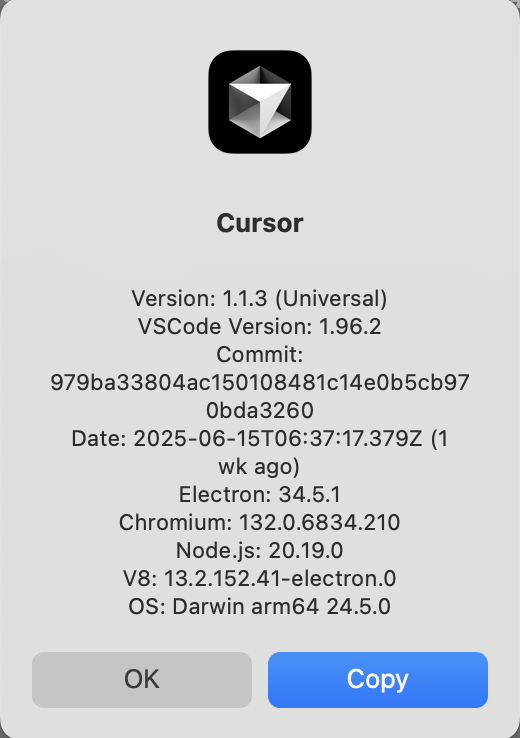
update your cursor to the latest version, my version is: 1.1.3 (Universal). in the cursor menu, click: Cursor -> About Cursor, to check your version.
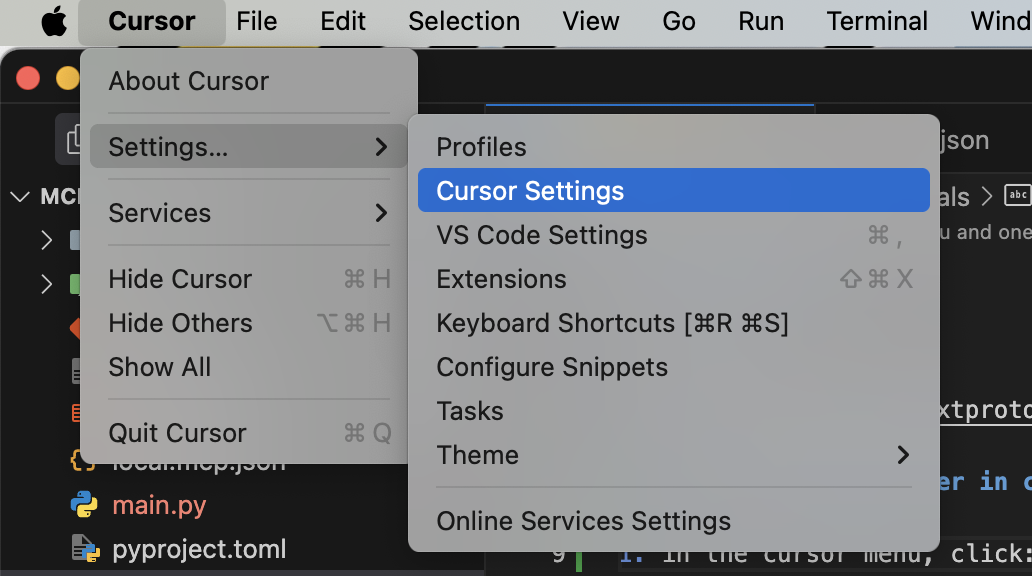
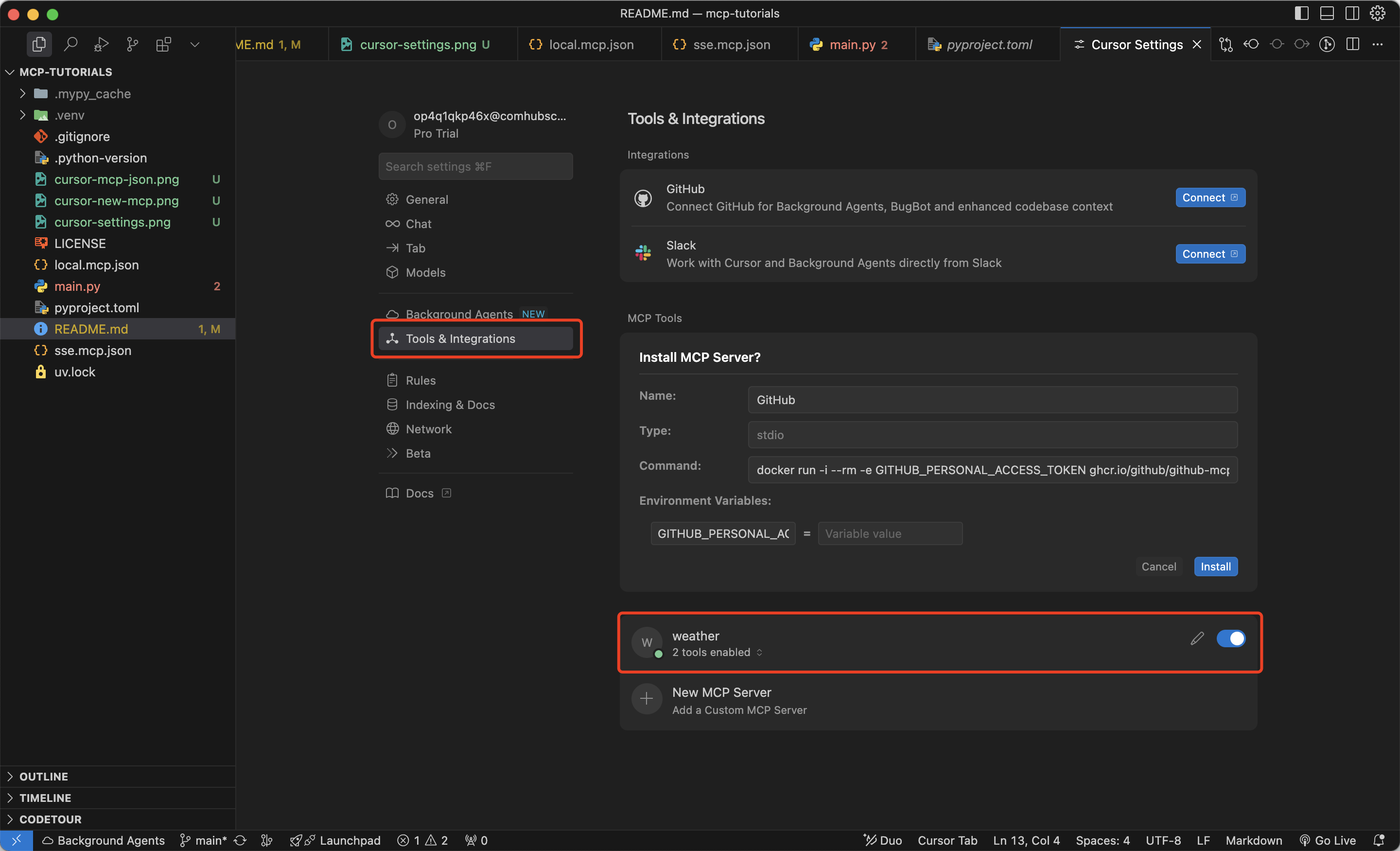
in the cursor menu, click: Cursor -> Settings -> Cursor Settings
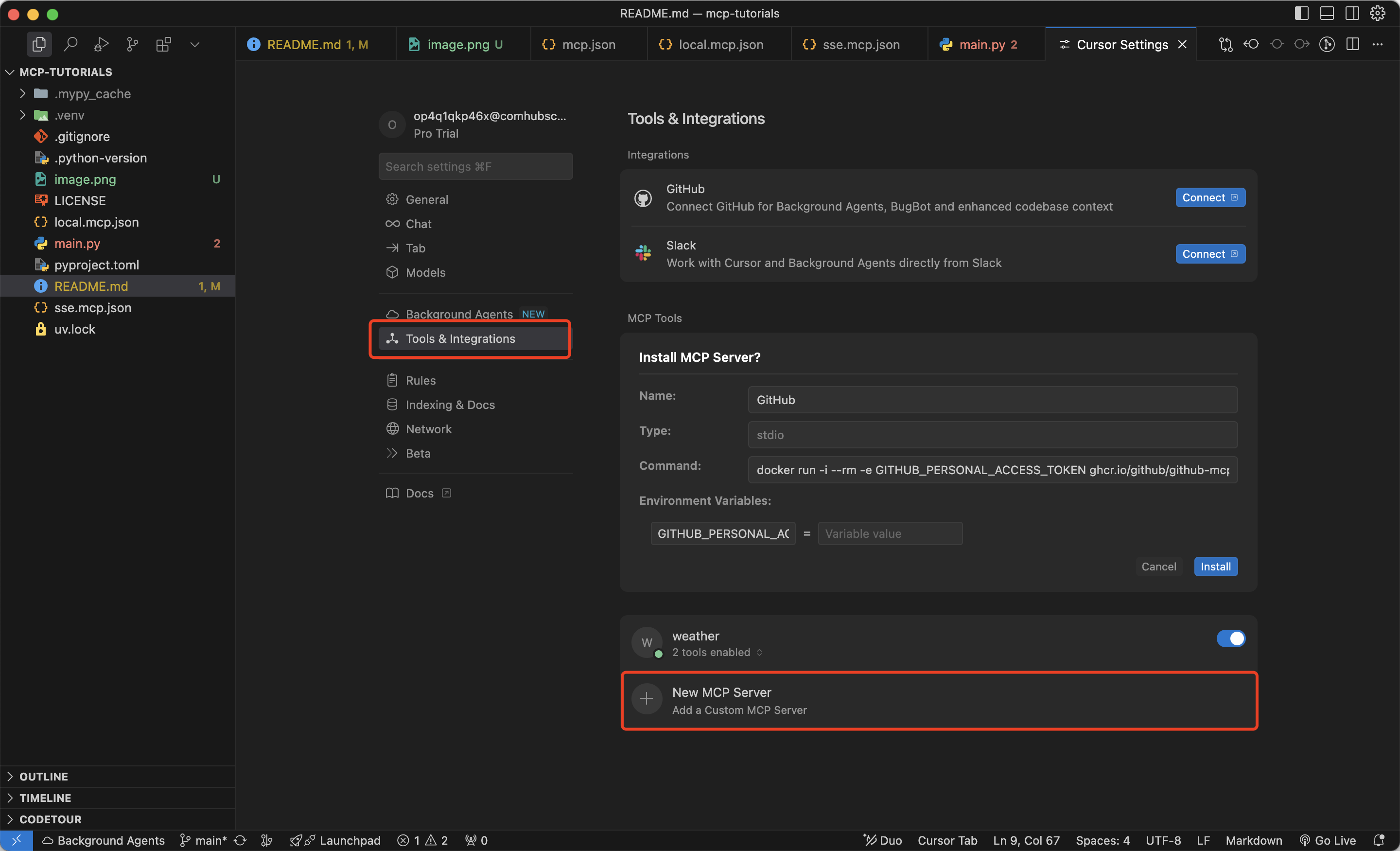
in the Cursor Settings, click: Tools & Integrations -> New MCP Server
in the popped up mcp.json file, copy the
sse.mcp.jsoncontent, and paste it into the mcp.json file, and save it.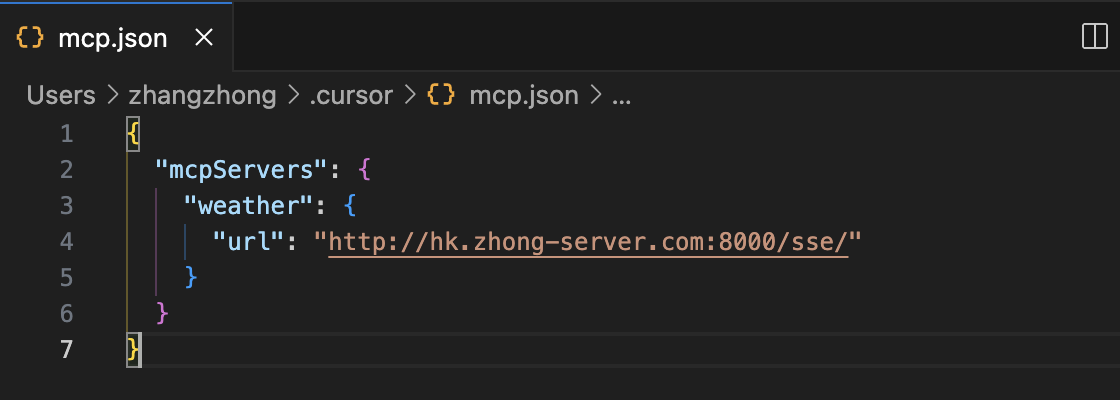
back to the Cursor Settings, you will see the weather mcp server is added.
open a new chat window, input:
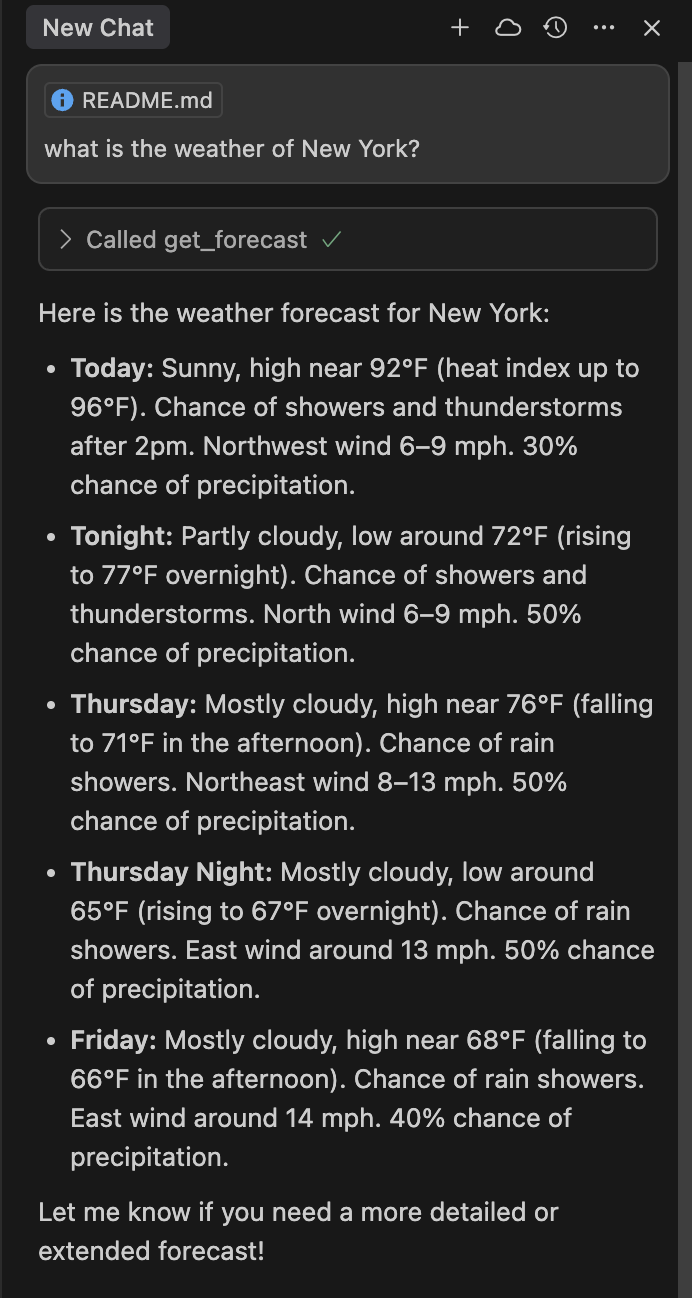
what is the weather of New York?, when cursor pop up theCalling get_forecast, click:Run tool.