
Provides connection to GitHub for repository and issue tracking, as indicated by the repository badge in the README.
Utilizes Shields.io for generating version and repository badges displayed in the README.
Click on "Install Server".
Wait a few minutes for the server to deploy. Once ready, it will show a "Started" state.
In the chat, type
@followed by the MCP server name and your instructions, e.g., "@MCP Serverrun my customer support workflow for a refund request"
That's it! The server will respond to your query, and you can continue using it as needed.
Here is a step-by-step guide with screenshots.
MCP Server
Author: hjlarry
Version: 0.0.4
Type: extension
Repo: https://github.com/hjlarry/dify-plugin-mcp_server
Feature Request: issues
A Dify endpoint plugin that change a dify app to a mcp server.
To keep your data secure, use this plugin exclusively within your private network.
Get Started
1. create a simple workflow app in dify.
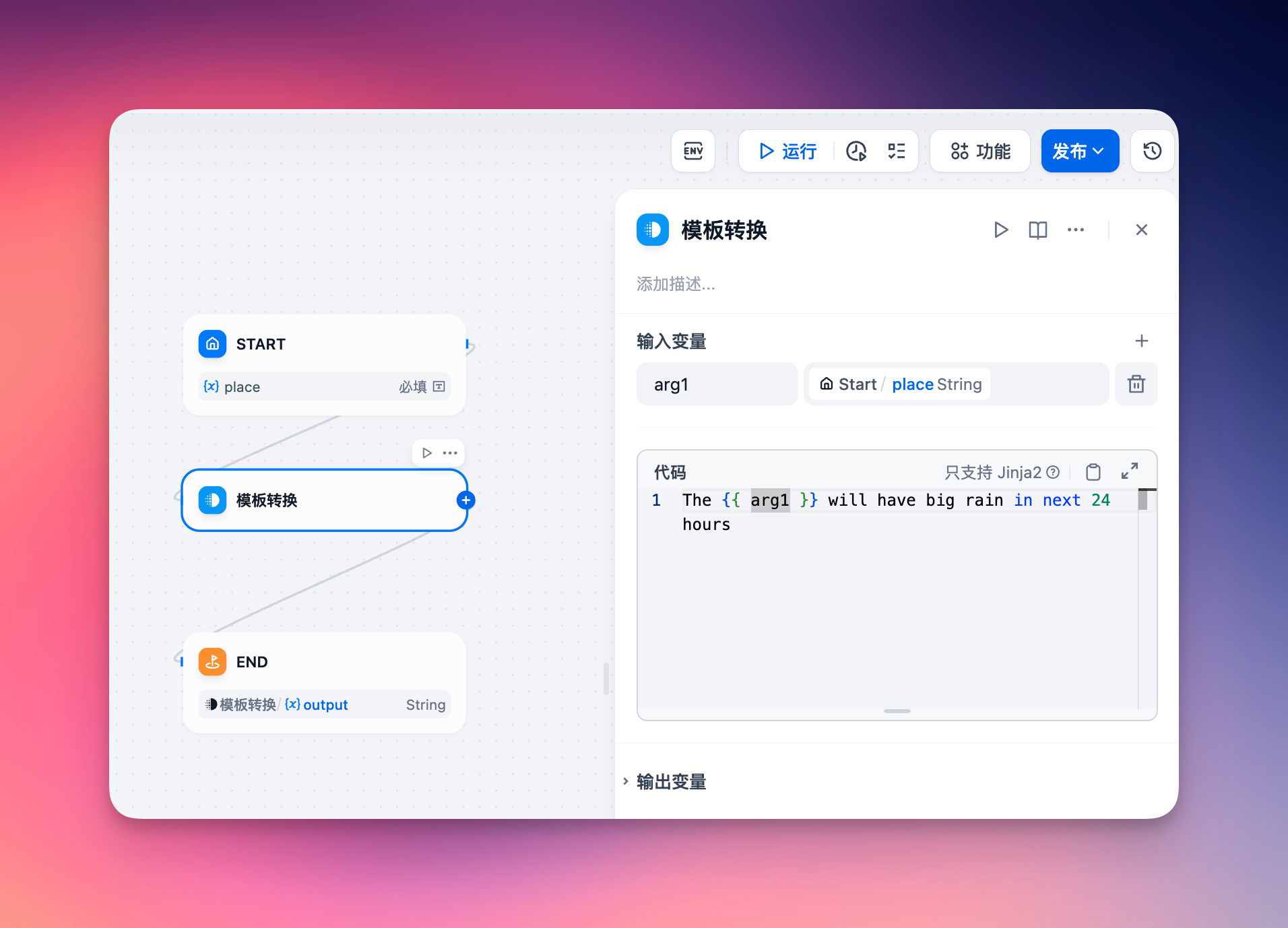
2. add a endpoint and select this app.
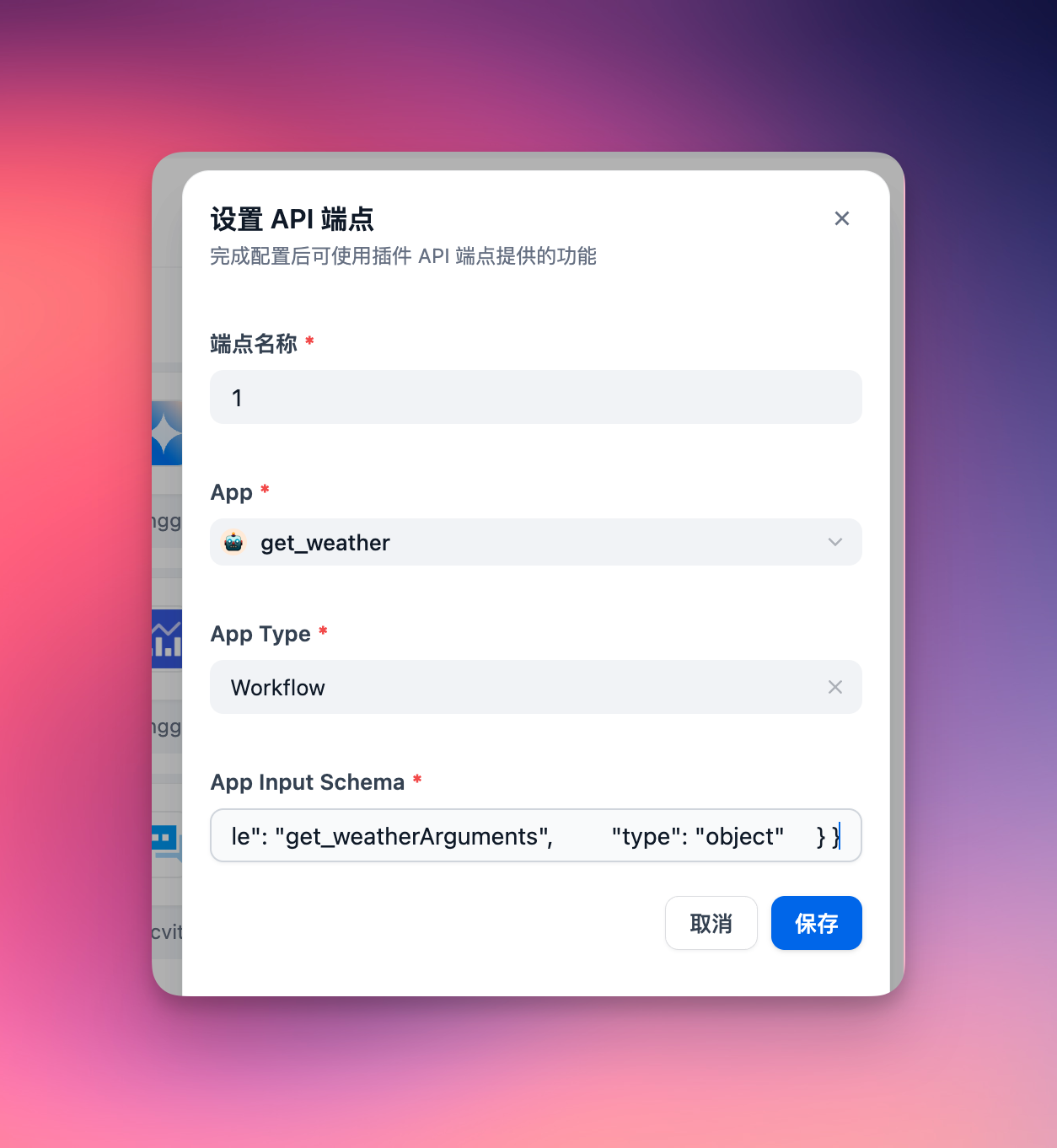
The app's input schema must define its input parameters. For a chat dify app, ensure to include a query field in the input schema, formatted as follows:
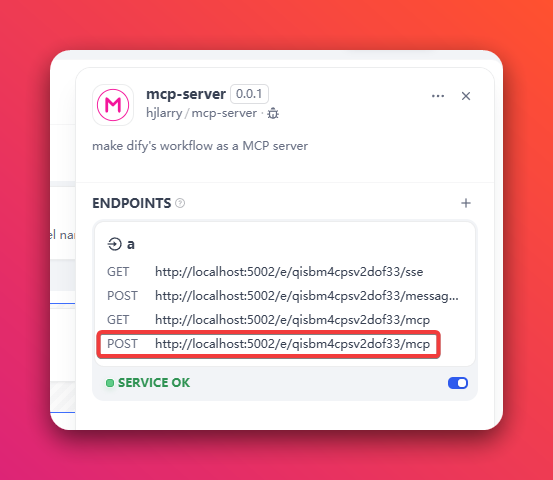
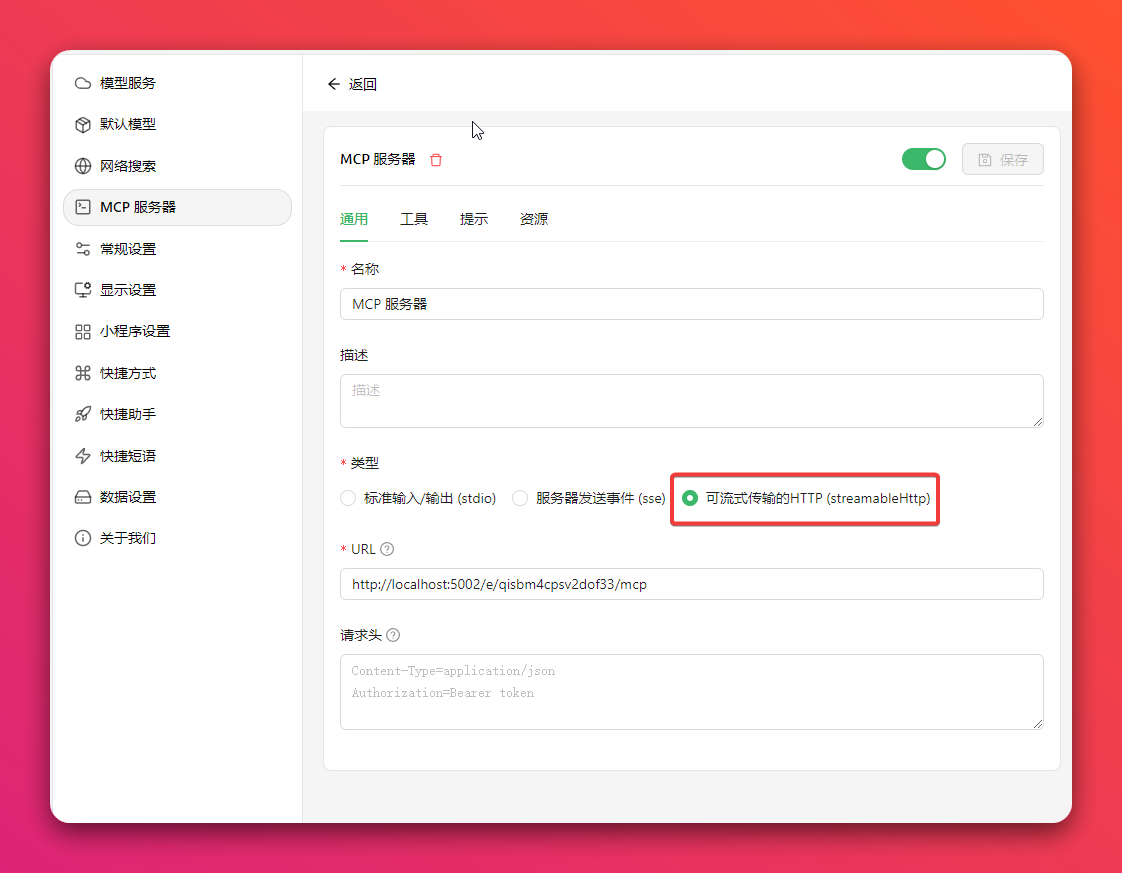
3. copy the endpoint url to your mcp client, like Cherry Studio
Option 1: Use the newest Streamable HTTP protocol (Recommended)
Option 2: Use the legacy SSE protocol
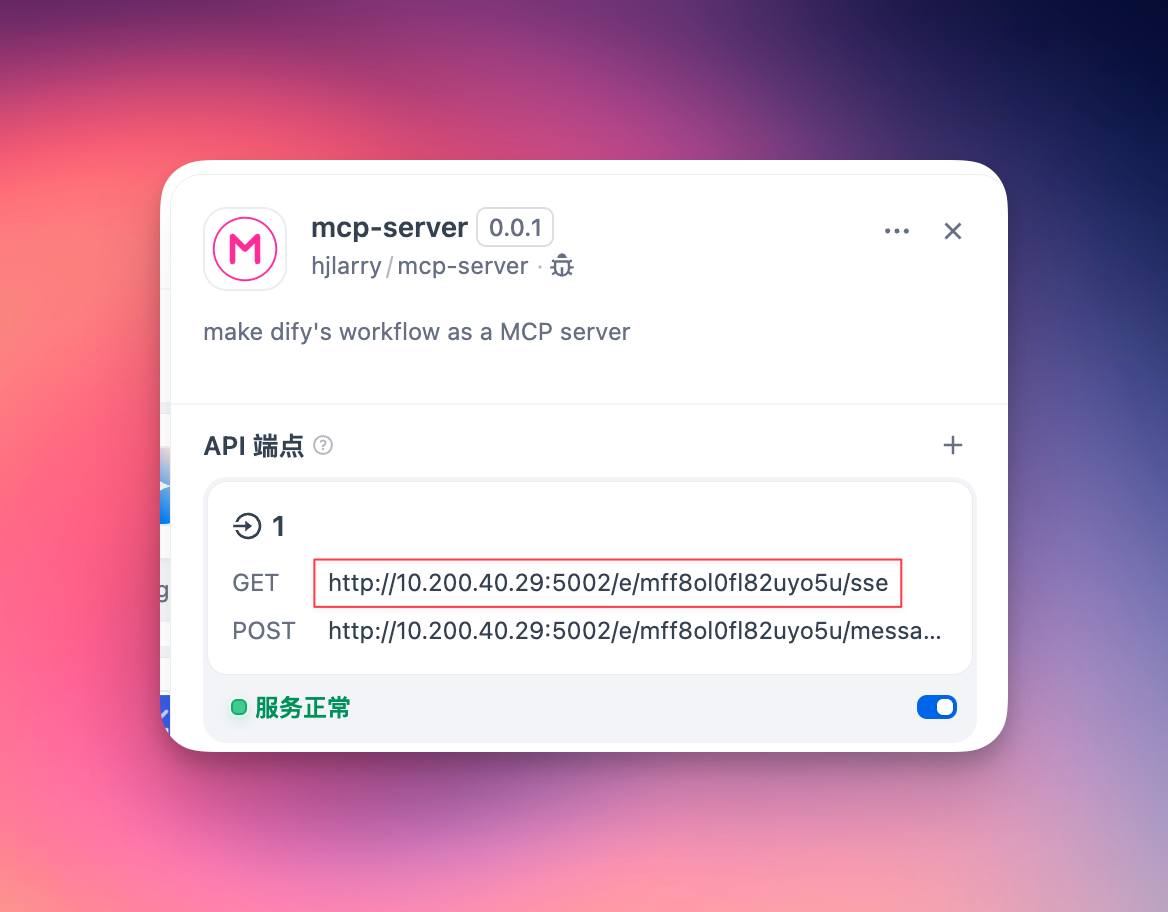
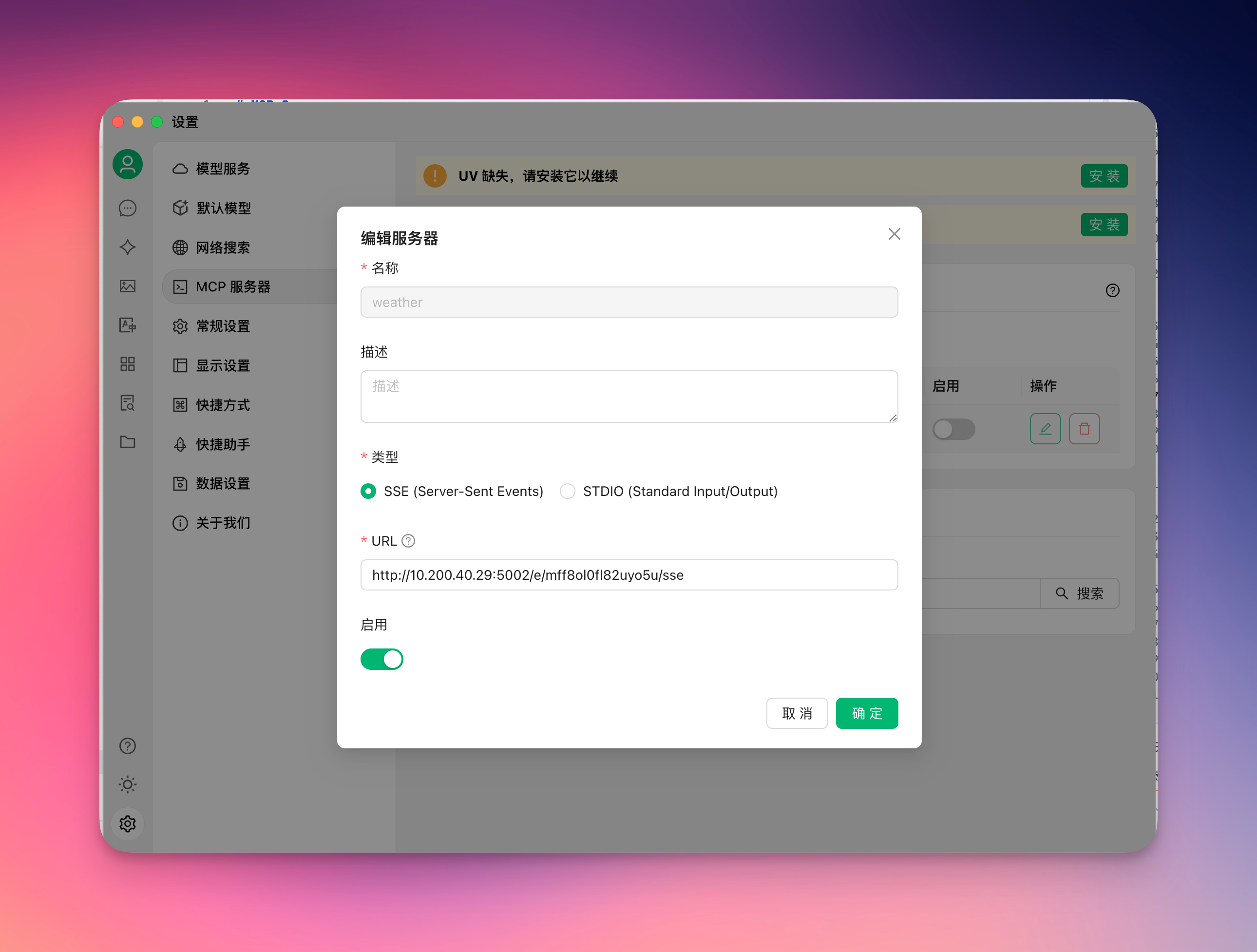
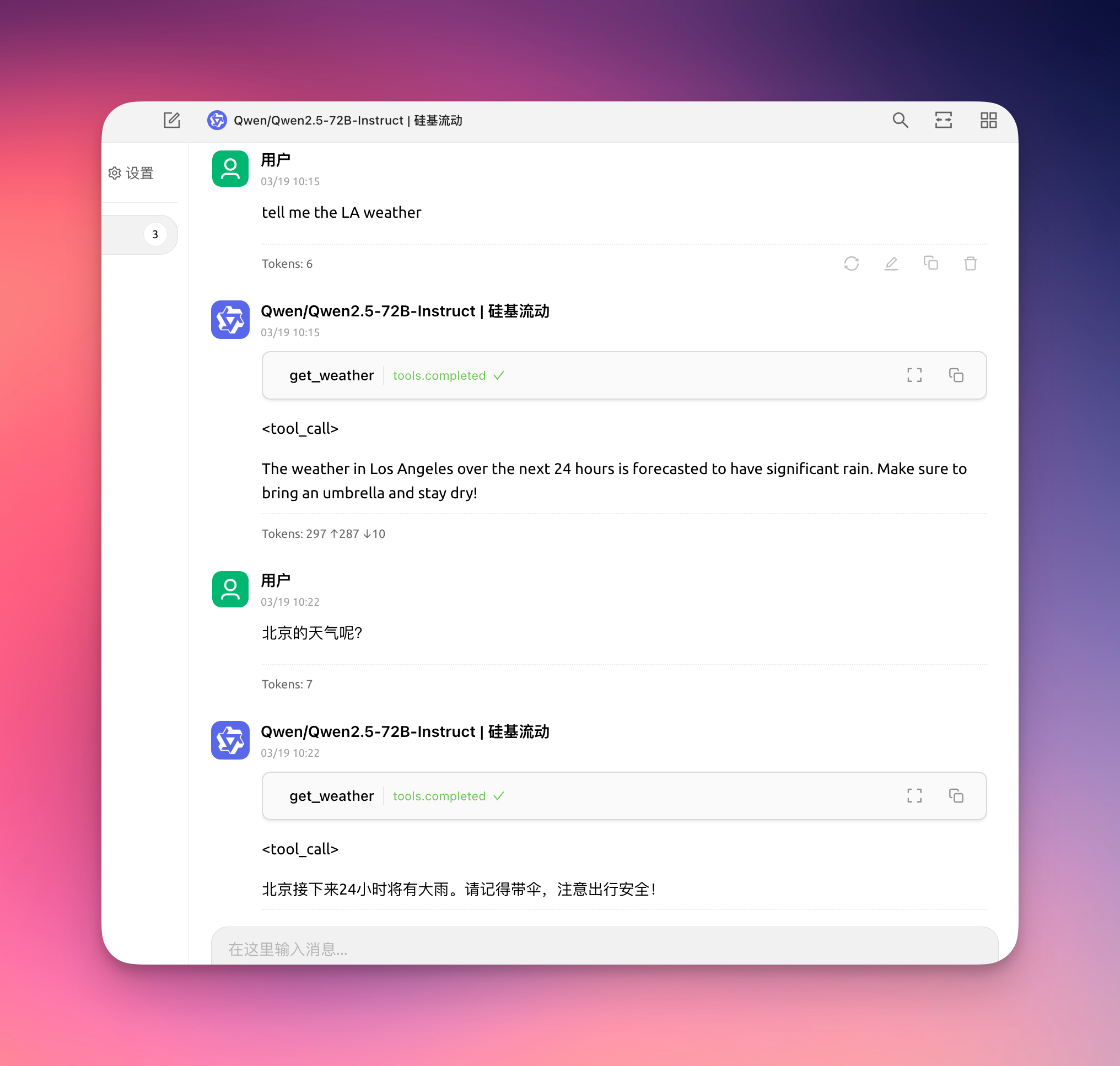
4. enjoy it!
5. To keep your data secure, you can add a Auth Bearer Token on the endpoint setting.
For example, if your Auth Bearer Token is setting to sk-abcdefgh, then the request header of MCP client must add Authorization: Bearer sk-abcdefgh
Related MCP server: Dify as MCP Server
Changelog
0.0.4
Add response to the
pingmethod of MCP client, some clients use this method to check server healthAdd
Authorization: Bearertoken validatorFix some log incorrect
0.0.3
To fix sse get non-exist key get lots error logs on the plugin daemon.
Add logs to help debug problems.
Streamable http support response object and array.
0.0.2
Add a new Streamable HTTP protocol.
Update dify-plugin-sdk version.