Wikipedia MCP サーバー
これは、要求されたトピックの Wikipedia コンテンツを提供する MCP (モデル制御プロトコル) サーバーです。
設定
必要な依存関係をインストールします。
pip install -r requirements.txt
サーバーを起動します。
サーバーはhttp://localhost:5000で実行されます。
Related MCP server: librarian
APIの使用
CLIからAPIを使用する
topicフィールドを含む JSON 本文を含む POST リクエストを/mcpに送信します。
curl -X POST http://localhost:5000/mcp \
  -H "Content-Type: application/json" \
  -d '{"topic": "Python_(programming_language)"}'
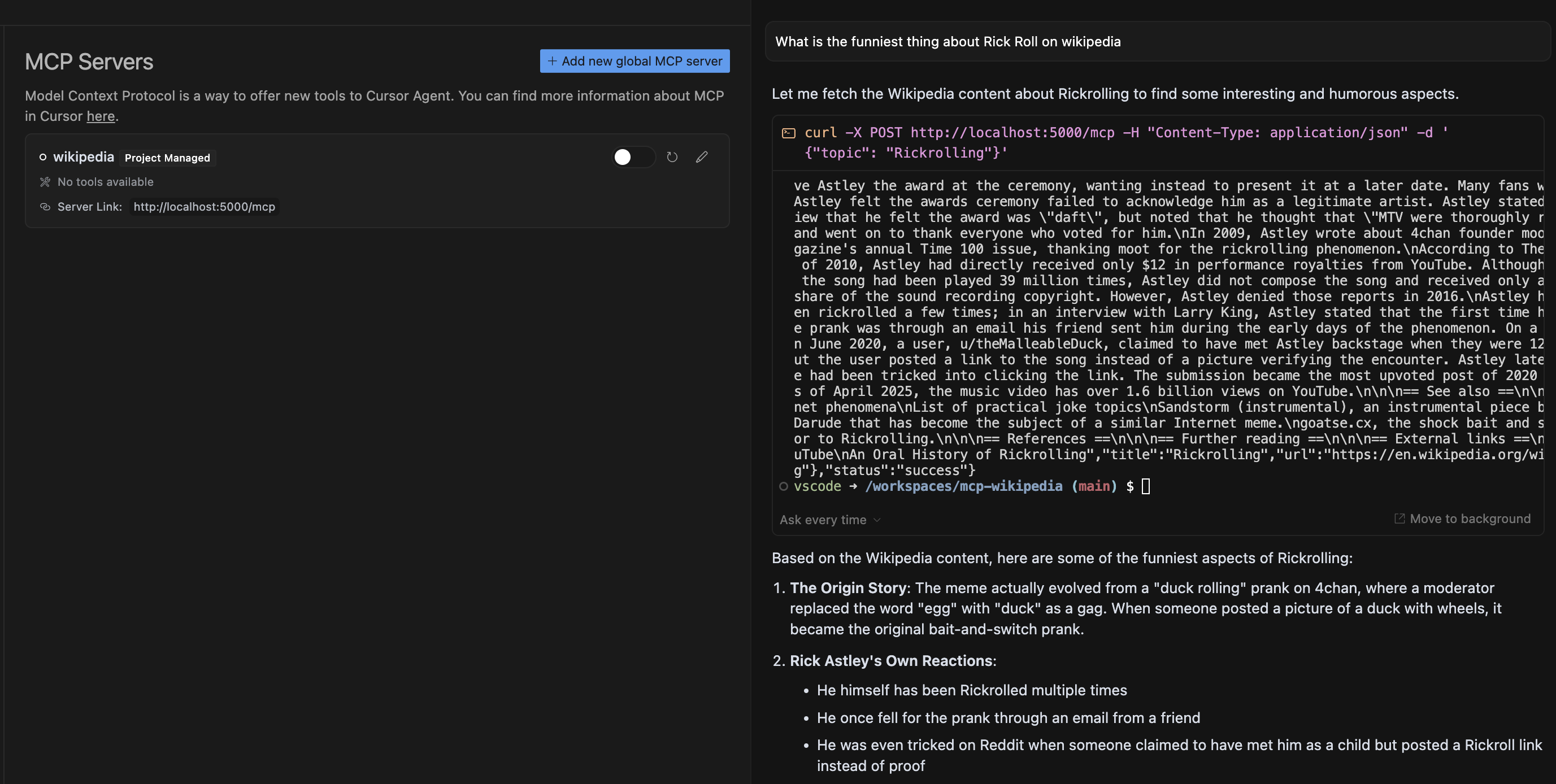
Cursor Composer の API の使用
Wikipediaのトピックについて質問する
カーソルにMCPリクエストの提案が表示され、ツールを実行する許可を求められます。
承認後、カーソルはMCPサーバーへのリクエストを実行します。
プロンプトの結果は、MCPサーバーの応答の選択されたモデルの分析に基づいて表示されます。
応答フォーマット
成功した応答:
{
  "status": "success",
  "data": {
    "title": "Page Title",
    "content": "Page Content",
    "url": "Wikipedia URL"
  }
}
エラー応答:
{
  "status": "error",
  "error": "Error message"
}
テスト
テスト スクリプトを実行して、サーバーが動作していることを確認します。
python src/test_server.py


