Cloudzero Model Context Protocol (MCP) server
Talk to your cloud cost data in Cloudzero from a Large Language Model (LLM).
Ask questions about your cost data such as plotting a month over month difference:

How it works
Uses CloudZero v2 API and the Model Context Protocol MCP.
graph LR
    %%{init: {'theme':'neutral'}}%%
    %% Define nodes
    A[MCP Host]
    B[Local MCP Server]
    C[CloudZero API]
    D[(Cloud Costs Data)]

    %% Define connections
    A -->|JSON-RPC 2.0| B
    B -->|HTTP/JSON| C
    C <--> D

    subgraph CloudZero_SaaS
    C
    D
    end

    subgraph Background_process
    B
    end

    subgraph Claude_Desktop
    A
    end

    subgraph Local_Machine
    Claude_Desktop
    Background_process
    end

    %% Define styles
    classDef client padding:10px
    classDef server padding:10px
    classDef api padding:10px
    classDef db padding:10px

    %% Apply styles
    class A client
    class B server
    class C api
    class D db
Once the MCP server is configured in Claude Desktop, it will be launched as a background process at
startup. Claude Desktop as the MCP Host will send an initiatize request to the MCP Server. The
server responds with its capabilities, which includes prompts and tools for tool calling.
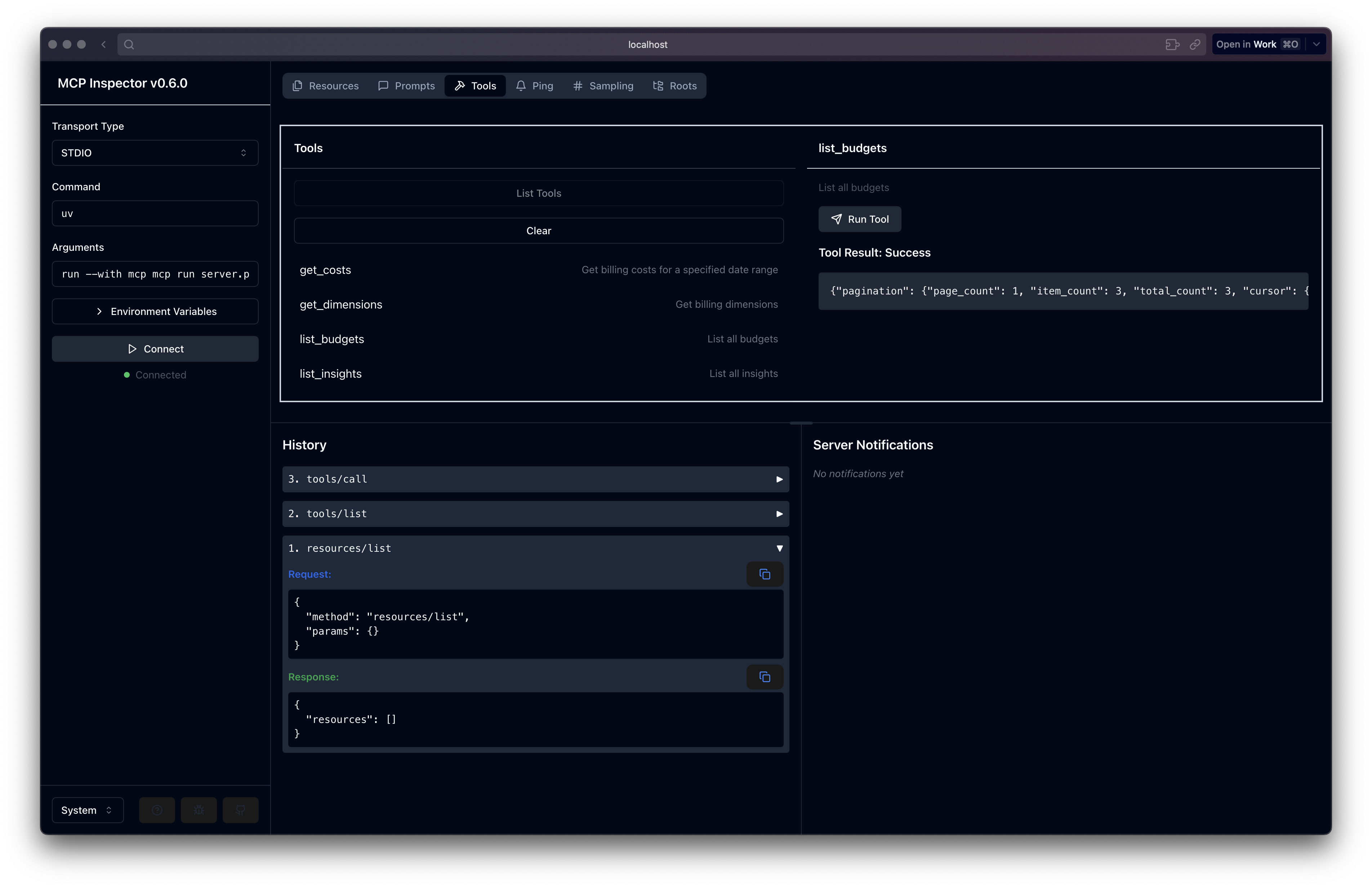
The server implements several tools specific to CloudZero:
get_costs to get billing data from start_date to end_date
get_dimensions for billing dimensions
list_budgets to list budgets
list_insights to list insights
The MCP protocol uses JSON-RPC 2.0 for requests and responses.
Related MCP server: dbt Semantic Layer MCP Server
Setup
Install Claude Desktop:
Install uv
Setup the project dependencies:
Generate your CloudZero API key.
Edit .env with:
CLOUDZERO_API_KEY=YOUR_SECRET_KEY
Install
To install the MCP server into Claude Desktop:
uv run mcp install server.py
Edit your claude_desktop_config.json to set the proper path to the uv command and update your USERNAME as below.
This config file can be located in Claude Desktop under Settings > Developer > Edit Config.
    "CloudZero": {
      "command": "/Users/USERNAME/.local/bin/uv",
      "args": [
        "run",
        "--with",
        "mcp[cli]",
        "mcp",
        "run",
        "/Users/USERNAME/workspace/open_source/cloudzero-mcp/server.py"
      ]
    }
Restart Claude Desktop. When the Desktop starts, it will launch the server process in the background.
You may see errors, and can drill into the logs to see what the problem is.
If no errors, try asking "what tools are available for cloud billing" to see it listed.
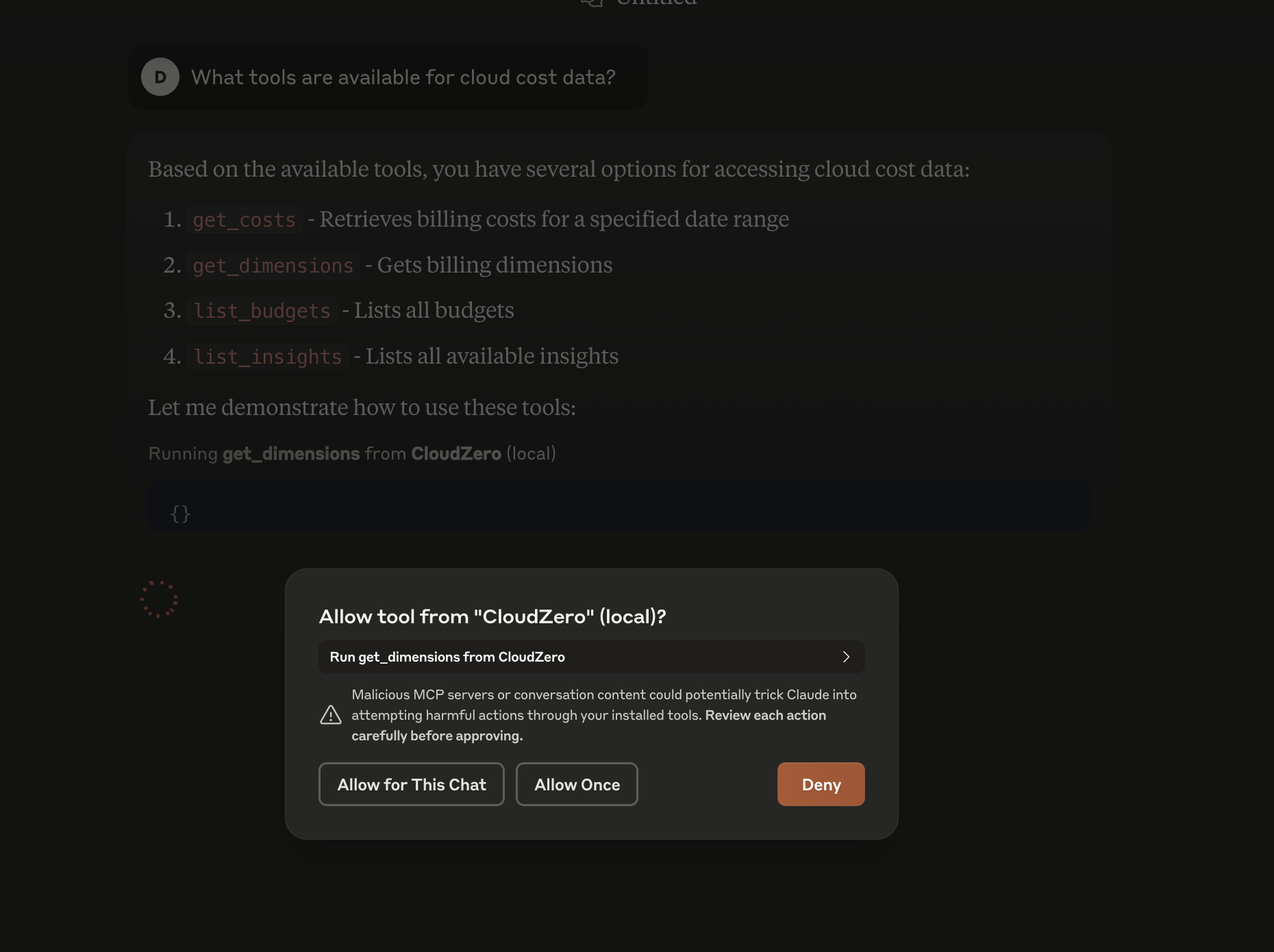
See Claude Desktop MCP documentation for more info.
Debug
For debugging, you can run the MCP development server with an interactive GUI to inspect:
This is useful for troubleshooting bugs in your code without having to continuously restart Claude Desktop.