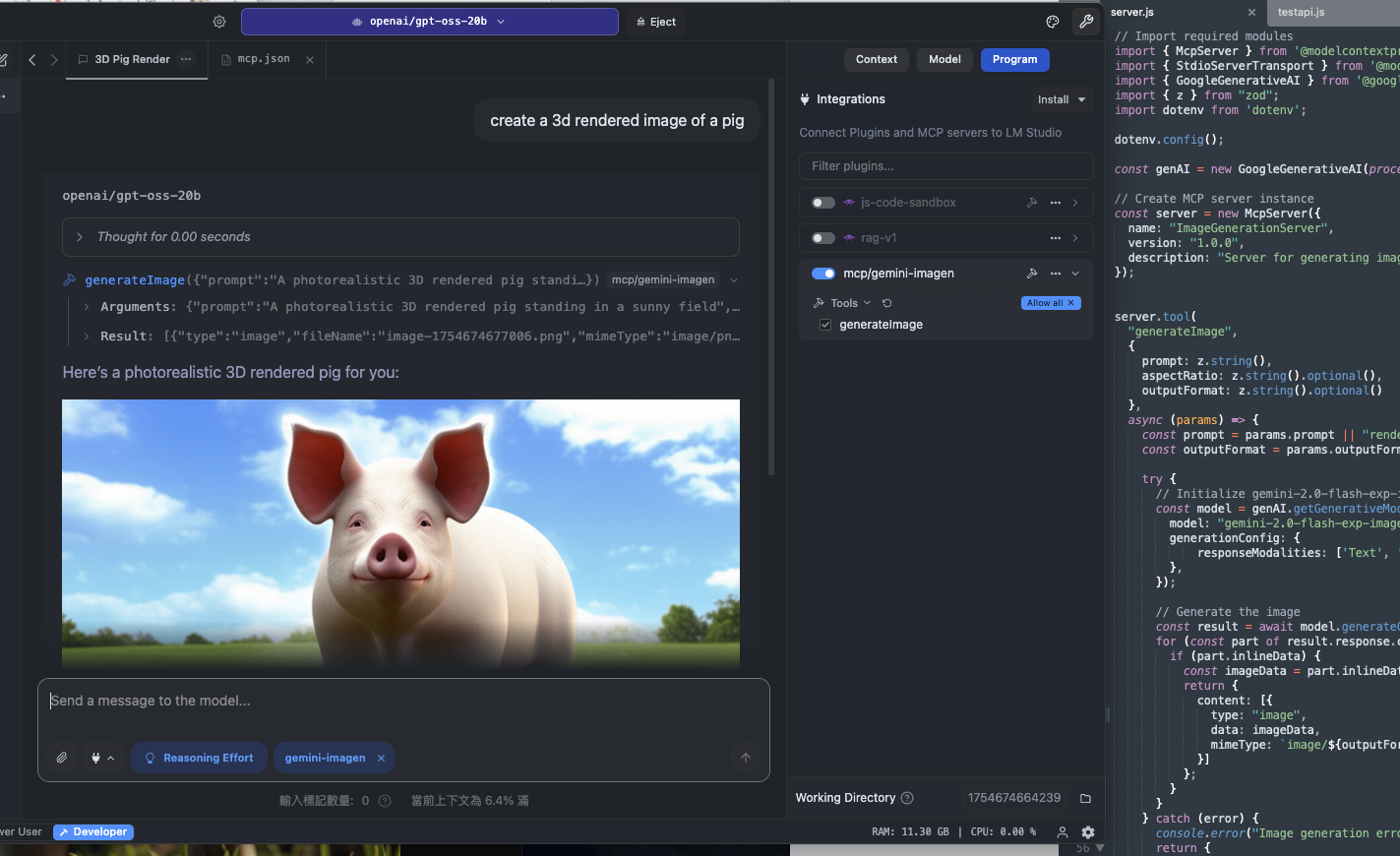
Enables image generation and multimodal tasks using Google Gemini 2 API, allowing AI agents to create images from text prompts with configurable output formats and aspect ratios.
Click on "Install Server".
Wait a few minutes for the server to deploy. Once ready, it will show a "Started" state.
In the chat, type
@followed by the MCP server name and your instructions, e.g., "@GeminiMcpServergenerate a photorealistic image of a sunset over mountains"
That's it! The server will respond to your query, and you can continue using it as needed.
Here is a step-by-step guide with screenshots.
GeminiMcpServer
GeminiMcpServer 是一個 Model Context Protocol (MCP) 伺服器,可將 LM Studio(或其他支援 MCP 的客戶端)與 Google Gemini API 無縫連接,用於影像生成與多模態任務處理。
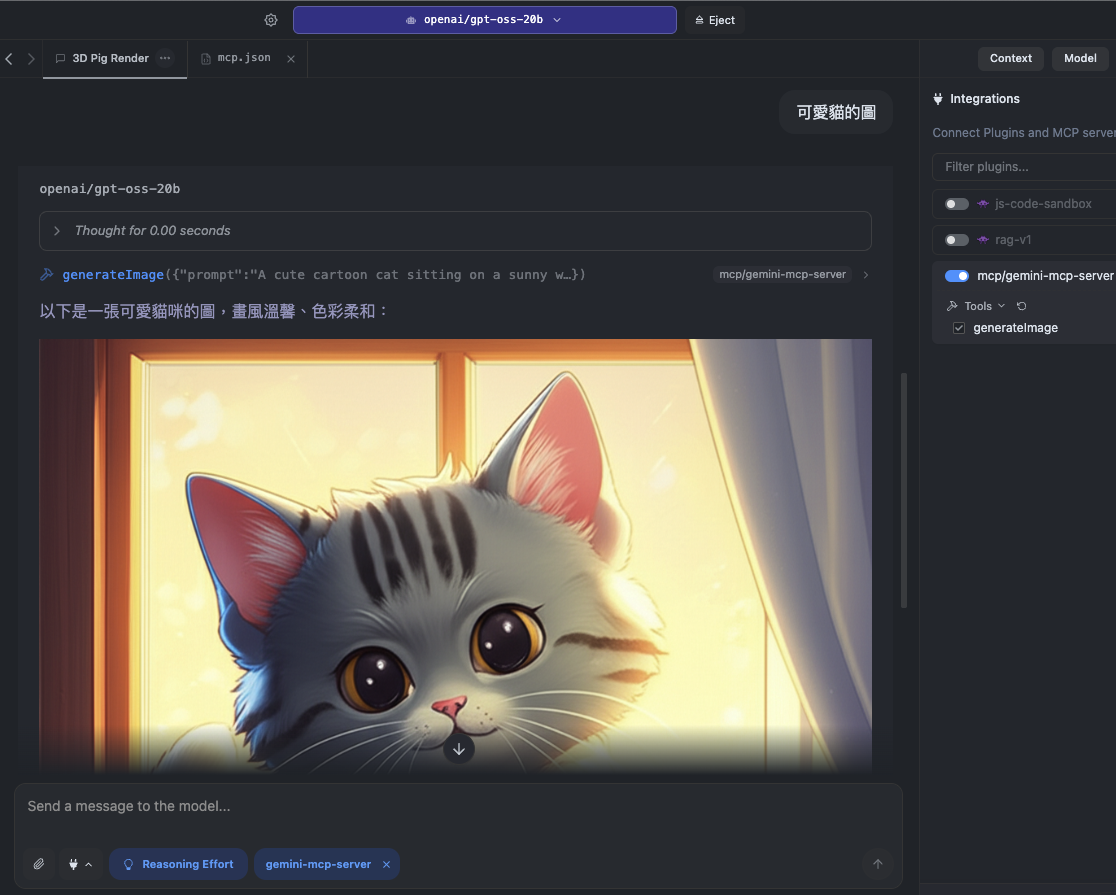
✨ 功能特色
🔗 完整 MCP 支援 – 與 LM Studio 等 MCP 客戶端即時整合。
🎨 影像生成 – 使用 Google Gemini 2 模型產生圖片。
🖼 多模態輸入 – (選用)同時處理文字與圖片輸入。
⚡ 本地與雲端混合流程 – 本地執行 LM Studio,同時利用 Gemini API 提供的雲端運算能力。
Related MCP server: GemSuite-MCP
📦 系統需求
Node.js v20
Google Gemini API Key(可於 Google AI Studio 申請)
MCP 相容客戶端(如 LM Studio)
🚀 安裝與設定
建立 Google API Key:
建立新的 API 金鑰
設定環境變數:
在專案根目錄建立 .env 檔,並加入:
▶ 使用方式
啟動伺服器:
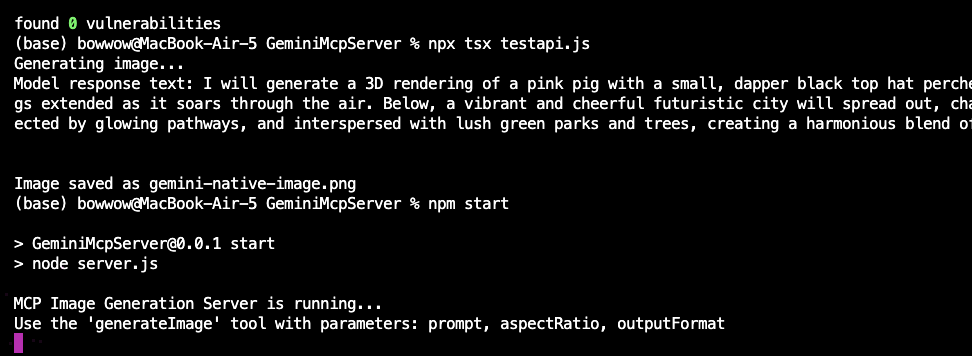
執行測試:
此測試會使用 Gemini 2 的實驗性影像生成 API 建立圖片。
📡 MCP 請求範例
📡 LM Studio設定範例