
Supports research analysis workflows including citation graph construction, academic paper processing, and multi-hop reasoning through arXiv research papers when used with the research incarnation.
Enables AI assistants to use Neo4j knowledge graphs as dynamic instruction manuals and project memory for standardized coding workflows, research analysis, and knowledge management with hybrid reasoning capabilities combining structured graph data with semantic search.
Integrates with WolframAlpha API for mathematical calculations, entity queries in chemistry/physics/geography/history, date and unit conversions, and formula solving to enhance the Lotka-Volterra ecological framework in knowledge graph operations.
Click on "Install Server".
Wait a few minutes for the server to deploy. Once ready, it will show a "Started" state.
In the chat, type
@followed by the MCP server name and your instructions, e.g., "@NeoCoder Neo4j AI Workflowanalyze this research paper and create a knowledge graph with citations"
That's it! The server will respond to your query, and you can continue using it as needed.
Here is a step-by-step guide with screenshots.
NeoCoder: Neo4j-Guided AI Coding Workflow
An MCP server implementation that enables AI assistants like Claude to use a Neo4j knowledge graph as their primary, dynamic "instruction manual" and project memory for standardized coding workflows.
NeoCoder: Hybrid AI Reasoning & Workflow System
An advanced MCP server implementation that combines Neo4j knowledge graphs, Qdrant vector databases, and sophisticated AI orchestration to create a hybrid reasoning system for knowledge management, research analysis, and standardized workflows.
Overview
NeoCoder implements a revolutionary Context-Augmented Reasoning system that goes far beyond traditional RAG (Retrieval-Augmented Generation) by combining:
Core Architecture:
Neo4j Knowledge Graphs - Authoritative structured facts, relationships, and workflows
Qdrant Vector Databases - Semantic search, similarity detection, and contextual understanding
MCP Orchestration - Intelligent routing between data sources with synthesis and citation
F-Contraction Synthesis - Dynamic knowledge merging that preserves source attribution
Key Capabilities:
Hybrid Knowledge Reasoning: Seamlessly combine structured facts with semantic context
Dynamic Knowledge Extraction: Process documents, code, and conversations into interconnected knowledge structures
Citation-Based Analysis: Every claim tracked to its source across multiple databases
Multi-Incarnation System: Specialized modes for coding, research, decision support, and knowledge management
Intelligent Workflow Templates: Neo4j-guided procedures with mandatory verification steps
Revolutionary Features:
🧠 Smart Query Routing: AI automatically determines optimal data source (graph, vector, or hybrid) 🔬 Research Analysis Engine: Process academic papers with citation graphs and semantic content ⚡ F-Contraction Processing: Dynamically merge similar concepts while preserving provenance 🎯 Context-Augmented Reasoning: Generate insights impossible with single data sources 📊 Full Audit Trails: Complete tracking of knowledge synthesis and workflow execution 🛡️ Production-Ready Process Management: Automatic cleanup, signal handling, and resource tracking to prevent process leaks 🔧 Enhanced Tool Handling: Robust async initialization with proper background task management
New from an idea I had- Lotka-Volterra Ecological Framework integrated into Knowledge Graph Incarnation
Process Management & Reliability
NeoCoder implements comprehensive process management following MCP best practices:
Signal Handlers: Proper SIGTERM/SIGINT handling for graceful shutdowns
Resource Tracking: Automatic tracking of processes, Neo4j connections, and background tasks
Zombie Cleanup: Active detection and cleanup of orphaned server instances
Memory Management: Prevention of resource leaks through proper cleanup patterns
Background Task Management: Safe handling of async initialization and concurrent operations
Connection Pooling: Efficient Neo4j driver management with automatic cleanup
Monitoring Commands
Use these tools to monitor server health:
get_cleanup_status()- View resource usage and cleanup statuscheck_connection()- Verify Neo4j connectivity and permissions
Quick Start
Prerequisites
Neo4j: Running locally or remote instance (for structured knowledge graphs)
Qdrant: Vector database for semantic search and embeddings (for hybrid reasoning)
Python 3.10+: For running the MCP server
uv: The Python package manager for MCP servers
Claude Desktop: For using with Claude AI
MCP-Desktop-Commander: Invaluable for CLI and filesystem operations
For the Lotka-Volterra Ecosystem and generally enhanced abilities-
wolframalpha-llm-mcp: really nice!
mcp-server-qdrant-enhanced: My qdrant-enhanced mcp server
Optional for more utility
This incarnation is still being developed
For Code Analysis Incarnation: AST/ASG: Currently needs development and an incarnation re-write
Get a free API key from WolframAlpha:
To get a free API key (AppID) for Wolfram|Alpha, you need to sign up for a Wolfram ID and then register an application on the Wolfram|Alpha Developer Portal.
Create a Wolfram ID: If you don't already have one, create a Wolfram ID at https://account.wolfram.com/login/create
Navigate to the Developer Portal: Once you have a Wolfram ID, sign in to the Wolfram|Alpha Developer Portal https://developer.wolframalpha.com/portal/myapps
Sign up for your first AppID: Click on the "Sign up to get your first AppID" button.
Fill out the AppID creation dialog: Provide a name and a simple description for your application.
Receive your AppID: After filling out the necessary information, you will be presented with your API key, also referred to as an AppID.
The Wolfram|Alpha API is free for non-commercial usage, and you get up to 2,000 requests per month.
Each application requires its own unique AppID.
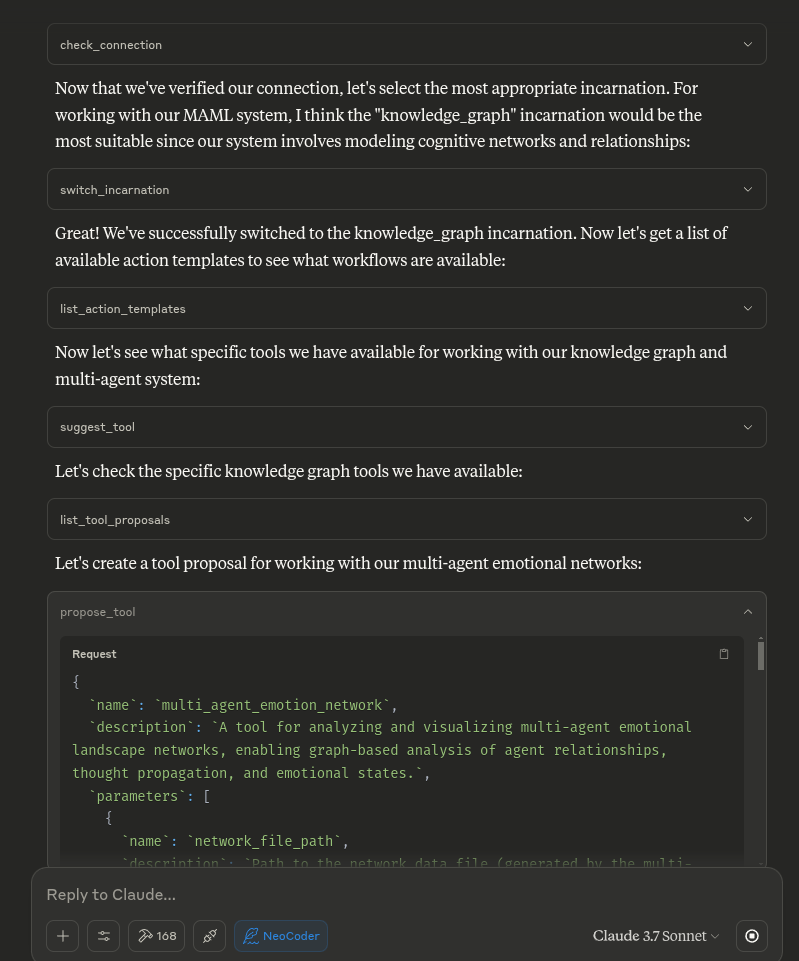
The MCP server runs the Python code, bridging the gap between the Neo4j graph and the AI assistant ( e.g. Claude)
Installation
1. Clone the repository
2. Set up Python and the virtual environment
Make sure you have pyenv and uv installed.
3. Install dependencies
4. Start Neo4j and Qdrant
Neo4j: Start your Neo4j server (locally or remote). Default connection:
bolt://localhost:7687
Neo4j connection parameters:
URL:
bolt://localhost:7687(default)Username:
neo4j(default)Password: Your Neo4j database password
Database:
neo4j(default)Set credentials via environment variables if needed:
NEO4J_URLNEO4J_USERNAMENEO4J_PASSWORDNEO4J_DATABASE
Qdrant: For persistent Qdrant storage, use this Docker command (recommended):
docker run -p 6333:6333 -p 6334:6334 \ -v "$(pwd)/qdrant_storage:/qdrant/storage:z" \ qdrant/qdrantThis will store Qdrant data in a
qdrant_storagefolder in your project directory.
5. (Optional) VS Code users
Open the Command Palette (
Ctrl+Shift+P), select Python: Select Interpreter, and choose.venv/bin/python.
It should auto-install when using the config- not sure anymore haven't tried that and some dependencies are rather large.
Potential Quickstart- lol sorry
Recommended: Claude Desktop Integration:
Configure Claude Desktop by adding the following to your
claude-app-config.json:
Important: The password in this configuration must match your Neo4j database password.
Otherwise- Install dependencies: Quick Troubleshooting:
If you see errors about missing packages, double-check that your
.venvis activated and you are using the correct Python version.If you need to reset your environment, you can remove
.venvand repeat the steps above.Can't conect to DB? Install neo4j Desktop and QDRANT. Make sure they are running. NEO4J requires a password set.
You are now ready to use NeoCoder with full Neo4j and Qdrant hybrid Lotka-Volterra Ecosystem reasoning!
Suggested system prompt
Multiple Incarnations
NeoCoder supports multiple "incarnations" - different operational modes that adapt the system for specialized use cases while preserving the core Neo4j graph structure. In a graph-native stack, the same Neo4j core can manifest as very different "brains" simply by swapping templates and execution policies.
Key Architectural Principles
The NeoCoder split is highly adaptable because:
Neo4j stores facts as first-class graph objects
Workflows live in template nodes
Execution engines simply walk the graph
Because these three tiers are orthogonal, you can freeze one layer while morphing the others—turning a code-debugger today into a lab notebook or a learning management system tomorrow. This design echoes Neo4j's own "from graph to knowledge-graph" maturation path where schema, semantics, and operations are deliberately decoupled.
Common Graph Schema Motifs
All incarnations share these core elements:
Element | Always present | Typical labels / rels |
Actor | human / agent / tool |
|
Intent | hypothesis, decision, lesson, scenario |
|
Evidence | doc, metric, observation |
|
Outcome | pass/fail, payoff, grade, state vector |
|
Available Incarnations:
base_incarnation (default) - Original NeoCoder, Tool, Templates and Incarnations Workflow management
research_incarnation - Scientific research platform for hypothesis tracking and experiments
Register hypotheses, design experiments, capture runs, and publish outcomes
Neo4j underpins provenance pilots for lab workflows with lineage queries
decision_incarnation - Decision analysis and evidence tracking system
Create decision alternatives with expected-value metrics
Bayesian updater agents re-compute metric posteriors when new evidence arrives
Transparent, explainable reasoning pipelines
data_analysis_incarnation - Complex system modeling and simulation
Model components with state vectors and physical couplings
Simulate failure propagation using path queries
Optional quantum-inspired scheduler for parameter testing
knowledge_graph_incarnation - Advanced Hybrid Reasoning System
Hybrid Knowledge Queries: Combine Neo4j structured data with Qdrant semantic search
Dynamic Knowledge Extraction: Process documents into both graph and vector representations
F-Contraction Synthesis: Intelligently merge similar concepts while preserving source attribution
Citation-Based Reasoning: Full source tracking across multiple databases
Research Analysis Engine: Specialized workflows for academic paper processing
Smart Query Routing: AI automatically determines optimal data source strategy
Cross-Database Navigation: Seamless linking between structured facts and semantic content
Conflict Detection: Identify and flag inconsistencies between sources
Real-Time Knowledge Synthesis: Dynamic graph construction from conversations and documents
code_analysis_incarnation - Code analysis using Abstract Syntax Trees
Parse and analyze code structure using AST and ASG tools
Track code complexity and quality metrics
Compare different versions of code
Generate documentation from code analysis
Identify code smells and potential issues
Each incarnation provides its own set of specialized tools that are automatically registered when the server starts. These tools are available for use in Claude or other AI assistants that connect to the MCP server.
Implementation Roadmap
NeoCoder features an implementation roadmap that includes:
LevelEnv ↔ Neo4j Adapter: Maps events to graph structures and handles batch operations
Amplitude Register (Quantum Layer): Optional quantum-inspired layer for superposition states
Scheduler: Prioritizes tasks based on entropy and impact scores
Re-using TAG assets: Leverages existing abstractions for vertical information hiding
Starting with a Specific Incarnation
Incarnations can also be switched at runtime using the switch_incarnation() tool:
Dynamic Incarnation Loading
NeoCoder features a fully dynamic incarnation loading system, which automatically discovers and loads incarnations from the incarnations directory. This means:
No hardcoded imports: New incarnations can be added without modifying server.py
Auto-discovery: Just add a new file with the format
*_incarnation.pyto the incarnations directoryAll tools available: Tools from all incarnations are registered and available, even if that incarnation isn't active
Easy extension: Create new incarnations with the provided template
Creating a New Incarnation
To create a new incarnation:
Create a new file in the
src/mcp_neocoder/incarnations/directory with the naming patternyour_incarnation_name_incarnation.pyUse this template structure:
Add your incarnation type to the
IncarnationTypeenum inpolymorphic_adapter.pyRestart the server, and your new incarnation will be automatically discovered
See incarnations.md for detailed documentation on using and creating incarnations.
Available Templates
NeoCoder comes with these standard templates:
FIX - Guidance on fixing a reported bug, including mandatory testing and logging
REFACTOR - Structured approach to refactoring code while maintaining functionality
DEPLOY - Guidance on deploying code to production environments with safety checks
FEATURE - Structured approach to implementing new features with proper testing and documentation
TOOL_ADD - Process for adding new tool functionality to the NeoCoder MCP server
CYPHER_SNIPPETS - Manage and use Cypher snippets for Neo4j queries
CODE_ANALYZE - Structured workflow for analyzing code using AST and ASG tools
KNOWLEDGE_QUERY - Hybrid Knowledge Query System for intelligent multi-source reasoning
KNOWLEDGE_EXTRACT - Dynamic Knowledge Extraction & Synthesis with F-Contraction merging
Advanced Hybrid Reasoning System
NeoCoder features a revolutionary Context-Augmented Reasoning architecture that combines multiple data sources for unprecedented knowledge synthesis capabilities.
Hybrid Query Architecture
The KNOWLEDGE_QUERY template implements a sophisticated 3-step reasoning process:
Step 1: Smart Query Router
Intent Classification: AI analyzes queries to determine optimal data source strategy
Query Types:
Graph-centric: "Who works with whom?", "Show dependency chain"
Vector-centric: "What are opinions on X?", "Find discussions about Y"
Hybrid: "What did [person from graph] say about [semantic topic]?"
Execution Planning: Designs multi-step plans for complex hybrid queries
Step 2: Parallelized Data Retrieval
Neo4j Queries: Execute Cypher queries for structured facts and relationships
Qdrant Searches: Perform semantic searches across document collections
Sequential Optimization: For hybrid queries, use graph results to refine vector searches
Step 3: Cross-Database Synthesizer
Intelligent Synthesis: Combine structured facts with semantic context
Source Prioritization: Neo4j facts as authoritative, Qdrant for nuance and opinion
Mandatory Citations: Every claim attributed to specific sources
Conflict Detection: Identify and flag inconsistencies between data sources
Dynamic Knowledge Extraction (F-Contraction)
The KNOWLEDGE_EXTRACT template implements dynamic knowledge synthesis inspired by graph contraction principles:
Core F-Contraction Concepts:
Vertices as Concepts: Each distinct concept becomes a graph entity
Edges as Relationships: Track co-occurrence and explicit connections
Dynamic Merging: LLM-powered detection of duplicate/similar concepts
Source Preservation: Maintain pointers to all original sources after merging
Knowledge Processing Pipeline:
Document Ingestion: Parse PDFs, text, code, conversations
Dual Storage: Chunk text for Qdrant, extract entities for Neo4j
Entity Extraction: Identify Papers, Authors, Concepts, Methods, etc.
Relationship Discovery: Find citations, dependencies, semantic connections
F-Contraction Merging: Intelligently consolidate similar entities
Cross-Reference Mapping: Link graph entities to vector document chunks
Quality Validation: Ensure consistency and completeness
Research Analysis Engine
Specialized capabilities for academic and technical document processing:
Citation Graph Construction: Build networks of paper relationships
Multi-Hop Reasoning: "Trace evolution of transformer architecture through citation links"
Conflict Analysis: "How does definition of X in Paper A differ from Paper B?"
Temporal Synthesis: Track concept evolution across time and sources
Cross-Domain Integration: Combine findings from multiple research domains
Benefits of Hybrid Reasoning
Unprecedented Synthesis: Answers impossible with single data sources
Source Transparency: Complete audit trail from raw data to conclusions
Conflict Awareness: Explicit handling of contradictory information
Semantic Enrichment: Structured facts enhanced with contextual understanding
Dynamic Learning: Knowledge base improves through F-Contraction merging
Research Acceleration: Rapid analysis of complex academic literature
Architecture
Knowledge Graph Structure
:AiGuidanceHub: Central navigation hub for the AI
:ActionTemplate: Templates for standard workflows (FIX, REFACTOR, etc.)
:Project: Project data including README and structure
:File/Directory: Project file structure representation
:WorkflowExecution: Audit trail of completed workflows
:BestPracticesGuide: Coding standards and guidelines
:TemplatingGuide: How to create/modify templates
:SystemUsageGuide: How to use the graph system
MCP Server Tools
The MCP server provides the following tools to AI assistants:
Core Tools
check_connection: Verify Neo4j connection status
get_guidance_hub: Entry point for AI navigation
get_action_template: Get a specific workflow template
list_action_templates: See all available templates
get_best_practices: View coding standards
get_project: View project details including README
list_projects: List all projects in the system
log_workflow_execution: Record a successful workflow completion
get_workflow_history: View audit trail of work done
add_template_feedback: Provide feedback on templates
run_custom_query: Run direct Cypher queries
write_neo4j_cypher: Execute write operations on the graph
Incarnation Management Tools
get_current_incarnation: Get the currently active incarnation
list_incarnations: List all available incarnations
switch_incarnation: Switch to a different incarnation
suggest_tool: Get tool suggestions based on task description
Each incarnation provides additional specialized tools that are automatically registered when the incarnation is activated.
Knowledge Graph & Hybrid Reasoning Tools
The Knowledge Graph incarnation provides advanced hybrid reasoning capabilities that combine structured graph data with semantic vector search:
Core Knowledge Management:
create_entities: Create multiple entities with observations and proper Neo4j labeling
create_relations: Connect entities with typed relationships and timestamps
add_observations: Add timestamped observations to existing entities
delete_entities: Remove entities with cascading deletion of relationships
delete_observations: Targeted removal of specific observation content
delete_relations: Remove specific relationships while preserving entities
read_graph: View entire knowledge graph with entities, observations, and relationships
search_nodes: Full-text search across entity names, types, and observation content
open_nodes: Get detailed entity information with incoming/outgoing relationships
Advanced Hybrid Reasoning Tools:
KNOWLEDGE_QUERY Workflow: Intelligent hybrid querying system
Smart query routing (graph-centric, vector-centric, or hybrid)
Parallelized data retrieval from Neo4j and Qdrant
Cross-database synthesis with mandatory citation tracking
Conflict detection and source prioritization
KNOWLEDGE_EXTRACT Workflow: Dynamic knowledge extraction with F-Contraction
Document ingestion with metadata extraction
Dual storage: text chunks in Qdrant, entities in Neo4j
LLM-powered entity extraction and relationship discovery
F-Contraction merging of similar concepts with source preservation
Cross-reference mapping between graph and vector data
Quality validation and extraction reporting
Research Analysis Capabilities:
Citation Graph Construction: Build paper-author-institution networks
Multi-Hop Synthesis: Trace concept evolution through connected sources
Temporal Analysis: Track changes and developments over time
Conflict Resolution: Handle contradictory information from multiple sources
Source Attribution: Complete provenance tracking from raw data to conclusions
Integration Features:
Qdrant Collections: Seamless integration with vector databases for semantic search
Cross-Database Navigation: Bi-directional linking between structured and semantic data
Memory Integration: Connect with long-term memory systems for continuity
MCP Orchestration: Advanced tool coordination and workflow management
Cypher Snippet Toolkit
The MCP server includes a toolkit for managing and searching Cypher query snippets:
list_cypher_snippets: List all available Cypher snippets with optional filtering
get_cypher_snippet: Get a specific Cypher snippet by ID
search_cypher_snippets: Search for Cypher snippets by keyword, tag, or pattern
create_cypher_snippet: Add a new Cypher snippet to the database
update_cypher_snippet: Update an existing Cypher snippet
delete_cypher_snippet: Delete a Cypher snippet from the database
get_cypher_tags: Get all tags used for Cypher snippets
This toolkit provides a searchable repository of Cypher query patterns and examples that can be used as a reference and learning tool.
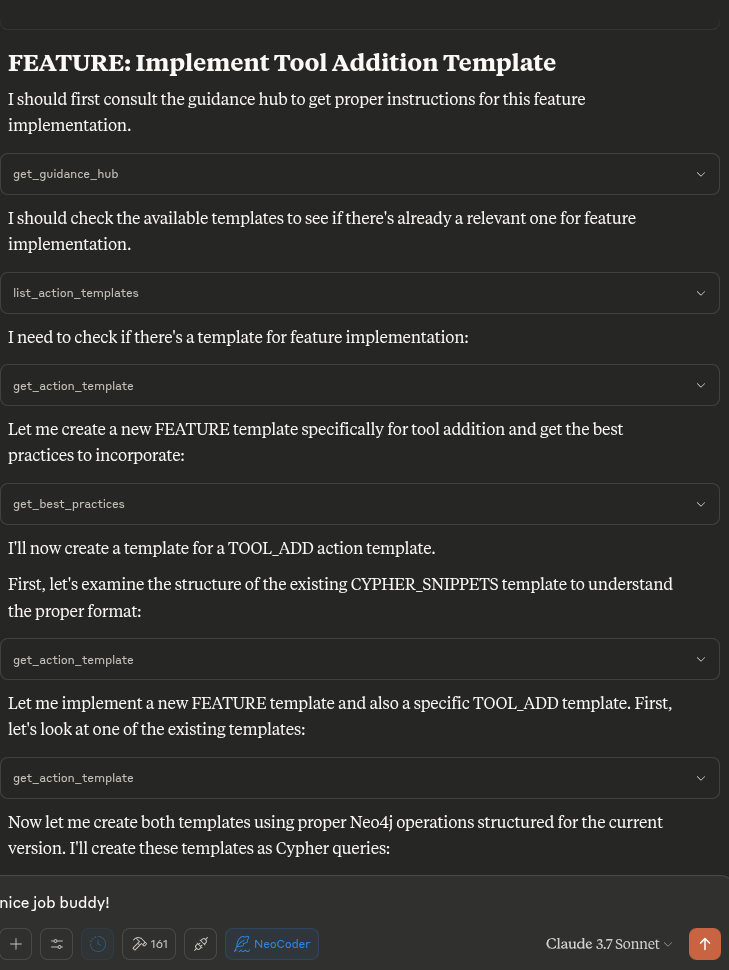
Tool Proposal System
The MCP server includes a system for proposing and requesting new tools:
propose_tool: Propose a new tool for the NeoCoder system
request_tool: Request a new tool feature as a user
get_tool_proposal: Get details of a specific tool proposal
get_tool_request: Get details of a specific tool request
list_tool_proposals: List all tool proposals with optional filtering
list_tool_requests: List all tool requests with optional filtering
This system allows AI assistants to suggest new tools and users to request new functionality, providing a structured way to manage and track feature requests.
Customizing Templates
Templates are stored in the templates directory as .cypher files. You can edit existing templates or create new ones.
To add a new template:
Create a new file in the
templatesdirectory (e.g.,custom_template.cypher)Follow the format of existing templates
Initialize the database to load the template into Neo4j
The 'Cypher Snippet Toolkit' tools operate on the graph structure defined below
Below is a consolidated, Neo4j 5-series–ready toolkit you can paste straight into Neo4j Browser, Cypher shell, or any driver.
It creates a mini-documentation graph where every (:CypherSnippet) node stores a piece of Cypher syntax, an example, and metadata; text and (optionally) vector indexes make the snippets instantly searchable from plain keywords or embeddings.
1 · Schema & safety constraints
2 · Indexes that power search
If your build is ≤5.14, call
3 · Template to store a snippet
Parameter maps keep code reusable and prevent query-plan recompilation.
4 · How to search
4-A Exact / prefix match via TEXT index
4-B Ranked full-text search
4-C Embedding similarity (vector search)
5 · Updating or deleting snippets
Both operations automatically maintain index consistency – no extra work required.
6 · Bulk export / import (APOC)
This writes share-ready Cypher that can be replayed with cypher-shell < cypher_snippets.cypher.
Quick-start recap
Run Section 1 & 2 once per database to set up constraints and indexes.
Use Section 3 (param-driven) to add new documentation entries.
Query with Section 4, and optionally add vector search if you store embeddings.
Backup or publish with Section 6.
With these building blocks you now have a living, searchable "Cypher cheat-sheet inside Cypher" that always stays local, versionable, and extensible. Enjoy friction-free recall as your query repertoire grows!
Note: A full reference version of this documentation that preserves all original formatting is available in the
Created by angrysky56 Claude 3.7 Sonnet Gemini 2.5 Pro Preview 3-25 ChatGPT o3
Code Analysis
A comprehensive analysis of the NeoCoder codebase is available in the /analysis directory. This includes:
Architecture overview
Incarnation system analysis
Code metrics and structure
Workflow template analysis
Integration points
Recommendations for future development
Recent Updates
2025-06-24: Revolutionary Hybrid Reasoning System (v2.0.0)
BREAKTHROUGH: Implemented Context-Augmented Reasoning architecture combining Neo4j + Qdrant + LLM synthesis
NEW:
KNOWLEDGE_QUERYaction template - 3-step hybrid reasoning system:Smart Query Router: AI classifies intent and plans execution strategy
Parallelized Data Retrieval: Seamlessly queries both Neo4j and Qdrant
Cross-Database Synthesizer: Intelligent synthesis with mandatory citation tracking
NEW:
KNOWLEDGE_EXTRACTaction template - F-Contraction knowledge synthesis:Dynamic document processing into both graph and vector representations
LLM-powered entity extraction and relationship discovery
Intelligent concept merging while preserving source attribution
Cross-reference mapping between structured and semantic data
ENHANCED: Knowledge Graph incarnation with advanced hybrid capabilities:
Fixed guidance hub transaction errors for seamless user experience
Implemented sophisticated research analysis workflows
Added conflict detection and source prioritization
Full integration with Qdrant vector databases for semantic search
ARCHITECTURE: Established foundation for Context-Augmented Reasoning that goes far beyond traditional RAG
VALIDATION: Successfully tested with real research paper corpus demonstrating citation graphs + semantic analysis
IMPACT: Enables unprecedented knowledge synthesis impossible with single data sources
2025-06-14: Fixed Critical Async/Event Loop Management Issues (v1.4.1)
CRITICAL FIX: Resolved async context manager protocol errors in
safe_neo4j_sessionfunctionRoot Cause: AsyncMock in tests and some driver configurations returned coroutines instead of async context managers
Solution: Added
_handle_session_creationhelper function to detect and properly handle both coroutines and context managersImpact: Eliminates "TypeError: 'coroutine' object does not support the asynchronous context manager protocol" errors
Testing: Added comprehensive test suite (
test_event_loop_fix.py) to prevent regressionCompatibility: Maintains full backward compatibility with existing Neo4j driver usage
Files Modified:
src/mcp_neocoder/event_loop_manager.py,tests/test_event_loop_fix.py
2025-04-27: Added Code Analysis Incarnation with AST/ASG Support (v1.4.0)
Added new
code_analysis_incarnation.pyfor deep code analysis using AST and ASG toolsImplemented Neo4j schema for storing code structure and analysis results
Added CODE_ANALYZE action template with step-by-step workflow
Created specialized tools for code analysis:
analyze_codebase: Analyze entire directory structuresanalyze_file: Deep analysis of individual filescompare_versions: Compare different versions of codefind_code_smells: Identify potential code issuesgenerate_documentation: Auto-generate code documentationexplore_code_structure: Navigate code structuresearch_code_constructs: Find specific patterns in code
Integrated with external AST/ASG tools
Added proper documentation in guidance hub
Updated IncarnationType enum to include CODE_ANALYSIS type
2025-04-27: Eliminated Knowledge Graph Transaction Error Messages (v1.3.2)
Completely eliminated error messages related to transaction scope issues in knowledge graph functions
Implemented server-side error message interception and replacement for a smoother user experience
Added a new safer execution pattern for all database operations:
Created
_safe_execute_writemethod to eliminate transaction scope errors in write operationsCreated
_safe_read_querymethod to ensure proper transaction handling for read operationsImproved entity count tracking for accurate operation feedback
Enhanced error recovery to continue operations even when JSON parsing fails
Simplified and improved all knowledge graph tool implementations
Maintained full backward compatibility with existing knowledge graph data
Enhanced guidance hub with clearer usage examples
2025-04-27: Fixed Knowledge Graph Transaction Scope Issues (v1.3.1)
Fixed critical issue with knowledge graph functions returning "transaction out of scope" errors
Implemented a transaction-safe approach for all knowledge graph operations
Updated all knowledge graph tools to properly handle transaction contexts:
Fixed
create_entitiesto properly return resultsFixed
create_relationswith a simplified approachFixed
add_observationsto ensure data is committedFixed
delete_entities,delete_observations, anddelete_relationsfunctionsFixed
read_graphto fetch data in multiple safe transactionsFixed
search_nodeswith a more robust query approachFixed
open_nodesto query entity details safely
Enhanced guidance hub with clear examples of knowledge graph tool usage
Improved error handling throughout knowledge graph operations
Maintained backward compatibility with existing knowledge graph data
2025-04-26: Fixed Knowledge Graph API Functions (v1.3.0)
Fixed the issue with Knowledge Graph API functions not properly integrating with Neo4j node labeling system
Implemented properly labeled entities with :Entity label instead of generic :KnowledgeNode
Added full set of knowledge graph management functions:
create_entities: Create entities with proper labeling and observationscreate_relations: Connect entities with typed relationshipsadd_observations: Add observations to existing entitiesdelete_entities: Remove entities and their connectionsdelete_observations: Remove specific observations from entitiesdelete_relations: Remove relationships between entitiesread_graph: View the entire knowledge graph structuresearch_nodes: Find entities by name, type, or observation contentopen_nodes: Get detailed information about specific entities
Added fulltext search support with fallback for non-fulltext environments
Added proper schema initialization with constraints and indexes for knowledge graph
Updated guidance hub content with usage instructions for the new API functions
2025-04-25: Expanded Incarnation Documentation (v1.2.0)
Added detailed documentation on the architectural principles behind multiple incarnations
Enhanced description of each incarnation type with operational patterns and use cases
Added information about common graph schema motifs across incarnations
Included implementation roadmap for integrating quantum-inspired approaches
2025-04-24: Fixed Incarnation Tool Registration (v1.1.0)
Fixed the issue where incarnation tools weren't being properly registered on server startup
Fixed circular dependency issues with duplicate class definitions
Added explicit tool method declaration support via
_tool_methodsclass attributeImproved the tool discovery mechanism to ensure all tools from each incarnation are properly detected
Enhanced event loop handling to prevent issues during server initialization
Added comprehensive logging to aid in troubleshooting
Fixed schema initialization to properly defer until needed
See the CHANGELOG.md file for detailed implementation notes.
License
MIT License


