
MCP 苹果笔记

模型上下文协议 (MCP)服务器,支持对你的 Apple Notes 进行语义搜索和 RAG(检索增强生成)。这使得像 Claude 这样的 AI 助手能够在对话过程中搜索和参考你的 Apple Notes。
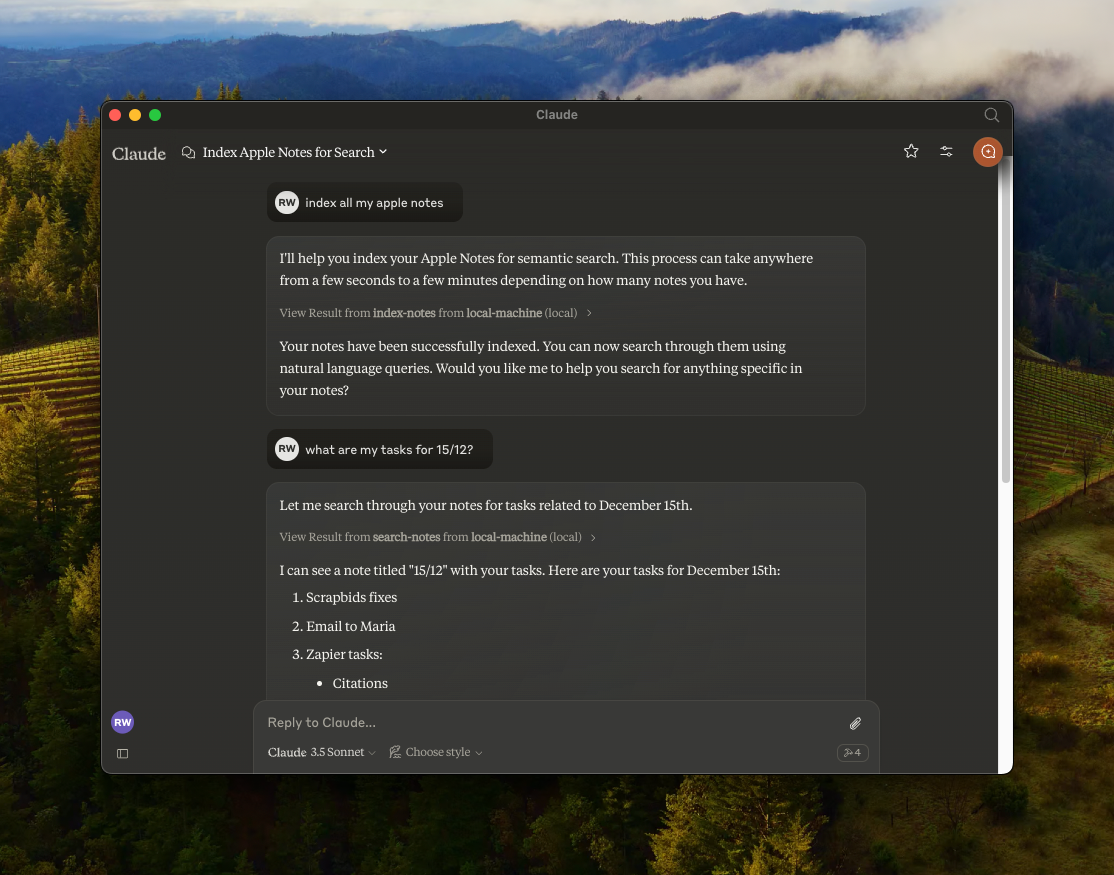
特征
🔍 使用
all-MiniLM-L6-v2设备嵌入模型对 Apple Notes 进行语义搜索📝 全文搜索功能
📊 使用LanceDB进行向量存储
🤖 MCP 兼容服务器,用于 AI 助手集成
🍎 通过 JXA 集成原生 Apple Notes
🏃♂️ 完全本地执行 - 无需 API 密钥
Related MCP server: MCP Apple Notes
先决条件
安装
克隆存储库:
git clone https://github.com/RafalWilinski/mcp-apple-notes
cd mcp-apple-notes
安装依赖项:
bun install用法
打开 Claude 桌面应用程序并转到“设置”->“开发者”->“编辑配置”
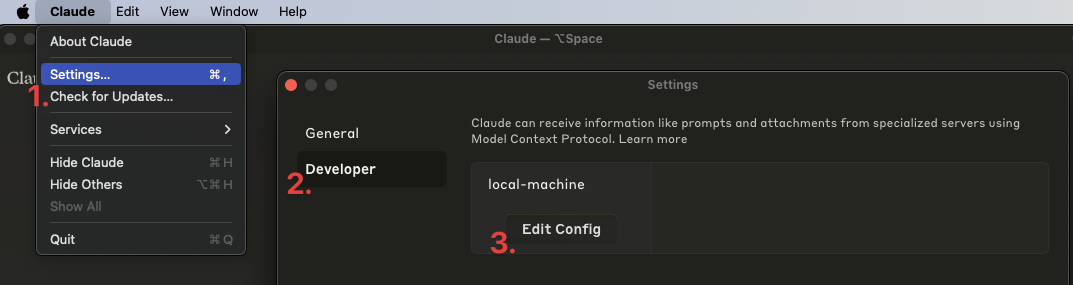
打开
claude_desktop_config.json并添加以下条目:
{
  "mcpServers": {
    "local-machine": {
      "command": "/Users/<YOUR_USER_NAME>/.bun/bin/bun",
      "args": ["/Users/<YOUR_USER_NAME>/apple-notes-mcp/index.ts"]
    }
  }
}重要提示:请将<YOUR_USER_NAME>替换为您的实际用户名。
重启 Claude 桌面应用。你应该会看到如下内容:
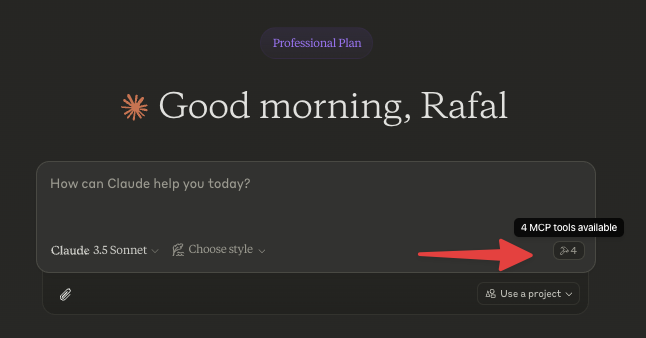
首先为你的笔记编制索引。让 Claude 为你的笔记编制索引,例如说“为我的笔记编制索引”或“为我的 Apple Notes 编制索引”。
故障排除
查看日志:
tail -n 50 -f ~/Library/Logs/Claude/mcp-server-local-machine.log
# or
tail -n 50 -f ~/Library/Logs/Claude/mcp.log
待办事项
[ ] Apple 笔记以 HTML 格式返回。我们应该将其转换为 Markdown 格式并嵌入
[ ] 使用递归文本分割器或 Markdown 文本分割器对源内容进行分块
[ ] 添加使用自定义嵌入模型的选项
[ ] 更好地控制数据库 - 清除、自定义查询等。
[x] 通过 Claude 在 Notes 中存储笔记