
Planned integration with Baidu's ERNIE-ViLG image generation API (currently in roadmap).
Provides access to ByteDance's Doubao image generation API, offering 12 artistic styles including anime, Chinese painting, and cyberpunk, with support for various resolutions from 512x512 to 1024x576.
Enables AI image generation using OpenAI's DALL-E 3 API, supporting multiple styles, high-resolution output up to 1792x1024, and automatic prompt optimization for high-quality image creation.
Click on "Install Server".
Wait a few minutes for the server to deploy. Once ready, it will show a "Started" state.
In the chat, type
@followed by the MCP server name and your instructions, e.g., "@Multi-Provider Image Generation Servergenerate a fantasy landscape with mountains and a waterfall, style: hunyuan:shuimo"
That's it! The server will respond to your query, and you can continue using it as needed.
Here is a step-by-step guide with screenshots.
MCP Image Generation Server
A Model Context Protocol (MCP) server for image generation using multiple AI providers including Tencent Hunyuan, OpenAI GPT Image, and Doubao APIs.
Version: 0.2.0
Features
🎯 Multi-API Provider Support
Tencent Hunyuan: 18 artistic styles with Chinese optimization
OpenAI GPT Image: High-quality image generation with English optimization
Doubao (ByteDance): Balanced quality and speed with 12 styles
🚀 Core Features
Generate images from text descriptions
Support for multiple image styles across different providers
Support for different image resolutions
Negative prompts for excluding unwanted elements
Intelligent provider selection and management
Unified parameter format with provider-specific options
🌐 Transport Modes (New in v0.2.0)
stdio Transport: Local IDE integration (Cursor, Windsurf)
HTTP Transport: Remote access and enterprise deployment
Multi-client concurrent connections
Bearer Token authentication
Session management
RESTful API endpoints
Suitable for cloud deployment and remote access
Why HTTP Transport? Version 0.2.0 adds Streamable HTTP support (MCP's official standard as of 2024-11-05) to enable:
Remote Access: Claude remote MCP requires public HTTP endpoints (stdio only works locally)
Enterprise Deployment: Centralized service deployment with multiple concurrent clients
Cloud Native: Compatible with containers, Kubernetes, and load balancers
Note: This uses Streamable HTTP (POST/GET/DELETE), not the deprecated SSE-only approach. SSE is retained for compatibility but Streamable HTTP is the recommended standard.
🔧 Smart Provider Management
Automatic detection of available API providers
Support for specifying particular providers or automatic selection
Unified error handling and retry mechanisms
Flexible parameter formats:
provider:styleandprovider:resolution
Installation
Using UV (Recommended)
UV is a fast, modern Python package manager. Recommended usage:
Using Traditional pip
If you prefer traditional pip:
Environment Setup
Create a .env file in the project root. See .env.example for all available options.
Basic Configuration
Transport Configuration (Optional)
Usage
🔄 Transport Modes
This server supports two transport modes:
Feature | stdio Transport | HTTP Transport |
Use Case | Local IDE integration | Remote access, enterprise deployment |
Connection | Subprocess communication | HTTP/HTTPS network |
Multi-client | ❌ Single client | ✅ Multiple concurrent clients |
Remote Access | ❌ Not supported | ✅ Supported |
Authentication | Not needed | Bearer Token |
Deployment | Simple | Cloud-ready |
🚀 Quick Start
Unified Entry Point (Recommended)
The unified server will automatically use the transport mode specified in your .env file:
MCP_TRANSPORT=stdio→ Local stdio mode for IDE integrationMCP_TRANSPORT=http→ HTTP server mode for remote access
Legacy Examples
📡 HTTP Transport Mode
For remote access and enterprise deployment, use HTTP transport:
1. Configure HTTP Mode
2. Start HTTP Server
Server will start on http://127.0.0.1:8000 with endpoints:
GET /health- Health checkPOST /mcp/v1/messages- Send JSON-RPC messagesGET /mcp/v1/messages- Subscribe to SSE eventsDELETE /mcp/v1/messages- Close sessionGET /images/{filename}- Serve generated image files
generate_image tool returns images[].url for HTTP clients.
If server is exposed through reverse proxy/public domain, set MCP_PUBLIC_BASE_URL to ensure URL is externally reachable.
/images/* is intentionally public so browser/front-end image rendering works even when MCP API auth is enabled.
Best-practice agent flow:
Call
generate_imageto get renderable image + stableimage_id/url.Call
get_image_data(image_id=...)only when programmable base64 text is required.
3. Test HTTP Server
4. Use HTTP Client
For detailed HTTP transport documentation, see HTTP_TRANSPORT_GUIDE.md
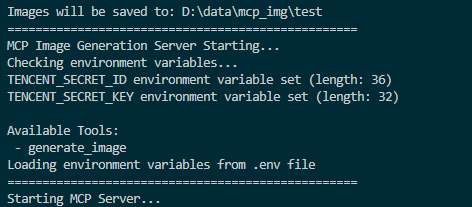
Screenshot of MCP server running successfully:
Connecting to the Server
You can connect from MCP-compatible client(recommand cursor now). The server provides the following features:
Resources
styles://list- List all available image stylesresolutions://list- List all available image resolutions
Tools
generate_image- Generate images based on prompt, style, and resolution (OpenAI also supportsbackground/output_format/output_compression/moderation)get_image_data- Fetch base64 text for a previously generated image byimage_id
Prompts
image_generation_prompt- Create image generation prompt templates
🎨 Multi-API Usage Examples
Basic Usage
Advanced Parameter Usage
📊 Supported Providers and Parameters
Tencent Hunyuan
Styles: 18 options including
riman,xieshi,shuimo,saibopengke,youhuaResolutions: 8 options from
768:768to1280:720Specialty: Chinese-optimized, rich artistic styles
OpenAI GPT Image
Styles: 12 options including
natural,vivid,realistic,artistic,animeResolutions: 4 options:
1024x1024,1536x1024,1024x1536,autoAdvanced options:
background,output_format,output_compression,moderation(via MCP client)Specialty: High-quality output, English optimization
Doubao (ByteDance)
Styles: 12 options including
general,anime,chinese_painting,cyberpunkResolutions: Model-dependent (auto-validated by configured model/fallback model)
Specialty: Balanced quality and speed
Cursor Integration
For integration setup details and sample config JSON, see:
Recommended minimum environment variables:
MCP_IMAGE_SAVE_DIRProvider credentials you actually use:
TENCENT_SECRET_ID+TENCENT_SECRET_KEY,OPENAI_API_KEY,DOUBAO_API_KEY
Optional provider/model controls:
OPENAI_BASE_URL,OPENAI_MODELDOUBAO_ENDPOINT,DOUBAO_MODEL,DOUBAO_FALLBACK_MODELMCP_DEFAULT_PROVIDER(recommended when multiple providers are enabled)
After changing .env model/default-provider values at runtime, call reload_config.
🧪 Testing
The project includes comprehensive testing tools:
Protocol Tests (No API Key Required)
This tests:
✅ Health check endpoint
✅ MCP initialization handshake
✅ Tools listing
✅ Resources listing and reading
✅ Prompts listing
✅ Session management
Functional Tests (API Key Required)
This additionally tests:
✅ Real image generation with OpenAI
✅ Real image generation with Hunyuan
✅ Real image generation with Doubao
Note: At least one API key must be configured in .env to run functional tests.
Troubleshooting
General Issues
Ensure environment variables are set correctly
Check for spaces in paths; use quotes if needed
Ensure the virtual environment is activated (if using one)
Try running the server script directly to check for errors
Check UV environment with
uv --version
HTTP Transport Issues
Connection refused: Ensure server is running on correct host/port
401 Unauthorized: Check
MCP_AUTH_TOKENconfiguration404 Session not found: Re-initialize connection to get new session ID
No provider available: Configure at least one API provider in
.env
For detailed troubleshooting, see HTTP_TRANSPORT_GUIDE.md
Front-end Demo
For a front-end integration example, see web-design-demo/.
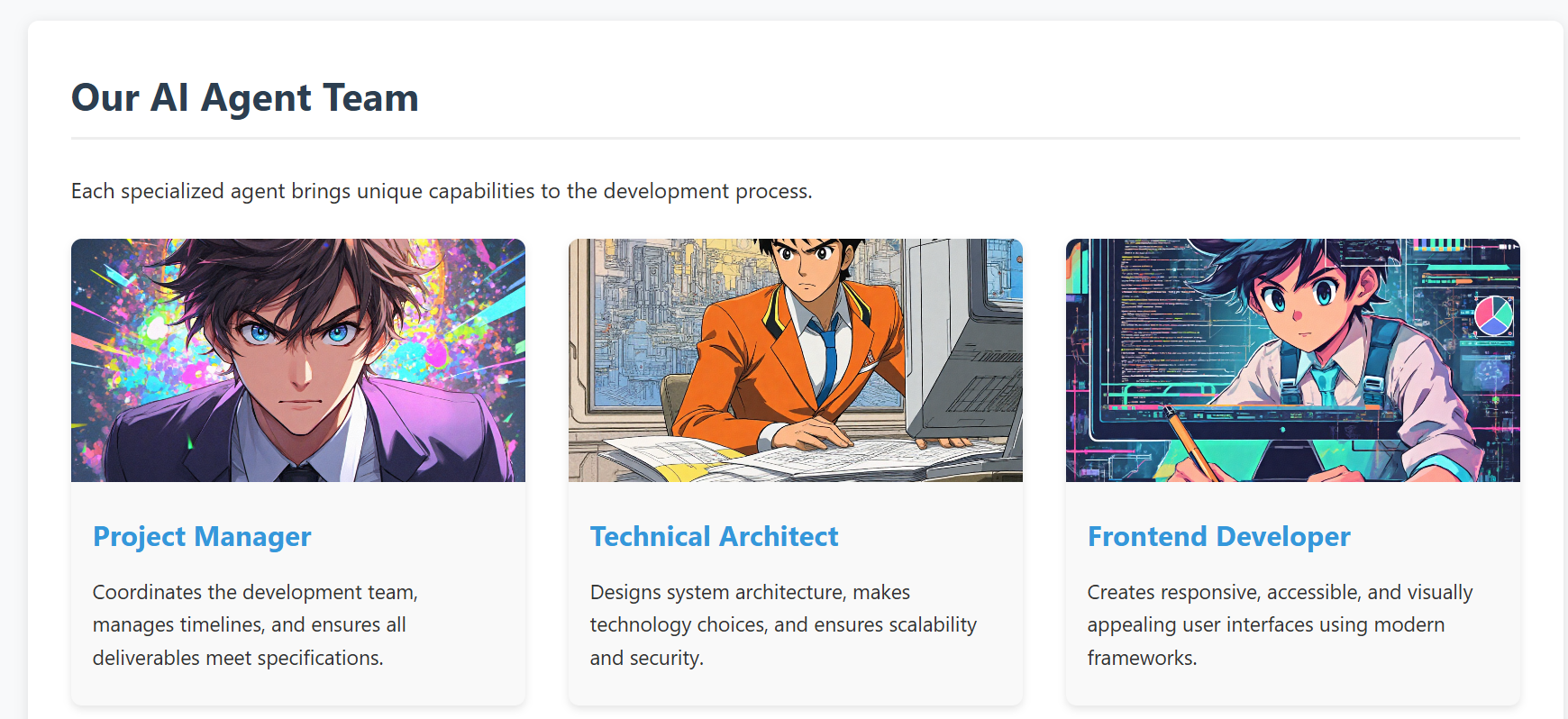
This example demonstrates how to develop a real project using Cursor IDE, where you can generate and manage images directly within your development environment using our MCP tool 🛠️. No need to switch between different image generation tools or leave your IDE - everything can be done right in your development workflow ✨.
screenshot of the demo web
API Reference
Multi-API Architecture
The project now supports multiple image generation APIs through a unified interface:
Supported APIs
Tencent Hunyuan Image Generation API (Original)
OpenAI GPT Image API (New)
Doubao Image Generation API (New)
Unified MCP Resources
providers://list- List all available providersstyles://list- List all styles from all providersresolutions://list- List all resolutions from all providersstyles://provider/{provider_name}- Get styles for specific providerresolutions://provider/{provider_name}- Get resolutions for specific provider
Enhanced MCP Tools
generate_image- Multi-provider image generation with intelligent routingget_image_data- Retrieve base64 text data for a generated image by idreload_config- Reload runtime config/models from env/.env without process restart (safe subset only)
Tencent Hunyuan Image Generation API
The project originally used and continues to support Tencent Hunyuan Image Generation API. Here are the key details:
API Endpoints
Domain:
hunyuan.tencentcloudapi.comRegion:
ap-guangzhou(Currently only supports Guangzhou region)Default API Rate Limit: 20 requests/second
Concurrent Tasks: Default 1 task at a time
Task Flow
Submit Task: Submit an asynchronous image generation task with text description
Query Task: Get task status and results using task ID
Result URL: Generated image URLs are valid for 1 hour
For detailed API documentation and pricing, please refer to:
OpenAI GPT Image API
API Features
High-quality image generation
Automatic prompt optimization
Multiple style options
High-resolution output support
Doubao API (ByteDance)
API Features
ByteDance's proprietary image generation model
Balanced quality and speed
Chinese and English prompt support
Multiple artistic styles
RoadMap
Version 0.2.0 (Current)
✅ Tencent Hunyuan image generation API
✅ OpenAI GPT Image API integration
✅ Doubao API integration
✅ Multi-provider management system
✅ Intelligent provider selection
✅ Unified parameter interface
✅ HTTP transport with Streamable HTTP protocol
✅ Remote access support
✅ Multi-client concurrent connections
✅ Bearer Token authentication
✅ Session management
✅ Comprehensive testing suite
Future Plans
Support more mainstream text-to-image model APIs, including:
Qwen-Image (Qwen/Wan family)
Open-source model API services (for example: FLUX, SDXL/SD3.5)
Advanced features:
Image editing and modification
Batch image generation
Style transfer capabilities
Custom model fine-tuning support
Enhanced MCP integration:
Real-time generation progress
Image history and management
Advanced prompt templates
Community contributions for more model integrations and new features are welcome!
Compatibility
stdio: Verified with Cursor and Windsurf.
HTTP (Streamable HTTP): Works with MCP clients that support HTTP transport.
For other clients/environments, compatibility depends on the client-side MCP implementation.
Contributing
We welcome contributions of all kinds! Here are some ways you can help:
🐛 Report bugs and issues
💡 Suggest new features or improvements
🔧 Submit pull requests
🎨 Add support for more image generation models
Getting Started with Contributing
Fork the repository
Create your feature branch (
git checkout -b feature/AmazingFeature)Commit your changes (
git commit -m 'feat: add some AmazingFeature')Push to the branch (
git push origin feature/AmazingFeature)Open a Pull Request
Please make sure to update tests as appropriate and follow the existing coding style.
We appreciate your interest in making this project better!