
The AdsPower LocalAPI MCP Server enables LLMs to interact with and manage AdsPower browser features through an API. Key capabilities include:
Browser Management: Open/close browsers using
userIdorserialNumber, create new browsers with custom configurations, update existing settings, and delete browsersGroup Operations: Create and update browser groups, move browsers between groups, and retrieve group lists
Configuration Control: Configure browser fingerprints, proxies, user agents, country settings, and other advanced parameters
Information Retrieval: Get lists of all browsers, currently opened browsers, groups, and available applications in the system
Allows creation and configuration of browser profiles with Android user agents
Supports configuration of Firefox browser profiles through the browser kernel configuration
Provides control over WebRTC settings in browser profiles, with options for disabling, forwarding, or using proxy/local connections
Click on "Install Server".
Wait a few minutes for the server to deploy. Once ready, it will show a "Started" state.
In the chat, type
@followed by the MCP server name and your instructions, e.g., "@AdsPower LocalAPI MCP Servercreate a browser with random fingerprint for testing"
That's it! The server will respond to your query, and you can continue using it as needed.
Here is a step-by-step guide with screenshots.
AdsPower cli & MCP
Adding the adspower-browser Skill
Use the adspower-browser skill so the AI can operate AdsPower via the CLI without the MCP server. Add it in your editor as follows:
Environment | How to add |
Cursor |
|
Claude Code |
|
GPT / Codex | If your setup supports add-skill: |
AdsPower LocalAPI MCP Server
A Model Context Protocol server that AdsPower browser LocalAPI. This server enables LLMs to interact with AdsPower browser profiles using the v2 API, including creating, updating, deleting profiles, managing groups, and automating browser operations.
Usage with Claude Desktop
Talk to LLMs to create browser: Create an Android UA browser using Chrome 134

Talk to LLMs to create browser: Help me with random UA, random fingerprint, random cookie generation, create 3 browsers, use 134 cores, and open them

How to use?
Requirements
Node version 18 or greater
Installation
To use with Claude Desktop, add the server config:
On macOS: ~/Library/Application Support/Claude/claude_desktop_config.json On Windows: %APPDATA%/Claude/claude_desktop_config.json
MacOS / Linux
Windows
Configuration Parameters
The MCP server supports configuration through command-line arguments or environment variables.
Port Configuration
The port parameter specifies the AdsPower Local API port. Default is 50325.
Priority order:
Command-line argument
--port(highest priority)Environment variable
PORT(medium priority)Default value
50325(lowest priority)
Examples:
Using command-line argument:
Using environment variable:
API Key Configuration
The API key is used for authentication with the AdsPower API. It will be sent as Authorization: Bearer <api-key> header in requests.
Priority order:
Command-line argument
--api-key(highest priority)Environment variable
API_KEY(medium priority)No default value (if not provided, requests will not include the API key header)
Examples:
Using command-line argument:
Using environment variable:
Combined Configuration
You can use both parameters together. Command-line arguments will override environment variables:
In this example, the server will use port: 50326 and apiKey: new-key (command-line arguments override environment variables).

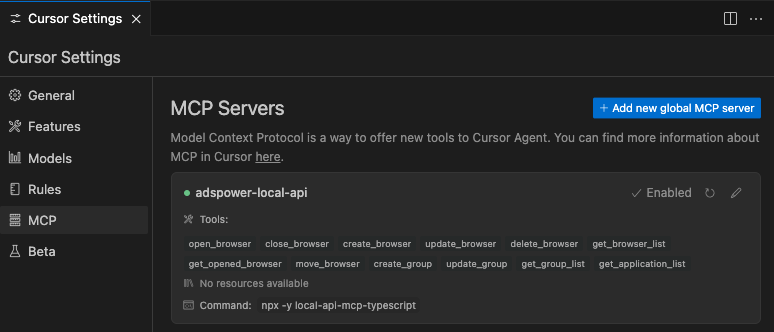
or use in Cursor
Related MCP server: MCP Salesforce Connector
Development
For local MCP development, point Claude Desktop to the MCP package: