

F
licenseNot graded
qualityD
maintenanceA simple MCP server for creating and managing notes with support for summarization functionality.
1
-

The MCP Notes server is a dual-system that enables AI-driven and manual note management, storing data in DynamoDB.
Key capabilities include:
Note Operations: List notes (with tag filtering), retrieve by ID, create/update notes, and delete notes
Dual Interface: AI-powered interaction via MCP server and user-friendly web interface for manual management
Storage: Secure and persistent storage using AWS DynamoDB, independent of project files
Integration: Compatible with AI tools supporting function/tool calls (Claude Desktop, Cody, Cline)
Authentication: Flexible AWS credential support via connection strings or environment variables
The README shows a command for running the web server using Bun as an alternative runtime: 'bun src/notes-web-server.ts --dynamodb ...'
The README mentions Node.js multiple times as the primary runtime for the MCP server, with instructions for configuration in various clients.
The README shows integration with npm through the use of npx commands to run the MCP Notes server and web server.
Click on "Deploy Server".
Wait a few minutes for the server to deploy. Once ready, it will show a "Started" state.
In the chat, type @ followed by the MCP server name and your instructions, e.g., "@MCP Notes save my meeting notes about the Q3 project planning"
That's it! The server will respond to your query, and you can continue using it as needed.
Here is a step-by-step guide with screenshots.
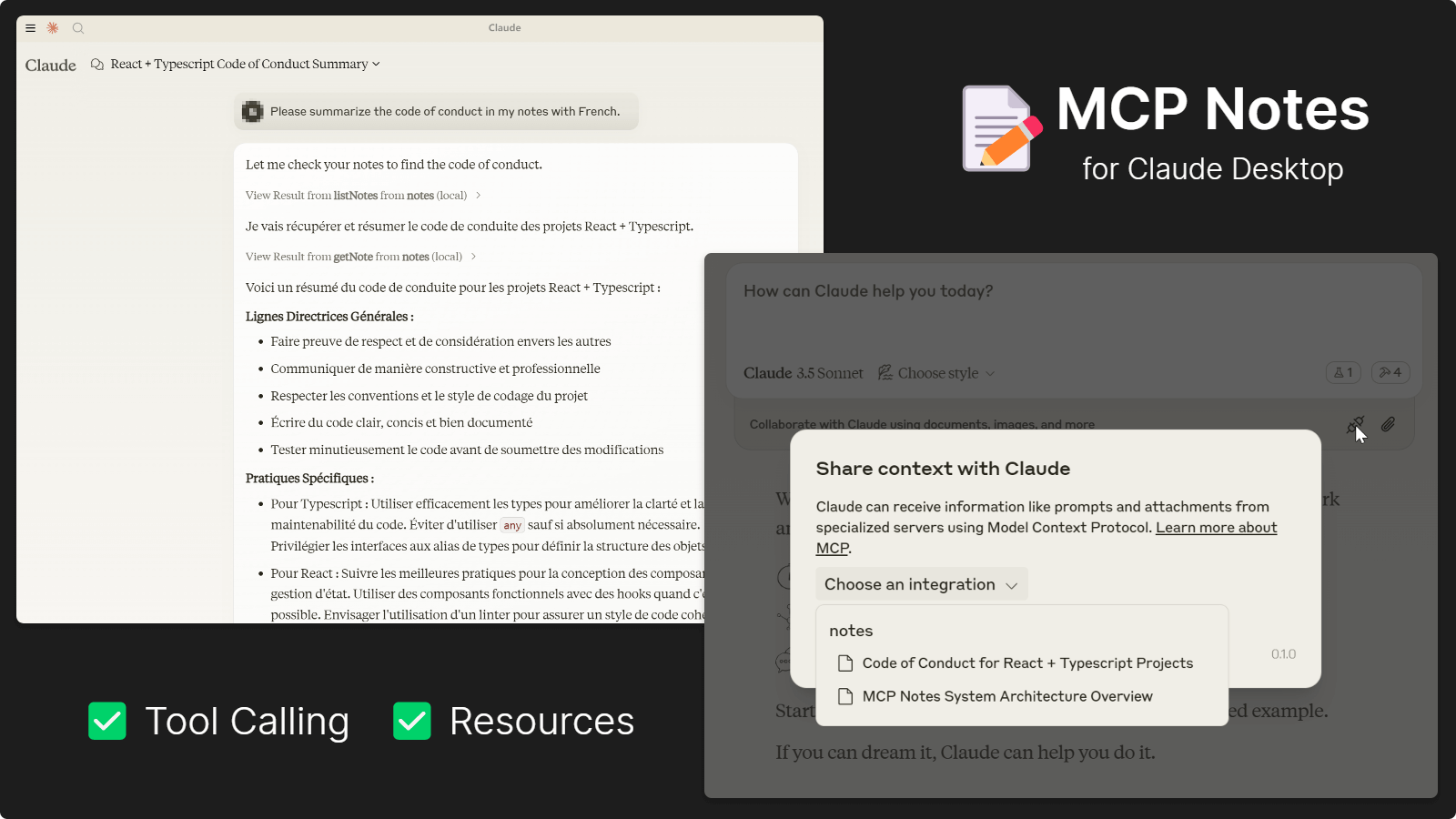
MCP Notes Server is a simple note-taking application built on top of the MCP protocol. Its purpose is to enable users to record and view complex notes and tasks while utilizing AI models, such as recording personal thoughts, notes, inspirations, and insights. It does not rely on creating project files, allowing users to record any content without making it public within the project.
This project includes two servers: a Node.js server using the Model Context Protocol (MCP) for AI-driven note management and a web server providing a user-friendly interface for manual interaction with your notes.
Note: This project requires DynamoDB for note storage. You'll need an AWS account to use it. AWS offers a generous free tier for DynamoDB, making it suitable for frequent personal use at no cost.
Related MCP server: Anki MCP Server
🖥️ Dual Server Architecture: MCP server for AI-driven note management and Web server for the user interface
🤖 AI-Powered Note Taking: Record thoughts, insights, and tasks through AI interactions
🗂️ Comprehensive Note Management: Create, list, retrieve, update, and delete notes via AI or web interface
📋 Reliable Storage: Secure and efficient note storage with AWS DynamoDB
🔐 Flexible Authentication: Support for AWS credentials via connection strings or environment variables
📝 Project-Independent: Store personal notes without affecting project files or structure
You can use any model that supports function calls as long as your client supports MCP. The following models have been tested and confirmed to work:
Claude 3.5 Series
Gemini 1.5 and 2.0 Series
GPT-4 Series
Mistral Large
Grok-2
DeepSeek Chat
Recommended
Run directly with npx or bunx, see examples below.
Alternative
Ensure Node.js is installed on your system.
Clone this repository and install dependencies with: npm install
Configure Claude Desktop or any other tools as shown below
dynamodb://<access_key>:<secret_key>@<region>/<table>Example:
dynamodb://AKIAXXXXXXXX:SKXXXXXXXX@us-east-1/mcp-notes
Export AWS_ACCESS_KEY_ID and AWS_SECRET_ACCESS_KEY.
Supply connection information without credentials in the URI: dynamodb://us-east-1/mcp-notes
Add this snippet to claude_desktop_config.json:
{
  "mcpServers": {
    "mcp-notes": {
      "command": "npx",
      "args": [
        "-y",
        "-p",
        "mcp-notes",
        "mcp-notes-server",
        "--dynamodb",
        "dynamodb://access_key:secret_key@region/table"
      ]
    }
  }
}
or file on local disks:
{
  "mcpServers": {
    "mcp-notes": {
      "command": "node",
      "args": [
        "file://path/to/notes-mcp-server.js",
        "--dynamodb",
        "dynamodb://access_key:secret_key@region/table"
      ]
    }
  }
}Note: Currently, Cody has limited MCP server support.
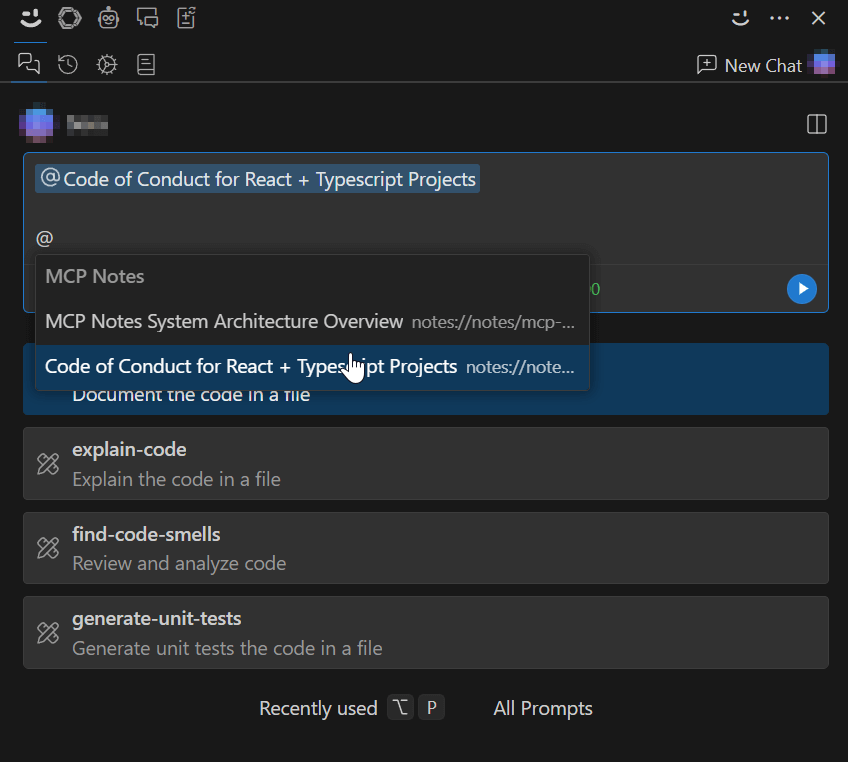
It only allows one server connection and cannot make tool calls. You'll need to use the web interface to create and manage notes and then reference them in AI chat conversations.
Add this snippet to your VS Code settings:
{
  "openctx.providers": {
    "https://openctx.org/npm/@openctx/provider-modelcontextprotocol": {
      "nodeCommand": "node",
      "mcp.provider.uri": "file://path/to/notes-mcp-server.js",
      "mcp.provider.args": [
        "--dynamodb",
        "dynamodb://access_key:secret_key@region/table"
      ]
    }
  }
}
alternatively, use with npx (not guaranteed to work):
{
  "openctx.providers": {
    "https://openctx.org/npm/@openctx/provider-modelcontextprotocol": {
      "nodeCommand": "node",
      "mcp.provider.uri": "file:///usr/local/bin/npx",
      "mcp.provider.args": [
        "-y",
        "-p",
        "mcp-notes",
        "mcp-notes-server",
        "--dynamodb",
        "dynamodb://access_key:secret_key@region/table"
      ]
    }
  }
}Add this snippet to cline_mcp_settings.json:
You will find a "MCP Server" icon next to the "New Task" button, and then there is an "Edit MCP Settings" button to open this file.
{
  "mcpServers": {
    "mcp-notes": {
      "command": "npx",
      "args": [
        "-y",
        "-p",
        "mcp-notes",
        "mcp-notes-server",
        "--dynamodb",
        "dynamodb://access_key:secret_key@region/table"
      ]
    }
  }
}The web server provides a user-friendly interface for managing your notes. You can launch web interfaces to manage your notes, add new notes for AI, or modify parts of AI-generated notes.
npx -p mcp-notes mcp-notes-web-server --dynamodb "dynamodb://access_key:secret_key@region/table"bun src/notes-web-server.ts --dynamodb "dynamodb://access_key:secret_key@region/table"Alternatively, compile with
npm run buildand runnode dist/notes-mcp-server.jsornode dist/notes-web-server.js
Then navigate to http://localhost:3100 in your browser to view notes.
Input: { tags?: string[] }
Output: Array of all notes, optionally filtered by tags.
Input: { id: string }
Output: A single note object matching the given ID, or a "not found" message if no match exists.
Input: { id: string, title: string, summary: string, tags: string[], content: string }
Output: A success confirmation message.
Input: { id: string }
Output: Deletion confirmation message 🚮.
Notes are stored using the following structure:
id: A unique identifier for the note. It should be descriptive, with a random number suffix, like "meeting-notes-1362".
title: The title of the note.
summary: A short summary of the note's content.
tags: An array of tags associated with the note (e.g., ["meeting", "project-x"]).
content: The main content of the note.
✅ Full functionality
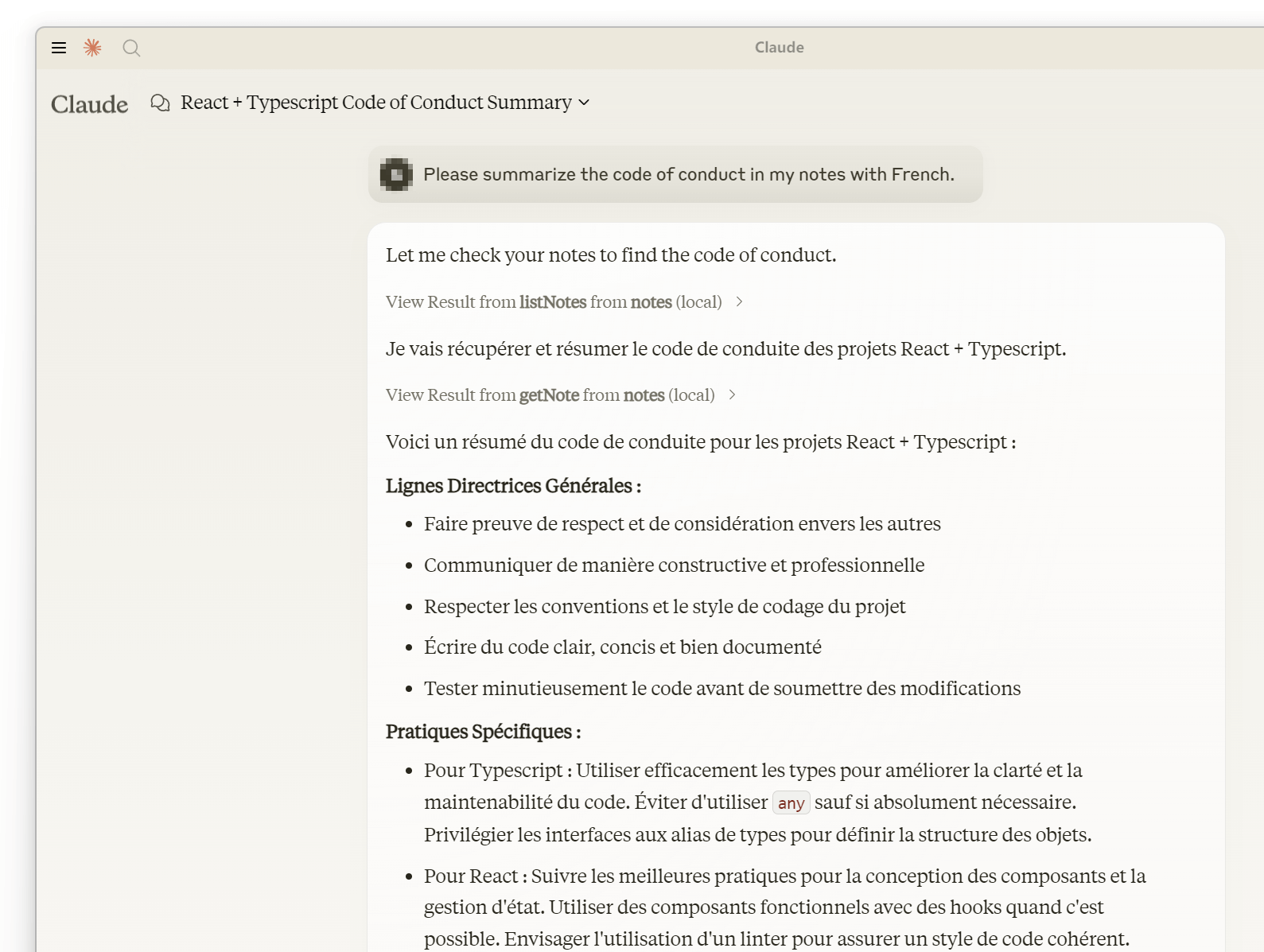
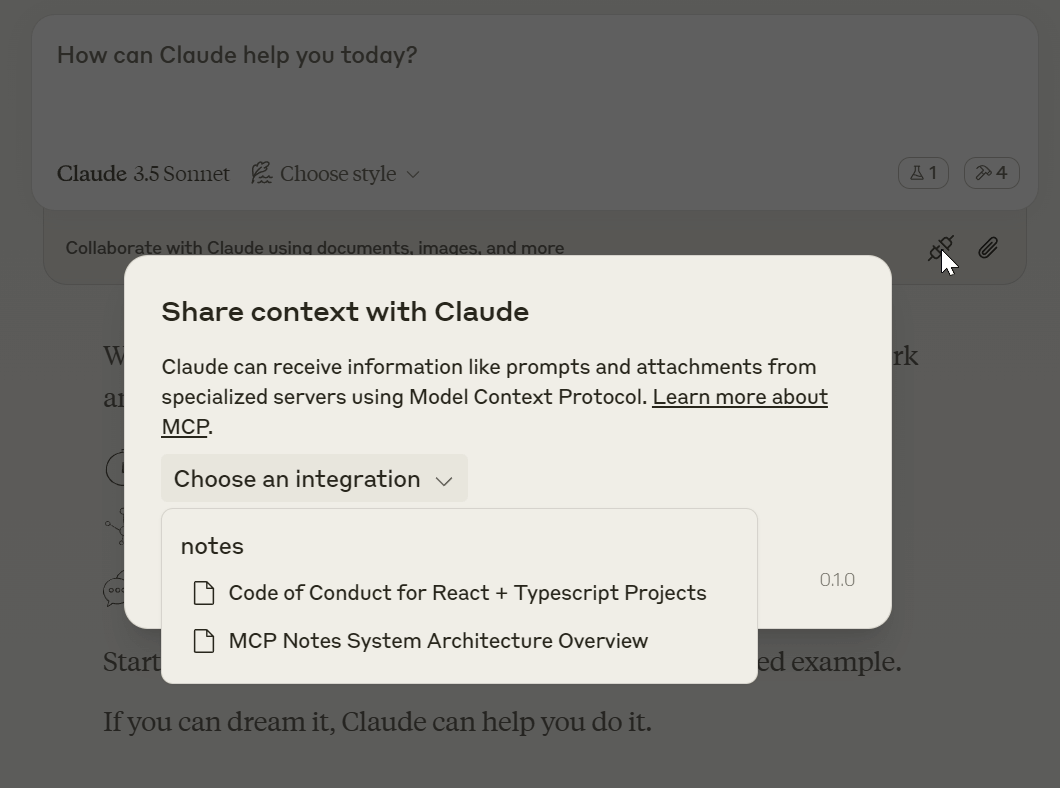
✅ Mention Notes via Resource
❎ Tool calls are not supported
✅ Full functionality with Tool Calls
❓ Resources don't seem to work; help wanted.
Deletes a specific note by its ID.
Inputs: id (required).
Retrieves a specific note by its ID.
Inputs: id (required).
Lists all notes, or search notes with tags you seen in previous list operation.
Inputs: tags.
Creates or updates a note with a unique ID suffixed by a random number.
Inputs: content (required), id (required), summary (required), tags (required), +1 more.
Recent tool additions, removals, and schema changes observed during successful MCP inspections.
Loading tool schema changelog…
Scored across 4 tools
Each tool has a clearly distinct purpose: deleteNote removes notes, getNote retrieves single notes, listNotes lists or searches notes, and writeNote creates or updates notes. There is no overlap in functionality, making tool selection straightforward for an agent.
All tool names follow a consistent verb_noun pattern in camelCase (e.g., deleteNote, getNote, listNotes, writeNote). This uniformity enhances readability and predictability across the toolset.
With 4 tools, this server is well-scoped for a notes management system. Each tool serves a distinct CRUD operation (create, read, update, delete), which is appropriate and efficient for the domain without being overly sparse or bloated.
The toolset provides complete CRUD coverage for notes: writeNote handles creation and updates, getNote and listNotes cover retrieval, and deleteNote handles deletion. There are no obvious gaps, enabling agents to perform full lifecycle operations on notes.
Google Keep-style notes app with an MCP server for AI agents to read/write notes.
Markdown-based note-taking with a hosted MCP server. Your notes serve you and your AI.
An MCP server that used to create notes
Persistent memory layer for AI tools. Save and recall notes across Claude and other MCP clients.