

F
licenseNot graded
qualityD
maintenanceA Model Context Protocol server for ingesting, chunking and semantically searching documentation files, with support for markdown, Python, OpenAPI, HTML files and URLs.
-

Runs as a Node.js application with built-in support for scraping, indexing and searching Node.js packages and libraries.
Uses OpenAI's embedding capabilities to generate vector embeddings for documentation chunks, enabling semantic searching of documentation content.
Enables scraping, indexing, and searching React documentation with version-specific support, allowing users to search across different React versions.
Uses semantic-release to automate the release process based on commit messages, handling version bumping and changelog generation.
Supports scraping and indexing SemVer documentation, with examples showing how to fetch and search through the node-semver documentation.
Leverages SQLite with sqlite-vec for efficient vector similarity search and FTS5 for full-text search capabilities when indexing documentation.
This server does not currently have a deployable release on Glama. Follow the repository's setup instructions to install and configure it for your MCP client, including any required credentials and local dependencies.
Grounded Docs gives your AI coding assistant a documentation index that matches the library versions you use. It fetches documentation from websites, GitHub repositories, npm, PyPI and local folders, and serves search over the Model Context Protocol (MCP), a command line and a web UI. Your assistant answers from that documentation instead of from what it remembers.
It is an open-source alternative to Context7, Nia and Ref.Tools.
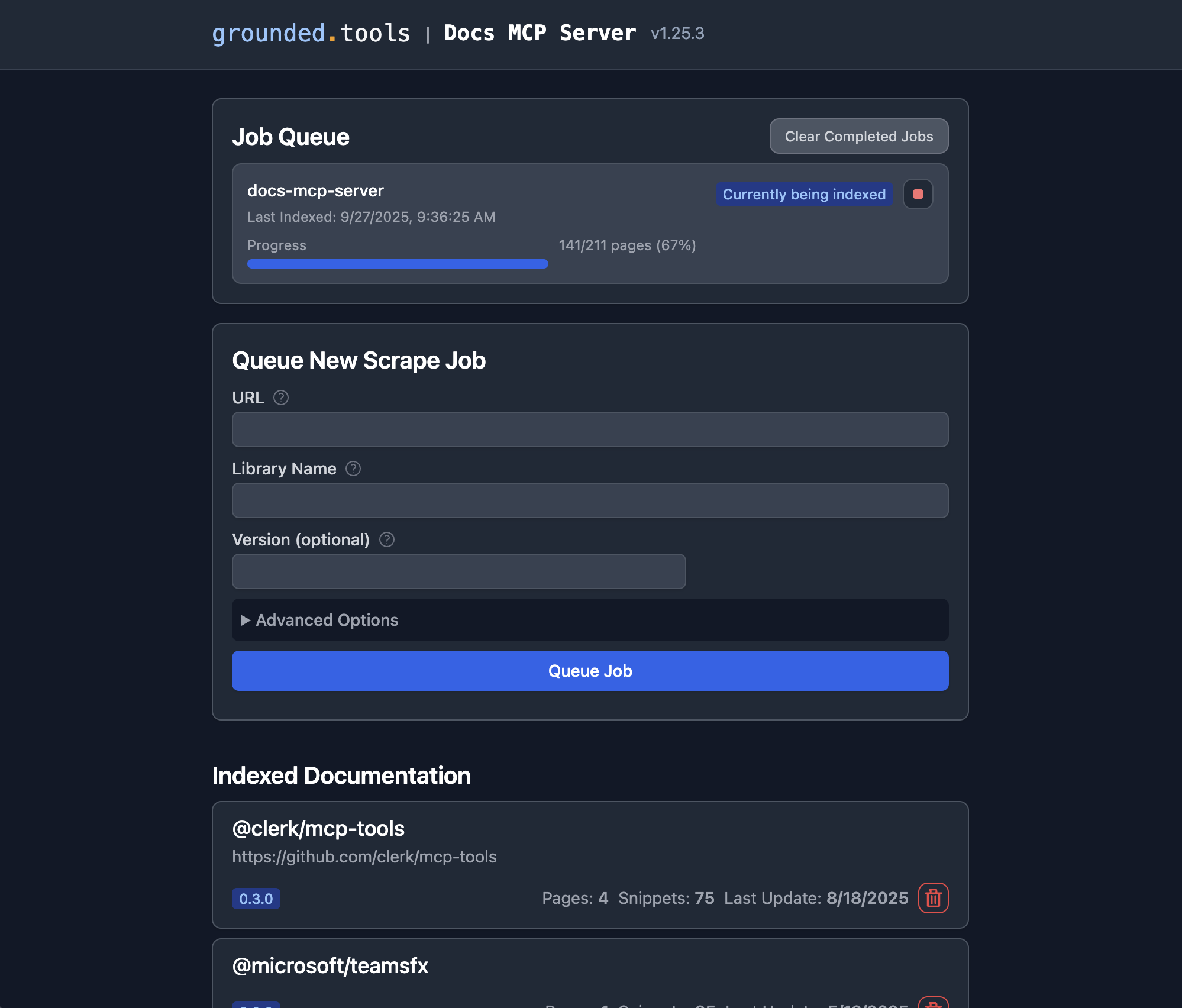
Indexes websites, GitHub repositories, npm and PyPI packages, local folders and archives (ZIP, TAR).
Reads HTML, Markdown, PDF, Office and OpenDocument files, EPUB, Jupyter notebooks, source code and more. See Supported Formats.
Stores each library version separately, so a search targets the version your project uses.
Combines full-text search with optional vector search through OpenAI, Ollama, Gemini, Vertex AI, AWS Bedrock, Azure OpenAI or any OpenAI-compatible server.
Runs on your machine and keeps its index in a local SQLite database. Document text goes only to the embedding provider you configure; with a local one, such as Ollama, it stays on your machine. Usage telemetry is on by default; Telemetry lists what it sends and how to turn it off.
Works with any MCP client, over stdio or Streamable HTTP.
Related MCP server: Documentation Search MCP Server
You need Node.js 22 or later, or Docker. Installation covers both in detail, along with Docker Compose and running the server inside your AI client.
npx @arabold/docs-mcp-server@latestOr with Docker:
docker run --rm \
  -v docs-mcp-data:/data \
  -v docs-mcp-config:/config \
  -p 6280:6280 \
ghcr.io/arabold/docs-mcp-server:latestWithout an embedding model, search uses full-text matching. Vector search also finds passages by meaning. To use OpenAI, start the server with OPENAI_API_KEY set:
OPENAI_API_KEY="sk-proj-..." npx @arabold/docs-mcp-server@latestWith Docker, add -e OPENAI_API_KEY="sk-proj-...". Embedding Models covers Ollama, Gemini, Azure OpenAI and other providers.
Do this before you add documentation. Embeddings are computed when a page is indexed, so documentation indexed without a model gets no vectors until you scrape it again with --replace.
Open the web UI at http://localhost:6280 and choose Add library.
Add the server's MCP endpoint, http://localhost:6280/mcp, to your client. Most clients accept an entry like this:
{
  "mcpServers": {
    "docs-mcp-server": {
      "url": "http://localhost:6280/mcp"
    }
  }
}
Connecting MCP Clients has the exact settings for Claude Code, Claude Desktop, Zed and other clients, how a client can start the server itself over stdio, and the list of MCP tools.
The CLI indexes and searches without a running server, which suits scripts and coding agents. It shares its database with a server on the same machine.
# Index documentation
npx @arabold/docs-mcp-server@latest scrape react https://react.dev/reference/react

# Search it
npx @arabold/docs-mcp-server@latest search react "useEffect cleanup" --output yaml

# Fetch one page as Markdown without indexing it
npx @arabold/docs-mcp-server@latest fetch-url https://react.dev/reference/react/useEffect
scrape refuses a library version that already exists. Pass --replace to rebuild it, or run refresh to update it in place. The skills/ directory has Agent Skills that teach coding agents these commands. Basic Usage covers every command, output formats and local files.
Before it crawls a website, a scrape or refresh looks for an llms.txt file in the start URL's directory and at the site root. The links listed there become extra starting points, and for those pages the scraper first tries the Markdown version of the URL, such as /guide/index.html.md or /page.html.md.
Requests ask for HTML first, like a browser. Markdown that a server converts on request leaves out the site's navigation, so a crawl would miss most pages. The scraper uses Markdown where the site publishes it: pages listed in llms.txt and links to .md files. A custom Accept header replaces the default one.
For documentation sites that route with hash URLs, such as https://docs.example.com/#/guide, turn on hash routes for the scrape. See Hash Route Behavior.
Setup:
Installation: npx, Docker, Docker Compose and the embedded server.
Configuration: config file, environment variables and every setting.
Embedding Models: providers, models and changing the model.
Usage:
Basic Usage: the web UI, the CLI and local files.
Connecting MCP Clients: client settings and MCP tools.
Supported Formats: file formats and how each is processed.
Search Quality Benchmark: measure retrieval quality.
Deployment:
Deployment Modes: one process, or a worker with separate MCP and web services.
Reverse Proxy Deployment: serve the server under a path such as https://example.com/docs.
Authentication: protect the MCP endpoint with OAuth2/OIDC.
Security: trust boundaries and limits on what the scraper may reach.
Telemetry: the usage events the server sends, and how to turn them off.
Internals:
Architecture: system design for contributors.
See CONTRIBUTING.md for development setup and guidelines.
This project is licensed under the MIT License. See LICENSE for details.
Recent tool additions, removals, and schema changes observed during successful MCP inspections.
Loading tool schema changelog…
This server cannot be deployed
MCP server for querying Forkast documentation
Versioned documentation registry and semantic search for AI tools and coding assistants.
A comprehensive Model Context Protocol (MCP) server that enables AI assistants to interact with yo…