
A
licenseB
qualityC
maintenanceA bridge between Unity and AI assistants that enables AI to interact with Unity game environments through a standardized interface for code execution, scene analysis, and runtime debugging.
3
42 npm
7
MIT

Supports building Unity projects for Android and provides Android Debug Bridge operations.
Provides community support through a Discord server for users of the Unity MCP.
Supports installation via Git URL in the Unity Package Manager.
Used for issue reporting and as the package repository for the Unity MCP.
Supported as an MCP client that can connect to and control Unity through natural language commands.
Allows switching the build target to iOS for Unity projects.
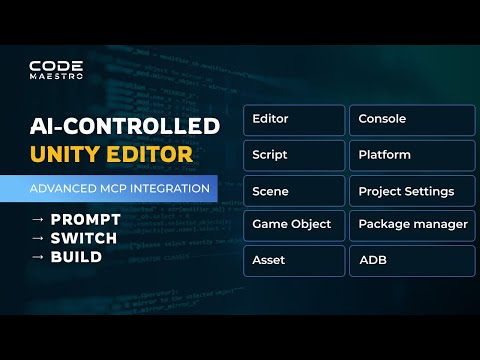
Enables control of the Unity Editor through natural language commands, allowing for creating/modifying assets, managing scenes, controlling game execution, configuring build settings, and analyzing performance.
This server does not currently have a deployable release on Glama. Follow the repository's setup instructions to install and configure it for your MCP client, including any required credentials and local dependencies.
Control Unity with AI through natural language commands.
Instead of clicking through menus and manually setting up GameObjects, just tell your AI assistant what you want and watch it happen automatically.
"Create a red material and apply it to a cube"
"Build the project for Android"
"Make a new scene with a camera and directional light"
Watch the video
1. Install the Package
Unity Package Manager → Add package from git URL for the version of Unity you are using
For Unity 2020-2022
https://github.com/codemaestroai/advanced-unity-mcp.git?path=Unity2020_2022For Unity 6+
https://github.com/codemaestroai/advanced-unity-mcp.git?path=Unity62. Connect Your AI
Go to Code Maestro > MCP Dashboard in Unity.
For Code Maestro Desktop App: Select the "Code Maestro Desktop App" connection mode. The connection is automatic, and the dashboard will show the connection status.
For other clients (VS Code, Cursor, etc.): Select the "Other Clients" connection mode, then click Configure next to your preferred client.
Start giving commands!
Supported MCP Clients:
Code Maestro Desktop App (uses Direct Connection)
GitHub Copilot (VS Code)
Cursor
Windsurf
Claude Desktop
...and any other MCP-capable copilot.
Clients other than the Code Maestro Desktop App use the Relay Server connection, which is installed automatically.
Related MCP server: Unity MCP
Core Editor Control - Play/pause/stop game, execute menu items, read/clear console messages
Asset & Scene Management - Create/modify/delete materials, prefabs, scripts, manage scenes and GameObjects
Build & Platform Tools - Build settings, platform switching, Android Debug Bridge operations
Project Configuration - Unity packages, project settings, PlayerPrefs, external tools
Performance Analysis - Unity Profiler control for performance bottlenecks
"Check the console for any errors"
"Create a script called PlayerMovement with WASD controls"
"Switch the build target to iOS"
"Add a rigidbody component to the selected object"
"Create a new material with metallic properties"
"Save the current GameObject as a prefab"
"Clear all console messages and check for warnings"
Unity MCP bridges your Unity Editor with AI assistants using the Model Context Protocol. It supports two connection modes, which can be selected in the MCP Dashboard:
Direct Connection (for Code Maestro Desktop App): This is the recommended mode for Code Maestro users. The Unity Editor connects directly to the Code Maestro Desktop App's central hub. This method is faster and doesn't require a separate relay server.
Unity MCP Connector: Runs inside the Unity Editor to manage the connection.
Relay Server Connection (for other clients): For clients like VS Code or Cursor, the bridge uses a local TCP server and a relay server.
Bridge Server: Runs in the Unity Editor and provides API access over a local TCP port.
Relay Server: A small background process that handles communication between the AI client and the Unity Bridge Server. It is installed automatically.
The setup is automatic. Simply choose your connection mode in the dashboard.
💡 Tip: When multiple Unity projects are open, your AI assistant will automatically connect to the most recently opened Unity Editor instance.
Unity 2022+
MCP Client (Such as GitHub Copilot or Cursor)
Made by Code Maestro • Join our Discord • Report Issues • License
This server cannot be deployed
Build, edit and publish live 3D, AR and game scenes in ARClip from your AI assistant.
Connect your AI assistant to Blender for 3D modeling, Geometry Nodes, materials, lighting, animation, rendering and export. Inspect real scenes and viewport images, refine the result and restore checkpoints. OAuth connects your chat to Blender Bridge Desktop on an online Windows 10/11 x64 computer running Blender 4.2+. The chat can run on another device. Requires an active Blender Bridge account; 7-day trial available. AI model access is separate.
Make games with AI: one MCP server that connects your agent to Unity, Unreal and Godot editors.
Connect AI assistants to authorized Windows and macOS devices for files, commands, and management.