

A
licenseNot graded
qualityD
maintenanceEnables AI applications to manage JIRA issues, workflows, and tasks through a standardized MCP interface, facilitating real-time updates and seamless interaction with JIRA's API.
10
MIT

Click on "Deploy Server".
Wait a few minutes for the server to deploy. Once ready, it will show a "Started" state.
In the chat, type @ followed by the MCP server name and your instructions, e.g., "@Jira Issue MCP Server create a bug ticket for the broken reset password link"
That's it! The server will respond to your query, and you can continue using it as needed.
Here is a step-by-step guide with screenshots.
This is a sample MCP server implementation for Jira issues. It uses OAuth 2.0 (3LO) to authenticate with Jira and create issues.
Related MCP server: Jira MCP Server with OAuth
Create an Atlassian developer account and set up an OAuth 2.0 (3LO) app to get a client ID and secret: https://developer.atlassian.com/apps/
Set up a Redis instance for caching the tokens and other data (should run on port 6379, redis default port).
Clone this repository and install dependencies with npm install.
Build the project with npm run build.
Configure the MCP server in your MCP client (e.g., Jira Service Management) with the JSON configuration. This is an example configuration for Cursor:
{
  "mcpServers": {
    "jira-mcp-server": {
      "type": "stdio",
      "command": "node",
      "args": [
        "<path to the project>/dist/index.js"
      ],
      "env" :{
        "ATLASSIAN_CLIENT_ID": "<client id>",
        "ATLASSIAN_CLIENT_SECRET":"<client secret>",
        "ELASTIC_API_KEY": "<elastic api key>",
        "ELASTIC_URL": "<elastic url>",
        "REDIS_HOST": "<redis host>",
        "SERVER_DOMAIN": "<domain>"
      }
    }
  }
}
Environment variable descriptions
ATLASSIAN_CLIENT_ID (required): the OAuth client ID from your Atlassian developer app. This and ATLASSIAN_CLIENT_SECRET are mandatory for the OAuth flow to work.
ATLASSIAN_CLIENT_SECRET (required): the OAuth client secret from your Atlassian developer app.
ELASTIC_API_KEY (optional): API key for Elastic (used for telemetry/logging if configured). Default: not set.
ELASTIC_URL (optional): Elastic endpoint URL. Default: not set.
REDIS_HOST (optional): Redis connection string or host:port used for caching tokens. Default: "localhost:6379".
SERVER_DOMAIN (optional): Base URL where this server is reachable (used to build OAuth redirect/callback URLs). Default: "http://localhost:3000".
Only ATLASSIAN_CLIENT_ID and ATLASSIAN_CLIENT_SECRET are strictly required to run the server. All other environment variables are optional and can be left unset to use local/default behavior.
For the Demo I used Cursor as MCP client. After the config added, you should see in settings something similar to this:
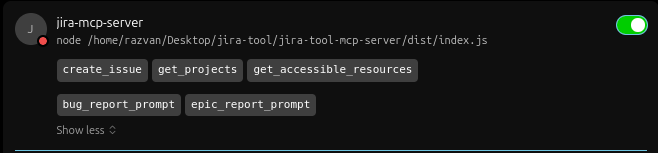
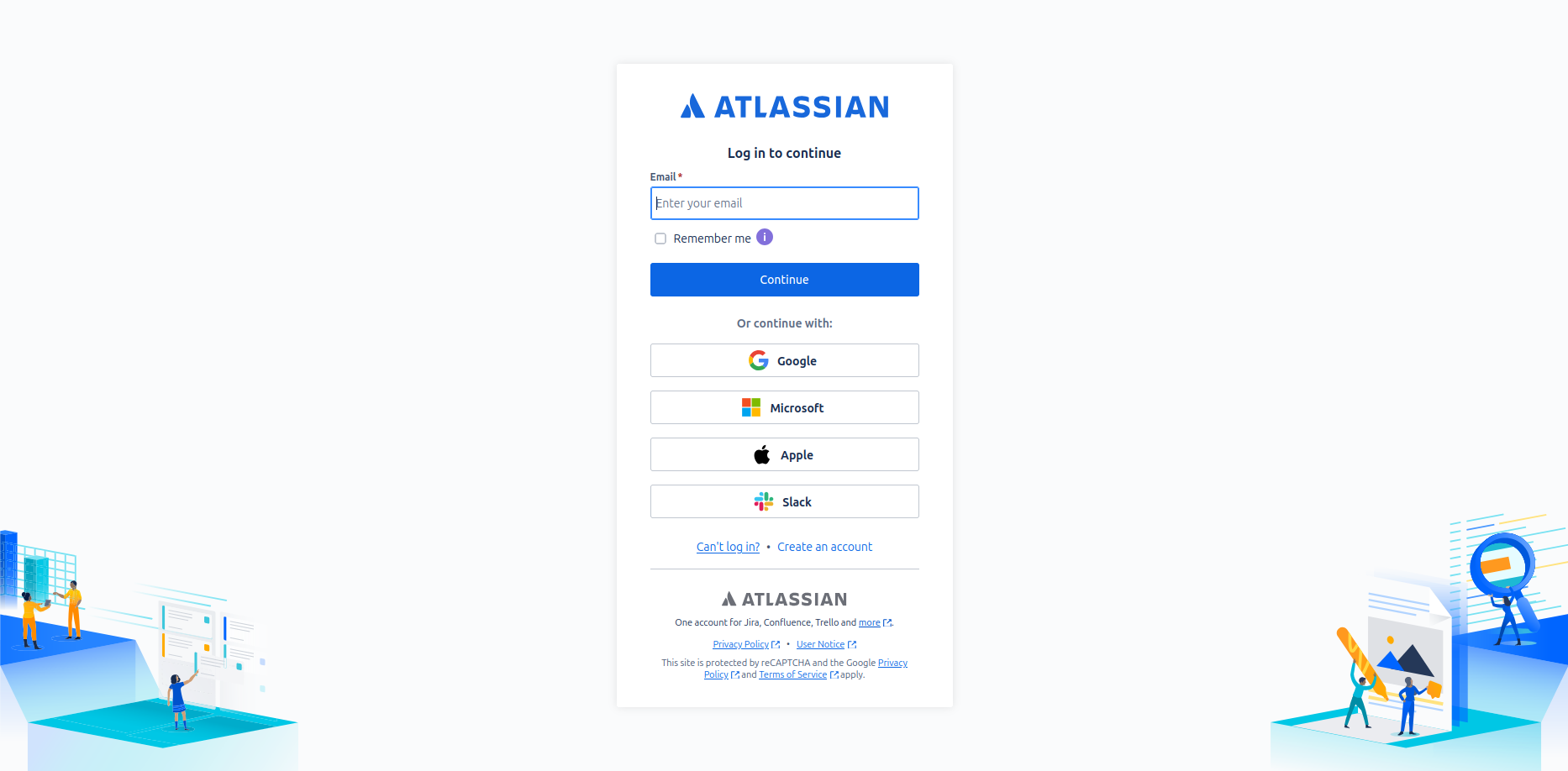
If there is no OAuth connection, first you will be redirected to the Atlassian authorization page to authorize the app.
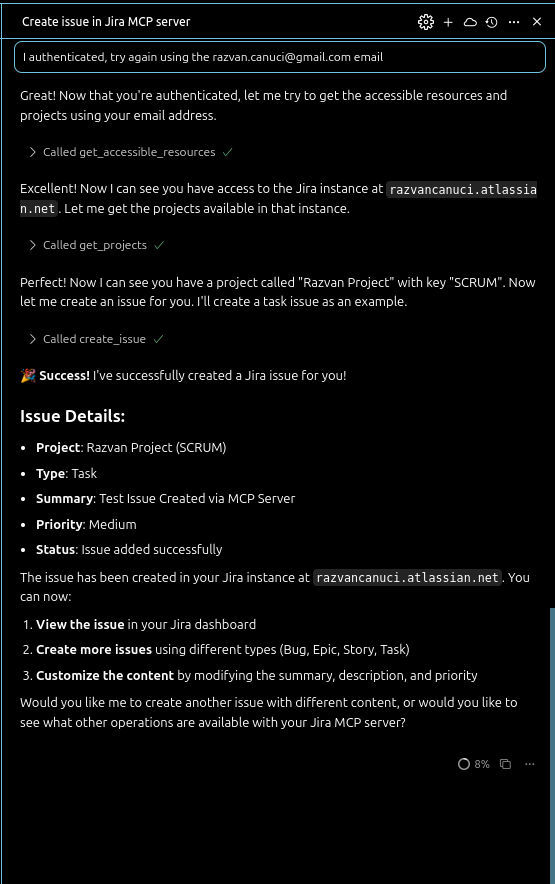
After the authorization, you should go to the Cursor to tell him that now it's all done and Cursor will do the magic if you have only one resource accessible and only one project.
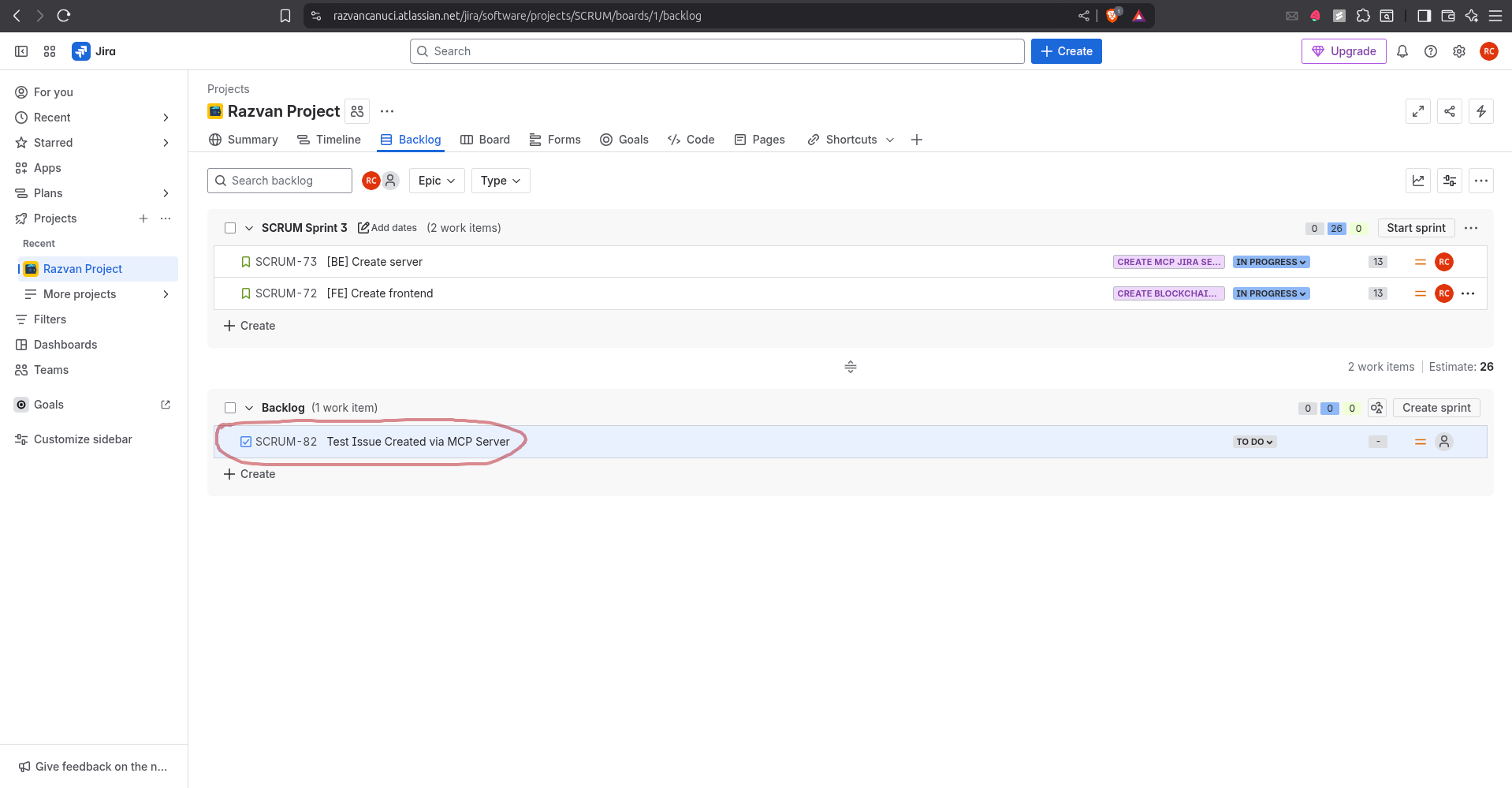
After that, you can see the task created in Jira.
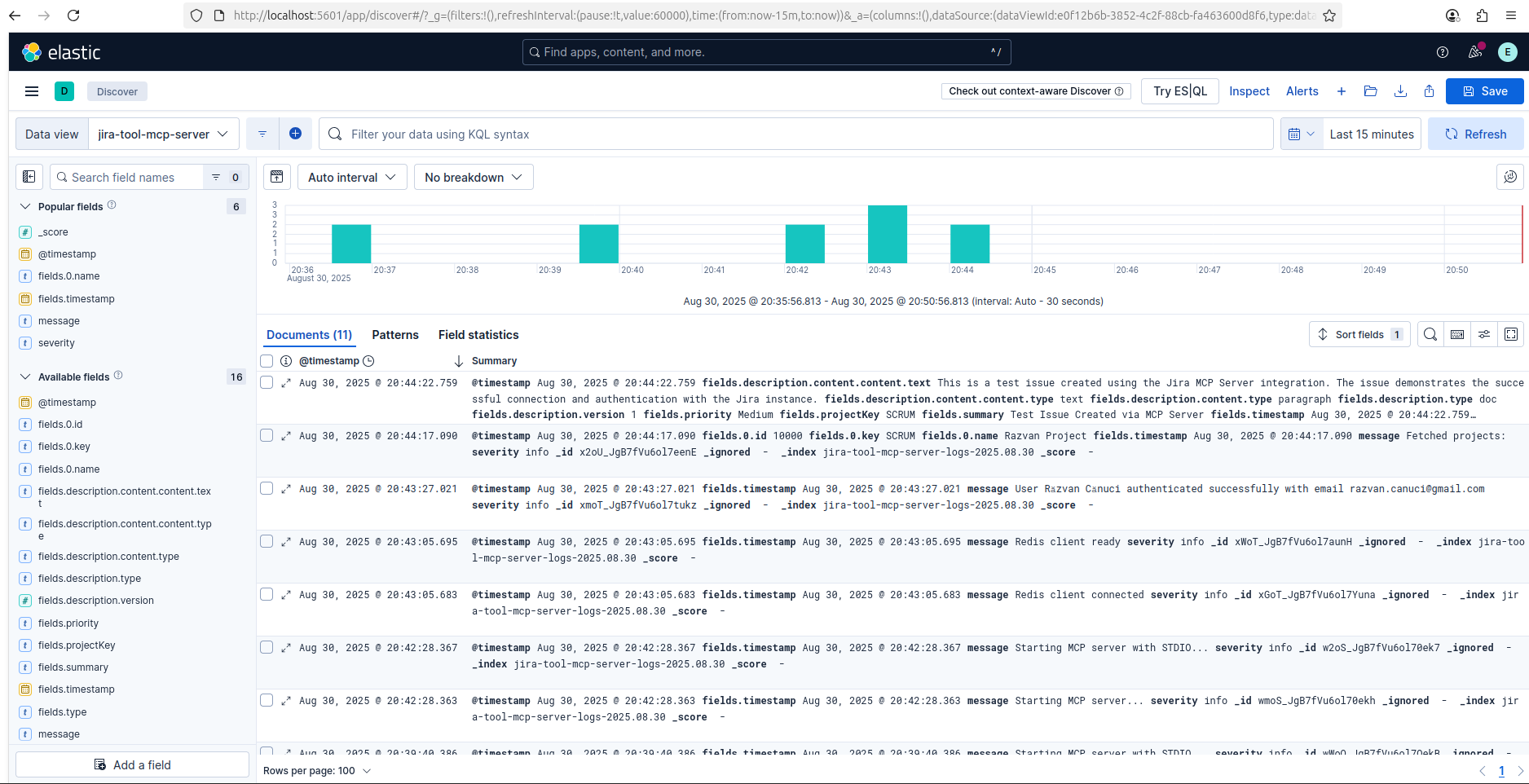
If you have Elastic connected, you can see the logs in Kibana.
Starting from September 7th 2025, Smithery.AI will discontinue the support for the projects which require STDIO transport.
While the repository will remain accessible for reference, it cannot be deployed because of its dependencies.
This project is not affiliated with Atlassian Inc.
Respect Atlassian's API terms of service
Your Jira instance credentials remain local
No data is shared with third parties
OAuth tokens are stored locally
Use environment variables for sensitive config
Never commit credentials to version control
Creates an issue to the users
| Name | Required | Description | Default |
|---|---|---|---|
| userEmail | Yes | The email of the user creating the issue. | |
| resourceId | Yes | The ID of the resource being used to call to create the issue. | |
| summary | Yes | The title of the issue to be created. | |
| description | Yes | The description of the issue to be created, formatted as an Atlassian Document Format (ADF). | |
| projectKey | Yes | The ID or key of the project where the issue will be created. | |
| type | No | The type of the issue to be created. If not provided, it will default to 'Task'. | |
| priority | No | The priority of the issue to be created. If not provided, it will default to 'Medium'. |
Does the description disclose side effects, auth requirements, rate limits, or destructive behavior?
No annotations are provided, so the description carries full burden for behavioral disclosure. The description only states 'Creates an issue' without explaining what happens after creation (e.g., issue ID returned, notifications sent), whether this requires specific permissions, rate limits, or error conditions. For a mutation tool with complex parameters, this is completely inadequate.
Agents need to know what a tool does to the world before calling it. Descriptions should go beyond structured annotations to explain consequences.
Is the description appropriately sized, front-loaded, and free of redundancy?
While technically concise (three words), this is under-specification rather than effective conciseness. The description fails to convey essential information about the tool's purpose and context. Every word should earn its place, but here the words provide almost no value beyond the tool name.
Shorter descriptions cost fewer tokens and are easier for agents to parse. Every sentence should earn its place.
Given the tool's complexity, does the description cover enough for an agent to succeed on first attempt?
Given the complexity (7 parameters including nested ADF objects, no annotations, no output schema), the description is completely inadequate. It doesn't explain what an 'issue' is in this context, what system creates it, what the expected outcome is, or how it relates to sibling tools. For a creation tool with rich input schema but no output schema, the description should provide crucial context that's missing.
Complex tools with many parameters or behaviors need more documentation. Simple tools need less. This dimension scales expectations accordingly.
Does the description clarify parameter syntax, constraints, interactions, or defaults beyond what the schema provides?
Schema description coverage is 100%, so the schema already documents all 7 parameters thoroughly with descriptions, formats, enums, and constraints. The description adds zero parameter information beyond what's in the schema. According to scoring rules, when schema coverage is high (>80%), the baseline is 3 even with no param info in description.
Input schemas describe structure but not intent. Descriptions should explain non-obvious parameter relationships and valid value ranges.
Does the description clearly state what the tool does and how it differs from similar tools?
The description 'Creates an issue to the users' is vague and poorly worded. It restates the tool name ('create_issue') without specifying what kind of issue system this is (e.g., Jira, bug tracking), what 'to the users' means, or what resource is being created. It doesn't distinguish this from potential sibling tools beyond the obvious creation vs. retrieval distinction.
Agents choose between tools based on descriptions. A clear purpose with a specific verb and resource helps agents select the right tool.
Does the description explain when to use this tool, when not to, or what alternatives exist?
The description provides no guidance on when to use this tool versus alternatives. There are sibling tools (get_accessible_resources, get_projects) that might be prerequisites or related operations, but the description doesn't mention them or explain the workflow. No context about prerequisites, dependencies, or appropriate scenarios is given.
Agents often have multiple tools that could apply. Explicit usage guidance like "use X instead of Y when Z" prevents misuse.
Fetches a list of resources the user has access to.
| Name | Required | Description | Default |
|---|---|---|---|
| userEmail | Yes | The email of the user accessing the resources. |
Does the description disclose side effects, auth requirements, rate limits, or destructive behavior?
With no annotations provided, the description carries the full burden of behavioral disclosure. It states the tool fetches a list but doesn't describe what 'resources' entail, whether it's read-only, if there are rate limits, or what the output format is. This leaves significant gaps for a tool that accesses user data.
Agents need to know what a tool does to the world before calling it. Descriptions should go beyond structured annotations to explain consequences.
Is the description appropriately sized, front-loaded, and free of redundancy?
The description is a single, efficient sentence that directly states the tool's function without unnecessary words. It's front-loaded and wastes no space, making it easy for an agent to parse quickly.
Shorter descriptions cost fewer tokens and are easier for agents to parse. Every sentence should earn its place.
Given the tool's complexity, does the description cover enough for an agent to succeed on first attempt?
Given the lack of annotations and output schema, the description is incomplete. It doesn't explain what 'resources' are, the return format, or any behavioral traits like permissions or limitations, which are crucial for a tool that accesses user-specific data.
Complex tools with many parameters or behaviors need more documentation. Simple tools need less. This dimension scales expectations accordingly.
Does the description clarify parameter syntax, constraints, interactions, or defaults beyond what the schema provides?
The schema description coverage is 100%, so the parameter 'userEmail' is fully documented in the schema. The description doesn't add any meaning beyond what the schema provides, such as explaining why this parameter is needed or how it affects the results, which aligns with the baseline score for high schema coverage.
Input schemas describe structure but not intent. Descriptions should explain non-obvious parameter relationships and valid value ranges.
Does the description clearly state what the tool does and how it differs from similar tools?
The description clearly states the action ('fetches') and resource ('list of resources the user has access to'), making the purpose understandable. However, it doesn't differentiate from sibling tools like 'get_projects' which might also retrieve resources, so it doesn't reach the highest score.
Agents choose between tools based on descriptions. A clear purpose with a specific verb and resource helps agents select the right tool.
Does the description explain when to use this tool, when not to, or what alternatives exist?
No guidance is provided on when to use this tool versus alternatives like 'get_projects' or 'create_issue'. The description lacks context on prerequisites or exclusions, leaving the agent to infer usage based on the tool name alone.
Agents often have multiple tools that could apply. Explicit usage guidance like "use X instead of Y when Z" prevents misuse.
Get the projects the user has access to
| Name | Required | Description | Default |
|---|---|---|---|
| userEmail | Yes | The email of the user accessing the projects. | |
| resourceId | Yes | The id of the resource being used to call to get the projects. |
Does the description disclose side effects, auth requirements, rate limits, or destructive behavior?
No annotations are provided, so the description carries full burden. It states a read operation ('Get') but doesn't disclose behavioral traits such as permissions needed, pagination, rate limits, or what 'access' entails. This leaves significant gaps for a tool with required parameters.
Agents need to know what a tool does to the world before calling it. Descriptions should go beyond structured annotations to explain consequences.
Is the description appropriately sized, front-loaded, and free of redundancy?
The description is a single, efficient sentence with zero waste. It's appropriately sized and front-loaded, clearly stating the tool's purpose without unnecessary details.
Shorter descriptions cost fewer tokens and are easier for agents to parse. Every sentence should earn its place.
Given the tool's complexity, does the description cover enough for an agent to succeed on first attempt?
Given no annotations, no output schema, and a read operation with required parameters, the description is incomplete. It lacks details on behavior, output format, and usage context, making it inadequate for an agent to fully understand how to invoke this tool correctly.
Complex tools with many parameters or behaviors need more documentation. Simple tools need less. This dimension scales expectations accordingly.
Does the description clarify parameter syntax, constraints, interactions, or defaults beyond what the schema provides?
Schema description coverage is 100%, so the schema documents both parameters fully. The description doesn't add meaning beyond the schema, as it doesn't explain why both 'userEmail' and 'resourceId' are required or how they relate to 'access'. Baseline 3 is appropriate when schema does the heavy lifting.
Input schemas describe structure but not intent. Descriptions should explain non-obvious parameter relationships and valid value ranges.
Does the description clearly state what the tool does and how it differs from similar tools?
The description clearly states the verb 'Get' and the resource 'projects', specifying scope with 'the user has access to'. It distinguishes from 'create_issue' (write vs read) but doesn't explicitly differentiate from 'get_accessible_resources' (projects vs resources).
Agents choose between tools based on descriptions. A clear purpose with a specific verb and resource helps agents select the right tool.
Does the description explain when to use this tool, when not to, or what alternatives exist?
No guidance on when to use this tool versus alternatives like 'get_accessible_resources' is provided. The description implies usage for retrieving projects but doesn't mention prerequisites, constraints, or comparison with sibling tools.
Agents often have multiple tools that could apply. Explicit usage guidance like "use X instead of Y when Z" prevents misuse.
Recent tool additions, removals, and schema changes observed during successful MCP inspections.
v1.0.0create_issueget_accessible_resourcesget_projectsScored across 3 tools
Each tool has a clearly distinct purpose: create_issue handles issue creation, get_accessible_resources lists general resources, and get_projects focuses specifically on projects. There is no overlap or ambiguity between these functions.
The naming is mostly consistent with a verb_noun pattern (create_issue, get_projects), but get_accessible_resources uses a more descriptive adjective, slightly deviating from pure verb_noun. Overall, it remains readable and predictable.
With only 3 tools for a Jira server, the count feels too thin for the domain. Jira typically involves CRUD operations on issues, projects, and other resources, so this limited set is insufficient for comprehensive coverage.
The tool surface is significantly incomplete for a Jira server. It includes create_issue but lacks get_issue, update_issue, and delete_issue, and while get_projects is present, other common operations like search_issues or manage_workflows are missing, leading to potential agent failures.
Connect any AI agent to 1,000+ apps and 27,000+ actions through one remote MCP server (OAuth).
Kaiku is an issue tracker with a wiki, built so that people and AI agents work in the same place. Its hosted MCP server lets an agent search, read, file and update issues, comment and answer questions, read and write wiki pages, and attach files — with the permissions of the person whose token it uses. Create a token in Settings → Connect over MCP and send it as Authorization: Bearer <token> (or in X-Api-Key); the token says which workspace.
Appreciate teammates, celebrate milestones, and run workspace ops from MCP clients via OAuth.
Hosted MCP server with managed OAuth for 15+ toolkits: Google Workspace, Fitbit, Oura, Kalshi, etc.