
yade-mcp
yade-mcp connects AI agents to the YADE discrete element method (DEM) engine, enabling documentation browsing, API search, and simulation execution.
Browse YADE API (
yade_browse_api): Navigate 350+ classes hierarchically (categories → classes → details), covering engines, materials, interactions, utilities, and simulation control — ~90% of the Python API.Search YADE API by keywords (
yade_query_api): BM25-ranked keyword search across all API docs to find relevant classes or functions (e.g., "friction material", "gravity engine").Execute code synchronously (
yade_execute_code): Run Python code instantly in the live YADE process for quick queries, state inspection (O.bodies,O.iter), and rapid iterative testing.Submit async simulation tasks (
yade_execute_task): Run long Python scripts asynchronously in the background, receiving a task ID immediately.Check task status and output (
yade_check_task_status): Poll the progress, output, and final status of a submitted async task.List task history (
yade_list_tasks): Browse all previously submitted YADE tasks with pagination.Interrupt a running task (
yade_interrupt_task): Gracefully cancel a running async simulation task by its task ID.
Compatible with multiple MCP clients including Claude Code, Codex CLI, Gemini CLI, and OpenCode.
yade-mcp


O.engines += [LLM()] # yet another engine.
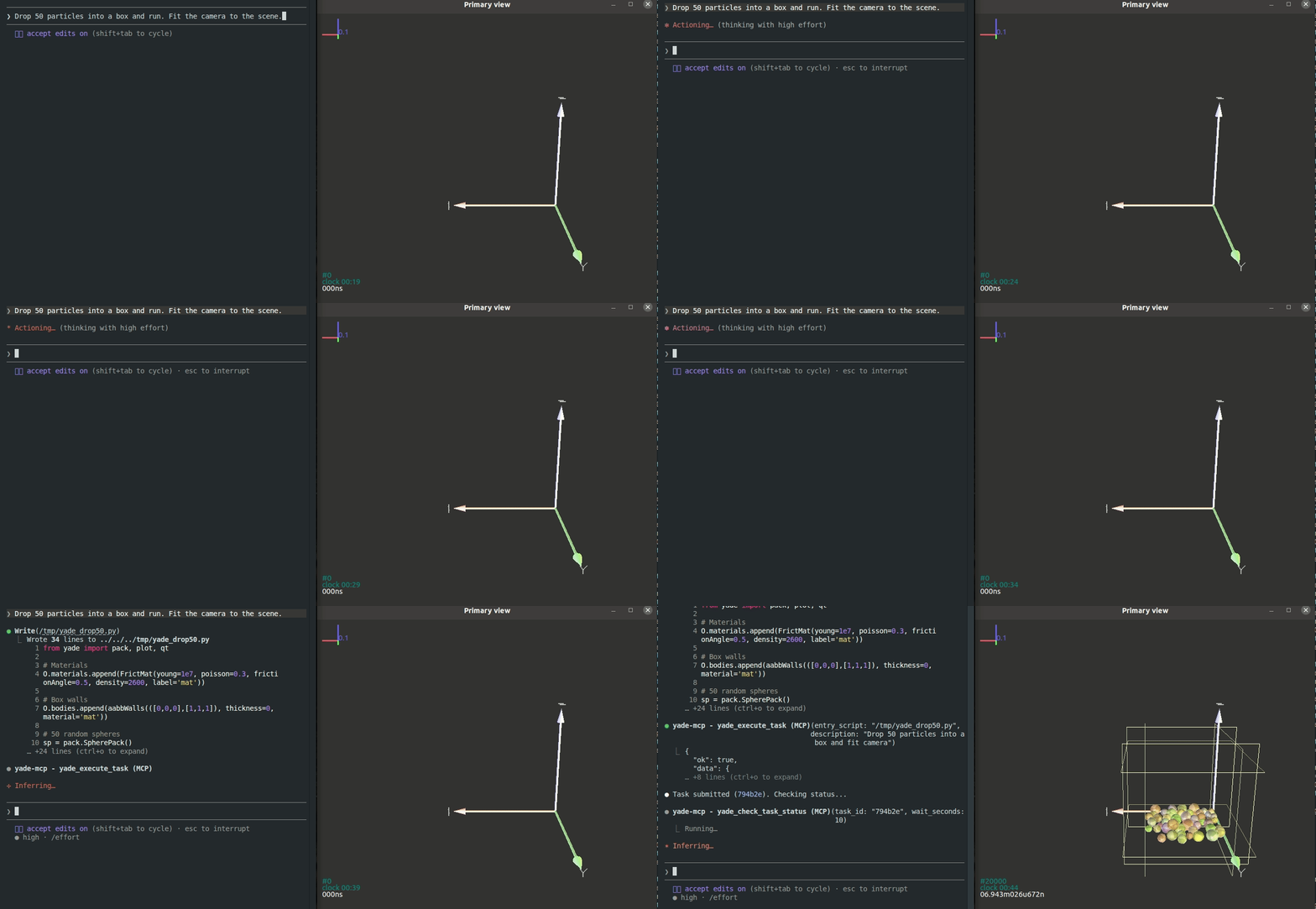
yade-mcp connects AI agents to YADE — the open-source discrete element method engine — through the Model Context Protocol. Browse API docs, run simulations, and execute code, all through natural conversation.
Tools (7)
2 documentation tools — browse and search the YADE Python API with 350+ class docs and BM25 keyword search. No bridge required.
5 execution tools — synchronous REPL, async task submission, progress monitoring, interruption, and task history. Requires bridge.
Quick Start
Prerequisites
Agentic Setup (Recommended)
Copy this to your AI agent and let it self-configure:
Fetch and follow this bootstrap guide end-to-end:
https://raw.githubusercontent.com/yusong652/yade-mcp/master/docs/agentic/yade-mcp-bootstrap.md
Manual Setup
1. Register the MCP server in your client config:
{
  "mcpServers": {
    "yade-mcp": {
      "command": "uvx",
      "args": ["yade-mcp"]
    }
  }
}
2. Start the bridge inside YADE:
pip install yade-mcp-bridgeThen in a YADE Python console:
import yade_mcp_bridge
yade_mcp_bridge.start()
Verify
Restart your AI agent (Claude Code, Codex CLI, Gemini CLI, etc.) and ask it to call yade_execute_code to verify the connection.
Features
350+ class documentation — covers ~90% of the YADE Python API, enriched with real types, defaults, and docstrings
Hierarchical API browsing — agents navigate categories, subcategories, and classes with progressive disclosure, reducing hallucination
BM25 keyword search — fast, ranked search across all API docs by natural language queries
Synchronous REPL — rapid iteration for querying simulation state (
O.bodies,O.iter, quick tests)Async task lifecycle — submit long-running simulations, monitor progress, gracefully interrupt via PyRunner, and browse history
Multi-client compatible — works with Claude Code, Codex CLI, Gemini CLI, OpenCode, and other MCP clients
Contributing
See CONTRIBUTING.md for development setup and guidelines.
License
MIT — see LICENSE.
Latest Blog Posts
MCP directory API
We provide all the information about MCP servers via our MCP API.
curl -X GET 'https://glama.ai/api/mcp/v1/servers/yusong652/yade-mcp'
If you have feedback or need assistance with the MCP directory API, please join our Discord server