
A
licenseB
qualityD
maintenanceEnhances Claude's reasoning capabilities by integrating DeepSeek R1's advanced reasoning engine for intricate multi-step reasoning tasks with precision and efficiency.
1
50
MIT

通过集成 DeepSeek R1 的高级推理引擎**,增强 Claude 的推理能力**。该服务器利用 deepseek r1 模型的推理能力,使 Claude 能够处理复杂的推理任务。
将DeepSeek R1的推理与Claude无缝集成。
支持复杂的多步骤推理任务。
旨在精确、高效地生成深思熟虑的回应。
Related MCP server: DeepSeek MCP Server
要通过Smithery自动为 Claude Desktop 安装 DeepSeek-Claude:
npx -y @smithery/cli install @HarshJ23/deepseek-claude-MCP-server --client claudePython 3.12 或更高版本
uv包管理器
DeepSeek API 密钥(在DeepSeek 平台注册)
克隆存储库
git clone https://github.com/harshj23/deepseek-claude-MCP-server.git
cd deepseek-claude-MCP-server
确保紫外线已设置
Windows :在 PowerShell 中运行以下命令:
powershell -ExecutionPolicy ByPass -c "irm https://astral.sh/uv/install.ps1 | iex"Mac :运行以下命令:
curl -LsSf https://astral.sh/uv/install.sh | sh创建虚拟环境
uv venv
source .venv/bin/activate
安装依赖项
uv add "mcp[cli]" httpx设置 API 密钥
Obtain your api key from here : https://platform.deepseek.com/api_keys配置 MCP 服务器编辑claude_desktop_config.json文件以包含以下配置: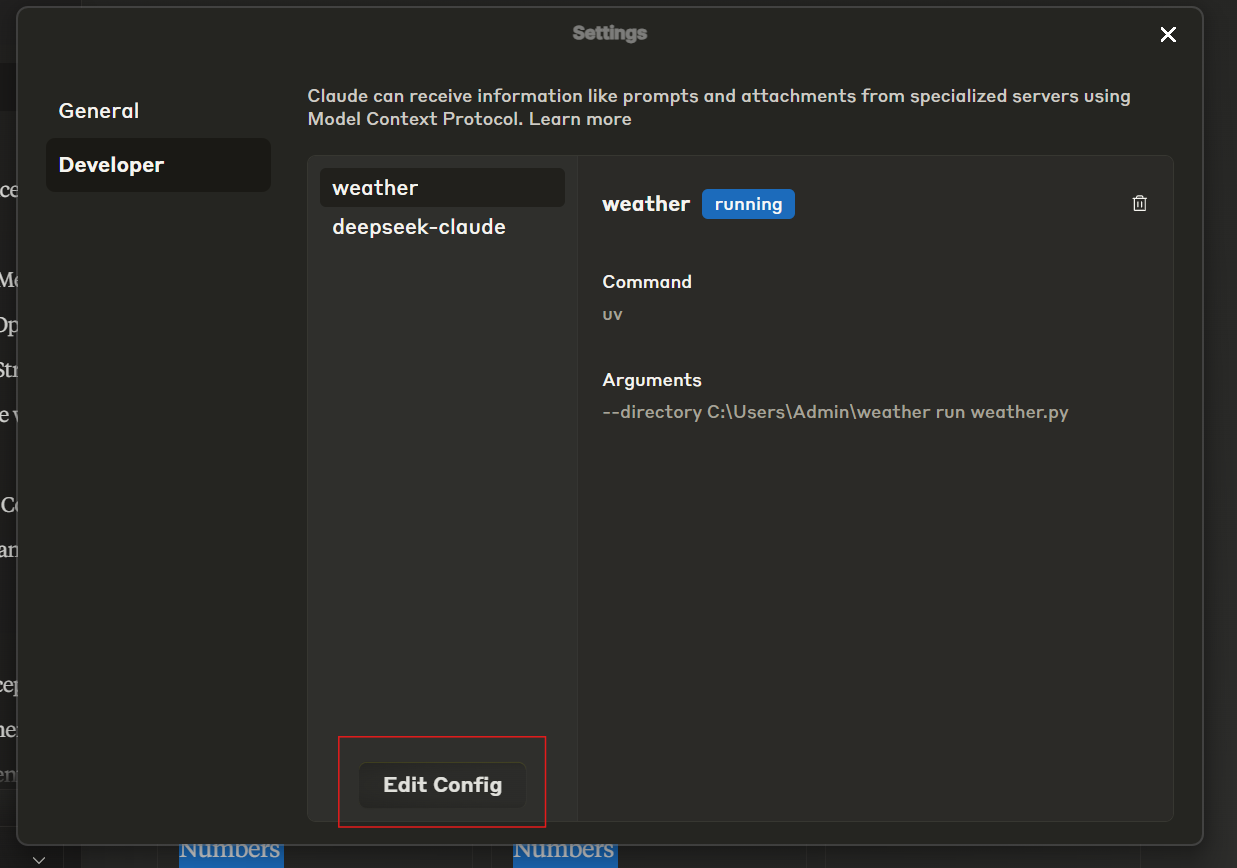
{
    "mcpServers": {
        "deepseek-claude": {
            "command": "uv",
            "args": [
                "--directory",
                "C:\\ABSOLUTE\\PATH\\TO\\PARENT\\FOLDER\\deepseek-claude",
                "run",
                "server.py"
            ]
        }
    }
}
运行服务器
uv run server.py测试设置
验证工具图标在界面中是否可见。 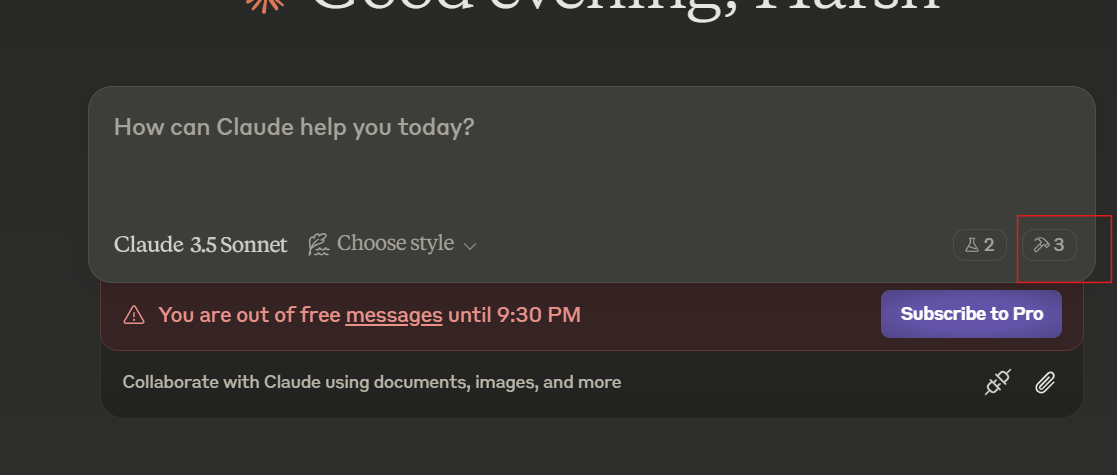
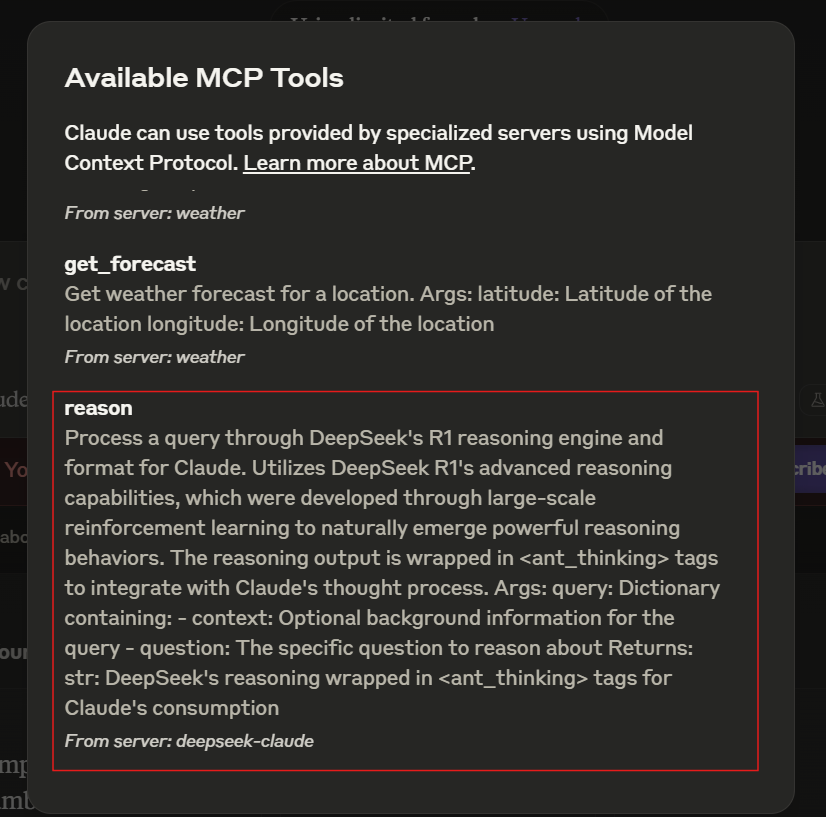
如果服务器不可见,请查阅故障排除指南。
与 Claude Desktop 一起使用时,服务器会自动启动。请确保 Claude Desktop 已配置为检测 MCP 服务器。
克劳德收到一个需要高级推理的查询。
该查询被转发到 DeepSeek R1 进行处理。
DeepSeek R1 返回包裹在<ant_thinking>标签中的结构化推理。
克劳德将推理融入到最终的回应中。
本项目遵循 MIT 许可证。详情请参阅LICENSE文件。
Process a query using DeepSeek's R1 reasoning engine and prepare it for integration with Claude.

DeepSeek R1 leverages advanced reasoning capabilities that naturally evolved from large-scale
reinforcement learning, enabling sophisticated reasoning behaviors. The output is enclosed
within `<ant_thinking>` tags to align with Claude's thought processing framework.

Args:
    query (dict): Contains the following keys:
        - context (str): Optional background information for the query.
        - question (str): The specific question to be analyzed.

Returns:
    str: The reasoning output from DeepSeek, formatted with `<ant_thinking>` tags for seamless use with Claude.
| Name | Required | Description | Default |
|---|---|---|---|
| query | Yes |
Does the description disclose side effects, auth requirements, rate limits, or destructive behavior?
No annotations are provided, so the description carries the full burden of behavioral disclosure. It mentions the reasoning engine's capabilities and output formatting with tags, but fails to address critical aspects like rate limits, error handling, authentication needs, or performance characteristics. For a tool with no annotation coverage, this leaves significant gaps in understanding its operational behavior.
Agents need to know what a tool does to the world before calling it. Descriptions should go beyond structured annotations to explain consequences.
Is the description appropriately sized, front-loaded, and free of redundancy?
The description is well-structured with clear sections for purpose, technical background, parameters, and returns. It avoids unnecessary fluff, but the second sentence about R1's evolution could be trimmed for brevity without losing clarity. Overall, it's efficient and front-loaded with key information.
Shorter descriptions cost fewer tokens and are easier for agents to parse. Every sentence should earn its place.
Given the tool's complexity, does the description cover enough for an agent to succeed on first attempt?
Given no annotations, no output schema, and a nested parameter structure, the description is moderately complete. It covers the tool's purpose, parameter details, and return format, but lacks information on error cases, performance, or integration specifics. For a tool with such complexity, it should provide more operational context to be fully adequate.
Complex tools with many parameters or behaviors need more documentation. Simple tools need less. This dimension scales expectations accordingly.
Does the description clarify parameter syntax, constraints, interactions, or defaults beyond what the schema provides?
Schema description coverage is 0%, so the description must compensate. It adds meaningful semantics by detailing the 'query' parameter's structure with 'context' and 'question' keys, including that 'context' is optional. This goes beyond the bare schema, providing essential context for parameter usage, though it could specify data types or constraints more explicitly.
Input schemas describe structure but not intent. Descriptions should explain non-obvious parameter relationships and valid value ranges.
Does the description clearly state what the tool does and how it differs from similar tools?
The description clearly states the tool's purpose: 'Process a query using DeepSeek's R1 reasoning engine and prepare it for integration with Claude.' It specifies the verb ('process'), resource ('query'), and technology ('DeepSeek R1'), though it doesn't need to differentiate from siblings since none exist. The purpose is specific but could be more precise about what 'process' entails.
Agents choose between tools based on descriptions. A clear purpose with a specific verb and resource helps agents select the right tool.
Does the description explain when to use this tool, when not to, or what alternatives exist?
The description implies usage by mentioning integration with Claude and the reasoning capabilities, but it lacks explicit guidance on when to use this tool versus alternatives. With no sibling tools, this is less critical, but it doesn't provide context on prerequisites, limitations, or ideal scenarios for application.
Agents often have multiple tools that could apply. Explicit usage guidance like "use X instead of Y when Z" prevents misuse.
Recent tool additions, removals, and schema changes observed during successful MCP inspections.
reasonScored across 1 tool
With only one tool, there is no possibility of confusion or overlap between tools. The single tool 'reason' has a clearly defined and distinct purpose.
A single tool cannot demonstrate inconsistency in naming patterns. The tool name 'reason' is clear and descriptive for its function.
One tool is typically too few for a server's purpose unless it's extremely narrow. While the tool is well-described, a single tool feels thin and limits the server's utility for broader reasoning tasks.
The server's purpose appears to be reasoning integration, but with only one tool, there are significant gaps. There's no ability to manage sessions, handle different reasoning modes, or provide feedback, making the surface incomplete for practical use.
Give Claude an honest self-model — behavioral tendencies built from evidence, not session memory. Mi
One workspace of tools for Claude and ChatGPT: connect 600+ apps, generate media, build tools.
Claude makes real phone calls for you — in many languages, with transcript and outcome back in chat.
Deterministic reasoning stack for AI agents: simulate, decide & compute, plus cross-domain tools.