
ReaperMCP
<!-- mcp-name: io.github.xDarkzx/reaper-mcp -->
<h1 align="center">ReaperMCP</h1>
<p align="center">
<strong>AI-powered music production in REAPER through the Model Context Protocol</strong>
</p>
<p align="center">
<a href="https://www.python.org/"><img src="https://img.shields.io/badge/python-3.10+-blue.svg" alt="Python 3.10+" /></a>
<a href="LICENSE"><img src="https://img.shields.io/badge/license-Apache%202.0-green.svg" alt="License" /></a>
<a href="https://modelcontextprotocol.io"><img src="https://img.shields.io/badge/MCP-compatible-purple.svg" alt="MCP Compatible" /></a>
<a href="CHANGELOG.md"><img src="https://img.shields.io/badge/version-0.8.3-orange.svg" alt="v0.8.3" /></a>
<a href="https://github.com/xDarkzx/Reaper-MCP/actions/workflows/ci.yml"><img src="https://github.com/xDarkzx/Reaper-MCP/actions/workflows/ci.yml/badge.svg" alt="CI" /></a>
<a href="https://www.reaper.fm/"><img src="https://img.shields.io/badge/REAPER-7%2B-red.svg" alt="REAPER 7+" /></a>
<a href="https://discord.gg/BGn8Ujh37m"><img src="https://img.shields.io/discord/1530363483701510154?label=discord&logo=discord&color=5865F2" alt="Discord" /></a>
<a href="https://github.com/sponsors/xDarkzx"><img src="https://img.shields.io/badge/Sponsor-30363D?logo=githubsponsors&logoColor=EA4AAA" alt="Sponsor" /></a>
</p>
<p align="center">
<a href="#quick-start">Quick Start</a> •
<a href="#why-reapermcp">Why ReaperMCP?</a> •
<a href="#features">Features</a> •
<a href="docs/TOOLS.md">Tools Reference</a> •
<a href="docs/ARCHITECTURE.md">Architecture</a> •
<a href="CHANGELOG.md">Changelog</a> •
<a href="CONTRIBUTING.md">Contributing</a> •
<a href="#troubleshooting">Troubleshooting</a>
</p>
---
ReaperMCP connects any MCP-compatible AI assistant to [REAPER](https://www.reaper.fm/), giving it full control over music production. Talk to your AI assistant and it composes, mixes, masters, and *measures* your music in real-time — the AI chooses every note, rhythm, and CC itself.
**181 tools across 26 modules** cover the full workflow: MIDI composition and patterns, a vocal-chop pipeline, FX and automatic genre-tuned mixing/mastering (35 style profiles), sends and routing, and post-production QC — batch editing, ReaScript automation, silence/click detection.
**No cloud. Nothing leaves your machine.** ReaperMCP runs entirely locally through a file-based Lua IPC bridge inside REAPER — your project, audio, and MIDI stay on your computer. Bring whatever AI client you already use (Claude Desktop, Claude Code, Cursor, any MCP client) — ReaperMCP handles REAPER.
**If this is useful to you, a star helps other people find it** — that's the whole marketing budget for this project. Want to help keep it maintained? Click the **Sponsor** badge up top.
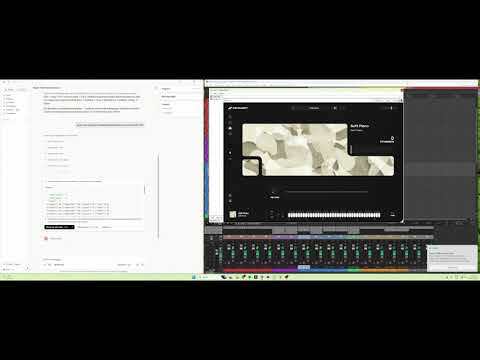
### Demo
[](https://youtu.be/F0i5njHaMXQ)
### Works With
ReaperMCP works with any AI client that supports the [Model Context Protocol](https://modelcontextprotocol.io):
- [Claude Desktop](https://claude.ai/download) — Anthropic's desktop app
- [Claude Code](https://docs.anthropic.com/en/docs/claude-code) — CLI agent
- [Cursor](https://www.cursor.com/) — AI code editor with MCP support
- [LM Studio](https://lmstudio.ai/) — run local models with MCP tool access
- Any other [MCP-compatible client](https://modelcontextprotocol.io/clients)
---
## Why ReaperMCP?
- **Deep control, not just playback.** Most AI-audio integrations expose basic transport — play, stop, record. ReaperMCP exposes REAPER's actual production surface: genre-aware automatic mixing/mastering across 35 style profiles, a vocal-chop pipeline, drum-pattern and chord-progression shorthand, and post-production QC. The AI can produce a track end-to-end, not just push buttons on one you already made.
- **100% local.** No cloud calls, no API keys, nothing leaves your machine — REAPER and the AI talk over a file-based bridge on disk, not a server you don't control.
- **Actively maintained.** CI runs the full test suite across 3 OS × 4 Python versions on every change. Issues get read, discussed, and shipped — not just filed and forgotten.
- **Composable with companion tools.** Pairs with [SongForge-MCP](https://github.com/xDarkzx/SongForge-MCP) (local AI music/vocal generation) and [Audacity-MCP](https://github.com/xDarkzx/Audacity-MCP) (audio cleanup, mastering, and local transcription) — generate, produce, and clean up without leaving the same AI conversation.
---
## Quick Start
### 1. Get ReaperMCP
**Option A:** Click the green **Code** button above → **Download ZIP** → extract to a folder — works with nothing pre-installed, easiest on a brand new machine.
**Option B:** Clone with git (lets you `git pull` for updates later):
A fresh Windows install doesn't ship with git — check first:
```powershell
git --version
```
If that says "not recognized", install it, then close and reopen your terminal:
```powershell
winget install --id Git.Git -e --source winget
```
(`winget` itself ships with Windows 11 and up-to-date Windows 10. If `winget` isn't found either, grab the installer directly from [git-scm.com](https://git-scm.com/download/win).)
macOS/Linux almost always have git already — `git --version` to check, or `brew install git` / `sudo apt install git` if not.
```bash
git clone https://github.com/xDarkzx/Reaper-MCP.git
```
**Option C:** Already have Python? Install the published package straight from PyPI:
```bash
pip install xdarkzx-reaper-mcp
```
This gives you the `reaper-mcp` command directly — but you'll still need
`reaper_scripts/reaper_mcp_server.lua` for Step 3 below, since that one
file isn't bundled into the PyPI package (grab it from the repo, or
[download it directly](https://github.com/xDarkzx/Reaper-MCP/raw/main/reaper_scripts/reaper_mcp_server.lua)).
### 2. Run the installer
**Windows:** either double-click `install.bat` in File Explorer, or — if you're already in a terminal from the `git clone` step above — just keep going in the same PowerShell/Command Prompt window:
```powershell
cd Reaper-MCP
.\install.bat
```
**macOS / Linux:**
```bash
cd Reaper-MCP
bash install.sh
```
> The installer installs `reaper-mcp` locally and optionally **configures Claude Desktop** — no manual JSON editing needed.
<details>
<summary>Manual install / other MCP clients (Cursor, Claude Code, etc.)</summary>
Install manually with `pip install -e .` from the repo folder (or `pip install xdarkzx-reaper-mcp` from PyPI) and add to your client's MCP config:
```json
{
"mcpServers": {
"reaper": {
"command": "reaper-mcp"
}
}
}
```
Check your client's MCP documentation for the config file location.
</details>
### 3. Load the Lua script in REAPER
**Used the one-click installer?** Already done — it sets up REAPER to auto-load the script on every launch. Just open (or restart) REAPER.
**Manual install?**
1. Open **REAPER**
2. Go to **Actions → Show action list**
3. Click **Load ReaScript...**
4. Navigate to `reaper_scripts/reaper_mcp_server.lua` and select it
5. Click **Run**
> This only loads it for the current session — you'll need to re-run it each time REAPER restarts. See [docs/INSTALLATION.md](docs/INSTALLATION.md) for the auto-start setup.
### 4. Start producing
Open your AI client and start talking:
```
"Create 4 tracks: strings, brass, piano, and drums"
"Compose an 8-bar orchestral string arrangement in D minor"
"Add ReaEQ to the piano track and cut the low end below 200Hz"
"Set the tempo to 90 BPM and loop the first 8 bars"
```
> **REAPER must be open with the Lua script running.** ReaperMCP communicates through file-based IPC — it can't launch REAPER for you.
> See the full [Installation Guide](docs/INSTALLATION.md) for detailed setup on all platforms and MCP clients.
---
## Features
### 181 Tools Across 26 Modules
| Category | Tools | Highlights |
|----------|------:|------------|
| **Transport** | 11 | Play, stop, pause, record, set BPM, time signature, playrate, toggle repeat/metronome |
| **Tracks** | 18 | Create, delete, rename, volume, pan, mute, solo, arm, colour, input, folder, mixer state, peak meter, freeze/unfreeze |
| **Track Templates** | 4 | Save, apply, list, and delete REAPER track templates |
| **Project** | 19 | New, open, save, save-as, backup, export audio (WAV/MP3/OGG/FLAC/AIFF), undo/redo (by count, or a whole tool run), notes, grid, render metadata (`project_get/set_metadata`), Notes-tab Title/Author (`project_get/set_notes_info`), `project_get_overview` (change count + info in one call) |
| **Items** | 14 | Get/select/split/delete/move items, set length/volume/mute/fade, insert media, create MIDI, move to track, `items_apply` (batch edits) |
| **Takes** | 4 | List, add, delete, and switch active take |
| **MIDI** | 15 | Insert notes (single/batch), edit/delete notes, insert/delete CC, Program Change/Bank Select (`midi_insert_program_change`), read program names (`midi_list_programs`), count events, note names, sort, set extents (CC reading intentionally omitted — see below) |
| **MIDI Quantize / Humanize** | 3 | `midi_quantize`, `midi_humanize`, `project_set_ripple_mode` |
| **Markers & Regions** | 7 | Add markers/regions, delete, edit, navigate, `markers_apply` (batch marker edits) |
| **Tempo Map** | 4 | Add/delete/list tempo markers, clear all |
| **Envelopes** | 3 | Read, write, and clear automation envelopes (track / item / FX-param) |
| **Selection** | 9 | Time selection, loop points, select/deselect all items/tracks, get selected |
| **Sends & Routing** | 8 | Create/remove sends (with optional MIDI channel routing), set volume/pan/mute, `send_set_midi_channel`, full routing diagram |
| **FX** | 15 | Add/remove plugins, get/set parameters, presets (verified, not a silent no-op), enable/disable, show UI, find instrument, move within chain, rename display label |
| **FX Inventory** | 2 | `fx_list_installed` (detects FabFilter / Waves / iZotope / Valhalla / racks), `set_fx_preferences` |
| **Mix & Master** | 3 | `engine_mix`, `engine_master`, `engine_fix_mix` — 35 style profiles across EDM / Rock / Pop / Electronic / Jazz / Orchestral / Funk-Soul |
| **Sidechain** | 1 | `setup_sidechain` — pin-mapped kick→bass/pad pumping with a single amount dial |
| **Bus Pipelines** | 4 | `setup_parallel_compression`, `setup_drum_bus`, `setup_vocal_chain`, `bounce_stems` |
| **Composition Utility** | 3 | `get_track_instruments`, `analyze_score`, `compose_arrangement` (small batch insert) |
| **Composition Editing** | 9 | `wipe_all_midi`, `reset_composition`, `configure_tracks`, `setup_routing`, `add_markers_batch`, `rewrite_cc`, `edit_section`, `setup_fx_chain`, `setup_effect_bus` |
| **Patterns** | 2 | `create_drum_pattern` (multi-lane step-sequencer notation), `create_chord_progression` (parses `"Cm7, Fm7, Bb7, Eb"` into voiced MIDI) |
| **Loop Library** | 3 | `scan_audio_folder` (parse BPM / key / role from filenames), `detect_common_bpm`, `load_loops` (batch-create tracks + load stems). Point at a sample-pack folder and the AI builds a track from it. |
| **Vocal Chops** | 10 | **`chop_pipeline`** — end-to-end: reorders slices from the source vocal onto a NEW track with style-specific rhythms (chillstep / future bass / porter / trap), pitches to chord tones, stutters + harmonises + fades. **Primitives:** `item_split_at_transients`, `item_split_at_positions`, `take_set_pitch`, `take_set_playrate`, `take_set_reversed`, `item_duplicate`. **Helpers:** `analyze_chop_set`, `arrange_chops_to_chord_tones`, `stack_chop_layers`. |
| **Audio Analysis** | 7 | `analyze_loudness` (LUFS vs. streaming/broadcast/cinema target), `analyze_clipping`, `analyze_silence`, `analyze_peaks`, `analyze_region_qc` (edit-oriented QC — silence/click candidates per region), `analyze_frequency_spectrum`, `analyze_stereo_field`. Optional extras: `pip install -e ".[analysis]"` (or `pip install "xdarkzx-reaper-mcp[analysis]"` if installed from PyPI) |
| **Script** | 2 | `script_list`, `script_run` — discover and execute ReaScript files in the project's Scripts tree |
| **Demo** | 1 | `demo_edm_project` — one-shot full-project demo render (smoke test + reference) |
> See **[docs/TOOLS.md](docs/TOOLS.md)** for the complete tool reference with every signature and a one-line description for each tool.
### Tool profiles
The default 181-tool surface is designed for full-featured frontier models. Smaller/cheaper models (Groq Llama 3 caps at 128 tools, some local models lower still) will silently truncate. Set `REAPER_MCP_PROFILE` in your client's server config to pick a workflow-specific subset:
| Profile | Tools | For |
|---------|------:|-----|
| `full` *(default)* | ~180 | Frontier models — Claude, GPT-4, Gemini |
| `composition` | ~130 | Writing / editing music (includes patterns, loops, batch item/marker edits, ReaScript) |
| `mixing` | ~71 | Mixing, mastering, bus pipelines |
| `analysis` | ~53 | Inspect + measure only |
| `minimal` | ~43 | Smoke test / basic control |
```json
{
"mcpServers": {
"reaper": {
"command": "reaper-mcp",
"env": { "REAPER_MCP_PROFILE": "mixing" }
}
}
}
```
### Mixing & Mastering Pipelines
35 professional style profiles drive automatic EQ, compression, reverb buses, sidechain pumping, and mastering — each tuned to industry-standard LUFS targets and character.
| Tool | What It Does |
|------|-------------|
| `engine_mix(style)` | Per-track EQ + compression + reverb buses with send routing. Auto-detects FabFilter Pro-Q 3 / Pro-C 2 / Pro-R or falls back to REAPER stock (ReaEQ / ReaComp / ReaVerbate) |
| `engine_master(style)` | Master-bus chain: HP 25 Hz → bus glue comp → tonal shelf EQ → stereo width → brick-wall limiter, targeting style-specific LUFS and true-peak ceilings |
| `engine_fix_mix(style)` | Non-destructive repair pass — re-runs the mix pipeline on an existing session, preserving user tweaks where possible |
| `setup_sidechain(source, target, amount)` | Kick → bass / pad pumping via channels 3/4 + pin-mapped sidechain inputs |
| `setup_drum_bus / setup_parallel_compression / setup_vocal_chain` | Ready-made bus recipes for drums, parallel (NY) comp, and pro vocal chains |
| `bounce_stems(track_indices)` | Render selected tracks individually to WAV stems |
**Styles (35):**
- **EDM (11):** `melodic_dubstep`, `big_room`, `future_bass`, `future_house`, `deep_house`, `tech_house`, `progressive_house`, `dubstep`, `trap`, `drum_and_bass`, `trance`
- **Rock (6):** `alt_rock`, `classic_rock`, `pop_rock`, `hard_rock`, `punk`, `post_rock`
- **Pop (4):** `modern_pop`, `dance_pop`, `indie_pop`, `rnb_pop`
- **Electronic (4):** `synthwave`, `lofi`, `ambient`, `hiphop`
- **Jazz (3):** `swing_jazz`, `jazz_fusion`, `latin_jazz`
- **Orchestral (3):** `classical_chamber`, `cinematic_trailer`, `ambient_orchestral`
- **Funk/Soul (4):** `classic_funk`, `motown_soul`, `neo_soul`, `disco_funk`
**Smart plugin detection.** `fx_list_installed()` inspects what's on the user's machine and reports the best-available EQ / compressor / reverb / limiter / de-esser / gate / saturator / multiband / stereo tool — covering FabFilter, Waves, iZotope, Valhalla, Softube, TDR, Slate, Melda, Soundtoys, Airwindows, REAPER stock, and common rack hosts (Waves StudioRack, Blue Cat PatchWork, Kilohearts Snap Heap). Users can pin category → plugin preferences via `set_fx_preferences(...)`.
### AI-Driven Composition
The AI writes every note, rhythm, CC curve, and keyswitch itself using the granular MIDI and FX tools above. A single `00_core.md` instruction file provides the tool surface, shorthand notation, BBC Spitfire CC reference, and per-family mixing tips. Voicing, humanization, structure, and genre conventions all come from the AI's own musical knowledge.
---
## Works well alongside SongForge-MCP
Need vocals or a full backing track and don't want to record or license anything? [SongForge-MCP](https://github.com/xDarkzx/SongForge-MCP) is a companion MCP server that generates original vocal + instrumental tracks locally (powered by ACE-Step 1.5 — no cloud service, no subscription, no account) and can split out an isolated vocal stem. Run both servers in the same Claude Desktop session: generate the track there, then import, arrange, and produce it further here without leaving the conversation.
---
## Architecture
```
┌──────────────┐ stdio ┌──────────────┐ file IPC ┌──────────────┐
│ MCP Client │◄──────────────►│ ReaperMCP │◄────────────►│ REAPER │
│(AI assistant)│ (JSON-RPC) │ FastMCP │ (JSON files) │ (Lua script)│
└──────────────┘ └──────────────┘ └──────────────┘
```
The Python server writes commands to `command.json` in a shared temp directory; a Lua script inside REAPER polls, executes, and writes results to `response.json`. No sockets, no ports, no network exposure.
**IPC directory:**
- Windows: `%TEMP%\reaper_mcp`
- macOS: `$TMPDIR/reaper_mcp`
- Linux: `/tmp/reaper_mcp`
### Key design decisions
- **File-based IPC** — no port allocation, no firewall surface.
- **Static Lua dispatch** — every handler is explicit code, no `load` / `dofile` / `loadstring`.
- **Dynamic tool registration** — drop a module into `reaper_mcp/tools/`, export `register(mcp)`, and it's picked up automatically.
- **Heartbeat + timeouts** — the client detects a stale REAPER (no lock-file update) and raises a typed error instead of hanging.
- **Conservative per-call limits** — `MAX_COMPOSE_TRACKS`, `MAX_TOTAL_NOTES_PER_CALL` etc. keep any single command under ~2 s of REAPER's main thread time.
> Full details — IPC protocol, request lifecycle, registration internals, mix-engine pipeline, style catalog — in **[docs/ARCHITECTURE.md](docs/ARCHITECTURE.md)**.
### Project structure
```
Reaper-MCP/
├── reaper_mcp/
│ ├── main.py # FastMCP server entry (`reaper-mcp` command)
│ ├── tool_registry.py # Auto-discovers tool modules
│ ├── reaper_client.py # File-IPC client (lock, heartbeat, timeouts)
│ ├── cc_map.py # CC number translation helpers
│ ├── shorthand.py # Compact composition notation parser
│ ├── instructions/
│ │ └── 00_core.md # System-prompt instructions injected into MCP
│ ├── mix_engine/ # Mixing + mastering pipelines
│ │ ├── __init__.py # run_mix_pipeline
│ │ ├── master.py # run_master_pipeline
│ │ ├── fix_mix.py # Non-destructive mix repair
│ │ ├── detect.py # FabFilter / REAPER stock detection
│ │ ├── fx_inventory.py # Installed-plugin discovery
│ │ ├── plugins.py # Plugin param translation
│ │ ├── profiles.py # Legacy orchestral profiles
│ │ ├── profiles_v2.py # Schema for 35 style profiles
│ │ └── catalog/ # Per-family style catalog
│ │ ├── edm.py # 11 EDM subgenres
│ │ ├── rock.py # 6 rock subgenres
│ │ ├── pop.py # 4 pop subgenres
│ │ ├── electronic.py # synthwave, lofi, ambient, hiphop
│ │ └── _shared.py # Shared role → EQ/comp library
│ └── tools/ # 26 modules, 181 auto-registered tools
│ ├── transport_tools.py # Playback and recording (11)
│ ├── track_tools.py # Track management + freeze (18)
│ ├── template_tools.py # Track templates (4)
│ ├── project_tools.py # Project/file operations + metadata (18)
│ ├── item_tools.py # Media item management + batch apply (14)
│ ├── take_tools.py # Takes (4)
│ ├── midi_tools.py # MIDI notes, CC, program change (15)
│ ├── quantize_tools.py # Quantize / humanize / ripple (3)
│ ├── marker_tools.py # Markers, regions + batch apply (7)
│ ├── tempo_tools.py # Tempo map markers (4)
│ ├── envelope_tools.py # Automation envelopes (3)
│ ├── selection_tools.py # Selection and loop (9)
│ ├── send_tools.py # Sends and routing (8)
│ ├── fx_tools.py # FX chain + params (15)
│ ├── inventory_tools.py # fx_list_installed + set_fx_preferences (2)
│ ├── mix_tools.py # engine_mix / engine_master / engine_fix_mix (3)
│ ├── sidechain_tools.py # setup_sidechain (1)
│ ├── pipeline_tools.py # Drum bus, parallel comp, vocal chain, stems (4)
│ ├── compose_tools.py # get_track_instruments, analyze_score, compose_arrangement (3)
│ ├── compose_edit_tools.py # wipe_all_midi, edit_section, rewrite_cc, … (9)
│ ├── patterns_tools.py # create_drum_pattern, create_chord_progression (2)
│ ├── loops_tools.py # scan_audio_folder, detect_common_bpm, load_loops (3)
│ ├── chops_tools.py # Vocal chop pipeline + primitives (10)
│ ├── analysis_tools.py # LUFS, clipping, spectrum, stereo field, silence/peak/region QC (7, optional deps)
│ ├── script_tools.py # ReaScript discovery + execution (2)
│ ├── demo_tools.py # demo_edm_project (1)
│ └── compose_helpers.py # Shared helpers (no tools)
├── reaper_mcp_shared/
│ ├── constants.py # IPC paths, timeouts, safety limits
│ ├── error_codes.py # ReaperMCPError + ErrorCode enum
│ └── protocol.py # Command / response formatting
├── reaper_scripts/
│ └── reaper_mcp_server.lua # Lua IPC bridge (runs inside REAPER)
├── docs/
│ ├── INSTALLATION.md # Detailed setup for all platforms
│ ├── PROJECT_SETUP.md # Template setups for orchestral / pop / EDM
│ ├── TOOLS.md # Complete tool reference
│ └── ARCHITECTURE.md # IPC protocol, mix engine, design notes
├── tests/
├── install.bat / install.sh # One-click installers
├── CHANGELOG.md
├── CONTRIBUTING.md
├── LICENSE
└── pyproject.toml
```
---
## Setting Up Your REAPER Project
ReaperMCP controls REAPER — but **you need instruments loaded** for the AI to compose with. The AI can create tracks and write MIDI, but it can't browse or install VST plugins for you.
### Before You Start Composing
1. **Open REAPER** and create a new project
2. **Add tracks** with your desired VST instruments (Kontakt, Spitfire, LABS, etc.)
3. **Load patches** — e.g., "Violin 1 Legato", "French Horn a4", "Grand Piano"
4. **Save as a template** (File → Save Project As Template) so you don't repeat this every time
The AI will use `get_track_instruments` to detect what's loaded and compose for those instruments automatically.
> See the full **[Project Setup Guide](docs/PROJECT_SETUP.md)** for recommended instrument templates (orchestral, pop/rock, EDM) and what plugins to load.
**Known limitation — multi-sample/one-shot instruments:** the AI can't see which sound is mapped to which key inside a plugin's own sample browser, or whether a given key is a one-shot vs. a held/sustained sample — that's private plugin state no host can read, true of most sample-based VSTs/AUs, not specific to this project. See [Project Setup Guide § multi-sample libraries](docs/PROJECT_SETUP.md#known-limitation-multi-sample-libraries) for the workaround.
---
## Troubleshooting
| Problem | Fix |
|---------|-----|
| "No response from REAPER" | Make sure REAPER is open and the Lua script is running. Go to Actions → Show action list → find `reaper_mcp_server.lua` → Run. |
| Script not found in Actions | Click **Load ReaScript...** first to register it, then Run. |
| "Connection timeout" | REAPER is busy. Wait for it to finish, or check if the Lua script crashed (re-run it). |
| Works once then stops | The Lua script may have stopped. Re-run it from Actions. |
| Claude Desktop doesn't see ReaperMCP | Restart Claude Desktop after editing the config. Check `%APPDATA%\Claude\claude_desktop_config.json` (Windows) or `~/Library/Application Support/Claude/claude_desktop_config.json` (macOS). |
| "command not found: reaper-mcp" | Run the installer again, or manually: `pip install -e .` from the repo folder, or `pip install xdarkzx-reaper-mcp`. |
| MIDI notes sound robotic | Make sure your AI is using the humanization instructions — ask it to "humanize the MIDI" or "add expression CC curves". |
---
## Development
```bash
# Install dev dependencies
pip install -e ".[dev]"
# Run tests
pytest tests/ -x -q
# Run lint (real bugs + security patterns, not style/formatting)
ruff check .
```
### Adding New Tools
1. Create a module in `reaper_mcp/tools/` (or add to an existing one)
2. Export a `register(mcp: FastMCP)` function
3. Define your tools with `@mcp.tool()` decorators
4. That's it — the tool registry auto-discovers it on startup
See [CONTRIBUTING.md](CONTRIBUTING.md) for full guidelines.
---
## Community
Turning this into a tool every REAPER user reaches for takes more than one person. If you're using ReaperMCP — even just trying it out — come join the Discord: share what you built, report what's broken, suggest what's missing, or just hang out with other people doing AI-driven production. Communities grow one person telling another this exists, so if you know someone who'd get value out of this, send them the link.
<p align="center">
<a href="https://discord.gg/BGn8Ujh37m">
<img src="https://img.shields.io/badge/Join_the_Discord-5865F2?style=for-the-badge&logo=discord&logoColor=white" alt="Join the Discord" />
</a>
</p>
---
## Support
If ReaperMCP has helped with your music production, consider sponsoring:
<p align="center">
<a href="https://github.com/sponsors/xDarkzx">
<img src="https://img.shields.io/badge/Sponsor-30363D?style=for-the-badge&logo=githubsponsors&logoColor=EA4AAA" alt="GitHub Sponsors" />
</a>
</p>
Your support helps keep this project maintained and free for everyone.
---
## Hiring / Consulting
Need a custom MCP server, a native plugin/IPC integration, or a local AI pipeline built for your product? This repo and its sibling projects — [Audacity-MCP](https://github.com/xDarkzx/Audacity-MCP), [SongForge-MCP](https://github.com/xDarkzx/SongForge-MCP) — are public, working examples of exactly that. Open to contract work: **dkstudiosnz@gmail.com**.
---
## Documentation
- **[Installation Guide](docs/INSTALLATION.md)** — Detailed setup for Windows, macOS, Linux and every supported MCP client
- **[Project Setup Guide](docs/PROJECT_SETUP.md)** — Setting up your REAPER project with instruments for AI composition
- **[Tools Reference](docs/TOOLS.md)** — Every tool grouped by domain, with a one-line description and signature
- **[Architecture](docs/ARCHITECTURE.md)** — IPC protocol, Lua bridge, dynamic tool registration, mix-engine pipeline, style catalog
- **[Contributing](CONTRIBUTING.md)** — How to add tools and contribute
- **[Changelog](CHANGELOG.md)** — Version history and release notes
**Want to know when a new version ships?** Click **Watch → Custom → Releases** at the top of this repo — GitHub notifies you on every tagged [Release](../../releases), without the noise of every commit or issue.
## License
Apache License 2.0 — see [LICENSE](LICENSE) for details.
Built by [Daniel Hodgetts](https://github.com/xDarkzx) • [𝕏 @daehonz1](https://x.com/daehonz1)
---
Need a custom tool, plugin, or integration built like this? I take on select engineering projects — come find me on the [Discord](https://discord.gg/BGn8Ujh37m) and leave a message, or open an issue here.
TDQS
Scored across 174 tools
Most tools have descriptive names and descriptions that explicitly cross-reference alternatives (e.g. 'Prefer items_apply for multiple', 'Prefer configure_tracks for batch'), but there is heavy near-duplication: single-vs-batch pairs for tracks/items/markers/MIDI, six overlapping setup_* helpers (setup_fx_chain, setup_effect_bus, setup_vocal_chain, setup_parallel_compression, setup_drum_bus, setup_sidechain), three engine_* mixers (engine_mix, engine_fix_mix, engine_master), and three project-notes/metadata readers with subtle distinctions. An agent can usually find the right tool, but the boundaries between engine_mix and engine_fix_mix, or between setup_fx_chain and the specialized setup_* wrappers, are genuinely easy to confuse.
Domain prefixes are mostly predictable (track_, item_, fx_, midi_, send_, marker_, project_, transport_, selection_), but the verb placement is inconsistent: track_set_volume and fx_get_params are noun_verb, while add_markers_batch and markers_apply are verb_noun and stray from the marker_ prefix. Many strays also exist outside the prefix scheme (configure_tracks, setup_sidechain, compose_arrangement, chop_pipeline, bounce_stems, engine_mix, load_loops), giving mixed conventions overall while remaining readable.
174 tools is an extreme mismatch for a single MCP surface — far beyond the 3-15 sweet spot and well past even the 25+ 'too many' threshold. The sheer volume makes discovery and correct selection costly for an agent, regardless of how good individual descriptions are.
The surface is unusually thorough: CRUD for tracks, items, takes, MIDI notes/CCs, FX chains, sends, markers/regions, tempo, envelopes, plus transport, rendering/export, project save/backup/undo, and scripting. Gaps are minor — e.g. no bulk marker clear-all, no explicit automation-mode/VCA tools — but nothing that would obviously block a core REAPER workflow.