


F
licenseA
qualityD
maintenanceA Model Context Protocol (MCP) server for advanced code analysis and editing with semantic search capabilities, enabling AI assistants to perform complex code operations through a standardized interface.
15
1
-

🔍 .NET コードベースの深い理解で AI コーディング アシスタントを強化


NetContextServerは、VS CodeなどのAIコーディングアシスタントがモデルコンテキストプロトコル(MCP)を通じて.NETコードベースを深く理解できるようにします。これにより、より正確なコード提案、質問への的確な回答、そしてより生産性の高いコーディングエクスペリエンスが実現します。
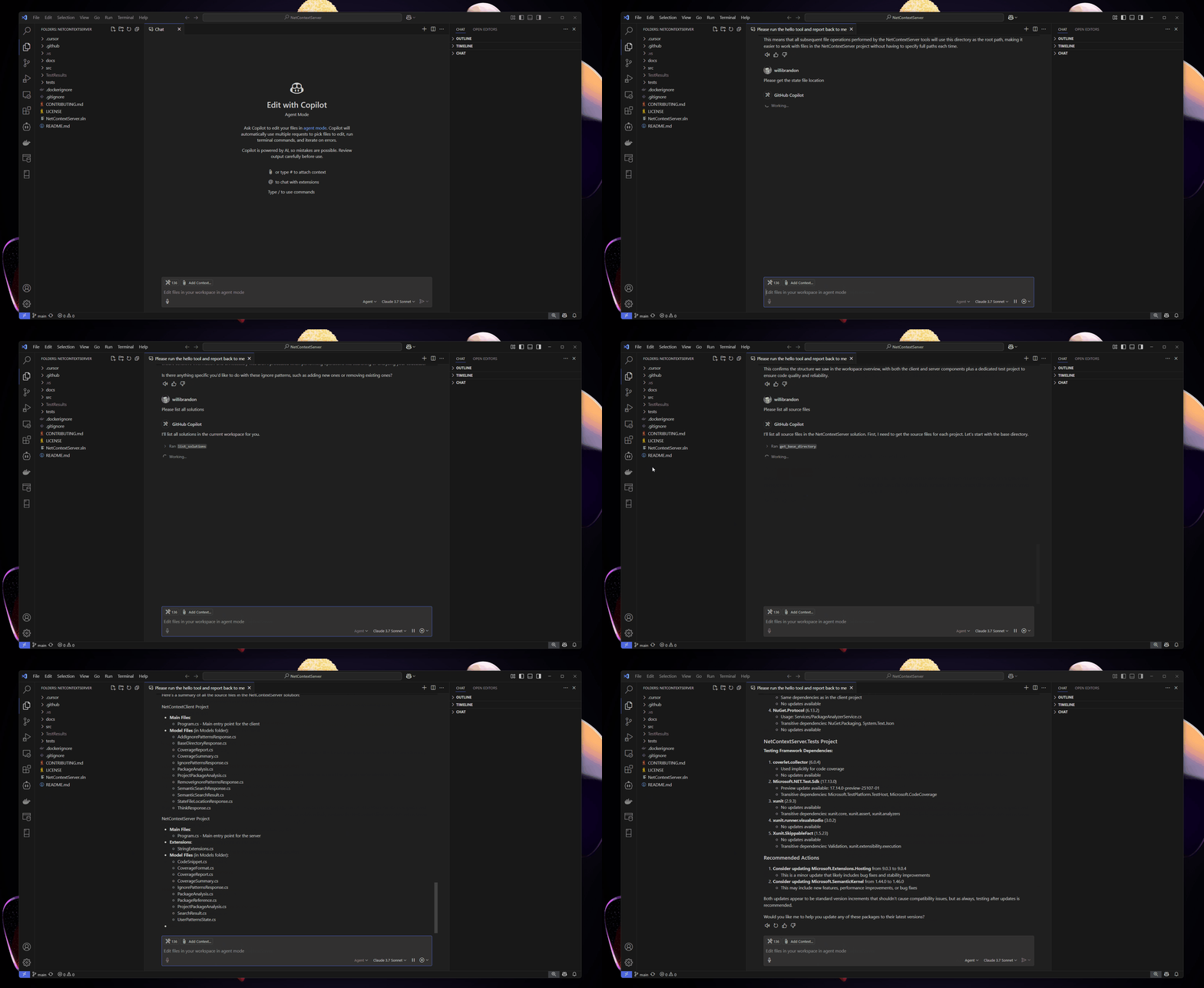
🧠セマンティックコード検索: 自然言語で探しているものを記述してコードを検索します
🔍インテリジェントナビゲーション:AIツールがプロジェクトの構造と依存関係を理解できるようにします
🛡️組み込みセキュリティ: 機密データの自動保護による安全なファイルアクセス
🚀 VS Code 統合: VS Code とのシームレスなセットアップにより、コーディング支援が強化されます
📦パッケージ分析:依存関係を理解し、更新の推奨事項を取得します
🔍詳細な依存関係の可視化:インタラクティブな色分けされたグラフで推移的な依存関係を確認します
🧩スマートグループ化: 関連するパッケージを視覚的にグループ化して、ナビゲーションを容易にします
📊アップデートの推奨事項: 古くなったパッケージとセキュリティの問題を特定します
📊テストカバレッジ分析:テストカバレッジの詳細な分析
🎯マルチフォーマットサポート: Coverlet、LCOV、Cobertura XML からのカバレッジデータを解析します
📈詳細レポート: ファイルレベルのカバレッジ率と未カバー行の追跡
🔄ブランチカバレッジ:利用可能な場合はメソッドレベルのブランチカバレッジを追跡します
💡スマートレコメンデーション:テストカバレッジを改善するための提案を取得します
⚡高速かつ効率的: 大規模なコードベースでもインデックス作成と応答時間が速い
Related MCP server: Wick
クローン&ビルド:
git clone https://github.com/willibrandon/NetContextServer.git
cd NetContextServer
dotnet buildセットアップ(オプション、セマンティック検索の場合):
# Set Azure OpenAI credentials in environment:
AZURE_OPENAI_ENDPOINT=your_endpoint
AZURE_OPENAI_API_KEY=your_key使い始める:
# Point to your project
dotnet run --project src/NetContextClient/NetContextClient.csproj -- set-base-dir --directory "path/to/your/project"

# Try semantic search
dotnet run --project src/NetContextClient/NetContextClient.csproj -- semantic-search --query "find authentication logic"
👉 詳細なセットアップ手順とベストプラクティスについては**、スタートガイドをお読みください**。
Visual Studio Codeを開く
Ctrl + Shift + P (macOSの場合はCmd + Shift + P )を押します
「MCPサーバーの構成」と入力します
入力:
{
  "command": "dotnet",
  "args": ["run", "--project", "path/to/NetContextServer/src/NetContextServer/NetContextServer.csproj"]
}
これでVS Codeがコードベースを理解できるようになりました!次のような質問をしてみましょう。
「このプロジェクト ディレクトリ内のすべての .NET ソース ファイルを一覧表示します」
「コードファイル内のテキストの完全一致を検索する」
「すべてのプロジェクトの NuGet パッケージを分析する」
「無視パターンの現在のリストを取得する」
「これらの無視パターンを追加します: .generated.cs、bin/ 」
「このディレクトリ内のすべての .csproj ファイルを一覧表示します」
「このファイルの内容を見せてください」
「ファイル操作の現在のベースディレクトリは何ですか?」
「認証システムの設計について考えさせてください」
「このアーキテクチャ上の決定についての私の推論を文書化する」
「MyService.cs のテスト カバレッジを分析する」
「認証モジュールの未カバーの行を表示」
「全体的なテストカバレッジ率はどれくらいですか?」
「テスト範囲が最も低いファイルはどれですか?」
スタートガイド- クイックセットアップと最初の手順
ツールリファレンス- 詳細なツールドキュメント
設定ガイド- 高度な設定オプション
統合例- さまざまなAIツールとの使用
貢献ガイド- NetContextServer の改善にご協力いただく方法
📁プロジェクトとファイルのリスト: ソリューション内のすべてのプロジェクトとソースファイルを一覧表示します
🔍コード検索: コードベースで特定のパターンやテキストを検索します
🧠セマンティック検索: 正確なテキスト一致だけでなく、意味に基づいてコードを検索します
📖ファイルコンテンツアクセス: 安全性チェックとサイズ制限付きでソースファイルを読み取る
🛡️セキュリティ: 機密ファイルとディレクトリへのアクセスを保護するための安全対策が組み込まれています
🎯パターン管理: ファイルアクセスを制御するための柔軟な無視パターン
📊カバレッジ分析:テストカバレッジデータを解析して分析する
📈カバレッジレポート:Coverlet JSON、LCOV、Cobertura XML 形式のサポート
🎯行カバレッジ: テストでカバーされている行を追跡する
🌳ブランチカバレッジ:メソッドレベルのブランチカバレッジを監視する
💡推奨事項: カバレッジを改善するための実用的な提案を入手
💭構造化思考:複雑な操作についての推論を文書化し検証する
🧩 AI最適化推論:LLM問題解決の改善に関するAnthropicの研究に基づく
📋タスク計画:複雑な問題を管理しやすいステップに分解する
✅ポリシーコンプライアンス: プロジェクトガイドラインに照らしてソリューションを検証する
🔄ツール出力分析:次のアクションを実行する前に他のツールからの結果を処理する
📝意思決定のドキュメント化:アーキテクチャの選択に関する監査証跡を維持する
リポジトリをクローンします。
git clone https://github.com/willibrandon/NetContextServer.git
cd NetContextServer
ソリューションを構築します。
dotnet buildテストを実行します (オプション):
dotnet testクライアントを使用してコードベースを操作します。
dotnet run --project src/NetContextClient/NetContextClient.csproj -- <command> [options]セマンティック検索機能を使用するには、次の環境変数を設定する必要があります。
AZURE_OPENAI_ENDPOINT : Azure OpenAI エンドポイント URL
AZURE_OPENAI_API_KEY : Azure OpenAI API キー
ベースディレクトリの設定:
dotnet run --project src/NetContextClient/NetContextClient.csproj -- set-base-dir --directory "D:\YourProject"ベースディレクトリを取得:
dotnet run --project src/NetContextClient/NetContextClient.csproj -- get-base-dirバージョン情報を取得:
dotnet run --project src/NetContextClient/NetContextClient.csproj -- versionプロジェクト一覧:
dotnet run --project src/NetContextClient/NetContextClient.csproj -- list-projects-in-dir --directory "D:\YourProject\src"ソースファイルのリスト:
dotnet run --project src/NetContextClient/NetContextClient.csproj -- list-source-files --project-dir "D:\YourProject\src\YourProject"パッケージを分析:
# Set your base directory first
dotnet run --project src/NetContextClient/NetContextClient.csproj -- set-base-dir --directory "path/to/your/project"

# Run the package analysis
dotnet run --project src/NetContextClient/NetContextClient.csproj -- analyze-packages
出力例:
Project: MyProject.csproj
  Found 2 package(s):
  - ✅ Newtonsoft.Json (13.0.1)
    Used in 5 location(s)

    Dependencies:
    └─ Newtonsoft.Json
       └─ System.*
          └─ System.ComponentModel

  - 🔄 Microsoft.Extensions.DependencyInjection (5.0.2 → 6.0.1)
    Update available: 6.0.1

    Dependencies:
    └─ Microsoft.Extensions.DependencyInjection
       └─ Microsoft.*
└─ Microsoft.Extensions.DependencyInjection.Abstractionsテストカバレッジを分析する:
# Set your base directory first
dotnet run --project src/NetContextClient/NetContextClient.csproj -- set-base-dir --directory "path/to/your/project"

# Analyze coverage from a Coverlet JSON report
dotnet run --project src/NetContextClient/NetContextClient.csproj -- coverage-analysis --report-path "TestResults/coverage.json"

# Get a coverage summary
dotnet run --project src/NetContextClient/NetContextClient.csproj -- coverage-summary --report-path "TestResults/coverage.json"
カバレッジ分析の出力例:
[{
    "filePath": "src/MyProject/Services/UserService.cs",
    "coveragePercentage": 85.3,
    "uncoveredLines": [42, 43, 88],
    "branchCoverage": {
      "ValidateUser()": 75.0,
      "GetUserById()": 100.0
    },
    "recommendation": "Consider adding tests for the user validation error paths"
  }
]テキスト検索:
dotnet run --project src/NetContextClient/NetContextClient.csproj -- search-code --text "authentication"セマンティック検索:
# Search with default number of results (5)
dotnet run --project src/NetContextClient/NetContextClient.csproj -- semantic-search --query "handle user authentication"

# Search with custom number of results
dotnet run --project src/NetContextClient/NetContextClient.csproj -- semantic-search --query "database connection string" --top 10
セマンティック検索機能:
埋め込みを使用して意味に基づいてコードを見つける
関連性に基づいてランク付けされたコードスニペットを返します
行番号と類似度スコアを表示します
最初の検索でコードを自動的にインデックスします
無視パターンを追加:
dotnet run --project src/NetContextClient/NetContextClient.csproj -- add-ignore-patterns --patterns "*.txt" "*.log"現在のパターンを表示:
dotnet run --project src/NetContextClient/NetContextClient.csproj -- get-ignore-patterns特定のパターンを削除:
dotnet run --project src/NetContextClient/NetContextClient.csproj -- remove-ignore-patterns --patterns "*.txt"ユーザーパターンをクリア:
dotnet run --project src/NetContextClient/NetContextClient.csproj -- clear-ignore-patternsビューステートファイルの場所:
dotnet run --project src/NetContextClient/NetContextClient.csproj -- get-state-file-location機密情報を保護するために、次のパターンはデフォルトで無視されます。
*.env - 環境ファイル
appsettings.*.json - アプリケーション設定
*.pfx - 証明書ファイル
*.key - キーファイル
*.pem - PEM ファイル
*password* - 名前に「password」を含むファイル
*secret* - 名前に「secret」を含むファイル
パスの安全性: 指定されたベースディレクトリ内のファイルにのみアクセスできます
パターン検証: 無視パターンは適切な構文で検証されます
サイズ制限: メモリの問題を防ぐために、大きなファイルの内容は切り捨てられます
機密ファイル保護: 組み込みパターンにより、一般的な機密ファイルを保護します。
プロジェクトのベースディレクトリを設定します。
dotnet run --project src/NetContextClient/NetContextClient.csproj -- set-base-dir --directory "D:\Projects\MyApp"サーバーのバージョンと構成を確認します。
dotnet run --project src/NetContextClient/NetContextClient.csproj -- versionカスタム無視パターンを設定します。
dotnet run --project src/NetContextClient/NetContextClient.csproj -- add-ignore-patterns --patterns "*.generated.cs" "*.designer.cs"すべてのプロジェクトを一覧表示します:
dotnet run --project src/NetContextClient/NetContextClient.csproj -- list-projects-in-dir --directory "D:\Projects\MyApp\src"プロジェクトのパッケージ依存関係を分析します。
dotnet run --project src/NetContextClient/NetContextClient.csproj -- analyze-packages認証関連コードを検索:
dotnet run --project src/NetContextClient/NetContextClient.csproj -- semantic-search --query "user authentication and authorization logic"NetContextServer はモデルコンテキストプロトコル (MCP)を実装し、次のようなこのプロトコルをサポートする AI コーディングアシスタントとのシームレスな統合を可能にします。
VS Code : AIアシスタントにコードベースの完全なコンテキストを提供し、より正確なコード生成と支援を実現します。
その他のMCP互換ツール: モデルコンテキストプロトコルを実装するツールはすべてNetContextServerに接続できます。
VS Code で使用するには:
NetContextServer を MCP プロバイダーとして使用するように VS Code を構成する
完全なコードベースコンテキストを備えた強化されたコード支援をお楽しみください
MCPインタラクションのテストとデバッグには、MCPクライアントとサーバー間の通信を検査および検証できるビジュアルテストツールであるModel Context Protocol Inspectorを使用できます。Inspectorの機能と性能の詳細については、 Inspectorのドキュメントをご覧ください。
NetContextServer を使用すると、AI 共同作業者がコードベースに関する特定の情報を要求できるようになり、AI の提案が特定のプロジェクト構造やコーディング パターンに対してより関連性が高く、正確になります。
サーバーは、一般的なシナリオに対して明確なエラー メッセージを提供します。
ディレクトリが見つかりません
アクセスが拒否されました (ベースディレクトリ外)
無効なパターン
ファイルサイズの制限を超えました
制限されたファイルの種類
セマンティック検索の環境変数が見つかりません
リポジトリをフォークする
機能ブランチを作成する
変更をコミットする
ブランチにプッシュする
プルリクエストを作成する
このプロジェクトは MIT ライセンスに基づいてライセンスされています - 詳細についてはLICENSEファイルを参照してください。
This server cannot be deployed
A comprehensive Model Context Protocol (MCP) server that enables AI assistants to interact with yo…
The Cortex MCP server provides read-only access to real-time engineering context from the Cortex developer portal, allowing AI coding assistants to answer natural language questions about your organization's catalog (microservices, libraries, domains, teams, infrastructure), scorecards (engineering standards and best practices), initiatives (goals and deadlines), and Engineering Intelligence metrics. It includes tools for querying documentation, tracking personal entities, and accessing AI-assisted insights across the entire Cortex ecosystem.
The OpenRouter MCP server plugs OpenRouter into the AI tools you already use. Once connected, your assistant can pull live OpenRouter data (models, prices, your credits, rankings, and docs) and send quick test messages, all without leaving your editor.
Shared memory MCP server for Claude Code, Codex, Gemini CLI and Cursor. Cited, editable.