A
licenseNot graded
qualityC
maintenanceA template for deploying authentication-free MCP servers on Cloudflare Workers. Enables users to create custom tools accessible through Claude Desktop or the Cloudflare AI Playground.
1,877 npm
MIT

Enables logging management through Cloudflare LogPush and R2 storage buckets, including scripts to download and process server logs.
Supports deploying MCP servers as Cloudflare Workers with features for handling Server-Sent Events (SSE) and utilizing worker-specific execution contexts.
Click on "Deploy Server".
Wait a few minutes for the server to deploy. Once ready, it will show a "Started" state.
In the chat, type @ followed by the MCP server name and your instructions, e.g., "@Cloudflare MCP Logging fetch my execution logs from R2 for the last hour"
That's it! The server will respond to your query, and you can continue using it as needed.
Here is a step-by-step guide with screenshots.
Start up container
docker compose up -d
Initialize package.json
npm init -y(First time to create package.json)
npm install
Create from CF template
npm create cloudflare@latest -- mcp-logging --template=cloudflare/ai/demos/remote-mcp-authless
If clone template failed, git clone cloudflare/ai repo below, then recreate
git clone https://github.com/cloudflare/ai.git
Start dev server
Update to use wrangler dev --ip 0.0.0.0 IP in package.json
Port mapping 8787:8787 in docker-compose.yml
npm start OR wrangler dev --ip 0.0.0.0
Access via localhost:8787/sse
Set CF account ID to wrangler.jsonc
"account_id": "<EDIT-HERE>"
Set CF API key in env
API's permission template: Edit Cloudflare Workers
ENV: CLOUDFLARE_API_TOKEN=<EDIT-HERE>
Deploy worker to CF
npm run deploy OR npx wrangler deploy
Start inspector
npx @modelcontextprotocol/inspector@latest
mcp-remote
{
  "mcpServers": {
    "CF Remote MCP": {
      "command": "npx",
      "args": [
        "-y",
        "mcp-remote",
        "https://<MCP_SERVER_URL>/sse"
      ]
    }
  }
}
supergateway
{
  "mcpServers": {
    "Basic Calculator": {
      "command": "npx",
      "args": [
        "-y",
        "supergateway",
        "--sse",
        "http://localhost:8787/sse",
        "--header",
        "X-UserID:USERID_123",
        "--header",
        "X-SecretKey:SKEY_456"
      ]
    }
  }
}
Enable logpush for CF worker
Set "logpush": true in wrangler.jsonc
Deploy to CF & check settings
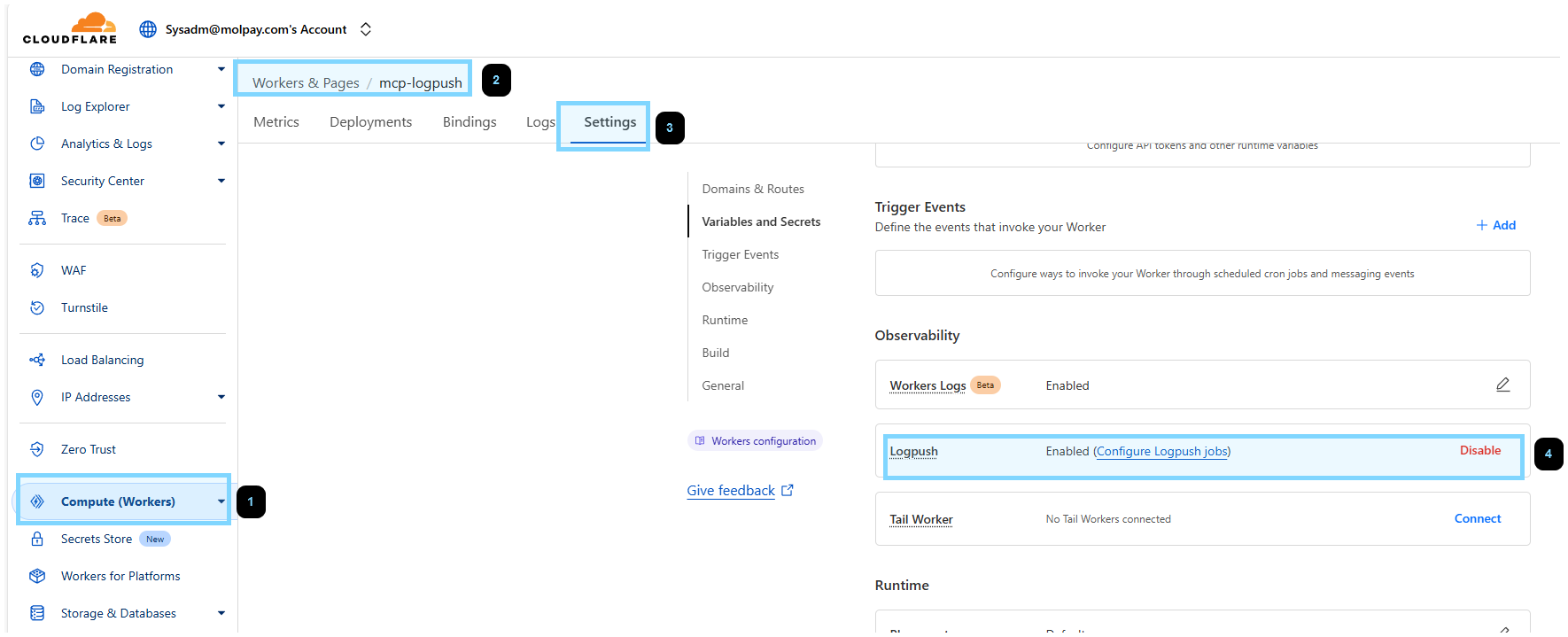
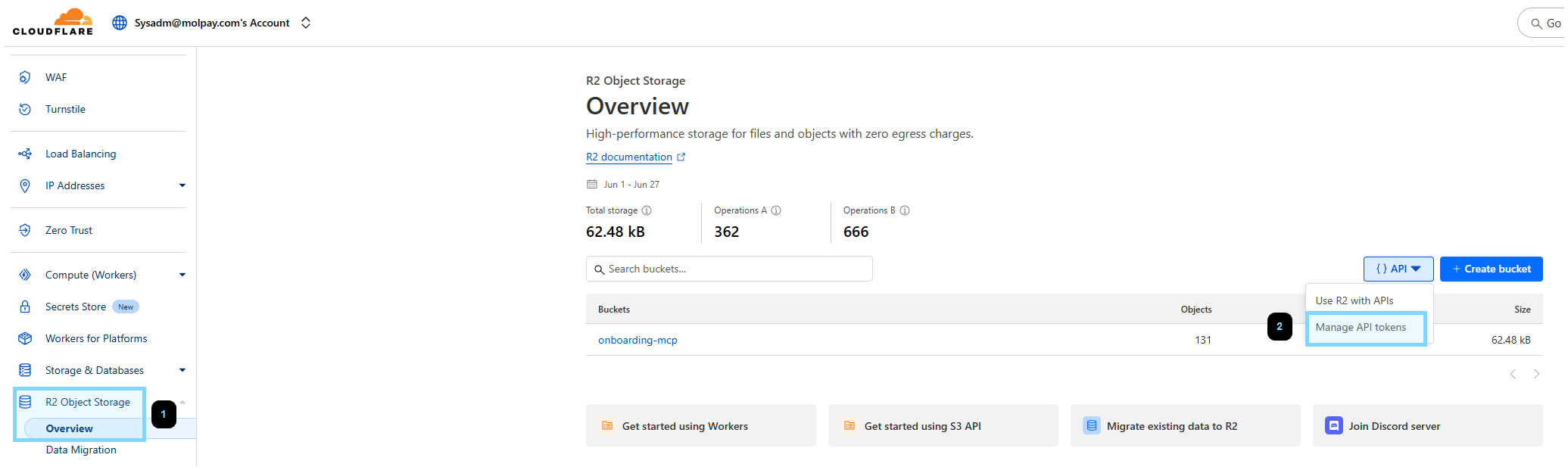
Create R2 API token
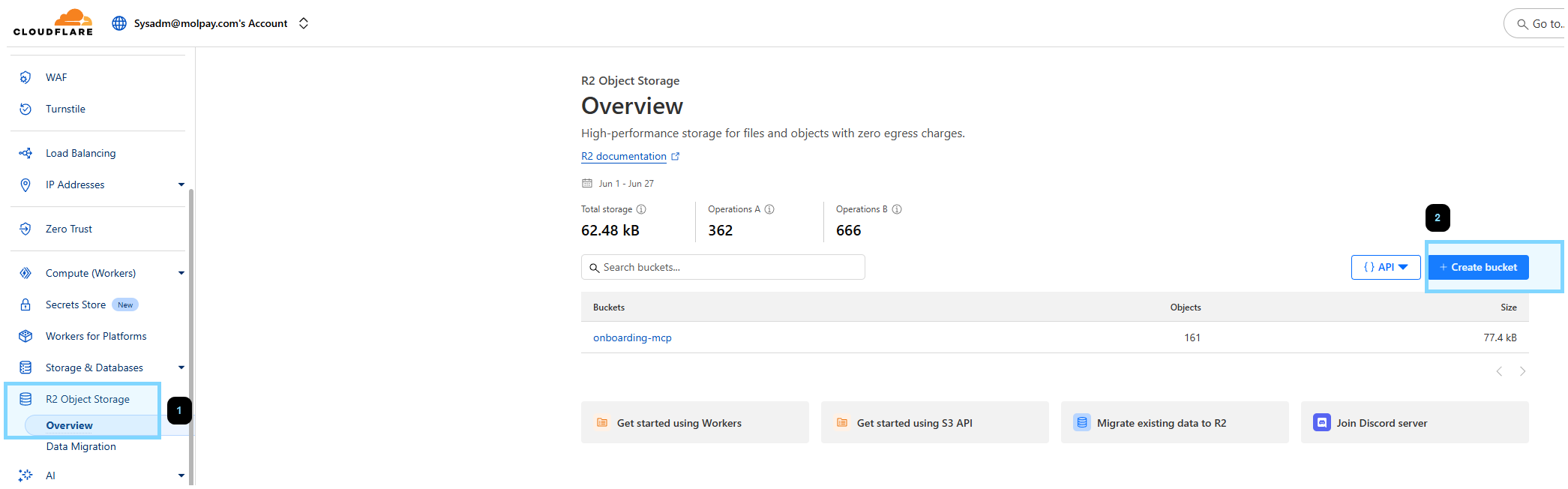
Create R2 bucket
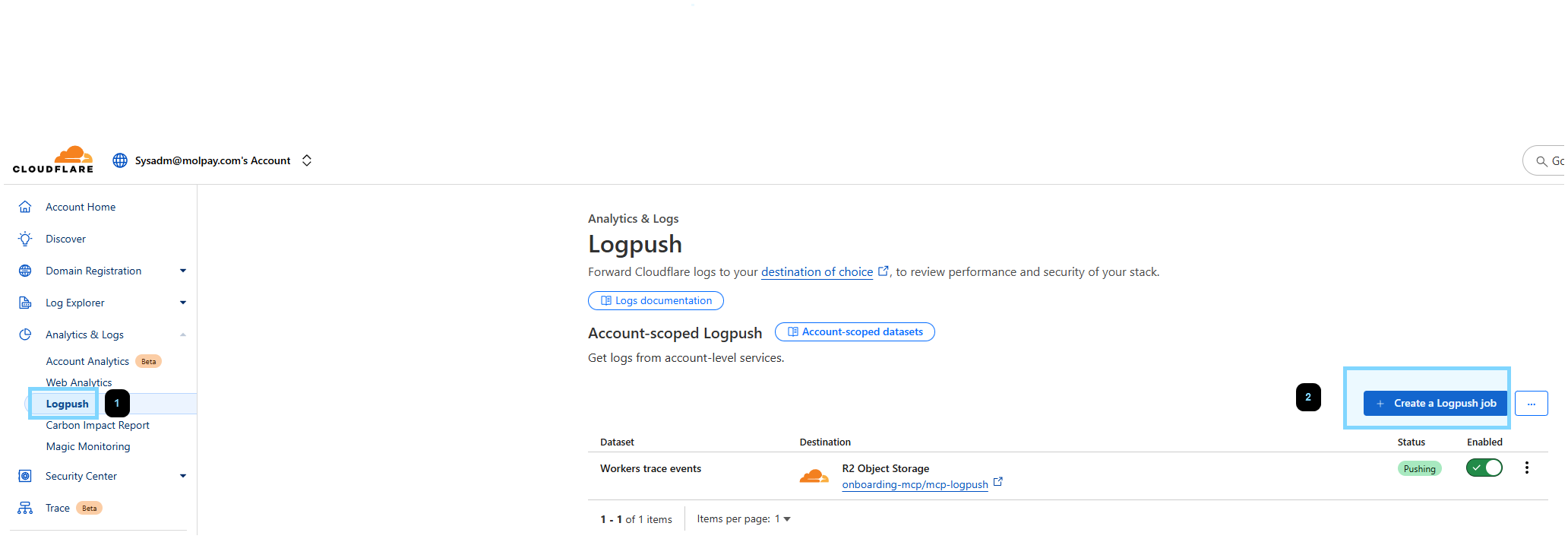
Create LogPush job
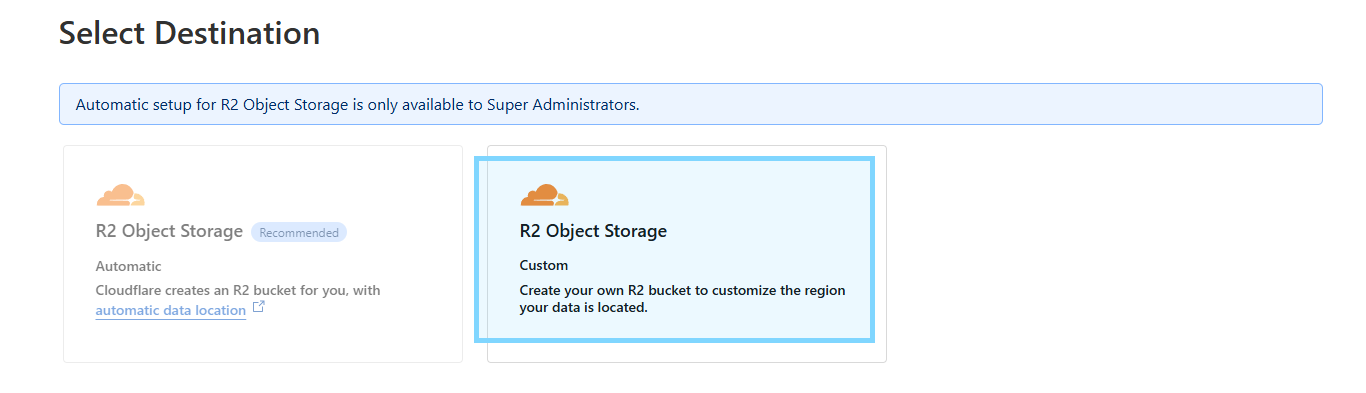
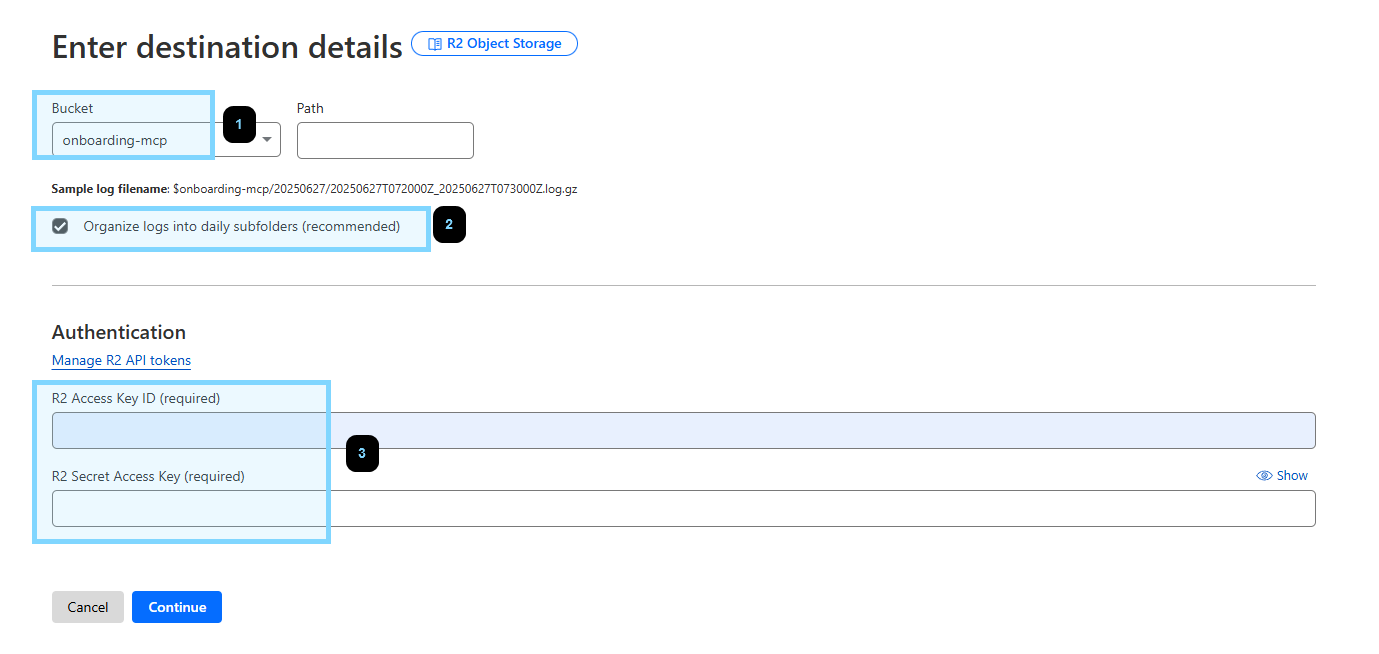
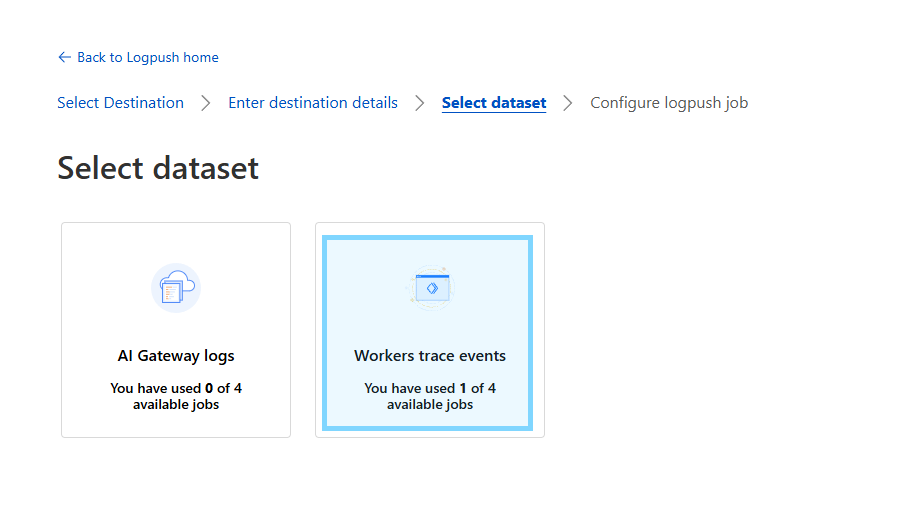
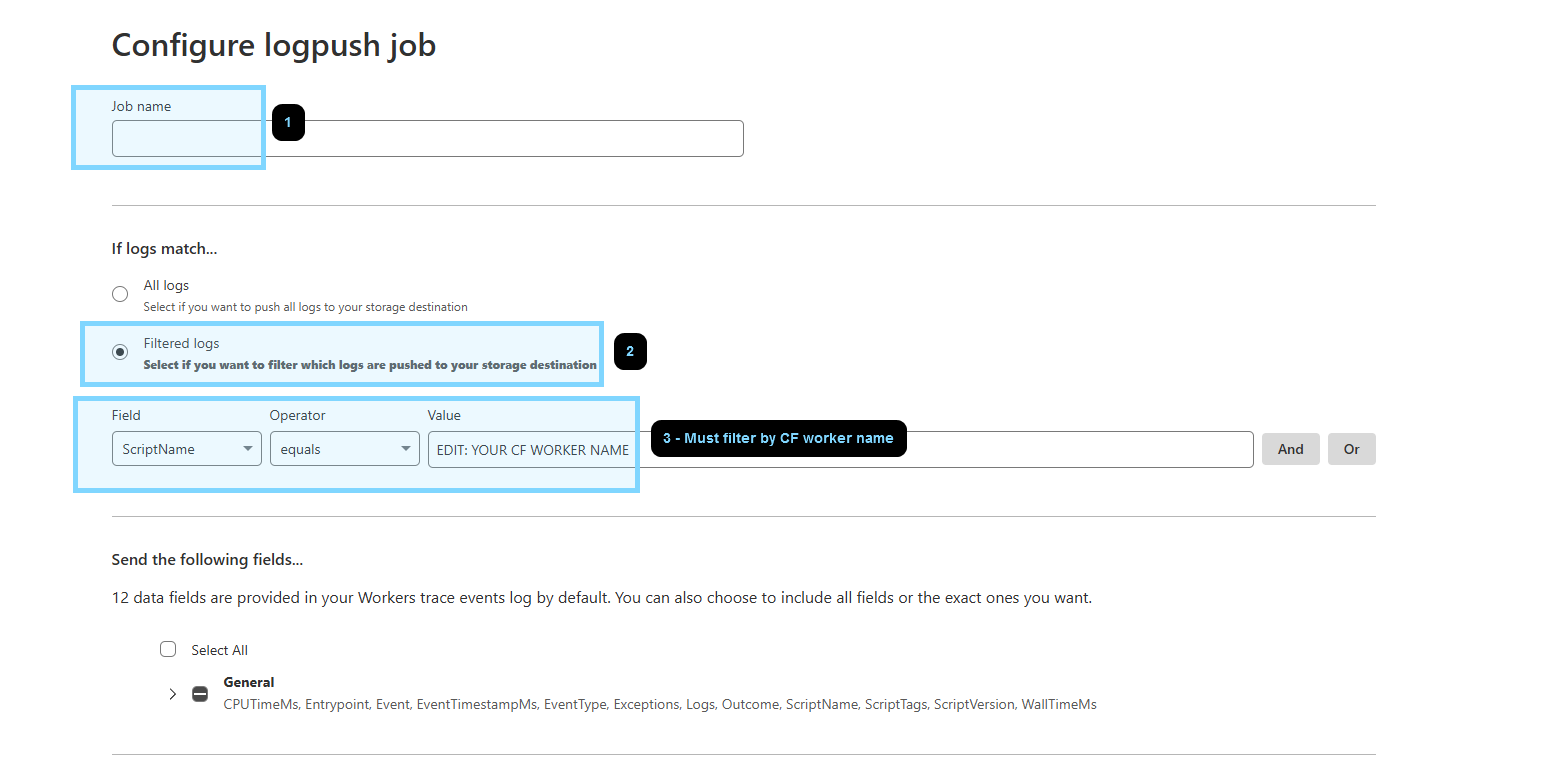
Set env (edit the value)
R2_BUCKET_NAME="EDIT: R2 BUCKET NAME"
R2_LOG_BASE_PREFIX="EDIT: R2 FOLDER NAME"
CF_R2_ACCESS_KEY_ID="EDIT: R2 ACCESS KEY ID"
CF_R2_SECRET_ACCESS_KEY="EDIT: R2 ACCESS SECRET"
Run utils/download_r2_logs.js script to get logs
node utils/download_r2_logs.js --start-date "2025-06-27 07:00:00" --end-date "2025-06-27 08:00:00"
Set ctx.props in fetch entrypoint.
export default {
    fetch(request: Request, env: Env, ctx: ExecutionContext) {
        const userId: string | null = request.headers.get('X-UserID');
        const secretKey: string | null  = request.headers.get('X-SecretKey');
        ctx.props = { userId, secretKey }; // add this
Use this.props.<VARIABLE_NAME> in tool.
this.server.tool(
    "calculate",
    {
        operation: z.enum(["add", "subtract", "multiply", "divide"]),
        a: z.number(),
        b: z.number()
    },
    async ({ operation, a, b,}) => {
        try {
            // retrieve here
            const userId: string | null = this.props.userId as string;
            const secretKey: string | null  = this.props.secretKey as string;
This server cannot be deployed
Cloudflare Workers MCP server: ai-agent-scratchpad
Cloudflare Workers MCP server: ai-cost-optimizer
Cloudflare Workers MCP server: ai-gateway
9 remote MCP servers on Cloudflare Workers for AI agents. Free tier + Pro API keys.