
WebCake Landing MCP
# <img src="docs/assets/webcake-icon.svg" alt="Webcake" width="26" height="26" align="absmiddle"> WebCake Landing MCP
**English** · [Tiếng Việt](./README.vi.md)
[](https://www.npmjs.com/package/webcake-landing-mcp)
[](https://www.npmjs.com/package/webcake-landing-mcp)
[](https://github.com/vuluu2k/webcake-landing-mcp/stargazers)
[](https://modelcontextprotocol.io)
> **Describe a landing page in plain words — your AI builds it, checks it, and ships it straight to WebCake.**
> ⭐ **If this saves you an afternoon of dragging boxes, [give it a star](https://github.com/vuluu2k/webcake-landing-mcp) — it's a one-dev project and every star keeps it alive.**
> *"Build a landing page for my coffee shop — a hero with a sign-up button, a 3-feature section, and a lead form. Save it to my workspace."*
…and a real, **editable** WebCake page appears in your account. No dragging boxes, no learning the schema, no hand-writing JSON.
---
## 🧩 How it works
This server is the **bridge** between your AI assistant and WebCake. The AI never *guesses* what a WebCake
page looks like — it asks this MCP, which knows the entire element model, validates the result, and saves it for you.
```text
You AI assistant webcake-landing MCP WebCake
┌──────┐ prompt ┌────────────┐ tools ┌──────────────────────┐ API ┌──────────┐
│ idea │ ───────► │ Claude / │ ──────► │ • knows the element │ ────► │ a real │
│ │ │ Cursor / │ │ model + AI hints │ │ editable │
│ │ ◄─────── │ Windsurf │ ◄────── │ • builds + validates │ ◄──── │ page in │
└──────┘ page URL └────────────┘ result │ • saves to your acct │ │ WebCake │
└──────────────────────┘ └──────────┘
```
1. **You ask** in plain language — goal, brand, sections, CTA, form fields.
2. **The AI learns the model** from the MCP: the element catalog, the absolute-positioning canvas, the event vocabulary — so it builds a *real* WebCake page, not a guess.
3. **It assembles + validates** the full `{ page, popup, settings, options }` JSON. `validate_page` catches off-canvas boxes, dangling CTAs, and missing form fields **before** anything is saved.
4. **It persists** to your WebCake account — dry-run preview first, then for real.
5. **You get an editor link** — open it, tweak, publish. The AI did the heavy lifting.
### Why it's reliable
| | |
|---|---|
| 📚 **Knows the real model** | Serves WebCake's actual element catalog (40+ types — hero, form, countdown, gallery, product list…), each with its exact `specials` and AI hints, drawn straight from the editor's renderers. |
| ✅ **Validates before saving** | Structural + semantic checks (unique ids, on-canvas layout, working CTAs, unique form fields) so the page isn't broken when it lands. |
| 🛡️ **Safe by default** | Every write is **dry-run first** (preview the request, token masked) — nothing touches your account until you confirm. |
| ✏️ **Edits surgically** | Ask for one change ("make the CTA green") and it edits *only* that element — every other id, coordinate, and block stays exactly as it was. |
> 💡 **Lead-gen, events, invitations, app promos** — or **selling COD/online**? It speaks WebCake's commerce model too (product lists, variations, cart).
---
## ✨ What you can build
One sentence to your AI → a finished, **editable** WebCake page. A taste of what people ship with it:
| | Just say… |
|---|---|
| 🧲 **Lead-gen landing** | *"A SaaS waitlist page — hero, 3 benefits, an email-capture form."* |
| 🛒 **COD / online store** | *"A one-product page for my skincare serum — gallery, price, variations, an order form with cart."* |
| 🎟️ **Event / webinar** | *"A registration page for Saturday's webinar — countdown, agenda, sign-up form."* |
| 💌 **Invitation** | *"A wedding invite — names, date, a map, an RSVP form."* |
| 📱 **App promo** | *"A page for my fitness app — phone mockups, feature list, App Store + Google Play buttons."* |
| ⚡ **Flash sale** | *"A flash-sale page — big countdown, discounted product grid, a sticky Buy button."* |
| 🔗 **Link-in-bio** | *"A link-in-bio for my creator profile — avatar, short bio, 5 link buttons, socials."* |
| 🎉 **Product launch** | *"A launch page for v2 — hero, what's-new list, an early-access form."* |
…then **"make the CTA green"** or **"add a 4th feature"** and it edits *only* that block — every other id and coordinate stays exactly where it was.
> 🤖 Works in **Claude Desktop, Claude Code, Cursor, Windsurf, Augment, Codex, Antigravity, Gemini CLI, Cline, Kiro, OpenCode**, or any MCP-capable client — and the **reference + generation tools need zero setup**, so you can try it before ever pasting a token.
---
## Under the hood
MCP (Model Context Protocol) server that teaches AI agents how to build a complete
**WebCake landing-page source JSON** from a requirement — and persist it to a WebCake backend.
It exposes the element catalog, per-element usage hints + `specials`, the full page JSON Schema,
valid element/page skeletons, a page validator, and tools to create or edit pages on the backend.
The AI agent produces the full `{ page, popup, settings, options, cartConfigs }` JSON; `create_page`
persists it and auto-publishes (build + `publish_html`) so the preview renders immediately (the edit
tools save source-only — re-publish via `publish_page` after edits).
| Method | Best for | Auth |
|--------|----------|------|
| **npx (local)** — runs on your machine | Personal daily use, full control | browser `login`, a JWT, or none (reference tools) |
| **Hosted URL** — use our live server, nothing to install | No Node.js, teams, the claude.ai dialog | your personal `?jwt=` link / `x-webcake-jwt` header |
The **reference + generation tools** (`get_generation_guide`, `list_elements`, `validate_page`, …) and the **ingest tools** (`ingest_html`, `ingest_url` — turn an existing HTML or URL into a layout anchor so the AI can recreate or adapt it) work with **zero config**; only the **persistence tools** (`create_page`, `update_page`, `add_section`, `patch_page`, `publish_page`, `list_pages`, `find_pages`, `get_page`, `list_organizations`) need a token. Credentials resolve in order: **per-request header → env var → saved `auth.json`** (`login`).
---
## 🚀 Get connected — the 2 main ways
Pick **one**. Both hand your AI tool (Claude, Cursor, …) the full Webcake landing toolkit. No coding.
### ① `npx` — runs on your machine (recommended for personal use)
Zero install, always the latest version, needs Node.js 18+. **One line** grabs your token *and* writes the IDE config:
```bash
# Opens the browser — click Connect, your installed IDEs are configured (prod)
npx -y webcake-landing-mcp install
# Developers only — step by step: environment, login or JWT, org, IDE(s)
npx -y webcake-landing-mcp install --dev
# Scripts and CI — every supported IDE, even ones not installed yet
npx -y webcake-landing-mcp install --ide all --jwt <your-jwt>
# Remove the server from every IDE config
npx -y webcake-landing-mcp uninstall
```
**`install` asks nothing.** It connects to production, opens your browser so you can click *Connect*, then adds the server
to every AI app it finds on this computer. Your other servers are kept, and any config file it changes is backed up next to
the original as `<file>.webcake-landing-backup`. No AI app found? It says so and exits with an error: install one and run it again,
or name it with `--ide`.
Need staging or local? `--dev` opens the step-by-step wizard, or skip it with `--env staging` / `--env local`.
> **Installed with an older version?** Run `install` again. Older versions wrote VS Code's config under the wrong key, so the
> server never appeared there, and registered Claude Code for the current folder only.
It writes a `webcake-landing` entry into the right config file for each target: `claude-desktop`,
`claude-code`, `cursor`, `windsurf`, `augment` (VS Code), `codex`, `antigravity`, `gemini` (Gemini CLI),
`cline`, `kiro`, `opencode`, or `all`. Flags: `--dev`, `--ide`, `--env`, `--jwt`, `--org-id`,
`--api-base`/`--app-base`, `--npx`/`--local`, `-y` — see `install --help`.
Just want to run the server (configure by hand later)? `npx -y webcake-landing-mcp`
> 🛠️ Hand-written per-IDE config, shell-script installers (`install.sh`/`install.ps1`), or a cloned
> local build → **[docs/manual-install.md](docs/manual-install.md)**.
### ② Remote URL `…/mcp?jwt=` — hosted, nothing to install
The server is **already live** at `https://mcp.toolvn.io.vn/mcp` — no Node.js, no machine to keep awake.
Grab **your personal link** (your token is baked in) and paste it into your client's *Add custom connector* / config:
```
https://mcp.toolvn.io.vn/mcp?jwt=<YOUR_TOKEN>
```
Two ways to get the link:
- **Easiest** — open **<https://webcake.io/mcp-remote>** in your Webcake dashboard → it builds & copies the link for you.
- **By hand** — see the step-by-step guide: **[docs/connect-mcp.md](docs/connect-mcp.md)**.
Optional extras: `&env=prod`, `&org_id=…`, `&api_base=…`. Hand each teammate a link with their own `jwt` →
per-user, no OAuth. Clients that support headers should send the token as **`x-webcake-jwt`** instead of
putting it in the URL — the full header ↔ env mapping is in **[docs/configuration.md](docs/configuration.md#per-request-headers-hosted--remote-server)**.
✅ Best for: no Node.js, team/shared use, the **claude.ai** connector dialog (URL-only, no headers).
⚠️ The link contains your personal token — treat it like a password, always use **HTTPS**.
---
## ⚙️ Configuration
The quick version — only the **persistence tools** need any of this:
```bash
npx -y webcake-landing-mcp login # opens the browser once, saves the token to ~/.webcake-landing-mcp/auth.json
```
…or set `WEBCAKE_ENV` (`local` | `staging` | `prod` — fills in all base URLs) + `WEBCAKE_JWT`.
For `publish_page` to actually put a page **live**, a build host is needed (it renders the
`app`/`app_css` that the live `publish_html` route requires):
- `prod` preset auto-configures `https://build.webcake.io` — no extra setup (the preset applies when the env resolves to `prod`: `WEBCAKE_ENV=prod`, `--env prod`, or `x-webcake-env: prod`).
- For staging/local, set `WEBCAKE_BUILD_BASE=<url>` or send the `x-webcake-build-base` header per request.
- Without it, `publish_page` falls back to a legacy source-only save with `rendered:false, live:false` + a warning — nothing goes live.
- A page is only **permanently** live with a `custom_domain`; without one the returned `/preview/<page_id>` link expires ~10 minutes after the publish.
Everything else — the full env-var table, environment presets, per-request headers for the hosted
server, the `login` browser flow (+ backend contract), and how to grab a JWT by hand — lives in
**[docs/configuration.md](docs/configuration.md)**.
---
## 📚 Docs
| Guide | What's inside |
|-------|---------------|
| **[Connect your IDE / claude.ai](docs/connect-mcp.md)** | Step-by-step connection for every client (npx & hosted URL), troubleshooting table. |
| **[Configuration](docs/configuration.md)** | Env vars, `--env` presets, browser `login`, per-request headers, getting a JWT. |
| **[Tools reference](docs/tools.md)** | All 23 tools in detail + the step-by-step workflow + model notes. |
| **[Usage examples](docs/usage-examples.md)** | Three end-to-end walkthroughs: build from a brief, surgical edit, inspect a type. |
| **[Manual / advanced install](docs/manual-install.md)** | Shell installers, cloned builds, hand-written per-IDE config. |
| **[Page-element schema](docs/page-element-schema.md)** | The full element-model reference (+ [every special/event](docs/element-specials-reference.md)). |
---
## 🧰 The tools at a glance
23 tools in five groups — full descriptions in **[docs/tools.md](docs/tools.md)**:
| Group | Tools | Needs |
|-------|-------|-------|
| **Reference** | `get_generation_guide` · `list_elements` · `get_element` · `get_page_schema` | nothing |
| **Generation** | `new_element` · `new_page_skeleton` · `validate_page` · `layout` (exact centering/row/grid/stack coordinates, both breakpoints) | nothing |
| **Media** | `search_images` (real Pexels stock photos) · `get_icon_svg` (Material Symbols / Font Awesome icon names → inline SVG via Iconify) · `upload_images` (re-host external images, data: URIs, or local file paths from the user's machine — files into your media collection when Webcake creds **and** an org are available; the org is required and must match the page's, so settle it up front — 1 org auto-selects, 2+ with none chosen returns `organization_required` + the list; no JWT → the public CDN) · `render_preview` (screenshot a page/URL so the model can see + compare it) | nothing |
| **Ingest** | `ingest_html` · `ingest_url` (recreate an existing page) | nothing |
| **Persistence** | `list_organizations` · `create_page` · `list_pages` · `find_pages` · `get_page` · `update_page` · `add_section` · `patch_page` · `publish_page` | `WEBCAKE_API_BASE` + `WEBCAKE_JWT` |
Every write **defaults to `dry_run=true`** — it previews the exact request (token masked) and only
touches your account when you re-run with `dry_run=false`.
## Suggested prompt
> Build me a WebCake landing page for <brand/offer>. Use the webcake-landing MCP:
> call `get_generation_guide`, `new_page_skeleton`, then `get_element` for each element type you use,
> assemble the `{ page, popup, settings, options }` JSON, `validate_page` until zero errors,
> then `create_page` (dry-run first).
---
## ⭐ Like the idea? Drop a star
This is a solo, open-source project — every ⭐ genuinely keeps it moving and helps other builders discover it.
- ⭐ **[Star the repo](https://github.com/vuluu2k/webcake-landing-mcp)** — 2 seconds, huge motivation.
- 🐛 **[Open an issue](https://github.com/vuluu2k/webcake-landing-mcp/issues)** — a bug, a missing element type, or just an idea.
- 🔁 **Share it** with anyone still building landing pages box by box.
[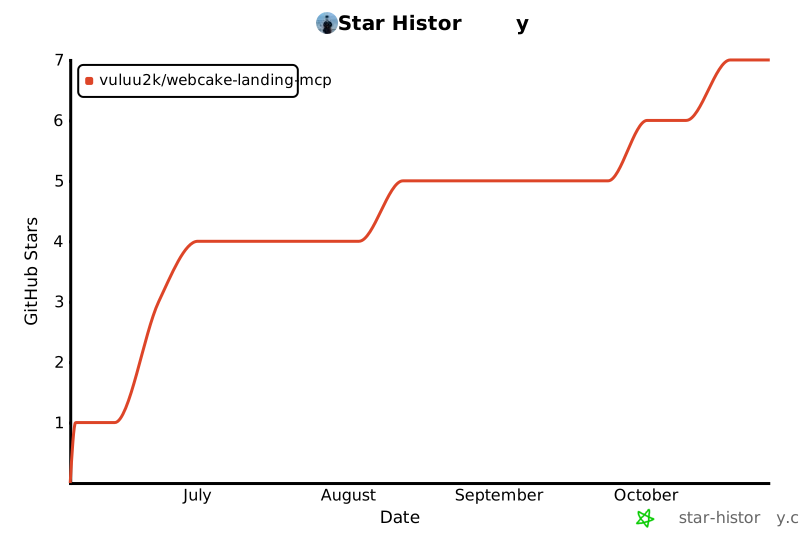](https://star-history.com/#vuluu2k/webcake-landing-mcp&Date)
> Built with ❤️ for the WebCake community. Thanks for being here.
TDQS
Scored across 23 tools
Most tools target a clearly distinct resource+action (ingest_html vs ingest_url by input type, search_images vs upload_images, render_preview vs publish_page), and the long descriptions actively draw boundaries. The confusable spots are list_pages vs find_pages (find_pages with no filters duplicates list_pages' behavior) and the four write paths create_page / update_page / add_section / patch_page, where an agent must read carefully to pick full-replace versus server-side append versus id-level patch. validate_page also overlaps conceptually with the dry_run validation built into every save tool.
Almost everything is snake_case verb_noun (get_page, list_pages, create_page, update_page, publish_page, patch_page, search_images, upload_images, validate_page). Two deviations: the bare noun 'layout' breaks the verb pattern, and the 'new_' prefix (new_page_skeleton, new_element) sits alongside 'create_' (create_page), which slightly muddies whether 'new' means create-something or return-a-template.
23 tools is at the heavy end, and the surface spans several sub-domains at once: page CRUD, element reference docs (get_page_schema, list_elements, get_element, get_generation_guide), layout/compute helpers, asset search/upload/icon tools, ingestion, and rendering. Each tool is individually defensible for a page builder, but four of them are static reference/documentation lookups and the create/update/patch/add_section quartet is more save-paths than strictly necessary.
The build lifecycle is well covered end to end: skeleton, element factory, layout computation, validation, create/read/list/find/update/patch/append/publish, plus asset ingestion, image upload/search and preview rendering. Notable gaps remain: there is no delete_page or unpublish/archive operation, and no way to list or manage already-uploaded media in the organization collection (only upload and external Pexels search), so an agent cannot clean up or reuse prior uploads.