
figma-mcp-go
# figma-mcp-go
Figma MCP — Free, No Rate Limits [](https://glama.ai/mcp/servers/vkhanhqui/figma-mcp-go)
<p>
<a href="https://www.npmjs.com/package/@vkhanhqui/figma-mcp-go"><img src="https://img.shields.io/npm/v/@vkhanhqui/figma-mcp-go?color=blue" alt="npm version" /></a>
<a href="https://registry.modelcontextprotocol.io/?q=figma-mcp-go"><img src="https://img.shields.io/badge/MCP-Registry-purple" alt="MCP Registry" /></a>
<a href="LICENSE"><img src="https://img.shields.io/badge/License-MIT-yellow.svg" alt="License: MIT" /></a>
<a href="https://github.com/vkhanhqui/figma-mcp-go/stargazers"><img src="https://img.shields.io/github/stars/vkhanhqui/figma-mcp-go?style=social" alt="GitHub stars" /></a>
</p>
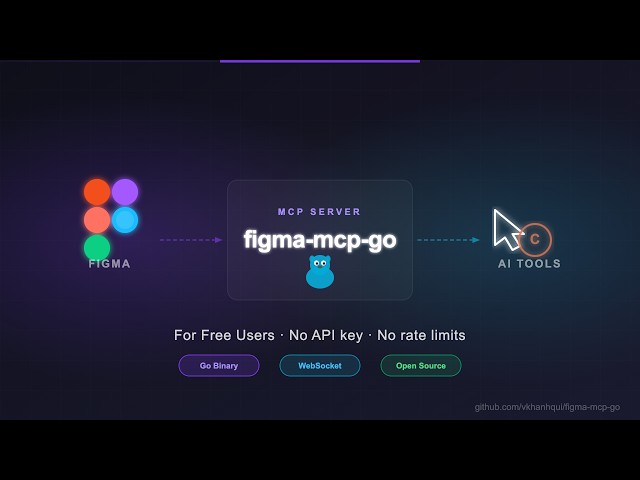
Open-source Figma MCP server with full read/write access via plugin — no REST API, no rate limits. Turn text into designs and designs into real code. Works with Cursor, Claude, GitHub Copilot, and any MCP-compatible AI tool.
**Highlights**
- No Figma API token required
- No rate limits — free plan friendly
- **Read and Write** live Figma data via plugin bridge — 73 tools total
- Full design automation — styles, variables, components, prototypes, and content
- Design strategies included — read_design_strategy, design_strategy, and more prompts built in
**Styles, Variables, Components, Prototypes, and Content**
https://github.com/user-attachments/assets/eae41471-fc72-4574-8261-4f42c38b8c99
**Text to Design, Design to Code**
https://github.com/user-attachments/assets/17bda971-0e83-4f18-8758-8ac2b8dcba62
---
## Why this exists
Most Figma MCP servers rely on the **Figma REST API**.
That sounds fine… until you hit this:
| Plan | Limit |
|------|-------|
| Starter / View / Collab | **6 tool calls/month** |
| Pro / Org (Dev seat) | 200 tool calls/day |
| Enterprise | 600 tool calls/day |
If you're experimenting with AI tools, you'll burn through that in minutes.
I didn't have enough money to pay for higher limits.
So I built something that **doesn't use the API at all**.
---
## Installation & Setup
Install via `npx` — no build step required. Watch the setup video or follow the steps below.
[](https://youtu.be/DjqyU0GKv9k)
### 1. Configure your AI tool
**Claude Code CLI**
```bash
claude mcp add -s project figma-mcp-go -- npx -y @vkhanhqui/figma-mcp-go@latest
```
**Codex CLI**
```bash
codex mcp add figma-mcp-go -- npx -y @vkhanhqui/figma-mcp-go@latest
```
**.mcp.json** (Claude and other MCP-compatible tools)
```json
{
"mcpServers": {
"figma-mcp-go": {
"command": "npx",
"args": ["-y", "@vkhanhqui/figma-mcp-go"]
}
}
}
```
**.vscode/mcp.json** (Cursor / VS Code / GitHub Copilot)
```json
{
"servers": {
"figma-mcp-go": {
"type": "stdio",
"command": "npx",
"args": [
"-y",
"@vkhanhqui/figma-mcp-go"
]
}
}
}
```
### 2. Install the Figma plugin
1. In Figma Desktop: **Plugins → Development → Import plugin from manifest**
2. Select `manifest.json` from the [plugin.zip](https://github.com/vkhanhqui/figma-mcp-go/releases)
3. Run the plugin inside any Figma file
---
## Available Tools
### Write — Create
| Tool | Description |
|------|-------------|
| `create_frame` | Create a frame with optional auto-layout, fill, and parent |
| `create_rectangle` | Create a rectangle with optional fill and corner radius |
| `create_ellipse` | Create an ellipse or circle |
| `create_text` | Create a text node (font loaded automatically) |
| `import_image` | Decode base64 image and place it as a rectangle fill |
| `create_component` | Convert an existing FRAME node into a reusable component |
| `create_section` | Create a Figma Section node to organise frames on a page |
### Write — Modify
| Tool | Description |
|------|-------------|
| `set_text` | Update text content of an existing TEXT node |
| `set_fills` | Set solid fill color (hex) on a node |
| `set_strokes` | Set solid stroke color and weight on a node |
| `set_opacity` | Set opacity of one or more nodes (0 = transparent, 1 = opaque) |
| `set_corner_radius` | Set corner radius — uniform or per-corner |
| `set_auto_layout` | Set or update auto-layout (flex) properties on a frame |
| `set_visible` | Show or hide one or more nodes |
| `lock_nodes` | Lock one or more nodes to prevent accidental edits |
| `unlock_nodes` | Unlock one or more nodes |
| `rotate_nodes` | Set absolute rotation in degrees on one or more nodes |
| `reorder_nodes` | Change z-order: `bringToFront`, `sendToBack`, `bringForward`, `sendBackward` |
| `set_blend_mode` | Set blend mode (MULTIPLY, SCREEN, OVERLAY, …) on one or more nodes |
| `set_constraints` | Set responsive constraints `{ horizontal, vertical }` on one or more nodes |
| `move_nodes` | Move nodes to an absolute x/y position |
| `resize_nodes` | Resize nodes by width and/or height |
| `rename_node` | Rename a node |
| `clone_node` | Clone a node, optionally repositioning or reparenting |
| `reparent_nodes` | Move nodes to a different parent frame, group, or section |
| `batch_rename_nodes` | Bulk rename nodes via find/replace, regex, or prefix/suffix |
| `find_replace_text` | Find and replace text across all TEXT nodes in a subtree or page; supports regex |
### Write — Delete
| Tool | Description |
|------|-------------|
| `delete_nodes` | Delete one or more nodes permanently |
### Write — Prototype
| Tool | Description |
|------|-------------|
| `set_reactions` | Set prototype reactions (triggers + actions) on a node; mode `replace` or `append` |
| `remove_reactions` | Remove all or specific reactions by zero-based index from a node |
### Write — Styles
| Tool | Description |
|------|-------------|
| `set_effects` | Apply drop shadow / blur effects directly on a node (no style required) |
| `create_paint_style` | Create a named paint style with a solid color |
| `create_text_style` | Create a named text style with font, size, and spacing |
| `create_effect_style` | Create a named effect style (drop shadow, inner shadow, blur) |
| `create_grid_style` | Create a named layout grid style (columns, rows, or grid) |
| `update_paint_style` | Rename or recolor an existing paint style |
| `apply_style_to_node` | Apply an existing local style to a node, linking it to that style |
| `delete_style` | Delete any style (paint, text, effect, or grid) by ID |
### Write — Variables
| Tool | Description |
|------|-------------|
| `create_variable_collection` | Create a new local variable collection with an optional initial mode |
| `add_variable_mode` | Add a new mode to an existing collection (e.g. Light/Dark) |
| `create_variable` | Create a variable (COLOR/FLOAT/STRING/BOOLEAN) in a collection |
| `set_variable_value` | Set a variable's value for a specific mode |
| `bind_variable_to_node` | Bind a variable to a node property — supports `fillColor`, `strokeColor`, `visible`, `opacity`, `rotation`, `width`, `height`, corner radii, spacing, and more |
| `delete_variable` | Delete a variable or an entire collection |
### Write — Pages
| Tool | Description |
|------|-------------|
| `add_page` | Add a new page to the document (optional name and index) |
| `delete_page` | Delete a page by ID or name (cannot delete the only page) |
| `rename_page` | Rename a page by ID or current name |
### Write — Components & Navigation
| Tool | Description |
|------|-------------|
| `navigate_to_page` | Switch the active Figma page by ID or name |
| `group_nodes` | Group two or more nodes into a GROUP |
| `ungroup_nodes` | Ungroup GROUP nodes, moving children to the parent |
| `swap_component` | Swap the main component of an INSTANCE node |
| `detach_instance` | Detach component instances, converting them to plain frames |
### Read — Document & Selection
| Tool | Description |
|------|-------------|
| `get_document` | Full current page tree |
| `get_metadata` | File name, pages, current page |
| `get_pages` | All pages (IDs + names) — lightweight, no tree loading |
| `get_selection` | Currently selected nodes |
| `get_node` | Single node by ID |
| `get_nodes_info` | Multiple nodes by ID |
| `get_design_context` | Depth-limited tree with `detail` level (`minimal`/`compact`/`full`) |
| `search_nodes` | Find nodes by name substring and/or type within a subtree |
| `scan_text_nodes` | All text nodes in a subtree |
| `scan_nodes_by_types` | Nodes matching given type list |
| `get_viewport` | Current viewport center, zoom, and visible bounds |
### Read — Styles & Variables
| Tool | Description |
|------|-------------|
| `get_styles` | Paint, text, effect, and grid styles |
| `get_variable_defs` | Variable collections and values |
| `get_local_components` | All components + component sets with variant properties |
| `get_annotations` | Dev-mode annotations |
| `get_fonts` | All fonts used on the current page, sorted by frequency |
| `get_reactions` | Prototype/interaction reactions on a node |
### Export
| Tool | Description |
|------|-------------|
| `get_screenshot` | Base64 image export of any node |
| `save_screenshots` | Export images to disk (server-side, no API call) |
| `export_frames_to_pdf` | Export multiple frames as a single multi-page PDF file saved to disk |
| `export_tokens` | Export design tokens (variables + paint styles) as JSON or CSS |
### MCP Prompts
| Prompt | Description |
|--------|-------------|
| `read_design_strategy` | Best practices for reading Figma designs |
| `design_strategy` | Best practices for creating and modifying designs |
| `text_replacement_strategy` | Chunked approach for replacing text across a design |
| `annotation_conversion_strategy` | Convert manual annotations to native Figma annotations |
| `swap_overrides_instances` | Transfer overrides between component instances |
| `reaction_to_connector_strategy` | Map prototype reactions into interaction flow diagrams |
---
## Related Projects
- [magic-spells/figma-mcp-bridge](https://github.com/magic-spells/figma-mcp-bridge)
- [grab/cursor-talk-to-figma-mcp](https://github.com/grab/cursor-talk-to-figma-mcp)
- [gethopp/figma-mcp-bridge](https://github.com/gethopp/figma-mcp-bridge)
---
## Contributing
Issues and PRs are welcome.
## Star History
<a href="https://www.star-history.com/?repos=vkhanhqui%2Ffigma-mcp-go&type=date&legend=top-left">
<picture>
<source media="(prefers-color-scheme: dark)" srcset="https://api.star-history.com/chart?repos=vkhanhqui/figma-mcp-go&type=date&theme=dark&legend=top-left" />
<source media="(prefers-color-scheme: light)" srcset="https://api.star-history.com/chart?repos=vkhanhqui/figma-mcp-go&type=date&legend=top-left" />
<img alt="Star History Chart" src="https://api.star-history.com/chart?repos=vkhanhqui/figma-mcp-go&type=date&legend=top-left" />
</picture>
</a>
TDQS
Scored across 73 tools
Most tools have clearly distinct purposes, but there is some overlap between get_node, get_nodes_info, get_document, get_design_context, get_selection, and get_pages, which could cause confusion for an agent. Similarly, batch_rename_nodes and rename_node, or scan_nodes_by_types and search_nodes, are closely related.
All tool names follow a consistent verb_noun pattern using snake_case (e.g., create_frame, set_fills, get_pages). The naming is predictable and clear, with no mixing of conventions or ambiguous verbs.
With 73 tools, the server is on the heavier side. While this may be justified given the complexity of Figma (covering design, variables, styles, prototyping), many tools are highly specific (e.g., export_frames_to_pdf, get_fonts) and could potentially be consolidated or omitted.
The tool set covers a broad range of Figma operations: creation, manipulation, styles, variables, prototyping, and exports. However, there are minor gaps, such as lacking a dedicated update_variable tool (though set_variable_value exists) and no support for shared styles or library components.