
figma-mcp-go
Provides full read/write access to Figma files via a plugin bridge, enabling creation and modification of design elements (frames, shapes, text, components), management of design systems (styles, variables, component libraries), prototype interactions, and export capabilities including screenshots, PDFs, and design tokens (JSON/CSS).
figma-mcp-go
Figma MCP — Free, No Rate Limits
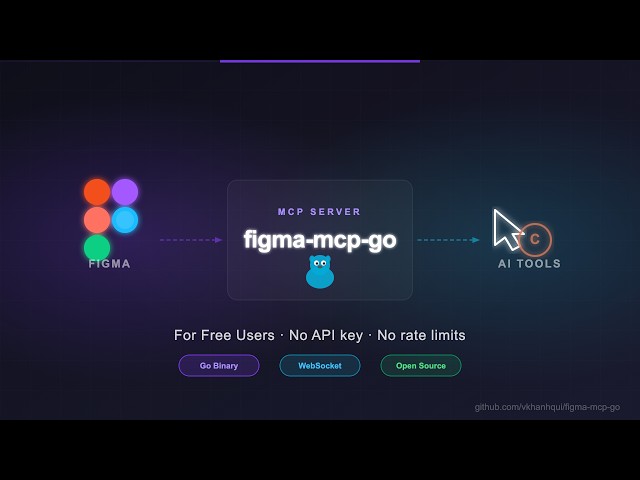
Open-source Figma MCP server with full read/write access via plugin — no REST API, no rate limits. Turn text into designs and designs into real code. Works with Cursor, Claude, GitHub Copilot, and any MCP-compatible AI tool.
Highlights
No Figma API token required
No rate limits — free plan friendly
Read and Write live Figma data via plugin bridge — 58 tools total
Full design automation — styles, variables, components, prototypes, and content
Design strategies included — read_design_strategy, design_strategy, and more prompts built in
https://github.com/user-attachments/assets/17bda971-0e83-4f18-8758-8ac2b8dcba62
Why this exists
Most Figma MCP servers rely on the Figma REST API.
That sounds fine… until you hit this:
Plan | Limit |
Starter / View / Collab | 6 tool calls/month |
Pro / Org (Dev seat) | 200 tool calls/day |
Enterprise | 600 tool calls/day |
If you're experimenting with AI tools, you'll burn through that in minutes.
I didn't have enough money to pay for higher limits. So I built something that doesn't use the API at all.
Installation & Setup
Install via npx — no build step required. Watch the setup video or follow the steps below.
1. Configure your AI tool
Claude Code CLI
claude mcp add -s project figma-mcp-go -- npx -y @vkhanhqui/figma-mcp-go@latest.mcp.json (Claude and other MCP-compatible tools)
{
  "mcpServers": {
    "figma-mcp-go": {
      "command": "npx",
      "args": ["-y", "@vkhanhqui/figma-mcp-go"]
    }
  }
}
.vscode/mcp.json (Cursor / VS Code / GitHub Copilot)
{
  "servers": {
    "figma-mcp-go": {
      "type": "stdio",
      "command": "npx",
      "args": [
        "-y",
        "@vkhanhqui/figma-mcp-go"
      ]
    }
  }
}
2. Install the Figma plugin
In Figma Desktop: Plugins → Development → Import plugin from manifest
Select
manifest.jsonfrom the plugin.zipRun the plugin inside any Figma file
Available Tools
Write — Create
Tool | Description |
| Create a frame with optional auto-layout, fill, and parent |
| Create a rectangle with optional fill and corner radius |
| Create an ellipse or circle |
| Create a text node (font loaded automatically) |
| Decode base64 image and place it as a rectangle fill |
| Convert an existing FRAME node into a reusable component |
Write — Modify
Tool | Description |
| Update text content of an existing TEXT node |
| Set solid fill color (hex) on a node |
| Set solid stroke color and weight on a node |
| Set opacity of one or more nodes (0 = transparent, 1 = opaque) |
| Set corner radius — uniform or per-corner |
| Set or update auto-layout (flex) properties on a frame |
| Move nodes to an absolute x/y position |
| Resize nodes by width and/or height |
| Rename a node |
| Clone a node, optionally repositioning or reparenting |
Write — Delete
Tool | Description |
| Delete one or more nodes permanently |
Write — Prototype
Tool | Description |
| Set prototype reactions (triggers + actions) on a node; mode |
| Remove all or specific reactions by zero-based index from a node |
Write — Styles
Tool | Description |
| Create a named paint style with a solid color |
| Create a named text style with font, size, and spacing |
| Create a named effect style (drop shadow, inner shadow, blur) |
| Create a named layout grid style (columns, rows, or grid) |
| Rename or recolor an existing paint style |
| Apply an existing local style to a node, linking it to that style |
| Delete any style (paint, text, effect, or grid) by ID |
Write — Variables
Tool | Description |
| Create a new local variable collection with an optional initial mode |
| Add a new mode to an existing collection (e.g. Light/Dark) |
| Create a variable (COLOR/FLOAT/STRING/BOOLEAN) in a collection |
| Set a variable's value for a specific mode |
| Bind a local variable to a node property |
| Delete a variable or an entire collection |
Write — Components & Navigation
Tool | Description |
| Switch the active Figma page by ID or name |
| Group two or more nodes into a GROUP |
| Ungroup GROUP nodes, moving children to the parent |
| Swap the main component of an INSTANCE node |
| Detach component instances, converting them to plain frames |
Read — Document & Selection
Tool | Description |
| Full current page tree |
| File name, pages, current page |
| All pages (IDs + names) — lightweight, no tree loading |
| Currently selected nodes |
| Single node by ID |
| Multiple nodes by ID |
| Depth-limited tree with |
| Find nodes by name substring and/or type within a subtree |
| All text nodes in a subtree |
| Nodes matching given type list |
| Current viewport center, zoom, and visible bounds |
Read — Styles & Variables
Tool | Description |
| Paint, text, effect, and grid styles |
| Variable collections and values |
| All components + component sets with variant properties |
| Dev-mode annotations |
| All fonts used on the current page, sorted by frequency |
| Prototype/interaction reactions on a node |
Export
Tool | Description |
| Base64 image export of any node |
| Export images to disk (server-side, no API call) |
| Export multiple frames as a single multi-page PDF file saved to disk |
| Export design tokens (variables + paint styles) as JSON or CSS |
MCP Prompts
Prompt | Description |
| Best practices for reading Figma designs |
| Best practices for creating and modifying designs |
| Chunked approach for replacing text across a design |
| Convert manual annotations to native Figma annotations |
| Transfer overrides between component instances |
| Map prototype reactions into interaction flow diagrams |
Related Projects
Contributing
Issues and PRs are welcome.
Star History
Latest Blog Posts
MCP directory API
We provide all the information about MCP servers via our MCP API.
curl -X GET 'https://glama.ai/api/mcp/v1/servers/vkhanhqui/figma-mcp-go'
If you have feedback or need assistance with the MCP directory API, please join our Discord server