
A
licenseB
qualityB
maintenanceAn AI-powered tool that generates modern UI components from natural language descriptions, integrating with popular IDEs to streamline UI development workflow.
4
13,921 npm
6,568
ISC

Click on "Deploy Server".
Wait a few minutes for the server to deploy. Once ready, it will show a "Started" state.
In the chat, type @ followed by the MCP server name and your instructions, e.g., "@21st.dev Magic AI Agent create a responsive login form with dark mode toggle"
That's it! The server will respond to your query, and you can continue using it as needed.
Here is a step-by-step guide with screenshots.
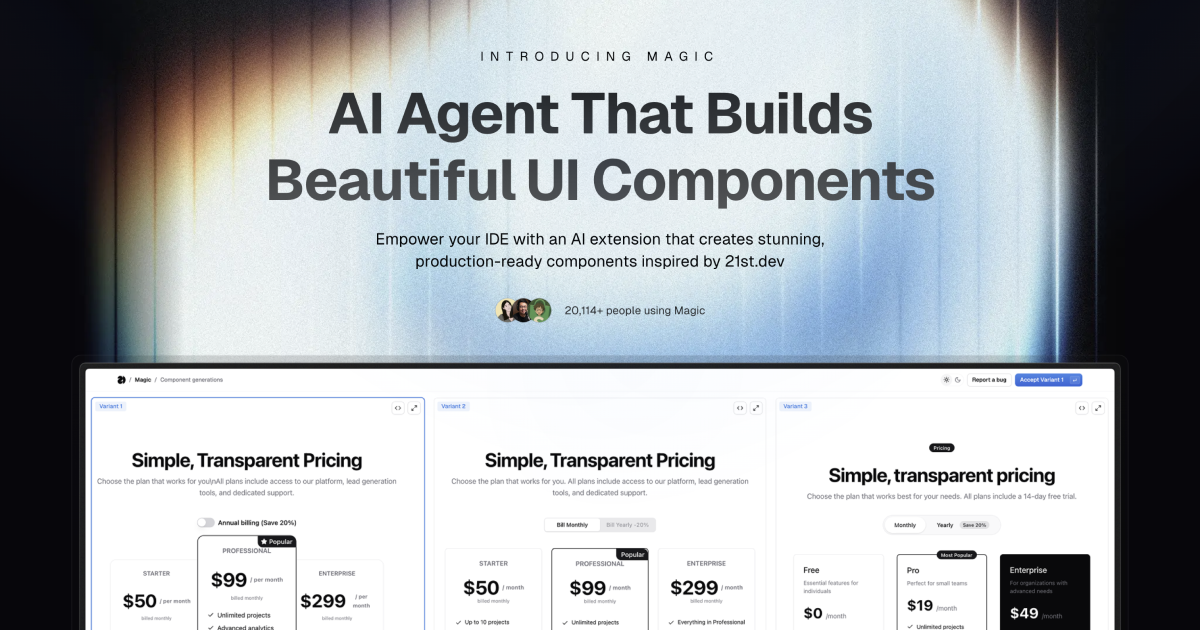
Magic Component Platform (MCP) is a powerful AI-driven tool that helps developers create beautiful, modern UI components instantly through natural language descriptions. It integrates seamlessly with popular IDEs and provides a streamlined workflow for UI development.
基于原项目: 此项目基于 magic-mcp 修改而来
AI-Powered UI Generation: Create UI components by describing them in natural language
Multi-IDE Support:
Cursor IDE integration
Windsurf support
VSCode support
VSCode + Cline integration (Beta)
Modern Component Library: Access to a vast collection of pre-built, customizable components inspired by 21st.dev
Real-time Preview: Instantly see your components as you create them
TypeScript Support: Full TypeScript support for type-safe development
SVGL Integration: Access to a vast collection of professional brand assets and logos
Component Enhancement: Improve existing components with advanced features and animations (Coming Soon)
Related MCP server: Magic Component Platform
Tell Agent What You Need
In your AI Agent's chat, just type /ui and describe the component you're looking for
Example: /ui create a modern navigation bar with responsive design
Let Magic Create It
Your IDE prompts you to use Magic
Magic instantly builds a polished UI component
Components are inspired by 21st.dev's library
Seamless Integration
Components are automatically added to your project
Start using your new UI components right away
All components are fully customizable
Node.js (Latest LTS version recommended)
One of the supported IDEs:
Cursor
Windsurf
VSCode (with Cline extension)
Generate API Key
Visit 21st.dev Magic Console
Generate a new API key
Choose Installation Method
One command to install and configure MCP for your IDE:
npx @21st-dev/cli@latest install <client> --api-key <key>Supported clients: cursor, windsurf, cline, claude
If you prefer manual setup, add this to your IDE's MCP config file:
{
  "mcpServers": {
    "@21st-dev/magic": {
      "command": "npx",
      "args": ["-y", "bach-magic@latest", "API_KEY=\"your-api-key\""]
    }
  }
}
Config file locations:
Cursor: ~/.cursor/mcp.json
Windsurf: ~/.codeium/windsurf/mcp_config.json
Cline: ~/.cline/mcp_config.json
Claude: ~/.claude/mcp_config.json
For one-click installation, click one of the install buttons below:
First, check the install buttons above for one-click installation. For manual setup:
Add the following JSON block to your User Settings (JSON) file in VS Code. You can do this by pressing Ctrl + Shift + P and typing Preferences: Open User Settings (JSON):
{
  "mcp": {
    "inputs": [
      {
        "type": "promptString",
        "id": "apiKey",
        "description": "21st.dev Magic API Key",
        "password": true
      }
    ],
    "servers": {
      "@21st-dev/magic": {
        "command": "npx",
        "args": ["-y", "bach-magic@latest"],
        "env": {
          "API_KEY": "${input:apiKey}"
        }
      }
    }
  }
}
Optionally, you can add it to a file called .vscode/mcp.json in your workspace:
{
  "inputs": [
    {
      "type": "promptString",
      "id": "apiKey",
      "description": "21st.dev Magic API Key",
      "password": true
    }
  ],
  "servers": {
    "@21st-dev/magic": {
      "command": "npx",
      "args": ["-y", "@21st-dev/magic@latest"],
      "env": {
        "API_KEY": "${input:apiKey}"
      }
    }
  }
}Magic AI Agent only writes or modifies files related to the components it generates. It follows your project's code style and structure, and integrates seamlessly with your existing codebase without affecting other parts of your application.
Yes! All generated components are fully editable and come with well-structured code. You can modify the styling, functionality, and behavior just like any other React component in your codebase.
If you exceed your monthly generation limit, you'll be prompted to upgrade your plan. You can upgrade at any time to continue generating components. Your existing components will remain fully functional.
Authors can publish components to 21st.dev at any time, and Magic Agent will have immediate access to them. This means you'll always have access to the latest components and design patterns from the community.
Magic AI Agent can handle components of varying complexity, from simple buttons to complex interactive forms. However, for best results, we recommend breaking down very complex UIs into smaller, manageable components.
mcp/
├── app/
│   └── components/     # Core UI components
├── types/             # TypeScript type definitions
├── lib/              # Utility functions
└── public/ # Static assetsIdeInstructions: Setup instructions for different IDEs
ApiKeySection: API key management interface
WelcomeOnboarding: Onboarding flow for new users
We welcome contributions! Please join our Discord community and provide feedback to help improve Magic Agent. The source code is available on GitHub.
Discord Community - Join our active community
Twitter - Follow us for updates
Magic Agent is currently in beta. All features are free during this period. We appreciate your feedback and patience as we continue to improve the platform.
MIT License
Thanks to our beta testers and community members
Special thanks to the Cursor, Windsurf, and Cline teams for their collaboration
Integration with 21st.dev for component inspiration
SVGL for logo and brand asset integration
For more information, join our Discord community or visit 21st.dev/magic.
"Use this tool when the user requests a new UI component—e.g., mentions /ui, /21 /21st, or asks for a button, input, dialog, table, form, banner, card, or other React component. This tool ONLY returns the text snippet for that UI component. After calling this tool, you must edit or add files to integrate the snippet into the codebase."
Inputs: message (required), searchQuery (required), absolutePathToCurrentFile (required), absolutePathToProjectDirectory (required), +1 more.
"Use this tool when the user wants to see component, get inspiration, or /21st fetch data and previews from 21st.dev. This tool returns the JSON data of matching components without generating new code. This tool ONLY returns the text snippet for that UI component. After calling this tool, you must edit or add files to integrate the snippet into the codebase."
Inputs: message (required), searchQuery (required).
"Use this tool when the user requests to re-design/refine/improve current UI component with /ui or /21 commands, or when context is about improving, or refining UI for a React component or molecule (NOT for big pages). This tool improves UI of components and returns redesigned version of the component and instructions on how to implement it."
Inputs: userMessage (required), absolutePathToRefiningFile (required), context (required).
Search and return logos in specified format (JSX, TSX, SVG). Supports single and multiple logo searches with category filtering. Can return logos in different themes (light/dark) if available.
When to use this tool:
When user types "/logo" command (e.g., "/logo GitHub")
When user asks to add a company logo that's not in the local project
Example queries:
Single company: ["discord"]
Multiple companies: ["discord", "github", "slack"]
Specific brand: ["microsoft office"]
Command style: "/logo GitHub" -> ["github"]
Request style: "Add Discord logo to the project" -> ["discord"]
Format options:
TSX: Returns TypeScript React component
JSX: Returns JavaScript React component
SVG: Returns raw SVG markup
Each result includes:
Component name (e.g., DiscordIcon)
Component code
Import instructions
Inputs: queries (required), format (required).
Recent tool additions, removals, and schema changes observed during successful MCP inspections.
Loading tool schema changelog…
Scored across 4 tools
The first three tools have significant overlap and unclear boundaries. 'component_builder' and 'component_inspiration' both mention returning text snippets for UI components, while 'component_refiner' also deals with UI components but focuses on redesign. The descriptions create confusion about when to use each, especially between builder and inspiration. Only 'logo_search' stands clearly apart.
Three tools follow a consistent '21st_magic_component_*' pattern with descriptive suffixes (builder, inspiration, refiner), which is good. However, 'logo_search' breaks this pattern entirely with a different naming convention, creating inconsistency across the set. The naming within the component group is consistent but not across all tools.
Four tools is a reasonable count for a UI/component-focused server, allowing focused functionality without being overwhelming. It covers component creation, inspiration, refinement, and logo handling, which aligns well with the apparent scope of React component development assistance. The count is appropriate though slightly lean.
For a UI component development server, there are notable gaps. While it covers component creation, inspiration, refinement, and logo integration, it lacks tools for component testing, deployment, or management (e.g., listing existing components, deleting components). The surface supports basic workflows but leaves agents without complete lifecycle coverage for the domain.
Find UI components and themes, retrieve code, and generate with hosted 21st AI when enabled.
React + Tailwind UI components and recipes your AI coding tool can search and install.
React + Tailwind UI components and recipes your AI coding tool can search and install.
Live React design-system APIs, patterns, and code validation so AI agents build real UI, not slop.