
The Linear MCP Server provides tools for managing Linear issues and project tracking:
Create Issues: Create new issues with title, team ID, description, priority, and status
Update Issues: Modify existing issues by changing properties like title, description, priority, or status
Search Issues: Find issues using filters such as text query, team, assignee, labels, priority, estimate points, and archive status
Get User Issues: Retrieve issues assigned to a specific user or the authenticated user
Add Comments: Add comments to existing issues, with options to customize the user's name and avatar
Access Resources: Retrieve details about issues, teams, users, organizations, and the authenticated viewer
Provides tools for issue tracking and project management in Linear, allowing users to create and update issues, search and filter issues, retrieve user-assigned tasks, add comments, and access organizational information.
Click on "Install Server".
Wait a few minutes for the server to deploy. Once ready, it will show a "Started" state.
In the chat, type
@followed by the MCP server name and your instructions, e.g., "@Linear MCP Servercreate a bug ticket for the login screen disappearing on mobile"
That's it! The server will respond to your query, and you can continue using it as needed.
Here is a step-by-step guide with screenshots.
Linear MCP
A Model Context Protocol (MCP) server for Linear, providing tools for issue tracking and project management.
Configuration
Go to Linear security settings and create an API key:
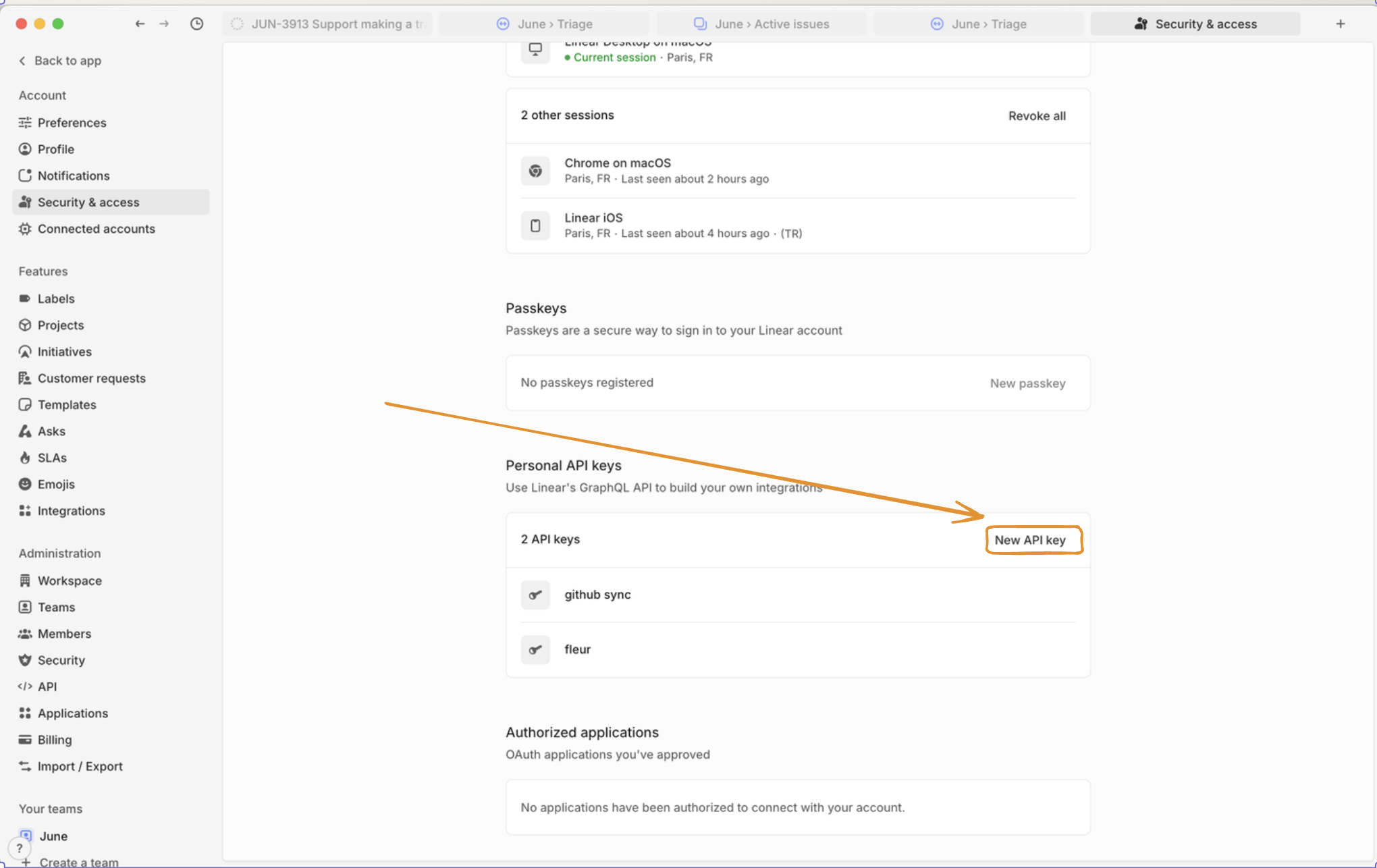
Then, configure it with the LINEAR_API_KEY env variable:
# Add to your .env file
LINEAR_API_KEY=lin_api_xxxxxxxxxxxx

# Or export as environment variable
export LINEAR_API_KEY=lin_api_xxxxxxxxxxxx
Related MCP server: MCP Linear App
Running the Server
uvx --from git+https://github.com/vinayak-mehta/linear-mcp linear-mcpDocker
docker build -t linear-mcp:latest .
docker run -it --rm -e LINEAR_API=lin_api_xxxxxx linear-mcp:latest
And to use this in Claude Desktop, it would look like this:
    "linear-mcp-server": {
      "command": "docker",
      "args": [
        "run",
        "-it",
        "--rm",
        "-e",
        "LINEAR_API_KEY=lin_api_xxxxxx",
        "linear-mcp-server:latest"
      ]
    }
Resources
Linear MCP provides access to the following resource types:
Resource | Description | Example URI |
Issue | Details of a specific Linear issue |
|
Team Issues | All issues for a specific team |
|
User Issues | Issues assigned to a user |
|
Organization | Details about your Linear organization |
|
Viewer | Information about the authenticated user |
|
Tools
Tool | Description |
| Create a new Linear issue with title, description, and other attributes |
| Update an existing issue's properties |
| Search issues using flexible filtering criteria |
| Retrieve issues assigned to a specific user |
| Add a comment to an existing issue |
Example Prompts
Creating a New Issue
Create a bug ticket: "Login screen disappears like magic tricks at a birthday party!" Priority: HIGH, Team: EngineeringUpdating an Issue
Upgrade ENG-123 to "shooting star" priority! Users are excited! Change status to "Racing to the finish line!"Searching for Issues
Find all Frontend tasks with "authentication" that are patiently waiting for their moment to shineRetrieving User Tasks
What exciting challenges await me today in Linear?Adding a Comment
Add to DEV-456: "Temporarily paused while the API does its beauty routine. Back on it next sprint with fresh energy!"Organization Overview
Show me our amazing team structure so I can appreciate all the talented people making this happenLicense
Apache 2.0

Resources
Unclaimed servers have limited discoverability.
Looking for Admin?
If you are the server author, to access and configure the admin panel.