
TorchV AIS MCP Server
Official# `@torchv-team/ais-mcp`
[English](README.md) | [中文](README_CN.md)
[](https://opensource.org/licenses/Apache-2.0) 
🚀 **TorchV AIS Knowledge Base MCP Server**
A production-ready MCP server that enables **read / write / edit / file transfer** operations directly on the AIS enterprise knowledge base.
---
## ✨ Features
* 📚 Unified access to AIS knowledge base
* 🛠️ Full MCP toolchain (read / write / management)
* ⚡ One-command startup via `npx`
* 🔌 Supports both **STDIO** and **HTTP (streamable)** transports
* 🔐 Fine-grained permission control (`readonly / write / admin`)
---
## 🚀 Installation & Run
```bash
npx -y @torchv-team/ais-mcp
```
---
## 🔑 Required Configuration
Before starting, set the following environment variables:
```bash
export KB_EXECUTE_URL="https://bot.torchv.com"
export KB_TOKEN="your-token"
```
---
### 🌐 How to get `KB_EXECUTE_URL`
📌 Steps:
1. Open your AIS instance
2. Copy the site origin from the browser address bar
👉 Example:
```text
https://bot.torchv.com
```
---
### 🔐 How to get `KB_TOKEN`
**Recommended:**
```
AIS → Admin Center → API Keys → Create Key
```
**Temporary (not recommended for production):**
```
Browser DevTools → Network → Inspect request → Copy token
```
---
## ⚙️ Optional Configuration
```bash
export KB_MODE="readonly" # readonly | write | admin
export KB_TIMEOUT_SECONDS="30"
export KB_DEFAULT_REPO_CODE="TEAM_DOCS"
export KB_EXTRA_HEADERS_JSON='{"x-foo":"bar"}'
```
---
### 🛡️ Permission Levels
* 🟢 `readonly` → Read-only access
* 🟡 `write` → Allows write / upload / publish
* 🔴 `admin` → Full control (move / delete)
---
## 🧩 Run Modes
### 🖥️ STDIO Mode (Local MCP Client)
```bash
npm run build
node dist/cli.js
```
or:
```bash
npm run dev
npm run start
```
---
### 🌍 Streamable HTTP Mode
```bash
npm run build
node dist/cli.js \
--transport streamable-http \
--host 127.0.0.1 \
--port 3000 \
--path /mcp
```
or:
```bash
npm run dev:http
npm run start:http
```
📌 Parameters:
```bash
--transport streamable-http
--host 127.0.0.1
--port 3000
--path /mcp
```
---
## 🔌 Claude / Codex Configuration
### STDIO
```json
{
"mcpServers": {
"ais": {
"command": "npx",
"args": ["-y", "@torchv-team/ais-mcp"],
"env": {
"KB_EXECUTE_URL": "https://your-ais-domain",
"KB_TOKEN": "your-token",
"KB_MODE": "readonly"
}
}
}
}
```
---
### HTTP Mode
```json
{
"mcpServers": {
"ais-http": {
"type": "streamable-http",
"url": "http://127.0.0.1:3000/mcp"
}
}
}
```
---
## 🛠️ Tooling Overview
### 📖 Read-only
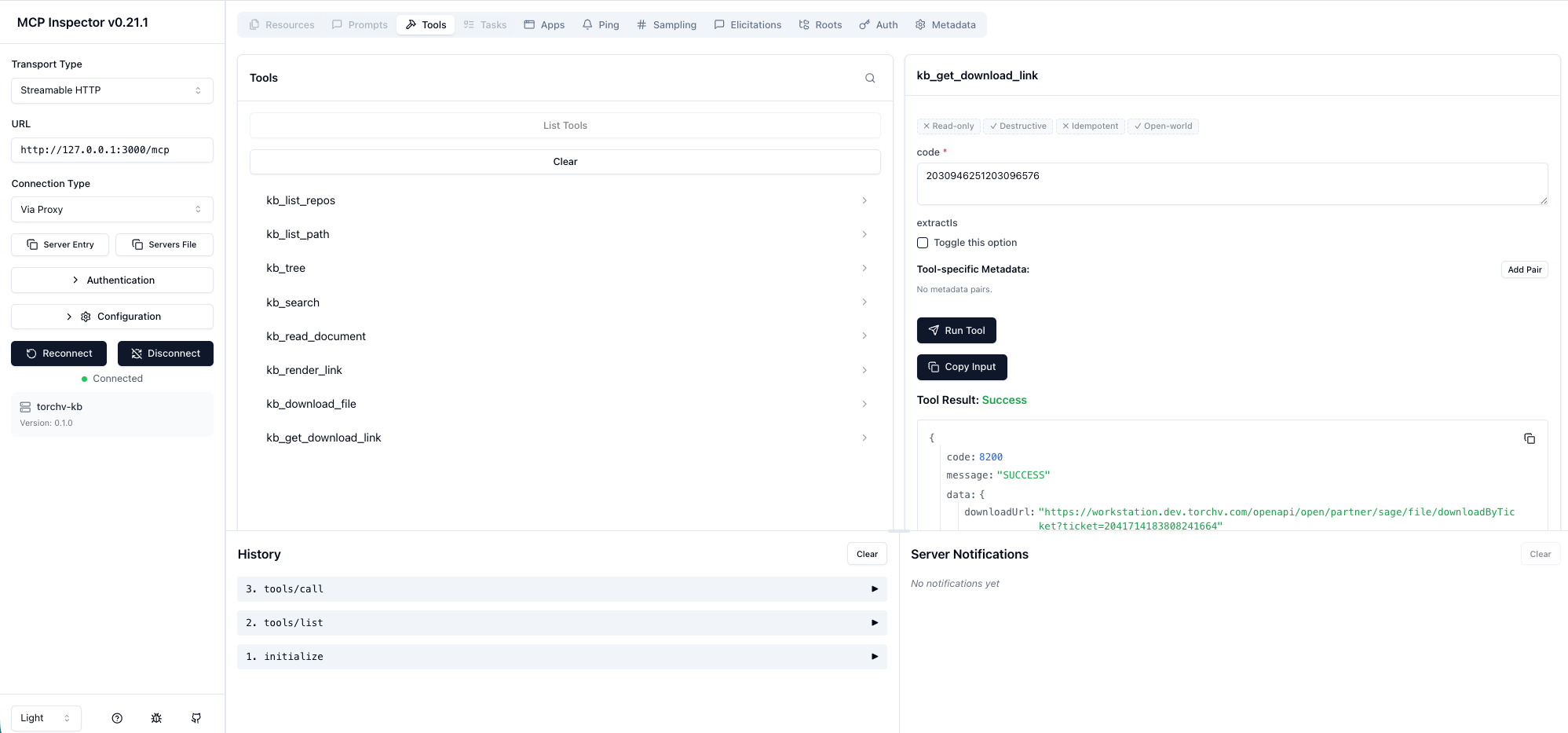
* `kb_list_repos`
* `kb_list_path`
* `kb_tree`
* `kb_search`
* `kb_read_document`
* `kb_render_link`
* `kb_download_file`
* `kb_get_download_link`
---
### ✏️ Write
* `kb_write_document`
* `kb_patch_document`
* `kb_create_directory`
* `kb_copy_document`
* `kb_publish_document`
* `kb_upload_file`
---
### 🔧 Admin
* `kb_move_document`
* `kb_delete_document`
---
## 🧠 About AIS
AIS is TorchV’s core product — not just a traditional knowledge base, but:
> 🧠 **An Enterprise AI Knowledge Engine**
### Core Capabilities
* 🔄 Transform scattered data → structured knowledge
* 🔍 Searchable
* 🧩 Governable
* ⚡ Composable
* 📈 Optimizable
---
## 🎁 Try AIS
📲 Contact us (CEO WeChat):

TDQS
Scored across 8 tools
The tools have overlapping purposes that could cause confusion, particularly around file/document operations. For example, kb_download_file, kb_get_download_link, and kb_render_link all seem related to accessing files, but their specific distinctions are unclear without descriptions. Similarly, kb_list_path and kb_tree both appear to involve directory/file listing, creating ambiguity in tool selection.
All tool names follow a perfectly consistent pattern: they all start with 'kb_' prefix and use snake_case throughout. This uniformity makes the tool set predictable and easy to parse, with no deviations in naming conventions across the eight tools.
With 8 tools, the count is reasonable for a knowledge base or document management server. It's slightly on the higher side but still well-scoped, suggesting a focused domain without being overly sparse or bloated. The number aligns well with typical MCP server tool counts.
Inferring from tool names, the server seems designed for knowledge base operations (e.g., listing, reading, searching, downloading). However, there are notable gaps: there are no clear tools for creating, updating, or deleting content, which limits full CRUD coverage. The surface covers retrieval and listing well but misses modification capabilities, potentially causing agent workarounds.