Ludus FastMCP
Ludus FastMCP is an AI-powered MCP server that automates Ludus cyber range environments through natural language commands, exposing 157 tools across 15 modules for comprehensive lab management.
Core Capabilities:
Range Lifecycle Management: Create, configure, deploy, abort, power on/off, clone, and delete cyber ranges with bulk VM operations and testing mode controls
Scenario Deployment: Deploy 13 pre-built scenarios (red/blue/purple team, malware analysis, wireless labs) with customization, randomization, and SIEM integration (Wazuh, Splunk, Elastic Stack, Security Onion)
Template Management: Build, validate, optimize, and manage custom OS and container templates with dependency tracking and build logs
Snapshot Management: Create, list, rollback, and remove VM snapshots with scheduled automation and retention policies
SIEM Integration: Alert management, agent monitoring, detection summaries, and security event analysis across multiple SIEM platforms
User & Access Control: Manage users, API keys, and granular range access permissions
Network Operations: Visualize topology, test connectivity, diagnose issues, capture traffic with BPF filtering, and export SSH/RDP configurations
Deployment Control: Smart deployment with validation, monitoring, recovery tools, and Ansible tag-based resumption (base, domain, user, configure)
Security & Compliance: Run audits, compliance checks (NIST, PCI, ISO27001), vulnerability scans, and credential rotation
Metrics & Reporting: Monitor CPU, memory, disk, network usage with cost estimations; export in JSON, CSV, or Prometheus formats
Automation & Integration: Create deployment pipelines, schedule tasks with cron, configure auto-scaling, and integrate with webhooks, Slack, Jira, and Git repositories
Backup & Recovery: Export/import range backups, clone ranges with snapshots, and access recovery recommendations for failed deployments
Documentation & Training: Generate range documentation (markdown, HTML, PDF), attack path analysis, lab guides with solutions, and scenario playbooks
Community & Sharing: Import community scenarios and share range configurations publicly or with specific users
Provides Ansible role management capabilities including Ansible Galaxy integration and custom role installation for configuring Ludus cyber range environments.
Enables SIEM integration with Elastic Stack for security monitoring and logging within Ludus cyber range deployments.
Supports configuration of local LLM through Ollama for AI-powered management of Ludus environments via the ludus-ai CLI tool.
Enables SIEM integration with Splunk for security monitoring and event management in Ludus cyber range environments.
Click on "Install Server".
Wait a few minutes for the server to deploy. Once ready, it will show a "Started" state.
In the chat, type
@followed by the MCP server name and your instructions, e.g., "@Ludus FastMCPdeploy an Active Directory lab with Wazuh monitoring"
That's it! The server will respond to your query, and you can continue using it as needed.
Here is a step-by-step guide with screenshots.
Ludus FastMCP
A Model Context Protocol (MCP) server for automating Ludus cyber range environments through AI assistants written in Python.
Overview
Ludus FastMCP enables AI-powered management of Ludus cyber ranges through natural language commands. The server exposes 231 tools across 23 modules for range lifecycle management, scenario deployment, template creation, Ansible role management, and security monitoring integration.
Requires Ludus 2.0 or later. This release targets the Ludus 2.x API only, which is what makes blueprints, groups, content sources, VM console access, quotas and diagnostics available. Support for the Ludus 1.x API was removed; pin ludus-fastmcp to a 1.x release if you still run a Ludus 1.x server.
The client covers every endpoint in the Ludus API, validated against a live Ludus 2.3.0 server.
Key Capabilities
Category | Description |
Range Management | Create, configure, deploy, and manage virtual lab environments |
Blueprints | Create, export, import, share, and apply reusable range configurations |
Content Sources | Add git or archive catalogs of templates, roles, and prebuilt labs such as GOAD |
Groups | Organize users and ranges with group-based access control |
Scenario Deployment | Pre-built scenarios for AD, red/blue/purple team, and malware analysis |
Template Builder | Custom OS templates, skeleton configurations, and YAML generation |
Role Management | Ansible Galaxy integration, custom roles, subscription roles, and scope control |
SIEM Integration | Wazuh, Splunk, Elastic Stack, and Security Onion support |
AI Configuration | Natural language to YAML configuration conversion |
Diagnostics | System health, license info, deployment log history, and migration tools |
Quotas & Limits | Per-user and per-group resource quotas, plus range auto-shutdown (plugin) |
Supported Platforms
Works with any MCP-compatible client including Claude Desktop, VS Code (Cline), OpenWebUI, and AnythingLLM.
Related MCP server: Cobalt Strike MCP Server
Quick Start
Requirements
Python 3.11+
FastMCP 3.x (installed automatically)
A Ludus server running 2.0 or later
Ludus API key, or a JWT token for Pro/SSO deployments
Installation
# Using pipx (recommended)
pipx install git+https://github.com/tjnull/Ludus-FastMCP
# From source
git clone https://github.com/tjnull/Ludus-FastMCP
cd Ludus-FastMCP
pip install -e .Setup
Run the interactive setup wizard:
ludus-fastmcp --setupThe wizard configures API credentials, tests connectivity, and generates MCP client configuration files.
For manual configuration options, see the Configuration Guide.
Usage
MCP Server (ludus-fastmcp)
ludus-fastmcp --setup # Interactive setup wizard
ludus-fastmcp --list-tools # List all 231 available tools
ludus-fastmcp --version # Display version information
ludus-fastmcp # Start MCP server
ludus-fastmcp --daemon # Run as background serviceClient CLI (ludus-ai)
ludus-ai setup-llm # Configure local LLM (Ollama)
ludus-ai install anythingllm # Install AnythingLLM interface
ludus-ai tool list-tools # List available tools
ludus-ai tool call-tool <name> # Execute tools directlyExample Interactions
Once connected to an MCP client, interact with your Ludus environment:
Show my current range status
Deploy an Active Directory lab with Wazuh monitoring
Create a snapshot named "pre-attack" for all VMs
Build a lab with 2 domain controllers and 5 workstations
Create a blueprint from my current range and share it with the red-team group
Show system diagnostics and storage usage
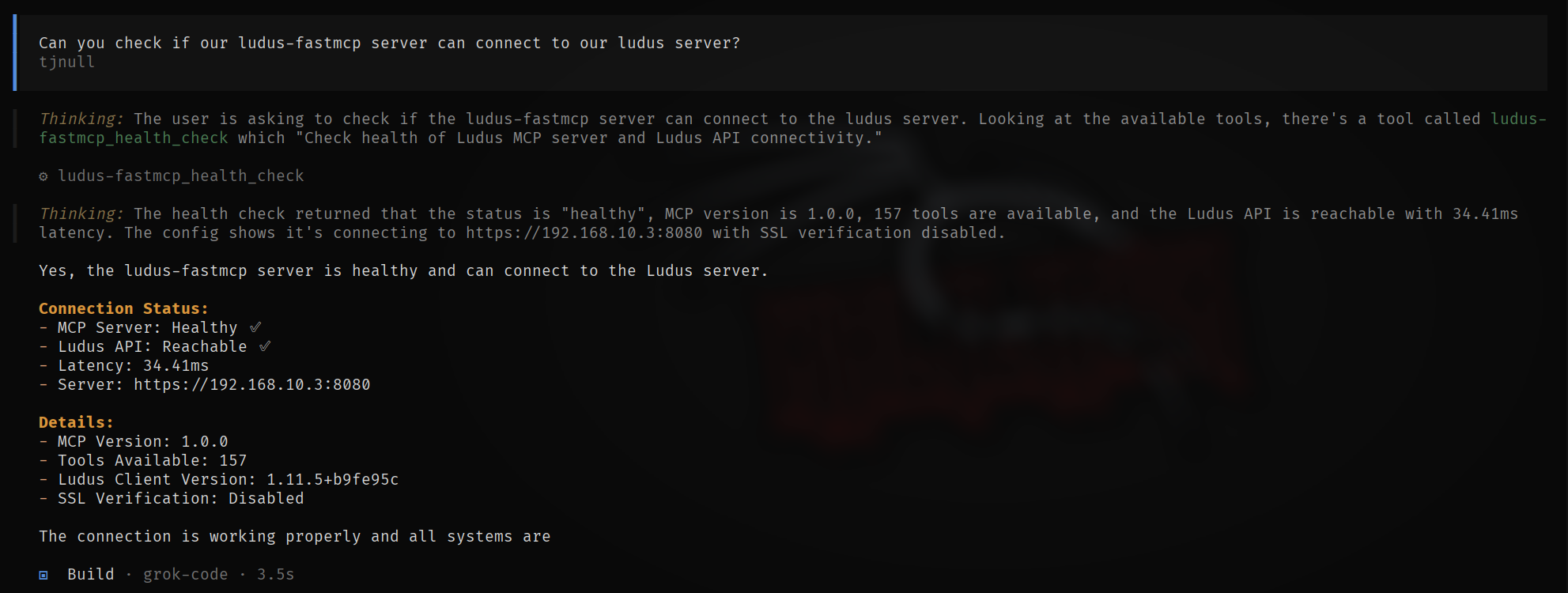
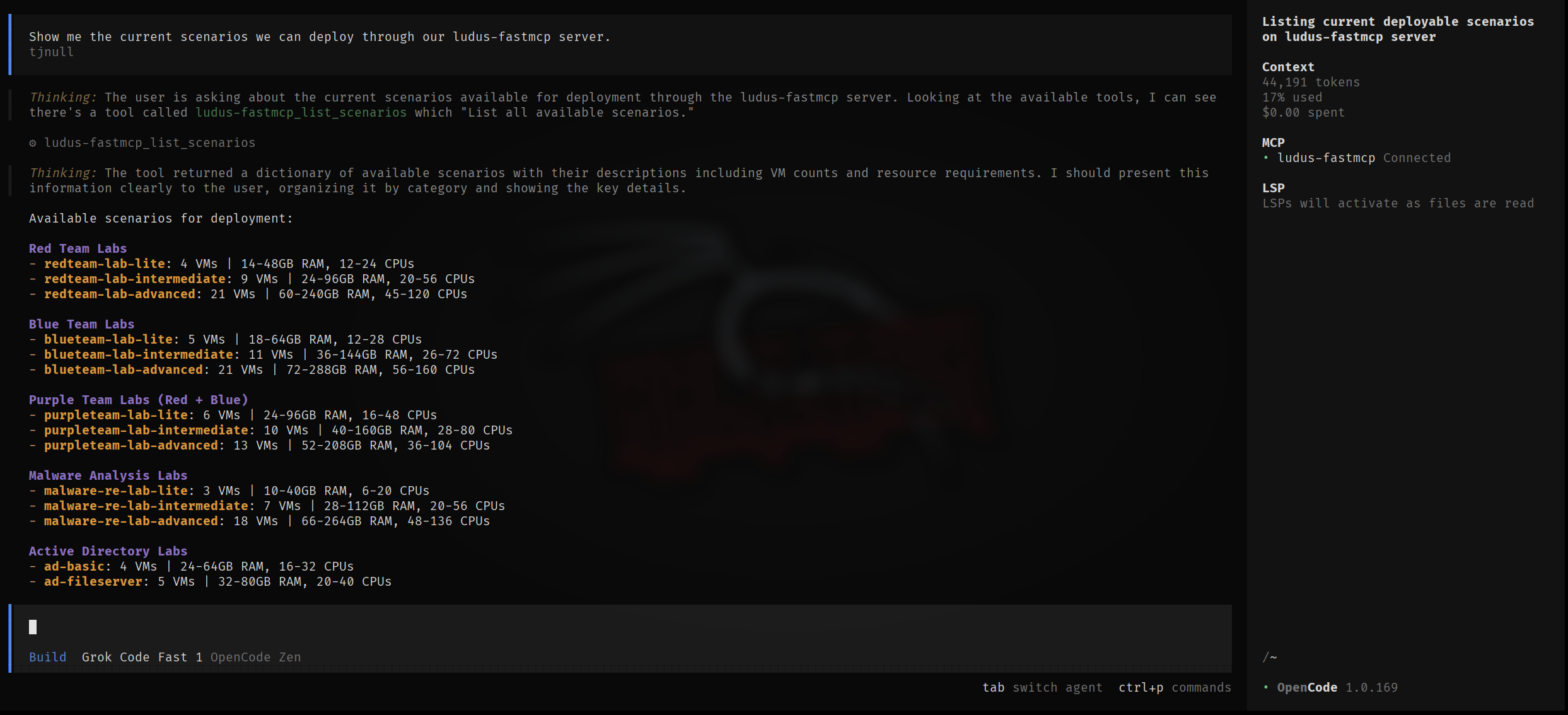
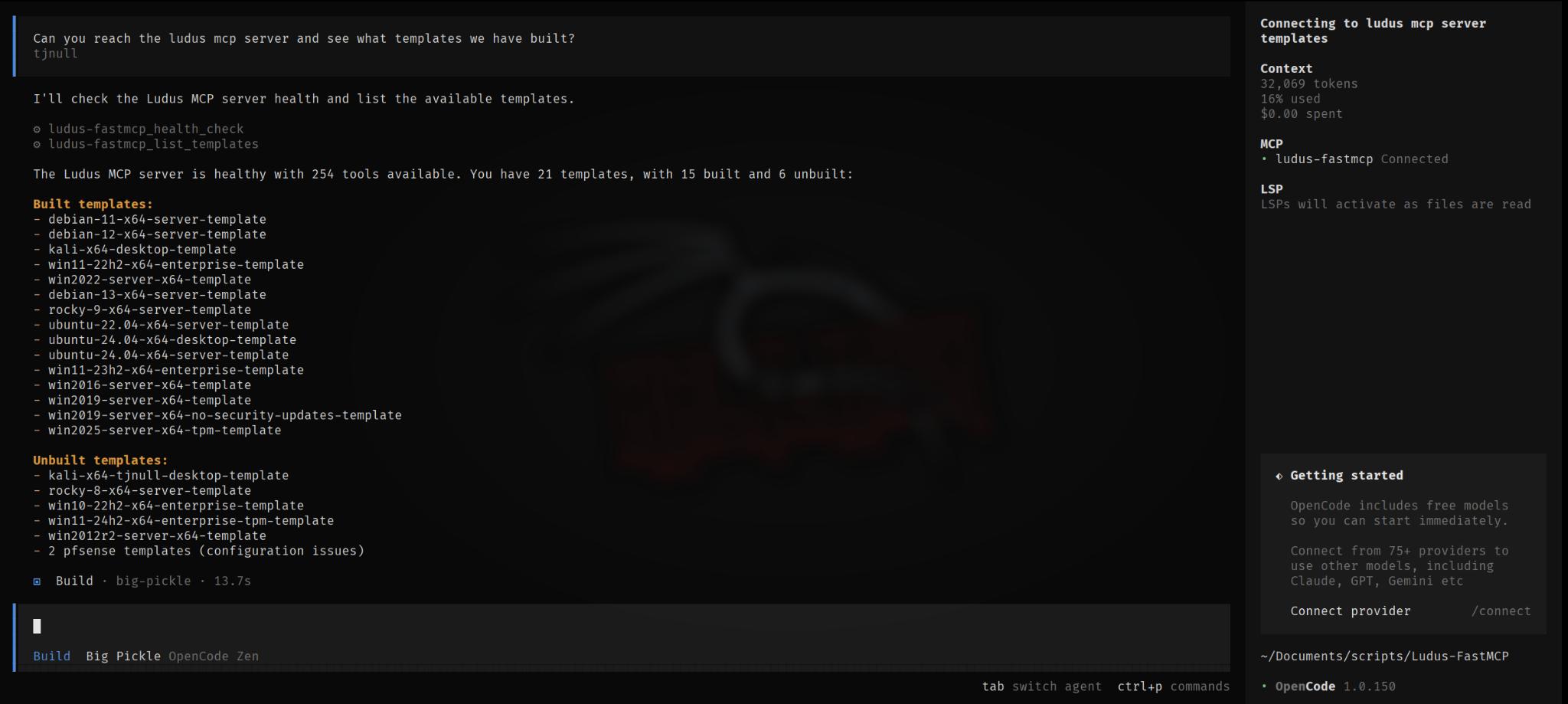
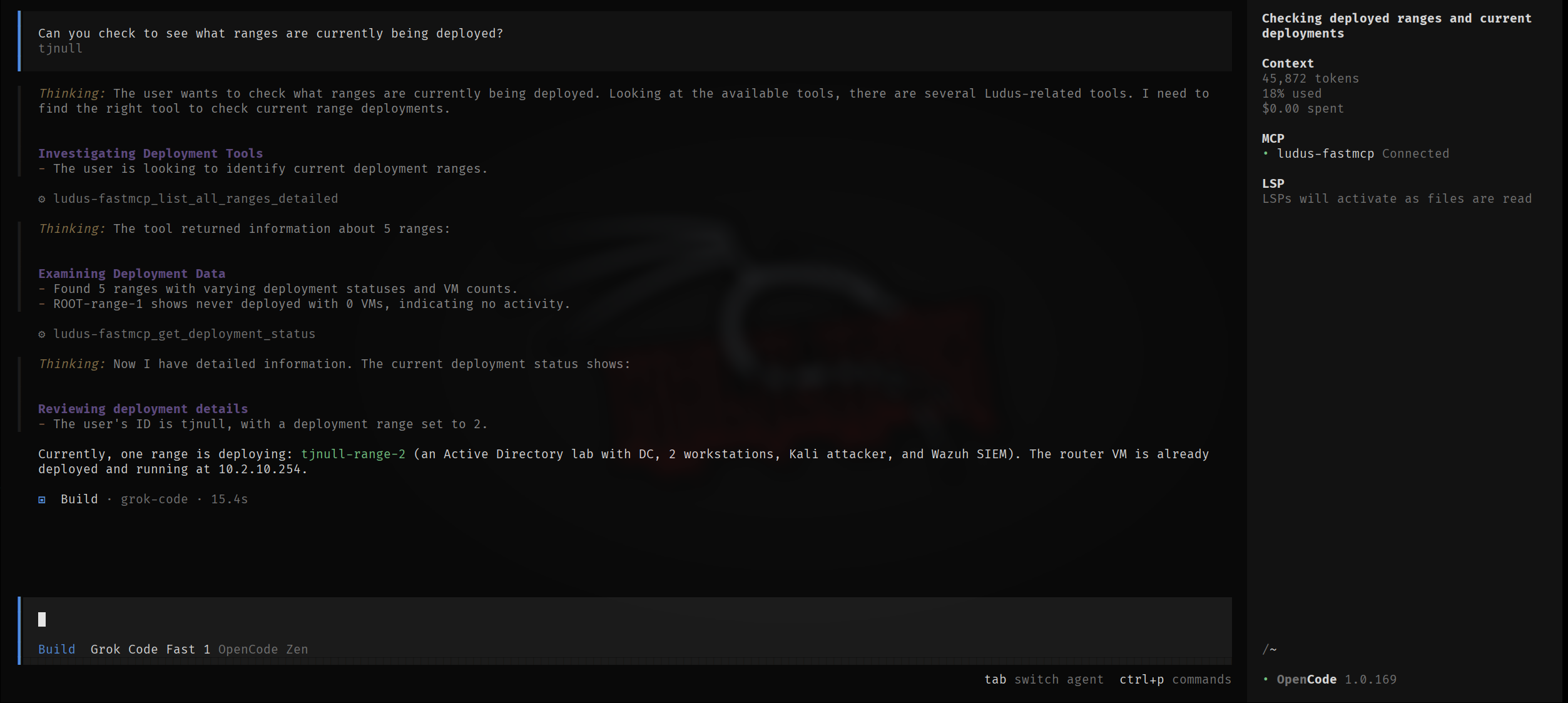
List all groups and their membersExamples of using Ludus-FastMCP with grok code through Opencode.


Documentation
Document | Description |
Installation, setup, and first deployment | |
Environment variables and MCP client setup | |
Complete documentation for all 231 tools | |
Pre-built deployment scenarios | |
Common issues and solutions | |
Safety features and best practices |
Ludus Server Requirements
This release speaks the Ludus 2.x API only. Every request goes to /api/v2;
there is no v1 code path left to fall back to.
On the first call the client asks the server for its version and refuses to continue if it does not answer as a 2.x server, so a mismatch surfaces once, up front, instead of as a puzzling 404 from whichever tool you happened to run:
https://ludus.example:8080 does not serve the Ludus 2.x API
(GET /api/v2/ returned HTTP 404). This release requires Ludus 2.0 or later;
upgrade the server, or pin ludus-fastmcp to a 1.x release for a Ludus 1.x server.Set LUDUS_API_VERSION=v2 to assert the version yourself and skip that check
(it saves one request per session). LUDUS_API_VERSION=v1 is rejected at
startup rather than silently ignored.
Still on Ludus 1.x?
Pin an older release:
pipx install "git+https://github.com/tjnull/Ludus-FastMCP@v1.0.0"Upgrading the server is the better path: blueprints, content sources, groups, quotas, deployment log history and VM console access do not exist in the 1.x API at all.
Plugin-gated features
Some Ludus capabilities ship as server plugins that may not be loaded on a given install. Quotas and auto-shutdown are the common examples. When a plugin is absent, the Ludus API answers with HTTP 404 even though the request was correct.
Rather than reporting that as a missing endpoint, those tools return a clear result so an AI assistant does not go hunting for a nonexistent bug:
{
"available": false,
"feature": "Quotas",
"error": "Quotas is not available on this Ludus server.",
"reason": "This capability is provided by a Ludus plugin that is not loaded on the server.",
"hint": "The request was well-formed. Do not retry or try alternative endpoints."
}Endpoints a server does not implement at all (HTTP 501, such as /range/sshconfig
on some builds) are reported the same way, with an explicit note that retrying
will not help.
Resources
Resource | Link |
Ludus Documentation | |
Ludus API Reference | |
Ludus GitHub | |
FastMCP Framework | |
MCP Specification |
Support
GitHub Issues - Bug reports and feature requests
GitHub Discussions - Questions and community discussion
License
This project is licensed under the MIT License. See LICENSE for details.
Disclaimer
This software is intended for authorized security testing, educational purposes, and research in controlled environments. Users are responsible for compliance with applicable laws and organizational policies. The authors make no warranties and assume no liability for use or misuse of this software.
Acknowledgments
Credits
Maintenance
Resources
Unclaimed servers have limited discoverability.
Looking for Admin?
If you are the server author, to access and configure the admin panel.
Related MCP Servers
- Flicense-qualityFmaintenanceEnables comprehensive Ansible automation management through natural language, including playbook creation and execution, inventory management, role scaffolding, and project workflows. Supports both local inventories and full project lifecycle management with syntax validation and idempotency testing.29
- Flicense-qualityDmaintenanceEnables management of Cobalt Strike red team operations through natural language commands, providing access to 200+ tools for beacon control, listener management, credential operations, and payload generation.
- FlicenseCqualityDmaintenanceEnables comprehensive management of Ansible Automation Platform Controller and Gateway through 17 specialized tools covering job execution, inventory management, workflows, credentials, user administration, and system monitoring.18
- Alicense-qualityAmaintenanceEnables management of Proxmox Virtual Environment clusters, virtual machines, and containers through natural language interfaces. It provides 105 tools for tasks like power management, configuration, and resource monitoring with granular access control tiers.18215MIT
Related MCP Connectors
60+ Meta Ads tools for AI agents: audits, campaign management, audiences and CAPI tracking.
Universal AI API Orchestrator — 1,554 tools, 96 services. One install.
33 tools that make AI write, implement, and verify intent against explicit, testable constraints.
Latest Blog Posts
- Who's Calling? MCP Hosts Are an Identity Blind Spot (And the Spec Knows It)By Om-Shree-0709 on .mcpAgent IdentityOAuth 2.1
- Your AI Chatbot Just Exposed Your CEO's Salary to an InternBy Om-Shree-0709 on .Agent IdentityMCP SecurityOAuth Delegation
- Why MCP Servers Need Execution Sandboxing (And Why Your Current Stack Isn't Enough)By Om-Shree-0709 on .Agentic AiPrompt InjectionWebAssembly
MCP directory API
We provide all the information about MCP servers via our MCP API.
curl -X GET 'https://glama.ai/api/mcp/v1/servers/tjnull/Ludus-FastMCP'
If you have feedback or need assistance with the MCP directory API, please join our Discord server