ThingsBoard MCP Server



Connect AI agents to your ThingsBoard IoT platform via Model Context Protocol (MCP). Query devices, manage entities, analyze telemetry, and automate operations — all through natural language.
Works with Claude Desktop, Cursor, VS Code Copilot, Claude Code, and any MCP-compatible client.
Quick Start
You need a ThingsBoard instance (Cloud, EU Cloud, self-hosted CE/PE, or Edge) and an API key (ThingsBoard 4.3+) or username/password.
Add to your claude_desktop_config.json:
{
  "mcpServers": {
    "thingsboard": {
      "command": "docker",
      "args": ["run", "-i", "--rm", "-e", "THINGSBOARD_URL", "-e", "THINGSBOARD_API_KEY", "thingsboard/mcp"],
      "env": {
        "THINGSBOARD_URL": "https://thingsboard.cloud",
        "THINGSBOARD_API_KEY": "YOUR_API_KEY"
      }
    }
  }
}
Add to ~/.cursor/mcp.json (global) or .cursor/mcp.json (project):
{
  "mcpServers": {
    "thingsboard": {
      "command": "docker",
      "args": ["run", "-i", "--rm", "-e", "THINGSBOARD_URL", "-e", "THINGSBOARD_API_KEY", "thingsboard/mcp"],
      "env": {
        "THINGSBOARD_URL": "https://thingsboard.cloud",
        "THINGSBOARD_API_KEY": "YOUR_API_KEY"
      }
    }
  }
}
Add to your VS Code settings.json or .vscode/mcp.json:
{
  "mcp": {
    "servers": {
      "thingsboard": {
        "command": "docker",
        "args": ["run", "-i", "--rm", "-e", "THINGSBOARD_URL", "-e", "THINGSBOARD_API_KEY", "thingsboard/mcp"],
        "env": {
          "THINGSBOARD_URL": "https://thingsboard.cloud",
          "THINGSBOARD_API_KEY": "YOUR_API_KEY"
        }
      }
    }
  }
}
claude mcp add thingsboard \
  -e THINGSBOARD_URL=https://thingsboard.cloud \
  -e THINGSBOARD_API_KEY=YOUR_API_KEY \
  -- docker run -i --rm -e THINGSBOARD_URL -e THINGSBOARD_API_KEY thingsboard/mcp
Start the server:
docker run --rm -p 8000:8000 \
  -e THINGSBOARD_URL=https://thingsboard.cloud \
  -e THINGSBOARD_API_KEY=YOUR_API_KEY \
  -e SPRING_AI_MCP_SERVER_STDIO=false \
  -e SPRING_WEB_APPLICATION_TYPE=servlet \
  thingsboard/mcp
Then point your MCP client to http://localhost:8000/sse.
Legacy auth: If your ThingsBoard version is older than 4.3, use THINGSBOARD_USERNAME and THINGSBOARD_PASSWORD instead of THINGSBOARD_API_KEY.
Related MCP server: Connhex MCP Server
What You Can Do
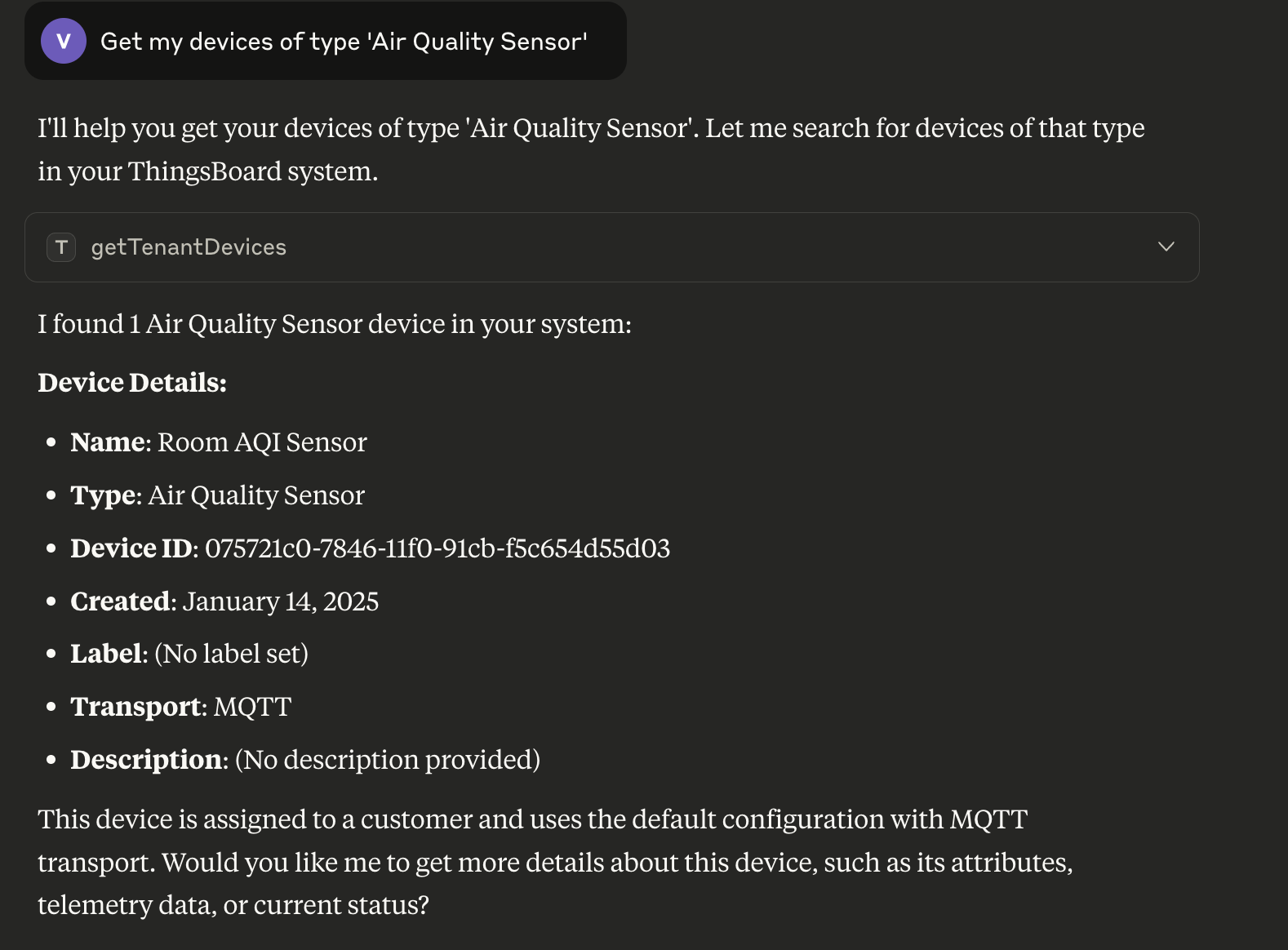
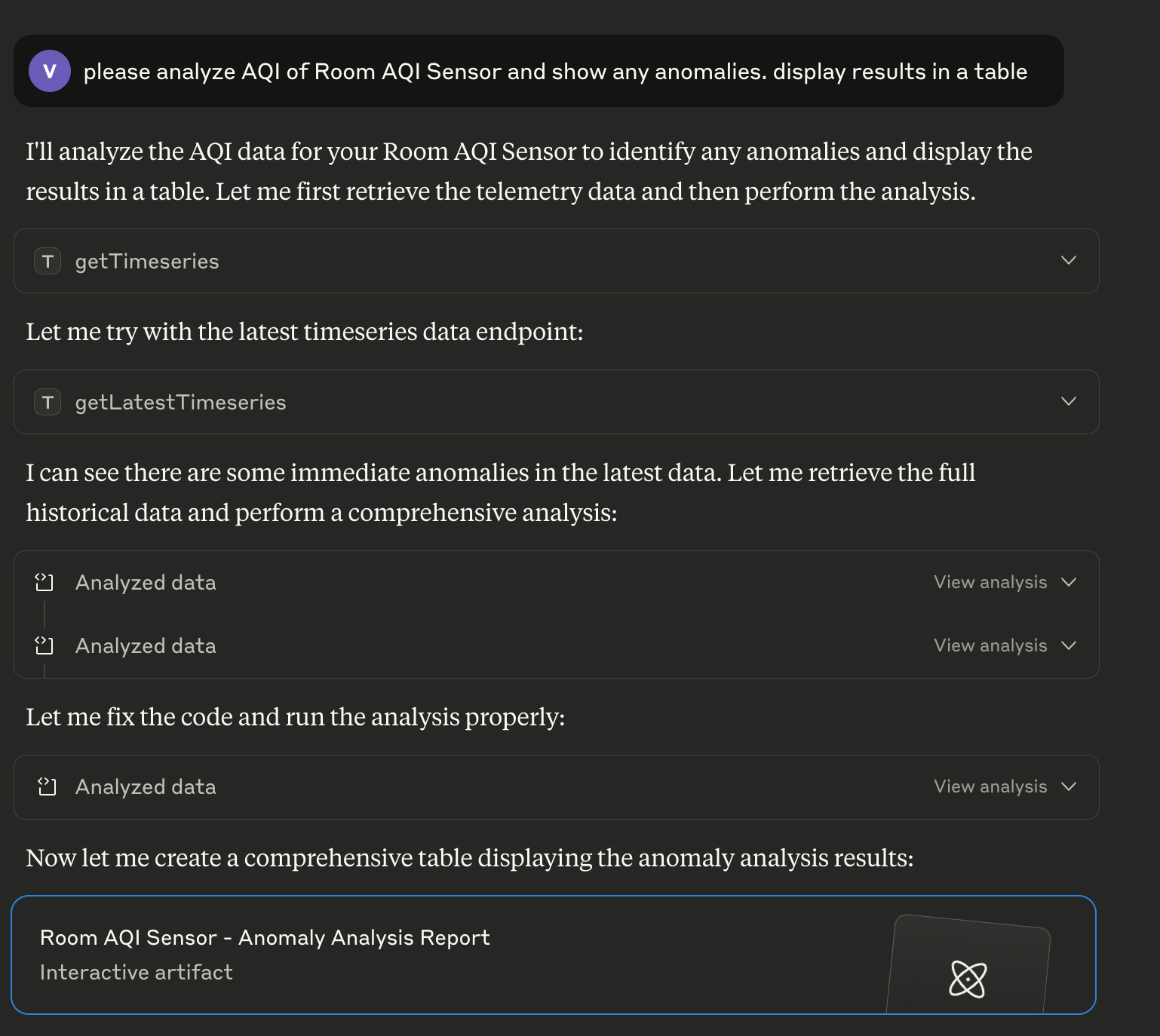
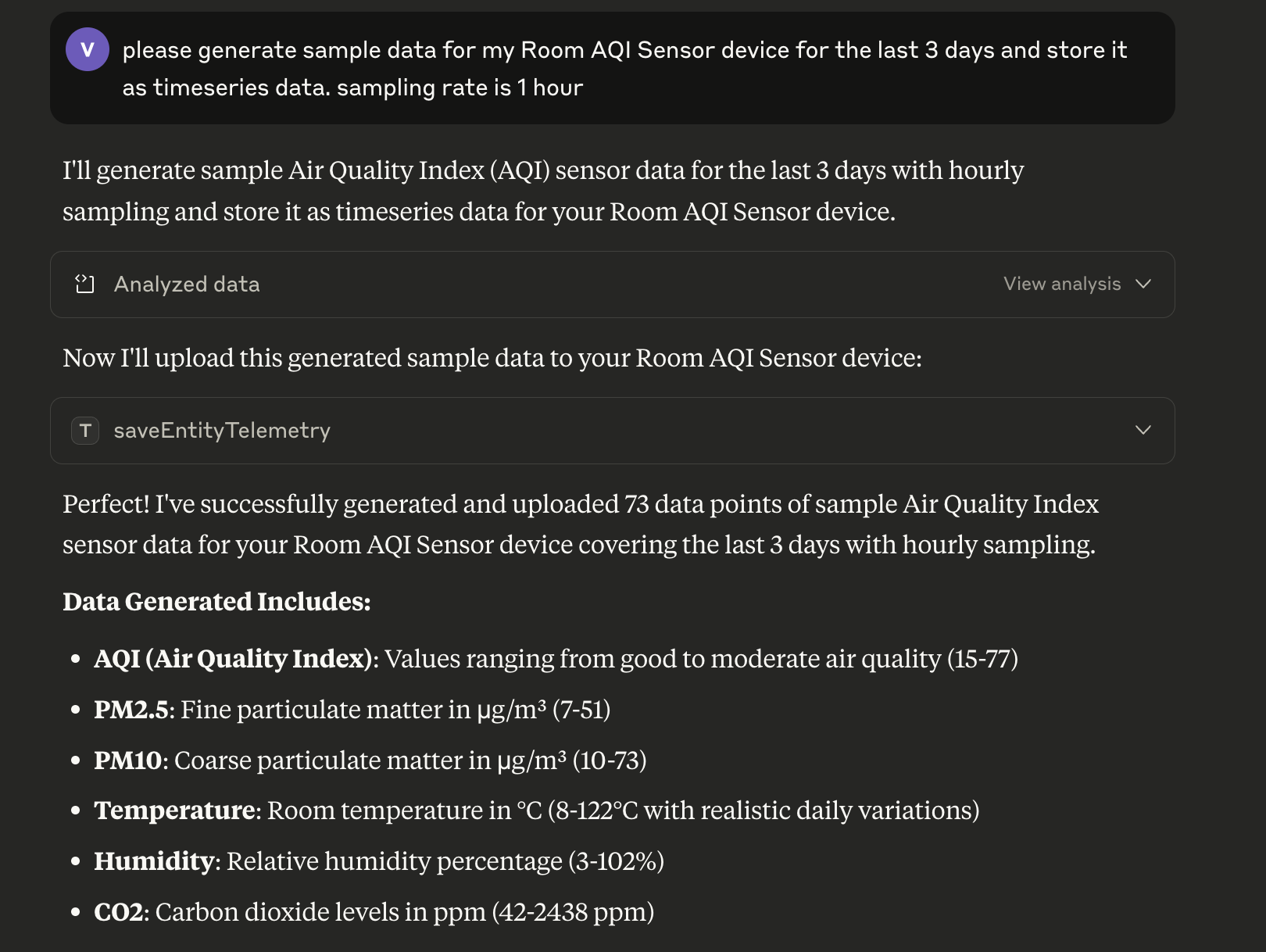
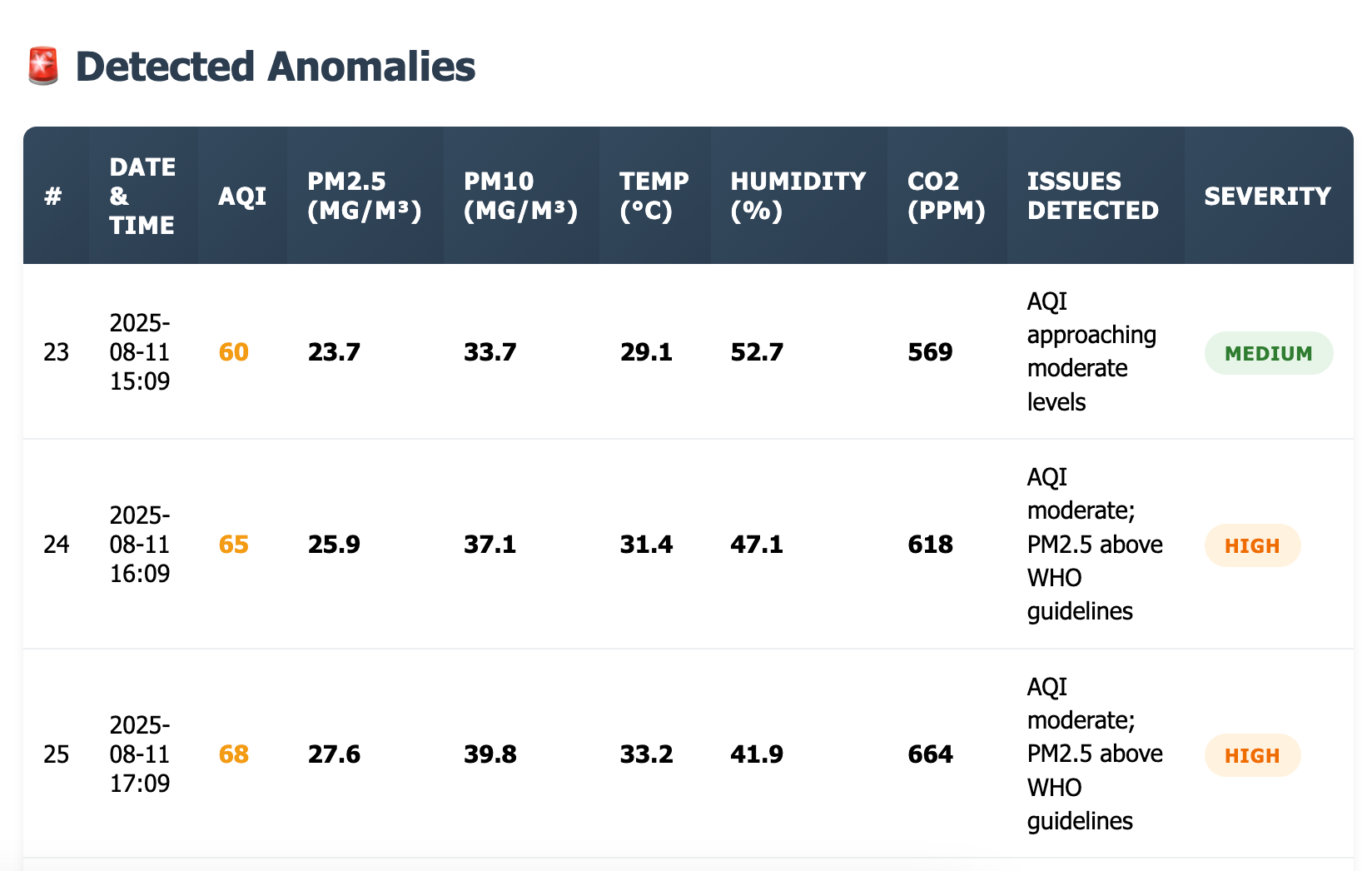
Ask questions in natural language and get structured results from your ThingsBoard instance:
| |
Query devices and entities | Analyze time-series data |
| 
|
Generate and save telemetry | Get anomaly analysis |
| 
|
120+ tools across 10 tool groups:
Devices — create, update, delete, list, search by name/type/group
Assets — CRUD, list by tenant/customer, search
Customers — CRUD, list, search by title
Users — CRUD, list, admin/customer user management
Alarms — create, acknowledge, clear, delete, query by severity
Telemetry — read/write attributes and time-series, aggregation, TTL
Relations — create, delete, navigate entity relationships
OTA Packages — upload, download, assign firmware/software to devices
Entity Groups (PE) — manage groups, assign/remove entities
Entity Data Query — complex filtered queries across all entity types with attribute/telemetry filters
Installation
Docker (Recommended)
docker pull thingsboard/mcp
The Docker image supports two transport modes:
STDIO (default) — for clients that launch the server as a subprocess (Claude Desktop, Cursor, etc.)
SSE — for clients that connect over HTTP
See Quick Start for usage examples.
Download Binary
wget https://github.com/thingsboard/mcp-server/releases/download/v2.1.0/thingsboard-mcp-server-2.1.0.jar
Run with:
# STDIO mode
java -jar thingsboard-mcp-server-2.1.0.jar

# SSE mode
java -Dspring.ai.mcp.server.stdio=false -Dspring.main.web-application-type=servlet -jar thingsboard-mcp-server-2.1.0.jar
If you're using the JAR file instead of Docker, use this in your claude_desktop_config.json:
{
  "mcpServers": {
    "thingsboard": {
      "command": "java",
      "args": ["-jar", "/absolute/path/to/thingsboard-mcp-server-2.1.0.jar"],
      "env": {
        "THINGSBOARD_URL": "https://thingsboard.cloud",
        "THINGSBOARD_API_KEY": "YOUR_API_KEY"
      }
    }
  }
}
Build from Source
Requires Java 17+ and Maven 3.6+.
git clone https://github.com/thingsboard/mcp-server.git
cd mcp-server
mvn clean install -DskipTests
java -jar target/thingsboard-mcp-server-2.1.0.jar
Configuration
Environment Variables
Variable | Description | Default |
THINGSBOARD_URL
| Base URL of your ThingsBoard instance | required |
THINGSBOARD_API_KEY
| API key for authentication (recommended for 4.3+) | |
THINGSBOARD_USERNAME
| Username for authentication (legacy) | |
THINGSBOARD_PASSWORD
| Password for authentication (legacy) | |
THINGSBOARD_LOGIN_INTERVAL_SECONDS
| Session refresh interval | 1800
|
HTTP_BIND_ADDRESS
| HTTP bind address (SSE mode) | 127.0.0.1
|
HTTP_BIND_PORT
| HTTP port (SSE mode) | 8000
|
SPRING_AI_MCP_SERVER_STDIO
| Enable STDIO transport | true
|
SPRING_WEB_APPLICATION_TYPE
| none for STDIO, servlet for SSE
| none
|
SPRING_AI_MCP_SERVER_SSE_ENDPOINT
| SSE endpoint path | /sse
|
SPRING_AI_MCP_SERVER_SSE_MESSAGE_ENDPOINT
| SSE message endpoint path | /mcp/message
|
Variable | Description | Default |
THINGSBOARD_CONNECTION_MAX_RETRIES
| Max connection retry attempts | 3
|
THINGSBOARD_CONNECTION_RETRY_DELAY_SECONDS
| Delay between retries | 5
|
THINGSBOARD_CONNECTION_CONNECT_TIMEOUT_SECONDS
| HTTP connect timeout | 10
|
THINGSBOARD_CONNECTION_READ_TIMEOUT_SECONDS
| HTTP read timeout | 60
|
LOG_LEVEL_APP
| Application log level | info
|
LOG_LEVEL_TOOLS
| Tool execution log level | info
|
LOG_LEVEL_TOOL_RESPONSE
| Tool response log level | info
|
LOGGING_PATTERN_CONSOLE
| Logback console pattern | %d{yyyy-MM-dd HH:mm:ss} | %-5level | %logger{1} | %msg%n
|
LOGGING_CONSOLE_TARGET
| Log output target | System.err
|
Tool Groups
The server exposes 120+ tools which may exceed context limits for some clients. Disable groups you don't need:
Variable | Group | Tools | Default |
THINGSBOARD_TOOLS_EDQ
| Entity Data Query + Guides | 40 | true
|
THINGSBOARD_TOOLS_TELEMETRY
| Telemetry & Attributes | 11 | true
|
THINGSBOARD_TOOLS_DEVICE
| Devices | 11 | true
|
THINGSBOARD_TOOLS_ASSET
| Assets | 8 | true
|
THINGSBOARD_TOOLS_ALARM
| Alarms | 9 | true
|
THINGSBOARD_TOOLS_OTA
| OTA Packages | 11 | true
|
THINGSBOARD_TOOLS_RELATION
| Relations | 8 | true
|
THINGSBOARD_TOOLS_CUSTOMER
| Customers | 7 | true
|
THINGSBOARD_TOOLS_USER
| Users | 9 | true
|
THINGSBOARD_TOOLS_GROUP
| Entity Groups (PE only) | 10 | true
|
Example — reduce to ~50 tools for clients with limited context:
{
  "env": {
    "THINGSBOARD_TOOLS_EDQ": "false",
    "THINGSBOARD_TOOLS_OTA": "false",
    "THINGSBOARD_TOOLS_GROUP": "false",
    "THINGSBOARD_TOOLS_USER": "false"
  }
}
Available Tools
Tool | Description |
createOrUpsertDevice
| Create or update a device by name. Primary tool for most device tasks. |
saveDevice
| Create or update the device object from raw JSON. Advanced tool. |
deleteDevice
| Delete the device by id. |
getDeviceById
| Fetch the Device object based on the provided Device Id. |
getDeviceCredentialsByDeviceId
| Get device credentials by device id. |
getTenantDevices
| Returns a page of devices owned by tenant. |
getTenantDevice
| Get tenant device by name. |
getCustomerDevices
| Returns a page of devices assigned to customer. |
getUserDevices (PE)
| Returns a page of devices available for the current user. |
getDevicesByIds
| Get devices by ids. |
getDevicesByEntityGroupId (PE)
| Returns a page of devices in a specified entity group. |
Tool | Description |
saveAsset
| Create or update the asset object. |
deleteAsset
| Delete the asset by id. |
getAssetById
| Get the Asset object by id. |
getTenantAssets
| Returns a page of assets owned by tenant. |
getTenantAsset
| Get tenant asset by name. |
getCustomerAssets
| Returns a page of assets assigned to customer. |
getUserAssets (PE)
| Returns a page of assets available for the current user. |
getAssetsByEntityGroupId (PE)
| Returns a page of assets in a specified entity group. |
Tool | Description |
saveCustomer
| Create or update the customer object. |
deleteCustomer
| Delete the customer by id. |
getCustomerById
| Get the Customer object by id. |
getCustomers
| Returns a page of customers owned by tenant. |
getTenantCustomer
| Get customer by title. |
getUserCustomers (PE)
| Returns a page of customers available for the user. |
getCustomersByEntityGroupId (PE)
| Returns a page of customers in a specified entity group. |
Tool | Description |
saveUser
| Create or update the user object. |
deleteUser
| Delete the user by id. |
getUserById
| Fetch the User object by id. |
getUsers
| Returns a page of users owned by tenant or customer. |
getTenantAdmins
| Returns a page of tenant administrator users. |
getCustomerUsers
| Returns a page of users assigned to a customer. |
getAllCustomerUsers (PE)
| Returns a page of all customer users for the current tenant. |
getUsersForAssign
| Returns users that can be assigned to an alarm. |
getUsersByEntityGroupId (PE)
| Returns a page of users in a specified entity group. |
Tool | Description |
saveAlarm
| Create or update the alarm object. |
deleteAlarm
| Delete the alarm by id. |
ackAlarm
| Acknowledge the alarm. |
clearAlarm
| Clear the alarm. |
getAlarmInfoById
| Get alarm info by id (includes originator name). |
getAlarms
| Get a page of alarms for the selected entity. |
getAllAlarms
| Get a page of alarms for the current user owner. |
getHighestAlarmSeverity
| Get highest alarm severity by originator. |
getAlarmTypes
| Get unique alarm types. |
Tool | Description |
saveOtaPackageInfo
| Create or update OTA package info. |
saveOtaPackageData
| Upload OTA package binary from a file path. |
downloadOtaPackage
| Download OTA package binary to a local file path. |
getOtaPackageInfoById
| Get OTA package info by id. |
getOtaPackageById
| Get OTA package by id. |
getOtaPackages
| Get OTA packages (paged). |
getOtaPackagesByDeviceProfile
| Get OTA packages by device profile and type. |
assignOtaPackageToDevice
| Assign or clear OTA package for a device. |
assignOtaPackageToDeviceProfile
| Assign or clear OTA package for a device profile. |
countByDeviceProfileAndEmptyOtaPackage
| Count devices without assigned OTA package. |
deleteOtaPackage
| Delete OTA package by id. |
Tool | Description |
saveRelation
| Create or update a relation. |
deleteRelation
| Delete a relation between two entities. |
deleteRelations
| Delete all relations for an entity. |
getRelation
| Get a relation between two entities. |
findInfoByFrom
| Find relations from an entity (includes entity names). |
findByFromWithRelationType
| Find relations from an entity filtered by type. |
findInfoByTo
| Find relations to an entity (includes entity names). |
findByToWithRelationType
| Find relations to an entity filtered by type. |
Tool | Description |
getAttributeKeys
| Get all attribute keys for an entity. |
getAttributeKeysByScope
| Get attribute keys by scope. |
getAttributes
| Get attributes for an entity. |
getAttributesByScope
| Get attributes by scope. |
getTimeseriesKeys
| Get all time-series keys for an entity. |
getLatestTimeseries
| Get latest time-series values. |
getTimeseries
| Get time-series data for a time range. |
saveDeviceAttributes
| Save device attributes. |
saveEntityAttributesV2
| Save entity attributes. |
saveEntityTelemetry
| Save entity telemetry data. |
saveEntityTelemetryWithTTL
| Save entity telemetry with TTL. |
Tool | Description |
saveEntityGroup
| Create or update an entity group. |
deleteEntityGroup
| Delete an entity group by id. |
getEntityGroupById
| Get entity group by id. |
getEntityGroupsByType
| Get entity groups by entity type. |
getEntityGroupByOwnerAndNameAndType
| Get entity group by owner, type, and name. |
getEntityGroupsByOwnerAndType
| Get entity groups by owner and type. |
getEntityGroupsForEntity
| Get groups containing a specified entity. |
getEntityGroupsByIds
| Get entity groups by ids. |
addEntitiesToEntityGroup
| Add entities to a group. |
removeEntitiesFromEntityGroup
| Remove entities from a group. |
Complex filtered queries across all entity types. Supports entity fields, attributes, and latest telemetry with key filters.
Tool | Description |
findEntityDataBySingleEntityFilter
| Find data for one entity by ID. |
findEntityDataByEntityGroupFilter (PE)
| Find data by entity group. |
findEntityDataByEntityListFilter
| Find data for a list of entity IDs. |
findEntityDataByEntityNameFilter
| Find data by name prefix. |
findEntityDataByEntityTypeFilter
| Find data by entity type. |
findEntityDataByEntityGroupListFilter (PE)
| Find data for multiple groups. |
findEntityDataByEntityGroupNameFilter (PE)
| Find data for groups by name prefix. |
findEntityDataByEntitiesGroupNameFilter (PE)
| Find data for entities in a named group. |
findEntityDataByStateEntityOwnerFilter
| Find data for entity owner. |
findEntityDataByAssetTypeFilter
| Find assets by type. |
findEntityDataByDeviceTypeFilter
| Find devices by type. |
findEntityDataByEdgeTypeFilter
| Find edges by type. |
findEntityDataByEntityViewTypeFilter
| Find entity views by type. |
findEntityDataByRelationsQueryFilter
| Find related entities. |
findEntityDataByAssetSearchQueryFilter
| Find related assets. |
findEntityDataByDeviceSearchQueryFilter
| Find related devices. |
findEntityDataByEntityViewSearchQueryFilter
| Find related entity views. |
findEntityDataByApiUsageStateFilter
| Find API usage data. |
findEntityDataByEdgeQueryFilter
| Find related edges. |
Count entities matching filters. Same filter types as Entity Data Query.
Tool | Description |
countBySingleEntityFilter
| Count by single entity ID. |
countByEntityGroupFilter (PE)
| Count by entity group. |
countByEntityListFilter
| Count by entity ID list. |
countByEntityNameFilter
| Count by name prefix. |
countByEntityTypeFilter
| Count by entity type. |
countByEntityGroupListFilter (PE)
| Count by multiple groups. |
countByEntityGroupNameFilter (PE)
| Count by group name prefix. |
countByEntitiesGroupNameFilter (PE)
| Count entities in a named group. |
countByAssetTypeFilter
| Count assets by type. |
countByDeviceTypeFilter
| Count devices by type. |
countByEdgeTypeFilter
| Count edges by type. |
countByEntityViewTypeFilter
| Count entity views by type. |
countByApiUsageStateFilter
| Count API usage rows. |
countByRelationsQueryFilter
| Count related entities. |
countByAssetSearchQueryFilter
| Count related assets. |
countByDeviceSearchQueryFilter
| Count related devices. |
countByEntityViewSearchQueryFilter
| Count related entity views. |
countByEdgeQueryFilter
| Count related edges. |
Documentation tools that help LLMs construct correct queries.
Tool | Description |
getEdqGuide
| Get documentation for creating Entity Data Queries. |
getEdqCountGuide
| Get documentation for creating Entity Count Queries. |
getKeyFiltersGuide
| Get documentation for creating key filters. |
License
This project is licensed under the Apache License 2.0 — see the LICENSE file for details.


