


F
licenseC
qualityD
maintenanceEnables personal expense management with SQLite storage, allowing users to add, update, delete, list, and summarize expenses by category through natural language interactions.
5
-

Click on "Deploy Server".
Wait a few minutes for the server to deploy. Once ready, it will show a "Started" state.
In the chat, type @ followed by the MCP server name and your instructions, e.g., "@Finance MCP Server What's my current balance?"
That's it! The server will respond to your query, and you can continue using it as needed.
Here is a step-by-step guide with screenshots.
A personal finance tracker powered by the Model Context Protocol (MCP), allowing you to manage your income and expenses directly through Claude Desktop using natural language.
Add income and expense transactions
Check your current balance
List recent transactions
Get a summary grouped by category
Get a monthly summary (income, expenses, balance)
Delete transactions by ID
Persistent storage using SQLite
Related MCP server: Expense Tracker MCP Server
Python 3.10+
1. Clone the repository:
git clone https://github.com/taylor3lewis/finance-mcp-server.git
cd finance-mcp-server
2. Create and activate a virtual environment:
python -m venv venv

# Windows
venv\Scripts\activate

# macOS/Linux
source venv/bin/activate
3. Install dependencies:
pip install -r requirements.txtOpen your Claude Desktop config file:
Windows: %APPDATA%\Claude\claude_desktop_config.json
macOS: ~/Library/Application Support/Claude/claude_desktop_config.json
Add the following entry inside "mcpServers":
{
  "mcpServers": {
    "finance-mcp-server": {
      "command": "C:/path/to/your/venv/Scripts/python.exe",
      "args": ["C:/path/to/finance-mcp-server/server.py"]
    }
  }
}
⚠️ Replace the paths with the actual paths on your machine.
Restart Claude Desktop after saving the config file.
Tool | Description |
| Add an income or expense transaction |
| Get your current balance |
| List the most recent transactions |
| View totals grouped by category |
| View income, expenses and balance for a given month |
| Delete a transaction by its ID |
Once configured, just talk to Claude naturally:
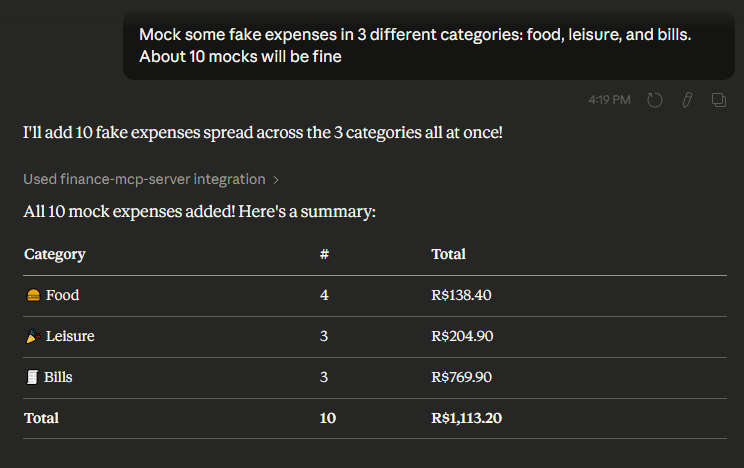
"Mock 10 fake expenses in 3 different categories: food, leisure, and bills."
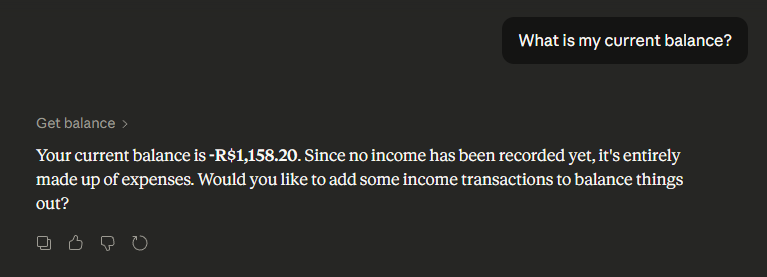
"What is my current balance?"
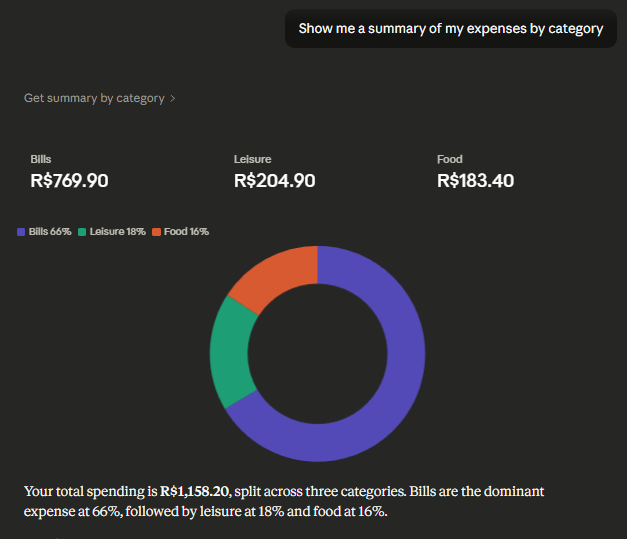
"Show me a summary of my expenses by category"
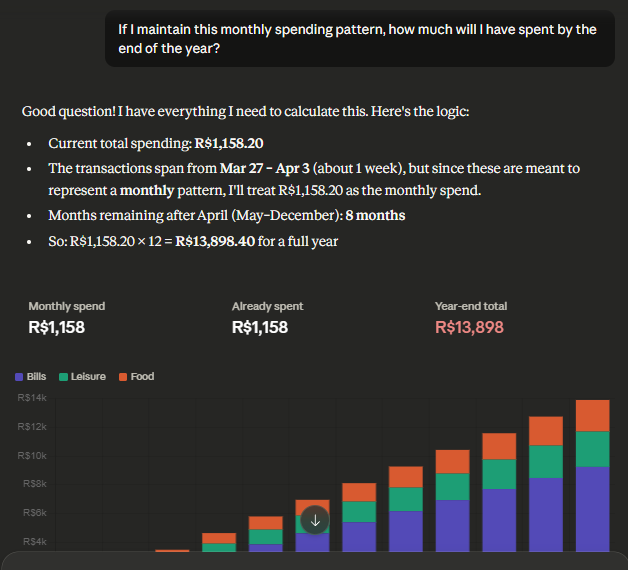
"If I maintain this monthly spending pattern, how much will I have spent by the end of the year?"
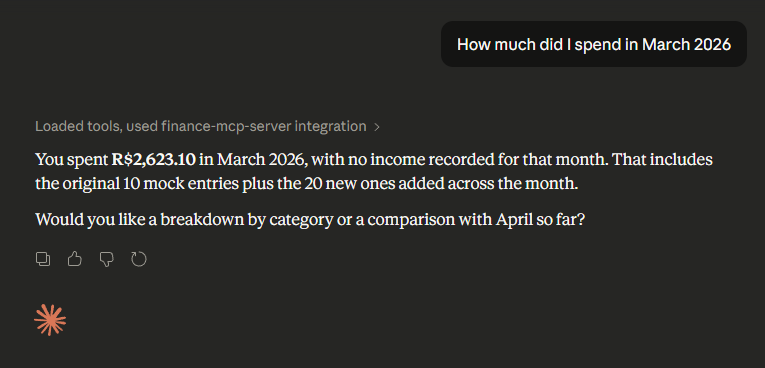
"How much did I spend in March 2026"
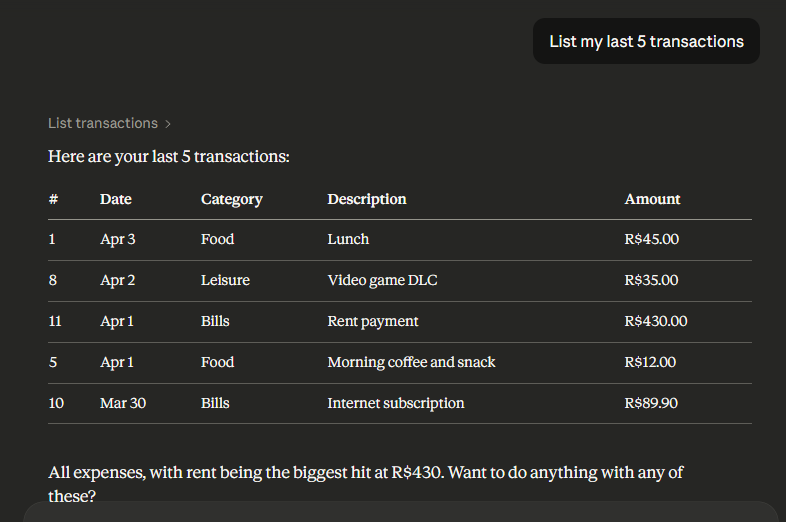
"List my last 5 transactions"
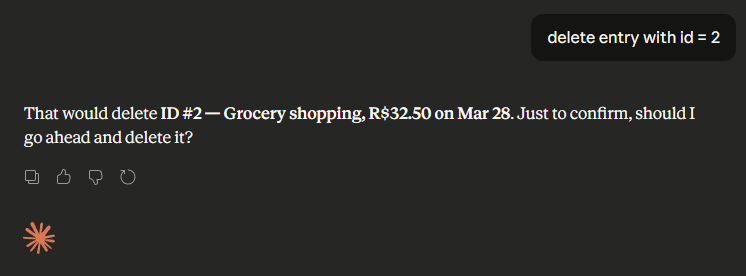
"delete entry with id = 2"
Run MCP Server
python main.py httpRun Client in Another Shell
python client.py
finance-mcp-server/
├── main.py            # MCP server with all tools
├── client.py          # MCP client to connect to server via API
├── requirements.txt   # Python dependencies
├── README.md          # Project documentation
└── data/
└── finance.db # SQLite database (auto-created on first run)This server cannot be deployed
Ask Claude about your income and spending, and import bank statements. No bank login.
Personal finance tracker — log transactions, view summaries, and browse a dashboard
Personal finance, bank account, and shared memory connector for Claude, ChatGPT, Gemini Spark & more
Personal finance ledger for AI agents — query spending, track bills, forecast cash flow.