
F
licenseNot graded
qualityD
maintenanceA powerful Model Context Protocol server that automatically generates Mermaid diagrams from code and provides SVG beautification features.
1
-

Enables the generation of interactive code walkthrough diagrams using Mermaid syntax, allowing users to visualize and share complex code logic through a web-based interface.
Click on "Deploy Server".
Wait a few minutes for the server to deploy. Once ready, it will show a "Started" state.
In the chat, type @ followed by the MCP server name and your instructions, e.g., "@traverse create an interactive walkthrough of the user authentication flow"
That's it! The server will respond to your query, and you can continue using it as needed.
Here is a step-by-step guide with screenshots.
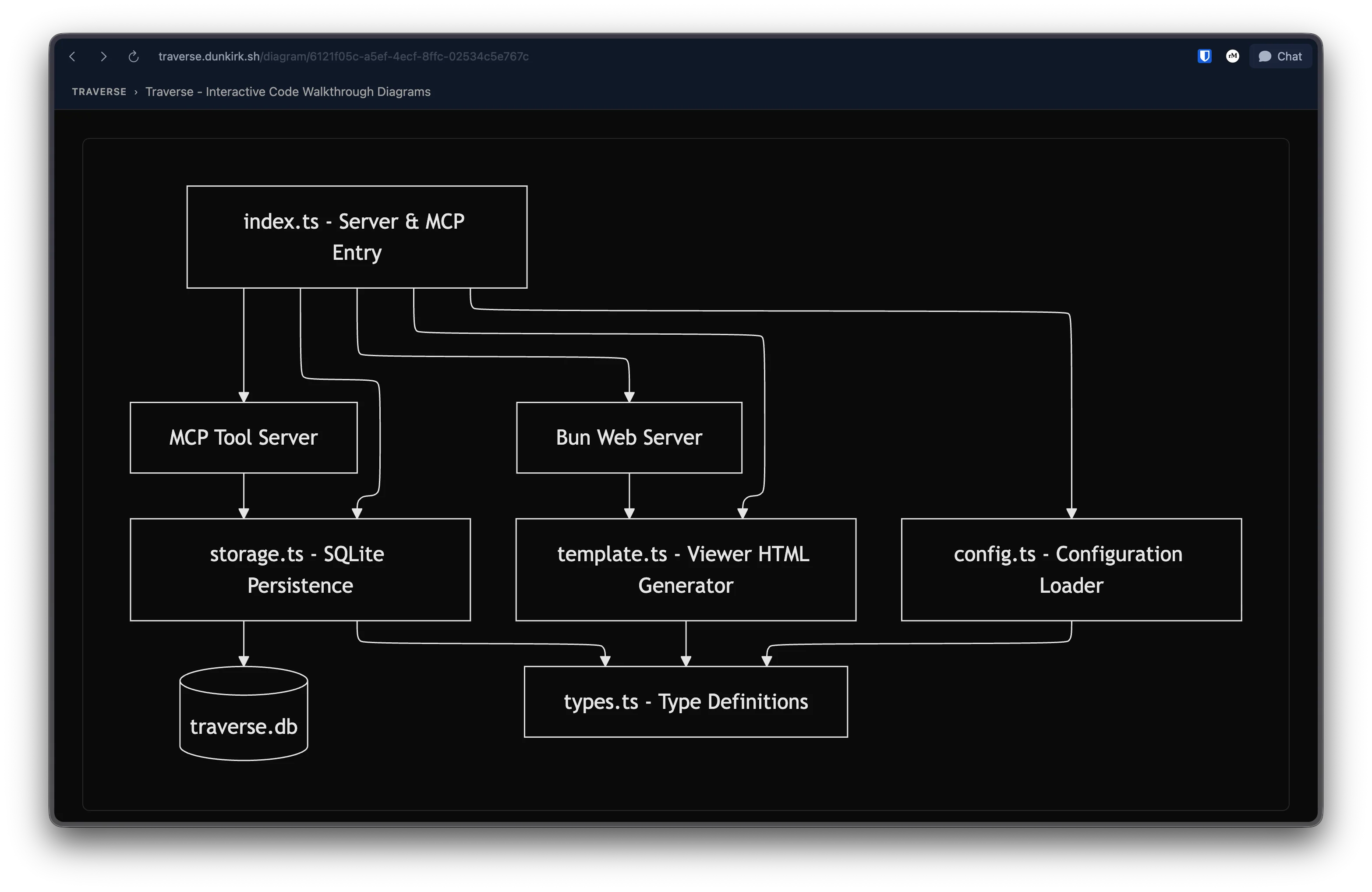
The canonical repo for this is hosted on tangled over atdunkirk.sh/traverse
One of my favorite features about amp is their walkthrough feature. It runs a sub agent which goes and breaks your repo into parts and then sends it up to amp's services to get rendered into a nice web page! I got curious and ended up dumping the tool prompt for both the walkthrough subagent and the tool prompt that generates the diagram.
Turns out they are using mermaid syntax with ids on each node that are linked to a json object that has the summary in md of each section. Looking into their web ui rendering they have actually designed their own mermaid renderer likely to get better routing with the paths. We can get amazingly close to that with regular mermaid still and that is what this project is!
This is a mcp server that also launches a web server in the background. You can hook this into whatever ai tool that you want that supports mcp (which is north of 80% of coding tools at this point if not nearing 100%) and start generating walkthroughs! It will initally give you a local url but if you want to share it with others then you can use the share button in the top corner of the page and it will by default share it to my hosted instance at traverse.dunkirk.sh but if you configure the json settings or add an env variable you can point it to your own selfhosted instance!
The mcp server must be run with bun since it uses the Bun.serve api extensively. If you haven't tried bun yet I would highly recommend it!
bunx @taciturnaxolotl/traverse@latestBy default this runs an MCP server on stdio and a web server on localhost:4173.
For claude code they have made this fairly easy:
claude mcp add traverse -- bunx @taciturnaxolotl/traverse@latestFor claude desktop (on mac) you can add the following to ~/Library/Application Support/Claude/claude_desktop_config.json:
{
  "mcpServers": {
    "traverse": {
      "command": "bunx",
      "args": ["@taciturnaxolotl/traverse@latest"]
    }
  }
}
For other agents its the same JSON config typically.
Related MCP server: Mindpilot MCP
On macos edit/create ~/Library/Application Support/traverse/config.json. If you are on Linux then ~/.config/traverse/config.json (or $XDG_CONFIG_HOME/traverse/config.json)
{
  "shareServerUrl": "https://traverse.dunkirk.sh",
  "port": 4173,
  "mode": "local"
}
alteratively or suplementally you can use env vars to define the same options:
var | default | description |
|
| web server port |
|
|
|
|
| share server url |
| platform default | sqlite db location |
This server cannot be deployed
Let Claude, Cursor, or ChatGPT author Mermaid diagrams your team can read and share.
Generate dynamic Mermaid diagrams and charts with AI assistance. Customize styles and export diagr…
Create workflow, sequence, architecture, and mind map diagrams via AI assistants.
Flowcharts that people and agents edit together on one live canvas, exported as Mermaid.