
Cellpose MCP Server
# Cellpose MCP Server
[](https://www.python.org/downloads/)
[](https://opensource.org/licenses/BSD-3-Clause)
[](https://pypi.org/project/cellpose-mcp/)
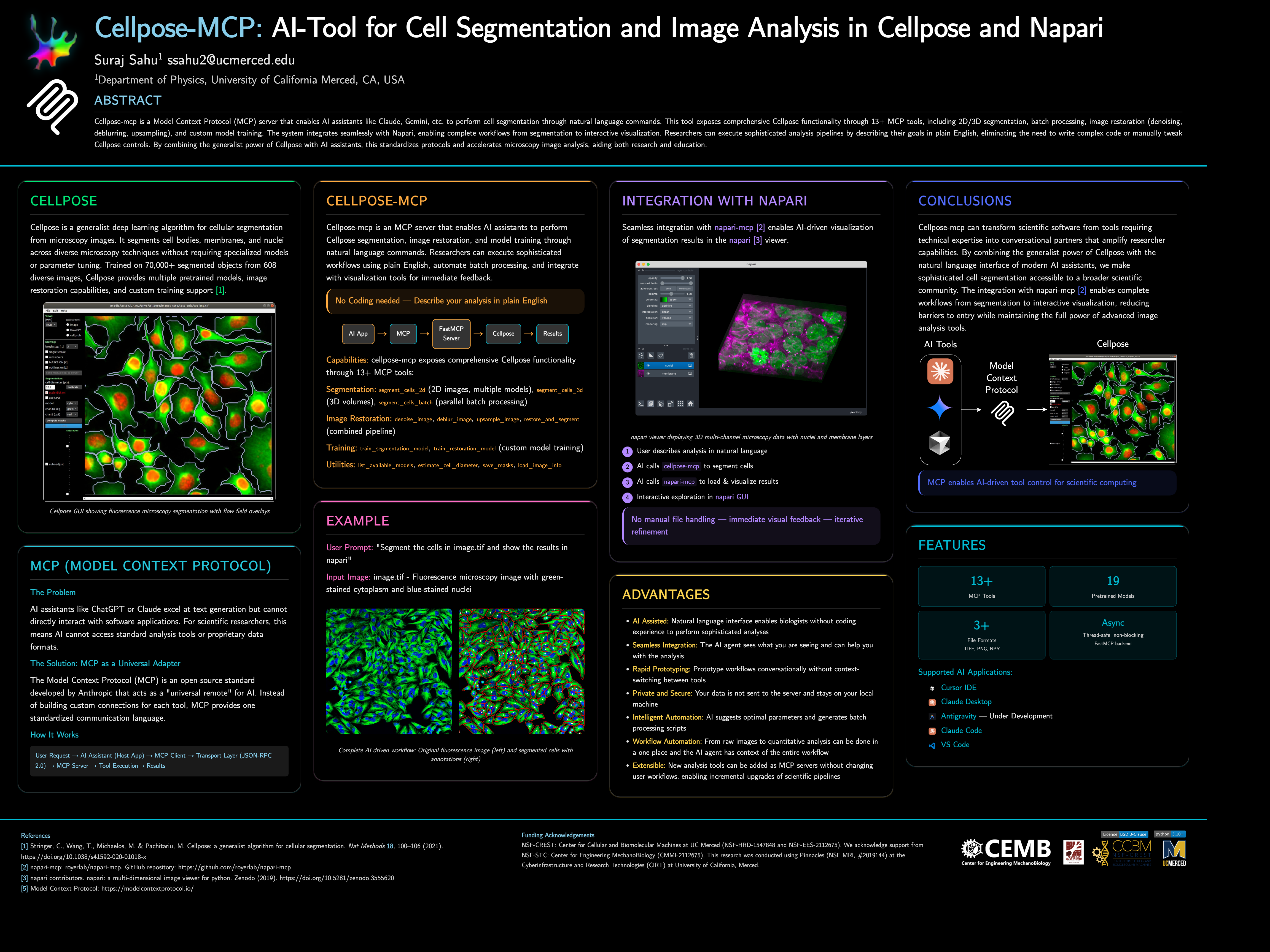
Cellpose-mcp is a Model Context Protocol (MCP) server that enables AI assistants like Claude, Cursor IDE, etc. to perform cell segmentation through natural language commands. This tool exposes comprehensive Cellpose functionality through 13+ MCP tools, including 2D/3D segmentation, batch processing, image restoration (denoising, deblurring, upsampling), and custom model training. The system integrates seamlessly with Napari, enabling complete workflows from segmentation to interactive visualization.
> **📌 Note**: This project started as a fun project inspired by [napari-mcp](https://github.com/royerlab/napari-mcp) and adapted for [Cellpose](https://github.com/MouseLand/cellpose) segmentation workflows. If you would like to contribute then please get in touch with me at [ssahu2@ucmerced.edu](mailto:ssahu2@ucmerced.edu).
### 🚀 Quick Start
**Requirements:** Python 3.10, 3.11, or 3.12 and Cellpose 3.1.1.2.
Cellpose 4 does not include the restoration API used by this server. The
package pins the final Cellpose 3 release until restoration has a tested
replacement.
**Install from PyPI:**
```bash
pip install cellpose-mcp
```
**Install and configure for Cursor in one go:**
```bash
pip install cellpose-mcp && cellpose-mcp-install cursor
```
The installer uses the Python that runs the command (or a conda env named `Cellpose_mcp` if present). Restart Cursor after configuring.
**Development install (from source):**
```bash
git clone https://github.com/surajinacademia/cellpose_mcp.git
cd cellpose_mcp
pip install -e .
```
### Auto-Configure Your AI Application
After `pip install cellpose-mcp`, run the installer for your app. It writes to the correct MCP config file using your current Python.
| Application | Command | Notes |
| ----------- | ------- | ----- |
| **Cursor IDE** | `cellpose-mcp-install cursor` | Writes to `~/.cursor/mcp.json` |
| **Claude Desktop** | `cellpose-mcp-install claude-desktop` | Adds to Claude Desktop config |
| **Antigravity** | `cellpose-mcp-install antigravity` | Configures Antigravity MCP |
| **VS Code (Cline/Roo Cline)** | `cellpose-mcp-install vscode` | Configures Cline/Roo Cline extension |
| **Claude Code** | Manual only | See [Manual Configuration](#manual-configuration-for-claude-code) below |
Options: `--python-path /path/to/python` to use a specific Python; `--env-name NAME` to use a conda env (default: `Cellpose_mcp`).
<details>
<summary>Manual Configuration for Claude Code</summary>
If you prefer manual setup (or use Claude Code), create a `.mcp.json` file in your project root. Use the full path to your Python executable if `python` is not the one that has `cellpose-mcp` installed (e.g. a venv or conda):
```json
{
"mcpServers": {
"cellpose": {
"command": "python",
"args": ["-m", "cellpose_mcp"],
"env": {
"KMP_DUPLICATE_LIB_OK": "TRUE",
"OMP_NUM_THREADS": "1"
}
}
}
}
```
For **Cursor**, use the same structure in `~/.cursor/mcp.json` (global) or `.cursor/mcp.json` in your project.
</details>
After installation, restart your AI app and try asking:
```text
"Can you list available Cellpose models?"
"Segment the cells in ./data/sample.tif using the cyto2 model"
```
## 🎯 What Can You Do?
### Example: Cell Segmentation in Action
<table>
<tr>
<td width="50%">
<img src="https://raw.githubusercontent.com/surajinacademia/cellpose_mcp/main/poster/poster_images/img00.png" alt="Original fluorescence microscopy image" />
<p align="center"><em>Original Image: Fluorescence microscopy with green-stained cytoplasm and blue-stained nuclei</em></p>
</td>
<td width="50%">
<img src="https://raw.githubusercontent.com/surajinacademia/cellpose_mcp/main/poster/poster_images/img00_annotated_overlay.png" alt="Segmented cells with annotations" />
<p align="center"><em>Segmented Result: Cells automatically detected with boundaries and labels</em></p>
</td>
</tr>
</table>
### Basic Cell Segmentation
```text
"Segment the cells in ./data/sample.tif using the cyto2 model"
"List available Cellpose models"
"Estimate cell diameter from ./data/image.tif"
```
### Advanced Workflows
```text
"Segment all TIFF files in ./data/images/ and save masks to ./output/"
"Train a custom segmentation model using images in ./train/images/ and masks in ./train/masks/"
"Restore and segment the noisy image in ./data/noisy.tif using oneclick_cyto3"
```
### Batch Processing
```text
"Process all images in ./data/ with the cyto2 model and save results to ./output/"
```
## 🛠 Available MCP Tools
The server exposes 13+ tools for complete Cellpose functionality:
### Segmentation Tools
- **`segment_cells_2d`** - Segment cells in 2D images
- **`segment_cells_3d`** - Segment cells in 3D volumes
- **`segment_cells_batch`** - Batch process multiple images
### Image Restoration Tools
- **`denoise_image`** - Denoise microscopy images
- **`deblur_image`** - Deblur microscopy images
- **`upsample_image`** - Upsample low-resolution images
- **`restore_and_segment`** - Combined restoration + segmentation
### Training Tools
- **`train_segmentation_model`** - Train custom segmentation model
- **`train_restoration_model`** - Train custom restoration model
### Utility Tools
- **`list_available_models`** - List all pretrained models
- **`estimate_cell_diameter`** - Estimate cell diameter from image
- **`save_masks`** - Save masks in various formats
- **`load_image_info`** - Get image metadata
## 📖 Documentation
- **[Quick Start Guide](#-quick-start)** - Get running in 3 steps
- **[Available Tools](#-available-mcp-tools)** - Complete tool list
- **[Release Notes](https://github.com/surajinacademia/cellpose_mcp/blob/main/RELEASE_NOTES_v0.1.0.md)** - Detailed v0.1.0 release information
- **[Changelog](https://github.com/surajinacademia/cellpose_mcp/blob/main/CHANGELOG.md)** - Version history and changes
## 📋 Architecture
- **FastMCP Server**: Handles MCP protocol communication
- **Cellpose Integration**: Manages model loading and segmentation operations
- **Tool Layer**: Exposes Cellpose functionality as MCP tools
- **File I/O**: Handles image reading, writing, and mask generation
Key features:
- **Thread-safe**: All operations are properly serialized
- **Non-blocking**: Async operations for better performance
- **Napari Integration**: Integration with Napari for visualization and analysis
**Author:** [Suraj Sahu](https://physics.ucmerced.edu/content/suraj-sahu)
**Affiliation:** Department of Physics, University of California Merced, CA, USA
**Email:** ssahu2@ucmerced.edu
## 📄 License
BSD-3-Clause License - see [LICENSE](LICENSE) file for details.
## 🙏 Acknowledgments
- **[Napari MCP](https://github.com/royerlab/napari-mcp)** by [royerlab](https://github.com/royerlab)
- [Cellpose team](https://github.com/MouseLand/cellpose) for the excellent segmentation library
- [FastMCP](https://github.com/jlowin/fastmcp) for the MCP framework
- [Anthropic](https://www.anthropic.com/) for Claude and MCP development
- [Model Context Protocol](https://modelcontextprotocol.io/) - Open standard for AI-tool integration
---
TDQS
Scored across 12 tools
Each tool targets a distinct operation: 2D/3D/batch segmentation are clearly separated by dimension and scope, restoration tools (denoise, deblur, upsample) use distinct model types, and utilities like save_masks and load_image_info are independent. There is no overlapping purpose that would cause an agent to misselect.
All tool names follow consistent snake_case with a verb_noun pattern (segment_cells_2d, denoise_image, train_segmentation_model, etc.). Naming is uniform and predictable, with clear singular verbs and no mixing of conventions.
12 tools is a well-scoped set for a cell analysis server, covering segmentation, restoration, training, model listing, estimation, and utility functions. Each tool serves a clear purpose and the count is within the ideal 3-15 range.
The surface covers core workflows (segment, restore, train, estimate, save, inspect), but there is a notable gap: after training a custom model, there is no tool to apply that model for segmentation—the segmentation tools only accept pretrained model types. This creates a dead-end in the lifecycle and limits practical use.