


A
licenseNot graded
qualityD
maintenanceA Model Context Protocol (MCP) server that enables LLMs to interact directly with MongoDB databases. Query collections, inspect schemas, and manage data seamlessly through natural language.
22 npm
176
MIT

Provides MongoDB-compatible database functionality through statistical modeling, allowing creation, querying, and management of databases using natural language without requiring actual data storage
Click on "Deploy Server".
Wait a few minutes for the server to deploy. Once ready, it will show a "Started" state.
In the chat, type @ followed by the MCP server name and your instructions, e.g., "@MongTap generate a model for e-commerce products with name, price, and category"
That's it! The server will respond to your query, and you can continue using it as needed.
Here is a step-by-step guide with screenshots.
Demo video on YouTube:
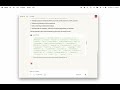
MongTap is a Model Context Protocol (MCP) server that provides MongoDB-compatible database functionality through statistical modeling. It allows LLMs like Claude to create, query, and manage databases using natural language, without requiring actual data storage.
Repository: github.com/smallmindsco/MongTap
Website: smallminds.co
Contact: andrew@smallminds.co
🚀 MongoDB Wire Protocol - Full compatibility with MongoDB drivers and tools
🧠 Statistical Modeling - Uses DataFlood technology to generate realistic data on-the-fly
🔧 MCP Integration - Works seamlessly with Claude Desktop and other MCP-compatible LLMs
📊 Natural Language - Train models from descriptions or sample data
⚡ High Performance - Generate 20,000+ documents per second
🎯 Zero Storage - Data is generated statistically, not stored
Related MCP server: Florentine.ai MCP Server
Generation Control Parameters - Control document generation with $seed and $entropy
MCPB Installation - Guide for MCPB bundle installation
Node.js 20+
Claude Desktop (for MCP integration)
No MongoDB installation required!
Clone the repository:
git clone https://github.com/smallmindsco/MongTap.git
cd MongTap
Install dependencies (minimal):
npm installTest the installation:
node src/mcp/index.jsStart MongoDB server (optional):
node start-mongodb-server.jsTo use MongTap with Claude Desktop, you need to configure it as an MCP server.
Find your Claude Desktop configuration file:
macOS: ~/Library/Application Support/Claude/claude_desktop_config.json
Windows: %APPDATA%\Claude\claude_desktop_config.json
Linux: ~/.config/Claude/claude_desktop_config.json
Edit the configuration file and add MongTap to the mcpServers section:
{
  "mcpServers": {
    "mongtap": {
      "command": "node",
      "args": [
        "/absolute/path/to/MongTap/src/mcp/index.js"
      ],
      "env": {
        "NODE_ENV": "production",
        "LOG_LEVEL": "info"
      }
    }
  }
}Important: Replace /absolute/path/to/MongTap with the actual path to your MongTap installation.
After saving the configuration, restart Claude Desktop for the changes to take effect.
Once configured, MongTap provides powerful tools for database operations and data generation.
Tool | Purpose | Key Feature |
| Create statistical models | From samples or descriptions |
| Start MongoDB server | Full wire protocol support |
| Stop server instance | Clean shutdown |
| View running servers | Monitor all instances |
| Generate documents | $seed and $entropy control |
| Improve models | Incremental learning |
| View available models | Local model inventory |
| Model details | Schema and statistics |
Description: Create a statistical model from sample documents or a text description for data generation.
Parameters:
name (required): Name for the model
description (optional): Natural language description of the data structure
samples (optional): Array of sample documents to train the model
Example:
generateDataModel({
  name: "users",
  description: "User profiles with name, email, age, and signup date"
})
// OR with samples
generateDataModel({
  name: "products",
  samples: [
    { name: "Laptop", price: 999, category: "Electronics" },
    { name: "Desk", price: 299, category: "Furniture" }
  ]
})Description: Start a local MongoDB-compatible server that generates data from statistical models.
Parameters:
port (optional): Port to listen on (0 for auto-assign, default: 27017)
database (optional): Default database name (default: "mcp")
Example:
startMongoServer({ port: 27017, database: "myapp" })
// Returns: { port: 27017, status: "running" }Description: Stop a running MongoDB-compatible server instance by port number.
Parameters:
port (required): Port of the server to stop
Example:
stopMongoServer({ port: 27017 })
// Returns: { success: true, message: "Server stopped" }Description: Get a list of all currently running MongoDB-compatible server instances.
Parameters: None
Example:
listActiveServers()
// Returns: { count: 2, servers: [
//   { port: 27017, database: "test", status: "running", uptime: 3600 },
//   { port: 27018, database: "dev", status: "running", uptime: 1800 }
// ]}Description: Generate documents from a statistical model with optional query filters and generation control.
Parameters:
model (required): Name of the model to query
query (optional): MongoDB-style query with special parameters:
$seed: Number for reproducible generation
$entropy: Number 0-1 to control randomness level
count (optional): Number of documents to generate (default: 10)
Example:
queryModel({
  model: "users",
  query: { age: { $gte: 18 }, $seed: 42, $entropy: 0.3 },
  count: 5
})
// Returns 5 consistently generated adult users with low randomnessDescription: Update an existing statistical model with additional sample documents to improve generation quality.
Parameters:
model (required): Name of the model to train
documents (required): Array of documents to train with
Example:
trainModel({
  model: "products",
  documents: [
    { name: "Mouse", price: 29, category: "Electronics" },
    { name: "Chair", price: 199, category: "Furniture" }
  ]
})
// Returns: { success: true, samplesAdded: 2, totalSamples: 4 }Description: Get a list of all available statistical models stored locally.
Parameters: None
Example:
listModels()
// Returns: ["users", "products", "orders", "inventory"]Description: Retrieve detailed schema and statistics for a specific statistical model.
Parameters:
model (required): Name of the model
Example:
getModelInfo({ model: "users" })
// Returns: {
//   name: "users",
//   schema: { type: "object", properties: { ... } },
//   sampleCount: 100,
//   lastUpdated: "2025-01-15T10:30:00Z",
//   fields: ["name", "email", "age", "signupDate"]
// }MongTap includes pre-built prompts for common database scenarios:
Description: Create a complete e-commerce database with products, customers, and orders.
Usage: Ask Claude to "use the create_ecommerce_db prompt" to instantly set up a full e-commerce database structure.
Description: Create a user profile model with authentication and preferences.
Usage: Perfect for quickly setting up user management systems.
Description: Analyze an existing model and provide insights about its structure.
Usage: Understand the patterns and distributions in your statistical models.
Description: Learn about using $seed and $entropy parameters for controlled generation.
Usage: Get detailed information about reproducible and controlled data generation.
MongTap provides read-only resources for monitoring:
Description: List of all trained DataFlood models
Type: application/json
Returns: Array of model names and metadata
Description: Status of all MongoDB servers
Type: application/json
Returns: Server ports, databases, and connection counts
Description: Get the JSON schema for a specific model
Type: application/json
Returns: Complete JSON Schema definition
Description: Get sample data from a model
Type: application/json
Returns: Array of sample documents
Description: Documentation for $seed and $entropy query parameters
Type: text/markdown
Returns: Detailed usage guide
You: Create a data model for a user profile with name, email, age, and registration date.

Claude: I'll create a user profile model for you using MongTap.

[Uses generateDataModel tool]

I've created a user profile model with the following structure:
- name (string)
- email (string, email format)
- age (integer, 0-120)
- registrationDate (string, date-time format)

The model is now ready to generate realistic user data.You: Start a MongoDB server for my application on port 27017.
Claude: I'll start a MongoDB server for you.
[Uses startMongoServer tool]
MongoDB server started successfully:
- Port: 27017
- Database: test
- Connection string: mongodb://localhost:27017/test
You can now connect to this server using any MongoDB client or driver.
The server supports advanced generation control through $seed and $entropy parameters in queries.You: Generate 100 user profiles from the model we created.
Claude: I'll generate 100 user profiles for you.
[Uses queryModel tool]
Generated 100 user profiles. Here's a sample:
1. { name: "John Smith", email: "john.smith@example.com", age: 28, registrationDate: "2024-01-15T10:30:00Z" }
2. { name: "Jane Doe", email: "jane.doe@example.com", age: 34, registrationDate: "2024-02-20T14:45:00Z" }
...
All documents follow the statistical patterns of your model.You: Here are some product samples. Train a model from them:
- { name: "Widget", price: 19.99, category: "tools", stock: 100 }
- { name: "Gadget", price: 29.99, category: "electronics", stock: 50 }
- { name: "Gizmo", price: 39.99, category: "tools", stock: 75 }
Claude: I'll train a product model from your samples.
[Uses generateDataModel tool with samples]
Model trained successfully! The model learned:
- name: product names (string patterns)
- price: range 19.99-39.99 (number distribution)
- category: "tools" or "electronics" (enum)
- stock: range 50-100 (integer distribution)
The model can now generate similar products with realistic variations.MongTap servers are fully compatible with MongoDB clients. Once you've started a server through Claude:
mongosh "mongodb://localhost:27017/test"const { MongoClient } = require('mongodb');
async function connect() {
const client = new MongoClient('mongodb://localhost:27017');
await client.connect();
const db = client.db('test');
const collection = db.collection('users');
// Insert triggers model training
await collection.insertMany([
{ name: 'Alice', age: 30 },
{ name: 'Bob', age: 25 }
]);
// Find generates data from the model
const users = await collection.find({}).toArray();
console.log(users); // Statistically generated users
// Use generation control parameters
const consistentData = await collection.find({
$seed: 12345, // Consistent results
$entropy: 0.5 // Moderate randomness
}).toArray();
await client.close();
}from pymongo import MongoClient
client = MongoClient('mongodb://localhost:27017/')
db = client['test']
collection = db['users']
# Insert trains the model
collection.insert_many([
{'name': 'Alice', 'age': 30},
{'name': 'Bob', 'age': 25}
])
# Find generates from the model
for user in collection.find():
print(user) # Statistically generated users
# Use generation control
for user in collection.find({'$seed': 12345, '$entropy': 0.3}):
print(user) # Consistent, low-entropy generationYou can run multiple MongoDB servers simultaneously:
You: Start three MongoDB servers for development, testing, and staging environments.

Claude: I'll start three separate MongoDB servers for you.

[Uses startMongoServer multiple times]

Started 3 MongoDB servers:
1. Development - Port: 27017, Database: dev
2. Testing - Port: 27018, Database: test
3. Staging - Port: 27019, Database: staging

Each server maintains its own models and can be accessed independently.Models are automatically saved and can be reused across sessions:
You: List all available models.

Claude: [Uses listModels tool]

Available models:
1. users - User profiles with name, email, age
2. products - Product catalog with pricing
3. orders - Order management system
4. customers - Customer database

You can query any of these models or train new ones.Generate data with specific constraints and control parameters:
You: Generate 50 users aged between 25 and 35 with consistent results using seed 12345.

Claude: I'll generate users with those specific constraints and seed control.

[Uses queryModel with constraints and generation parameters]

Generated 50 users with consistent results:
- All aged between 25-35
- Using seed 12345 for reproducible generation
- $entropy parameter controls randomness level
- Same query will always return identical resultsLOG_LEVEL - Logging level (error, warn, info, debug, trace)
MONGTAP_PORT - Default port for MCP server (default: 3000)
MONGTAP_STORAGE - Path for model storage (default: ./welldb-models)
MONGTAP_MAX_SERVERS - Maximum concurrent MongoDB servers (default: 10)
The MCP server can run in different modes:
# Standard I/O mode (for Claude Desktop)
node src/mcp/index.js

# TCP mode (for network access)
node src/mcp/index.js tcp --port 3000

# Standalone mode (for testing)
node src/mcp/index.js standaloneMongTap consists of three main components:
DataFlood-JS - Statistical modeling engine that learns from samples
WellDB-Node - MongoDB wire protocol implementation
MCP Server - Integration layer for LLM tools
┌─────────────────┐     MCP Protocol      ┌──────────────┐
│ Claude Desktop  │ ◄──────────────────► │  MCP Server  │
└─────────────────┘                       └──────┬───────┘
                                                 │
                                                 ▼
┌─────────────────┐     MongoDB Wire     ┌──────────────┐
│ MongoDB Client  │ ◄──────────────────► │ WellDB-Node  │
└─────────────────┘                       └──────┬───────┘
                                                 │
                                                 ▼
                                          ┌──────────────┐
                                          │ DataFlood-JS │
                                          │  (Modeling)  │
└──────────────┘Check the configuration file path is correct
Ensure the path to MongTap is absolute, not relative
Restart Claude Desktop completely
Check logs: tail -f ~/Library/Logs/Claude/mcp-*.log (macOS)
Verify the server is running: Use "listActiveServers" in Claude
Check the port is not in use: lsof -i :27017
Ensure firewall allows local connections
Try connecting with IP: mongodb://127.0.0.1:27017
Provide more sample data for better training
Use consistent data formats in samples
Check model info to see learned patterns
Retrain with additional constraints if needed
# Run all tests
npm test

# Run specific test suite
node test/mcp/test-mcp-server.js
node test/welldb-node/test-mongodb-server.js
node test/dataflood-js/test-inferrer.js

# Run integration tests
node test/welldb-node/test-integration.jsMongTap/
├── src/
│ ├── mcp/ # MCP server implementation
│ │ ├── mcp-server.js # Core MCP server
│ │ ├── prompt-analyzer.js # NLP for prompts
│ │ └── server-manager.js # Multi-server management
│ ├── welldb-node/ # MongoDB protocol
│ │ ├── server/ # MongoDB server implementation
│ │ └── storage/ # DataFlood storage adapter
│ └── dataflood-js/ # Statistical modeling
│ ├── schema/ # Schema inference
│ ├── generator/ # Document generation
│ └── training/ # Model training
└── README.md # This fileMIT License - See LICENSE file for details.
MongTap is designed with privacy as a fundamental principle:
NO personal data collection - MongTap does not collect any user data
NO analytics or tracking - No usage statistics are gathered
NO external connections - All operations are performed locally
NO data persistence - Models are statistical representations, not actual data
All models are stored locally on your machine
Storage locations are fully configurable via mongtap.config.json
No cloud services or external storage is used
Generated data is synthetic and does not represent real information
Local-only operation ensures data never leaves your machine
No authentication required (no credentials to compromise)
Open source code allows full security auditing
Input validation prevents injection attacks
MongTap implements comprehensive security measures:
Input Validation: All inputs are validated before processing
Error Handling: Graceful error handling prevents information leakage
No External Dependencies: Core functionality has minimal dependencies
Local Operation: No network exposure unless explicitly configured
Open Source: Full code transparency for security auditing
For detailed security information, see docs/SECURITY_AUDIT.md.
Issues: GitHub Issues
Documentation: docs/
Status: DesignDocuments/STATUS.claude
Contact: SmallMinds LLC Co - smallminds.co - andrew@smallminds.co
DataFlood technology for statistical modeling
MongoDB for protocol specification
Anthropic for MCP protocol
Claude Desktop for LLM integration
Note: MongTap generates data statistically and does not store actual data. It's perfect for development, testing, and demonstration purposes where you need realistic data without the overhead of actual storage.
Create a statistical model from sample documents or a text description for data generation
| Name | Required | Description | Default |
|---|---|---|---|
| name | Yes | Name for the model | |
| description | No | Natural language description of the data structure | |
| samples | No | Sample documents to train the model |
Does the description disclose side effects, auth requirements, rate limits, or destructive behavior?
No annotations are provided, so the description carries the full burden of behavioral disclosure. It states the tool creates a model but lacks details on permissions, rate limits, whether the model is saved or transient, or what happens if inputs are invalid. For a creation tool with zero annotation coverage, this is a significant gap, as it doesn't address key behavioral aspects beyond the basic action.
Agents need to know what a tool does to the world before calling it. Descriptions should go beyond structured annotations to explain consequences.
Is the description appropriately sized, front-loaded, and free of redundancy?
The description is a single, efficient sentence that directly states the tool's purpose without unnecessary words. It is front-loaded with the key action ('Create a statistical model') and specifies the sources concisely. Every part of the sentence contributes to understanding, making it well-structured and appropriately sized.
Shorter descriptions cost fewer tokens and are easier for agents to parse. Every sentence should earn its place.
Given the tool's complexity, does the description cover enough for an agent to succeed on first attempt?
Given the complexity of creating a statistical model, no annotations, and no output schema, the description is incomplete. It doesn't explain what the created model entails (e.g., format, storage, usage), potential side effects, or how to handle errors. For a tool with significant implications and no structured support, more detail is needed to guide effective use.
Complex tools with many parameters or behaviors need more documentation. Simple tools need less. This dimension scales expectations accordingly.
Does the description clarify parameter syntax, constraints, interactions, or defaults beyond what the schema provides?
Schema description coverage is 100%, so the schema already documents all three parameters ('name', 'description', 'samples') with descriptions. The description adds marginal value by implying that 'samples' are for training and 'description' is for natural language input, but it doesn't provide additional syntax, format, or constraints beyond what the schema states. This meets the baseline for high schema coverage.
Input schemas describe structure but not intent. Descriptions should explain non-obvious parameter relationships and valid value ranges.
Does the description clearly state what the tool does and how it differs from similar tools?
The description clearly states the tool's purpose: 'Create a statistical model from sample documents or a text description for data generation.' It specifies the verb ('create'), resource ('statistical model'), and sources ('sample documents or a text description'), making the action concrete. However, it doesn't explicitly differentiate from sibling tools like 'trainModel' or 'queryModel', which prevents a score of 5.
Agents choose between tools based on descriptions. A clear purpose with a specific verb and resource helps agents select the right tool.
Does the description explain when to use this tool, when not to, or what alternatives exist?
The description provides no guidance on when to use this tool versus alternatives. It doesn't mention prerequisites, such as needing sample documents or a description, nor does it compare to siblings like 'trainModel' (which might involve training an existing model) or 'queryModel' (which might use a model). Without any context for selection, the score reflects minimal guidance.
Agents often have multiple tools that could apply. Explicit usage guidance like "use X instead of Y when Z" prevents misuse.
Retrieve detailed schema and statistics for a specific statistical model
| Name | Required | Description | Default |
|---|---|---|---|
| model | Yes | Model name |
Does the description disclose side effects, auth requirements, rate limits, or destructive behavior?
No annotations are provided, so the description carries the full burden of behavioral disclosure. It states the tool retrieves details but doesn't describe what 'detailed schema and statistics' includes, potential errors (e.g., if the model doesn't exist), performance characteristics, or authentication needs. This leaves significant gaps for an agent to understand how to use it effectively.
Agents need to know what a tool does to the world before calling it. Descriptions should go beyond structured annotations to explain consequences.
Is the description appropriately sized, front-loaded, and free of redundancy?
The description is a single, well-structured sentence that efficiently conveys the core purpose without unnecessary words. It is front-loaded with the key action ('Retrieve') and resource, making it easy to parse quickly.
Shorter descriptions cost fewer tokens and are easier for agents to parse. Every sentence should earn its place.
Given the tool's complexity, does the description cover enough for an agent to succeed on first attempt?
Given the lack of annotations and output schema, the description is incomplete for a tool that retrieves detailed information. It doesn't specify what 'detailed schema and statistics' entails, how results are formatted, or any limitations (e.g., only for trained models). This could hinder an agent's ability to use the tool correctly without additional context.
Complex tools with many parameters or behaviors need more documentation. Simple tools need less. This dimension scales expectations accordingly.
Does the description clarify parameter syntax, constraints, interactions, or defaults beyond what the schema provides?
The input schema has 100% description coverage, with the single parameter 'model' documented as 'Model name'. The description adds no additional meaning beyond this, such as format examples or valid model names. Since schema coverage is high, the baseline score of 3 is appropriate, as the schema already provides adequate parameter information.
Input schemas describe structure but not intent. Descriptions should explain non-obvious parameter relationships and valid value ranges.
Does the description clearly state what the tool does and how it differs from similar tools?
The description clearly states the tool's purpose with a specific verb ('Retrieve') and resource ('detailed schema and statistics for a specific statistical model'), making it easy to understand what the tool does. However, it doesn't explicitly differentiate from sibling tools like 'listModels' or 'queryModel', which might have overlapping functionality.
Agents choose between tools based on descriptions. A clear purpose with a specific verb and resource helps agents select the right tool.
Does the description explain when to use this tool, when not to, or what alternatives exist?
The description provides no guidance on when to use this tool versus alternatives. It doesn't mention prerequisites, context for usage, or compare it to sibling tools like 'listModels' (which might list models without details) or 'queryModel' (which might query model outputs rather than metadata).
Agents often have multiple tools that could apply. Explicit usage guidance like "use X instead of Y when Z" prevents misuse.
Get a list of all currently running MongoDB-compatible server instances
| Name | Required | Description | Default |
|---|---|---|---|
No parameters | |||
Does the description disclose side effects, auth requirements, rate limits, or destructive behavior?
With no annotations provided, the description carries the full burden of behavioral disclosure. It states what the tool does but doesn't describe important behavioral aspects like what information is included in the list (e.g., server names, statuses, connection details), whether the list is real-time or cached, or any limitations on the returned data.
Agents need to know what a tool does to the world before calling it. Descriptions should go beyond structured annotations to explain consequences.
Is the description appropriately sized, front-loaded, and free of redundancy?
The description is a single, efficient sentence that directly states the tool's purpose without any unnecessary words. It's perfectly front-loaded and wastes no space on irrelevant details.
Shorter descriptions cost fewer tokens and are easier for agents to parse. Every sentence should earn its place.
Given the tool's complexity, does the description cover enough for an agent to succeed on first attempt?
For a tool with no annotations, no output schema, and no parameters, the description is incomplete. It doesn't explain what the returned list contains (e.g., server identifiers, status information) or how the information is structured, leaving significant gaps for an agent trying to use this tool effectively.
Complex tools with many parameters or behaviors need more documentation. Simple tools need less. This dimension scales expectations accordingly.
Does the description clarify parameter syntax, constraints, interactions, or defaults beyond what the schema provides?
The tool has 0 parameters with 100% schema description coverage, so the schema fully documents the absence of inputs. The description appropriately doesn't discuss parameters, maintaining focus on the tool's purpose without redundancy. A baseline of 4 is appropriate for zero-parameter tools.
Input schemas describe structure but not intent. Descriptions should explain non-obvious parameter relationships and valid value ranges.
Does the description clearly state what the tool does and how it differs from similar tools?
The description clearly states the action ('Get a list') and resource ('currently running MongoDB-compatible server instances'), making the purpose immediately understandable. It doesn't explicitly distinguish from siblings like 'listModels' or 'startMongoServer', but the specificity about server instances provides some implicit differentiation.
Agents choose between tools based on descriptions. A clear purpose with a specific verb and resource helps agents select the right tool.
Does the description explain when to use this tool, when not to, or what alternatives exist?
The description provides no guidance on when to use this tool versus alternatives. It doesn't mention prerequisites, timing considerations, or how it relates to sibling tools like 'startMongoServer' or 'stopMongoServer' for managing server states.
Agents often have multiple tools that could apply. Explicit usage guidance like "use X instead of Y when Z" prevents misuse.
Get a list of all available statistical models stored locally
| Name | Required | Description | Default |
|---|---|---|---|
No parameters | |||
Does the description disclose side effects, auth requirements, rate limits, or destructive behavior?
With no annotations provided, the description carries full burden but only states it retrieves a list without disclosing behavioral traits. It doesn't mention whether this is a read-only operation, if it requires authentication, how results are formatted (e.g., pagination, sorting), or potential rate limits. This leaves significant gaps for a tool that interacts with stored data.
Agents need to know what a tool does to the world before calling it. Descriptions should go beyond structured annotations to explain consequences.
Is the description appropriately sized, front-loaded, and free of redundancy?
The description is a single, efficient sentence that front-loads the core action ('Get a list') and specifies scope ('all available statistical models stored locally'). There is zero waste, and every word contributes to understanding the tool's purpose.
Shorter descriptions cost fewer tokens and are easier for agents to parse. Every sentence should earn its place.
Given the tool's complexity, does the description cover enough for an agent to succeed on first attempt?
Given the tool's simplicity (0 parameters, no output schema) and lack of annotations, the description is incomplete. It doesn't explain what the output looks like (e.g., list format, model identifiers), behavioral constraints, or how it fits with siblings like 'getModelInfo'. For a tool that likely returns structured data, more context is needed.
Complex tools with many parameters or behaviors need more documentation. Simple tools need less. This dimension scales expectations accordingly.
Does the description clarify parameter syntax, constraints, interactions, or defaults beyond what the schema provides?
The tool has 0 parameters, and schema description coverage is 100%, so no parameter documentation is needed. The description appropriately doesn't discuss parameters, earning a baseline 4 for not introducing confusion or redundancy.
Input schemas describe structure but not intent. Descriptions should explain non-obvious parameter relationships and valid value ranges.
Does the description clearly state what the tool does and how it differs from similar tools?
The description clearly states the verb ('Get') and resource ('list of all available statistical models stored locally'), making the purpose unambiguous. It distinguishes from siblings like 'getModelInfo' (detailed info on one model) and 'trainModel' (creation). However, it doesn't explicitly differentiate from 'queryModel' (which might also involve listing), so it's not a perfect 5.
Agents choose between tools based on descriptions. A clear purpose with a specific verb and resource helps agents select the right tool.
Does the description explain when to use this tool, when not to, or what alternatives exist?
The description provides no guidance on when to use this tool versus alternatives like 'getModelInfo' for detailed model metadata or 'queryModel' for filtered queries. It implies usage for retrieving all models but lacks explicit when/when-not instructions or prerequisite context.
Agents often have multiple tools that could apply. Explicit usage guidance like "use X instead of Y when Z" prevents misuse.
Generate documents from a statistical model with optional query filters and generation control ($seed for reproducibility, $entropy for randomness)
| Name | Required | Description | Default |
|---|---|---|---|
| model | Yes | Model name | |
| query | No | MongoDB-style query. Special parameters: $seed (number) for reproducible generation, $entropy (0-1) to control randomness level | |
| count | No | Number of documents to generate |
Does the description disclose side effects, auth requirements, rate limits, or destructive behavior?
With no annotations provided, the description carries the full burden of behavioral disclosure. It mentions generation control features ($seed, $entropy) but doesn't cover critical aspects like required permissions, rate limits, error handling, or what 'generate documents' entails operationally (e.g., creation vs. simulation).
Agents need to know what a tool does to the world before calling it. Descriptions should go beyond structured annotations to explain consequences.
Is the description appropriately sized, front-loaded, and free of redundancy?
The description is a single, efficient sentence that front-loads the core purpose. However, it could be slightly more structured by separating purpose from parameter highlights for better readability.
Shorter descriptions cost fewer tokens and are easier for agents to parse. Every sentence should earn its place.
Given the tool's complexity, does the description cover enough for an agent to succeed on first attempt?
Given the complexity (statistical model generation with nested query objects), no annotations, and no output schema, the description is incomplete. It doesn't explain return values, error cases, or behavioral nuances, leaving significant gaps for an AI agent to infer usage.
Complex tools with many parameters or behaviors need more documentation. Simple tools need less. This dimension scales expectations accordingly.
Does the description clarify parameter syntax, constraints, interactions, or defaults beyond what the schema provides?
Schema description coverage is 100%, so the schema already documents all parameters. The description adds minimal value by mentioning $seed and $entropy in the query parameter, but this is redundant with the schema's description of the query object. Baseline 3 is appropriate when the schema does the heavy lifting.
Input schemas describe structure but not intent. Descriptions should explain non-obvious parameter relationships and valid value ranges.
Does the description clearly state what the tool does and how it differs from similar tools?
The description clearly states the verb ('Generate') and resource ('documents from a statistical model'), making the purpose understandable. However, it doesn't explicitly differentiate from sibling tools like 'generateDataModel' or 'trainModel', which might have overlapping domains.
Agents choose between tools based on descriptions. A clear purpose with a specific verb and resource helps agents select the right tool.
Does the description explain when to use this tool, when not to, or what alternatives exist?
The description mentions optional query filters and generation control, but provides no guidance on when to use this tool versus alternatives like 'generateDataModel' or 'trainModel'. It lacks explicit when/when-not instructions or prerequisites.
Agents often have multiple tools that could apply. Explicit usage guidance like "use X instead of Y when Z" prevents misuse.
Start a local MongoDB-compatible server that generates data from statistical models
| Name | Required | Description | Default |
|---|---|---|---|
| port | No | Port to listen on (0 for auto) | |
| database | No | Default database name | test |
Does the description disclose side effects, auth requirements, rate limits, or destructive behavior?
No annotations are provided, so the description carries the full burden of behavioral disclosure. It mentions the server 'generates data from statistical models,' which hints at dynamic data generation, but fails to describe key behaviors: whether it runs in the background, requires authentication, has rate limits, or what happens on failure. For a server-start tool with zero annotation coverage, this leaves significant gaps in understanding its operation.
Agents need to know what a tool does to the world before calling it. Descriptions should go beyond structured annotations to explain consequences.
Is the description appropriately sized, front-loaded, and free of redundancy?
The description is a single, efficient sentence that front-loads the core action and unique feature. It wastes no words, clearly stating what the tool does without redundancy or unnecessary details, making it highly concise and well-structured.
Shorter descriptions cost fewer tokens and are easier for agents to parse. Every sentence should earn its place.
Given the tool's complexity, does the description cover enough for an agent to succeed on first attempt?
Given the complexity of starting a server with data generation capabilities, no annotations, and no output schema, the description is incomplete. It doesn't explain what the tool returns (e.g., server status, connection details), how to interact with the server post-start, or error handling. For a tool that likely has significant runtime implications, more context is needed to be fully helpful.
Complex tools with many parameters or behaviors need more documentation. Simple tools need less. This dimension scales expectations accordingly.
Does the description clarify parameter syntax, constraints, interactions, or defaults beyond what the schema provides?
Schema description coverage is 100%, so the schema fully documents the two parameters (port and database) with descriptions and defaults. The description adds no additional meaning about parameters beyond what the schema provides, such as how 'port' interacts with auto-assignment or what 'database' entails. With high schema coverage, the baseline score of 3 is appropriate as the description doesn't compensate but doesn't detract either.
Input schemas describe structure but not intent. Descriptions should explain non-obvious parameter relationships and valid value ranges.
Does the description clearly state what the tool does and how it differs from similar tools?
The description clearly states the tool's purpose: 'Start a local MongoDB-compatible server that generates data from statistical models.' It specifies the verb ('Start'), resource ('MongoDB-compatible server'), and unique capability ('generates data from statistical models'). However, it doesn't explicitly differentiate from sibling tools like 'listActiveServers' or 'stopMongoServer' beyond the action verb, which prevents a perfect score.
Agents choose between tools based on descriptions. A clear purpose with a specific verb and resource helps agents select the right tool.
Does the description explain when to use this tool, when not to, or what alternatives exist?
The description provides no guidance on when to use this tool versus alternatives. It doesn't mention prerequisites (e.g., needing a model first), when not to use it (e.g., if a server is already running), or direct alternatives among siblings like 'listActiveServers' for checking status. Usage is implied by the action but lacks explicit context.
Agents often have multiple tools that could apply. Explicit usage guidance like "use X instead of Y when Z" prevents misuse.
Stop a running MongoDB-compatible server instance by port number
| Name | Required | Description | Default |
|---|---|---|---|
| port | Yes | Port of the server to stop |
Does the description disclose side effects, auth requirements, rate limits, or destructive behavior?
With no annotations provided, the description carries full burden. It states the destructive action ('Stop') but doesn't disclose important behavioral traits: whether this requires specific permissions, if the stop is graceful or forceful, what happens to connected clients, or if there are confirmation prompts. The description is minimal beyond the basic action.
Agents need to know what a tool does to the world before calling it. Descriptions should go beyond structured annotations to explain consequences.
Is the description appropriately sized, front-loaded, and free of redundancy?
The description is a single, efficient sentence with zero wasted words. It's front-loaded with the core action and resource, making it immediately understandable. Every word earns its place in conveying the essential information.
Shorter descriptions cost fewer tokens and are easier for agents to parse. Every sentence should earn its place.
Given the tool's complexity, does the description cover enough for an agent to succeed on first attempt?
For a destructive operation with no annotations and no output schema, the description is insufficient. It doesn't cover important context: what permissions are needed, whether the operation is reversible (can it be restarted?), what happens to data during shutdown, or what the response looks like. The minimal description leaves critical gaps for a server control tool.
Complex tools with many parameters or behaviors need more documentation. Simple tools need less. This dimension scales expectations accordingly.
Does the description clarify parameter syntax, constraints, interactions, or defaults beyond what the schema provides?
Schema description coverage is 100% (the single parameter 'port' is fully documented in the schema). The description adds marginal value by reinforcing that stopping is 'by port number', but doesn't provide additional semantic context beyond what the schema already states about the port parameter.
Input schemas describe structure but not intent. Descriptions should explain non-obvious parameter relationships and valid value ranges.
Does the description clearly state what the tool does and how it differs from similar tools?
The description clearly states the action ('Stop') and resource ('a running MongoDB-compatible server instance'), with the specific mechanism 'by port number'. It distinguishes from siblings like 'startMongoServer' by the opposite action, but doesn't explicitly mention sibling differentiation.
Agents choose between tools based on descriptions. A clear purpose with a specific verb and resource helps agents select the right tool.
Does the description explain when to use this tool, when not to, or what alternatives exist?
The description implies usage context through 'running' (only stop what's already running) and 'by port number' (identify target). However, it doesn't provide explicit guidance on when to use this vs alternatives like 'listActiveServers' first, or mention prerequisites like needing admin permissions.
Agents often have multiple tools that could apply. Explicit usage guidance like "use X instead of Y when Z" prevents misuse.
Update an existing statistical model with additional sample documents to improve generation quality
| Name | Required | Description | Default |
|---|---|---|---|
| model | Yes | Model name | |
| documents | Yes | Documents to train with |
Does the description disclose side effects, auth requirements, rate limits, or destructive behavior?
With no annotations, the description carries full burden but lacks critical behavioral details. It mentions 'update' and 'improve generation quality' but doesn't disclose whether this is a destructive operation, requires specific permissions, has rate limits, or what happens on failure. The description adds minimal behavioral context beyond the basic action.
Agents need to know what a tool does to the world before calling it. Descriptions should go beyond structured annotations to explain consequences.
Is the description appropriately sized, front-loaded, and free of redundancy?
The description is a single, efficient sentence that front-loads the core action. It avoids redundancy and wastes no words, though it could be slightly more structured (e.g., separating purpose from constraints).
Shorter descriptions cost fewer tokens and are easier for agents to parse. Every sentence should earn its place.
Given the tool's complexity, does the description cover enough for an agent to succeed on first attempt?
For a mutation tool with no annotations and no output schema, the description is incomplete. It doesn't explain what 'update' entails (e.g., incremental vs. replacement), what 'improve generation quality' means operationally, or what the tool returns. Given the complexity and lack of structured data, more context is needed.
Complex tools with many parameters or behaviors need more documentation. Simple tools need less. This dimension scales expectations accordingly.
Does the description clarify parameter syntax, constraints, interactions, or defaults beyond what the schema provides?
Schema description coverage is 100%, so the schema already documents both parameters ('model' and 'documents'). The description adds no additional meaning about parameter usage, constraints, or examples beyond what the schema provides. Baseline 3 is appropriate when schema does the heavy lifting.
Input schemas describe structure but not intent. Descriptions should explain non-obvious parameter relationships and valid value ranges.
Does the description clearly state what the tool does and how it differs from similar tools?
The description clearly states the action ('Update') and resource ('existing statistical model') with specific purpose ('with additional sample documents to improve generation quality'). It distinguishes from obvious siblings like 'getModelInfo' (read-only) and 'listModels' (listing), though not explicitly from all siblings.
Agents choose between tools based on descriptions. A clear purpose with a specific verb and resource helps agents select the right tool.
Does the description explain when to use this tool, when not to, or what alternatives exist?
The description provides no guidance on when to use this tool versus alternatives like 'queryModel' or 'generateDataModel', nor does it mention prerequisites (e.g., model must exist) or exclusions (e.g., not for initial model creation). Usage context is implied but not explicit.
Agents often have multiple tools that could apply. Explicit usage guidance like "use X instead of Y when Z" prevents misuse.
Recent tool additions, removals, and schema changes observed during successful MCP inspections.
generateDataModelgetModelInfolistActiveServerslistModelsqueryModelstartMongoServerstopMongoServertrainModelScored across 8 tools
Each tool has a clearly distinct purpose with no overlap: generateDataModel creates models, getModelInfo retrieves model details, listActiveServers lists running servers, listModels lists available models, queryModel generates documents, startMongoServer starts servers, stopMongoServer stops servers, and trainModel updates models. The descriptions clearly differentiate between model management, server management, and data generation operations.
The naming is mostly consistent with a verb_noun pattern (e.g., generateDataModel, getModelInfo, listActiveServers), but there are minor deviations: 'queryModel' uses a verb that doesn't perfectly match the others (though it's still clear), and the capitalization is consistent (camelCase). The pattern is predictable enough for agents to understand the tool purposes.
With 8 tools, this is well-scoped for the server's purpose of managing statistical models and MongoDB-compatible servers for data generation. Each tool earns its place by covering distinct aspects like model creation, querying, server control, and listing operations, without being overly sparse or bloated.
The tool set provides complete coverage for the domain of statistical model-based data generation and server management. It includes CRUD-like operations for models (generate, get, list, train), server lifecycle control (start, stop, list), and data generation (queryModel), with no obvious gaps that would cause agent failures in this context.
Generate realistic, FK-consistent synthetic test data for your databases from your AI assistant.
Privacy-safe synthetic financial data for LatAm fintech, AI agents, testing and ML.
Database for your AI agent. Turn its output into data, docs, skills, and apps you can actually use.
