
Rememberizer Vector Store MCP Server
Officialby skydeckai
README.md
# Rememberizer Vector Store MCP Server
A [Model Context Protocol](https://www.anthropic.com/news/model-context-protocol) server for LLMs to interact with [Rememberizer Vector Store](https://docs.rememberizer.ai/developer/vector-stores).
## Components
### Resources
The server provides access to your Vector Store's documents in [Rememberizer](https://docs.rememberizer.ai/).
### Tools
1. `rememberizer_vectordb_search`
- Search for documents in your Vector Store by semantic similarity
- Input:
- `q` (string): Up to a 400-word sentence to find semantically similar chunks of knowledge
- `n` (integer, optional): Number of similar documents to return (default: 5)
2. `rememberizer_vectordb_agentic_search`
- Search for documents in your Vector Store by semantic similarity with LLM Agents augmentation
- Input:
- `query` (string): Up to a 400-word sentence to find semantically similar chunks of knowledge. This query can be augmented by our LLM Agents for better results.
- `n_chunks` (integer, optional): Number of similar documents to return (default: 5)
- `user_context` (string, optional): The additional context for the query. You might need to summarize the conversation up to this point for better context-awared results (default: None)
3. `rememberizer_vectordb_list_documents`
- Retrieves a paginated list of all documents
- Input:
- `page` (integer, optional): Page number for pagination, starts at 1 (default: 1)
- `page_size` (integer, optional): Number of documents per page, range 1-1000 (default: 100)
- Returns: List of documents
4. `rememberizer_vectordb_information`
- Get information of your Vector Store
- Input: None required
- Returns: Vector Store information details
5. `rememberizer_vectordb_create_document`
- Create a new document for your Vector Store
- Input:
- `text` (string): The content of the document
- `document_name` (integer, optional): A name for the document
6. `rememberizer_vectordb_delete_document`
- Delete a document from your Vector Store
- Input:
- `document_id` (integer): The ID of the document you want to delete
7. `rememberizer_vectordb_modify_document`
- Change the name of your Vector Store document
- Input:
- `document_id` (integer): The ID of the document you want to modify
## Installation
**Manual Installation:** Use uvx command to install the Rememberizer Vector Store MCP Server.
```bash
uvx mcp-rememberizer-vectordb
```
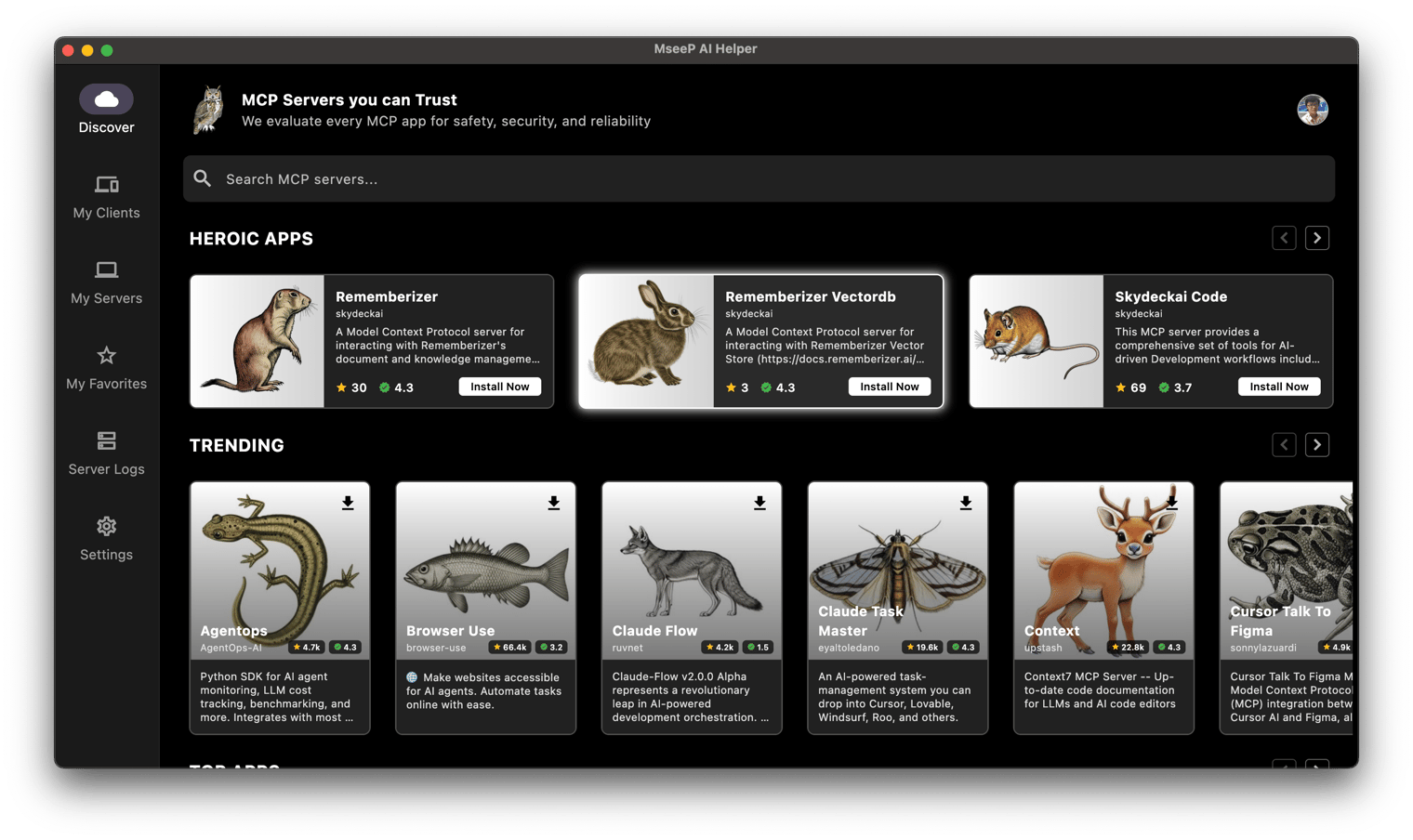
**Via MseeP AI Helper App:** If you have MseeP AI Helper app installed, you can search for "Rememberizer VectorDb" and install the mcp-rememberizer-vectordb.
## Configuration
### Environment Variables
The following environment variables are required:
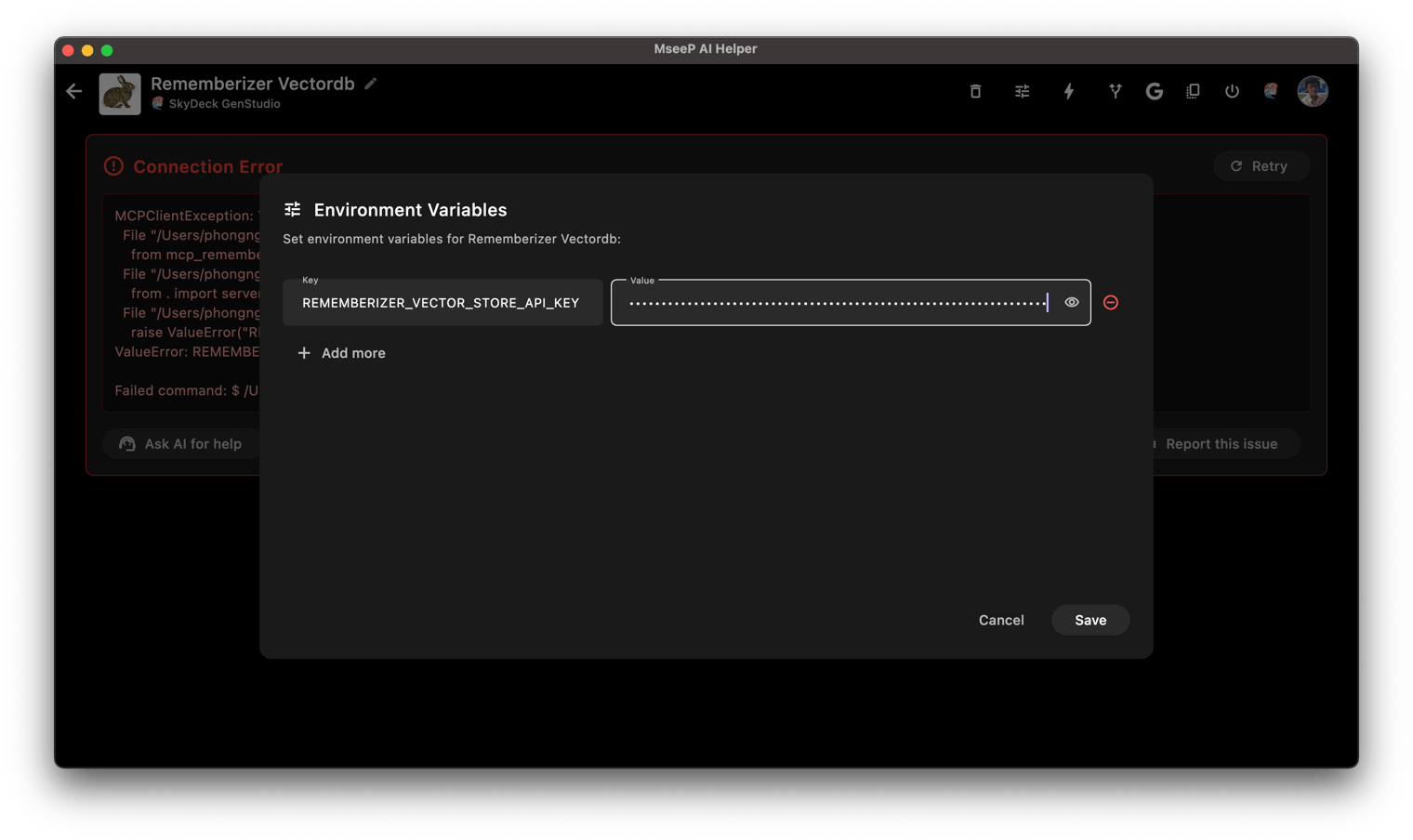
- `REMEMBERIZER_VECTOR_STORE_API_KEY`: Your Rememberizer Vector Store API token
You can register an API key by create your own [Vector Store in Rememberizer](https://docs.rememberizer.ai/developer/vector-stores).
### Usage with Claude Desktop
Add this to your `claude_desktop_config.json`:
```json
"mcpServers": {
"rememberizer": {
"command": "uvx",
"args": ["mcp-rememberizer-vectordb"],
"env": {
"REMEMBERIZER_VECTOR_STORE_API_KEY": "your_rememberizer_api_token"
}
},
}
```
## Usage with MseeP AI Helper App
Add the env `REMEMBERIZER_VECTOR_STORE_API_KEY` to `mcp-rememberizer-vectordb`.
## License
This MCP server is licensed under the [Apache License 2.0](LICENSE).
This server cannot be deployed
Maintenance
ActivityInactive
ResponsivenessNo issues