Storm MCP Server with Sionic AI serverless RAG
Korean
Storm MCP(Model Context Protocol) Server
Storm MCP(Model Context Protocol) LLM LLM RAG RAG Anthropic Model Context Protocol Claude Desktop Storm Platform.
Sionic AI Storm Platform https://sionicstorm.ai API Token I want to know Yes.
Use
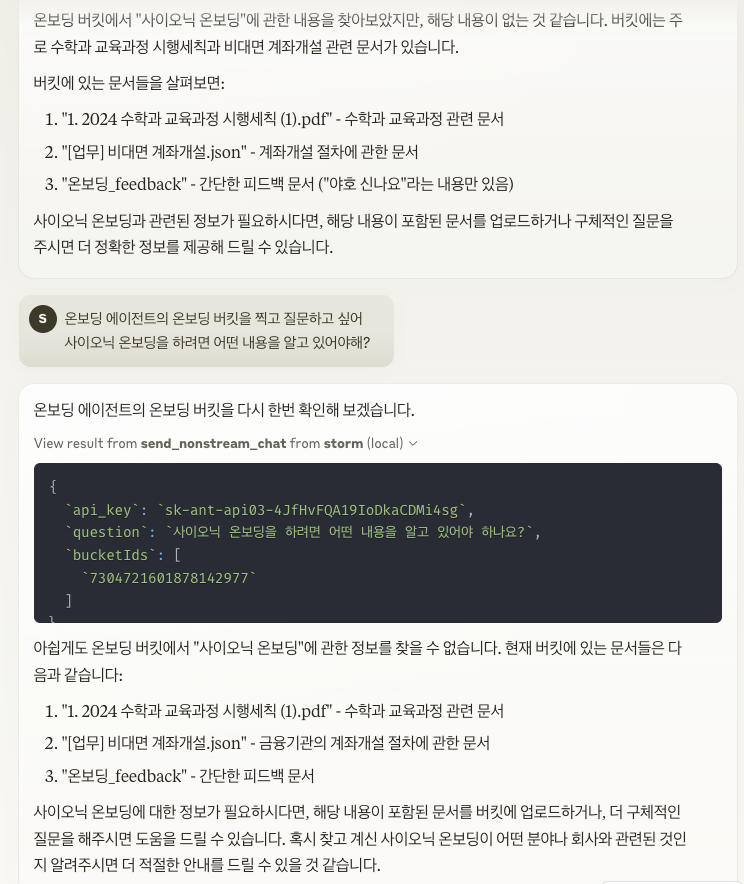
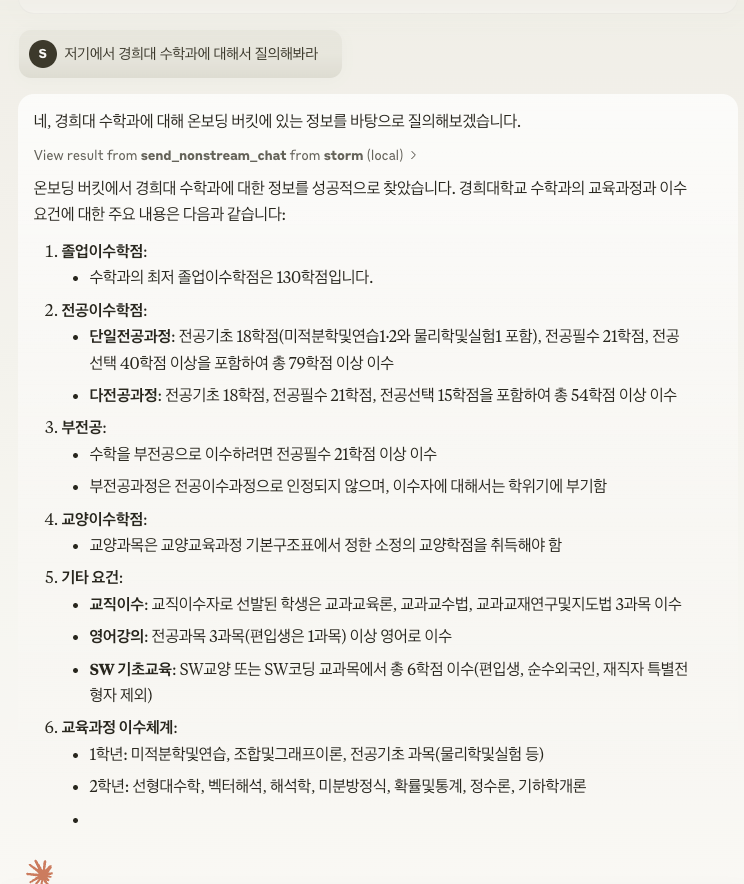
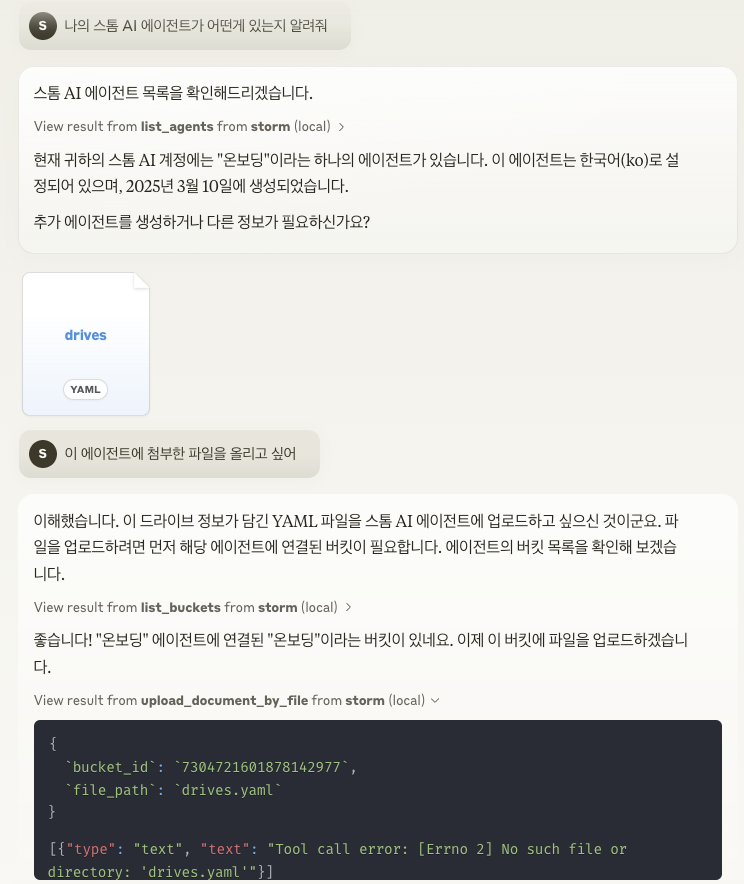
API Key는 scripts/run.sh 에 존재하는 export STORM_API_KEY='' 에 입력하세요.
Please select
Sorry for the inconvenience.
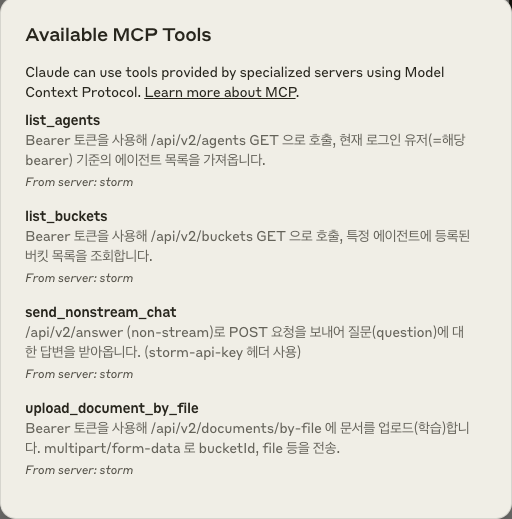
Message : Message (send_nonstream_chat, list_agents, list_buckets, upload_document_by_file).
파일 관리 : 파일 업로드, 읽기 및 관리를 위한 파일 시스템 작업을 구현합니다.
API service : Storm API service.
Professional training
main.py : MCP code.
core/file_manager.py : FileSystemManager FileSystemManager .
core/internal_api.py : Storm REST API.
tools/tool_definitions.py : MCP settings.
tools/tool_handlers.py : Handlers.
tools/tool_upload_file.py : MCP download file.
Akitchan
MCP (LLM), (LLM), (LLM) Storm MCP Storm MCP LLM version.
How to start
Claude Desktop MCP
Open the setup file
code ~/Library/Application\ Support/Claude/claude_desktop_config.json
JSON data MCP data:
{
  "mcpServers": {
    "storm": {
      "command": "sh",
      "args": [
        "/Users/sigridjineth/Desktop/work/storm-mcp-server/scripts/run.sh"
      ]
    }
  }
}
Related MCP server: MCP Python SDK
Japanese
Storm MCP(Model Context Protocol) Server
The Storm MCP (Model Context Protocol) Server is an open protocol that enables seamless integration between LLM applications and RAG data sources and tools. It implements Anthropic's Model Context Protocol and allows you to use the Storm Platform directly in Claude Desktop.
By integrating with Sionic AI's Storm Platform , you can connect and use your own powerful embedded models and vector DB products. Register per agent at https://sionicstorm.ai to get an API token and create your RAG solution in no time.
Usage Example
Please enter the API key in export STORM_API_KEY='' in scripts/run.sh .
Key Features
Context sharing : Provides a standard protocol for interaction between LLM and data sources.
Tool system : Provides a standardized way to define and invoke tools (send_nonstream_chat, list_agents, list_buckets, upload_document_by_file, etc.).
File management : Implements file system operations for uploading, reading, and managing files.
API Integration : Connect to Storm's API endpoints to provide a variety of features.
Project Structure
main.py : Initializes the MCP server and sets up event handlers.
core/file_manager.py : Implements the FileSystemManager class for file operations.
core/internal_api.py : Contains API client functions for interacting with Storm's REST API endpoints.
tools/tool_definitions.py : Defines the tools available on the MCP server.
tools/tool_handlers.py : Implements handlers for tool operations.
tools/tool_upload_file.py : Implements a separate file server for file operations with its own MCP handler.
architecture
MCP is designed with a three-layer structure between the host (LLM application), the client (protocol implementation), and the server (function provider). The Storm MCP server implements the server part and provides resources and tools to the LLM.
How to get started
To connect an MCP server in a Claude Desktop environment, the following settings must be applied:
Opening a configuration file
code ~/Library/Application\ Support/Claude/claude_desktop_config.json
Add the MCP server settings in JSON:
{
  "mcpServers": {
    "storm": {
      "command": "sh",
      "args": [
        "/Users/sigridjineth/Desktop/work/storm-mcp-server/scripts/run.sh"
      ]
    }
  }
}

