
ChatGPT Apps EdgeOne Pages Starter
by siciyuan
README.md
# ChatGPT Apps SDK EdgeOne Pages Starter
This repository is a minimal EdgeOne Pages project that shows how to build an MCP server compatible with the [OpenAI Apps SDK](https://developers.openai.com/apps-sdk) using Next.js and edge functions.
## Deploy
[](https://edgeone.ai/pages/new?from=github&template=chatgpt-apps-edgeone-pages)
Live Demo: https://chatgpt-apps-edgeone-pages.edgeone.run
## Overview
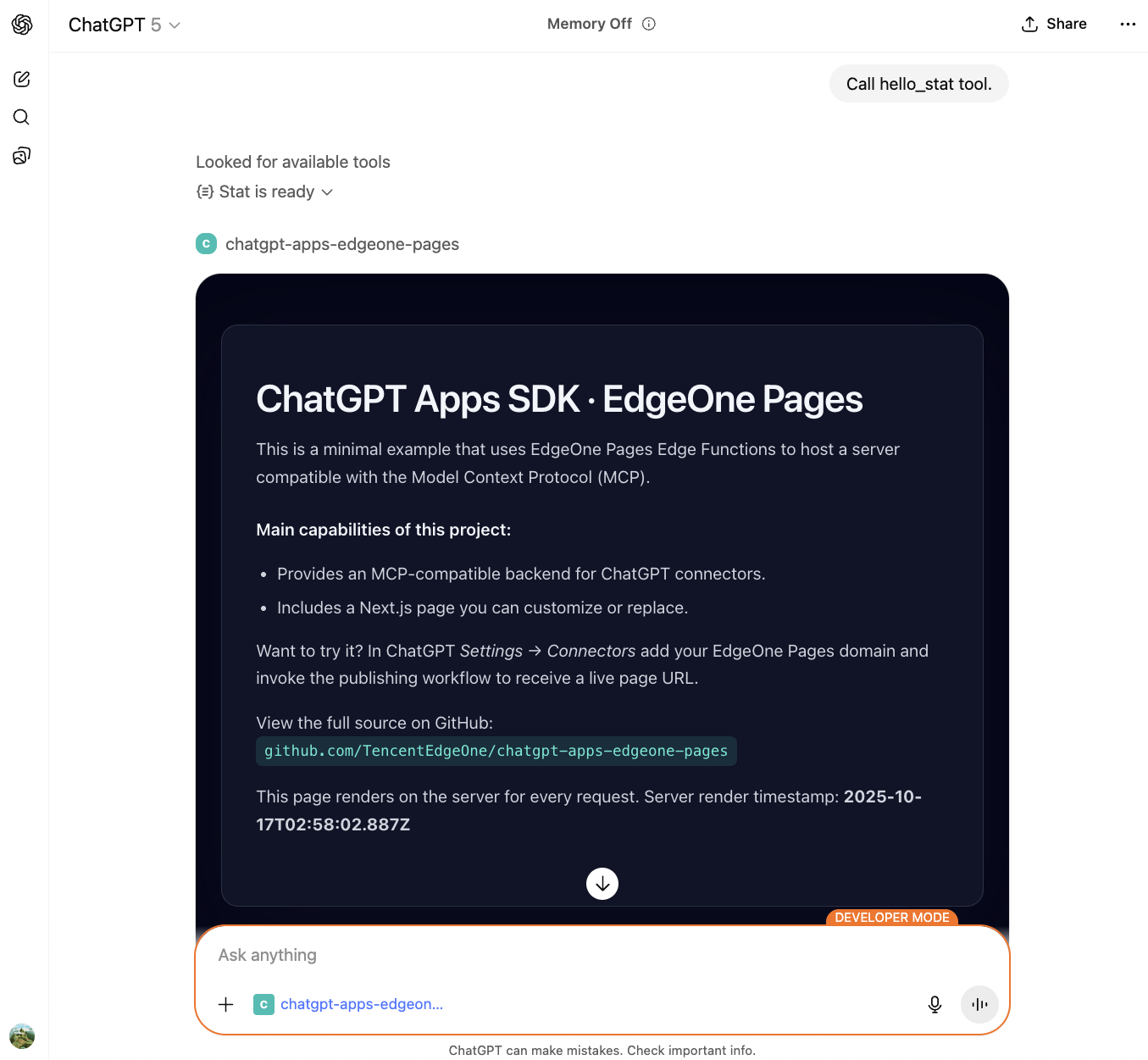
The project demonstrates how to host an MCP server with Tencent Cloud EdgeOne Pages + Functions using Next.js. The MCP server exposes tools to ChatGPT and renders widgets with structured content.
## Tech Stack
- **Next.js 15**: React framework with App Router
- **Hono**: Fast, lightweight web framework for EdgeOne Functions
- **MCP SDK**: Model Context Protocol implementation
- **Tailwind CSS**: Utility-first CSS framework
- **TypeScript**: Type-safe development
## Capabilities
- **MCP server**: A serverless `onRequest` handler built on EdgeOne Functions using Hono
- **Widget support**: The `hello_stat` tool renders dynamic widgets with structured content
- **CORS support**: Built-in logic keeps the server compatible with ChatGPT iframes and browser debugging
- **Next.js frontend**: Modern React-based UI with Tailwind CSS styling
## Key files
- `functions/mcp/index.ts`: Implements MCP JSON-RPC, registers the `hello_stat` tool, and handles widget rendering
- `functions/httpTransport.ts`: Custom HTTP transport for MCP server
- `app/page.tsx`: Next.js landing page that explains the project
- `app/layout.tsx`: Root layout with global styles
- `app/globals.css`: Tailwind CSS configuration and global styles
- `edgeone.json`: EdgeOne Pages configuration with CORS headers
## Quick start
### 1. Deploy to EdgeOne Pages
1. Click the button above for one-click deployment.
2. After provisioning, the EdgeOne console assigns a domain that hosts both the Next.js app and the MCP endpoint.
Once deployment finishes, the Next.js app is served from the root path and `functions/mcp/index.ts` is automatically mapped to `/mcp`.
## Connect from ChatGPT
1. Ensure your account has ChatGPT Apps developer access.
2. In ChatGPT, open **Settings → [Connectors](https://chatgpt.com/#settings/Connectors) → Create**.
3. Add the EdgeOne Pages deployment URL as the MCP server, for example:
```
https://<your-project-url>/mcp
```
4. Save the configuration, then call the `hello_stat` tool in a conversation to render a stat widget with your name.
## MCP request flow
1. ChatGPT calls `/mcp` via the MCP protocol, triggering the `initialize` and `tools/list` handshake.
2. When a user invokes `hello_stat`, the server returns structured content with title/value/description.
3. The widget template is fetched from the Next.js app root and rendered in ChatGPT with the structured data.
4. Errors are returned in a structured format so ChatGPT and developers can debug quickly.
## Project structure
```
examples/chatgpt-apps-edgeone-pages/
├── app/
│ ├── layout.tsx # Next.js root layout
│ ├── page.tsx # Landing page
│ └── globals.css # Global styles with Tailwind
├── functions/
│ ├── mcp/
│ │ ├── index.ts # MCP server with hello_stat tool
│ │ └── [[default]].ts # Dynamic route handler
│ └── httpTransport.ts # Custom HTTP transport for MCP
├── edgeone.json # EdgeOne configuration
├── next.config.js # Next.js configuration
└── tailwind.config.js # Tailwind CSS configuration
```
## Further reading
- [OpenAI Apps SDK docs](https://developers.openai.com/apps-sdk)
- [Model Context Protocol spec](https://modelcontextprotocol.io)
- [EdgeOne Pages & Functions guide](https://pages.edgeone.ai/document/pages-functions-overview)
- [ChatGPT connector creation guide](https://developers.openai.com/apps-sdk/deploy/connect-chatgpt)
To extend the setup, continue evolving the MCP logic in `functions/mcp/index.ts`. EdgeOne Pages scales compute as needed.
This server cannot be deployed