A
licenseA
qualityC
maintenanceEnables AI image generation and editing using Google's Gemini models via natural language, supporting multi-turn editing, search grounding, storyboards, icon sets, and video-to-image.
5
20 npm
1
MIT

This server does not currently have a deployable release on Glama. Follow the repository's setup instructions to install and configure it for your MCP client, including any required credentials and local dependencies.
中文 | English
This is an MCP (Model Context Protocol) server that supports Azure AI Foundry image generation and editing capabilities.
Text-to-Image Generation - Generate high-quality images from text descriptions using Azure AI Foundry models
Image Editing - Edit and modify existing images
Configurable Models - Support for multiple Azure AI models via environment variables
Related MCP server: Gemini Image MCP
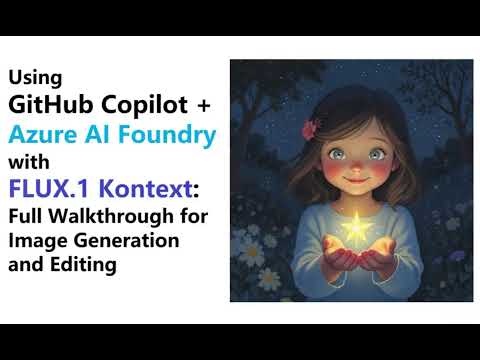
Click 👇 to go to the demo on YouTube
azure-image-editor/
├── .venv/                        # Python virtual environment
├── src/
│   ├── azure_image_client.py     # Azure API client
│   ├── mcp_server.py             # STDIO MCP server
│   └── mcp_server_http.py        # HTTP/JSON-RPC MCP server
├── tests/                        # Test files
├── logs/                         # Server logs
├── tmp/                          # Temporary files
├── requirements.txt              # Python dependencies
├── .env                          # Environment configuration
├── .env.example                  # Environment configuration template
└── README.md # Project documentation⚠️ Important: Before using this MCP server, you must deploy the required model in your Azure AI Foundry environment.
Access Azure AI Foundry: Go to Azure AI Foundry
Deploy the model: Deploy flux.1-kontext-pro (or your preferred model) in your Azure AI Foundry workspace
Get deployment details: Note down your:
Base URL (endpoint)
API key
Deployment name
Model name
Without proper model deployment, the MCP server will not function correctly.
Clone and setup environment:
git clone https://github.com/satomic/Azure-AI-Image-Editor-MCP.git
cd azure-image-editor
python -m venv .venv
source .venv/bin/activate  # Linux/Mac
# or .venv\Scripts\activate  # Windows
pip install -r requirements.txtThis project supports two MCP server modes:
Communicates via standard input/output. Suitable for VSCode integration.
Communicates via HTTP with JSON-RPC 2.0 protocol. Suitable for web applications and remote access.
Add the following to your VSCode MCP configuration:
{
  "servers": {
    "azure-image-editor": {
      "command": "/full/path/to/.venv/bin/python",
      "args": ["/full/path/to/azure-image-editor/src/mcp_server.py"],
      "env": {
        "AZURE_BASE_URL": "https://your-endpoint.services.ai.azure.com", // deployment endpoint
        "AZURE_API_KEY": "${input:azure-api-key}",
        "AZURE_DEPLOYMENT_NAME": "FLUX.1-Kontext-pro", // The name you gave your deployment
        "AZURE_MODEL": "flux.1-kontext-pro", // Default model
        "AZURE_API_VERSION": "2025-04-01-preview" // Default API version
      }
    }
  },
  "inputs": [
    {
      "id": "azure-api-key",
      "type": "promptString",
      "description": "Enter your Azure API Key",
      "password": "true"
    }
  ]
}Important: Replace /full/path/to/ with the actual absolute path to this project directory.
# Activate virtual environment
source .venv/bin/activate  # Linux/Mac
# or .venv\Scripts\activate  # Windows

# Set environment variables
export AZURE_BASE_URL="https://your-endpoint.services.ai.azure.com"
export AZURE_API_KEY="your-api-key"
export AZURE_DEPLOYMENT_NAME="FLUX.1-Kontext-pro"
export AZURE_MODEL="flux.1-kontext-pro"
export AZURE_API_VERSION="2025-04-01-preview"

# Optional: Configure server host and port (defaults to 127.0.0.1:8000)
export MCP_SERVER_HOST="0.0.0.0"  # Listen on all interfaces
export MCP_SERVER_PORT="8000"      # Server port

# Start the HTTP server
python src/mcp_server_http.pyCreate a .env file in the project root:
AZURE_BASE_URL=https://your-endpoint.services.ai.azure.com
AZURE_API_KEY=your-api-key
AZURE_DEPLOYMENT_NAME=FLUX.1-Kontext-pro
AZURE_MODEL=flux.1-kontext-pro
AZURE_API_VERSION=2025-04-01-preview

# Optional server configuration
MCP_SERVER_HOST=127.0.0.1
MCP_SERVER_PORT=8000
DEFAULT_IMAGE_SIZE=1024x1024
Then start the server:
source .venv/bin/activate
python src/mcp_server_http.pyWhen the HTTP server is running, the following endpoints are available:
JSON-RPC Endpoint: http://127.0.0.1:8000/ - Main JSON-RPC 2.0 endpoint (POST)
Health Check: http://127.0.0.1:8000/health - Server health status (GET)
Important for HTTP Mode: When using HTTP mode, even if you provide an output_path parameter, the server will:
Save the image to the specified path on the server
Also return the base64-encoded image data to the client
This allows the MCP client to receive the image data and save it locally without needing additional file transfer.
Using VSCode MCP Client:
{
  "servers": {
    "azure-image-editor-http": {
      "type": "http",
      "url": "http://127.0.0.1:8000"
    }
  }
}
Using curl:
# List available tools
curl -X POST http://127.0.0.1:8000/ \
  -H "Content-Type: application/json" \
  -d '{"jsonrpc": "2.0", "id": 1, "method": "tools/list", "params": {}}'

# Call generate_image tool
curl -X POST http://127.0.0.1:8000/ \
  -H "Content-Type: application/json" \
  -d '{
    "jsonrpc": "2.0",
    "id": 2,
    "method": "tools/call",
    "params": {
      "name": "generate_image",
      "arguments": {
        "prompt": "A beautiful sunset over mountains",
        "size": "1024x1024",
        "output_path": "./images/sunset.png"
      }
    }
}'Generate images from text prompts
Parameters:
prompt (required): English text description for image generation
size (optional): Image size - "1024x1024", "1792x1024", "1024x1792", default: "1024x1024"
output_path (optional): Output file path, returns base64 encoded image if not provided
Example:
{
  "name": "generate_image",
  "arguments": {
    "prompt": "A beautiful sunset over mountains",
    "size": "1024x1024",
    "output_path": "/path/to/output/image.png"
  }
}Edit existing images with intelligent dimension preservation
Parameters:
STDIO mode:
image_path (required): Path to the image file to edit
prompt (required): English text description of how to edit the image
size (optional): Output image size, uses original dimensions if not specified
output_path (optional): Output file path
HTTP mode:
image_data_base64 (required): Base64 encoded image data
Supports raw base64 format: iVBORw0KGgoAAAANS...
Supports Data URL format: data:image/png;base64,iVBORw0KGgoAAAANS...
prompt (required): English text description of how to edit the image
size (optional): Output image size, uses original dimensions if not specified
output_path (optional): Output file path (server-side), image data always returned to client
Example (STDIO mode):
{
  "name": "edit_image",
  "arguments": {
    "image_path": "/path/to/input/image.png",
    "prompt": "Make this black and white",
    "output_path": "/path/to/output/edited_image.png"
  }
}
Example (HTTP mode):
{
  "name": "edit_image",
  "arguments": {
    "image_data_base64": "iVBORw0KGgoAAAANS...",
    "prompt": "Make this black and white",
    "output_path": "/tmp/edited_image.png"
  }
}
Or using Data URL format:
{
  "name": "edit_image",
  "arguments": {
    "image_data_base64": "data:image/png;base64,iVBORw0KGgoAAAANS...",
    "prompt": "Make this black and white",
    "output_path": "/tmp/edited_image.png"
  }
}Python version: 3.8+
Main dependencies:
mcp: MCP protocol support
httpx: HTTP client with timeout handling
pillow: Image processing and dimension detection
aiofiles: Async file operations
pydantic: Data validation
python-dotenv: Environment variable management
starlette: ASGI framework for HTTP server (HTTP mode only)
uvicorn: ASGI server (HTTP mode only)
Azure AI Foundry:
Default model: flux.1-kontext-pro (configurable)
Default API version: 2025-04-01-preview (configurable)
Supported image sizes: 1024x1024, 1792x1024, 1024x1792
Timeout: 5 minutes per request
Timeout Errors: Image processing has 5-minute timeout, check network connectivity
API Errors: Verify Azure credentials and endpoint URL
Dependency Issues: Ensure virtual environment is activated and dependencies installed
Server Connection Issues: Verify VSCode MCP configuration path is correct
MIT License
Recent tool additions, removals, and schema changes observed during successful MCP inspections.
Loading tool schema changelog…
This server cannot be deployed
Generate images, videos and music with model discovery, cost estimates and asynchronous results.
Image generation, image editing and text/image-to-video with credit quotes and connection budgets.
Commercially licensed image generation and editing with IP indemnification.
Create images and videos from prompts, with options for image mixing, reference images, and start/…