

MIT

mcp-llm
by sammcj
MCP LLM
LlamaIndexTS 라이브러리를 사용하여 LLM에 대한 액세스를 제공하는 MCP 서버입니다.
특징
이 MCP 서버는 다음과 같은 도구를 제공합니다.
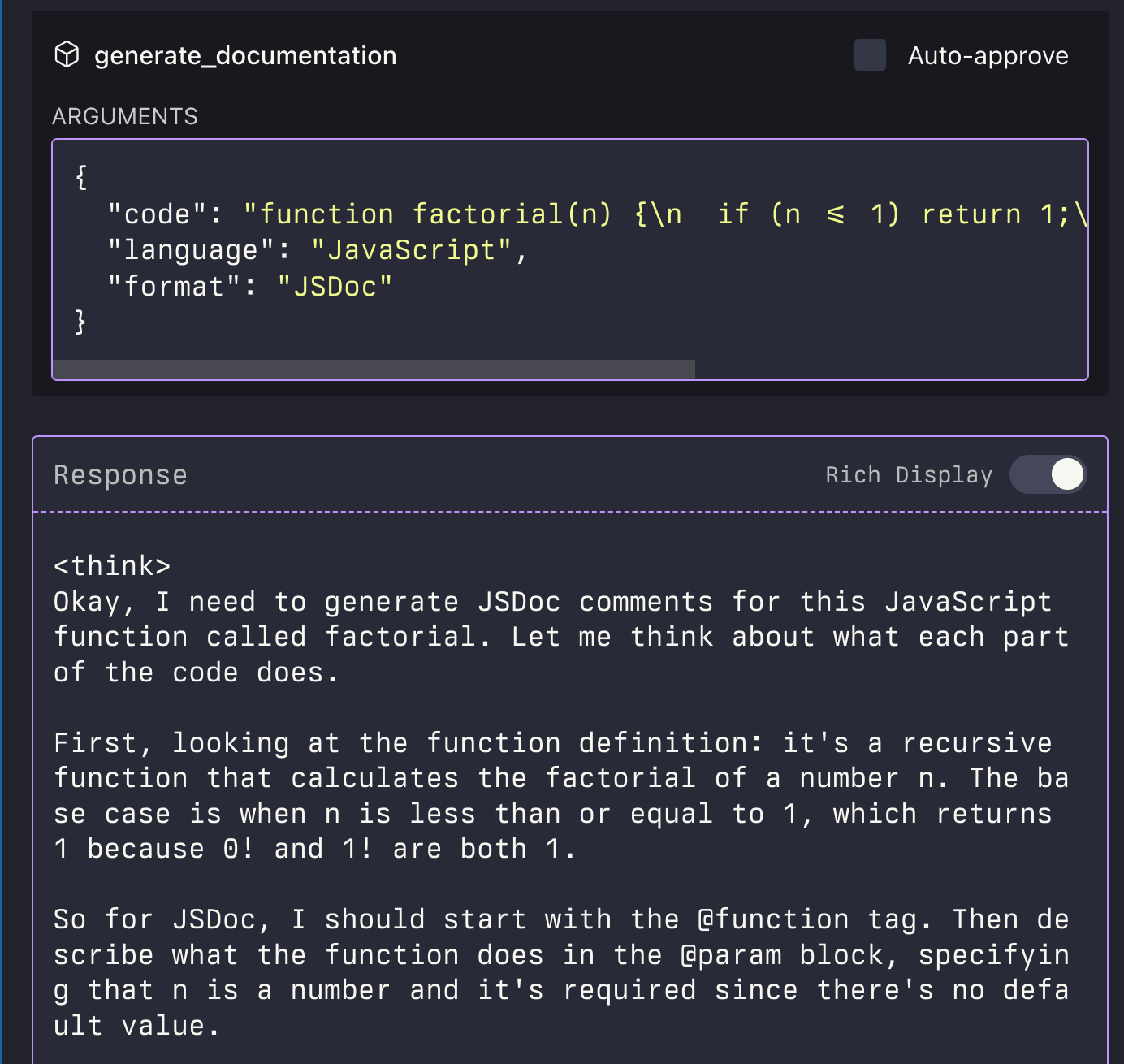
generate_code: 설명을 기반으로 코드 생성generate_code_to_file: 코드를 생성하여 특정 줄 번호의 파일에 직접 씁니다.generate_documentation: 코드에 대한 문서를 생성합니다.ask_question: LLM에 질문하기

Related MCP server: Globalping
설치
Smithery를 통해 설치
Smithery를 통해 Claude Desktop용 LLM 서버를 자동으로 설치하려면:
지엑스피1
소스에서 수동 설치
저장소를 복제합니다
종속성 설치:
npm install프로젝트를 빌드하세요:
npm run buildMCP 구성을 업데이트하세요
예제 스크립트 사용
저장소에는 MCP 서버를 프로그래밍 방식으로 사용하는 방법을 보여주는 예제 스크립트가 포함되어 있습니다.
node examples/use-mcp-server.js이 스크립트는 MCP 서버를 시작하고 curl 명령을 사용하여 해당 서버에 요청을 보냅니다.
예시
코드 생성
{
  "description": "Create a function that calculates the factorial of a number",
  "language": "JavaScript"
}
파일에 코드 생성
{
  "description": "Create a function that calculates the factorial of a number",
  "language": "JavaScript",
  "filePath": "/path/to/factorial.js",
  "lineNumber": 10,
  "replaceLines": 0
}
generate_code_to_file 도구는 상대 경로와 절대 경로 모두를 지원합니다. 상대 경로를 제공하면 MCP 서버의 현재 작업 디렉터리를 기준으로 경로가 결정됩니다.
문서 생성
{
  "code": "function factorial(n) {\n  if (n <= 1) return 1;\n  return n * factorial(n - 1);\n}",
  "language": "JavaScript",
  "format": "JSDoc"
}
질문하기
{
  "question": "What is the difference between var, let, and const in JavaScript?",
  "context": "I'm a beginner learning JavaScript and confused about variable declarations."
}
특허
Available Tools
4 toolsask_questionC
Ask a question to the LLM
Inputs: question (required), context.
generate_codeC
Generate code based on a description
Inputs: description (required), language, additionalContext.
generate_code_to_fileB
Generate code and write it directly to a file at a specific line number
Inputs: description (required), filePath (required), lineNumber (required), language, +2 more.
generate_documentationC
Generate documentation for code
Inputs: code (required), language, format.
Tool Schema Changelog
Recent tool additions, removals, and schema changes observed during successful MCP inspections.
Loading tool schema changelog…
TDQS
B3/5.0
Scored across 4 tools
Disambiguation3/5
The tools have overlapping purposes that could cause confusion. 'generate_code' and 'generate_code_to_file' both generate code, with the latter adding file writing functionality, which might lead to misselection when file output isn't needed. However, 'ask_question' and 'generate_documentation' are more distinct in their purposes, helping to mitigate some ambiguity.
Naming Consistency4/5
The naming follows a consistent verb_noun pattern throughout, such as 'ask_question' and 'generate_documentation'. There is a minor deviation with 'generate_code_to_file', which includes a prepositional phrase, but overall the pattern is clear and readable, maintaining good consistency.
Tool Count4/5
With 4 tools, the count is slightly low but reasonable for an LLM-focused server. It covers core functionalities like questioning, code generation, and documentation, though it might feel thin if more advanced features are expected. The scope is well-defined, so the number is appropriate for basic operations.
Completeness3/5
There are notable gaps in the tool surface for an LLM domain. While it covers code generation and documentation, it lacks tools for editing, refactoring, or analyzing existing code, and there's no way to manage conversations or context. This could lead to agent failures in more complex workflows, but core tasks are addressed.
Maintenance
ActivityInactive
ResponsivenessOutdated data
Related MCP Connectors
MCP server for AI dialogue using various LLM models via AceDataCloud
MCP server for OpenAI API (chat completions, image generation, embeddings) via AceDataCloud
An MCP server that provides an API to LLMs to manage their JumpCloud resources.
Related MCP Servers

Globalpingofficial
FlicenseNot gradedqualityCmaintenanceRemote MCP server that gives LLMs access to run network commands66-- AlicenseNot gradedqualityDmaintenanceAn MCP server that publishes CLI tools on your machine for discoverability by LLMs4 npm1MIT
- AlicenseAqualityAmaintenanceFilesystem MCP server for AI assistants. Search, read, edit, and manage local files in directories you choose.6141,447 npm34MIT
