
The mcp-llm server provides tools to interact with LLMs for code generation, documentation, and answering questions:
Generate Code: Create code based on a description in a specified programming language, with optional context.
Generate Code to File: Generate code and insert it directly into a file at a specific line number, optionally replacing existing lines.
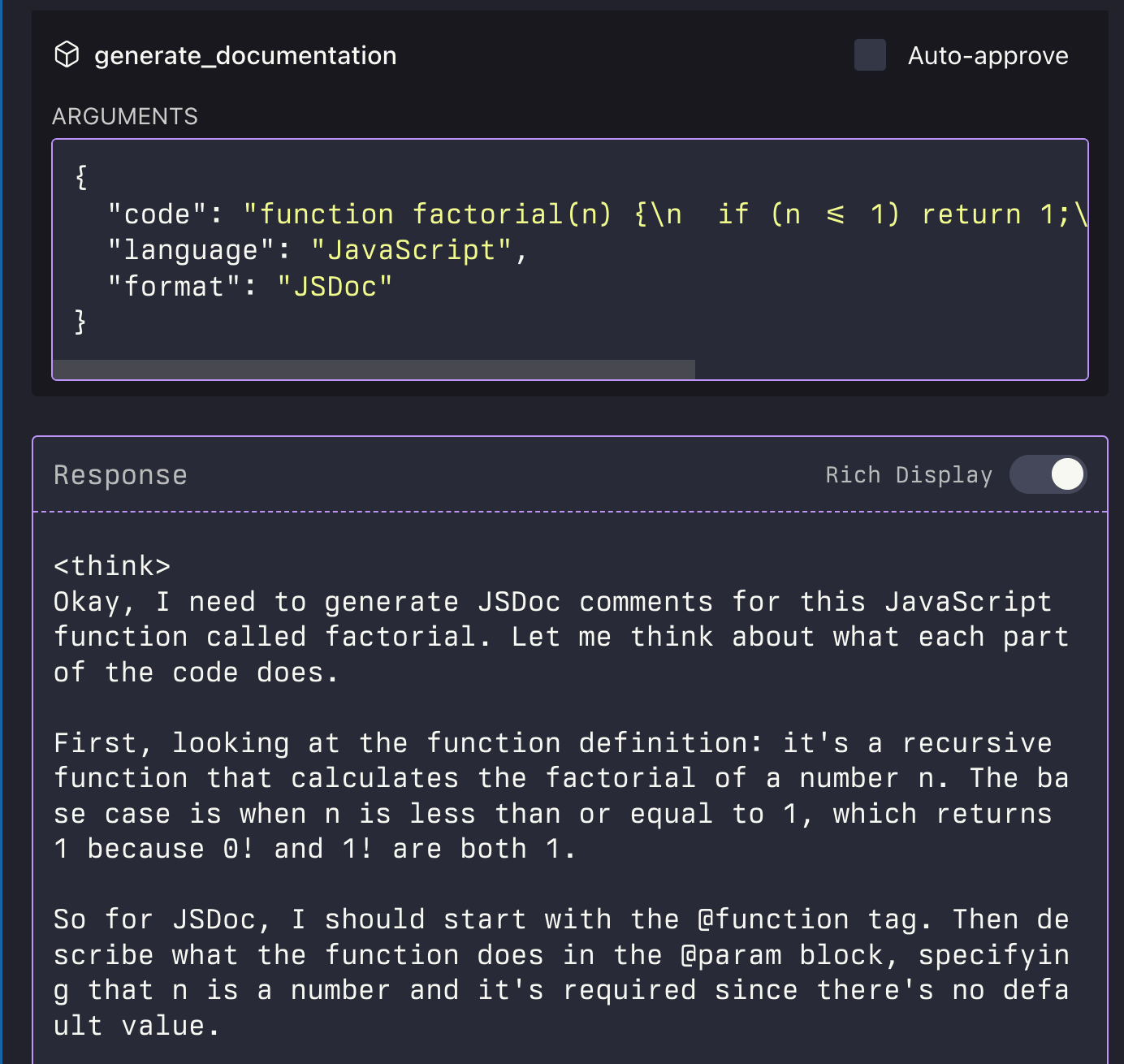
Generate Documentation: Automatically generate documentation for provided code in a specified format.
Ask Question: Pose general questions to the LLM with optional context for clarification.
Click on "Install Server".
Wait a few minutes for the server to deploy. Once ready, it will show a "Started" state.
In the chat, type
@followed by the MCP server name and your instructions, e.g., "@mcp-llmgenerate a Python function to calculate fibonacci numbers"
That's it! The server will respond to your query, and you can continue using it as needed.
Here is a step-by-step guide with screenshots.
MCP LLM
An MCP server that provides access to LLMs using the LlamaIndexTS library.
Features
This MCP server provides the following tools:
generate_code: Generate code based on a descriptiongenerate_code_to_file: Generate code and write it directly to a file at a specific line numbergenerate_documentation: Generate documentation for codeask_question: Ask a question to the LLM

Related MCP server: MCP LLMS-TXT Documentation Server
Installation
Installing via Smithery
To install LLM Server for Claude Desktop automatically via Smithery:
npx -y @smithery/cli install @sammcj/mcp-llm --client claudeManual Install From Source
Clone the repository
Install dependencies:
npm installBuild the project:
npm run buildUpdate your MCP configuration
Using the Example Script
The repository includes an example script that demonstrates how to use the MCP server programmatically:
node examples/use-mcp-server.jsThis script starts the MCP server and sends requests to it using curl commands.
Examples
Generate Code
{
  "description": "Create a function that calculates the factorial of a number",
  "language": "JavaScript"
}
Generate Code to File
{
  "description": "Create a function that calculates the factorial of a number",
  "language": "JavaScript",
  "filePath": "/path/to/factorial.js",
  "lineNumber": 10,
  "replaceLines": 0
}
The generate_code_to_file tool supports both relative and absolute file paths. If a relative path is provided, it will be resolved relative to the current working directory of the MCP server.
Generate Documentation
{
  "code": "function factorial(n) {\n  if (n <= 1) return 1;\n  return n * factorial(n - 1);\n}",
  "language": "JavaScript",
  "format": "JSDoc"
}
Ask Question
{
  "question": "What is the difference between var, let, and const in JavaScript?",
  "context": "I'm a beginner learning JavaScript and confused about variable declarations."
}
License


Resources
Unclaimed servers have limited discoverability.
Looking for Admin?
If you are the server author, to access and configure the admin panel.