MCPHub:模型上下文协议(MCP)服务器的统一枢纽

English | Français | 中文版
MCPHub 通过将多个 MCP(模型上下文协议)服务器组织成灵活的 Streamable HTTP(SSE)端点,让管理和扩展多个 MCP 服务器变得轻松——支持访问所有服务器、单个服务器或逻辑服务器组。
🌐 在线演示与文档
Related MCP server: MetaMCP
🚀 功能特性
集中管理 - 从统一仪表板监控和控制所有 MCP 服务器
灵活路由 - 通过 HTTP/SSE 访问所有服务器、特定组或单个服务器
分组粒度可见性 - 独立控制组内每个服务器的 Tool、Prompt 和 Resource 可见性
智能路由 - 使用向量语义搜索进行 AI 驱动的工具发现(了解更多)
MCP Apps 代理 - 在单服务器路由上透明转发交互式 MCP Apps(了解更多)
工具结果压缩 - 在大型文本工具输出到达客户端之前透明地缩减它们
热插拔配置 - 无需停机即可添加、删除或更新服务器
OAuth 2.0 支持 - 客户端和服务器两种模式,用于安全认证(了解更多)
社交登录 - 通过 Better Auth 集成实现无缝的 GitHub 和 Google 登录支持(需要数据库模式)
数据库模式 - 在生产环境中将配置存储在 PostgreSQL 中(了解更多)
Docker 就绪 - 通过容器化设置即时部署
🔧 快速开始
配置
创建一个 mcp_settings.json 文件:
{
  "mcpServers": {
    "time": {
      "command": "npx",
      "args": ["-y", "time-mcp"]
    },
    "fetch": {
      "command": "uvx",
      "args": ["mcp-server-fetch"]
    }
  }
}
📖 有关完整选项(包括 OAuth、环境变量等),请参阅配置指南。
Docker 部署
# Run with custom config (recommended)
docker run -p 3000:3000 -v ./mcp_settings.json:/app/mcp_settings.json -v ./data:/app/data samanhappy/mcphub

# Or run with default settings (also mount ./data so credentials and state survive restarts)
docker run -p 3000:3000 -v ./data:/app/data samanhappy/mcphub
在 samanhappy/mcphub 下发布了两个镜像变体:
latest — 默认镜像。包含 Node.js/pnpm、Python、uv/uvx、Git 和构建工具。覆盖大多数 MCP 服务器。
latest-full — 扩展镜像。添加了 Rust 工具链(Cargo/rustc)、Docker Engine 和 Playwright 浏览器(Chrome + Firefox,仅限 amd64)。用于基于 Rust 的服务器或容器内容器工作流。下载体积更大。
有关构建选项和 Docker-in-Docker 配置,请参阅 Docker 设置。
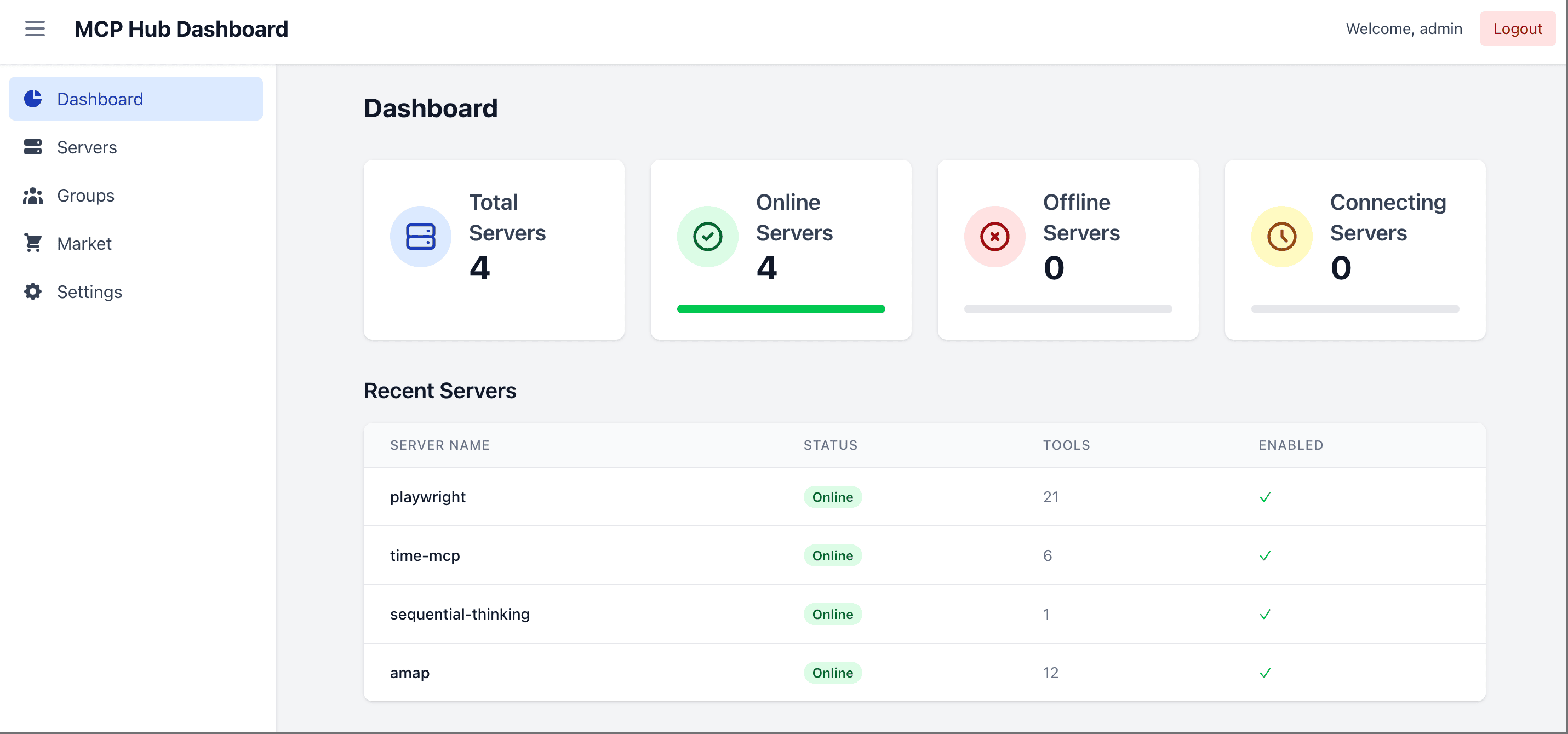
访问仪表板
打开 http://localhost:3000 并使用用户名 admin 登录。首次启动时,如果未设置 ADMIN_PASSWORD 环境变量,则会生成一个随机密码并打印到服务器日志中。您也可以预先设置密码:
# Docker: set admin password via environment variable
docker run -p 3000:3000 -e ADMIN_PASSWORD=your-secure-password samanhappy/mcphub
提示: 首次登录后请更改管理员密码以确保安全。
无头模式: 设置 DISABLE_WEB=true 可跳过提供捆绑的仪表板 UI,仅使用后端/API 和 MCP 端点运行 MCPHub。当您想直接从 mcp_settings.json 管理服务器时,这很有用。
连接 AI 客户端
通过以下方式连接 AI 客户端(Claude Desktop、Cursor 等):
http://localhost:3000/mcp           # All servers
http://localhost:3000/mcp/{group}   # Specific group
http://localhost:3000/mcp/{server}  # Specific server
http://localhost:3000/mcp/$smart    # Smart routing
http://localhost:3000/mcp/$smart/{group}  # Smart routing within group
安全说明:MCP 端点默认需要身份验证,以防止意外暴露。要允许无身份验证的 MCP 访问,请在 Keys 部分禁用 Enable Bearer Authentication。Skip Authentication 仅影响仪表板登录。请仅在可信环境中使用。
📖 有关详细的端点文档,请参阅 API 参考。
从终端管理
同一个 mcphub 二进制文件兼作运行中 hub 的 CLI——无需额外安装。
mcphub login --url http://localhost:3000 --username admin
mcphub servers list
mcphub servers add fetch --type stdio --command uvx --arg mcp-server-fetch
mcphub tools list                              # discover what tools are available
mcphub tools get fetch_url                     # see required params + sample command
mcphub call fetch_url url=https://example.com --json
mcphub keys create --name ci --access-type all
它还支持公共市场 API(mcphub discover、mcphub install ...),因此服务器查找和单命令安装可针对任何启用发现功能的 hub 工作。
📖 有关每个子命令、配置和 CI 用法,请参阅 CLI 指南。
📚 文档
🧑💻 本地开发
git clone https://github.com/samanhappy/mcphub.git
cd mcphub
pnpm install
pnpm dev
本地开发使用 admin / admin123,并将其可写设置副本存储在 data/mcp_settings.dev.json 中,因此仓库中的 mcp_settings.json 保持无凭据状态。
对于 Windows 用户,请分别启动后端和前端:pnpm backend:dev、pnpm frontend:dev
📖 有关详细的设置说明,请参阅开发指南。
🔍 技术栈
后端:Node.js、Express、TypeScript (ESM)
前端:React、Vite、Tailwind CSS
存储:默认基于文件的 mcp_settings.json;通过 TypeORM 使用 PostgreSQL 和 pgvector 实现智能路由
认证:JWT + bcrypt 用于本地账户;bearer 密钥;内置 OAuth 2.0 服务器(@node-oauth/oauth2-server);可选的 Better Auth 用于 GitHub/Google 登录
协议:Model Context Protocol SDK
👥 贡献
欢迎贡献!请加入我们的 Discord 社区 进行讨论和支持。
❤️ 赞助

🌟 Star 历史

📄 许可证
根据 Apache 2.0 许可证 授权。

