
serve-mcp
by saidmukhamad
README.md
# serve-mcp
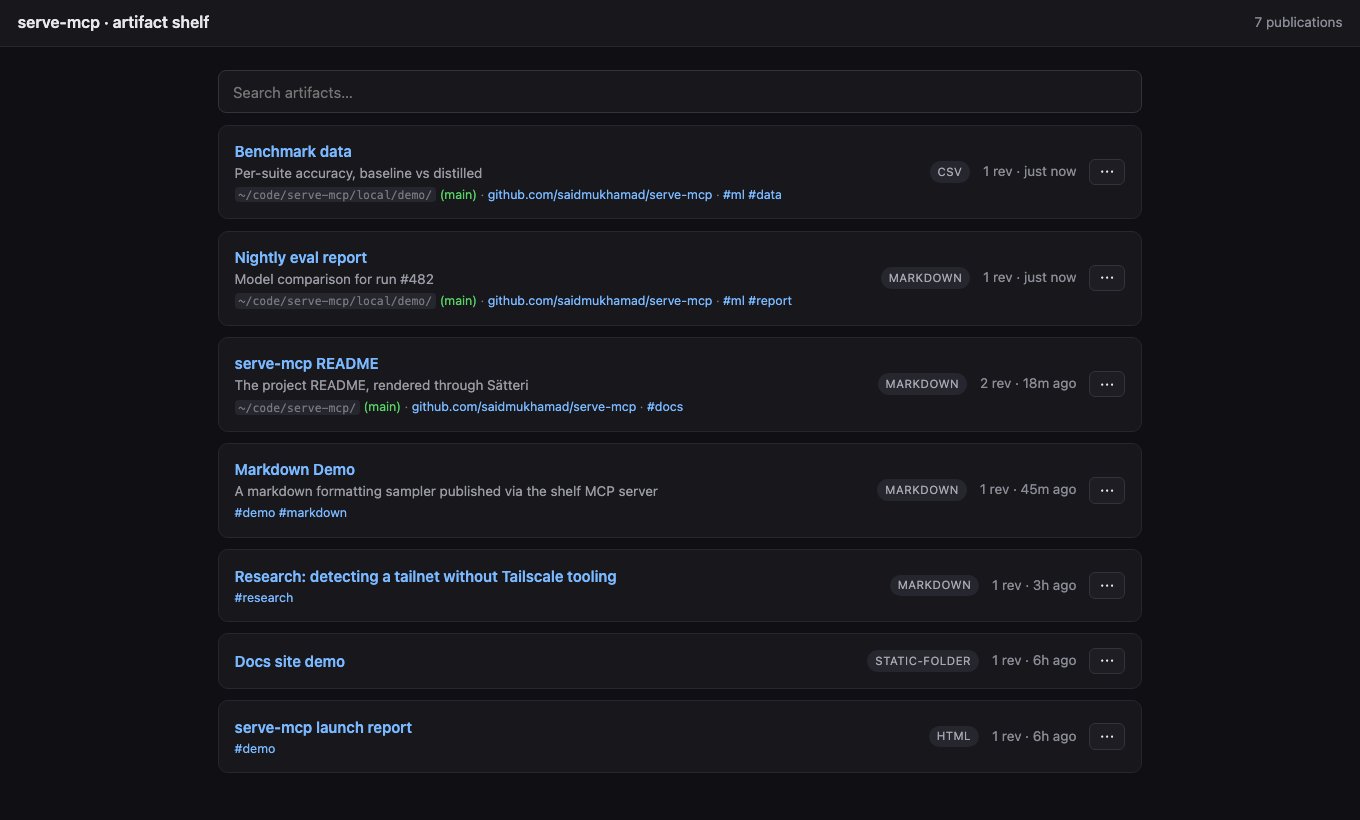
A local, MCP-controlled **artifact shelf**. Your AI agents publish the HTML, Markdown, folders, CSV, and JSON they generate; you get stable, safely-rendered browser URLs to look at them. Built for a machine running several agents at once: each agent gets its own MCP process, and they all publish to one shared shelf.
## Quickstart
```bash
npm install -g @saidmukhamad/serve-mcp
```
Add it to whatever agents you run — they all publish into the **same shelf** (the first process starts the HTTP server, the rest find it):
```bash
# Claude Code
claude mcp add serve-mcp -- npx -y @saidmukhamad/serve-mcp mcp
# Codex
codex mcp add serve-mcp -- npx -y @saidmukhamad/serve-mcp mcp
# Gemini CLI
gemini mcp add serve-mcp npx -y @saidmukhamad/serve-mcp mcp
```
Anything else that speaks MCP (Cursor, Windsurf, ...) — the usual `mcpServers` block:
```json
{
"mcpServers": {
"serve-mcp": { "command": "npx", "args": ["-y", "@saidmukhamad/serve-mcp", "mcp"] }
}
}
```
That's it. Ask any agent to publish something and open the URL it returns — one gallery for everything, whoever made it.
### The permanent setup
One always-on server that every agent and human on the machine works against:
```bash
serve-mcp config host 0.0.0.0 # reachable over your tailnet/LAN (skip for localhost-only)
serve-mcp config port 7331 # fixed port, stable URLs
serve-mcp service install # launchd / systemd --user / Task Scheduler
loginctl enable-linger $USER # Linux only: keep it alive after you log out
```
Without this the shelf still works — it just lives and dies with your MCP sessions (details in [Lifecycle](#lifecycle-who-keeps-the-shelf-alive)).
### Proactive publishing
The server's MCP instructions already tell agents to publish viewable output on their own. For the strongest nudge in Claude Code, install the bundled skill — it auto-triggers whenever the agent produces something viewable:
```bash
mkdir -p ~/.claude/skills/publish-artifact
curl -fsSL https://raw.githubusercontent.com/saidmukhamad/serve-mcp/main/skills/publish-artifact/SKILL.md \
-o ~/.claude/skills/publish-artifact/SKILL.md
```
## How it works
```txt
MCP = control plane (artifact_publish, artifact_list, resources)
HTTP = human preview plane (gallery, /p/:slug, sandboxed previews)
Registry = SQLite (stable publications -> revisions)
Store = live | snapshot (path/folder serve live by default; live:false freezes a copy)
```
## The tools
### `artifact_publish`
```jsonc
{
"source": { "type": "path", "path": "./report.md" }, // or content / folder
"title": "Training run explanation",
"slug": "training-run-explanation", // stable /p/<slug>; generated if omitted
"updateExisting": true, // add a revision; false = conflict on an existing slug
"live": true, // default for path/folder: edits show on refresh; false = frozen snapshot
"tags": ["ml", "report"],
"renderer": { "options": { "allowScripts": false } } // optional: disable scripts for this artifact
}
```
Returns the preview URL, a raw URL, an MCP `resource_link`, and structured `artifact`/`publication` objects. Publications are stable slots; every publish is an immutable revision at `/p/:slug/r/:artifactId`.
### `artifact_list`
Filter by `query`, `tags`, `kind`; paginate with `cursor`; order by `createdAt | updatedAt | title`.
### `artifact_delete`
Remove a publication by `slug` — all revisions and stored files go with it. Irreversible.
### Resources
Only `registry://publications` (JSON list of everything on the shelf) appears in `resources/list`, so host UIs stay clean no matter how many publications exist. Two more resolve when read directly (tool results link to them): `publication://<slug>` (compact JSON) and `artifact://<id>` (raw source of a revision).
## Multi-agent port discovery
N agents, one shelf, no coordination. The first `serve-mcp` to start binds a port (`--port`/`SERVE_MCP_PORT`, else ephemeral) and records its reachable URL in `<dataDir>/server.json`; every other serve-mcp process — agents, the CLI — finds that record, checks the pid is alive, and publishes into the running shelf instead of starting its own.
## Rendering & safety
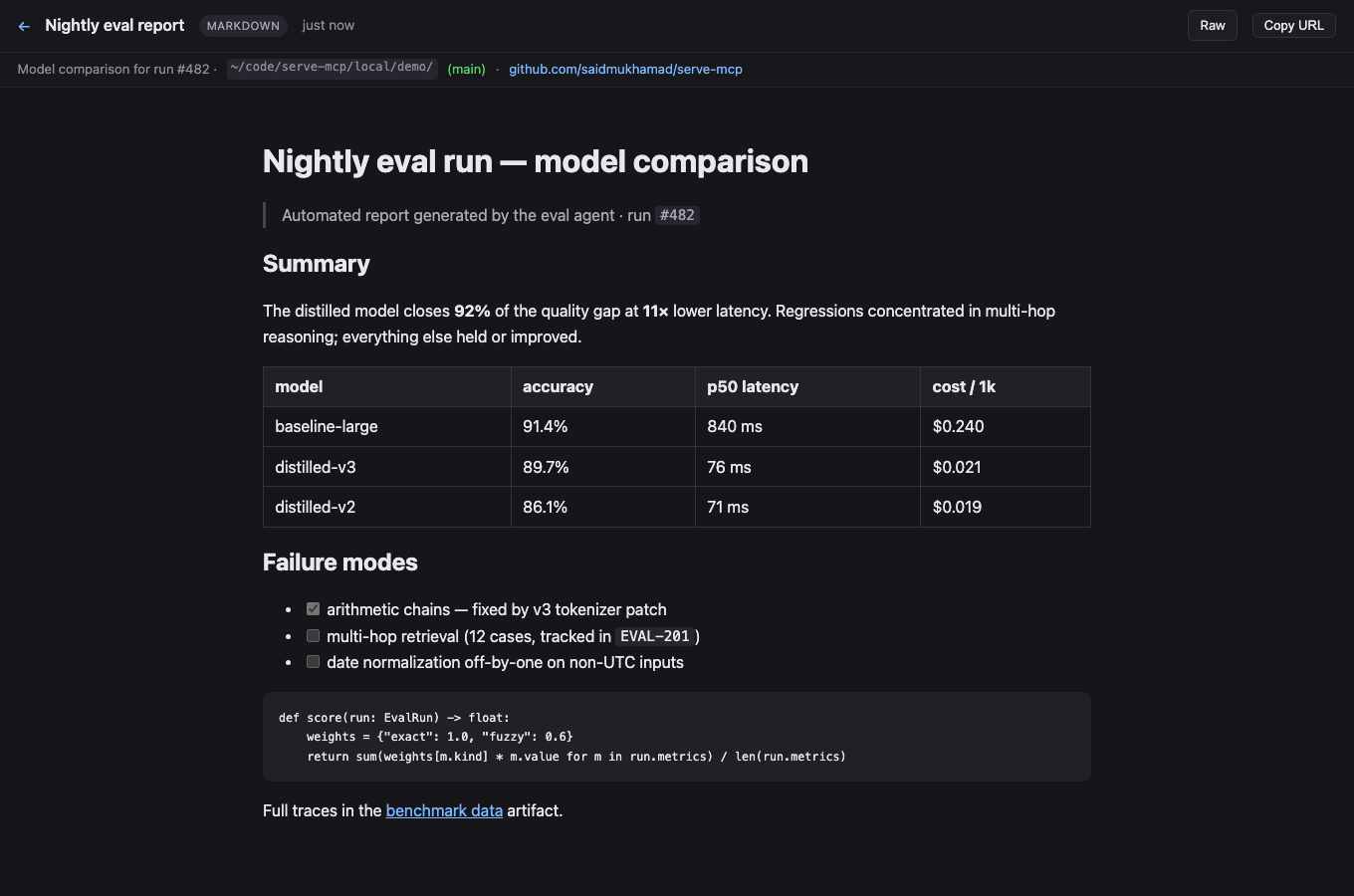
Path and folder sources serve **live** by default — the shelf reads straight from the source on every request, so edits show on refresh (and the page breaks if the source moves). Publish with `live: false` (CLI: `--snapshot`) to freeze an immutable copy into the store (`~/.local/share/serve-mcp`) instead; inline `content` sources are always stored. Markdown/MDX renders through [Sätteri](https://satteri.bruits.org) (GFM, frontmatter, live `mermaid` diagrams); JSON pretty-prints; CSV becomes a table; folders serve as static sites.
HTML files and static folders run inline and same-shelf JavaScript by default inside a sandboxed iframe (without `allow-same-origin`). Set `stripScripts` to `true` to block scripts server-wide with CSP plus the iframe sandbox, or publish one artifact with `renderer.options.allowScripts: false`. Markdown and the other rendered formats stay script-blocked; Mermaid uses nonce-gated scripts.
The server binds `127.0.0.1` unless you opt into `0.0.0.0`, and there is no auth — only expose it to networks you trust (a Tailscale tailnet qualifies; the open internet does not). Restrict path publishing with `SERVE_MCP_ALLOWED_ROOTS=/path/a:/path/b`.
### Folder navigation
Folders behave like a classic file server: each directory serves its own `index.html` / `index.md` / `README.md` (or pass `entrypoint`), `dir` redirects to `dir/` so relative and `../` links resolve, and directories without an index get a browsable listing with a `../` entry. In-folder Markdown/CSV/JSON render on the fly, and any file is downloadable with `?raw`.
### Provenance capture
Every publish records where it came from — source directory plus git branch, remote, and commit — read straight from `.git` files (no `git` subprocess, works even without git installed). This shows on the gallery cards and the preview subbar.
## HTTP routes
```txt
GET / gallery (search, pinned, recent)
GET /p/:slug latest revision, rendered
GET /p/:slug/r/:artifactId a specific revision
GET /raw/:artifactId original source
GET /meta/:artifactId artifact metadata JSON
GET /api/publications JSON list (query, cursor, limit)
DELETE /api/publications/:slug remove a publication and all its revisions
```
## Lifecycle: who keeps the shelf alive
A shelf runs in one of three modes:
1. **Session-managed** (default) — the first MCP session on the machine becomes the shelf as a side effect and it lives as long as that session; the next session takes over. Zero setup, but the shelf has gaps when no session is open, and the URL changes unless you set a fixed port.
2. **Foreground** — `serve-mcp serve` in a terminal. Ctrl-C kills it, nothing respawns it.
3. **Service-managed** (recommended) — the OS supervises it: starts at login, restarts on crash, independent of any session or terminal.
`serve-mcp` shows which one is running; `serve-mcp restart` (alias `apply`) restarts it — through the supervisor when the service is installed, by pid otherwise. The service mode is [the permanent setup](#the-permanent-setup) from the top. Manage it with `serve-mcp service start|stop|restart|status|logs|uninstall`. Everything is user-level — no root/admin:
- **macOS** — launchd agent (`io.github.saidmukhamad.serve-mcp` in `~/Library/LaunchAgents`), KeepAlive supervision, logs in `<dataDir>/serve.log`.
- **Linux** — systemd user unit, `Restart=on-failure`, logs in the journal. To survive logout: `loginctl enable-linger $USER`. On WSL, systemd user services are often unavailable — run `serve-mcp serve` in tmux instead.
- **Windows** — Task Scheduler task registered from XML (no admin): starts hidden at logon via `wscript`, restarts on failure, logs in `<dataDir>\serve.log`.
The service pins the current runtime and package paths (shown on install) — re-run `service install` after upgrading either.
## Tailscale / LAN access
To reach the shelf from other machines, set `host` to `0.0.0.0` (the permanent setup above does this). Advertised URLs then pick the best reachable name automatically: MagicDNS name (learned via reverse DNS through Quad100 and verified with the system resolver, so it's only used when peers can actually resolve it) → Tailscale IP (`100.64.0.0/10`) → first LAN address. Tailnet detection needs no Tailscale tooling — it keys off the interface's CGNAT address and Tailscale's ULA prefix.
## CLI
```bash
serve-mcp ./report.md # publish anything, get its URL
serve-mcp . # serve this directory, live
serve-mcp # status: running shelf + what's on it
serve-mcp config host 0.0.0.0 # set config (host, port, baseUrl)
serve-mcp serve # HTTP shelf only
serve-mcp publish ./report.md --title "Report" # the longhand, with options
serve-mcp list # (also discovers a running shelf)
```
## Config
`serve-mcp config` shows it, `serve-mcp config <key> <value>` sets it (empty value unsets). Stored in `<dataDir>/config.json` (default `~/.local/share/serve-mcp/config.json`), everything optional:
```json
{
"host": "0.0.0.0",
"port": 7331,
"baseUrl": "http://my-machine.tailnet.ts.net:7331",
"allowedRoots": ["~/projects", "/srv/artifacts"],
"stripScripts": false
}
```
- `host` — bind host, default `127.0.0.1`
- `port` — fixed port; omit for an ephemeral port + discovery via `server.json`
- `baseUrl` — advertised-URL override (e.g. a MagicDNS name)
- `allowedRoots` — restrict where `path`/`folder` publishing may read from (default: anywhere readable)
- `stripScripts` — block JavaScript in HTML and static-folder previews, default `false`
Env vars (`SERVE_MCP_HOST`, `SERVE_MCP_PORT`, `SERVE_MCP_BASE_URL`, `SERVE_MCP_DATA_DIR`, `SERVE_MCP_ALLOWED_ROOTS`, `SERVE_MCP_STRIP_SCRIPTS`) override the file; `--host`/`--port` flags override both.
## Development
```bash
npm install
npm test # typecheck + node:test — core, http, mcp round-trip
npm start # HTTP server
npm run build # tsc -> dist/
```
Written in TypeScript; dev and tests run `.ts` directly via Node's native type stripping. The published package runs on **Node ≥ 22.5** (built-in `node:sqlite`); developing needs **Node ≥ 22.18** (type stripping).
Changes live in [CHANGELOG.md](CHANGELOG.md); bleeding edge installs with `@dev` instead of `@latest`.
MIT.
TDQS
A4/5.0
Scored across 3 tools
Disambiguation5/5
Each tool targets a distinct action: publish, list, or delete artifacts. There is no overlap in purpose, making it clear which tool to use for each operation.
Naming Consistency5/5
All tools follow the consistent 'artifact_verb' pattern in snake_case, making the naming predictable and easy to navigate.
Tool Count5/5
With only 3 tools, the server is well-scoped for its purpose: publishing, listing, and deleting artifacts. This is a focused set without unnecessary clutter.
Completeness4/5
The set covers core CRUD operations: create/update via artifact_publish, read via artifact_list, and delete via artifact_delete. A minor gap is the lack of a dedicated tool to retrieve a single artifact's details beyond the list.
Maintenance
ActivityInactive
ResponsivenessNo issues