Widget MCP
The Widget MCP server provides interactive widgets for LLM chats to enhance user experience with time tracking, unit conversions, and information display.
Timer: Start and manage an editable timer for a specified duration (in seconds)
Stopwatch: Start a stopwatch that counts up from zero
Display Fact: Present concise facts with descriptions in an easy-to-read card format
Unit Conversion: Display a real-time conversion widget supporting multiple units with predefined formulas
Click on "Install Server".
Wait a few minutes for the server to deploy. Once ready, it will show a "Started" state.
In the chat, type
@followed by the MCP server name and your instructions, e.g., "@Widget MCPset a 5 minute timer for my tea"
That's it! The server will respond to your query, and you can continue using it as needed.
Here is a step-by-step guide with screenshots.
⚙️ Widget MCP
Add simple widgets to you LLM chat for common situations like timers, conversions and more.
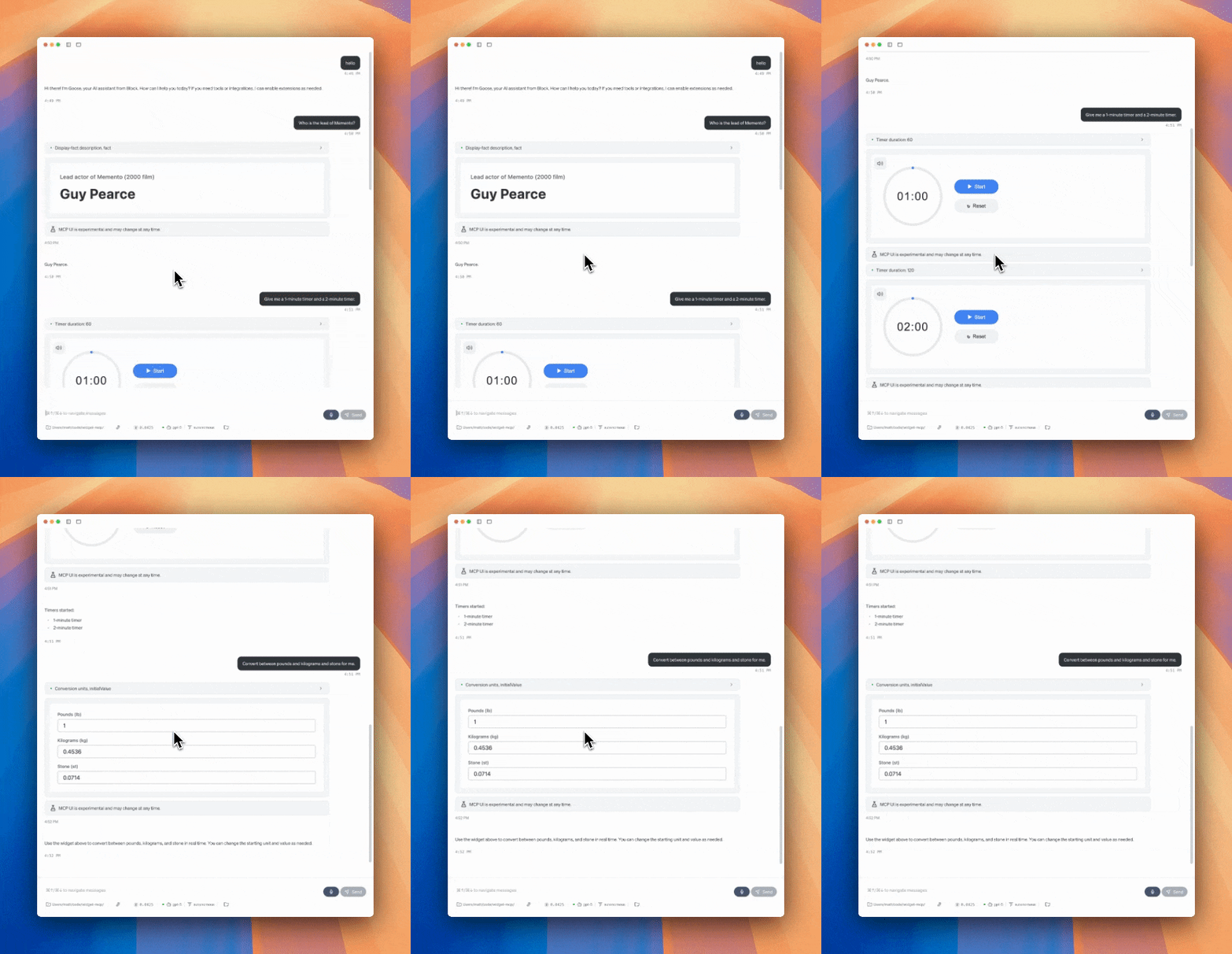
Demo video: https://youtu.be/4gfom42vHkc
Motivation
MCP-UI opens the door to breaking the text wall from chat UIs we've been using the last few years. The full extent of what's possible is
This project shows the floor of what's possible by providing a few simple widgets for common situations.
If you've ever google "convert X to Y" or "2 minute timer" and see the custom UI results, this should feel very familiar.
Related MCP server: ChatGPT Apps MCP Server
Current widgets
Timer- Editable timer with a chime.Stopwatch- Timer that just counts up.Conversion- Convert between set of units for which the LLM can write a formula.Display Fact- When the answer is simple, just show it in an easy to read card.
Supported MCP Clients
MCP-UI is new and as of August 2025 is only supported by a few clients.
Smithery
Try widget-mcp in the Smithery playground. (TODO: pending Smithery deploy)
Goose
Click
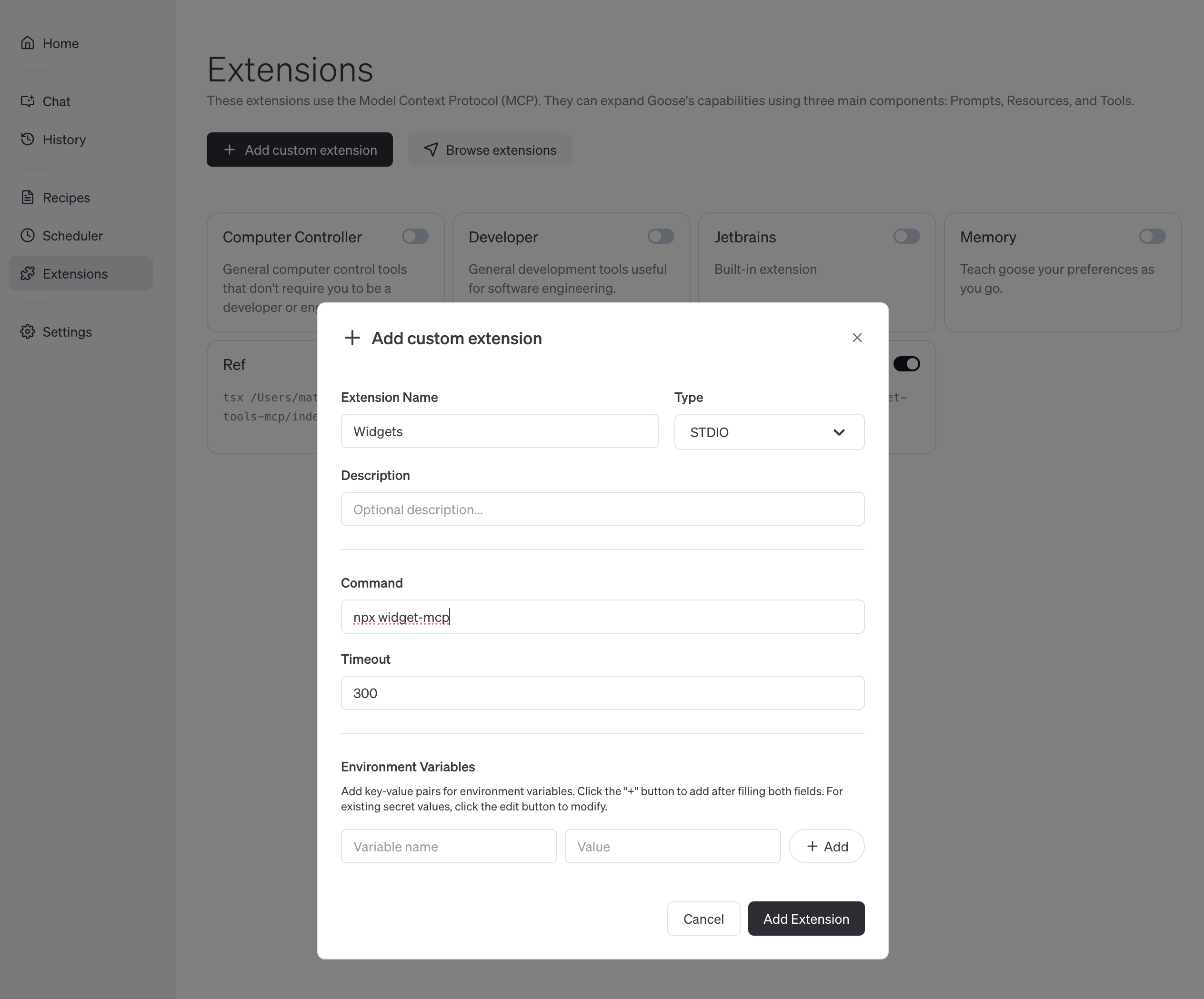
ExtensionsandAdd custom extensionFill in name as
Widgetsand commandnpx widget-mcpVerify it's working by clicking
Chatand prompting2 minute timer

Requests for widgets
Here's a few examples of widgets that could be fun to add.
Color Picker - Interactive color selection and palette tools. Could be parameterized to allow the LLM to suggest a color and let the user tweak and explore.
Calculator - Basic and scientific calculator functionality. Initial function seeded by LLM.
Dice Roller - Custom set of dice based on what you ask the agent for.
I'm sure you have some cool ideas!
Development
Adding new widgets should be very easy! All these widgets are HTML pages that can have variables injected (eg. values provided by the LLM). To add new widgets, add an template file to the html directory and a new tool to index.ts.
You can probably just prompt "Add a widget html and tool to do . Look at index.ts and timer.html for examples of how".
# Install dependencies
npm install
# Iterate on the html with hot-reloads
npm run dev:html
# Launch the MCP server with Smithery's web inspector
npm run dev:mcpLinks
Maintenance
Resources
Unclaimed servers have limited discoverability.
Looking for Admin?
If you are the server author, to access and configure the admin panel.
Tools
Related MCP Servers
- Flicense-qualityDmaintenanceEnables interactive calculator widget functionality within AI chat interfaces, with the ability to perform math operations and dynamically influence conversations. Built on Cloudflare Workers with Remix 3, showcasing how to create rich, stateful MCP widgets that can be embedded in AI assistants like ChatGPT.45
- Flicense-quality-maintenanceEnables interactive React components to render inline in ChatGPT conversations, featuring a calculator widget with history and demonstrating how to build custom UI components for ChatGPT Apps.270
- FlicenseAqualityDmaintenanceProvides interactive, React-based UI apps inside Claude Desktop for tracking workouts, planning trips, budgeting, comparing products, and making decisions with bidirectional communication.8
Related MCP Connectors
LLM chat, text summarization and AI image generation
60+ units, live FX, timezones, and date arithmetic for AI agents.
Renders interactive Chart.js charts and dashboards inline in AI conversations.
Latest Blog Posts
- Who's Calling? MCP Hosts Are an Identity Blind Spot (And the Spec Knows It)By Om-Shree-0709 on .mcpAgent IdentityOAuth 2.1
- Your AI Chatbot Just Exposed Your CEO's Salary to an InternBy Om-Shree-0709 on .Agent IdentityMCP SecurityOAuth Delegation
- Why MCP Servers Need Execution Sandboxing (And Why Your Current Stack Isn't Enough)By Om-Shree-0709 on .Agentic AiPrompt InjectionWebAssembly
MCP directory API
We provide all the information about MCP servers via our MCP API.
curl -X GET 'https://glama.ai/api/mcp/v1/servers/ref-tools/widget-mcp'
If you have feedback or need assistance with the MCP directory API, please join our Discord server