
slm-mesh
by qualixar
README.md
# SLM Mesh (SuperLocalMemory Mesh)
**Peer-to-peer communication for AI coding agents — now across machines.**
[](https://www.npmjs.com/package/slm-mesh)
[](LICENSE)
[]()
[]()
> Part of the [Qualixar](https://qualixar.com) research initiative by [Varun Pratap Bhardwaj](https://varunpratap.com).
>
> **SLM** stands for [SuperLocalMemory](https://superlocalmemory.com) — the local-first AI memory system. SLM Mesh is the communication layer that wires AI agent sessions together.
---
**Your AI sessions can finally talk to each other.**
https://github.com/user-attachments/assets/1016ec92-8d71-4570-89a8-3e512850557c
> *3 AI agents across VS Code, iTerm2, and Antigravity — discovering each other, sharing state, and coordinating in real-time.*
---
## The Problem
Every developer running parallel AI coding sessions hits the same wall: **sessions are completely isolated.** Session A fixes a database race condition. Session B is building a feature that touches the same database. Session B has no idea what Session A just did.
You become the message bus — copy-pasting context between terminals, losing time, losing focus.
This is not a Claude Code problem. This is not a Cursor problem. **This is an AI agent architecture problem.** Every tool — Claude Code, Cursor, Windsurf, Aider, Codex — has isolated sessions. SLM Mesh fixes that.
## Quick Start
```bash
# Install
npm install -g slm-mesh
# Add to Claude Code
claude mcp add --scope user slm-mesh -- npx slm-mesh
# Optional: Add slash commands (works in every project)
mkdir -p ~/.claude/commands
cp $(npm root -g)/slm-mesh/skills/*.md ~/.claude/commands/
# Now type /mesh-peers, /mesh-send, /mesh-lock, /mesh-status, /mesh-sync in any session
```
Zero config. Zero cloud. Zero dangerous flags. Works with **any** MCP-compatible AI coding agent.
## No Dangerous Flags Required
Some tools require `--dangerously-skip-permissions` to work. SLM Mesh does not. It runs entirely on localhost with bearer token authentication. No network exposure. No elevated permissions. No flags to explain to your security team.
## How It Works
```
Developer starts AI agent session
→ Agent spawns SLM Mesh MCP server (stdio)
→ MCP server auto-starts broker on localhost (if not running)
→ MCP server registers with broker, gets peer ID
→ Broker opens Unix Domain Socket for real-time push (<100ms)
→ 8 tools available to the agent
Developer closes session
→ MCP server unregisters, broker releases locks, notifies other peers
→ When no peers remain, broker auto-shuts down after 60s
```
Everything runs on localhost. No cloud. No telemetry. Your data never leaves your machine.
## Features
SLM Mesh is built on 6 pillars:
| Pillar | What It Does |
|--------|-------------|
| **Peer Discovery** | Auto-detect all running AI agent sessions. Register on start, deregister on shutdown, heartbeat to detect crashes. Scope by machine, directory, or git repo. |
| **Direct Messaging** | Send structured messages between sessions with delivery confirmation and queryable history. |
| **Broadcast** | One-to-all message delivery for config changes, alerts, and coordination. |
| **Shared State** | Key-value scratchpad accessible by all peers. Namespaced by project. |
| **File Coordination** | Advisory file locks prevent two agents from editing the same file. Auto-expire after configurable timeout. |
| **Event Bus** | Subscribe to peer_joined, peer_left, state_changed, file_locked, file_unlocked, and custom events. |
## Installation
### npm (recommended)
```bash
npm install -g slm-mesh
```
### npx (no install)
```bash
npx slm-mesh
```
### MCP Setup: Claude Code
```bash
claude mcp add --scope user slm-mesh -- npx slm-mesh
```
### MCP Setup: Cursor
Add to `.cursor/mcp.json`:
```json
{
"mcpServers": {
"slm-mesh": {
"command": "npx",
"args": ["slm-mesh"]
}
}
}
```
### MCP Setup: VS Code / Windsurf / Other MCP Agents
Add to your MCP settings:
```json
{
"mcpServers": {
"slm-mesh": {
"command": "npx",
"args": ["slm-mesh"]
}
}
}
```
## 8 MCP Tools
When connected via MCP, your AI agent gets these tools:
| Tool | Description |
|------|-------------|
| `mesh_peers` | Discover other AI agent sessions on this machine (scope: machine, directory, or repo) |
| `mesh_summary` | Set a description of what you are working on (visible to other agents) |
| `mesh_send` | Send a message to a specific peer or broadcast to all (`to: "all"`) |
| `mesh_inbox` | Read messages from other sessions (filter: unread or all) |
| `mesh_state` | Read or write shared key-value state (get, set, list, delete) |
| `mesh_lock` | Advisory file locking (lock, unlock, query) with auto-expire |
| `mesh_events` | Read or subscribe to mesh events (peer_joined, state_changed, etc.) |
| `mesh_status` | Check broker health, peer count, message stats |
## Multi-Machine Setup
SLM Mesh supports real-time coordination across machines on the same LAN using WebSocket transport and mDNS auto-discovery.
### Requirements
- Two or more machines on the same local network (WiFi or Ethernet)
- No firewall blocking port 7900 (configurable) between machines
- Same `SLM_MESH_SHARED_SECRET` for authentication
### Quick Start: M4 Broker + M5 Client
**On M4 (broker machine):**
```bash
export SLM_MESH_HOST=0.0.0.0
export SLM_MESH_SHARED_SECRET=your-secret-key
npx slm-mesh start
# Broker now accepts remote connections on port 7900
```
**On M5 (client machine):**
```bash
export SLM_MESH_HOST=192.168.1.100 # M4's IP
export SLM_MESH_SHARED_SECRET=your-secret-key # Same secret
claude mcp add --scope user slm-mesh -- npx slm-mesh
# M5's agents will connect to M4's broker via WebSocket
```
All agents on M4 and M5 can now discover, message, and coordinate in real-time.
### Environment Variables
| Variable | Default | Purpose |
|----------|---------|---------|
| `SLM_MESH_HOST` | `127.0.0.1` | Broker bind address. Use `0.0.0.0` for remote access. |
| `SLM_MESH_SHARED_SECRET` | (generated) | Bearer token for WebSocket auth. Must match on all machines. |
| `SLM_MESH_WS_PORT` | `7900` | WebSocket server port (next to HTTP port). |
| `SLM_MESH_DISCOVERY` | `true` | Enable mDNS auto-discovery on LAN. |
### How It Works
1. **M4 broker** starts and binds to `0.0.0.0:7900` (WebSocket)
2. **M4 mDNS** advertises `_slm-mesh._tcp.local` on LAN
3. **M5 client** auto-discovers M4 via mDNS (or manual config)
4. **M5 agents** connect to M4 broker over WebSocket (TLS recommended for untrusted networks)
5. **Real-time push** via authenticated WebSocket messages
6. **Peer discovery**, **messaging**, **state**, and **locks** work transparently across machines
### Security Notes
- WebSocket auth uses bearer token (shared secret). Network must be trusted.
- For untrusted networks, use a VPN (ZeroTier, Tailscale) to create a secure LAN.
- LAN-only: No internet exposure. Broker does not open WAN ports.
### mDNS Auto-Discovery
When discovery is enabled (`SLM_MESH_DISCOVERY=true`), the broker advertises itself on the LAN:
```bash
# On M5, view discovered brokers
slm-mesh status
# Shows: "Discovered on LAN: M4 (192.168.1.100:7900)"
```
Manually connect to a discovered broker by setting `SLM_MESH_HOST` to its IP and `SLM_MESH_SHARED_SECRET` to its secret.
---
## CLI
SLM Mesh includes a full CLI for humans and scripts:
```bash
# Broker
slm-mesh start # Start broker (foreground)
slm-mesh stop # Stop broker
slm-mesh status # Health check + stats
# Discovery
slm-mesh peers # List active sessions
# Messaging
slm-mesh send <id> "message"
slm-mesh broadcast "message"
# Shared State
slm-mesh state set key value
slm-mesh state get key
# Locks
slm-mesh lock list
# Events
slm-mesh events
# JSON mode (for scripts)
slm-mesh status --json
slm-mesh peers --json
```
## Python Client
```bash
pip install slm-mesh
```
```python
from slm_mesh import SLMMeshClient
client = SLMMeshClient()
peers = client.peers()
client.send(my_id, peers[0].id, "What are you working on?")
```
The Python client wraps the broker HTTP API. Zero dependencies (stdlib only). The broker must be running (auto-started by any MCP connection or `slm-mesh start`).
## Architecture
```
┌─────────────────────────────────────────────────────┐
│ SLM Mesh v1.0.0 │
│ │
│ ┌──────────────┐ ┌───────────────────────────┐ │
│ │ Broker │ │ MCP Server (per session) │ │
│ │ (auto-start) │◄───►│ 8 tools for AI agents │ │
│ │ localhost │ │ Registers with broker │ │
│ │ SQLite + UDS │ │ Receives push via UDS │ │
│ └──────────────┘ └───────────────────────────┘ │
│ ▲ │
│ │ ┌───────────────────────────┐ │
│ └─────────────►│ CLI (standalone) │ │
│ │ slm-mesh peers/send/... │ │
│ └───────────────────────────┘ │
│ │
│ ┌──────────────────────────────────────────────────┐ │
│ │ Adapter Layer │ │
│ │ Backend: SQLite (default) | Custom │ │
│ │ Memory Bridge: SuperLocalMemory (optional) │ │
│ └──────────────────────────────────────────────────┘ │
└─────────────────────────────────────────────────────┘
```
- **Broker** — One per machine. Auto-starts on first use, auto-stops when idle. SQLite with WAL mode. Real-time push via Unix Domain Sockets.
- **MCP Server** — One per AI agent session. Stdio transport. Registers with broker. Exposes 8 tools.
- **CLI** — Standalone binary. HTTP to broker. For humans and scripts.
- **Adapters** — Pluggable storage backends and optional memory bridges.
## Security
- **Localhost only** — Broker binds to 127.0.0.1. Cannot be overridden to bind to 0.0.0.0.
- **Bearer token auth** — Random 32-byte token generated per broker session. All requests require `Authorization: Bearer <token>`.
- **No shell injection** — All process spawning uses `execFileSync` with argument arrays.
- **Input validation** — UUID peer IDs, 64KB max payload, 500 char max summary, rate limiting (100 req/10s per peer).
- **File permissions** — Database, token, PID files created with `0o600`. Data directory with `0o700`.
- **No telemetry** — Nothing phones home. No analytics. No tracking.
## Configuration
All configuration is optional. Defaults work out of the box.
| Variable | Default | Description |
|----------|---------|-------------|
| `SLM_MESH_PORT` | `7899` | Broker HTTP port |
| `SLM_MESH_DATA_DIR` | `~/.slm-mesh/` | Data directory |
| `SLM_MESH_HOST` | `127.0.0.1` | Broker bind address (localhost only) |
| `SLM_MESH_HEARTBEAT_MS` | `15000` | Heartbeat interval |
| `SLM_MESH_STALE_MS` | `30000` | Time before peer marked stale |
| `SLM_MESH_DEAD_MS` | `60000` | Time before stale peer removed |
| `SLM_MESH_LOCK_TTL_MIN` | `10` | Default lock timeout (minutes) |
## Agent Compatibility
SLM Mesh works with **any AI coding agent** that supports the Model Context Protocol:
| Agent | Status |
|-------|--------|
| Claude Code | Supported |
| Cursor | Supported |
| VS Code (Copilot) | Supported |
| Windsurf | Supported |
| Aider | Supported |
| Codex | Supported |
| Any MCP client | Supported |
**Agent auto-detection** — SLM Mesh detects which agent spawned it by inspecting the process tree and environment variables. This metadata is visible to other peers.
## SLM Mesh vs claude-peers
Inspired by the growing need for inter-session communication in AI coding workflows. SLM Mesh takes a production-first approach with persistence, security, and agent-agnostic design.
[claude-peers](https://github.com/nicobailon/claude-peers-mcp) proved the demand. SLM Mesh is the production-grade answer.
| Capability | SLM Mesh | claude-peers |
|-----------|----------|-------------|
| MCP tools | 8 | 4 |
| Peer discovery | Scoped (machine/dir/repo) | Machine only |
| Direct messaging | Yes | Yes |
| Broadcast | Yes | Yes |
| Shared state | Yes | No |
| File locking | Yes | No |
| Event bus | Yes | No |
| CLI | Full (with --json) | No |
| Python client | Yes | No |
| Agent-agnostic | Any MCP agent | Claude Code only |
| Dangerous flags | Not required | Required |
| Test coverage | 480 tests, 100% lines | 0 tests |
| Bearer token auth | Yes | No |
| Rate limiting | Yes | No |
| Runtime | Node.js | Bun |
## Documentation
Full documentation is available in the [docs/](docs/) folder:
- [Getting Started](docs/getting-started.md) — Install, configure, first message
- [Architecture](docs/architecture.md) — System design, data flow, component details
- [API Reference](docs/api-reference.md) — All 8 MCP tools and 12 broker endpoints
- [CLI Reference](docs/cli-reference.md) — Every CLI command with examples
- [Configuration](docs/configuration.md) — Environment variables and tuning
- [Python Client](docs/python-client.md) — Python SDK guide
- [Security](docs/security.md) — Security model, authentication, threat model
- [Troubleshooting](docs/troubleshooting.md) — Common issues and solutions
## Contributing
Contributions are welcome. See [CONTRIBUTING.md](CONTRIBUTING.md) for guidelines.
```bash
git clone https://github.com/qualixar/slm-mesh.git
cd slm-mesh
npm install
npm test # 480 tests
npm run typecheck # 0 errors
npm run build # Production build
```
We use TDD and require 100% line coverage for all changes.
## License
[Elastic License 2.0](LICENSE) — Copyright 2026 Varun Pratap Bhardwaj.
## The Qualixar Ecosystem
[Qualixar](https://qualixar.com) is a research initiative building the operating system for AI agents:
| Product | Role | Description |
|---------|------|-------------|
| [SuperLocalMemory](https://superlocalmemory.com) | **The Brain** | Local-first AI memory — persistent semantic memory for coding agents |
| **SLM Mesh** | **The Nervous System** | Peer-to-peer communication — carries signals between agent sessions |
| [Qualixar OS](https://qualixar.com) | **The Body** | Agent orchestration — the full operating system for AI agent teams |
Each product works independently. Together, they form a complete agent operating system.
SLM Mesh can optionally bridge messages to [SuperLocalMemory](https://superlocalmemory.com) for cross-session recall — but it works perfectly standalone with zero dependencies on other Qualixar products.
---
Part of the Qualixar research initiative by Varun Pratap Bhardwaj.
---
## ⭐ Support This Project
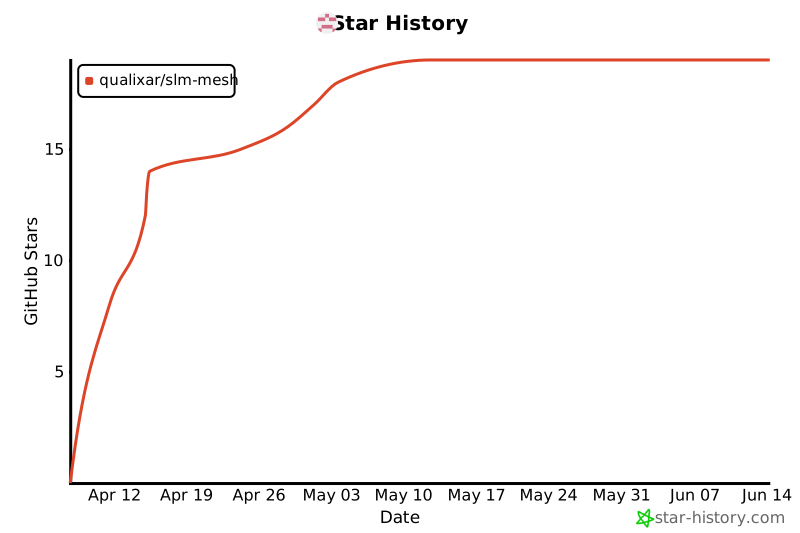
If this project solves a real problem for you, **please star the repo** — it helps other developers discover Qualixar and signals that the AI agent reliability community is growing. Every star matters.
[](https://star-history.com/#qualixar/slm-mesh&Date)
---
## Part of the Qualixar AI Agent Reliability Platform
Qualixar is building the open-source infrastructure for AI agent reliability engineering. Seven products, seven peer-reviewed papers, one coherent platform. Each tool solves one reliability pillar:
| Product | Purpose | Install | Paper |
|---------|---------|---------|-------|
| **[SuperLocalMemory](https://github.com/qualixar/superlocalmemory)** | Persistent memory + learning for AI agents | `npx superlocalmemory` | [arXiv:2604.04514](https://arxiv.org/abs/2604.04514) |
| **[Qualixar OS](https://github.com/qualixar/qualixar-os)** | Universal agent runtime (13 execution topologies) | `npx qualixar-os` | [arXiv:2604.06392](https://arxiv.org/abs/2604.06392) |
| **[SLM Mesh](https://github.com/qualixar/slm-mesh)** | P2P coordination across AI agent sessions | `npm i slm-mesh` | — |
| **[SLM MCP Hub](https://github.com/qualixar/slm-mcp-hub)** | Federate 430+ MCP tools through one gateway | `pip install slm-mcp-hub` | — |
| **[AgentAssay](https://github.com/qualixar/agentassay)** | Token-efficient AI agent testing | `pip install agentassay` | [arXiv:2603.02601](https://arxiv.org/abs/2603.02601) |
| **[AgentAssert](https://github.com/qualixar/agentassert-abc)** | Behavioral contracts + drift detection | `pip install agentassert-abc` | [arXiv:2602.22302](https://arxiv.org/abs/2602.22302) |
| **[SkillFortify](https://github.com/qualixar/skillfortify)** | Formal verification for AI agent skills | `pip install skillfortify` | [arXiv:2603.00195](https://arxiv.org/abs/2603.00195) |
**Zero cloud dependency. Local-first. EU AI Act compliant.**
Start here → **[qualixar.com](https://qualixar.com)** · [All papers on Qualixar HuggingFace](https://huggingface.co/Qualixar)
---
This server cannot be deployed
Maintenance
ActivityInactive
ResponsivenessNo issues