
PDF Export for AI Agents
Official
[](https://claude.ai/download)
[](https://github.com/openai/codex)
[](https://github.com/google-gemini/gemini-cli)
[](https://www.npmjs.com/package/pdfcrowd-mcp-pdf-export)
# PDF Export for AI Agents
Well-designed PDFs from a single prompt. Describe what you need, get a professional document.
Powered by [PDFCrowd](https://pdfcrowd.com). [Learn more →](https://pdfcrowd.com/mcp-pdf-export/)
## Example
```
Analyze this project and create a comprehensive architecture overview PDF.
Include component diagrams and data flow. Save to architecture-overview.pdf
```
[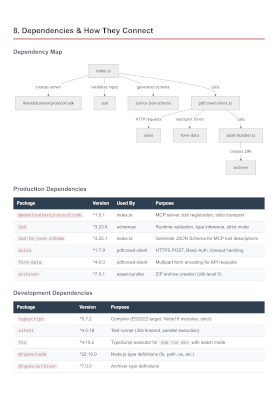](https://raw.githubusercontent.com/pdfcrowd/pdfcrowd-mcp-pdf-export/master/assets/architecture-overview.pdf)
[More examples →](https://pdfcrowd.com/mcp-pdf-export/)
## Configuration
**Prerequisites:** [Node.js](https://nodejs.org/) 18 or later.
### Claude Code
**Option A — Install as a plugin (Recommended):**
```
/plugin marketplace add pdfcrowd/pdfcrowd-mcp-pdf-export
/plugin install pdfcrowd-export-pdf@pdfcrowd
```
**Option B — Register the MCP server:**
```
claude mcp add --scope user pdfcrowd-export-pdf -- npx -y pdfcrowd-mcp-pdf-export
```
Or add the equivalent JSON to `~/.claude.json` (user scope) or `.mcp.json` (project scope):
```json
{
"mcpServers": {
"pdfcrowd-export-pdf": {
"command": "npx",
"args": ["-y", "pdfcrowd-mcp-pdf-export"]
}
}
}
```
### Codex CLI
```
codex mcp add pdfcrowd-export-pdf -- npx -y pdfcrowd-mcp-pdf-export
```
Or add manually to `~/.codex/config.toml`:
```toml
[mcp_servers.pdfcrowd-export-pdf]
command = "npx"
args = ["-y", "pdfcrowd-mcp-pdf-export"]
```
### Gemini CLI
```
gemini mcp add -s user pdfcrowd-export-pdf npx -y pdfcrowd-mcp-pdf-export
```
Or add manually to `~/.gemini/settings.json`:
```json
{
"mcpServers": {
"pdfcrowd-export-pdf": {
"command": "npx",
"args": ["-y", "pdfcrowd-mcp-pdf-export"]
}
}
}
```
### Notes
- Restart your CLI after configuration to load the server
## Personal Credentials
Get started right away — no credentials or signup needed. Output includes a watermark. For watermark-free PDFs, [sign up](https://pdfcrowd.com/pricing/) for personal credentials.
Personal credentials can be set in:
1. **Config file** `~/.pdfcrowd-mcp`:
```
PDFCROWD_USERNAME=your_username
PDFCROWD_API_KEY=your_api_key
```
2. **Environment variables** `PDFCROWD_USERNAME` and `PDFCROWD_API_KEY`.
## Privacy
Your source code never leaves your machine — only the rendered document is sent to [PDFCrowd](https://pdfcrowd.com/privacy/) for PDF conversion.
## License
[MIT](LICENSE)
TDQS
Scored across 2 tools
The two tools have clearly distinct purposes: pdfcrowd_create_pdf is for creating PDFs from content, while pdfcrowd_info is for retrieving usage information and guidelines. There is no overlap in functionality, making it easy for an agent to choose the right tool for each task.
Both tools follow a consistent naming pattern with the prefix 'pdfcrowd_' followed by a descriptive verb_noun combination (create_pdf and info). This consistency makes the tool set predictable and easy to understand at a glance.
With only two tools, the server feels thin for its purpose of PDF export for AI agents. While the core PDF creation tool is present, the lack of supporting tools (e.g., for managing PDFs, handling errors beyond info, or advanced formatting) limits functionality and may require agents to work around gaps.
The tool set is severely incomplete for PDF export operations. It includes creation and info retrieval but lacks essential tools for updating, deleting, or listing PDFs, as well as tools for handling common PDF tasks like merging or splitting. This will likely cause agent failures in more complex workflows.