
Smart Coding MCP
Click on "Install Server".
Wait a few minutes for the server to deploy. Once ready, it will show a "Started" state.
In the chat, type
@followed by the MCP server name and your instructions, e.g., "@Smart Coding MCPfind where we handle user authentication in the codebase"
That's it! The server will respond to your query, and you can continue using it as needed.
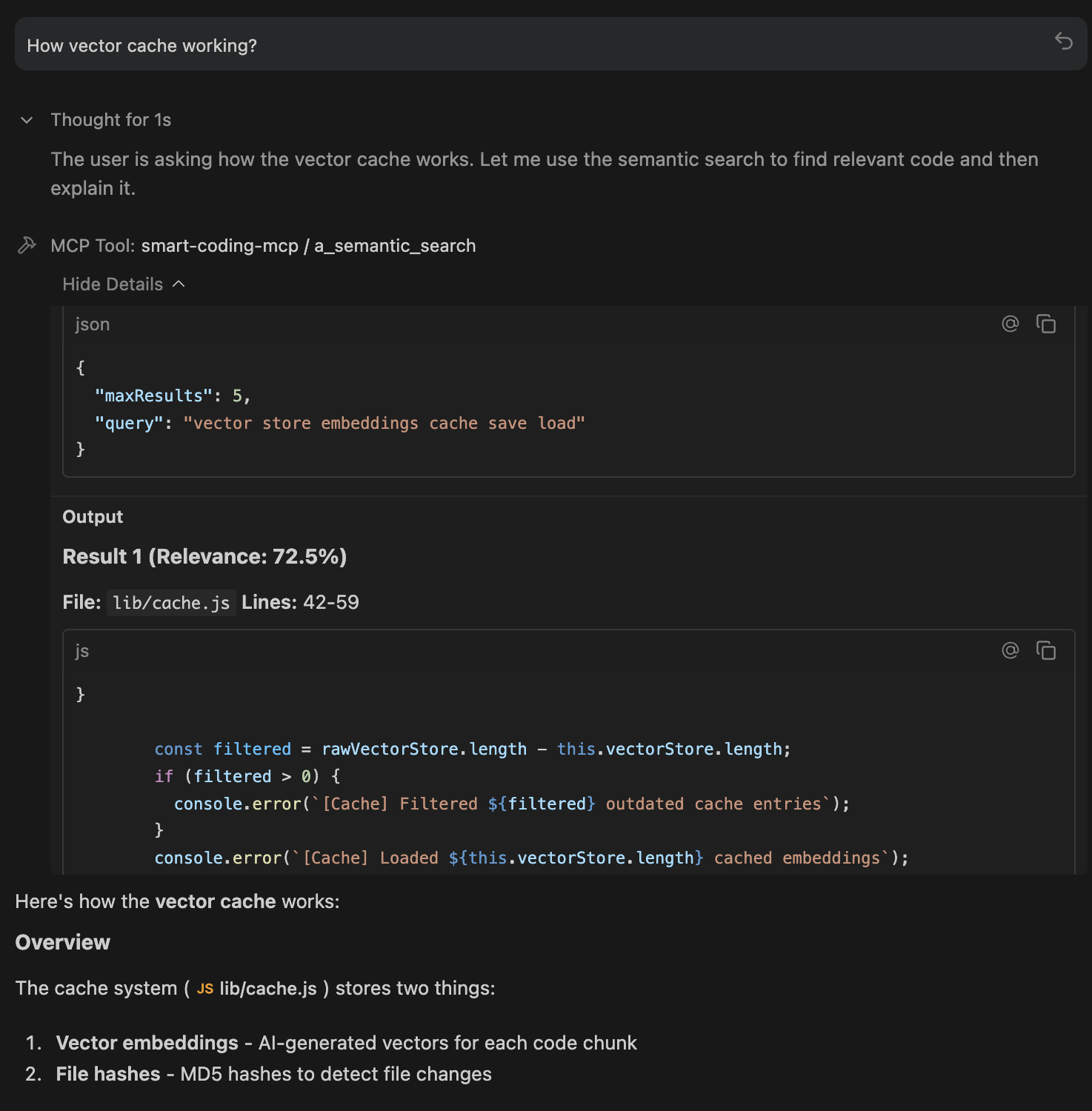
Here is a step-by-step guide with screenshots.
Smart Coding MCP
An extensible Model Context Protocol (MCP) server that provides intelligent semantic code search for AI assistants. Built with local AI models using Matryoshka Representation Learning (MRL) for flexible embedding dimensions (64-768d).
What This Does
AI coding assistants work better when they can find relevant code quickly. Traditional keyword search falls short - if you ask "where do we handle authentication?" but your code uses "login" and "session", keyword search misses it.
This MCP server solves that by indexing your codebase with AI embeddings. Your AI assistant can search by meaning instead of exact keywords, finding relevant code even when the terminology differs.
Related MCP server: Claude Context Local
Available Tools
đ a_semantic_search - Find Code by Meaning
The primary tool for codebase exploration. Uses AI embeddings to understand what you're looking for, not just match keywords.
How it works: Converts your natural language query into a vector, then finds code chunks with similar meaning using cosine similarity + exact match boosting.
Best for:
Exploring unfamiliar codebases:
"How does authentication work?"Finding related code:
"Where do we validate user input?"Conceptual searches:
"error handling patterns"Works even with typos:
"embeding modle initializashun"still finds embedding code
Example queries:
"Where do we handle cache persistence?"
"How is the database connection managed?"
"Find all API endpoint definitions"đĻ d_check_last_version - Package Version Lookup
Fetches the latest version of any package from its official registry. Supports 20+ ecosystems.
How it works: Queries official package registries (npm, PyPI, Crates.io, etc.) in real-time. No guessing, no stale training data.
Supported ecosystems: npm, PyPI, Crates.io, Maven, Go, RubyGems, NuGet, Packagist, Hex, pub.dev, Homebrew, Conda, and more.
Best for:
Before adding dependencies:
"express"â4.18.2Checking for updates:
"pip:requests"â2.31.0Multi-ecosystem projects:
"npm:react","go:github.com/gin-gonic/gin"
Example usage:
"What's the latest version of lodash?"
"Check if there's a newer version of axios"đ b_index_codebase - Manual Reindexing
Triggers a full reindex of your codebase. Normally not needed since indexing is automatic and incremental.
How it works: Scans all files, generates new embeddings, and updates the SQLite cache. Uses progressive indexing so you can search while it runs.
When to use:
After major refactoring or branch switches
After pulling large changes from remote
If search results seem stale or incomplete
After changing embedding configuration (dimension, model)
đī¸ c_clear_cache - Reset Everything
Deletes the embeddings cache entirely, forcing a complete reindex on next search.
How it works: Removes the .smart-coding-cache/ directory. Next search or index operation starts fresh.
When to use:
Cache corruption (rare, but possible)
Switching embedding models or dimensions
Starting fresh after major codebase restructure
Troubleshooting search issues
đ e_set_workspace - Switch Projects
Changes the workspace path at runtime without restarting the server.
How it works: Updates the internal workspace reference, creates cache folder for new path, and optionally triggers reindexing.
When to use:
Working on multiple projects in one session
Monorepo navigation between packages
Switching between related repositories
âšī¸ f_get_status - Server Health Check
Returns comprehensive status information about the MCP server.
What it shows:
Server version and uptime
Workspace path and cache location
Indexing status (ready, indexing, percentage complete)
Files indexed and chunk count
Model configuration (name, dimension, device)
Cache size and type
When to use:
Start of session to verify everything is working
Debugging connection or indexing issues
Checking indexing progress on large codebases
Installation
npm install -g smart-coding-mcpTo update:
npm update -g smart-coding-mcpIDE Integration
Detailed setup instructions for your preferred environment:
IDE / App | Setup Guide |
|
VS Code | â Yes | |
Cursor | â Yes | |
Windsurf | â Absolute paths only | |
Claude Desktop | â Absolute paths only | |
OpenCode | â Absolute paths only | |
Raycast | â Absolute paths only | |
Antigravity | â Absolute paths only |
Quick Setup
Add to your MCP config file:
{
"mcpServers": {
"smart-coding-mcp": {
"command": "smart-coding-mcp",
"args": ["--workspace", "/absolute/path/to/your/project"]
}
}
}Config File Locations
IDE | OS | Path |
Claude Desktop | macOS |
|
Claude Desktop | Windows |
|
OpenCode | Global |
|
OpenCode | Project |
|
Windsurf | macOS |
|
Windsurf | Windows |
|
Multi-Project Setup
{
"mcpServers": {
"smart-coding-frontend": {
"command": "smart-coding-mcp",
"args": ["--workspace", "/path/to/frontend"]
},
"smart-coding-backend": {
"command": "smart-coding-mcp",
"args": ["--workspace", "/path/to/backend"]
}
}
}Environment Variables
Customize behavior via environment variables:
Variable | Default | Description |
|
| Enable detailed logging |
|
| Max search results returned |
|
| Files to process in parallel |
|
| Max file size in bytes (1MB) |
|
| Lines of code per chunk |
|
| MRL dimension (64, 128, 256, 512, 768) |
|
| AI embedding model |
|
| Inference device ( |
|
| Weight for semantic vs exact matching |
|
| Boost multiplier for exact text matches |
|
| Max CPU usage during indexing (10-100%) |
|
| Code chunking ( |
|
| Auto-reindex on file changes |
|
| Delay before background indexing (ms), |
Example with env vars:
{
"mcpServers": {
"smart-coding-mcp": {
"command": "smart-coding-mcp",
"args": ["--workspace", "/path/to/project"],
"env": {
"SMART_CODING_VERBOSE": "true",
"SMART_CODING_MAX_RESULTS": "10",
"SMART_CODING_EMBEDDING_DIMENSION": "256"
}
}
}
}Performance
Progressive Indexing - Search works immediately while indexing continues in the background. No waiting for large codebases.
Resource Throttling - CPU limited to 50% by default. Your machine stays responsive during indexing.
SQLite Cache - 5-10x faster than JSON. Automatic migration from older JSON caches.
Incremental Updates - Only changed files are re-indexed. Saves every 5 batches, so no data loss if interrupted.
Optimized Defaults - 128d embeddings (2x faster than 256d with minimal quality loss), smart batch sizing, parallel processing.
How It Works
flowchart TB
subgraph IDE["IDE / AI Assistant"]
Agent["AI Agent<br/>(Claude, GPT, Gemini)"]
end
subgraph MCP["Smart Coding MCP Server"]
direction TB
Protocol["Model Context Protocol<br/>JSON-RPC over stdio"]
Tools["MCP Tools<br/>semantic_search | index_codebase | set_workspace | get_status"]
subgraph Indexing["Indexing Pipeline"]
Discovery["File Discovery<br/>glob patterns + smart ignore"]
Chunking["Code Chunking<br/>Smart (regex) / AST (Tree-sitter)"]
Embedding["AI Embedding<br/>transformers.js + ONNX Runtime"]
end
subgraph AI["AI Model"]
Model["nomic-embed-text-v1.5<br/>Matryoshka Representation Learning"]
Dimensions["Flexible Dimensions<br/>64 | 128 | 256 | 512 | 768"]
Normalize["Layer Norm â Slice â L2 Normalize"]
end
subgraph Search["Search"]
QueryEmbed["Query â Vector"]
Cosine["Cosine Similarity"]
Hybrid["Hybrid Search<br/>Semantic + Exact Match Boost"]
end
end
subgraph Storage["Cache"]
Vectors["SQLite Database<br/>embeddings.db (WAL mode)"]
Hashes["File Hashes<br/>Incremental updates"]
Progressive["Progressive Indexing<br/>Search works during indexing"]
end
Agent <-->|"MCP Protocol"| Protocol
Protocol --> Tools
Tools --> Discovery
Discovery --> Chunking
Chunking --> Embedding
Embedding --> Model
Model --> Dimensions
Dimensions --> Normalize
Normalize --> Vectors
Tools --> QueryEmbed
QueryEmbed --> Model
Cosine --> Hybrid
Vectors --> Cosine
Hybrid --> AgentTech Stack
Component | Technology |
Protocol | Model Context Protocol (JSON-RPC) |
AI Model | nomic-embed-text-v1.5 (MRL) |
Inference | transformers.js + ONNX Runtime |
Chunking | Smart regex / Tree-sitter AST |
Search | Cosine similarity + exact match boost |
Cache | SQLite with WAL mode |
Privacy
Everything runs 100% locally:
AI model runs on your machine (no API calls)
Code never leaves your system
No telemetry or analytics
Cache stored in
.smart-coding-cache/
Research Background
This project builds on research from Cursor showing that semantic search improves AI coding agent performance by 12.5% on average. The key insight: AI assistants benefit more from relevant context than from large amounts of context.
License
MIT License - Copyright (c) 2025 Omar Haris
See LICENSE for full text.
Available Tools
6 toolsa_semantic_searchARead-onlyIdempotent
Performs intelligent hybrid code search combining semantic understanding with exact text matching. Ideal for finding code by meaning (e.g., 'authentication logic', 'database queries') even with typos or variations. Returns the most relevant code snippets with file locations and line numbers.
| Name | Required | Description | Default |
|---|---|---|---|
| query | Yes | Search query - can be natural language (e.g., 'where do we handle user login') or specific terms | |
| maxResults | No | Maximum number of results to return (default: from config) |
TDQS
Does the description disclose side effects, auth requirements, rate limits, or destructive behavior?
The description adds valuable behavioral context beyond what annotations provide: it explains the hybrid nature of the search (semantic + exact matching), mentions it handles typos/variations, and describes what gets returned (code snippets with file locations and line numbers). Annotations cover safety (readOnly, non-destructive, idempotent) but the description adds operational details.
Agents need to know what a tool does to the world before calling it. Descriptions should go beyond structured annotations to explain consequences.
Is the description appropriately sized, front-loaded, and free of redundancy?
The description is perfectly front-loaded and concise: the first sentence states the core function, the second provides usage context with examples, and the third describes the return format. Every sentence earns its place with no wasted words.
Shorter descriptions cost fewer tokens and are easier for agents to parse. Every sentence should earn its place.
Given the tool's complexity, does the description cover enough for an agent to succeed on first attempt?
For a search tool with good annotations (readOnly, idempotent) and full schema coverage, the description provides solid context about behavior and output. The main gap is the lack of output schema, but the description does explain what gets returned. It could be more complete by mentioning limitations or performance characteristics.
Complex tools with many parameters or behaviors need more documentation. Simple tools need less. This dimension scales expectations accordingly.
Does the description clarify parameter syntax, constraints, interactions, or defaults beyond what the schema provides?
With 100% schema description coverage, the input schema already fully documents both parameters. The description doesn't add meaningful parameter semantics beyond what's in the schema - it mentions natural language queries as an example, but the schema already states 'can be natural language'. Baseline 3 is appropriate when schema does the heavy lifting.
Input schemas describe structure but not intent. Descriptions should explain non-obvious parameter relationships and valid value ranges.
Does the description clearly state what the tool does and how it differs from similar tools?
The description clearly states the tool 'performs intelligent hybrid code search combining semantic understanding with exact text matching' - a specific verb (performs search) and resource (code). It distinguishes from siblings by emphasizing semantic understanding and handling typos/variations, which none of the sibling tool names suggest.
Agents choose between tools based on descriptions. A clear purpose with a specific verb and resource helps agents select the right tool.
Does the description explain when to use this tool, when not to, or what alternatives exist?
The description provides clear context about when to use this tool ('ideal for finding code by meaning... even with typos or variations'), giving examples like 'authentication logic' and 'database queries'. However, it doesn't explicitly state when NOT to use it or mention specific alternatives among the sibling tools.
Agents often have multiple tools that could apply. Explicit usage guidance like "use X instead of Y when Z" prevents misuse.
b_index_codebaseAIdempotent
Manually trigger a full reindex of the codebase. This will scan all files and update the embeddings cache. Useful after large code changes or if the index seems out of date.
| Name | Required | Description | Default |
|---|---|---|---|
| force | No | Force reindex even if files haven't changed |
TDQS
Does the description disclose side effects, auth requirements, rate limits, or destructive behavior?
Annotations already indicate this is a non-destructive, idempotent operation (destructiveHint: false, idempotentHint: true), but the description adds valuable context beyond that: it specifies that this is a 'full reindex' that 'scans all files' and 'updates the embeddings cache', which clarifies the scope and impact. It doesn't mention performance implications or rate limits, but adds meaningful behavioral details.
Agents need to know what a tool does to the world before calling it. Descriptions should go beyond structured annotations to explain consequences.
Is the description appropriately sized, front-loaded, and free of redundancy?
The description is front-loaded with the core action in the first sentence, followed by a brief explanation and usage context. Every sentence earns its place by providing essential information without redundancy, making it efficient and well-structured.
Shorter descriptions cost fewer tokens and are easier for agents to parse. Every sentence should earn its place.
Given the tool's complexity, does the description cover enough for an agent to succeed on first attempt?
Given the tool's complexity (a reindex operation with one parameter) and rich annotations (covering safety and idempotency), the description is mostly complete. It explains the purpose and usage context well, but lacks details on output (no output schema) or potential side effects like performance impact. However, with annotations providing key behavioral hints, it's sufficient for most use cases.
Complex tools with many parameters or behaviors need more documentation. Simple tools need less. This dimension scales expectations accordingly.
Does the description clarify parameter syntax, constraints, interactions, or defaults beyond what the schema provides?
The input schema has 100% description coverage, with the 'force' parameter fully documented in the schema itself. The description does not add any additional meaning or details about parameters beyond what the schema provides, so it meets the baseline of 3 for high schema coverage without extra value.
Input schemas describe structure but not intent. Descriptions should explain non-obvious parameter relationships and valid value ranges.
Does the description clearly state what the tool does and how it differs from similar tools?
The description clearly states the specific action ('manually trigger a full reindex of the codebase') and the resource ('codebase'), distinguishing it from siblings like 'c_clear_cache' (which clears cache) or 'a_semantic_search' (which searches). It explains what the reindex does ('scan all files and update the embeddings cache'), making the purpose explicit and distinct.
Agents choose between tools based on descriptions. A clear purpose with a specific verb and resource helps agents select the right tool.
Does the description explain when to use this tool, when not to, or what alternatives exist?
The description provides clear context on when to use this tool ('useful after large code changes or if the index seems out of date'), which helps guide usage. However, it does not explicitly state when not to use it or name alternatives (e.g., compared to 'd_check_last_version' for checking index status), so it falls short of a perfect score.
Agents often have multiple tools that could apply. Explicit usage guidance like "use X instead of Y when Z" prevents misuse.
c_clear_cacheADestructiveIdempotent
Clears the embeddings cache, forcing a complete reindex on next search or manual index operation. Useful when encountering cache corruption or after major codebase changes.
| Name | Required | Description | Default |
|---|---|---|---|
No parameters | |||
TDQS
Does the description disclose side effects, auth requirements, rate limits, or destructive behavior?
The description adds valuable behavioral context beyond annotations: it explains that clearing the cache forces a reindex on next operation, which is a significant side effect. Annotations already indicate destructiveHint=true and idempotentHint=true, but the description elaborates on the practical impact, enhancing transparency without contradicting annotations.
Agents need to know what a tool does to the world before calling it. Descriptions should go beyond structured annotations to explain consequences.
Is the description appropriately sized, front-loaded, and free of redundancy?
The description is front-loaded with the core action in the first sentence, followed by a concise explanation of use cases. Every sentence earns its place by adding critical information without redundancy, making it highly efficient and well-structured.
Shorter descriptions cost fewer tokens and are easier for agents to parse. Every sentence should earn its place.
Given the tool's complexity, does the description cover enough for an agent to succeed on first attempt?
Given the tool's complexity (destructive operation with no parameters) and rich annotations, the description is nearly complete. It explains what the tool does, when to use it, and the behavioral outcome. The lack of an output schema is mitigated by the clear action description, though minor details like error handling or confirmation prompts aren't covered.
Complex tools with many parameters or behaviors need more documentation. Simple tools need less. This dimension scales expectations accordingly.
Does the description clarify parameter syntax, constraints, interactions, or defaults beyond what the schema provides?
With 0 parameters and 100% schema description coverage, the baseline is high. The description doesn't need to explain parameters, but it implicitly confirms there are no required inputs by focusing on the action and consequences, which aligns perfectly with the empty input schema.
Input schemas describe structure but not intent. Descriptions should explain non-obvious parameter relationships and valid value ranges.
Does the description clearly state what the tool does and how it differs from similar tools?
The description clearly states the specific action ('Clears the embeddings cache') and the resource affected ('embeddings cache'), distinguishing it from sibling tools like search or indexing operations. It goes beyond the title by explaining the consequence ('forcing a complete reindex on next search or manual index operation'), making the purpose unambiguous.
Agents choose between tools based on descriptions. A clear purpose with a specific verb and resource helps agents select the right tool.
Does the description explain when to use this tool, when not to, or what alternatives exist?
The description explicitly states when to use this tool: 'Useful when encountering cache corruption or after major codebase changes.' This provides clear context for application, helping the agent decide when to invoke it versus alternatives like checking status or performing searches without clearing cache.
Agents often have multiple tools that could apply. Explicit usage guidance like "use X instead of Y when Z" prevents misuse.
d_check_last_versionARead-onlyIdempotent
Get the latest version of a library/package from its official registry. Supported ecosystems: npm (JS/TS), PyPI (Python), Packagist (PHP), Crates.io (Rust), Maven (Java/Kotlin), Go, RubyGems, NuGet (.NET), Hex (Elixir), CRAN (R), CPAN (Perl), pub.dev (Dart), Homebrew (macOS), Conda (Python/R), Clojars (Clojure), Hackage (Haskell), Julia, Swift PM, Chocolatey (Windows). Returns the version string to help you avoid using outdated dependencies.
| Name | Required | Description | Default |
|---|---|---|---|
| package | Yes | Package name (e.g., 'express', 'requests', 'flutter', 'brew:wget', 'conda:numpy', 'swift:apple/swift-nio'). Use prefixes for explicit ecosystem detection. | |
| ecosystem | No | Package ecosystem (optional - auto-detected from prefix) |
TDQS
Does the description disclose side effects, auth requirements, rate limits, or destructive behavior?
Annotations already declare readOnlyHint=true and idempotentHint=true, indicating a safe, repeatable read operation. The description adds valuable context beyond annotations by specifying the return type ('Returns the version string'), listing supported ecosystems, and mentioning auto-detection capabilities. No contradictions with annotations exist.
Agents need to know what a tool does to the world before calling it. Descriptions should go beyond structured annotations to explain consequences.
Is the description appropriately sized, front-loaded, and free of redundancy?
The description is efficiently structured in two sentences: the first states the purpose and scope, the second explains the return value and benefit. The extensive ecosystem list is necessary for completeness, and every sentence earns its place without redundancy.
Shorter descriptions cost fewer tokens and are easier for agents to parse. Every sentence should earn its place.
Given the tool's complexity, does the description cover enough for an agent to succeed on first attempt?
For a read-only, idempotent tool with full schema coverage but no output schema, the description is largely complete. It explains the purpose, scope, return value, and usage context. A minor gap exists in not detailing error cases or response formats, but overall it provides sufficient context given the annotations and schema richness.
Complex tools with many parameters or behaviors need more documentation. Simple tools need less. This dimension scales expectations accordingly.
Does the description clarify parameter syntax, constraints, interactions, or defaults beyond what the schema provides?
With 100% schema description coverage, the input schema fully documents both parameters. The description adds marginal value by mentioning ecosystem prefixes and auto-detection, but does not provide additional syntax or format details beyond what the schema already specifies. Baseline 3 is appropriate when schema does the heavy lifting.
Input schemas describe structure but not intent. Descriptions should explain non-obvious parameter relationships and valid value ranges.
Does the description clearly state what the tool does and how it differs from similar tools?
The description clearly states the specific action ('Get the latest version') and resource ('library/package from its official registry'), with explicit scope ('Supported ecosystems...'). It distinguishes this tool from siblings like 'a_semantic_search' or 'b_index_codebase' by focusing on dependency version checking rather than search or codebase operations.
Agents choose between tools based on descriptions. A clear purpose with a specific verb and resource helps agents select the right tool.
Does the description explain when to use this tool, when not to, or what alternatives exist?
The description provides clear context for when to use this tool ('to help you avoid using outdated dependencies'), but does not explicitly state when not to use it or name alternatives. It implies usage for dependency management scenarios, though no exclusions or comparisons to sibling tools are mentioned.
Agents often have multiple tools that could apply. Explicit usage guidance like "use X instead of Y when Z" prevents misuse.
e_set_workspaceA
Change the project workspace path at runtime. Use this when you detect the current workspace is incorrect or you need to switch to a different project directory. Creates cache folder automatically and optionally re-indexes the new workspace.
| Name | Required | Description | Default |
|---|---|---|---|
| path | Yes | Absolute path to the new workspace directory | |
| clearCache | No | Whether to clear existing cache before switching (default: false) | |
| reindex | No | Whether to trigger re-indexing after switching (default: true) |
TDQS
Does the description disclose side effects, auth requirements, rate limits, or destructive behavior?
With no annotations provided, the description carries the full burden of behavioral disclosure. It mentions that the tool 'Creates cache folder automatically' and 'optionally re-indexes', which are important behavioral traits beyond just changing a path. However, it doesn't address potential side effects like what happens to existing workspace state, whether this requires specific permissions, or if there are any rate limits or constraints on workspace switching.
Agents need to know what a tool does to the world before calling it. Descriptions should go beyond structured annotations to explain consequences.
Is the description appropriately sized, front-loaded, and free of redundancy?
The description is efficiently structured in two sentences that each earn their place: the first states the core purpose and usage context, the second adds important behavioral details about cache creation and re-indexing. There's no wasted verbiage and information is front-loaded appropriately.
Shorter descriptions cost fewer tokens and are easier for agents to parse. Every sentence should earn its place.
Given the tool's complexity, does the description cover enough for an agent to succeed on first attempt?
For a mutation tool with no annotations and no output schema, the description provides adequate coverage of the core functionality but lacks completeness. It doesn't describe what the tool returns (success/failure indicators, error conditions), doesn't explain what 're-indexing' entails in practical terms, and doesn't address potential failure modes or constraints on the workspace path parameter beyond it being 'absolute'.
Complex tools with many parameters or behaviors need more documentation. Simple tools need less. This dimension scales expectations accordingly.
Does the description clarify parameter syntax, constraints, interactions, or defaults beyond what the schema provides?
With 100% schema description coverage, the schema already documents all three parameters thoroughly. The description adds minimal value beyond the schema - it mentions 'optionally re-indexes' which relates to the 'reindex' parameter, but doesn't provide additional semantic context about parameter interactions or usage patterns beyond what's in the schema descriptions.
Input schemas describe structure but not intent. Descriptions should explain non-obvious parameter relationships and valid value ranges.
Does the description clearly state what the tool does and how it differs from similar tools?
The description clearly states the specific action ('Change the project workspace path at runtime') and resource ('workspace'), distinguishing it from siblings like 'clear_cache' or 'get_status'. It explicitly mentions creating cache folders and re-indexing, which differentiates it from simple path-setting operations.
Agents choose between tools based on descriptions. A clear purpose with a specific verb and resource helps agents select the right tool.
Does the description explain when to use this tool, when not to, or what alternatives exist?
The description provides clear context for when to use this tool ('when you detect the current workspace is incorrect or you need to switch to a different project directory'), but doesn't explicitly state when NOT to use it or name specific alternatives among the sibling tools (e.g., when to use 'clear_cache' separately vs. using the clearCache parameter here).
Agents often have multiple tools that could apply. Explicit usage guidance like "use X instead of Y when Z" prevents misuse.
f_get_statusA
Get comprehensive status information about the Smart Coding MCP server. Returns version, workspace path, model configuration, indexing status, and cache information. Useful for understanding the current state of the semantic search system.
| Name | Required | Description | Default |
|---|---|---|---|
No parameters | |||
TDQS
Does the description disclose side effects, auth requirements, rate limits, or destructive behavior?
With no annotations provided, the description carries the full burden of behavioral disclosure. It effectively describes the tool as a read-only status check (implied by 'Get' and 'Returns'), which is appropriate for a zero-parameter tool. However, it lacks details on potential side effects, error conditions, or response format specifics that would enhance transparency.
Agents need to know what a tool does to the world before calling it. Descriptions should go beyond structured annotations to explain consequences.
Is the description appropriately sized, front-loaded, and free of redundancy?
The description is efficiently structured in two sentences: the first states the action and detailed return values, the second provides usage context. Every phrase adds value without repetition or fluff, making it easy to parse and understand quickly.
Shorter descriptions cost fewer tokens and are easier for agents to parse. Every sentence should earn its place.
Given the tool's complexity, does the description cover enough for an agent to succeed on first attempt?
For a zero-parameter tool with no annotations or output schema, the description is reasonably completeâit explains what the tool does and what information it returns. However, it could be enhanced with details on output format or error handling to fully compensate for the lack of structured metadata.
Complex tools with many parameters or behaviors need more documentation. Simple tools need less. This dimension scales expectations accordingly.
Does the description clarify parameter syntax, constraints, interactions, or defaults beyond what the schema provides?
The tool has zero parameters with 100% schema description coverage, so no parameter documentation is needed. The description appropriately focuses on the tool's purpose and output without redundant parameter details, meeting the baseline expectation for parameterless tools.
Input schemas describe structure but not intent. Descriptions should explain non-obvious parameter relationships and valid value ranges.
Does the description clearly state what the tool does and how it differs from similar tools?
The description clearly states the specific action ('Get comprehensive status information') and resource ('Smart Coding MCP server'), distinguishing it from sibling tools like indexing or cache clearing. It explicitly lists the types of information returned (version, workspace path, model configuration, indexing status, cache information), making the purpose unambiguous.
Agents choose between tools based on descriptions. A clear purpose with a specific verb and resource helps agents select the right tool.
Does the description explain when to use this tool, when not to, or what alternatives exist?
The description provides clear context for when to use this tool ('Useful for understanding the current state of the semantic search system'), which implicitly differentiates it from siblings focused on actions like search, indexing, or configuration changes. However, it does not explicitly state when not to use it or name specific alternatives.
Agents often have multiple tools that could apply. Explicit usage guidance like "use X instead of Y when Z" prevents misuse.
TDQS
Most tools have distinct purposes, such as semantic search, indexing, cache management, dependency checking, workspace switching, and status retrieval. However, 'b_index_codebase' and 'c_clear_cache' could be confused since both relate to cache/index management, with overlapping use cases like handling major code changes.
The naming is inconsistent and chaotic, with no discernible pattern. Tools use prefixes like 'a_', 'b_', etc., which are arbitrary and not descriptive, mixed with descriptive names like 'set_workspace' and 'get_status'. This lack of a consistent verb_noun or other convention makes the set hard to navigate.
With 6 tools, the count is well-scoped and appropriate for a semantic coding assistant server. Each tool appears to earn its place by covering distinct aspects like search, indexing, cache, dependencies, workspace, and status, without being overly sparse or bloated.
The tool set covers core workflows for semantic code search and management, including search, indexing, cache handling, dependency updates, workspace switching, and status checks. A minor gap exists in lacking direct code manipulation tools (e.g., edit or refactor), but agents can likely work around this given the server's focus on search and analysis.
Maintenance
Related MCP Connectors
Code intelligence for coding agents: semantic, AST, graph, and full-text search. 279+ languages.
Project memory, semantic code search, and grounded agent context.
Code intelligence for LLMs. Analyze, search, and retrieve code from any public git repository.
Shared memory for coding agents. Stop re-explaining your codebase every session.
Related MCP Servers
- AlicenseNot gradedqualityDmaintenanceEnables semantic code search across projects using AI embeddings to find code by meaning rather than just text matching. Provides fast intelligent search, symbol analysis, and code similarity detection with multi-language support.MIT
- FlicenseNot gradedqualityDmaintenanceProvides semantic code search capabilities that run 100% locally using EmbeddingGemma embeddings. Enables finding code by meaning across 15 file extensions and 9+ programming languages without API costs or sending code to the cloud.236
- AlicenseAqualityDmaintenanceProvides semantic code search over codebases using local embeddings with natural language queries. Supports hybrid search, file watching, and respects .gitignore.115MIT
- AlicenseAqualityDmaintenanceEnables AI assistants to perform intelligent semantic code search across codebases using local AI embeddings for meaning-based retrieval.639MIT
Latest Blog Posts
- Who's Calling? MCP Hosts Are an Identity Blind Spot (And the Spec Knows It)By Om-Shree-0709 on .mcpAgent IdentityOAuth 2.1
- Your AI Chatbot Just Exposed Your CEO's Salary to an InternBy Om-Shree-0709 on .Agent IdentityMCP SecurityOAuth Delegation
- Why MCP Servers Need Execution Sandboxing (And Why Your Current Stack Isn't Enough)By Om-Shree-0709 on .Agentic AiPrompt InjectionWebAssembly
MCP directory API
We provide all the information about MCP servers via our MCP API.
curl -X GET 'https://glama.ai/api/mcp/v1/servers/omar-haris/smart-coding-mcp'
If you have feedback or need assistance with the MCP directory API, please join our Discord server