
Playlist Zentrale
by noluyorAbi
README.md
# Playlist Zentrale
Let an AI agent edit your Spotify playlists without the risk: every change is logged with what was
there before, and one command takes it back.
[](LICENSE)
[](https://github.com/noluyorAbi/playlist-zentrale/actions/workflows/ci.yml)
[](https://bun.sh)
[](#connect-an-mcp-client)
<img src="https://raw.githubusercontent.com/noluyorAbi/playlist-zentrale/main/docs/media/hero-dark.png" alt="Playlist Zentrale: the Top tab of the dashboard on a phone, next to the line Your playlists, with an undo button" width="100%">
Playlist Zentrale is an MCP server, a CLI and a local web dashboard for your own Spotify
library. Claude Code (or any other MCP client) can search, create, add, remove, reorder, dedupe
and rename, and build playlists from a plain list of songs. The dashboard reads your library and
shows the numbers Spotify's apps keep to themselves. All three go through the same core, which
only touches playlists you own and writes an audit entry before it returns.
[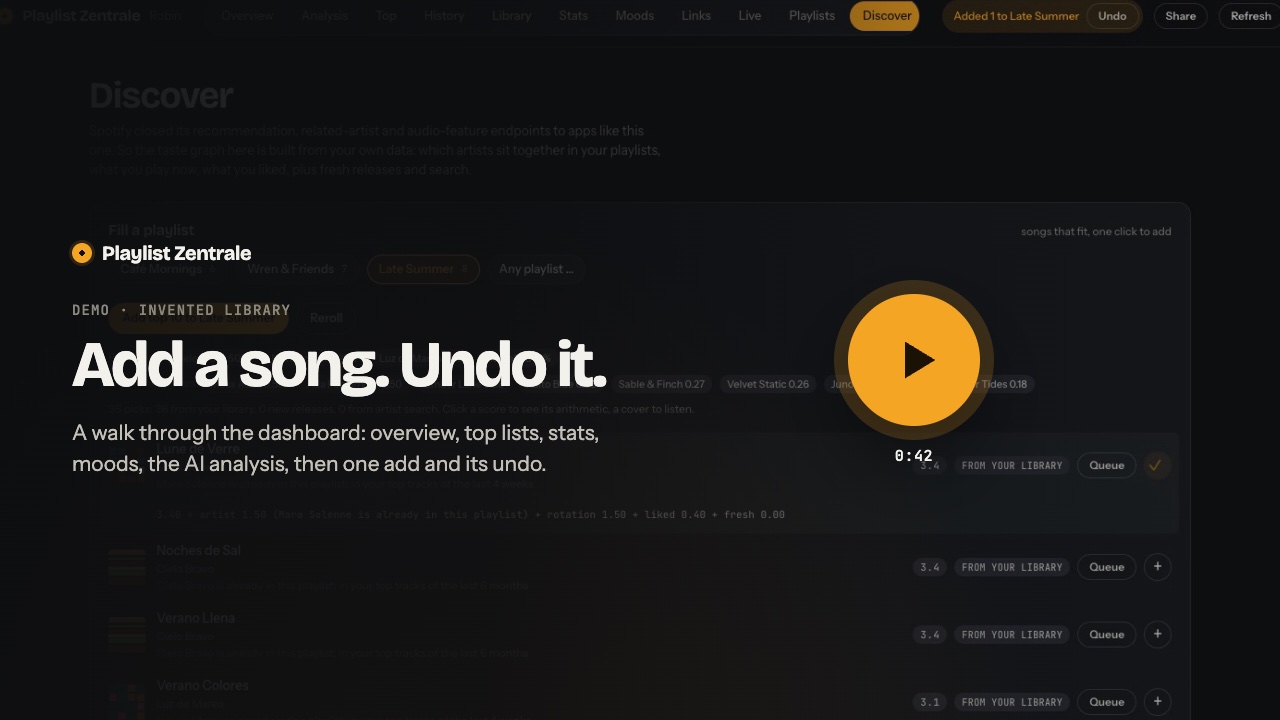](https://github.com/noluyorAbi/playlist-zentrale/blob/main/docs/media/demo.mp4)
[Project page](https://playlist-zentrale.vercel.app/?utm_source=readme&utm_medium=header) ·
[Hosted instance](https://zentrale.adatepe.dev) (five seats, waitlist) ·
[Roadmap](ROADMAP.md) ·
[Dashboard guide](docs/DASHBOARD.md)
## Contents
- [What you can ask for](#what-you-can-ask-for)
- [Quick start](#quick-start)
- [Connect an MCP client](#connect-an-mcp-client)
- [The tools](#the-tools)
- [CLI](#cli)
- [The dashboard](#the-dashboard)
- [Try it without a Spotify account](#try-it-without-a-spotify-account)
- [Hosted mode and self-hosting](#hosted-mode-and-self-hosting)
- [Security model](#security-model)
- [Privacy](#privacy)
- [Spotify's limits](#spotifys-limits)
- [Configuration](#configuration)
- [Troubleshooting](#troubleshooting)
- [Development](#development)
- [License](#license)
## What you can ask for
Once the server is connected, you talk to your agent in plain language:
- "Make a private playlist called Sunday Slow from these twelve songs." The agent matches each
line through search, shows the misses, and only creates the list when you say apply.
- "Remove every duplicate from Old Favourites." The tool can show a dry run first; it keeps the
first copy of each song.
- "Add my top five tracks of the last month to Run Club, but skip what is already there."
- "Undo that." The previous track list comes back, unless you edited the playlist yourself in
the meantime, in which case nothing is overwritten and the agent tells you why.
Behind every one of those requests sits the same rule: a write needs a playlist you own, and it
leaves an audit entry with the previous state.
## Quick start
You need [Bun](https://bun.sh) 1.3 or newer and a Spotify account (the developer app below needs
its owner to have Premium).
1. **Create a Spotify developer app.** Go to https://developer.spotify.com/dashboard, choose
Create app, pick "Web API", and add this redirect URI exactly:
`http://127.0.0.1:3000/spotify/callback`. Spotify rejects `localhost`, so it has to be
`127.0.0.1`. Copy the client id.
2. **Install.**
```sh
git clone https://github.com/noluyorAbi/playlist-zentrale.git
cd playlist-zentrale
bun install
bun run check # typecheck, tests, dash guard
```
3. **Store the client id** outside the repo, readable only by you:
```sh
mkdir -p ~/.config/playlist-zentrale && chmod 700 ~/.config/playlist-zentrale
printf 'SPOTIFY_CLIENT_ID=%s\n' 'your-client-id' > ~/.config/playlist-zentrale/secrets.env
chmod 600 ~/.config/playlist-zentrale/secrets.env
```
The login uses PKCE, so no client secret is needed.
4. **Log in.**
```sh
bun run login # opens the consent page, waits on 127.0.0.1:3000 for the callback
bun run whoami # checks the stored login
```
The tokens land in `~/.config/playlist-zentrale/token.json` (mode 0600). Access tokens last an
hour and refresh on their own; a rotated refresh token is saved. `bun run login --print` shows
the authorize URL and the scopes without starting anything.
Port 3000 taken by a dev server? Register `http://127.0.0.1/callback` (no port) in the Spotify
dashboard as well; a loopback URI without a port accepts any port. Then:
```sh
SPOTIFY_REDIRECT_URI=http://127.0.0.1:8888/callback bun run login
```
## Connect an MCP client
**Claude Code**, at user scope so it works in every project. Run this from the repo folder:
```sh
claude mcp add --scope user playlist-zentrale -- "$(command -v bun)" "$PWD/src/mcp.ts"
claude mcp list | grep playlist-zentrale
```
Use the absolute bun path: servers started by an MCP client often do not have `~/.bun/bin` on
their PATH. No secret goes into the MCP config; the server reads the files above at runtime. It
starts even when you are not logged in yet and reports that on each tool call.
**Claude Desktop, Cursor and other clients** take the same command in their JSON config
(Claude Desktop: `~/Library/Application Support/Claude/claude_desktop_config.json` on macOS;
Cursor: `~/.cursor/mcp.json`):
```json
{
"mcpServers": {
"playlist-zentrale": {
"command": "/absolute/path/to/bun",
"args": ["/absolute/path/to/playlist-zentrale/src/mcp.ts"]
}
}
}
```
Restart the client after adding it.
## The tools
| Tool | What it does | Writes |
|---|---|---|
| `whoami` | The logged-in user | |
| `list_playlists` | Playlists in your library, `owned_only`, name filter | |
| `get_playlist` | Details and ordered tracks (your own or collaborative ones) | |
| `search` | Tracks, artists, albums, playlists (Spotify allows 10 per type per call) | |
| `create_playlist` | New playlist, private by default, optional tracks | undoable |
| `add_tracks` | Adds tracks, skipping ones already present unless `allow_duplicates` | undoable |
| `remove_tracks` | Removes every occurrence of the given tracks | undoable |
| `replace_tracks` | Replaces the whole list, any length | undoable |
| `reorder_tracks` | Moves a range of tracks | undoable |
| `update_playlist_details` | Name, description, public | undoable |
| `set_playlist_cover` | Uploads a local JPEG (256 KB base64 at most) | logged, not undoable |
| `dedupe_playlist` | Drops repeated tracks, keeps the first, supports `dry_run` | undoable |
| `build_playlist_from_list` | "Artist - Title" lines to matches and misses; dry run unless `apply` | undoable |
| `unfollow_playlist` | Removes a playlist from your library; needs `confirm: true` | undoable |
| `top_items` | Top tracks or artists by time range | |
| `recently_played` | The last 50 plays | |
| `saved_tracks` | Liked Songs | |
| `save_tracks`, `unsave_tracks` | Like or unlike | undoable |
| `now_playing`, `list_devices` | Playback state and devices | |
| `playback` | Play, pause, next, previous, queue | logged, not undoable |
| `audit_history` | Recent writes and whether they can still be undone | |
| `undo_last` | Reverses the newest reversible writes | |
Playlist arguments accept an id, a `spotify:playlist:` uri, a link, or the exact name of one of
your playlists. Tracks accept uris, links or bare ids.
## CLI
The same operations for people, with the same checks and the same audit log:
```sh
bun run cli help
bun run cli playlists --owned
bun run cli show "Sunday Slow"
bun run cli search 'track:"Lovely Day" artist:"Bill Withers"'
bun run cli build songs.txt --name "Road Trip" --apply
bun run cli dedupe "Old Favourites" --dry-run
bun run cli details "Run Club" --description "No slow intros."
bun run cli cover "Run Club" ~/Pictures/cover.jpg
bun run cli undo
```
Add `--json` to `playlists` and `show` for machine-readable output.
## The dashboard
```sh
bun run web # http://127.0.0.1:7173, opens the browser
bun run web --no-open # just serve
```
A local page over the same core. It reads everything Spotify still lets this kind of app read and
turns it into numbers you can check: every figure has a "How is this computed?" note, and every
suggestion has a score you can click to see the arithmetic. Adds and creates go through the
audited core, so the Undo pill in the header reverses them.
| | |
|---|---|
| <img src="https://raw.githubusercontent.com/noluyorAbi/playlist-zentrale/main/docs/media/screens/01-overview.png" alt="Overview tab: number one artist, pinned playlists"> | <img src="https://raw.githubusercontent.com/noluyorAbi/playlist-zentrale/main/docs/media/screens/02-analysis.png" alt="Analysis tab: Claude's read of the listener with evidence"> |
| **Overview.** Number one artist, day ones, pinned playlists, a printable receipt. | **Analysis.** Claude reads a digest of your library; every claim cites its evidence. |
| <img src="https://raw.githubusercontent.com/noluyorAbi/playlist-zentrale/main/docs/media/screens/03-stats.png" alt="Stats tab: KPIs and a weekday by hour heatmap of likes"> | <img src="https://raw.githubusercontent.com/noluyorAbi/playlist-zentrale/main/docs/media/screens/04-moods.png" alt="Moods tab: energy by valence map of artists and mood shares per year"> |
| **Stats.** When you hit like, how old songs are when you find them, how concentrated your taste is. | **Moods.** Energy and valence of your artists, and how your moods moved year by year. |
| <img src="https://raw.githubusercontent.com/noluyorAbi/playlist-zentrale/main/docs/media/screens/05-discover-undo.png" alt="Discover tab: suggestions for a thin playlist, one added, the Undo pill in the header"> | <img src="https://raw.githubusercontent.com/noluyorAbi/playlist-zentrale/main/docs/media/screens/06-live.png" alt="Live tab: upcoming shows of your artists near a home point"> |
| **Discover.** Songs that fit a playlist, with the score explained. After an add, Undo sits in the header. | **Live.** Tour dates of the artists you actually play, ranked by how much they matter to you. |
The other tabs cover top lists, history, library, links between artists and playlists, and DJ-style
ordering for new playlists. [docs/DASHBOARD.md](docs/DASHBOARD.md) explains each tab and how its
numbers are computed.
## Try it without a Spotify account
```sh
bun run demo # http://127.0.0.1:7174
```
This serves the real dashboard over an invented library: invented artists, songs, covers,
playlists and listening history, an invented AI analysis, invented concerts. Spotify is replaced
by the in-memory fake the tests use (`test/fake.ts`), the AI runner and the Bandsintown and
Deezer lookups are stubbed, and every file lives in a temp folder that is deleted on exit. Adds,
creates and undo work against the fake. The screenshots and the video in this README come from
it.
## Hosted mode and self-hosting
The same dashboard also runs as a multi-user app on Vercel. The instance at
https://zentrale.adatepe.dev is in Spotify's Development Mode, which allows five listeners who are
added by hand; everyone else can join the waitlist there.
How the hosted mode differs from the local one (code in `src/saas/`):
- Login is PKCE on the server. The verifier rides in a signed ten minute cookie, and the session
is a signed HttpOnly cookie. Every write still needs the page token and a same-origin `Origin`.
- Each user's files live in a private Vercel Blob store, every file encrypted with AES-256-GCM
under a key derived from `SESSION_SECRET`.
- The AI features run through Vercel AI Gateway instead of the local Claude Code CLI and are only
enabled for the ids in `OWNER_SPOTIFY_IDS` and `POWER_SPOTIFY_IDS`, because they cost money per
user.
- A daily cron logs recent plays for every user. "Delete my data" removes every stored file of
that user.
To run your own instance:
```sh
vercel link # once, in the repo folder
OWNER_SPOTIFY_IDS=<your spotify user id> \
bash scripts/setup-vercel-env.sh https://your-domain.example
bun run deploy:prod # check, bundle, deploy
```
`setup-vercel-env.sh` generates `SESSION_SECRET` and `CRON_SECRET` and pipes them straight into
Vercel without printing them. Add a private Blob store to the project for `BLOB_READ_WRITE_TOKEN`.
Register `https://your-domain.example/api/auth/callback` as a redirect URI in the Spotify
dashboard, and add each listener under User Management. `APP_ORIGIN` must be the origin people
open; requests to any other host are refused.
The project page in `landing/` is a separate static site; see [landing/README.md](landing/README.md).
## Security model
An MCP server with write access to your account is a target for prompt injection: a playlist
name or a song title written by a stranger ends up in the agent's context. The guardrails assume
that will happen.
1. Only your own playlists are changed. Followed playlists and collaborative playlists owned
by someone else are refused.
2. Every write is logged before the call returns, with the previous state (track list, name,
description, public), the client that made it and its process id. The log is append-only:
`~/.config/playlist-zentrale/audit.jsonl`.
3. Undo never overwrites a later edit. `undo_last` restores the previous state only if the
playlist still looks exactly like it did right after the write. Undo state is derived from
appended entries, and undo runs under a lockfile, so two sessions cannot reverse the same
change twice.
4. Destructive calls need an explicit flag. `unfollow_playlist` needs `confirm: true`, and
`build_playlist_from_list` is a dry run unless `apply: true`.
5. Every tool response is marked as untrusted data. Names, descriptions and titles are written
by other people and must never be read as instructions.
6. Cover uploads are sandboxed. `set_playlist_cover` only reads regular `.jpg` files inside
`SPOTIFY_COVER_DIRS` (default `~/Pictures`, `~/Desktop`, `~/Downloads`), never inside a hidden
folder such as `~/.ssh`, with symlinks resolved first. A prompt-injected agent cannot upload
arbitrary files to Spotify.
7. Tokens never show up in output. The client secret and tokens are redacted from every tool
and CLI response.
8. The dashboard is local and locked down. It binds to 127.0.0.1, refuses other Host headers
(DNS rebinding), needs a per-launch page token for every API call and a same-origin `Origin`
plus a JSON body for every write, and sends a strict Content-Security-Policy. Spotify strings
are rendered as text, never as HTML.
What cannot be undone: cover uploads (Spotify offers no way to read the previous image back as a
file) and playback commands. Undoing a track list change rewrites the list, which resets the
"added" dates.
Found a hole? See [SECURITY.md](SECURITY.md).
## Privacy
Locally, everything stays on your machine in `~/.config/playlist-zentrale/`: the login, the audit
log, and the cache (`cache/`: library snapshot, AI analysis, mood tags, concerts, play log). The
folder is mode 0700 and every file in it 0600. Deleting the folder removes everything.
Apart from the Spotify API itself (and the album art the page loads from Spotify's image
servers), data leaves your machine only when you press a button for it:
- AI analysis and mood tags: artist and song names, counts and play hours go to Claude through
your own Claude Code login. No ids, tokens or account data. "What is sent" shows the exact text
first.
- Concerts: artist names go to Bandsintown's public API.
- Tempo for DJ mixing: song ISRCs go to Deezer's public API.
The hosted mode stores the same kinds of files per user, encrypted, and runs the AI features only
for invited users. Its privacy page is at https://zentrale.adatepe.dev/privacy.
## Spotify's limits
Since February 2026, apps in Development Mode work under tight rules, and this project follows
them:
- The app owner needs Premium, and at most five users can log in, each added by hand.
- Search returns at most 10 results per type per call.
- Playlist items are only readable for playlists you own or collaborate on.
- Recommendations, audio features, related artists, artist top tracks, browse and batch GETs are
closed. Suggestions are therefore built from your own data, and moods come from Claude's tags.
The details, with sources: [docs/KNOWLEDGE.md](docs/KNOWLEDGE.md).
## Configuration
| Variable | Default | Purpose |
|---|---|---|
| `SPOTIFY_SECRETS_FILE` | `~/.config/playlist-zentrale/secrets.env` | Client id (and optional secret) |
| `SPOTIFY_TOKEN_FILE` | `~/.config/playlist-zentrale/token.json` | Stored tokens |
| `SPOTIFY_AUDIT_LOG` | `~/.config/playlist-zentrale/audit.jsonl` | Audit log |
| `SPOTIFY_CACHE_DIR` | `~/.config/playlist-zentrale/cache` | Dashboard cache |
| `SPOTIFY_REDIRECT_URI` | `http://127.0.0.1:3000/spotify/callback` | Login callback |
| `SPOTIFY_WEB_PORT` | `7173` | Dashboard port |
| `SPOTIFY_COVER_DIRS` | `~/Pictures:~/Desktop:~/Downloads` | Folders cover uploads may read |
| `SPOTIFY_CLAUDE_BIN` | `~/.local/bin/claude` | Claude Code CLI for the AI features |
| `SPOTIFY_AI_MODEL` | CLI default | Model alias for the analysis |
| `SPOTIFY_AI_LANGUAGE` | `English` | Language of the AI text |
| `SPOTIFY_HOMES` | none | `Name:lat:lng,...` home points for the Live tab |
| `BANDSINTOWN_APP_ID` | public example id | Your own Bandsintown app id |
`SPOTIFY_CLIENT_ID` in the environment overrides the secrets file.
## Troubleshooting
| Symptom | Fix |
|---|---|
| `Not logged in to Spotify` | `bun run login` |
| `invalid_grant` on refresh | The refresh token expired or was revoked: `bun run login` |
| 403 on everything | The app owner's Premium lapsed, or the account is not under User Management |
| 403 on one call | Endpoint closed to Development Mode, missing scope (log in again), or not your playlist |
| 404 on playback | No active device: open Spotify somewhere, or pass `device_id` |
| `INVALID_CLIENT: Invalid redirect URI` | The URI is not registered exactly; check `SPOTIFY_REDIRECT_URI` |
| Port 3000 busy | Stop the dev server, or use the portless redirect URI (see Quick start) |
| Cover refused | JPEG under about 190 KB: `sips -Z 640 -s format jpeg -s formatOptions 70 in.png --out out.jpg` |
| Tools missing in the client | `claude mcp list`; restart the client after adding the server |
| No "Create app" button | A narrow window hides it; open https://developer.spotify.com/dashboard/create |
## Development
```sh
bun install
bun run check # tsc --noEmit, bun test, no em or en dash anywhere
bun run demo # the dashboard over invented data
```
Tests run against an in-memory fake of the Spotify routes (`test/fake.ts`) and never touch the
network or real secrets. [AGENTS.md](AGENTS.md) describes the layout, the rules every write
follows, and how to add a tool. Issues are welcome; pull requests are not accepted, see
[CONTRIBUTING.md](CONTRIBUTING.md).
## Roadmap
[ROADMAP.md](ROADMAP.md) lists what comes next: a setup command, the whole audit log in the
dashboard, and remote MCP for the hosted mode.
## License
Playlist Zentrale is source-available, free for noncommercial use, under the
[PolyForm Noncommercial License 1.0.0](LICENSE). You may read, run, modify, self-host and share it
for any noncommercial purpose, including personal projects, research and teaching. Using it for
commercial advantage or monetary compensation (a paid product, a paid service, client work) needs
a commercial license: open an issue with the
[commercial license template](https://github.com/noluyorAbi/playlist-zentrale/issues/new?template=commercial-license.yml).
Keep confidential details out of it; the reply moves the conversation to a private channel.
Playlist Zentrale is an independent project for Spotify users. It is not affiliated with,
endorsed or sponsored by Spotify. Spotify is a trademark of Spotify AB.
This server cannot be deployed
Maintenance
ActivityMaintained
ResponsivenessNo recent community issues