
mcp-boards-nk


# mcp-boards-nk
[](https://www.npmjs.com/package/mcp-boards-nk)
[](https://www.npmjs.com/package/mcp-boards-nk)
[](https://github.com/nikodev-documentacion/mcp-boards-nk/actions/workflows/ci.yml)
[](https://opensource.org/licenses/MIT)
[](https://nodejs.org)
MCP server for **Mattermost Boards (Focalboard)** — lets Claude and other MCP-compatible clients list teams, boards, and cards, create and update tasks, add comments, and more — all via natural language.
> The first MCP server with full support for Mattermost Boards (Focalboard).
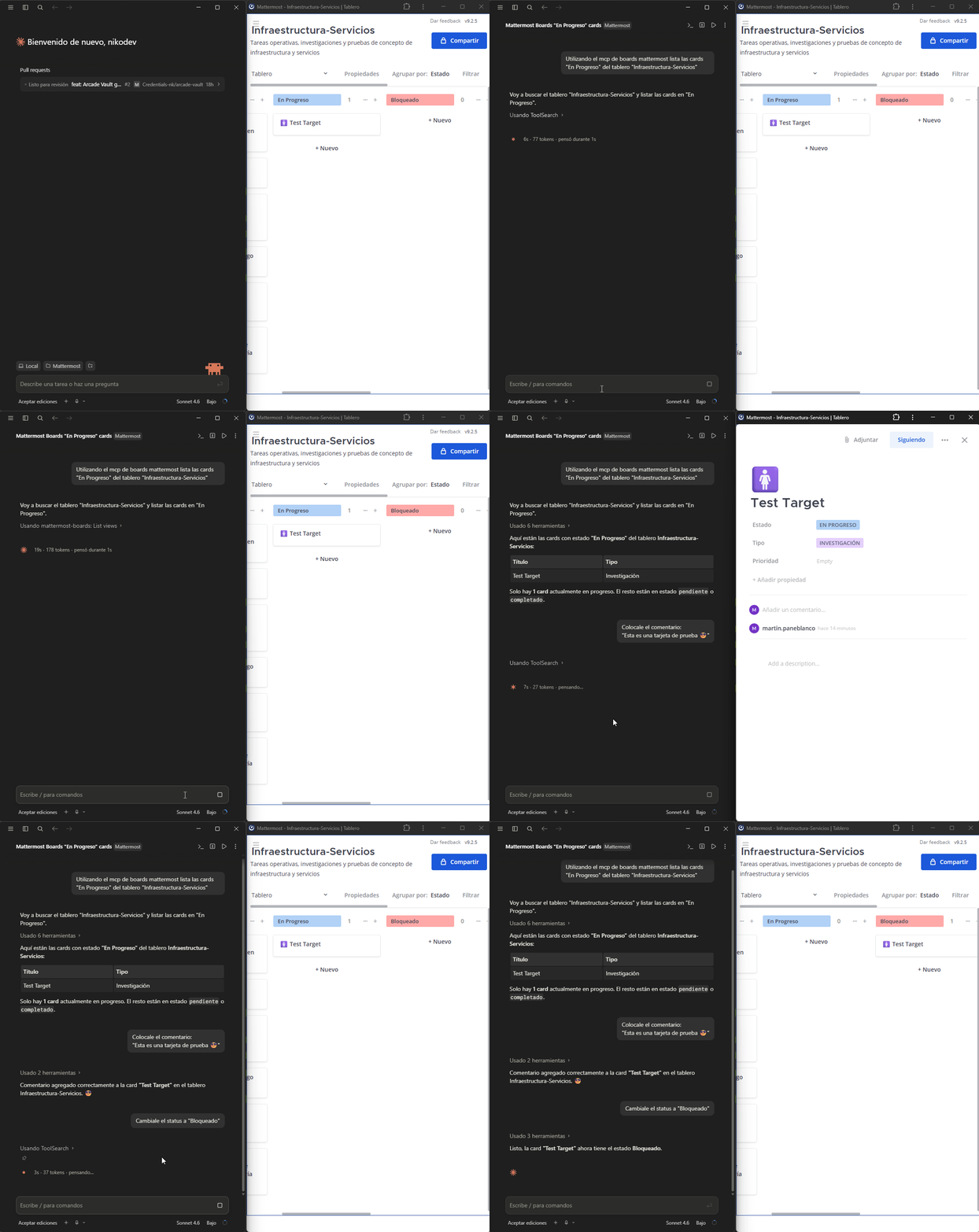
## Tools available
| Tool | Description |
|------|-------------|
| `list_teams` | List all Mattermost teams |
| `list_boards` | List boards in a team |
| `get_board` | Get board details including properties and columns |
| `list_cards` | List cards/tasks in a board. Optional filter: `filter_property` + `filter_value` (e.g. `prop_estado` / `opt_pendiente`) |
| `get_card` | Get full card details |
| `create_card` | Create a new card with title, properties and content |
| `update_card` | Update title, properties or content of an existing card |
| `delete_card` | Delete a card from a board |
| `add_comment` | Add a comment to a card |
| `list_views` | List views of a board (kanban, table, gallery…) |
| `list_board_members` | List members of a board |
## Requirements
- Self-hosted Mattermost instance with the **Boards (Focalboard) plugin** enabled
- A Mattermost **Personal Access Token**
## Installation
Run the interactive setup wizard — it configures Claude Desktop or Claude Code automatically:
```bash
npx --prefer-online --package=mcp-boards-nk mcp-boards-nk-setup
```
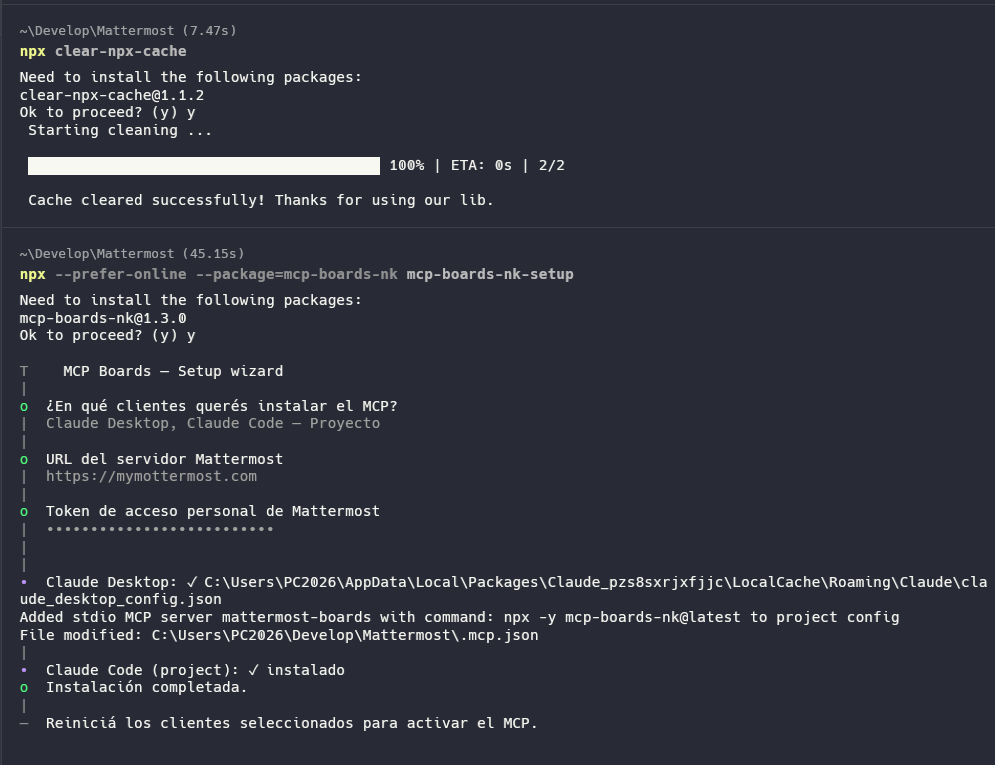
The wizard will ask you:
1. Which client to install to (Claude Desktop / Claude Code global or project)
2. Your Mattermost URL
3. Your personal access token
You can install to multiple clients in a single run.

## Uninstall
```bash
npx --prefer-online --package=mcp-boards-nk mcp-boards-nk-setup --uninstall
```
Select which clients to remove the MCP from and the wizard handles the rest.
## Environment variables
| Variable | Required | Description |
|----------|----------|-------------|
| `MATTERMOST_URL` | ✅ | Base URL of your Mattermost instance (no trailing slash) |
| `MATTERMOST_TOKEN` | ✅ | Personal access token of the Mattermost user |
## Getting a Personal Access Token
1. Go to **Profile → Security → Personal Access Tokens → Edit**
2. Click **Create Token**, give it a name, copy the value
If the option doesn't appear, ask your Mattermost admin to enable it:
**System Console → User Management → Users → Manage Roles → Allow this account to generate personal access tokens**
## How to use card properties
When creating or updating cards, pass `properties` as a JSON object using the IDs defined in the board.
Use `get_board` to see all available property IDs and their option values.
Example:
```json
{
"prop_estado": "opt_pendiente"
}
```
## License
MIT
TDQS
Scored across 11 tools
Each tool clearly targets a distinct resource: cards, boards, members, teams, views, comments. No overlapping responsibilities, making it easy for an agent to select the right tool.
All tools follow a consistent verb_noun pattern in snake_case (e.g., create_card, list_boards). The verb is always imperative, and nouns are singular/plural appropriately, providing a predictable interface.
With 11 tools, the server is well-scoped for a board management system. Each tool covers a necessary operation without unnecessary duplication, striking a good balance between simplicity and functionality.
The server covers major CRUD operations for cards and provides board, member, view, team, and comment access. Minor gaps like board deletion or card reordering are missing, but the core workflows are fully supported.