A
licenseA
qualityD
maintenanceA server implementation that connects to a locally running Anki, enabling card review and creation through the Model Context Protocol.
4
185
MIT

This server (as defined by the given schema) is a minimal Anki deck/note creator, not the full 35-tool anki-mcp described in the README.
Create a deck — anki_create_deck makes a new deck by name.
Add one flashcard — anki_add_note adds a single note to a deck, given deckName, front, and back.
Add many flashcards — anki_add_notes bulk-adds an array of front/back cards to a deck in one call.
Note: the schema exposes only 3 simple write tools with no read, study, search, suspend, tag, audio, or destructive operations, so it does not match the README's advertised capabilities (study/quizzing, due-card retrieval, leech finding, retention stats, bulk edit, audio via Azure TTS, note types, resources, prompts, etc.). No tool supports dry runs or confirmation tokens.
Provides tools for managing Anki flashcards and decks, including creating and updating cards, managing note types, searching for cards, retrieving due and new cards, and handling card reviews programmatically through the AnkiConnect plugin.
Click on "Deploy Server".
Wait a few minutes for the server to deploy. Once ready, it will show a "Started" state.
In the chat, type @ followed by the MCP server name and your instructions, e.g., "@Anki MCP Server create a flashcard for the capital of France"
That's it! The server will respond to your query, and you can continue using it as needed.
Here is a step-by-step guide with screenshots.


Study and manage your Anki collection by talking to Claude (or any MCP client). 35 tools over AnkiConnect: get quizzed in chat, see what is due and how your retention is going, find the cards you keep forgetting, create and clean up notes in bulk, and pause whole groups of cards until you want them back.
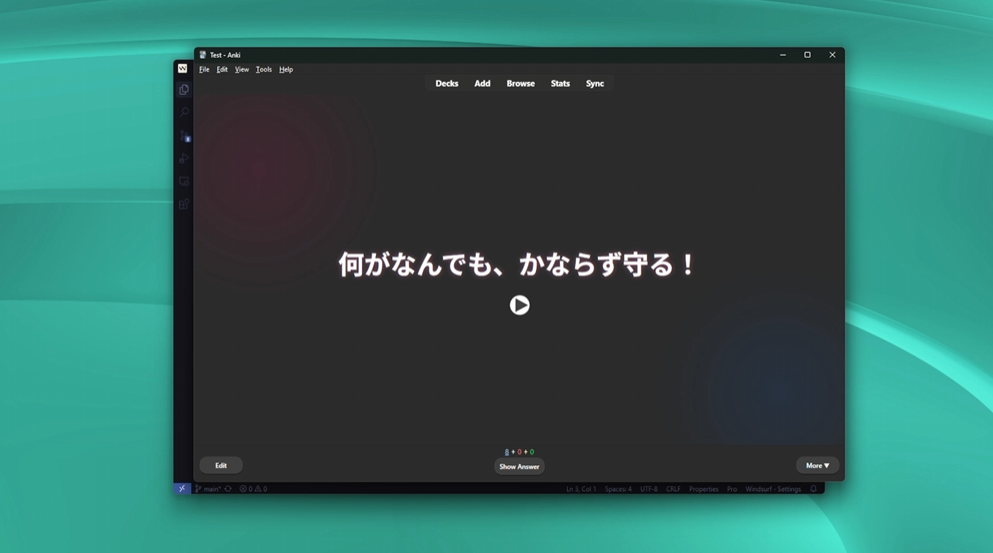
"What do I have to study today?" → due counts per deck, streak, reviews this week.
"Quiz me on 10 due cards from my Spanish deck." → one question at a time, graded, and recorded in Anki with the next interval.
"Which cards do I keep getting wrong? Help me fix them." → leeches, their review history, and rewrites you approve.
"Suspend everything tagged HSK5 until my exam, and make it easy to bring back." → named pause that restores exactly those cards, scheduling intact.
"Turn this article into cloze cards in my Biology deck." → duplicate-checked bulk add.
"Add audio to every card in this deck that doesn't have it." → Azure TTS in bulk.
"Move the cards tagged grammar to a new subdeck" / "rename the tag todo to review" / "spread my backlog over the next two weeks".
Bulk changes can be previewed with a dry run, deleting always needs a confirmation step, and when Anki is closed the assistant is told to ask you to open it instead of failing silently.
Related MCP server: Anki MCP Server
You need Node.js 18+, Anki running, and the AnkiConnect add-on (code 2055492159).
Download anki-mcp.mcpb from the latest release and drag it into Settings → Extensions. That's it.
claude mcp add anki --scope user -- npx -y github:nietus/anki-mcpAdd this to the client's MCP configuration:
{
  "mcpServers": {
    "anki": {
      "command": "npx",
      "args": ["-y", "github:nietus/anki-mcp"]
    }
  }
}
On Windows, if the client cannot start npx directly, use "command": "cmd" with "args": ["/c", "npx", "-y", "github:nietus/anki-mcp"].
git clone https://github.com/nietus/anki-mcp
cd anki-mcp
npm install
npm run build
Then point your client at node /path/to/anki-mcp/build/client.js. To build the Claude Desktop bundle yourself, run npm run pack:mcpb (output in dist/anki-mcp.mcpb).
All environment variables are optional. Put them in a .env file in the project folder or pass them through your MCP client.
Variable | Default | Purpose |
| – | Enables the audio tools (Azure Text-to-Speech). |
|
| Azure Speech region. |
|
| AnkiConnect host. |
|
| AnkiConnect port. |
| – | AnkiConnect API key, if you set one in the add-on config. |
npm test           # unit + in-memory MCP server tests (no Anki needed)
npm run inspector # try the tools interactivelyEvery tool is annotated as read-only, write or destructive, so clients like Claude Desktop can auto-approve reads and ask before destructive changes. Errors (including "Anki is not running") come back as readable tool results.
Most bulk tools select cards or notes the same way: deckName (subdecks included), tags (matches any), query (any Anki search, ANDed), or explicit cardIds / noteIds. Write tools accept dryRun: true to preview the change first.
Tool | What it does |
| Today's new/learning/review counts per deck, cards reviewed today, streak, 7/30-day totals. |
|
|
| Record answers ( |
| Weakest cards (leech tag / many lapses), ranked by lapses and ease. |
| Full review log of up to 20 cards. |
| True retention (young/mature), reviews per day and time spent for a deck over N days. |
| Undo the last action in Anki. |
Tool | What it does |
| Paginated search ( |
| Deactivate/reactivate cards, e.g. all cards with tag X in deck Y. Scheduling is preserved. Pass a |
| Move cards to |
|
|
Tool | What it does |
| Create one note. |
| Create many notes; duplicates/invalid notes are skipped and reported with the reason. |
| Create cloze notes from text plus |
| Edit fields of existing notes. |
| Plain or regex replace across notes, optionally limited to some |
|
|
| Add an image to a field from a |
| Two-step delete: the first call previews and returns a |
AZURE_API_KEY)Tool | What it does |
| Create a note with audio generated from |
| Generate audio for one existing note. |
| Generate audio for many notes (by default only those with an empty audio field), |
Supported languages: en, es, fr, de, it, ja, ko, pt, pt-PT, ru, zh, ar, nl, hi, tr, pl, sv, fi, da, no, cs, hu, el, he, th, vi, id, ms, ro.
Tool | What it does |
| List or create decks. |
| Which note types a deck uses (call before adding cards to it). |
| List note types / fields, templates and CSS of one. |
|
|
| Replace templates or CSS. |
| Create a note type. |
| Sync with AnkiWeb. |
Prompt | What it does |
| Study session: one question at a time, graded and recorded in Anki. |
| Turn a text into atomic flashcards (previewed before adding). |
| Find the cards you keep forgetting and fix them. |
anki://collection/overview – study overview.
anki://search/isdue, anki://search/isnew, anki://search/deckcurrent – up to 50 cards each.
anki://deck/{deckName}/overview – due counts for one deck.
anki://model/{modelName} – fields, templates and CSS of a note type.
Add a flashcard to an Anki deck
| Name | Required | Description | Default |
|---|---|---|---|
| back | Yes | Back of the flashcard | |
| deckName | Yes | The target deck name | |
| front | Yes | Front of the flashcard |
Does the description disclose side effects, auth requirements, rate limits, or destructive behavior?
With no annotations provided, the description carries full burden for behavioral disclosure. It states the action ('Add') which implies a write/mutation operation, but doesn't disclose any behavioral traits like whether it requires specific permissions, what happens if the deck doesn't exist, error conditions, or how the system responds to successful addition. The description is minimal and lacks operational context.
Agents need to know what a tool does to the world before calling it. Descriptions should go beyond structured annotations to explain consequences.
Is the description appropriately sized, front-loaded, and free of redundancy?
The description is extremely concise with a single, clear sentence that communicates the core purpose without any wasted words. It's appropriately sized for a straightforward tool and gets directly to the point with no unnecessary elaboration.
Shorter descriptions cost fewer tokens and are easier for agents to parse. Every sentence should earn its place.
Given the tool's complexity, does the description cover enough for an agent to succeed on first attempt?
For a mutation tool with no annotations and no output schema, the description is insufficiently complete. It doesn't explain what happens after adding the flashcard, potential error conditions, or how to verify success. Given the tool's complexity as a write operation and the lack of structured behavioral information, more context about the operation's behavior and outcomes would be valuable.
Complex tools with many parameters or behaviors need more documentation. Simple tools need less. This dimension scales expectations accordingly.
Does the description clarify parameter syntax, constraints, interactions, or defaults beyond what the schema provides?
The description adds no parameter information beyond what's already in the schema, which has 100% coverage with clear descriptions for all three parameters. The baseline score of 3 reflects adequate schema documentation, but the description doesn't provide additional context about parameter relationships, constraints, or usage patterns.
Input schemas describe structure but not intent. Descriptions should explain non-obvious parameter relationships and valid value ranges.
Does the description clearly state what the tool does and how it differs from similar tools?
The description clearly states the action ('Add') and resource ('flashcard to an Anki deck'), making the purpose immediately understandable. It distinguishes from sibling 'anki_add_notes' by specifying singular 'flashcard' vs. plural 'notes', but doesn't explicitly differentiate from 'anki_create_deck' which creates decks rather than flashcards.
Agents choose between tools based on descriptions. A clear purpose with a specific verb and resource helps agents select the right tool.
Does the description explain when to use this tool, when not to, or what alternatives exist?
The description provides no guidance on when to use this tool versus alternatives. It doesn't mention when to choose this over 'anki_add_notes' (for single vs. multiple cards) or 'anki_create_deck' (for creating decks before adding cards). No prerequisites or contextual usage information is provided.
Agents often have multiple tools that could apply. Explicit usage guidance like "use X instead of Y when Z" prevents misuse.
Add multiple flashcards to an Anki deck
| Name | Required | Description | Default |
|---|---|---|---|
| cards | Yes | ||
| deckName | Yes | The target deck name |
Does the description disclose side effects, auth requirements, rate limits, or destructive behavior?
With no annotations provided, the description carries the full burden of behavioral disclosure. It states the action ('Add multiple flashcards') but doesn't cover critical aspects like whether this is a write operation (implied but not confirmed), error handling (e.g., if the deck doesn't exist), or response format. This leaves significant gaps for an agent to understand the tool's behavior.
Agents need to know what a tool does to the world before calling it. Descriptions should go beyond structured annotations to explain consequences.
Is the description appropriately sized, front-loaded, and free of redundancy?
The description is a single, clear sentence that efficiently conveys the core purpose without unnecessary words. It's front-loaded and appropriately sized for the tool's complexity, with no wasted information.
Shorter descriptions cost fewer tokens and are easier for agents to parse. Every sentence should earn its place.
Given the tool's complexity, does the description cover enough for an agent to succeed on first attempt?
Given the lack of annotations, no output schema, and incomplete parameter documentation (50% coverage), the description is insufficient. It doesn't address key contextual elements like mutation effects, error scenarios, or return values, making it inadequate for safe and effective tool invocation.
Complex tools with many parameters or behaviors need more documentation. Simple tools need less. This dimension scales expectations accordingly.
Does the description clarify parameter syntax, constraints, interactions, or defaults beyond what the schema provides?
The description mentions 'multiple flashcards' and 'Anki deck', which loosely maps to the 'cards' array and 'deckName' parameters. However, with 50% schema description coverage (only 'deckName' has a description), the description doesn't add meaningful details about parameter formats, constraints, or the structure of card objects (front/back fields). It partially compensates but not fully.
Input schemas describe structure but not intent. Descriptions should explain non-obvious parameter relationships and valid value ranges.
Does the description clearly state what the tool does and how it differs from similar tools?
The description clearly states the action ('Add multiple flashcards') and resource ('to an Anki deck'), making the purpose immediately understandable. However, it doesn't explicitly differentiate from the sibling tool 'anki_add_note' (singular vs. plural), which could cause confusion about when to use each.
Agents choose between tools based on descriptions. A clear purpose with a specific verb and resource helps agents select the right tool.
Does the description explain when to use this tool, when not to, or what alternatives exist?
The description provides no guidance on when to use this tool versus alternatives like 'anki_add_note' (for single cards) or 'anki_create_deck' (for deck creation). There's no mention of prerequisites, such as whether the deck must already exist, or any contextual limitations.
Agents often have multiple tools that could apply. Explicit usage guidance like "use X instead of Y when Z" prevents misuse.
Create a new Anki deck
| Name | Required | Description | Default |
|---|---|---|---|
| deckName | Yes | The name of the deck to create |
Does the description disclose side effects, auth requirements, rate limits, or destructive behavior?
With no annotations provided, the description carries full burden but only states the basic action. It doesn't disclose behavioral traits such as error handling (e.g., what happens if the deck already exists), permission requirements, side effects, or response format, which are critical for a creation tool.
Agents need to know what a tool does to the world before calling it. Descriptions should go beyond structured annotations to explain consequences.
Is the description appropriately sized, front-loaded, and free of redundancy?
The description is a single, direct sentence with no wasted words, making it highly concise and front-loaded. It efficiently communicates the core purpose without unnecessary elaboration.
Shorter descriptions cost fewer tokens and are easier for agents to parse. Every sentence should earn its place.
Given the tool's complexity, does the description cover enough for an agent to succeed on first attempt?
For a creation tool with no annotations and no output schema, the description is insufficient. It lacks details on behavior, error cases, and output, leaving gaps that could hinder an agent's ability to use the tool effectively in complex scenarios.
Complex tools with many parameters or behaviors need more documentation. Simple tools need less. This dimension scales expectations accordingly.
Does the description clarify parameter syntax, constraints, interactions, or defaults beyond what the schema provides?
Schema description coverage is 100%, with the parameter 'deckName' clearly documented in the schema. The description doesn't add any meaning beyond the schema, such as naming conventions or constraints, but the schema provides adequate baseline information.
Input schemas describe structure but not intent. Descriptions should explain non-obvious parameter relationships and valid value ranges.
Does the description clearly state what the tool does and how it differs from similar tools?
The description clearly states the action ('Create') and resource ('new Anki deck'), making the purpose immediately understandable. However, it doesn't differentiate from sibling tools like 'anki_add_note' or 'anki_add_notes', which are about adding content rather than creating deck structure.
Agents choose between tools based on descriptions. A clear purpose with a specific verb and resource helps agents select the right tool.
Does the description explain when to use this tool, when not to, or what alternatives exist?
No guidance is provided on when to use this tool versus alternatives. The description doesn't mention prerequisites (e.g., whether the deck must not already exist), constraints, or relationships to sibling tools, leaving the agent to infer usage context.
Agents often have multiple tools that could apply. Explicit usage guidance like "use X instead of Y when Z" prevents misuse.
Recent tool additions, removals, and schema changes observed during successful MCP inspections.
v1.0.0anki_add_noteanki_add_notesanki_create_deckScored across 3 tools
The tools have overlapping purposes, as 'anki_add_note' and 'anki_add_notes' both handle adding flashcards, which could cause confusion for an agent deciding between single vs. batch operations. However, the descriptions clarify the distinction (single vs. multiple), mitigating some ambiguity. The 'anki_create_deck' tool is clearly distinct, focusing on deck management rather than note addition.
All tool names follow a consistent 'anki_' prefix and snake_case pattern (e.g., anki_add_note, anki_add_notes, anki_create_deck), with clear verb_noun structures. This predictability makes it easy for agents to understand and navigate the tool set without confusion from mixed conventions.
With only 3 tools, the server feels thin for managing Anki flashcards, a domain that typically involves operations like updating, deleting, reviewing, or searching notes and decks. The count is too low for the apparent scope, lacking essential CRUD lifecycle coverage beyond basic creation, which may limit agent functionality.
The tool set is severely incomplete for Anki management, covering only note addition and deck creation. Obvious gaps include updating or deleting notes/decks, listing or searching existing content, and handling reviews or scheduling—core aspects of flashcard workflows. This will likely cause agent failures when trying to perform common tasks beyond initial setup.
A comprehensive Model Context Protocol (MCP) server that enables AI assistants to interact with yo…
A Model Context Protocol server for Wix AI tools
Model Context Protocol server for the Apideck Unified API. Connect any MCP-compatible agent framework to 100+ accounting systems, HRIS platforms, file storage providers, and more through one integration. More information https://www.apideck.com/mcp-server
Model Context Protocol server for Studex tools, notifications, and profile integrations