
mmm-mcp-server

# Matryoshka Mind Map MCP Server
English | [日本語](https://github.com/nhorie-canal/mmm_mcp/blob/main/README.ja.md)
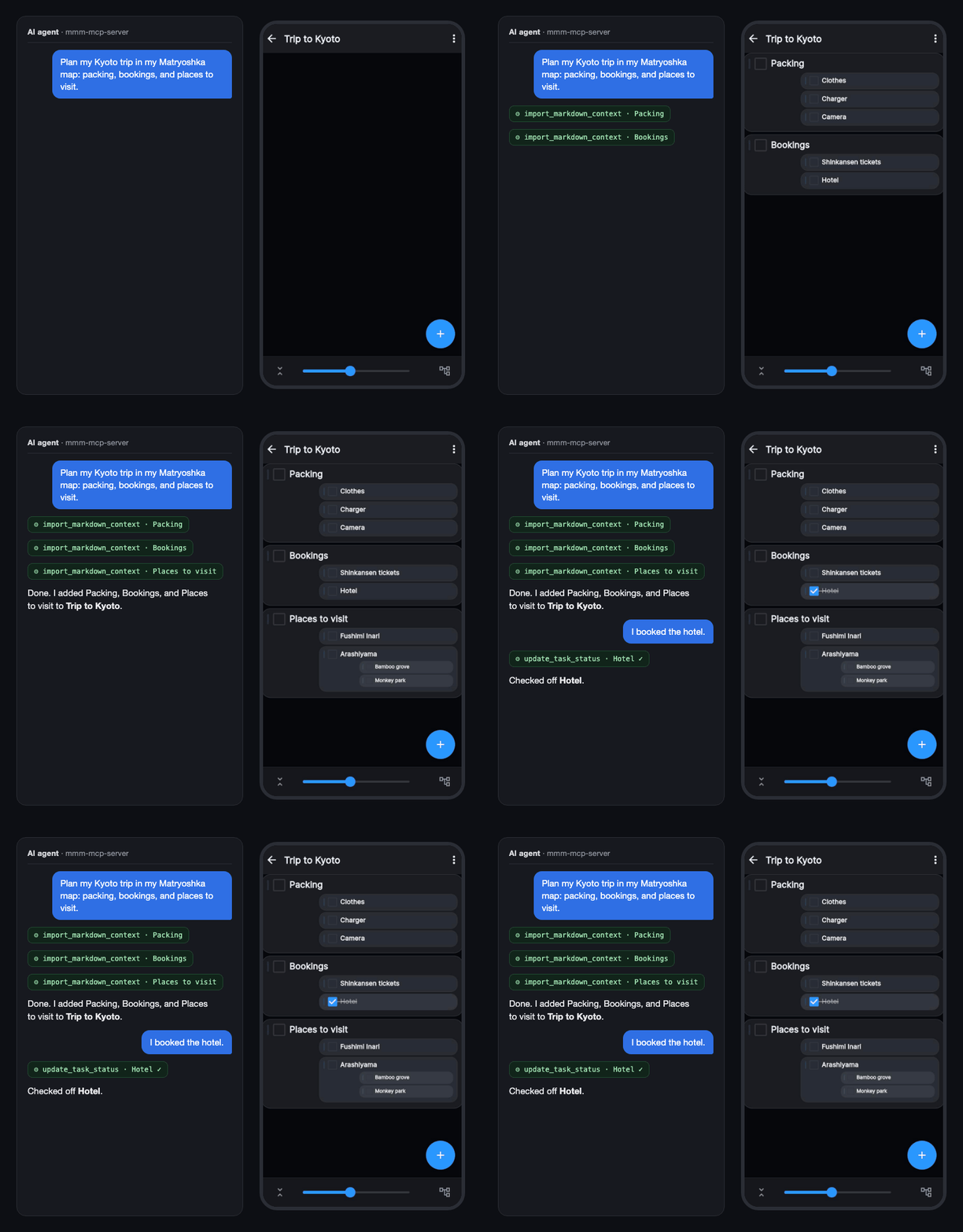
Talk to your AI agent, and it reads and writes your nested mind maps and TODOs in [Matryoshka Mind Map](https://matryoshkamap.web.app).
**Get the app (free to start)**: [Web app](https://matryoshkamap.web.app) · [App Store](https://apps.apple.com/app/id1613648306) · [Google Play](https://play.google.com/store/apps/details?id=jp.spheres.mm)
## What you can do
- "Show me my maps" — lists your maps
- Turn ideas from the conversation into a nested mind map
- "I finished task X" — checks it off your TODO list
- Paste long notes or Markdown and import them into a map
## Get started
You need a Matryoshka account linked to Google, Apple, or an email address (anonymous-only accounts cannot be used).
### Claude Desktop (no terminal needed)
1. Download **[mmm-mcp-server.mcpb](https://github.com/nhorie-canal/mmm_mcp/releases/latest/download/mmm-mcp-server.mcpb)** and double-click it, then click **Install** in Claude Desktop.
2. Say "Sign in to Matryoshka". A browser window opens: approve with Google or Apple, or enter your email and password on the sign-in page (it runs only on your computer; your password is never shared with the AI).
3. Talk to it:
- "Show me my Matryoshka maps."
- "Add a task called [task] to the [map name] map."
- "Import these notes into the [map name] map."
The first time a map's contents are read, Claude asks for your permission.
### Claude Code and other MCP clients
Requires Node.js 18+. New to the terminal? Follow the [step-by-step setup guide](https://github.com/nhorie-canal/mmm_mcp/blob/main/docs/setup.md).
Claude Code:
```bash
claude mcp add mmm -- npx -y mmm-mcp-server@latest
```
Other MCP clients: register `npx -y mmm-mcp-server@latest` as the server command.
Then ask the agent to sign in to Matryoshka, or sign in from the terminal with the method you use in the app (`google`, `apple`, or `email`):
```bash
npx -y -p mmm-mcp-server@latest mmm-login login --method google
```
## Privacy
- Runs only on your computer, only while you talk to your agent. No always-on server.
- Your login is stored only on your computer, and your maps are read and written directly in your own account. The developer cannot see your data.
## More
[Tips and advanced use](https://github.com/nhorie-canal/mmm_mcp/blob/main/docs/guide.md) — keeping maps tidy, recording tasks per folder, updating, troubleshooting.
TDQS
Scored across 11 tools
Most tools have clearly distinct purposes (move_element, edit_element, set_schedule, update_task_status, delete_elements each target a different mutation). The main overlap is auto_structure_thought vs import_markdown_context, which both write hierarchical content into an existing map, but the descriptions differentiate them well (Claude-generated structure vs Markdown import).
All names use snake_case with a verb-first pattern (list_maps, create_map, edit_element, move_element, delete_elements, set_schedule, sign_in). Minor deviations: singular/plural inconsistency (move_element vs delete_elements) and auto_structure_thought, which is adverb_verb_noun rather than a clean verb_noun.
11 tools is well within the ideal 3-15 range and each tool corresponds to a real operation (map CRUD-ish, element mutation, scheduling, import, auth). No filler tools and no missing obvious operation that would need bundling.
The element lifecycle is well covered: create map, list maps/elements, add structure, import, edit text, move, delete, toggle task state, set schedule, plus sign-in. Gaps are at the map level (no rename_map or delete_map) and there is no direct single-element create outside structure/import, but agents can work around these.