A
licenseNot graded
qualityD
maintenanceThis server enables Claude to access Team Fight Tactics (TFT) game data, allowing users to retrieve match histories and detailed match information through the Riot Games API.
12 npm
9
MIT

Click on "Deploy Server".
Wait a few minutes for the server to deploy. Once ready, it will show a "Started" state.
In the chat, type @ followed by the MCP server name and your instructions, e.g., "@LolByte MCP Server show me my match history from yesterday"
That's it! The server will respond to your query, and you can continue using it as needed.
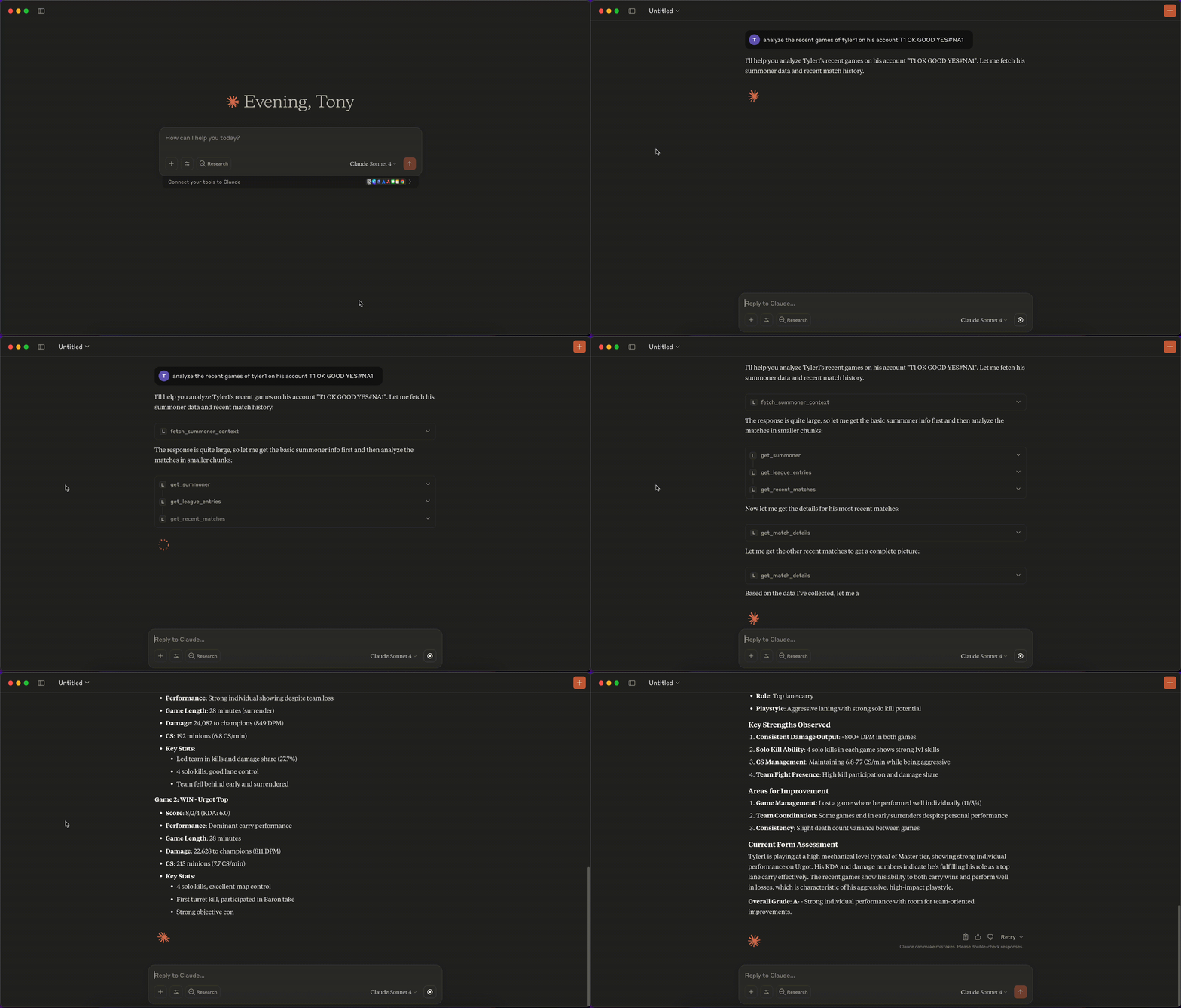
Here is a step-by-step guide with screenshots.
See https://modelcontextprotocol.io/docs/getting-started/intro
Related MCP server: MCP Riot Server
npm run buildUpdate /path/to/claude_desktop_config.json as follows:
{
  "mcpServers": {
    "lolbyte-mcp": {
      "command": "sh",
      "args": [
        "-c",
        "RIOT_API_KEY=YOUR_API_KEY node /Users/anthony/repos/lolbyte-mcp/build/index.js"
      ]
    }
  }
}Update librechat.yaml:
mcpServers:
  lolbyte:
    command: sh
    args:
      - -c
      - "RIOT_API_KEY=YOUR_API_KEY node /app/mcp/build/index.js"
Update docker-compose.override.yml:
services:
  api:
    volumes:
    - /path/to/lolbyte-mcp-server:/app/mcp
    - type: bind
      source: ./librechat.yaml
target: /app/librechat.yamlUpdate mcp.json as follows:
{
  "mcpServers": {
    "lolbyte-mcp": {
      "command": "sh",
      "args": [
        "-c",
        "RIOT_API_KEY=YOUR_API_KEY node /Users/anthony/repos/lolbyte-mcp/build/index.js"
      ]
    }
  }
}This server cannot be deployed
Teamfight Tactics data & AI coaching for Claude and ChatGPT — 19 tools, built-in Riot key.
Provide detailed Pokémon data and information through a standardized MCP interface. Enable LLMs an…
Live competitive-game predictions, meta data and decision tools for AI agents.
